
TL;DR

Get audio and creator gear delivered free with Prime
- Fast, free delivery on millions of items
- Prime Video, Amazon Music and more included
- Member-only deals all year
A keyboard workstation offers quick, reliable sounds and immediate playability, ideal for live and performance. A controller plus laptop provides greater flexibility, editing power, and expandability for studio production. The best choice depends on your priority—performance or detailed production.
Imagine you’re setting up your studio. Do you go for a sleek, all-in-one keyboard workstation, designed to be an instrument in its own right? Or do you choose a MIDI controller paired with a powerful laptop, turning your setup into a flexible, expandable production hub? The choice isn’t just about price or brand; it shapes how you create, perform, and produce music.
In this guide, we’ll compare their strengths and weaknesses across key studio roles. Whether you’re a performer, a producer, or a composer, understanding these differences can help you pick the right gear—saving you time, money, and frustration in the process.
For quick, reliable performance, a workstation’s all-in-one design wins, especially on stage or for fast sketching.
Laptops and controllers excel in sound variety, detailed editing, and project expandability—ideal for full studio production.
A hybrid setup leverages the strengths of both: use a high-quality keyboard for live playing and a DAW for production work.
Prioritize workflow needs—whether immediate playability or detailed editing—before investing.
Test keybeds, sound libraries, and connectivity options thoroughly to match your style and studio setup.
Keyboard Workstation vs Controller Plus Laptop
One is an instrument in its own right—switch it on and play. The other is a flexible production hub with near-limitless sounds. Which setup fits your studio? We compare their strengths across every key studio role.
How Each Setup Makes Music
Workstations behave like instruments: turn on, pick a sound, play. A Roland Fantom or Yamaha Montage has you performing within seconds. Controller-plus-laptop requires prep—launching a DAW, loading instruments, mapping controls—but unlocks a universe of sounds once configured.
Zero Friction
Preloaded sound engine, intuitive controls, and performance memories let you switch patches on the fly. Perfect for live gigs and fast songwriting sketches.
Swiss Army Knife
Intricate synth layers, orchestral libraries, MIDI editing, and parameter automation—versatile but requiring a moment of setup first.
Match the Tool
Quick sketches and stage work favor the workstation’s streamlined design. Layered, detailed production favors the laptop-based system.
Studio Roles Head to Head
Ten core studio tasks, scored by which setup holds the advantage.
| Studio Role | Keyboard Workstation | Controller + Laptop |
|---|---|---|
| Composing | Fast, immediate, distraction-resistant | More flexible for arranging and editing |
| Sound design | Strong curated engine; limited architecture | Vast plug-ins, synthesis, samples ✓ |
| Recording | Good for MIDI sketches and sequencing | Multitrack audio, comping, mixing ✓ |
| Beat production | Immediate pads and patterns on some models | Deeper sampling, slicing, automation ✓ |
| Film scoring | Dependable performance instrument | Large templates, video sync, orchestras ✓ |
| Live performance | Highly reliable, self-contained ✓ | Flexible but computer-dependent |
| Mixing / mastering | Usually limited | The clear choice ✓ |
| Collaboration | Export possible; project exchange awkward | Easy session sharing ✓ |
| Portability | One substantial, sometimes heavy device | Potentially lighter, but many components |
| Long-term expansion | Fixed by the manufacturer | Easily expanded with software ✓ |
Relative Strength by Studio Task
Indicative comparison of how strongly each setup serves key production roles.
Choosing Your Setup in Four Steps
A practical path from priorities to purchase.
Define Your Priority
Immediate playability and stage reliability, or detailed editing and expandable production?
Audit Your Budget
All-in-one upfront cost versus modular pieces: interface, DAW, libraries, monitors, accessories.
Test Before Buying
Play the keybeds, browse the sound libraries, and check connectivity against your style and studio.
Consider Hybrid
A quality keyboard for live playing plus a DAW for production leverages the strengths of both.
What Are You Really Paying For?
Up-front simplicity versus modular long-term value.
Keyboard Workstation
- Sounds, hardware, and performance controls in one package
- Higher upfront price, no extra components required
- Less flexible for future upgrades
- Durable; largely immune to OS and plug-in compatibility issues
Controller + Laptop
- Cheaper initially—especially if you already own a computer
- Audio interface and DAW software licenses
- Virtual instruments, libraries, monitors, and headphones
- Cables, pedals, stands, and ongoing maintenance
The Bottom Line
Workstations win on immediacy and reliability; laptops win on variety, editing depth, and expandability. The best choice depends on your priority—performance or detailed production.
For Performers
An all-in-one workstation’s fixed environment and predictable latency offer peace of mind on stage and for fast sketching.
For Producers
A well-tuned laptop with a dedicated interface delivers vast sound variety, deep editing, and unmatched mixing power—as low as 3 ms latency.
For Everyone
Prioritize workflow needs before investing, and test keybeds, libraries, and connectivity thoroughly to match your style.
How Each Setup Works Best for Making Music Right Away
Workstations are like musical instruments: turn them on, pick a sound, and start playing. They’re designed for immediacy—no fuss, no setup. You get a preloaded sound engine, intuitive controls, and often performance memories that let you switch patches on the fly. For example, a Roland Fantom or Yamaha Montage lets you sit down and perform within seconds.
Controller plus laptop takes more prep: you launch your DAW, load your instruments, and map controls. But once configured, you gain access to a universe of sounds—from intricate synth layers to orchestral libraries. Think of it as wielding a Swiss Army knife: versatile but requiring a moment of setup first.
For quick songwriting or live gigs, a workstation’s streamlined approach beats a complex software setup. But if you’re layering sounds, editing MIDI, or automating parameters, the flexibility of a laptop-based system shines.
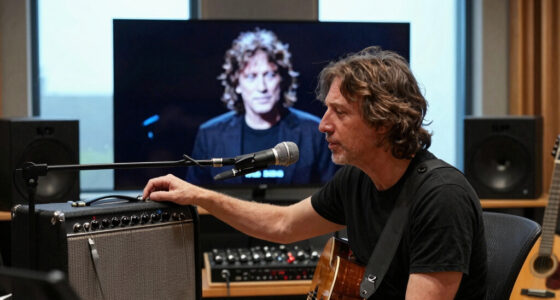
keyboard workstation for live performance
As an affiliate, we earn on qualifying purchases.
As an affiliate, we earn on qualifying purchases.
Sound Selection: Curated vs. Infinite
Workstations come with carefully curated sounds. They’re engineered for immediate use—pianos, organs, strings, and synth patches that sound great out of the box. For instance, a Korg Kronos offers a library of high-quality sounds optimized for live performance and quick production.
Computer-based systems open a vast universe. From sampled orchestras to modular synths, third-party plug-ins, and endless free or paid libraries, your options are nearly unlimited. You can also update or swap out sounds as new instruments or libraries arrive, keeping your studio fresh.
But this variety demands organization and management. Installing, updating, and maintaining large libraries can be time-consuming. If you prefer a straightforward setup, a workstation’s built-in sounds may be enough. For sonic explorers, a computer setup offers endless possibilities.
MIDI controller with laptop for music production
As an affiliate, we earn on qualifying purchases.
As an affiliate, we earn on qualifying purchases.
Sequencing and Arrangement: Hardware vs Software
Workstations have built-in sequencers that handle patterns, automation, and sometimes even audio tracks. They’re perfect for sketching ideas quickly or performing live. A Roland FA-08, for example, allows you to sequence and arrange directly on the instrument, with dedicated knobs and pads.
DAWs on laptops excel at complex arrangements. They support long forms, detailed MIDI editing, tempo maps, and multi-track audio. Think of a DAW like Ableton Live or Cubase—it’s designed for editing, mixing, and mastering intricate projects. The tradeoff? You’ll spend more time setting up and learning the software.
If your focus is live performance or fast sketching, a workstation’s all-in-one design reduces friction. For detailed, layered arrangements, a computer-based system provides unmatched editing power.
music production laptop with audio interface
As an affiliate, we earn on qualifying purchases.
As an affiliate, we earn on qualifying purchases.
Recording, Mixing, and Final Production—Who Wins?
Workstations can produce decent demos and even finished tracks, but they’re not replacements for a full DAW. They handle MIDI, onboard audio, and basic mixing, but lack the deep editing tools and advanced routing of software. For example, a Yamaha MODX can record your performance and do some mixing, but it’s limited compared to a dedicated DAW.
Computer setups shine in multitrack recording and editing. They support complex routing, third-party plug-ins, high-quality effects, and detailed automation. If you’re recording a band or doing post-production, your DAW—Pro Tools, Logic, or Reaper—becomes the heart of your studio.
In essence, a workstation can serve as a performance device or sketchpad, while a laptop-based system is the hub for full production, mixing, and mastering.
As an affiliate, we earn on qualifying purchases.
Reliability and Latency: Why It Matters
Workstations offer predictable, stable performance. They’re built with fixed hardware and optimized software, so startup times and performance are consistent. This stability is gold on stage or during live sessions where surprises are costly.
Computer latency depends on many factors. The audio interface, buffer size, CPU load, and software settings all influence how responsive your system feels. For instance, a well-tuned laptop with a dedicated audio interface can achieve latency as low as 3 milliseconds, but a misconfigured setup might introduce noticeable delays.
If live performance reliability and low latency are your priorities, a workstation’s fixed environment offers peace of mind. For studio work, a well-optimized computer can match that responsiveness but requires more tuning.
Playing Feel: Keybeds and Action
Workstations often feature high-quality keybeds, especially in 88-key models. They’re designed for expressive playing—weighted, responsive, with aftertouch and pedal support. For example, a Korg Grandstage offers a realistic hammer-action feel suited for piano players.
Controllers vary widely in feel. Some are lightweight synth-action keys, others mimic grand pianos with hammer-action. Your choice depends on your style: synth players might prefer fast, light keys, while pianists want weighted, responsive action.
Test your keybed before buying. Feel is subjective—what’s smooth and expressive for one may be stiff or dull for another. The key is matching the action to your playing style and genre.
Cost: What Are You Really Paying For?
Workstations come at a higher upfront price. They include sounds, hardware, and performance controls in one package. A top-tier workstation can cost between $1,200 and $3,500, depending on features and keyboard size.
Controller plus laptop setups can be cheaper initially, especially if you already own a computer. You’ll need to factor in additional costs:
- Audio interface
- DAW software
- Virtual instruments and libraries
- Monitors, headphones, stands
- Cables, pedals, and accessories
Over time, a modular setup can be more cost-effective and expandable but may involve more parts and maintenance. A workstation offers an all-in-one solution but is less flexible for future upgrades.
Longevity and Maintenance: Which Lasts Longer?
Workstations are built for durability. They tend to be less affected by OS updates or plug-in compatibility issues. However, repairing them can be tricky if parts break or support ends.
Computer systems are modular but require upkeep. Regular updates, driver management, and software compatibility can cause headaches. Backing up sessions and archiving projects become critical to avoid obsolescence.
The choice depends on your workflow: a workstation’s fixed environment offers stability, while a computer’s flexibility allows for upgrades, but with more ongoing maintenance.
The New Hybrid: Combining the Best of Both Worlds
Hybrid setups are increasingly common. Many producers use a high-quality keyboard workstation for live playing and quick sketches. Meanwhile, they connect it to a powerful DAW for detailed editing, mixing, and mastering.
For example, you might use a Nord Stage as your main performance keyboard, recording MIDI and audio into a laptop for final production. This approach offers reliability on stage and flexibility in the studio.
As technology advances, more workstations include features like large touchscreens, audio tracks, and integrated sampling, blurring the lines between hardware and software. The key is balancing performance needs with production depth.
What to Check Before Buying: Make It Fit Your Workflow
When choosing, compare beyond specs. Focus on:
- Keybed feel and number of keys
- Aftertouch and velocity response
- Sound quality for your primary genre
- Maximum polyphony and multitimbrality
- Ease of sound switching live
- Sequencer depth and editing tools
- Sampling and audio recording features
- Connectivity options—USB, MIDI, audio I/O
- Compatibility with your existing gear and software
- Build quality and support
Prioritize what matters most—whether it’s playing feel, sound variety, or editing capabilities—to avoid costly mismatches.
Your Common Questions Answered
Can a workstation replace a DAW?
It can handle MIDI, onboard recording, and basic mixing, making it suitable for quick demos or live performance. But for complex editing, multi-track recording, and detailed mixing, a dedicated DAW is essential.
Can a MIDI controller produce sound alone?
Most cannot. They send performance data but lack sound engines. Some hybrid controllers with built-in sound modules exist, but they’re less common.
Is a workstation better for beginners?
It’s often easier because it combines sounds and controls in one device. However, a computer setup offers more expandability and learning opportunities for those willing to dive into software.
Which setup has lower latency?
Workstations typically provide consistent low latency. Computers can match this with proper tuning but require careful configuration.
Which sounds better—hardware or software?
Quality depends on the engine or library used. Both can sound excellent; software offers more variety, but workstations prioritize reliability and usability.
Frequently Asked Questions
Can a workstation replace a DAW?
It can handle MIDI sequencing, onboard recording, and some editing, but for complex arrangements and detailed mixing, a DAW remains essential. Think of a workstation as a great sketchpad, not the full studio.Can a MIDI controller make sound without a computer?
Most cannot. They send performance data but lack sound engines. Some hybrid controllers include built-in sounds, but they’re less common and limited compared to dedicated synths or workstations.Is a workstation better for beginners?
For many, yes. Its all-in-one nature simplifies setup and use. However, learning software and building a custom setup can be more flexible for those willing to invest time.Which setup has lower latency?
Workstations typically offer predictable low latency. Properly configured computers can match this, but they require careful tuning and quality interfaces.Which sounds better—hardware or software?
Sound quality depends on the specific engine or library. Both can produce professional results, but software offers more variety, while hardware emphasizes reliability and immediacy.Conclusion
Your choice hinges on your main focus: performance or production. If quick access, reliability, and playing feel matter most, a keyboard workstation keeps it simple and dependable. But if you’re chasing endless sound options and deep editing, a controller plus laptop opens the door to a universe of possibilities.
Most serious studios find a hybrid approach works best—using hardware for live performance and a computer for production. Whatever you pick, aligning your gear with your workflow will keep the music flowing smoothly.
Fall Picks
fall essentials
As an affiliate, we earn on qualifying purchases.