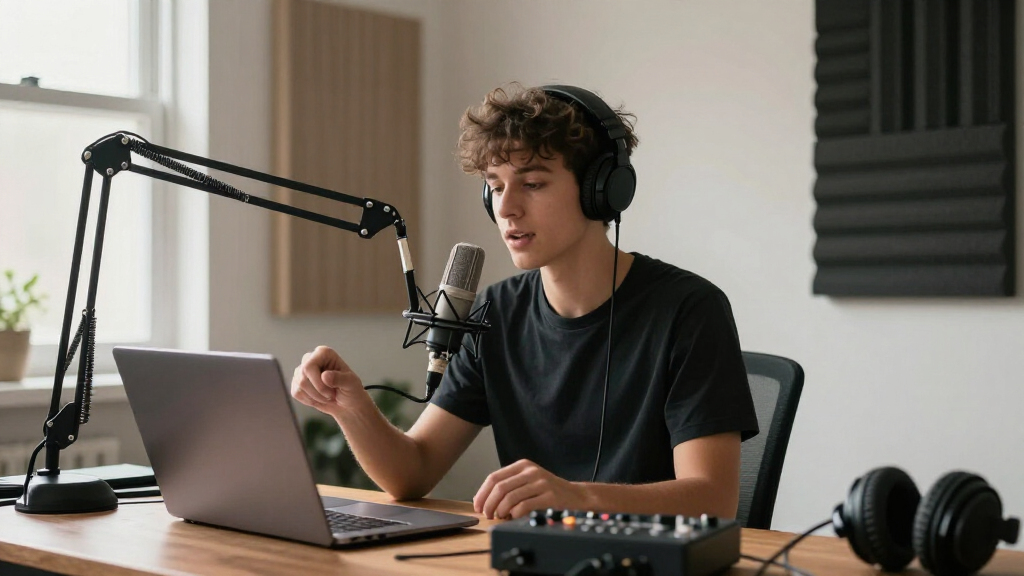
The best studio microphone arms keep a mic steady and within reach without crowding your workspace. I’d put the Elgato Wave Mic Arm LP first for its low-profile layout, while the RØDE PSA1+ stands out for a more refined, damped boom and the InnoGear tripod floor stand suits setups that cannot use a desk clamp. The main tradeoffs are desk space versus floor space, low-profile clearance versus overhead reach, and premium movement versus a simpler, more affordable support. The right choice also depends on microphone weight, mounting hardware, and how often you reposition the mic. Read on for the full breakdown of all 12 options and guidance on matching an arm to your recording space.
Complete the kit


![Aokeo Pop Filter, [Upgraded Three Layers] Metal Mesh & Fo...](https://m.media-amazon.com/images/I/81prHDtlOsL._AC_SL480_.jpg)
Key Takeaways
- Low-profile arms such as the Elgato Wave Mic Arm LP and FIFINE BM88 are aimed at keeping the boom below eye level, while conventional scissor arms offer a more familiar reach path.
- The RØDE PSA1+ and Elgato Wave Mic Arm MK.2 are the premium choices in this group; their appeal is refined positioning, while simpler arms may be enough for a fixed desk setup.
- The InnoGear tripod and BILIONE floor stands avoid desk-clamp requirements, but they trade a compact desk footprint for floor space and greater exposure to bumps.
- Several InnoGear and FIFINE options bundle or emphasize compatible accessories and cable handling, but buyers should still confirm thread size and microphone load before ordering.
- The lineup includes distinct mounting styles, so the key comparison is not just build quality: choose among a desk clamp, a low-profile boom, a standard scissor arm, and a freestanding floor stand.
| Elgato Wave Mic Arm LP |  | Best Premium Low-Profile Arm | Material: Metal | Finish: Powder coated | Maximum height: 6.3 inches | VIEW LATEST PRICE | See Our Full Breakdown |
| FIFINE BM88 Low Profile Microphone Boom Arm Stand for Gaming Streaming |  | Best for Long Reach and Desk Fit | Material: Metal | Extension length: 29 inches | Adjustment range: 220 degrees vertical; 360 degrees horizontal | VIEW LATEST PRICE | See Our Full Breakdown |
| M05 Pro Boom Arm, 360° Rotatable Microphone Stand with Desk Mount, Foldable Mic Arm with 3/8” to 5/8” Screw Adapter for Streaming and Podcasting |  | Best Compact Desk-Mount Arm | Material: Aluminum alloy | Maximum load capacity: 4 lb (1.8 kg) | Extension length: 9.8 inches (25 cm) | VIEW LATEST PRICE | See Our Full Breakdown |
| InnoGear Mic Stand Tripod Boom Arm Floor Microphone Stand, Height Adjustable |  | Best Floor-Standing Alternative | Height range: 28.1 to 89.8 inches | Boom arm length: 16 to 30 inches | Weight: 4.0 lb | VIEW LATEST PRICE | See Our Full Breakdown |
| InnoGear Microphone Boom Arm with Shock Mount, Pop Filter, and Accessories for Blue Yeti, HyperX QuadCast, Snowball, and More |  | Best Complete Starter Bundle | Compatibility: Blue Yeti, HyperX SoloCast, HyperX QuadCast, Snowball, Fifine K669B, and other standard microphones | Material: Premium metal components; zinc-alloy clamp | Mounting clamp capacity: Desktops up to 2 inches thick | VIEW LATEST PRICE | See Our Full Breakdown |
| Low Profile Mic Arm for Lightweight Mics with Foldable Boom, Desk Clamp, and 360° Metal Ball Head |  | Best for Lightweight, Low-Profile Setups | Maximum height: 27.1 inches | Materials: Iron and aluminum alloy | Mount thread sizes: 1/4″, 3/8″, and 5/8″ | VIEW LATEST PRICE | See Our Full Breakdown |
| InnoGear Microphone Boom Arm with Cable Management for Blue Yeti, Black |  | Best for Extended Desk Reach | Material: High-grade thickened steel | Maximum horizontal reach: 32.3 inches | Maximum vertical reach: 37.4 inches | VIEW LATEST PRICE | See Our Full Breakdown |
| FIFINE CS1 Scissor Microphone Boom Arm Stand for Gaming and Recording |  | Best for FIFINE Mic Owners | Material: Metal | Clamp compatibility: Desktops up to 2 inches thick | Rotation adjustment: 180° up and down | VIEW LATEST PRICE | See Our Full Breakdown |
| RØDE PSA1+ Professional Studio Boom Arm with Spring Damping, Black |  | Best for Quiet Studio Adjustments | Fits microphone weight: 0.25–1.2 kg | Rotation: 360 degrees | Cable management: Integrated | VIEW LATEST PRICE | See Our Full Breakdown |
| BILIONE Mic Stand Floor Boom Arm for Studio, Podcast, Recording, Streaming |  | Best Floor-Standing Alternative | Weight: 5.5 lbs | Height range: 30–70 inches | Base size: 106 in² | VIEW LATEST PRICE | See Our Full Breakdown |
| Elgato Wave Mic Arm MK.2, Studio Boom Arm for Microphones |  | Best for Quiet, Precise Positioning | Material: Metal | Finish: Matte | Dimensions: 30.55 x 2.36 x 8.39 inches | VIEW LATEST PRICE | See Our Full Breakdown |
| InnoGear Boom Arm Microphone Stand for Blue Yeti, Fifine, HyperX, Black |  | Best Value for Flexible Compatibility | Material: Steel | Maximum load: 1.5 kg / 3.3 lbs | Clamp compatibility: Flat desk edge up to 2 inches thick | VIEW LATEST PRICE | See Our Full Breakdown |
| studio microphone arm | Material |
|---|---|
| Elgato Wave Mic Arm LP | Metal |
| FIFINE BM88 Low Profile Microp | Metal |
| M05 Pro Boom Arm | Aluminum alloy |
| InnoGear Mic Stand Tripod Boom | Steel |
| InnoGear Microphone Boom Arm w | Premium metal components; zinc-alloy clamp |
| Low Profile Mic Arm for Lightw | — |
| InnoGear Microphone Boom Arm w | High-grade thickened steel |
| FIFINE CS1 Scissor Microphone | Metal |
| RØDE PSA1+ Professional Studio | — |
| BILIONE Mic Stand Floor Boom A | Steel |
| Elgato Wave Mic Arm MK.2 | Metal |
| InnoGear Boom Arm Microphone S | Steel |
More Details on Our Top Picks
Elgato Wave Mic Arm LP
I’d choose the Elgato Wave Mic Arm LP for a desk where keeping the monitor area clear matters as much as microphone placement. Its low-profile design and magnetic cable channels help keep the arm and wiring out of the way, while 360-degree horizontal rotation makes it easier to reposition the mic across a broad desk. Compared with the FIFINE BM88, the Elgato emphasizes a tidy, refined setup rather than specifying a long extension length and a wide desk-clamp range. Its stated 2 kg weight limit suits many studio microphones, but buyers with heavier gear should check the load before choosing it. The clamp also needs to match the desk, and the arm has no built-in shock absorption, so it won’t replace a separate shock mount.
Pros:- Low-profile design helps keep the arm out of the monitor’s sightline.
- Magnetic cable channels make cable routing neater.
- All-metal construction with 360-degree horizontal adjustment.
- Long reach is suited to larger desks.
Cons:- The 2 kg maximum load rules out some heavier microphone setups.
- Clamp compatibility depends on desk thickness and shape.
- No built-in shock absorption.
Best for: Streamers and home-studio owners with a large desk who want a low-profile, cable-managed arm for a microphone weighing no more than 2 kg.
Not ideal for: People using a microphone heavier than 2 kg, desks that do not fit the clamp, or setups that need shock absorption built into the arm.
- Material:Metal
- Finish:Powder coated
- Maximum height:6.3 inches
- Item weight:1692 g
- Base type:Clamp
- Microphone thread sizes:1/4 inch, 3/8 inch, 5/8 inch
- Maximum recommended load:2 kg
Our verdict“Choose the Elgato for a polished, low-profile desk setup and tidy cable routing, provided your microphone and desk fit its limits.”
FIFINE BM88 Low Profile Microphone Boom Arm Stand for Gaming Streaming
The FIFINE BM88 is a practical pick when a low-profile arm needs to reach across a workstation rather than just tuck beside a monitor. Its 29-inch extension and 220-degree vertical adjustment give more defined reach and positioning range than the compact M05 Pro, while the all-metal build is suited to regular streaming or recording use. The stated clamp range of 0.8 to 2.4 inches also gives buyers a clear way to check desk fit in advance. Cable management and included thread adapters reduce setup clutter and compatibility guesswork. The tradeoff is that the section near the clamp cannot be adjusted vertically, which limits how freely the arm can be set up. It also needs a desk within its clamp range, and the microphone must be purchased separately.
Pros:- 29-inch extension reaches across broad desks.
- Low-profile shape can sit beneath monitors.
- All-metal construction with 220-degree vertical and 360-degree horizontal adjustment.
- Includes multiple thread adapters and cable management.
Cons:- Clamp section cannot be adjusted vertically.
- Desk thickness must fall between 0.8 and 2.4 inches.
- Microphone is not included.
Best for: Streamers and podcasters who need a long-reaching, low-profile arm and have a desk between 0.8 and 2.4 inches thick.
Not ideal for: People with desks outside the clamp range or buyers who need vertical adjustment right at the clamp end.
- Material:Metal
- Extension length:29 inches
- Adjustment range:220 degrees vertical; 360 degrees horizontal
- Desk thickness compatibility:0.8 to 2.4 inches
- Thread sizes:1/4 inch, 3/8 inch, 5/8 inch
- Included components:Boom arm, desk clamp, rotatable ball head, Allen wrench, manual, adapters
Our verdict“Pick the BM88 for long reach and low-profile positioning when your desk fits its clamp and you do not need adjustment at the clamp end.”
M05 Pro Boom Arm, 360° Rotatable Microphone Stand with Desk Mount, Foldable Mic Arm with 3/8” to 5/8” Screw Adapter for Streaming and Podcasting
Where the FIFINE BM88 is built around a 29-inch reach, the M05 Pro takes a more compact approach: its extension is just 9.8 inches. That shorter span can suit a small desk or a setup where the microphone stays close to its mounting point, but it is less flexible for reaching across a wide workstation. The aluminum-alloy arm rotates 360 degrees, and the clamp fits desks up to 2 inches thick. Its 1.8 kg maximum load covers many common microphones and shock mounts, though it leaves less headroom than a buyer might want for heavier equipment. Silicone pads help protect the desk, but stable use depends on proper installation. Buyers with a HyperX QuadCast should also account for the missing adapter rather than assume the included thread fit is sufficient.
Pros:- Compact 9.8-inch extension suits close-in desk setups.
- 360-degree rotation allows flexible positioning within its reach.
- Aluminum-alloy construction with silicone-padded clamp.
- Supports compatible microphones and shock mounts.
Cons:- Short reach is less suitable for large desks than the FIFINE BM88.
- Maximum load is 1.8 kg.
- HyperX QuadCast adapter is not included, and installation affects stability.
Best for: Streamers or podcasters with a compact desk who want a short-reach clamp arm for a compatible microphone or shock mount.
Not ideal for: People who need to position a microphone far across a large desk, use gear over 1.8 kg, or require the adapter for a HyperX QuadCast.
- Material:Aluminum alloy
- Maximum load capacity:4 lb (1.8 kg)
- Extension length:9.8 inches (25 cm)
- Clamp thickness:Up to 2 inches
- Mount thread size:3/8 inch to 5/8 inch
- Maximum height:25 cm
- Base type:Clamp
Our verdict“Choose the M05 Pro for a compact desk and a lightweight, close-positioned microphone; select the BM88 instead if you need substantially more reach.”
InnoGear Mic Stand Tripod Boom Arm Floor Microphone Stand, Height Adjustable
This InnoGear is the only floor-standing option in this group, so I’d shortlist it when a desk clamp is impractical or the microphone needs to move between rooms or recording positions. Its 28.1-to-89.8-inch height range and boom that adjusts from 16 to 30 inches offer placement flexibility that desk-mounted arms such as the Elgato Wave Mic Arm LP cannot provide. A tripod base avoids desk-thickness compatibility, and the included carrying bag makes transport more manageable. The tradeoff is footprint: unlike a clamp arm, the stand occupies floor space and must be repositioned as needed. At 4.0 lb, it is also less convenient to carry than a compact desk arm, and assembly involves multiple parts. For a fixed desk setup, the FIFINE BM88 is the tidier choice.
Pros:- Wide height range works for seated and standing positions.
- Boom length adjusts from 16 to 30 inches and rotates 360 degrees.
- Tripod base avoids desk-clamp fit restrictions.
- Includes a carrying bag, cable clips, mic holders, and thread adapter.
Cons:- Uses floor space that a desk-mounted arm would leave clear.
- At 4.0 lb, it is less convenient to transport than a compact arm.
- Assembly involves multiple parts.
Best for: Singers, podcasters, and recording users who need adjustable floor height, a portable stand, or a microphone position that cannot be reached from a desk clamp.
Not ideal for: People with limited floor space or a permanent desktop setup who want an arm that clamps out of the way.
- Height range:28.1 to 89.8 inches
- Boom arm length:16 to 30 inches
- Weight:4.0 lb
- Material:Steel
- Maximum height:89.8 inches
- Included components:Tripod stand, 3/8-inch to 5/8-inch adapter, mic holders, cable clips, carrying bag
Our verdict“Choose this InnoGear when you need a portable, height-adjustable floor stand; for a fixed desk, the FIFINE BM88 takes up less room.”
InnoGear Microphone Boom Arm with Shock Mount, Pop Filter, and Accessories for Blue Yeti, HyperX QuadCast, Snowball, and More
For someone building a basic recording desk from separate parts, this InnoGear bundle combines a clamp-mounted arm with a shock mount, double-screen pop filter, cable ties, and adapter. That makes it a more ready-to-assemble package than the standalone Elgato Wave Mic Arm LP, which focuses on arm design and cable routing rather than bundled recording accessories. Its clamp fits desks up to 2 inches thick, and compatibility is listed for several popular microphones, including the Blue Yeti and HyperX QuadCast. Compatibility needs a closer check, though: the included shock mount is specifically noted as not compatible with the Blue Yeti. The pop filter may also be less effective for loud sources, so buyers seeking a targeted solution for high-volume vocals may prefer a separate filter. Setup instructions may take extra patience.
Pros:- Bundles a boom arm, shock mount, double-screen pop filter, cable ties, and adapter.
- Lists compatibility with several popular microphones.
- Clamp fits desktops up to 2 inches thick.
- Heavy-duty spring and metal components support adjustable positioning.
Cons:- Included shock mount is not compatible with the Blue Yeti.
- Pop filter may be less effective for loud sound sources.
- Setup instructions may be unclear.
Best for: First-time home-studio builders using a listed standard-size microphone who want an arm and several recording accessories in one package.
Not ideal for: Blue Yeti owners who need the included shock mount to fit, users with desks thicker than 2 inches, or vocalists relying on a pop filter for loud sources.
- Compatibility:Blue Yeti, HyperX SoloCast, HyperX QuadCast, Snowball, Fifine K669B, and other standard microphones
- Material:Premium metal components; zinc-alloy clamp
- Mounting clamp capacity:Desktops up to 2 inches thick
- Included components:Microphone stand, shock mount, pop filter, cable ties, screw adapter, mounting clamp
- Spring type:Heavy-duty spring
- Pop filter:Double screen
- Cable ties:Self-locking
Our verdict“Choose this bundle to get an arm and core accessories together, but Blue Yeti owners should verify shock-mount compatibility before buying.”
Low Profile Mic Arm for Lightweight Mics with Foldable Boom, Desk Clamp, and 360° Metal Ball Head
This arm suits a compact desk where a lightweight mic needs flexible placement without a bulky boom taking over the workspace. Its 360° metal ball head gives fine control over mic angle, while the foldable design makes it easier to clear the desk when recording is finished. Compared with the FIFINE CS1, it offers a stated 27.1-inch reach and a ball-head adjustment system rather than relying on the CS1’s up-and-down rotation. The tradeoff is its 2.8-pound capacity: it is not the choice for heavier microphones or accessories, and the reach is shorter than the InnoGear Boom Arm at 32.3 inches horizontally. Choose it for a light, space-conscious setup, not for a growing rig that may add substantial weight.
Pros:- 360° metal ball head allows precise microphone angle adjustments.
- Foldable boom helps reclaim desk space between recording sessions.
- Includes universal thread adapters, a mic clip, and cable management.
- Desk clamp fits surfaces from 0.4 to 2.36 inches thick.
Cons:- 2.8-pound capacity rules out heavier microphone setups.
- Shorter stated reach than the 32.3-inch InnoGear Boom Arm.
- Designed for lightweight microphones rather than a broad range of rig weights.
Best for: Users with a lightweight microphone who want a fold-away arm and precise positioning on a desk that is 0.4–2.36 inches thick.
Not ideal for: Owners of heavier microphones or accessory-heavy setups that exceed the 2.8-pound load limit, or users who need more than 27.1 inches of reach.
- Maximum height:27.1 inches
- Materials:Iron and aluminum alloy
- Mount thread sizes:1/4″, 3/8″, and 5/8″
- Dimensions:4.06 x 2.24 x 16.81 inches
- Weight capacity:2.8 lbs
- Clamp thickness:0.4–2.36 inches
Our verdict“Choose this arm for a lightweight mic and a compact desk; pick the InnoGear Boom Arm if you need more reach or load capacity.”
InnoGear Microphone Boom Arm with Cable Management for Blue Yeti, Black
The InnoGear is the reach-focused desk arm in this group. Its 32.3-inch horizontal reach and 37.4-inch vertical reach give more placement freedom than the 27.1-inch low-profile arm, which helps when a screen, keyboard, or instrument limits where the mic can sit. The steel construction and 3.5-pound load capacity also give it more headroom than that lightweight-focused alternative. Built-in cable channels keep the setup neater, though the arm’s size can overwhelm a small desk; the RØDE PSA1+ is a more studio-oriented alternative with silent spring damping and a specified microphone-weight range. This InnoGear model makes more sense when reach and compatibility with larger mics matter more than a compact footprint. Its spring tension may need adjustment for different microphone weights.
Pros:- 32.3-inch horizontal reach and 37.4-inch vertical reach support flexible placement.
- 3.5-pound capacity accommodates heavier setups than the lightweight-focused low-profile arm.
- Built-in cable management channels help keep wires organized.
- Steel construction is suited to regular studio, streaming, and recording use.
Cons:- Large reach can make the arm cumbersome on a compact desk.
- Spring tension may need adjustment to balance different microphone weights.
- Cable covers may need replacement over time.
Best for: Streamers and podcasters using a Blue Yeti or similar microphone who need a long-reaching desk arm and cable routing.
Not ideal for: People with small desks, or buyers who want silent, damped movement and a more refined studio-focused arm.
- Material:High-grade thickened steel
- Maximum horizontal reach:32.3 inches
- Maximum vertical reach:37.4 inches
- Load capacity:3.5 lbs
- Clamp thickness:Up to 2 inches
- Connector:5/8-inch metal
Our verdict“Pick the InnoGear when broad reach and a 3.5-pound capacity matter more than a compact footprint or silent spring damping.”
FIFINE CS1 Scissor Microphone Boom Arm Stand for Gaming and Recording
The FIFINE CS1 is a straightforward match for owners of compatible FIFINE microphones who want a foldable scissor arm without stepping up to a larger, reach-first model like the InnoGear Boom Arm. Its metal construction and adjustable angles suit everyday gaming, streaming, and recording, while folding it away can free desk space after a session. The included 5/8-to-3/8-inch adapter expands mounting options, but the product data does not specify a load capacity or maximum reach, so buyers with heavier mics should check fit carefully rather than assume it matches the InnoGear’s 3.5-pound rating. The clamp is limited to desks up to 2 inches thick, and assembly may take more effort than a ready-to-position arm. Its strongest case is compatibility with named FIFINE models, not proven heavy-duty performance.
Pros:- Metal construction offers a sturdy base for compatible microphone setups.
- Foldable design helps clear desk space and supports portability.
- Includes a 5/8-to-3/8-inch adapter.
- Lists compatibility with several FIFINE microphones and gaming models.
Cons:- Clamp only fits desktops up to 2 inches thick.
- No maximum reach or load capacity is specified in the provided product data.
- Assembly may be more involved than buyers expect.
Best for: FIFINE K669B, K670, K683A, K658, K688, AmpliGame A6V, A8, or AM8 owners seeking a foldable desk-mounted arm.
Not ideal for: Buyers with desks thicker than 2 inches or heavier microphones who need a stated load capacity and reach.
- Material:Metal
- Clamp compatibility:Desktops up to 2 inches thick
- Rotation adjustment:180° up and down
- Adapter:5/8-inch to 3/8-inch
- Compatible microphones:Fifine K669B, K670, K683A, K658, K688, AmpliGame A6V, A8, and AM8
- Warranty:1 year
Our verdict“Choose the CS1 for a compatible FIFINE mic and a foldable desk arm, but look to the InnoGear if you need a documented reach and load limit.”
RØDE PSA1+ Professional Studio Boom Arm with Spring Damping, Black
The RØDE PSA1+ earns its place for users who move a microphone during recording and want arm movement to stay quiet. Its silent internal spring damping addresses a practical studio concern that the FIFINE CS1’s listed specifications do not cover, while 360-degree rotation supports repositioning around a desk. Integrated cable management keeps the setup tidy, and the specified microphone range of 0.25–1.2 kg makes its fit clearer than the InnoGear Boom Arm’s single maximum load figure. The tradeoff is desk and mic fit: the clamp is rated for desks up to 70 mm thick, and the arm is limited to the stated weight range. It is a more specialized pick than the foldable CS1, favoring quiet, controlled studio use over portability or a simple budget setup.
Pros:- Silent internal spring damping helps reduce handling noise during repositioning.
- Full 360-degree rotation offers flexible desk placement.
- Integrated cable management keeps the microphone lead organized.
- Specified microphone weight range makes compatibility easier to check.
Cons:- Desk clamp is limited to surfaces up to 70 mm thick.
- Microphones outside the 0.25–1.2 kg range are not a stated fit.
- Less focused on compact fold-away storage than the FIFINE CS1.
Best for: Podcasters, streamers, and broadcasters who reposition a microphone during recording and want quiet, damped arm movement.
Not ideal for: Users with desks thicker than 70 mm, microphones outside the 0.25–1.2 kg range, or buyers prioritizing a fold-away arm.
- Fits microphone weight:0.25–1.2 kg
- Rotation:360 degrees
- Cable management:Integrated
- Arm covering material:Neoprene
- Clamp compatibility:Desks up to 70 mm thick
- Included components:Arm, desk clamp, and thread adapters
- Warranty:2 years
Our verdict“Choose the PSA1+ for quiet, frequent mic repositioning in a compatible studio setup; choose the FIFINE CS1 if folding and portability matter more.”
BILIONE Mic Stand Floor Boom Arm for Studio, Podcast, Recording, Streaming
The BILIONE takes a different approach from the desk-clamp arms in this roundup: its floor-standing base avoids using desk space or relying on a thick desktop clamp. A 30–70-inch height range gives it flexibility for seated or standing setups, and the included tray and cable clips add practical organization. Compared with the RØDE PSA1+, this is a better fit when the desk edge is unavailable or a floor-based position is preferred; it does not offer the RØDE’s listed silent spring damping or 360-degree rotation. The steel base is intended for stability, but at 5.5 pounds it is less convenient to move than a desk arm, and some assembly is required. Its compatibility list covers several popular mics, though buyers should confirm their specific microphone and holder fit.
Pros:- Floor base avoids desk-clamp thickness and edge-placement limits.
- 30–70-inch height range supports varied recording positions.
- Includes a tray and cable management clips for accessories and wires.
- Lists compatibility with popular microphones including Yeti, SM58, QuadCast, and AT2020.
Cons:- At 5.5 pounds, it is less convenient to move than a desk-mounted arm.
- Assembly may be required before use.
- Does not list the RØDE PSA1+’s silent spring damping or full 360-degree rotation.
Best for: Creators who cannot clamp an arm to their desk and need a height-adjustable floor stand for seated or standing recording.
Not ideal for: Users who need a lightweight portable arm, silent spring-damped repositioning, or a compact mount attached directly to the desk.
- Weight:5.5 lbs
- Height range:30–70 inches
- Base size:106 in²
- Material:Steel
- Compatibility:Yeti, SM58, QuadCast, AT2020, Razer Seiren X, and Samson Q2U
- Mount thread sizes:3/8 inch or 5/8 inch
- Color:Black
Our verdict“Pick the BILIONE when a floor-mounted, height-adjustable stand solves a desk-clamp problem; choose a desk arm for a cleaner, more compact workstation.”
Elgato Wave Mic Arm MK.2, Studio Boom Arm for Microphones
The Elgato Wave Mic Arm MK.2 suits creators who reposition a microphone often and want movement that stays smooth and quiet. Its all-metal construction and adjustable angles offer a more refined studio feel than the simpler, foldable InnoGear Boom Arm, while the padded clamp can help protect the desk and fit tighter workspaces. The arm’s listed maximum height is 21.31 cm, so check that reach against your preferred microphone position rather than assuming it will clear every monitor or setup. Its 1.79 kg weight also makes desk sturdiness a real requirement. I’d choose it over the InnoGear when quiet adjustment and a sleek finish matter more than a stated load limit and compact folding. The tradeoff is a black-only finish and less information here about supported microphone weight.
Pros:- Smooth, quiet movement helps reduce noise while repositioning the microphone.
- All-metal construction gives the arm a solid studio-oriented build.
- Adjustable angles allow flexible microphone placement.
- Padded clamp is suited to tight desk spaces and helps protect the clamped surface.
Cons:- At 1.79 kg, it may be too heavy for a lightweight or poorly supported desk.
- Only black is listed, limiting color matching.
- The supplied specs do not state a maximum load, making microphone-weight compatibility harder to confirm.
Best for: Streamers and podcasters who frequently adjust microphone placement, value quiet movement, and have a sturdy desk with room for a clamp.
Not ideal for: Users with lightweight or delicate desks, buyers who need a specific color, or anyone needing a clearly stated maximum microphone load before choosing.
- Material:Metal
- Finish:Matte
- Dimensions:30.55 x 2.36 x 8.39 inches
- Weight:1.79 kg
- Maximum height:21.31 cm
- Base type:Clamp
- Thread sizes:3/8 inch and 5/8 inch
- Color:Black
Our verdict“Choose the Elgato for quiet, precise repositioning on a sturdy desk; pick the foldable InnoGear if compact storage and a stated load capacity matter more.”
InnoGear Boom Arm Microphone Stand for Blue Yeti, Fifine, HyperX, Black
The InnoGear Boom Arm is a practical fit for a mixed-brand streaming or gaming setup: its standard adapter is listed as compatible with microphones from Blue Yeti, HyperX, Fifine, Shure, and Razer, and its 1.5 kg load limit gives buyers a useful weight reference. The 360° rotation, multiple movement ranges, and foldable design make it easier to position the mic or clear desk space than the heavier Elgato Wave Mic Arm MK.2. That flexibility comes with a more utilitarian proposition: the clamp needs a flat desk edge no thicker than 2 inches, and a shock mount is not included. I’d favor this arm when broad compatibility and storage flexibility lead the decision; the Elgato is the stronger match for buyers prioritizing quiet, smooth operation and an all-metal studio finish.
Pros:- Broad stated compatibility with common microphone brands through a standard adapter.
- 1.5 kg maximum load makes microphone-weight fit easier to check.
- 360° rotation and several movement ranges support flexible positioning.
- Foldable design helps reclaim desk space between recording sessions.
Cons:- Clamp requires a suitable flat desk edge no thicker than 2 inches.
- Shock mount is not included, so some setups may require another accessory.
- Its heavy-duty design may be more arm than needed for a lightweight microphone.
Best for: Streamers and home-recording users with a compatible microphone under 1.5 kg who want flexible placement and an arm that folds away.
Not ideal for: Buyers whose desk lacks a flat edge up to 2 inches thick, owners of microphones exceeding the stated load limit, or users who need a shock mount included.
- Material:Steel
- Maximum load:1.5 kg / 3.3 lbs
- Clamp compatibility:Flat desk edge up to 2 inches thick
- Microphone compatibility:Blue Yeti, HyperX, Fifine, Shure, Razer, and more
- Adapter:Standard 5/8-inch to 3/8-inch
- Rotation:360°
- Arm movement:135° extension and 180° movement
- Adapter movement:270°
- Color:Black
Our verdict“Pick the InnoGear for a compatible mic, defined load capacity, and fold-away flexibility; choose the Elgato if quieter movement and a more refined build matter more.”
How We Picked
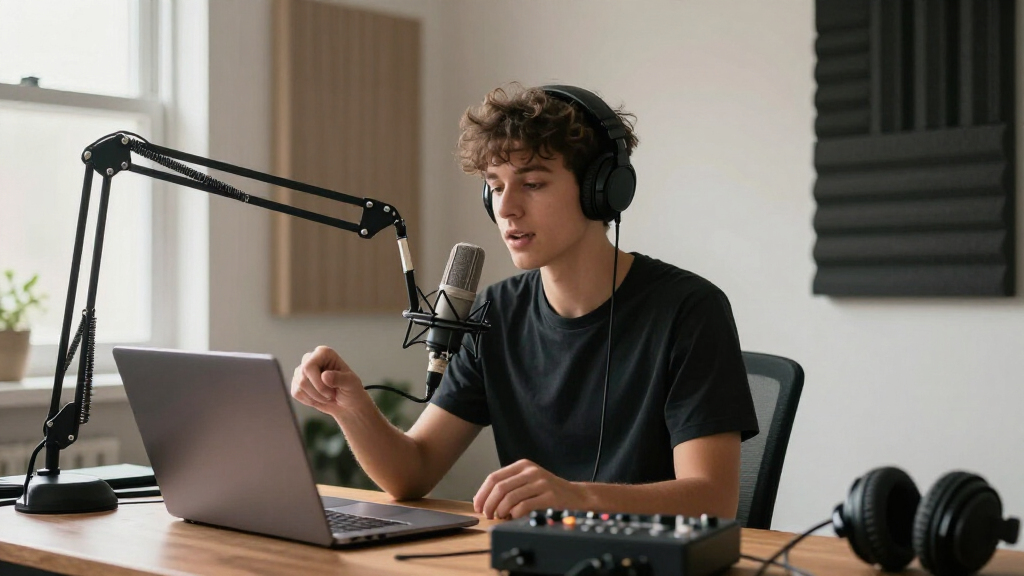
I compared these 12 studio microphone arms by how well their mounting style, reach, and adjustment approach fit real recording spaces. I gave weight to clamp or floor mounting, clearance above and around the desk, stated compatibility details, cable management, and whether the design appears suited to frequent repositioning or a mostly fixed microphone. I also considered the practical cost of choosing the wrong style: a floor stand can solve clamp limitations but occupy walking space, while a low-profile arm can clear a monitor yet may not provide the overhead reach some users want.
The ranking favors options with a clearly useful role and a persuasive balance of usability, build-oriented features, and versatility. The Elgato Wave Mic Arm LP leads for its focused low-profile desk use; the RØDE PSA1+ and Elgato MK.2 are stronger fits for buyers prioritizing a more premium studio-style arm. Specialty floor stands rank for spaces where desk mounting is unsuitable, while entry-level and accessory-oriented arms make sense for simpler setups. Product fit depends on microphone weight, desk construction, and mounting threads, so I treat those compatibility checks as part of the buying decision rather than assuming every arm works with every mic.
| studio microphone arm | Material |
|---|---|
| Elgato Wave Mic Arm LP | Metal |
| FIFINE BM88 Low Profile Microp | Metal |
| M05 Pro Boom Arm | Aluminum alloy |
| InnoGear Mic Stand Tripod Boom | Steel |
| InnoGear Microphone Boom Arm w | Premium metal components; zinc-alloy clamp |
| Low Profile Mic Arm for Lightw | — |
| InnoGear Microphone Boom Arm w | High-grade thickened steel |
| FIFINE CS1 Scissor Microphone | Metal |
| RØDE PSA1+ Professional Studio | — |
| BILIONE Mic Stand Floor Boom A | Steel |
| Elgato Wave Mic Arm MK.2 | Metal |
| InnoGear Boom Arm Microphone S | Steel |
Factors to Consider When Choosing Studio Microphone Arms
Choosing among studio microphone arms starts with your room and recording habits, not the microphone brand printed on the box. These broader checks can help prevent a common mismatch: buying a capable arm that cannot mount securely, reach the right position, or stay out of the way.
Match the mounting style to your room
A desk clamp is usually the tidiest choice when the desktop has a stable, accessible edge and enough thickness for the clamp to grip. Check for cable trays, drawers, beveled edges, and desk frames before buying; these can block a clamp even when the product appears compact. A floor stand avoids those restrictions and can move between spaces, but its base takes up room and can become a trip or bump point. Low-profile designs help keep the boom below a monitor or camera sightline, though they are not a substitute for a taller overhead reach. Measure the intended mounting point and the mic’s working position rather than relying on a product’s maximum reach alone.
Check load capacity and the full microphone assembly
The arm has to support more than the microphone body if you plan to add a shock mount, pop filter, or heavier adapter. Add the weight of the complete assembly and compare it with the arm’s stated capacity, leaving some margin for stable adjustment. A mic that technically fits may still sag if the arm is near its limit or its tension cannot be set for that load. Also check how the microphone attaches: thread adapters, integrated mounts, and accessory bundles are not interchangeable by default. Confirm the thread standard and whether the required adapter is included before treating compatibility claims as a guarantee.
Choose reach and movement for how you record
People who shift between speaking, typing, and using a camera often benefit from an arm that can be moved and returned smoothly. If the microphone stays in one position, a simpler arm may provide the necessary support without paying for motion features that go unused. Compare the arm’s horizontal reach and joint placement with your chair, monitor, and keyboard; a long boom can still be awkward if its joints land in the wrong place. Spring tension or damping affects how controlled repositioning feels, but it cannot compensate for a poor clamp location. Plan the microphone’s parked position as carefully as its speaking position so the arm does not block your screen or desk access.
Treat cable management as part of the setup
Built-in or attached cable routing can reduce loose wire across the desk, but it also affects how easily you can swap cables or move the arm. Check whether the route accommodates your cable’s thickness and connector size, particularly if the cable has a large plug or an inline component. Leave enough slack at the microphone end for the arm’s full movement; a tightly routed cable can pull on the mic or limit extension. External clips are easier to change and repair, while enclosed channels can create a cleaner appearance. Decide whether tidy routing or fast access matters more for your recording routine.
Know when a premium arm is worth it
Paying more makes the most sense when the microphone moves often, the setup is used for long sessions, or a consistent position matters to your workflow. A smoother, more controlled arm can reduce fiddling between takes, while a fixed-position user may see little benefit over a basic support. Desk construction matters too: a premium arm cannot fix a weak tabletop or a clamp that does not fit. For a first setup, prioritize secure mounting, compatible threads, and manageable reach before adding accessories. Spend on the feature that solves your actual friction point rather than assuming a higher-end arm will improve audio quality by itself.
Plan for the space the arm occupies when stored
An arm is not only a support during recording; its folded position determines how much desk or floor space remains between sessions. Measure the clearance around shelves, monitor stands, wall edges, and nearby equipment before choosing a long or multi-jointed design. Low-profile and foldable arms can stay closer to the desk, while a tripod floor stand needs a clear area around its legs. Think about whether you want to swing the mic aside, remove it, or leave it in place after recording. This small planning step can matter more day to day than a long list of technical features.
Frequently Asked Questions
Will a microphone arm fit any USB or XLR microphone?
No single arm fits every microphone setup automatically. The mic’s weight, its mounting thread, and any shock mount or adapter all affect compatibility. Check both the arm’s capacity and the thread hardware listed for the specific model, then include accessories in the total load. Some products name popular microphones, but that does not confirm fit for every revision or added mount. If the connector or mount details are unclear, verify them before purchase rather than relying only on brand compatibility.
Should I choose a low-profile arm or a regular scissor arm?
A low-profile arm is useful when you want the boom to sit beneath a monitor or stay out of a camera’s view. A conventional scissor arm can suit users who want to bring a microphone down from above or reposition it across a wider area. Neither style is universally better: monitor height, desk depth, and speaking position decide which path works. Measure where the arm will clamp and where the mic needs to land. If you often change posture or move between tasks, prioritize usable reach over the arm’s appearance in product photos.
When does a floor microphone stand make more sense than a desk arm?
A floor stand is a practical option when the desk edge is blocked, too fragile for a clamp, or shared with equipment that leaves no mounting space. It can also make sense when you need to position the microphone away from the desk. The tradeoff is a larger footprint, with legs that may interfere with chairs or walking paths. Before choosing one, mark out the base area and the stand’s likely boom position in your room. If the stand will be moved often, consider how easily it can be relocated without disturbing cables or other gear.
Can a microphone arm reduce desk noise in recordings?
An arm can help keep a microphone off the desktop, but it does not eliminate vibration or noise by itself. Keyboard impacts and desk bumps may still travel through a clamp, the arm, and the microphone mount. A stable desk, careful clamp placement, and a suitable shock mount can reduce some transmitted movement. Route cables with slack so they do not tug on the mic as the arm moves. If desk vibration is the main concern, focus on the whole mounting chain rather than assuming a particular arm alone will solve it.
Is a bundled shock mount or pop filter a reason to choose one arm?
A bundle can save setup steps when the included accessories match your microphone and recording needs. It is less useful if the mount does not fit your mic, adds too much weight, or duplicates equipment you already own. Compare the accessory’s compatibility and the arm’s load capacity with the complete assembled setup. A pop filter addresses plosive sounds, while a shock mount helps isolate some handling or desk vibration; neither replaces correct mic placement. Choose a bundle for parts you can actually use, not simply because it contains more items.
Conclusion
For most desk-based creators, I’d start with the Elgato Wave Mic Arm LP as the best overall pick because its low-profile layout gives it a clear role in a crowded recording space. The RØDE PSA1+ is my best premium choice for buyers who prioritize a more refined, damped boom, while the Elgato Wave Mic Arm MK.2 is another strong premium-style option. For value-minded shoppers, compare the FIFINE CS1 and InnoGear desk arms against your exact microphone and mounting needs rather than paying for features you will not use. Beginners should favor a straightforward arm with clear compatibility and included adapters, while users without a suitable desk edge should look to the InnoGear tripod or BILIONE floor stand. Pick by mounting fit first, then choose the reach and movement style that suits your daily recording routine.