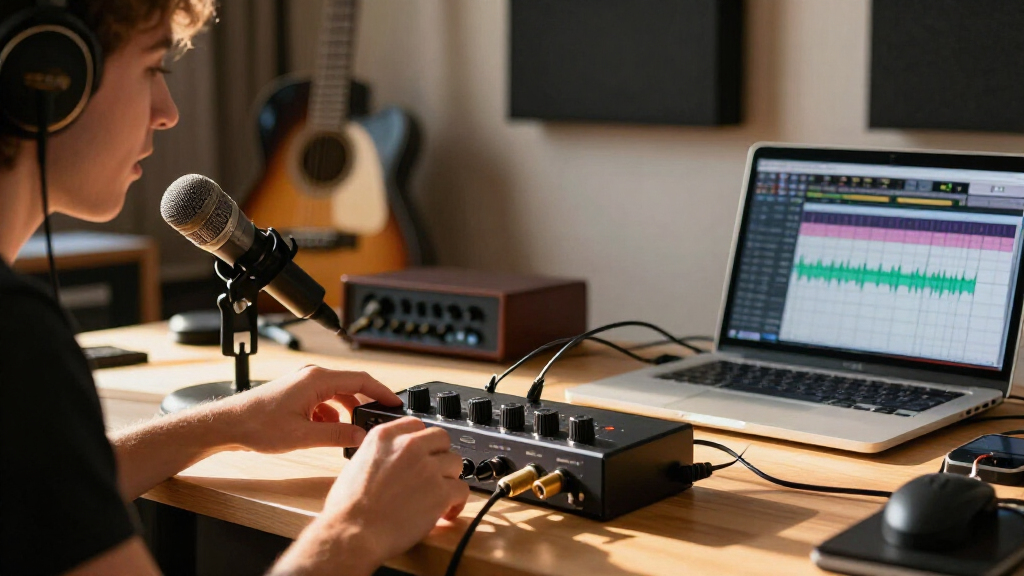
Audio interfaces with loopback combine microphone or instrument audio with computer sound, making them useful for streaming, podcasting, calls, and recording. I rank the MOTU M4 as the best overall for its four inputs and outputs, while the Yamaha UR22MK3 is a straightforward two-input choice and the Zoom AMS-22 favors portable recording and streaming. The main tradeoffs are how many inputs you need, how loopback is controlled, and whether you want a compact interface or a podcast-focused bundle. Some options are built for recording flexibility; others focus on simple mobile or voice workflows. Read on for how all eight picks compare and which setup fits your needs.

Get audio and creator gear delivered free with Prime
- Fast, free delivery on millions of items
- Prime Video, Amazon Music and more included
- Member-only deals all year
Complete the kit



Key Takeaways
- The MOTU M4 is the most versatile pick: its 4×4 I/O gives buyers more room for multiple sources and routing than the two-input models.
- The Yamaha UR22MK3 prioritizes familiar recording basics: two combo inputs, direct monitoring, and loopback suit a compact home studio without a larger mixer layout.
- Podcast-focused MAONO models serve a different workflow: the P1, E2 Gen2 bundle, and P2 Hybrid target voice and device flexibility rather than maximum studio I/O.
- The Zoom AMS-22 stands out for portability: its recording and streaming focus can suit a mobile setup, though buyers needing more connections should look to the MOTU M4.
- The two generic 2×2 options need extra scrutiny: the Piyone and Alloy Red interfaces list similar core specs, so buyers should confirm compatibility, controls, and support before choosing by specification alone.




| audio interfaces with loopback | Connectivity | Maximum sample rate | Weight | Channels |
|---|---|---|---|---|
| MAONO P1 USB Audio Interface w | USB | 192 kHz | — | 2 |
| MAONO E2 Gen2 Podcast Equipmen | AUX, Bluetooth, USB | 48 kHz | 0.89 kg | 10 |
| Yamaha UR22MK3 2-in/2-out USB- | USB | 192 kHz | 310 g | 2 |
| Piyone Audio Interface | USB | 192 kHz | 0.74 kg | 2×2 |
| Zoom AMS-22 USB Audio Interfac | USB-C | 48 kHz | 230 g | — |
| MOTU M4 4×4 USB-C Audio Interf | USB-C | 192 kHz | 16 oz | — |
| Audio Interface | USB-C | 192 kHz | 0.74 kg | 2 |
| MAONO P2 Hybrid USB Audio Inte | USB | 192 kHz | 0.5 kg | 2 |
More Details on Our Top Picks
MAONO P1 USB Audio Interface with 70dB Gain for PC, Phone, iPad & Guitar
The MAONO P1 is the most flexible choice here for creators who want to bring audio from computers and mobile devices into a recording or streaming setup. Its hybrid connections and routing software suit workflows that move between a PC, phone, and tablet, while auto-gain and direct monitoring can reduce setup work. Compared with the Zoom AMS-22, it offers a more involved routing approach and a higher listed sample rate; the Zoom is lighter and simpler for a minimal mobile rig. The P1’s main drawback is that its routing options may take time to learn, and its supplied details do not explicitly confirm a loopback function. I’d choose it for connectivity flexibility, but buyers who need guaranteed built-in loopback should favor the Yamaha UR22MK3 or Zoom instead.
Pros:- Hybrid connectivity supports PC, phone, and tablet workflows.
- Auto-gain can simplify level setting across different sources.
- Low-latency monitoring helps performers hear inputs while recording.
- Supports recording up to 24-bit/192kHz.
Cons:- The provided product details do not explicitly verify a loopback function.
- Advanced routing software may be difficult for first-time interface users.
- Full functionality depends on compatible devices and software.
Best for: Creators who switch between PC, phone, and tablet sources and are comfortable configuring audio routing software.
Not ideal for: Streamers who need clearly specified, built-in loopback without extra routing setup, or beginners seeking a straightforward two-input interface.
- Connectivity:USB
- Channels:2
- Maximum sample rate:192 kHz
- Supported devices:Guitar, laptop, microphone, smartphone, tablet
- Supported operating systems:Android, ChromeOS, Windows, iOS
- Audio inputs:Microphone, guitar, bass, PC, Mac, smartphone, iPad
- Dimensions:5.9 × 5.98 × 3.46 in
Our verdict“Choose the P1 for flexible multi-device routing, but pick the Yamaha UR22MK3 or Zoom AMS-22 if confirmed loopback is your first requirement.”
MAONO E2 Gen2 Podcast Equipment Bundle Audio Interface Mixer
The MAONO E2 Gen2 is the mixer-style pick for podcasters who want several ways to bring audio into a show, including XLR, Bluetooth, AUX, and USB. Its 10 channels and customizable effects make it better suited to juggling guests, playback, or a phone source than the simpler two-input Yamaha UR22MK3. That extra control comes with a learning curve, and the listed maximum sample rate is 48 kHz, rather than the 192 kHz supported by the Yamaha and MAONO P1. The product information describes recording and mixing features but does not explicitly identify a loopback function, so I would not choose it on the assumption that it can capture computer audio through loopback. It makes more sense as a flexible podcast mixer than as a clearly specified loopback interface.
Pros:- Ten channels provide more source capacity than the two-channel Yamaha UR22MK3.
- Bluetooth, AUX, and USB connections accommodate varied playback and recording sources.
- Customizable sound effects and voice modulation support an edited live sound.
- Up to 60 dB of preamp gain is listed for microphone inputs.
Cons:- The listed 48 kHz maximum sample rate is below the 192 kHz support of the Yamaha UR22MK3 and MAONO P1.
- The supplied details do not explicitly confirm loopback functionality.
- Its multiple controls and effects may take time for beginners to configure.
Best for: Podcast hosts and livestreamers who mix multiple sources, use Bluetooth or AUX playback, and want onboard voice effects.
Not ideal for: Musicians seeking high-resolution recording, or streamers who require explicitly confirmed loopback rather than general mixing and routing.
- Channels:10
- Connectivity:AUX, Bluetooth, USB
- Audio inputs:Bluetooth, 3.5 mm audio, XLR
- Maximum sample rate:48 kHz
- Supported devices:Personal computer, smartphone, tablet
- Supported operating systems:Windows, macOS
- Dimensions:9.64 × 6.18 × 2.16 in
- Weight:0.89 kg
Our verdict“Pick the E2 Gen2 for source-heavy podcast mixing and effects, not as a first choice when confirmed loopback or high-resolution recording matters most.”
Yamaha UR22MK3 2-in/2-out USB-C Audio Interface with 24-bit/192kHz Support, 2 Combo Inputs, Direct Monitoring, Loopback, and Steinberg Software
The Yamaha UR22MK3 earns my top spot because its product details explicitly pair loopback with two combo inputs, direct monitoring, and support for recording up to 24-bit/192kHz. That makes it a balanced choice for a musician who also streams: the same compact interface can handle microphones or instruments and route audio for online content. Compared with the Zoom AMS-22, it offers two combo inputs and a higher listed sample rate, while the Zoom is lighter and offers a stereo 3.5 mm input in a more mobile format. The Yamaha remains a two-input interface, so it is not suited to larger band or multi-mic sessions. Its USB-C connection may also call for an adapter on older devices. For a small recording and streaming rig, it combines the clearest loopback fit with broader recording headroom.
Pros:- Loopback is explicitly listed for streaming computer audio.
- Two combo inputs support microphones and instruments in a compact setup.
- Supports up to 24-bit/192kHz recording.
- Direct monitoring helps performers hear inputs without relying on software monitoring.
Cons:- Two inputs limit its usefulness for multi-microphone sessions.
- USB-C devices may require adapters for some older computers or mobile gear.
- It has no built-in microphone or speakers.
Best for: Singer-songwriters and streamers who need two microphone or instrument inputs, explicit loopback, and high-resolution recording support.
Not ideal for: Bands recording several microphones at once, or users whose devices lack USB-C and who want to avoid adapters.
- Connectivity:USB
- Channels:2
- Inputs:2 combo inputs with phantom power; Hi-Z input
- Maximum sample rate:192 kHz
- Loopback:Yes
- Direct monitoring:Yes
- Compatible devices:Headphones, laptop, personal computer, smartphone, tablet
- Weight:310 g
Our verdict“Choose the UR22MK3 for a compact recording interface with explicitly listed loopback and more input flexibility than the Zoom AMS-22.”
Piyone Audio Interface, 2×2 24-bit/192kHz for High-Fidelity Recording, XLR/TRS Combo Inputs, Monitor Mix/Loopback, USB-C, Alloy Grey
The Piyone is a straightforward 2×2 option for buyers who want monitor mix and loopback alongside standard XLR/TRS recording inputs. Its listed 24-bit/192kHz support and phantom power cover common home-studio needs, while plug-and-play USB-C may appeal to someone who would rather avoid a more feature-dense mixer such as the MAONO E2 Gen2. The tradeoff is a thinner set of supplied compatibility details: the product lists Windows as its operating system, even though its description also mentions Mac and iOS. I would check device compatibility before buying. Compared with the Yamaha UR22MK3, it offers a similarly small input count and loopback, but the Yamaha’s listed software bundle and more detailed device support make its setup story clearer. This Piyone suits a basic, compact recording desk, not an expanding studio.
Pros:- Monitor mix and loopback are identified as product features.
- Two XLR/TRS combo inputs accommodate microphones and instruments.
- Phantom power supports compatible condenser microphones.
- Listed support reaches 24-bit/192kHz recording.
Cons:- The supplied operating-system specification lists Windows only, despite broader compatibility claims in the description.
- Two channels are limiting for multi-mic recording.
- USB-C may require an adapter with devices that lack a compatible port.
Best for: Home-studio beginners who need two combo inputs, phantom power, and a stated loopback/monitor-mix feature in a compact USB-C setup.
Not ideal for: Buyers who need more than two inputs or want clearly documented compatibility across Windows, Mac, and iOS before purchase.
- Channels:2×2
- Connectivity:USB
- Inputs:XLR/TRS combo
- Maximum sample rate:192 kHz
- Loopback / monitor mix:Listed in product title
- Compatible devices:Guitar, PC, Mac, iOS
- Operating system specification:Windows
- Weight:0.74 kg
- Warranty:2-year limited
Our verdict“Choose the Piyone for a simple two-input loopback setup, but verify your operating system compatibility before selecting it over the Yamaha UR22MK3.”
Zoom AMS-22 USB Audio Interface for Recording & Streaming
At 230 g, the Zoom AMS-22 is the portability pick for creators who want loopback and monitoring in a small, USB-C-powered unit. Its one XLR/TRS combo input suits a solo microphone or instrument, while the stereo 3.5 mm input gives a simple way to connect another audio source. The Yamaha UR22MK3 is a stronger fit for two combo-input recording and supports a higher maximum sample rate; the Zoom instead favors a lighter, mobile setup and offers selectable studio-recording and live-streaming modes. Its 48 kHz ceiling is adequate for common streaming workflows but less appealing for buyers focused on high-resolution production. There is no external power option listed, and the single combo input rules it out for multi-mic sessions. For a traveling solo streamer, those limits buy a smaller, easier-to-carry rig.
Pros:- Loopback and direct monitoring are explicitly supported.
- Compact 230 g design is well suited to mobile recording.
- USB-C bus power avoids carrying a separate power supply.
- Stereo 3.5 mm input complements its XLR/TRS combo input.
Cons:- The single XLR/TRS combo input is not suited to multi-mic recording.
- The 48 kHz sample-rate limit is lower than the Yamaha UR22MK3 and MAONO P1.
- No external power supply option is listed.
Best for: Mobile solo streamers and creators who need confirmed loopback, USB bus power, and a compact connection for one mic or instrument plus stereo audio.
Not ideal for: Musicians recording multiple microphones or producers who want sample rates above 48 kHz and a separate external power option.
- Inputs:2
- Outputs:2
- Input types:XLR/TRS combo, stereo 3.5 mm
- Maximum sample rate:48 kHz
- Connectivity:USB-C
- Loopback:Yes
- Direct monitoring:Yes
- Power:USB bus-powered
- Weight:230 g
Our verdict“Choose the AMS-22 for portable solo streaming with loopback; choose the Yamaha UR22MK3 for more microphone inputs and higher-resolution recording.”
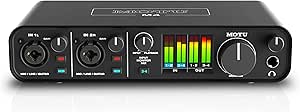
MOTU M4 4×4 USB-C Audio Interface
The MOTU M4 is the most flexible recording choice in this group for creators who may expand beyond a basic two-input setup. Its four inputs and four outputs, two mic preamps, and MIDI I/O give it more room for instruments and connected gear than the two-channel PIYONE or MAONO P2. The product information does not explicitly confirm loopback routing, though, so I would not choose it on the assumption that it offers dedicated loopback controls; the Yamaha UR22MK3 and grey Piyone listing specify loopback more clearly. The M4 supports 192 kHz audio and low-latency monitoring, but it has no built-in DSP effects and relies on compatible software for its fuller workflow. Its compact USB-C design suits a home studio, while buyers who only need a simple streaming loopback path may prefer a model with that function spelled out.
Pros:- Four-in/four-out configuration offers more connection flexibility than the two-channel interfaces here.
- Two microphone preamps and MIDI I/O support a wider range of recording setups.
- Supports sample rates up to 192 kHz.
- Compact USB-C interface compatible with laptops, computers, and smartphones.
Cons:- The supplied product details do not explicitly identify a loopback feature or its routing controls.
- No built-in DSP effects for processing audio without software.
- Full functionality depends on compatible software.
Best for: Home-recording musicians who need more than two inputs, MIDI connections, and room to add instruments or other gear.
Not ideal for: Streamers who need clearly documented, dedicated loopback routing, or professionals who need more than four inputs and outputs.
- Inputs/outputs:4-in/4-out
- Microphone preamps:2
- MIDI I/O:Yes
- Maximum sample rate:192 kHz
- Connectivity:USB-C
- Compatible devices:Laptop, personal computer, smartphone
- Dimensions:4.25 × 8.25 × 1.75 in
- Weight:16 oz
- Warranty:2 years
Our verdict“Choose the M4 for a compact, expandable recording setup, but pick a model with explicitly documented loopback if routing computer audio is your main need.”
Audio Interface, 2X2 24-bit/192kHz for High-Fidelity Studio Recording, XLR/TRS Combo Inputs, Monitor Loopback, USB-C, Alloy Red
The PIYONE Alloy Red earns its place by stating the feature this roundup is about: monitor loopback. For a creator who wants a direct route for bringing audio into a stream or recording workflow, that explicit feature description is more reassuring than the MOTU M4 listing, which does not specify loopback. Its two XLR/TRS combo inputs, phantom power, and zero-latency monitoring cover a straightforward mic-and-instrument setup, while USB-C plug-and-play use keeps the connection simple. The tradeoff is limited capacity: unlike the four-input M4, it cannot accommodate as many simultaneous sources. The product information also gives little detail about loopback routing controls, and there is no bundled software or accessories. I would shortlist it for a lean streaming or home-recording station, not a multi-mic production rig.
Pros:- Monitor loopback is explicitly listed, making it a direct fit for this roundup.
- Two XLR/TRS combo inputs accept microphones and instruments.
- Phantom power supports compatible condenser microphones.
- Zero-latency monitoring helps performers hear their inputs while tracking.
Cons:- Two channels limit simultaneous recording compared with the four-input MOTU M4.
- The product details do not explain loopback routing options or controls.
- No included software or additional accessories are listed.
Best for: Solo streamers, podcasters, and home recordists who want a two-input USB-C interface with monitor loopback called out in the product details.
Not ideal for: Musicians recording several microphones or instruments at once, or buyers who want bundled software and accessories.
- Channels:2
- Audio inputs:XLR/TRS combo
- Maximum sample rate:192 kHz
- Bit depth:24-bit
- Connectivity:USB-C
- Loopback:Monitor loopback
- Compatible devices:Guitar, PC, Mac, iOS devices
- Weight:0.74 kg
- Warranty:2-year limited
Our verdict“Pick the PIYONE Alloy Red for a simple two-input setup where explicitly listed monitor loopback matters more than expansion or bundled extras.”
MAONO P2 Hybrid USB Audio Interface Dual XLR for PC, Phone, iPad, Guitar
The MAONO P2 is aimed at creators who move between computers and mobile devices, with compatibility spanning Mac, PC, iPhone, Android, and cameras. Dual XLR inputs and independent mute and monitoring controls make it a more creator-oriented fit than the MOTU M4, which offers more I/O and MIDI but is presented primarily as a recording interface. The P2 also lists advanced routing features, but the supplied details do not explicitly name loopback, so I would verify that its routing supports your exact streaming workflow before buying. Its two-channel design suits a host and guest or a mic-and-instrument setup, not a larger panel or band. Setup may feel involved for beginners, and advanced routing depends on compatible software. It favors mobile versatility and hands-on controls over the M4’s extra connections.
Pros:- Compatible with a broad range of computers and mobile devices, including Android and iOS.
- Dual XLR inputs support two-microphone recording.
- Independent mute and monitoring controls suit live creator workflows.
- Supports sample rates up to 192 kHz.
Cons:- The supplied product details mention advanced routing but do not explicitly confirm loopback.
- Two channels are not suited to larger multi-microphone recordings.
- Advanced routing requires compatible software, and setup may challenge beginners.
Best for: Mobile podcasters and streamers who switch among phones, tablets, computers, and cameras and need two XLR inputs with on-device mute and monitoring controls.
Not ideal for: Creators who need more than two simultaneous inputs or buyers requiring clearly specified loopback routing without checking the software workflow first.
- Channels:2
- Audio inputs:Microphone, guitar, PC, smartphone, iPad
- Maximum sample rate:192 kHz
- Connectivity:USB
- Compatible operating systems:Android, ChromeOS, Windows, iOS, macOS
- Supported software:Ableton Live, Studio One, Logic Pro, Cubase, GarageBand, FL Studio, YouTube, TikTok, OBS, Twitch, Discord
- Dimensions:6.42 × 8.27 × 3.23 in
- Weight:0.5 kg
- Frequency response:20 kHz
Our verdict“Choose the P2 for a mobile, two-microphone creator rig, but confirm its routing includes the loopback path your streaming software needs.”
How We Picked
I ranked these audio interfaces with loopback by how clearly each product fits a real workflow, not by headline sample-rate claims alone. I weighed input and output count, connection flexibility, portability, monitoring and loopback controls, and whether the design appears aimed at recording, streaming, or podcasting. A useful loopback feature should fit into the user’s signal path without forcing a more complex setup than the job requires.
The MOTU M4 ranks first because its 4×4 format offers the broadest room to grow across varied recording and streaming tasks. Yamaha earns a strong position for a familiar two-input recording setup, while Zoom and the MAONO products are differentiated by portability or podcast-oriented workflows. The Piyone and Alloy Red models list similar 2×2 specifications, but fewer distinguishing details make them harder to recommend ahead of products with clearer workflow positioning. I also considered the cost of unnecessary complexity: a buyer who only needs one mic and computer audio may be better served by a simpler unit than by extra I/O they will not use.
| audio interfaces with loopback | Connectivity | Audio inputs | Compatible devices |
|---|---|---|---|
| MAONO P1 USB Audio Interface w | USB | Microphone, guitar, bass, PC, Mac, smartphone, iPad | — |
| MAONO E2 Gen2 Podcast Equipmen | AUX, Bluetooth, USB | Bluetooth, 3.5 mm audio, XLR | — |
| Yamaha UR22MK3 2-in/2-out USB- | USB | — | Headphones, laptop, personal computer, smartphone, tablet |
| Piyone Audio Interface | USB | — | Guitar, PC, Mac, iOS |
| Zoom AMS-22 USB Audio Interfac | USB-C | — | — |
| MOTU M4 4×4 USB-C Audio Interf | USB-C | — | Laptop, personal computer, smartphone |
| Audio Interface | USB-C | XLR/TRS combo | Guitar, PC, Mac, iOS devices |
| MAONO P2 Hybrid USB Audio Inte | USB | Microphone, guitar, PC, smartphone, iPad | — |
Factors to Consider When Choosing Audio Interfaces With Loopback
Loopback is only one part of a working audio setup. I would match the interface to the way audio enters, leaves, and gets monitored in your actual recording or streaming sessions, then check that the included software and connections fit your devices.
Count Inputs for the Session You Actually Record
Count every source that needs to be connected at the same time, including microphones, instruments, and any additional audio feed. A two-input interface may be enough for a solo host and an instrument, but it can become restrictive when another guest or source joins. More inputs can reduce cable swapping and simplify a growing setup, though they also add controls and routing choices. Do not count loopback as a physical microphone input; it handles computer audio rather than replacing a needed analog connection. If most sessions use one voice and desktop audio, paying for unused inputs may bring little practical benefit. Choose for your busiest regular session, not an occasional scenario you could handle another way.
Check How Loopback Fits Your Apps
Loopback can be implemented and controlled differently across interfaces, so confirm how the device routes computer playback into the recording or streaming app. Look for clear guidance on selecting the interface as the app’s audio device and choosing the right input channels. A common setup mistake is sending a stream’s return audio back into the loopback mix, which can create echo or feedback. If you plan to use separate apps for calls, music, and recording, check whether the routing can handle those sources as needed. A simple one-button workflow may suit casual streaming, while a more involved routing setup can help with sessions that use several applications. Compatibility notes from the manufacturer matter more than assuming every operating system handles loopback identically.
Separate Direct Monitoring From Computer-Audio Mixes
Direct monitoring lets you hear an input without relying on a round trip through recording software, while loopback captures computer playback as part of a mix. These functions solve different problems, even when a product offers both. For live voice work, delayed monitoring can be distracting, so check how the interface lets you hear your microphone and desktop audio together. A monitor-mix control can help balance what you hear, but it does not automatically guarantee that the recording app receives the same mix. Before buying, map out what you want to hear in headphones and what you want listeners to receive. This small planning step can prevent buying an interface whose monitoring controls do not match your workflow.
Match Connections to Your Devices and Microphones
Check the interface’s computer connection and the inputs required by your microphones or instruments. Combo XLR/TRS inputs are flexible, but a phone or tablet setup may also depend on adapters, power arrangements, and device compatibility. Product names that mention mobile use do not answer every question about simultaneous charging, connection stability, or app support. Buyers using a condenser microphone should verify the specific unit’s phantom-power support rather than assume all interfaces provide it. If you switch between a computer, phone, and tablet, write down the cables and adapters each setup needs before ordering. A slightly less feature-rich interface can be the better fit if it connects cleanly to all the devices you already own.
Choose Between a Standalone Interface and a Podcast Bundle
A standalone interface usually makes more sense when you already own microphones, headphones, and cables or want to choose each component separately. A bundle can reduce the number of separate purchases and may suit someone building a podcast station from scratch. The tradeoff is that bundled accessories may not match every user’s preferred microphone, desk layout, or future recording plans. Compare the included equipment and its compatibility rather than treating the word bundle as a guarantee of a complete setup. Also consider how much desk space and setup time the package requires. Buyers who value modular upgrades may prefer a focused interface, while a new host may favor a coordinated kit.
Prioritize Clear Support Over Similar Specification Lists
Two interfaces can advertise the same resolution, input count, and loopback capability while differing in documentation, control layout, driver support, and long-term usability. Those details matter when an operating-system update changes device behavior or a stream needs troubleshooting. Before choosing a lesser-known model, check the manufacturer’s setup instructions, supported platforms, warranty terms, and available software. Avoid treating a high sample-rate figure as proof that one interface will sound better in your room; microphones, placement, and gain setup have a large effect on results. A familiar brand may provide a clearer support path, while a less established option can still suit buyers who have verified its fit. For a device that sits at the center of a live setup, predictable operation can matter more than a spec-sheet tie.
Frequently Asked Questions
Can I use loopback to capture a microphone and computer audio in one stream?
Often, yes, but the exact routing depends on the interface and the streaming or recording app. The microphone generally enters through a physical input, while loopback adds playback from the computer to the available audio channels. Set the app to use the interface and confirm that it receives both sources before going live. Keep an eye on whether monitoring sends the stream’s return audio back into the captured mix, since that can create an echo. A short test recording is a safer way to check levels and routing than troubleshooting during a broadcast.
Is a 2×2 interface enough for a podcast with two people?
It can be, provided the interface has two suitable microphone inputs and your planned session does not need another simultaneous source. Two people using separate microphones typically need two physical inputs, while computer audio for calls or playback may use loopback. Check whether both inputs have the features your microphones require and whether the software can record them as intended. If you expect a third speaker, an instrument, or separate external audio, a larger interface such as a 4×4 model can save you from changing hardware later. The right choice depends on the largest setup you use regularly, not the number of hosts alone.
Should I choose an interface bundle or buy the interface and accessories separately?
A bundle can be convenient when you are starting without a microphone or other podcast equipment, since it may put several parts of the setup together. It is not automatically the best fit if you already own gear or have a specific microphone and headphone choice. Check exactly what is included, whether the accessories match your needs, and whether the interface can support the way you plan to record. A standalone option such as the Yamaha or MOTU may offer a clearer path if you want to build around existing equipment. Compare the full setup you would actually use, not just the number of items in the box.
Will loopback work with my phone or tablet as well as my computer?
Possibly, but mobile compatibility depends on the interface, device, operating system, connection, and app. A product’s mention of phone or tablet use does not confirm that every routing feature behaves the same way on mobile as it does on a computer. Check the manufacturer’s compatibility notes and identify any required adapters or power accessories before buying. If your main use is mobile podcasting, favor a model with a clearly stated phone or tablet workflow rather than relying on a general USB-C connection. Test the app’s audio input and playback routing before a paid or live session.
When is it worth choosing a 4×4 interface over a compact 2×2 model?
A 4×4 interface is useful when you need more simultaneous physical inputs or outputs, want room for additional sources, or expect your setup to grow. It can also reduce the need to disconnect and reconnect equipment between sessions. A compact 2×2 model is easier to keep focused when your routine is a single host, one guest, or one instrument with computer audio. Extra I/O does not automatically improve loopback or sound quality, and it may add controls you do not need. Pay for the larger format when you can name the sources or routing tasks that will use it.
Conclusion
I recommend the MOTU M4 as the best overall for buyers who want the broadest I/O and room for different recording or streaming setups. The best value direction is a compact 2×2 interface when your sessions only need a couple of physical sources; compare the Yamaha, Zoom, and MAONO options by the connections and workflow you actually need rather than assuming one is universally cheaper or better. For a premium, more expandable setup, the MOTU is the clearest fit in this lineup, while the Yamaha UR22MK3 is my beginner-friendly pick for a focused two-input recording setup. Choose the Zoom AMS-22 for portability, a MAONO model if its podcast or mobile-oriented format matches your workflow, and consider the Piyone or Alloy Red only after confirming support and compatibility details. The best choice is the one that captures your sources cleanly without adding routing or connections you will not use.
Halloween Picks
halloween
As an affiliate, we earn on qualifying purchases.