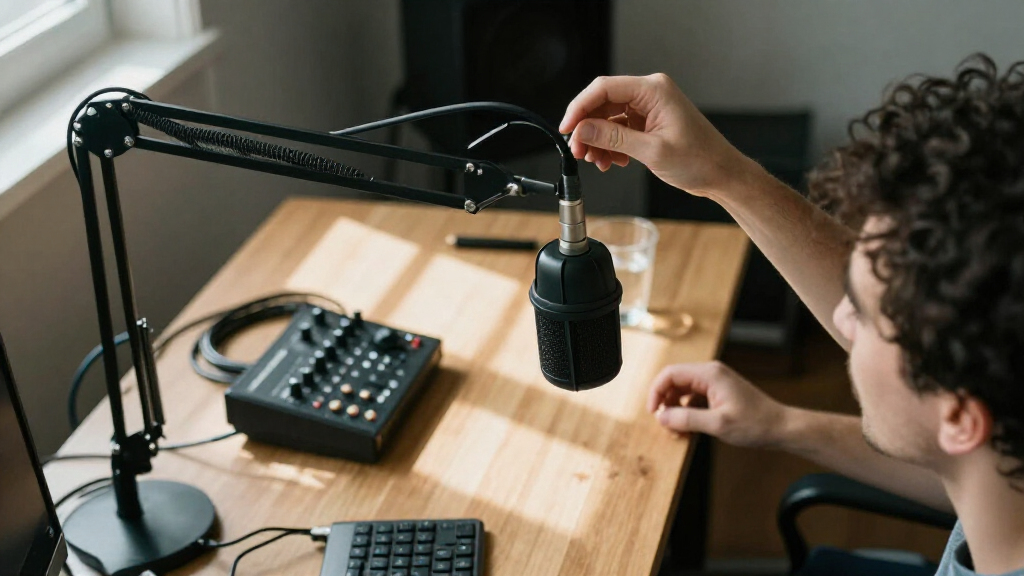

For most desk setups, I’d start with the RØDE PSA1+: its professional broadcast-style design makes it the strongest all-around choice for flexible mic positioning. The FIFINE BM88 and InnoGear MU-LP26 stand out for low-profile setups, while the RØDE DS2 suits buyers who want a compact, freestanding base rather than a desk clamp. The main tradeoffs are desk space, mounting style, microphone compatibility, and adjustability—a low-profile arm can clear a monitor, while a traditional boom often offers a more familiar reach. I compare all 13 options by their fit for different desktop recording needs, so read on for the full breakdown.

Get audio and creator gear delivered free with Prime
- Fast, free delivery on millions of items
- Prime Video, Amazon Music and more included
- Member-only deals all year
Complete the kit


Key Takeaways
- The lineup splits into three useful formats: clamped boom arms, low-profile arms, and freestanding desktop stands, and the right style depends as much on desk layout as microphone choice.
- RØDE PSA1+ leads for broad studio flexibility, while the RØDE DS2 is the distinct pick for a freestanding setup that avoids clamping to the desk.
- FIFINE BM88 and BM88W share a low-profile approach; color preference may help decide between them, but buyers should still check clearance and microphone fit.
- InnoGear offers the widest spread of practical configurations, from desktop stands and cable-managed arms to a bundle with a shock mount and pop filter.
- Compatibility and mounting details matter more than brand alone: the Aokeo DK-5 includes a 3/8-to-5/8-inch adapter, while each arm’s mount, reach, and workspace fit should be checked before choosing.
| InnoGear DS3 Desktop Microphone Stand with Boom Arm |  | Best Compact Desktop Stand | Material: Steel | Base weight: 2.4 lb | Maximum load capacity: 2.64 lb | VIEW LATEST PRICE | See Our Full Breakdown |
| InnoGear Adjustable Microphone Boom Arm Stand, White |  | Best Value Clamp-On Arm | Material: Steel | Maximum load capacity: 3.3 lb (1.5 kg) | Base rotation: 360° | VIEW LATEST PRICE | See Our Full Breakdown |
| FIFINE BM88 Low-Profile Microphone Boom Arm |  | Best for Monitor-Clearance Setups | Material: Metal | Maximum extension: 29 inches | Vertical adjustment: 220° | VIEW LATEST PRICE | See Our Full Breakdown |
| Shure by Gator Deluxe Broadcast Desktop Microphone Boom Arm |  | Best for Broadcast-Style Reach | Material and finish: Metal, powder coated | Arm extension: 32.25 inches | Maximum height: 33 inches | VIEW LATEST PRICE | See Our Full Breakdown |
| FIFINE BM88W Low-Profile Microphone Boom Arm |  | Best White Low-Profile Arm | Material: Metal | Maximum extension: 29 inches | Vertical adjustment: 220° | VIEW LATEST PRICE | See Our Full Breakdown |
| InnoGear Adjustable Microphone Boom Arm with Cable Management, Black |  | Best for Long Reach | Model: MU-PSA28 | Material: Thickened steel | Maximum horizontal reach: 32.3 inches | VIEW LATEST PRICE | See Our Full Breakdown |
| InnoGear MU-LP26 Low-Profile Microphone Boom Arm, Black |  | Best Low-Profile Pick | Model: MU-LP26 | Material: Alloy steel | Maximum reach: 25.6 inches | VIEW LATEST PRICE | See Our Full Breakdown |
| InnoGear Adjustable Microphone Boom Arm Stand, Black |  | Best Simple Folding Arm | Model: MU01 | Material: Steel | Mounting type: Desk clamp | VIEW LATEST PRICE | See Our Full Breakdown |
| RØDE PSA1+ Professional Studio Boom Arm, Black |  | Best for Smooth, Quiet Positioning | Model: PSA1+ | Microphone weight capacity: 0.25–1.2 kg | Desk thickness capacity: Up to 70 mm | VIEW LATEST PRICE | See Our Full Breakdown |
| InnoGear Microphone Boom Arm Set with Shock Mount and Pop Filter |  | Best Starter Recording Bundle | Model: MU059 | Finish: Powder coated | Microphone compatibility: Standard 3/8-inch to 5/8-inch screw adapters | VIEW LATEST PRICE | See Our Full Breakdown |
| Aokeo DK-5 Desktop Microphone Stand with 3/8-to-5/8-Inch Adapter |  | Best Value Desktop Stand | Mount type: Desktop stand | Material: Metal | Base: Flat, weighted, movable | VIEW LATEST PRICE | See Our Full Breakdown |
| RØDE DS2 Desktop Studio Arm |  | Best Compact Flat-Base Arm | Material: Aluminium | Item weight: 1471 g | Dimensions: 8.5 x 6.3 x 2.2 inches | VIEW LATEST PRICE | See Our Full Breakdown |
| FIFINE BM66 Heavy Metal Microphone Boom Arm Stand |  | Best for Heavy Microphones | Material: All-metal | Maximum load capacity: 2 kg | Maximum height: 34.25 inches | VIEW LATEST PRICE | See Our Full Breakdown |
| desktop studio microphone arm | Material | Warranty |
|---|---|---|
| InnoGear DS3 Desktop Microphon | Steel | 12 months |
| InnoGear Adjustable Microphone | Steel | — |
| FIFINE BM88 Low-Profile Microp | Metal | One year |
| Shure by Gator Deluxe Broadcas | — | — |
| FIFINE BM88W Low-Profile Micro | Metal | 1 year |
| InnoGear Adjustable Microphone | Thickened steel | — |
| InnoGear MU-LP26 Low-Profile M | Alloy steel | — |
| InnoGear Adjustable Microphone | Steel | — |
| RØDE PSA1+ Professional Studio | — | 2 years |
| InnoGear Microphone Boom Arm S | — | — |
| Aokeo DK-5 Desktop Microphone | Metal | 1 year |
| RØDE DS2 Desktop Studio Arm | Aluminium | 1 year |
| FIFINE BM66 Heavy Metal Microp | All-metal | One year |
More Details on Our Top Picks
InnoGear DS3 Desktop Microphone Stand with Boom Arm
The InnoGear DS3 is the pick here for a desktop setup that needs a stable mic position without a clamp attached to the desk edge. Its 2.4 lb weighted base supports microphones up to 2.64 lb, while the folding arm and compact footprint make it easier to store than a full-size broadcast arm such as the Shure by Gator Deluxe. Two pivot points give 270° of adjustment, and the included adapters cover several common thread sizes. The tradeoff is that this base still occupies a dedicated 6.7 × 4.7-inch patch of desk, and changing its position requires the included Allen wrench. Choose it for a moveable desktop stand rather than fast, frequent repositioning or maximum reach.
Pros:- Weighted steel base supports microphones up to 2.64 lb.
- Two pivot points provide 270° of angle adjustment.
- Adapters support 1/4-inch, 3/8-inch, and 5/8-inch threads.
- Folding arm and non-slip pads suit compact or portable setups.
Cons:- Base takes up a dedicated 6.7 × 4.7 inches of desk space.
- Position adjustments require the included Allen wrench.
Best for: Desktop recording users who want a weighted, clamp-free stand that can fold away between sessions.
Not ideal for: Streamers who need a long arm to reach over a monitor or reposition the microphone quickly without tools.
- Material:Steel
- Base weight:2.4 lb
- Maximum load capacity:2.64 lb
- Base dimensions:6.7 × 4.7 inches
- Maximum height:15 inches
- Angle adjustment:270°
- Thread sizes:1/4 inch, 3/8 inch, and 5/8 inch
- Warranty:12 months
Our verdict“Choose the DS3 if you want a stable, foldable desktop stand and can spare the base space.”
InnoGear Adjustable Microphone Boom Arm Stand, White
The white InnoGear MU01B offers practical reach and flexible positioning without the low-profile layout of the FIFINE BM88. Its rotating base, movable arm shaft, and adjustable microphone adapter let you bring a mic into speaking position, then fold the arm back when the desk needs clearing. A 3.3 lb load capacity gives it more headroom than the DS3, though this model depends on a suitable desk edge rather than a weighted base. The clamp fits flat, squared edges up to 2 inches thick, so curved or slanted desks are a poor match. It includes a clip and thread adapter, but no shock mount; buyers who need shock isolation should plan for a separate compatible mount.
Pros:- Supports microphones up to 3.3 lb.
- Rotating base and articulated sections offer flexible positioning.
- Folds away when the desk is not being used for recording.
- Includes a microphone clip and 5/8-inch-to-3/8-inch adapter.
Cons:- Clamp requires a flat, squared desk edge no thicker than 2 inches.
- Shock mount is not included.
- Clamp-on design cannot be used where a suitable desk edge is unavailable.
Best for: Home streamers and voice-call users with a flat, squared desk edge who want a foldable, adjustable arm in white.
Not ideal for: Users with curved or slanted desk edges, or anyone who needs a shock mount included in the setup.
- Material:Steel
- Maximum load capacity:3.3 lb (1.5 kg)
- Base rotation:360°
- Arm extension movement:135° back and forth
- Arm shaft movement:180°
- Adapter movement:270°
- Desk clamp compatibility:Flat, squared edges up to 2 inches thick
- Color:White
Our verdict“Pick the MU01B for flexible clamp-on positioning on a compatible desk, but look to the DS3 if you need a clamp-free base.”
FIFINE BM88 Low-Profile Microphone Boom Arm
For a desk where a conventional arm would cross the screen, the FIFINE BM88 routes the microphone below the monitor while offering up to 29 inches of extension. That low-profile path sets it apart from the more traditional InnoGear MU01B, which folds away but is not described as extending under a display. The BM88 also has hidden cable management and broad 220° vertical and 360° horizontal adjustment, helping keep both the screen and desktop less cluttered. Its clamp fits surfaces 0.8–2.4 inches thick, so check the desk before choosing it. One limitation is the fixed vertical behavior of the section nearest the clamp, which narrows adjustment at the base. The microphone itself is not included.
Pros:- Low-profile design can route beneath a monitor.
- Extends up to 29 inches for flexible mic placement.
- Hidden cable management helps reduce desktop clutter.
- Adapters cover 1/4-inch, 3/8-inch, and 5/8-inch threads.
Cons:- The microphone is not included.
- The section nearest the C-clamp cannot be adjusted vertically.
- Clamp only fits desktops 0.8–2.4 inches thick.
Best for: Streamers and desk-based creators who need a long-reach arm that can sit below a monitor and keep cables routed neatly.
Not ideal for: Owners of desks outside the 0.8–2.4-inch clamp range or buyers who want the microphone included.
- Material:Metal
- Maximum extension:29 inches
- Vertical adjustment:220°
- Horizontal adjustment:360°
- Clamp thickness range:0.8–2.4 inches
- Thread sizes:1/4 inch, 3/8 inch, and 5/8 inch
- Microphone included:No
- Warranty:One year
Our verdict“Choose the BM88 when screen clearance and cable routing matter more than unrestricted adjustment at the clamp.”
Shure by Gator Deluxe Broadcast Desktop Microphone Boom Arm
The Shure by Gator Deluxe suits a broadcast desk that needs substantial reach: its arm extends 32.25 inches and reaches a maximum height of 33 inches. That makes it a stronger fit for bringing a microphone across a larger desk than the 29-inch FIFINE BM88, though the BM88 is the better match when routing under a monitor is the priority. This metal arm rotates 360° quietly and has a cable channel, with compatibility listed for the Shure MV7 and SM7B. It is also a heavier, more substantial piece of hardware at 5.8 pounds. The clamp range tops out at 2.17 inches, and the maximum recommended microphone weight is 2 kg, so desk thickness and mic load both need checking before purchase.
Pros:- 32.25-inch extension and 33-inch maximum height suit broad positioning needs.
- Quiet 360° rotation supports frequent repositioning.
- Cable channel helps keep the microphone cable organized.
- Compatible with Shure MV7 and SM7B microphones.
Cons:- Clamp accommodates desk edges only up to 2.17 inches thick.
- Maximum recommended microphone weight is 2 kg.
- At 5.8 pounds, the arm is a substantial addition to the desk.
Best for: Podcasters and streamers with a broadcast-style setup, a compatible desk edge, and a need for long, quiet arm reach.
Not ideal for: Users with desks thicker than 2.17 inches, microphones above the 2 kg recommendation, or compact desks where a long arm is unnecessary.
- Material and finish:Metal, powder coated
- Arm extension:32.25 inches
- Maximum height:33 inches
- Rotation:360°
- Clamp range:Up to 2.17 inches
- Maximum weight recommendation:2 kg
- Compatible microphones:Shure MV7 and SM7B
- Item weight:5.8 lb
Our verdict“Choose the Shure by Gator when broadcast reach and quiet rotation take priority over a low-profile route beneath the monitor.”
FIFINE BM88W Low-Profile Microphone Boom Arm
The FIFINE BM88W brings the BM88’s monitor-clearing layout to a white desktop setup, with up to 29 inches of reach and 220° vertical plus 360° horizontal adjustment. Compared with the black FIFINE BM88, its main distinction is the finish rather than a different reach or adjustment range, so buyers should choose based on desk appearance and verify the included hardware in the package. Built-in cable channels and adapters for three common thread sizes make it a tidy option for a range of microphones. The same practical limits apply: the microphone is not included, the clamp only fits desks 0.8–2.4 inches thick, and the section near the C-clamp cannot move vertically. The product data also notes that the rotatable ball-head color may vary.
Pros:- Low-profile design helps keep the monitor view unobstructed.
- 29-inch extension with 220° vertical and 360° horizontal adjustment.
- Built-in cable channels reduce visible cable clutter.
- Includes adapters for 1/4-inch, 3/8-inch, and 5/8-inch threads.
Cons:- Microphone is not included.
- The section near the C-clamp cannot be adjusted vertically.
- Rotatable ball-head color may vary.
Best for: Creators with a white desk or light-colored setup who want a low-profile arm to route under a monitor.
Not ideal for: Buyers who need vertical adjustment at the clamp-side section, have desks outside the clamp range, or want a microphone included.
- Material:Metal
- Maximum extension:29 inches
- Vertical adjustment:220°
- Horizontal adjustment:360°
- Desk clamp thickness:0.8–2.4 inches
- Weight:1300 g
- Color:White
- Warranty:1 year
Our verdict“Choose the BM88W for a white monitor-clearance setup; choose the black BM88 if its finish better suits your desk.”
InnoGear Adjustable Microphone Boom Arm with Cable Management, Black
The 32.3-inch horizontal reach makes this InnoGear a strong fit when a desktop mic needs to swing over a keyboard or sit farther from the desk edge. Its steel arm supports up to 3.5 pounds, giving it a little more stated capacity than the MU01, while the built-in cable channels keep the route tidy without relying on loose ties. The 360-degree base and included riser add flexibility for taller setups. Compared with the RØDE PSA1+, this model offers longer specified reach, but the RØDE has a spring-damped design aimed at quieter, smoother movement. The tradeoffs here are a clamp limited to desks 2 inches thick and no included shock mount, so buyers with thicker desktops or vibration-sensitive setups may need another solution.
Pros:- Maximum horizontal reach of 32.3 inches suits microphones positioned well over a desk.
- Built-in cable channels help keep the microphone lead organized.
- Steel construction supports microphones up to 3.5 pounds.
- Includes an extension riser and a 360-degree rotating base.
Cons:- Desk clamp fits surfaces only up to 2 inches thick.
- Shock mount is not included.
- Long reach may be unnecessary for compact desk layouts.
Best for: Desktop recording or streaming setups that need a long reach, cable routing, and support for microphones up to 3.5 pounds.
Not ideal for: Owners of desks thicker than 2 inches or buyers who want a shock mount included with the arm.
- Model:MU-PSA28
- Material:Thickened steel
- Maximum horizontal reach:32.3 inches
- Maximum vertical reach:37.4 inches
- Maximum load capacity:3.5 pounds
- Desk clamp capacity:Up to 2 inches thick
- Adjustment:135° back and forth; 180° up and down; 360° rotating base
- Connector:5/8-inch metal
Our verdict“Choose this InnoGear when reach and built-in cable routing matter more than a wider desk-clamp range or included shock isolation.”
InnoGear MU-LP26 Low-Profile Microphone Boom Arm, Black
The low-profile layout is the main reason to pick the MU-LP26: its arm can sit beneath a monitor rather than crossing the screen area, keeping the workspace visually clear. With 25.6 inches of reach, 360-degree horizontal rotation, and a 250-degree vertical adjustment range, it offers plenty of positioning flexibility for a typical desk without the long span of the InnoGear MU-PSA28. Its 3.3-pound load limit covers many common microphone setups, and the padded clamp accommodates desks up to 2.75 inches thick—more than either that longer InnoGear model or the MU01. The tradeoff is that this is still a clamp-mounted arm: it needs a suitable desk edge, and heavier microphones or accessory combinations can exceed its capacity. Pick the RØDE PSA1+ instead if spring-damped movement is a higher priority than the low-profile shape.
Pros:- Low-profile form can keep the arm below the monitor and out of the main viewing area.
- 360-degree horizontal rotation and 250-degree vertical adjustment support flexible positioning.
- Padded clamp fits desks up to 2.75 inches thick.
- Included thread adapters support 3/8-inch to 5/8-inch and 3/8-inch to 1/4-inch connections.
Cons:- Maximum supported load is 3.3 pounds.
- Requires an accessible desk edge that can accept its C-style clamp.
- Its 25.6-inch reach is shorter than the InnoGear MU-PSA28’s stated reach.
Best for: Streamers and remote workers who want a microphone arm that stays below monitor level and clamps to a desk up to 2.75 inches thick.
Not ideal for: People using microphones or combined accessories weighing over 3.3 pounds, or desks without a clamp-friendly edge.
- Model:MU-LP26
- Material:Alloy steel
- Maximum reach:25.6 inches
- Vertical adjustment:250°
- Horizontal rotation:360°
- Maximum load:3.3 pounds (1.5 kg)
- Maximum desk thickness:2.75 inches
- Mount type:Padded C-style clamp
Our verdict“Choose the MU-LP26 if keeping the arm below your monitor matters more than maximum reach or a higher load limit.”
InnoGear Adjustable Microphone Boom Arm Stand, Black
The InnoGear MU01 is a straightforward choice for a desktop setup that needs flexible positioning without a more specialized low-profile frame or a bundled recording kit. Its 360-degree rotating base and adjustable joints let the mic move into place, then the arm folds away when the desk needs to clear. The included microphone clip and 5/8-inch to 3/8-inch adapter make it ready for a range of standard connections, though the shock mount is sold separately. Against the newer MU-LP26, the MU01 gives up the broader desk-clamp fit—the clamp here accepts desks only up to 2 inches thick—but it offers a simple fold-away setup rather than a low-profile monitor-clearing design. Its clamp also requires a flat, squared edge, which rules out some curved or slanted desks.
Pros:- Folds away to free desk space when the microphone is not in use.
- 360-degree base rotation and adjustable joints support flexible mic placement.
- Steel construction and strong springs support microphones up to 3.3 pounds.
- Includes a microphone clip and a 5/8-inch to 3/8-inch adapter.
Cons:- Clamp fits desks only up to 2 inches thick.
- Clamp requires a flat, squared desk edge.
- Shock mount is not included.
Best for: Home podcasters and voice-call users who want a basic folding clamp arm for a standard microphone and a desk with a square, flat edge.
Not ideal for: People with curved or slanted desk edges, desks thicker than 2 inches, or a need for an included shock mount.
- Model:MU01
- Material:Steel
- Mounting type:Desk clamp
- Base rotation:360°
- Maximum load capacity:3.3 pounds (1.5 kg)
- Desk edge thickness:Up to 2 inches
- Included accessories:Microphone clip; 5/8-inch to 3/8-inch adapter
- Shock mount:Not included
Our verdict“Pick the MU01 for a basic, foldable desktop arm if your desk has a compatible square edge and you do not need a bundled shock mount.”
RØDE PSA1+ Professional Studio Boom Arm, Black
The RØDE PSA1+ stands apart for its spring-damped movement, which is designed to make repositioning smoother and quieter—useful when a microphone is close to the speaker and arm noise could distract. Its 360-degree rotation, integrated cable management, and support for microphones from 0.25 to 1.2 kg make it a focused studio arm rather than an all-in-one accessory bundle. Compared with the InnoGear MU-PSA28, it has a lower stated maximum load, while the InnoGear offers an explicit longer reach and includes a riser. The PSA1+ answers with damping and a clamp that fits desks up to 70 mm thick, wider than the 2-inch limits on those InnoGear models. Buyers should still check desk thickness and microphone thread compatibility, since the clamp tops out at 70 mm and the mount uses 3/8-inch or 5/8-inch threads.
Pros:- Spring-damped design is intended for smooth, quiet repositioning.
- Integrated cable management keeps the microphone cable routed along the arm.
- 360-degree rotation supports flexible desktop placement.
- Clamp accommodates desks up to 70 mm thick.
Cons:- Maximum supported microphone weight is 1.2 kg, below the InnoGear MU-PSA28’s stated 3.5-pound limit.
- Desk clamp does not fit desks thicker than 70 mm.
- Mount compatibility is limited to 3/8-inch and 5/8-inch threads.
Best for: Podcasters, broadcasters, and voice talent who frequently reposition a compatible microphone and want damped, quiet arm movement with integrated cable management.
Not ideal for: Users with desks thicker than 70 mm or microphones outside its 0.25–1.2 kg capacity and supported thread sizes.
- Model:PSA1+
- Microphone weight capacity:0.25–1.2 kg
- Desk thickness capacity:Up to 70 mm
- Rotation:360°
- Mount compatibility:3/8-inch and 5/8-inch
- Cable management:Integrated
- Included components:Boom arm, desk clamp, thread adapters
- Warranty:2 years
Our verdict“Choose the PSA1+ if quiet, damped repositioning is your priority and your microphone and desk fit its weight, thread, and clamp limits.”
InnoGear Microphone Boom Arm Set with Shock Mount and Pop Filter
This InnoGear set suits a buyer assembling a desktop recording position from scratch: the box includes a boom arm, shock mount, dual-screen pop filter, clamp, adapter, and cable ties. That bundle can reduce the need to source basic accessories separately, unlike the InnoGear MU01, which includes a clip and thread adapter but no shock mount or pop filter. The reinforced spring is intended to help keep the arm steady, while the pop filter helps disperse breath blasts before they reach the microphone. The main catch is fit: the 52 mm shock mount does not fit the Blue Yeti, so Blue Yeti owners should look at another arm or source a separate mount. The clamp also fits desks only up to 2 inches thick, and buyers should confirm their microphone suits the included mount before choosing this set.
Pros:- Bundles a boom arm, shock mount, dual-screen pop filter, clamp, adapter, and five cable ties.
- Reinforced spring is designed to help keep the arm steady.
- Pop filter helps disperse air blasts during close-mic recording.
- Standard 3/8-inch to 5/8-inch screw adapters support compatible microphones.
Cons:- Included shock mount does not fit the Blue Yeti.
- Desk clamp fits desktops only up to 2 inches thick.
- The 52 mm shock mount may not suit every microphone in the stated standard-thread range.
Best for: New podcasters or home voice-recording users with a compatible standard microphone who want an arm, shock mount, pop filter, and cable ties in one set.
Not ideal for: Blue Yeti owners, people with desks thicker than 2 inches, or users whose microphone does not fit the included 52 mm shock mount.
- Model:MU059
- Finish:Powder coated
- Microphone compatibility:Standard 3/8-inch to 5/8-inch screw adapters
- Shock mount hole diameter:52 mm
- Table clamp capacity:Up to 2 inches thick
- Included accessories:Shock mount, dual-screen pop filter, adapter, five cable ties
- Clamp material:Zinc alloy
- Color:Black
Our verdict“Choose this set for a compatible microphone when you want a bundled starter recording setup, but skip it if you use a Blue Yeti or an over-2-inch desk.”
Aokeo DK-5 Desktop Microphone Stand with 3/8-to-5/8-Inch Adapter
The Aokeo DK-5 suits a desk setup where a clamp is inconvenient or not allowed. Its weighted, movable base lets me reposition the stand without attaching anything to the desk, while multi-axis adjustment helps place a mic close to my mouth. The hollow arm also gives the cable a tidier route than a bare stand. Compared with the RØDE DS2, the DK-5 supports a heavier device and includes a 3/8-to-5/8-inch adapter, though the DS2 offers a more compact, clearly specified footprint. The DK-5’s tradeoff is shared by flat-base stands: it occupies desk surface, and its 2.2-pound limit rules out some heavier microphone setups. I’d choose it for flexible placement and thread compatibility, not for reclaiming desktop space.
Pros:- Weighted base can be moved without a desk clamp.
- Multi-axis arm adjustment supports flexible mic positioning.
- Hollow arm helps route and organize the microphone cable.
- Included adapter accommodates 5/8-inch microphone or mount threads.
Cons:- Flat base takes up usable desktop space.
- Maximum supported weight of 2.2 pounds limits heavier microphone rigs.
Best for: Desk-based podcasters and streamers who want an adjustable, movable stand without clamping to the desk.
Not ideal for: Users with crowded desks or microphones and accessories that exceed the 2.2-pound support limit.
- Mount type:Desktop stand
- Material:Metal
- Base:Flat, weighted, movable
- Microphone thread:3/8 inch
- Included adapter:3/8 to 5/8 inch
- Maximum supported weight:2.2 lb (1 kg)
- Arm adjustment:Multi-axis, 360°
- Cable management:Hollow arm
- Warranty:1 year
Our verdict“Choose the DK-5 if you want a movable, adjustable desktop stand with broad thread compatibility and have room for its weighted base.”
RØDE DS2 Desktop Studio Arm
The RØDE DS2 is the compact flat-base choice for a desk where clamp mounting is off the table but a full-size boom would feel intrusive. Its two pivot points give me positioning flexibility, and cable guides help keep the run neat. At 8.5 by 6.3 inches, the base has a defined footprint, while the 38 cm maximum height favors nearby microphones and accessories over long reach. Compared with the Aokeo DK-5, the DS2 is lighter in supported load at 900 g but has a stated maximum height and supports other devices such as cameras, phones, and lights. That makes it more versatile for a small creator desk, though less suitable for heavier microphone rigs. I’d pick it when a tidy, compact stand matters more than maximum capacity or reach.
Pros:- Heavy flat base avoids requiring a desk clamp or mounting point.
- Two pivot points allow adjustable positioning.
- Cable guides help keep the setup tidy.
- Can hold microphones and other compatible accessories.
Cons:- 900 g maximum device weight is lower than the Aokeo DK-5’s stated limit.
- Flat base occupies desk space despite the compact design.
- 38 cm maximum height may not provide enough reach for some layouts.
Best for: Creators with limited clamp options who want a compact desktop arm for a lightweight microphone, phone, camera, or light.
Not ideal for: Users with heavy microphones or setups that need a long reach beyond the 38 cm maximum height.
- Material:Aluminium
- Item weight:1471 g
- Dimensions:8.5 x 6.3 x 2.2 inches
- Maximum height:38 cm
- Maximum supported device weight:900 g
- Base type:Flat
- Microphone stand thread:5/8 inch
- Pivot points:2
- Warranty:1 year
Our verdict“Pick the DS2 for a compact, clamp-free desk setup with lightweight gear, but choose a higher-capacity arm for a heavy microphone.”
FIFINE BM66 Heavy Metal Microphone Boom Arm Stand
For a heavier broadcast microphone, the FIFINE BM66 makes a different tradeoff from the flat-base stands in this group: its desk clamp and 2 kg capacity keep the mic off the desktop and support a heavier rig than the RØDE DS2. The arm extends up to 34.25 inches, rotates at the base, and includes channels for keeping cables out of the way. Its smooth, quiet movement is useful when I need to reposition a mic during recording without a noisy adjustment. Universal adapters cover common thread sizes, but the clamp needs a sturdy desk edge; it is not the pick for a fragile or unusually thick surface. Unlike the Aokeo DK-5, it does not sit freely on a desk, and no extension tube is included. I’d choose it for a clamped, higher-capacity setup rather than a portable desktop stand.
Pros:- Supports microphones and rigs up to 2 kg.
- Clamp mounting frees desktop surface beneath the arm.
- Integrated cable channels help keep wiring organized and protected.
- Smooth, quiet movement and adapters for 1/4-, 3/8-, and 5/8-inch threads.
Cons:- Requires a sturdy desk edge to limit wobble.
- Does not include an extension tube.
- Clamp mounting is unsuitable for desks without an accessible, compatible edge.
Best for: Podcasters and streamers using heavier microphones who have a sturdy desk edge available for clamp mounting.
Not ideal for: Users who cannot clamp to their desk, need a freestanding movable base, or require an extension tube.
- Material:All-metal
- Maximum load capacity:2 kg
- Maximum height:34.25 inches
- Extension:180 degrees
- Base rotation:360 degrees
- Thread sizes:1/4, 3/8, and 5/8 inch
- Mounting:Non-slip desk clamp
- Cable management:Integrated cable channels
- Warranty:One year
Our verdict“Choose the BM66 for a heavy microphone and a sturdy clamp-ready desk; pick a flat-base model if you need clamp-free placement.”
How We Picked
I compared these desktop studio microphone arms by how well their formats serve real desk setups: usable positioning, mounting method, footprint, stated cable-management features, and the flexibility to work across recording tasks. I also considered what is included, such as adapters or recording accessories, because those can affect setup effort and the need to buy extra parts.
The ranking favors options with a clear role and a useful balance of fit, flexibility, and practical design. The RØDE PSA1+ ranks as the strongest all-around arm, while low-profile models rise for monitor clearance and freestanding models for desks where clamps are a poor fit. Value and beginner-friendly picks are judged by setup simplicity and included hardware, not by price or claims that are not established here. A product’s position does not mean it suits every microphone or desk, so I call out compatibility and mounting checks as part of the decision.
| desktop studio microphone arm | Material |
|---|---|
| InnoGear DS3 Desktop Microphon | Steel |
| InnoGear Adjustable Microphone | Steel |
| FIFINE BM88 Low-Profile Microp | Metal |
| Shure by Gator Deluxe Broadcas | — |
| FIFINE BM88W Low-Profile Micro | Metal |
| InnoGear Adjustable Microphone | Thickened steel |
| InnoGear MU-LP26 Low-Profile M | Alloy steel |
| InnoGear Adjustable Microphone | Steel |
| RØDE PSA1+ Professional Studio | — |
| InnoGear Microphone Boom Arm S | — |
| Aokeo DK-5 Desktop Microphone | Metal |
| RØDE DS2 Desktop Studio Arm | Aluminium |
| FIFINE BM66 Heavy Metal Microp | All-metal |
Factors to Consider When Choosing Desktop Studio Microphone Arms
Before choosing an arm, I’d match its mounting style and movement to the way the desk is actually used. These broader checks can prevent a common mismatch: buying an adjustable arm that cannot clamp to the desk, blocks a screen, or places the microphone outside a comfortable speaking position.
Choose the Mounting Style Around Your Desk
Start by deciding whether a clamp can attach securely to your desk and whether you want the arm to stay in one place. A clamped boom keeps the base off the main work surface, but it needs an accessible edge and enough clearance underneath for its mounting hardware. A freestanding option such as the RØDE DS2 avoids that clamp requirement, though its base occupies desk space. Check for beveled edges, shelves, cable trays, and desk aprons before ordering; these can interfere with clamps even when the desktop looks wide enough. If you share the desk or move equipment often, think about whether a fixed mounting point will help or get in the way. Choose the format first, then compare arm reach and accessories within that group.
Plan for Microphone Weight and Connection
An arm must support the complete microphone setup, not just the microphone body: a shock mount, windscreen, or other attached gear adds load. Check the manufacturer’s stated capacity and the microphone’s mounting thread before buying, since adapters solve thread mismatches but not an arm that cannot hold the load steadily. The Aokeo DK-5’s included 3/8-to-5/8-inch adapter is useful when thread size is the main compatibility question, but buyers should still confirm the exact connection on their mic or mount. A heavy microphone can sag or feel awkward on an arm intended for lighter setups. If you plan to change microphones, leave room for the heaviest configuration you expect to use. Compatibility is a better reason to choose an arm than a familiar brand name alone.
Match Arm Geometry to Monitor and Speaking Position
Reach is only useful if the arm can place the microphone where you need it without crossing a screen or occupying the keyboard area. Low-profile designs such as the FIFINE BM88 series and InnoGear MU-LP26 are aimed at routing the arm below the usual sightline, while a conventional boom may offer a more direct path from a desk edge. Measure from the proposed mount point to your speaking position, then check the space above and below the monitor. Consider whether the microphone needs to swing out of the way between calls or remain positioned for a fixed recording station. A long arm can create more options, but it can also crowd nearby shelves or other equipment. Sketching the arm’s path with the desk dimensions can reveal a fit problem before purchase.
Treat Cable Management as a Workflow Choice
Built-in cable management can reduce visible clutter and keep a moving arm from pulling a cable across the desk. It is most useful when the microphone stays installed and the cable route rarely changes. If you swap microphones, use a thick cable, or need to remove the arm regularly, a more open routing path may be easier to work with. Check where the cable exits the arm and whether it can reach the computer or interface without a tight bend. Cable clips and sleeves can help with a basic arm, but they add another small setup task. Compare the convenience of an integrated system with the freedom to reconfigure your desk.
Decide How Much Adjustment You Actually Need
More joints and movement can make a boom easier to position for different tasks, but an arm that is constantly adjusted needs to remain stable after each change. If you record from one seated position, a simpler stand may be easier than a highly movable broadcast arm. For shared use, streaming, or switching between speaking and keyboard work, broader positioning options can justify a more elaborate design. Look for a mechanism that fits your routine rather than assuming maximum movement is always better. Also check whether the arm can fold or move clear of the desk when not in use. The best fit is the one you can reposition without disrupting the rest of your setup.
Pay for the Parts That Solve Your Setup Problem
A higher-end arm makes sense when its build and adjustability support frequent movement or a demanding recording workflow; paying more does little if the mount cannot fit your desk. Bundles such as the InnoGear set with a shock mount and pop filter can reduce the number of separate items to source, but included accessories are only useful if they suit your microphone. Beginners may prefer a straightforward stand with an adapter or a simple setup over extra adjustments they will not use. Before choosing a bundle, compare its included pieces with what you already own. Spend on compatibility, stable placement, and a mounting style that fits the desk before prioritizing add-ons. This keeps the purchase focused on the actual bottleneck in your recording setup.
Frequently Asked Questions
Should I choose a low-profile arm or a standard boom arm for a desk with a monitor?
I’d choose based on where the arm needs to travel, not just the monitor’s size. A low-profile design may keep the boom below the display’s sightline, which can be useful when the microphone approaches from the desk edge. A standard boom can be a better fit if you need a more direct path or want the arm to move broadly around the workspace. Measure the height from the desk to the monitor’s lower edge and map the arm’s route before choosing. Also check that the microphone itself can sit at speaking height without blocking the screen.
Can a desktop microphone arm support a heavy microphone with a shock mount?
It depends on the arm’s stated load capacity and the weight of the complete assembly. Add the microphone, shock mount, and any attached accessories before comparing that total with the manufacturer’s limit. A setup near the arm’s maximum may offer less comfortable adjustment than a lighter one, so some extra capacity can be useful. Check whether the product lists compatibility with your microphone or mount rather than assuming that a standard thread guarantees support. If the weight information is unclear, verify it with the manufacturer before buying.
When is a freestanding desktop arm a better choice than a clamp-mounted arm?
A freestanding arm makes sense when the desk edge cannot accept a clamp, the desk is shared, or you do not want mounting hardware attached to it. The RØDE DS2 represents this format in the roundup. Its tradeoff is that the base uses surface area that a clamp-mounted arm would leave open. Consider how much room your keyboard, interface, and other equipment need before choosing a base. If the desk is small, the freed-up clamp space may matter more than avoiding a fixed mount.
Do I need cable management built into my microphone arm?
Built-in routing is helpful when the microphone stays connected and you want a tidier path along the arm. It may be less convenient if you often swap cables or microphones, since a cable routed through the arm can take longer to remove or reroute. Check the path from the microphone connector to your recording device and allow enough slack for the arm’s movement. An arm without integrated routing can still be organized with separate clips or sleeves. Choose based on how often your setup changes, not appearance alone.
Is a microphone arm bundle a good first purchase for a beginner?
A bundle can simplify setup if it includes accessories your microphone actually needs, such as the InnoGear set’s shock mount and pop filter. Before buying, check that the mount fits your microphone and that the included pieces do not duplicate gear you already own. A bundle does not automatically offer better arm positioning or desk compatibility than a stand sold on its own. Beginners should first confirm the mount style, thread, and available desk space. If those fit, included accessories can make a bundle a practical way to get started.
Conclusion
For the best overall, I’d choose the RØDE PSA1+ for a flexible studio boom setup. The best premium pick is also the PSA1+, particularly for buyers who value a professional broadcast-style arm over a compact desktop base. For a best value direction, I’d compare the InnoGear adjustable arms by the exact features needed—especially cable management—rather than paying for a bundle of extras you may not use. Beginners can start with the InnoGear DS3 or the InnoGear set if its included accessories match their microphone. For low-profile monitor clearance, compare the FIFINE BM88, BM88W, and InnoGear MU-LP26; for a setup that cannot use a clamp, choose the RØDE DS2. The right pick is the one whose mount, reach, and microphone compatibility fit your desk before any extra feature enters the decision.
Black Friday Picks

KitchenAid Classic Series 4.5-Quart Tilt-Head Stand Mixer, Onyx Black
As an affiliate, we earn on qualifying purchases.