TL;DR

Get audio and creator gear delivered free with Prime
- Fast, free delivery on millions of items
- Prime Video, Amazon Music and more included
- Member-only deals all year
Grooveboxes excel in immediacy, portability, and live performance, while DAWs shine in detailed editing, complex arrangements, and extensive sound design. Many producers blend both for maximum flexibility.
Imagine making a beat with your hands, twisting knobs, and hitting pads—no mouse, no keyboard. That’s the allure of a groovebox. But then, you see a producer effortlessly craft complex arrangements in a DAW, clicking and dragging through layers of sound. Both tools have their fans, but which one actually fits your style?
This guide breaks down the core differences, recent trends, and real-world scenarios that show the trade-offs. Whether you’re just starting out or looking to upgrade, understanding these pros and cons can save you a lot of headaches—and cash.
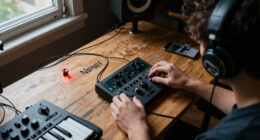
A groovebox is perfect for quick ideas, live performance, and portable creation, typically with onboard sounds and tactile controls.
DAWs provide extensive editing, layering, and sound design options, suited for polished, complex tracks.
Many producers blend hardware and software, using grooveboxes for spontaneity and DAWs for detailed work.
Portability favors grooveboxes, while studio setups benefit from DAW’s flexibility and depth.
Start with what matches your workflow—don’t fear mixing both for maximum creativity.
Grooveboxes vs DAW Production
One invites you to hit pads, twist knobs and capture momentum. The other lets you sculpt hundreds of clips, automations and layers. The real choice is not hardware or software—it is the kind of creative friction that helps you finish.
Momentum versus microscopic control
A groovebox reduces the distance between impulse and sound. A DAW expands the number of decisions you can make after recording. Neither is universally better; each changes where your attention goes.
Play first. Edit later.
An all-in-one hardware instrument built around performance, sequencing and fast repetition. Onboard sounds and tactile controls keep the session focused.
- Fast beat and bassline sketches
- Standalone operation without a laptop
- Physical pads, knobs and step sequencing
- Strong fit for live improvisation
- Finite tracks and editing can create useful limits
Edit everything. Build outward.
A computer-based production environment for recording, arranging, mixing and mastering. Plugins and automation make the system highly expandable.
- Precise timing, pitch and clip editing
- Complex arrangements with many layers
- Vast virtual instrument and effects ecosystem
- Detailed automation and mix control
- Greater depth with a steeper learning curve
Where each workflow earns its place
The strongest option changes with the task. Hardware tends to win when speed, feel and stage reliability matter; software pulls ahead when the production needs precision, scale and revision.
| Production factor | Groovebox | DAW | Practical verdict |
|---|---|---|---|
| Idea capture | ✓ Excellent | ~ Strong | Hardware minimizes setup and visual distraction. |
| Detailed editing | ✗ Limited | ✓ Excellent | Software makes tiny timing and pitch changes routine. |
| Live performance | ✓ Natural fit | ~ Capable | Dedicated controls encourage expressive improvisation. |
| Sound library | ~ Curated | ✓ Vast | Plugins make the DAW palette nearly open-ended. |
| Portability | ✓ Backpack-ready | ~ Laptop-based | Battery-powered hardware enables creation almost anywhere. |
| Arrangement scale | ~ Focused | ✓ Complex | DAWs handle long timelines and dense projects more easily. |
| Beginner immediacy | ✓ Hands-on | ~ More setup | Grooveboxes reveal core actions through physical controls. |
| Expandability | ✗ Finite | ✓ Extensive | Computers add storage, plugins and processing power. |
How a track moves from spark to release
The hybrid route gives each platform a defined job. Hardware captures energy at the beginning; software preserves that energy while adding structure, vocals, mixing and final polish.
Jam
Tap pads, shape a rhythm and follow instinct.
Capture
Record loops, stems, MIDI or a full performance.
Transfer
Connect through USB, audio or MIDI synchronization.
Arrange
Build sections, automation, vocals and transitions.
Finish
Edit, mix, master and export the polished track.
The shape of the trade-off
These directional scores summarize typical strengths, not laboratory benchmarks. Individual devices and DAW setups vary, but the overall pattern explains why so many producers combine the two.
Choose for the session you want
Start with your repeated behavior—not a feature checklist. Consider where you create, how quickly you want sound, whether you perform live and how much detailed editing your music demands.
You thrive on constraints
Best when you want quick ideas, tactile control, portable sessions, focused sound choices and an instrument that can move directly onto a stage.
You refine in layers
Best when detailed arrangement, vocals, plugin sound design, precise corrections and professional mixing are central to your process.
You want two creative gears
Use a groovebox to generate committed performances, then transfer audio or MIDI into a DAW for editing, expansion and release-ready polish.
From touch to finished track
A clear handoff prevents endless tweaking. Capture the performance while it feels alive, transfer it cleanly, then use software only where added control improves the result.
Grooveboxes favor quick ideas, live play and portable creation.
DAWs favor extensive editing, layering and sound design.
Hardware creates character through touch and limitation.
Software creates depth through precision and expandability.
The best setup is the one that keeps ideas moving toward completion.
What Are Grooveboxes and Why Do They Feel So Instant?
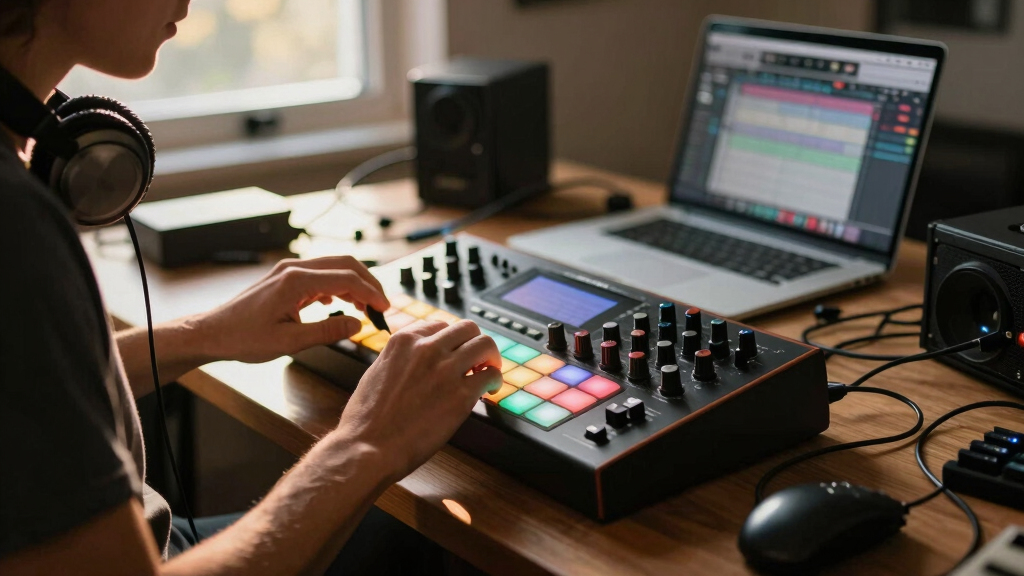
Grooveboxes are all-in-one hardware devices that combine a sequencer, drum machine, synthesizer, and effects. Think of them as musical Swiss Army knives. You turn on, tweak some knobs, and suddenly, you’re making a beat or a bassline. For example, the Roland TR-8S can spit out a punchy drum groove in seconds, ready for live gigs or quick jam sessions.
Because they’re standalone, you don’t need a laptop or external gear. Just pack one in a bag, hit record, and you’re good. Their tactile controls give you immediate feedback—no mouse lag or menu dives. This makes grooveboxes especially appealing for live performers and those who prefer hands-on creation.
However, their simplicity can be a double-edged sword. Limited editing options and onboard sounds mean you might hit a ceiling if you want deep sound design or intricate arrangements.
Understanding these limitations is crucial because it shapes how you approach music-making. If your goal is quick inspiration and live performance, a groovebox’s immediacy is invaluable. But for studio polish, you’ll often find yourself supplementing with software tools. The trade-off here is between convenience and creative depth, which influences the kind of projects you can effectively produce on each platform.
best portable groovebox for live performance
As an affiliate, we earn on qualifying purchases.
As an affiliate, we earn on qualifying purchases.
Why DAWs Are the Powerhouses of Music Production
Digital Audio Workstations—like Ableton Live, FL Studio, or Logic Pro—are software platforms running on your computer. They’re the full toolkit, offering thousands of virtual instruments, effects, and editing options. Imagine editing a track with hundreds of tiny clips, automations, and layered sounds—DAWs make that possible.
They excel at detailed editing. Want to fix a tiny timing slip? Adjust the pitch? Add a subtle reverb? It’s all just a click away. Plus, their compatibility with third-party plugins means your sonic palette is virtually limitless.
But, this depth comes with a learning curve. Mastering a DAW can take months, and setting up a complex project demands patience and skill. This means that while DAWs offer unparalleled creative control, they also require a significant investment of time to become proficient. The implication is that producers need to weigh whether they want to prioritize quick results or invest in long-term mastery. For professionals aiming for polished, intricate productions, this trade-off often favors DAWs, as they provide the tools necessary for fine-tuning every detail.
advanced digital audio workstation software
As an affiliate, we earn on qualifying purchases.
As an affiliate, we earn on qualifying purchases.
How Do Workflow and Flexibility Differ?
Workflow is the way you move from idea to finished track. With grooveboxes, it’s all about immediacy. You turn a knob, press a pad, and the groove appears. It’s perfect for sketching ideas on the fly or performing live.
DAWs offer a different approach. You lay down MIDI clips, tweak automation, and layer sounds with surgical precision. Editing in a DAW feels like sculpting with clay, allowing for complex arrangements that evolve over hours.
Understanding these differences is vital because it impacts your creative process. A groovebox’s straightforward, tactile approach encourages spontaneous experimentation, which can spark fresh ideas quickly. Conversely, DAWs facilitate meticulous refinement, enabling you to craft intricate details that might be impossible to achieve on hardware alone. This means that your choice affects not only how fast you produce but also the depth and complexity of your final sound. The trade-off here is between speed and precision, which can determine the scope of your projects and your workflow efficiency.
For example, a rapper might use a groovebox to lay down a quick beat during a jam session, capturing the energy instantly. Later, the same producer might import that groove into a DAW for detailed editing, adding vocals, effects, and refining the mix. This hybrid approach leverages the strengths of both tools, but it also requires understanding when to switch modes to maximize productivity and creative output.
hardware groovebox with onboard sounds
As an affiliate, we earn on qualifying purchases.
As an affiliate, we earn on qualifying purchases.
Sound Design and Production: Hardware vs Software
When it comes to sound, DAWs give you access to thousands of virtual instruments and effects. Want a lush pad or gritty bass? Just load a plugin. Companies like Native Instruments, Spectrasonics, and Arturia offer sounds that can fill entire albums.
Grooveboxes, meanwhile, often include high-quality onboard sounds and synthesis engines. For instance, Elektron’s Digitakt packs a punch with its sampling and sequencing, perfect for punchy beats and basslines.
However, the scope differs. DAWs let you craft highly detailed, layered sounds, making them ideal for producing complex textures and nuanced sonic landscapes. Grooveboxes excel at immediacy and raw character, which can be perfect for capturing the energy of a live jam or creating gritty, distinctive sounds quickly. The key implication is that your choice impacts the depth and speed of your sound development: DAWs provide comprehensive control for detailed sound design, while grooveboxes favor quick, character-rich results. Depending on your production style, this trade-off can influence your workflow and the final aesthetic of your music.
professional DAW plugins for music production
As an affiliate, we earn on qualifying purchases.
As an affiliate, we earn on qualifying purchases.
Portability and Setup: Can You Take It Everywhere?
Grooveboxes are the portable heroes. Battery-powered, compact, and rugged, they’re ready for a gig or a jam session anywhere. Imagine a small Elektron model—fit in your backpack, ready to make beats on the park bench or at a friend’s house.
DAWs, on the other hand, demand a laptop or a powerful tablet. While portable options exist, they’re usually less convenient for spontaneous sessions. Setting up a DAW involves booting a machine, connecting audio interfaces, and dealing with software updates.
Understanding these differences is crucial because it affects how and where you can create music. If you’re always on the move or want to improvise live, a groovebox’s portability allows for instant setup and spontaneous jamming, which can be invaluable in capturing inspiration immediately. Conversely, DAWs, with their reliance on more complex setups, are better suited for stable studio environments where detailed editing and mixing can be performed comfortably. The trade-off here is between immediate accessibility and comprehensive control over your environment, shaping how and where you produce music.
Learning Curve: Who Gets Started Faster?
Grooveboxes tend to be more intuitive. Their tactile controls, dedicated pads, and simple menus make it easy to start creating without a steep learning curve. For example, a beginner can produce a decent beat in minutes on a Roland TR-8S.
DAWs require patience. Learning the interface, shortcuts, and features can take months. But, they also reward users with deep control, making complex edits possible once you’re proficient. This means that while DAWs may take longer to master initially, they offer a powerful long-term investment for those willing to put in the time, as they unlock the full potential of detailed editing, automation, and sound design.
If you’re new and eager to make beats quickly, a groovebox might be the better entry point. However, if you’re committed to learning the craft and want to develop a versatile skill set, investing time in a DAW provides a more comprehensive foundation for your music production journey.
The Hybrid Approach: Can You Use Both?
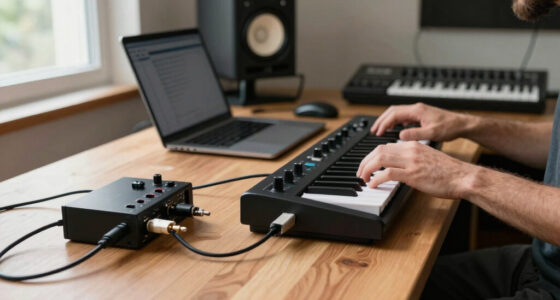
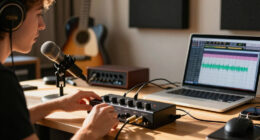
Many producers don’t pick one or the other—they combine them. Use a groovebox for quick ideas or live jams, then import into a DAW for detailed editing and mixing. For example, record a beat directly from an Elektron Digitakt into Ableton Live, then add vocals and effects.
This hybrid workflow offers the best of both worlds: immediacy plus depth. It’s common in professional studios and home setups alike.
Modern gear supports this seamlessly. Many grooveboxes connect via USB MIDI, and some even double as audio interfaces. The key is knowing when to switch gears and how to integrate hardware with software smoothly. This approach allows producers to quickly capture inspiration on hardware and then refine it meticulously in software, effectively combining spontaneity with precision. The trade-off is managing two systems, but the payoff is a flexible, powerful workflow that adapts to different creative needs.
What’s the Bottom Line? Which Should You Pick?
Choosing between a groovebox and a DAW comes down to your style, goals, and setup. If you crave instant creation, portability, and live vibes, a groovebox is your best friend. If you want detailed editing, complex arrangements, and a vast sound palette, a DAW wins.
But, many successful producers use both, switching between quick jams and meticulous polishing. The key is to know your workflow and what excites you most about making music.
Ultimately, understanding your creative process and the specific strengths of each tool will help you build a setup that enhances your musical expression. The right choice isn’t necessarily one or the other but how you combine their strengths to serve your artistic vision.
Frequently Asked Questions
Can I really use a groovebox for professional releases?
Absolutely. Many professional artists use grooveboxes as part of their production chain. They’re especially handy for sketching ideas and creating raw, punchy beats that can be polished in a DAW later.
Is it worth investing in both a groovebox and a DAW?
If your budget allows, yes. Combining the immediacy of hardware with the flexibility of software opens up endless creative possibilities. It’s a common setup among pros who want quick ideas and detailed production in one studio.
Which is better for live performance?
Grooveboxes shine here—they’re designed for hands-on play, portability, and real-time control. Many artists rely on them for solo gigs or improvisational sets. However, some also integrate DAWs with controllers to perform complex arrangements live.
What are the main limitations of grooveboxes?
Limited editing flexibility and fewer tracks compared to DAWs. They’re great for raw ideas but can fall short for final mixes or intricate arrangements that require detailed editing and automation.
How do I know if I should buy a groovebox or a DAW first?
Think about your workflow. If you want quick, tactile control and portability, start with a groovebox. If you’re interested in detailed editing and layering, a DAW might be the better first step. Many producers find it useful to get both over time.
Conclusion
In the end, your choice depends on how you like to make music. Do you want to jam with your hands or sculpt your sound with a mouse? The best setup combines both worlds—fast, tactile creation and detailed, layered production. Choose what inspires you, and don’t be afraid to mix it up.
After all, the most flexible producers aren’t tied to one tool—they adapt, experiment, and keep their workflow alive. Your perfect workflow might just be a groovebox and a DAW working in harmony.
Halloween Picks
halloween
As an affiliate, we earn on qualifying purchases.