TL;DR

Get audio and creator gear delivered free with Prime
- Fast, free delivery on millions of items
- Prime Video, Amazon Music and more included
- Member-only deals all year
High-impedance headphones need more voltage to reach full volume and sound quality. When connected to interfaces or devices lacking enough power, they sound weak. Using a dedicated headphone amp or matching impedance improves their performance.
High-impedance headphones need significantly more voltage to sound loud and clear.
Most cheap interfaces or phones lack the power to drive these headphones properly, causing dull, weak sound.
Using a dedicated headphone amplifier or matching device can restore full clarity and volume.
Check your gear’s specs before buying high-impedance headphones to ensure compatibility.
In studio or critical listening, high-impedance cans outperform low-impedance ones when powered correctly.
Why high-impedance headphones sound weak
Your headphones probably are not broken. High-impedance models need more voltage than many phones and entry-level interfaces can provide. The result is quiet output, soft bass, dull treble and compressed dynamics—even when the volume knob is near maximum.
More power may be required than by a low-impedance model to reach comparable volume.
A modest output can leave demanding headphones with too little voltage headroom.
Commonly treated as high impedance—and worth checking against source specifications.
Impedance is resistance to the source
Measured in ohms, impedance describes the electrical load presented by the headphones. Think of voltage as water pressure: a higher-impedance “pipe” needs more pressure to produce the acoustic output you expect.
Easy to drive
Needs less voltage, making it practical for phones, laptops and portable gear. The tradeoff can be greater current demand and more sensitivity to the source.
Needs pressure
Requires greater voltage swing for comparable loudness. With a weak output, volume and dynamic impact fall away.
Headroom restored
A capable headphone amp supplies clean voltage without strain, allowing detail, bass definition and transient contrast to emerge.
The demand rises with impedance
This scale shows the relative voltage demand trend—not a universal loudness prediction. Sensitivity also matters, but impedance is the first compatibility clue. A 250Ω studio headphone asks far more of an output stage than a portable 16Ω model.
Match the headphones to the output
The right choice depends on both impedance and sensitivity, but this matrix is a useful first-pass check before buying or troubleshooting.
| Source | 16–50Ω | 100–300Ω | 600Ω | Likely result |
|---|---|---|---|---|
| Phone / basic dongle | ✓ Good fit | ✗ Often weak | ✗ Poor fit | Portable, limited voltage |
| Entry-level interface | ✓ Strong | ~ Check specs | ✗ Often limited | Output varies by model |
| High-output interface | ✓ Strong | ✓ Good fit | ~ Verify headroom | Clean, simplified setup |
| Dedicated headphone amp | ✓ Use low gain | ✓ Ideal | ✓ Model dependent | Best voltage reserve |
Get demanding headphones singing
Start with specifications, then add only the amplification your setup needs. The goal is clean voltage and usable headroom—not merely a louder volume knob.
Check the specs
Find the interface’s maximum headphone output voltage or power at your headphone impedance. Below 2V RMS may be limiting for demanding models.
Add an amp
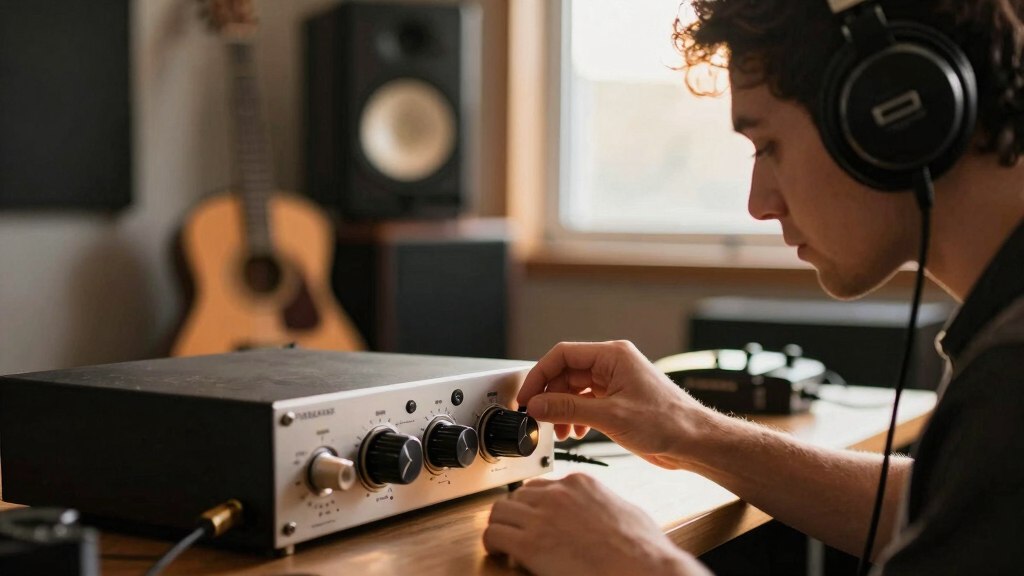
Use a dedicated headphone amplifier designed for high-impedance loads. It provides voltage reserve for peaks, bass impact and clearer dynamics.
Match carefully
Use a suitable matching device only when needed. A passive splitter does not create voltage and can make the available power problem worse.
Upgrade if useful
A modern interface with a robust headphone stage can remove extra boxes while preserving clean monitoring and reliable volume.
Before you replace the headphones
Will a headphone splitter fix weak output?
No. A splitter does not amplify the signal and adds another load. Use an appropriate powered amplifier.
Are high-impedance models worth it?
They can deliver excellent consistency, detail and low distortion in studio work—provided the amplifier can drive them properly.
Will a new interface solve the problem?
Yes, if its headphone stage supplies enough clean voltage at your load. Compare measured or published output specifications first.
How do I identify high impedance?
Check the box, cable label or manufacturer specification. Above 100Ω is generally considered high impedance.
What exactly is headphone impedance, and why does it matter?
Headphone impedance, measured in ohms (Ω), is how much a headphone resists the electrical current from your audio source. Think of it like the width of a pipe: a narrower pipe (high impedance) requires more pressure (voltage) to push the same amount of water (sound). This resistance directly impacts how much power is needed to produce a given volume and clarity. If the impedance is too high relative to your source’s output, the headphone won’t receive enough voltage, leading to weak, dull sound.
For example, a typical studio headphone like the Beyerdynamic DT 990 Pro runs at 250Ω. It’s designed to operate with a robust power supply, meaning it needs a substantial voltage to sound loud and detailed. When connected to a weak source, it can sound underpowered, lacking punch or bass. Conversely, low-impedance headphones like the Audio-Technica ATH-M50x (45Ω) draw less voltage, making them more adaptable to portable devices but potentially more prone to distortion at high volumes. The key is understanding that impedance isn’t just a number—it’s a reflection of how demanding the headphone is on your gear and what tradeoffs you accept in sound reproduction and portability.
high impedance headphone amplifier
As an affiliate, we earn on qualifying purchases.
As an affiliate, we earn on qualifying purchases.
Why do high-impedance headphones sound weak on most interfaces?
It all comes down to power delivery and the inherent limitations of many consumer and entry-level audio interfaces. High-impedance headphones require significantly more voltage to reach the same volume as their low-impedance counterparts. Most budget interfaces and portable devices are designed with modest output voltages—often less than 1 volt RMS—because they prioritize portability and cost savings. This insufficient voltage means the headphones don’t get enough electrical push to produce full sound, resulting in a dull or lifeless listening experience.
The implications are critical: if your gear cannot supply the necessary voltage, you’re essentially under-driving your headphones. This doesn’t just affect volume but also impacts sound quality—dull treble, weak bass, and a lack of dynamic range. The tradeoff here is between convenience and performance. While low-impedance headphones can be driven directly from most devices, high-impedance models demand dedicated amplification. Failing to provide this results in a compromised listening experience, which can be particularly frustrating in professional or critical listening environments where clarity and detail are paramount.
Understanding this helps you recognize that the problem isn’t your headphones—they’re perfectly capable—but your gear’s inability to supply the necessary power. This knowledge encourages investment in appropriate equipment, which can dramatically improve sound quality and avoid frustration.
As an affiliate, we earn on qualifying purchases.
How to fix the weak sound — 4 steps to get your high-impedance headphones singing
- Check your gear specs: Look into your interface’s maximum output voltage and current capabilities. If it’s below 2V RMS, your high-impedance headphones will likely sound underpowered, affecting clarity and volume. Recognizing this allows you to evaluate whether your current setup needs an upgrade or supplementary equipment.
- Use a dedicated headphone amp: An external amp designed for high-impedance loads supplies the necessary voltage and current, transforming dull sound into a detailed, punchy experience. It’s like giving your headphones a power boost—crucial for revealing their full potential. For example, a device like the Schiit Magni 3+ can deliver up to 2.4V RMS, enough to bring out the detail in 600Ω headphones, ensuring you hear all the nuances intended by the recording.
- Match impedance carefully: Consider impedance adapters or matching devices that elevate the voltage without degrading sound quality. Proper matching prevents under-powering and maintains audio fidelity, enabling your high-impedance headphones to perform optimally. This is especially useful if you need to connect multiple devices or want a flexible setup.
- Upgrade your interface if necessary: Many modern audio interfaces now feature enhanced headphone outputs capable of driving high-impedance headphones efficiently. Investing in a higher-quality interface with a dedicated headphone amp section ensures consistent, high-fidelity sound without additional gear. This approach simplifies your setup while maximizing sound quality.
For example, a portable amp like the Schiit Magni 3+ can supply up to 2.4V RMS, enough to bring out the full detail in a 600Ω headphone. It’s like giving your headphones a shot of steroids, unlocking their full potential and revealing details that were previously hidden.
headphone impedance matching device
As an affiliate, we earn on qualifying purchases.
As an affiliate, we earn on qualifying purchases.
Frequently Asked Questions
Can I just use a headphone splitter or impedance adapter?
A splitter alone won’t fix weak sound. Impedance adapters or dedicated amps are needed to boost voltage and get the full sound from high-impedance headphones.Are high-impedance headphones worth the extra effort?
Absolutely, especially if you care about clarity, detail, and reducing distortion. They shine in professional setups when powered properly.Will upgrading my audio interface solve the problem?
If your current interface can’t supply enough voltage, upgrading to one with a stronger headphone output or adding an external amp will make a big difference.Is there a quick way to tell if my headphones are high-impedance?
Check the specs on the cable or box. If it’s above 100Ω, it’s high-impedance. Anything below 50Ω is generally low-impedance and easier to drive.What’s the biggest mistake beginners make with high-impedance headphones?
Connecting them directly to phones or basic interfaces without checking power requirements. That’s a surefire way to get dull, weak sound.dedicated headphone amp for high impedance headphones
As an affiliate, we earn on qualifying purchases.
As an affiliate, we earn on qualifying purchases.
Conclusion
Your high-impedance headphones aren’t broken—they just need the right power. Investing in a good amp or matching device turns dull, quiet sound into the detailed, punchy audio you’re after. Remember, gear matching isn’t just a technicality; it’s your ticket to true sound quality.Halloween Picks
halloween
As an affiliate, we earn on qualifying purchases.