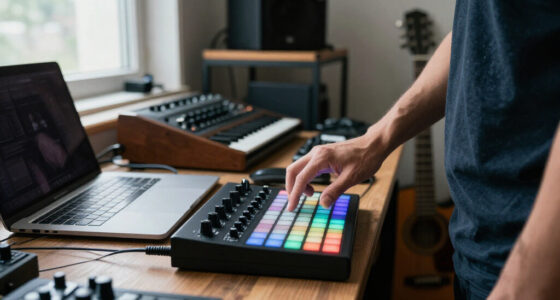
The best overall MIDI drum machine pick in this roundup is the Akai MPC Sample, which combines portable sampling and beat making in one device. The Teenage Engineering EP-133 K.O. II stands out for hands-on portable creation, while the Arturia DrumBrute Impact suits players who want an analog drum machine rather than a computer-focused pad controller. The main tradeoff is between self-contained sound creation and controllers that need a computer or other sound source. Pad layout, portability, live controls, and workflow matter as much as the MIDI connection itself. Read on for the full breakdown of which option fits each kind of beat maker.

Get audio and creator gear delivered free with Prime
- Fast, free delivery on millions of items
- Prime Video, Amazon Music and more included
- Member-only deals all year
Complete the kit


Key Takeaways
- The MPC Sample and EP-133 K.O. II are the clearest choices for standalone, portable beat making; most pad controllers here need a computer, software, or external sound source.
- The DrumBrute Impact represents a different path: it is an analog drum machine for making sound directly, not simply a MIDI pad controller.
- The Akai MPD218, MPD Studio, and compact LPD8 serve different control needs. Pad count, extra controls, and physical footprint matter more than the shared Akai name.
- The Donner STARRYPAD PRO and Synido TempoPad P16 add control options beyond pads, while compact choices like the LPD8 trade playing surface for portability.
- The BeatBuddy MINI 2 is a specialist pick for guitarists; its foot-operated format solves a different live-performance problem than finger-drumming controllers.
| Akai Professional MPC Sample Portable Sampler |  | Best Standalone MIDI Drum Machine | Pads: 16 responsive MPC pads | Display: 2.4-inch full-color display | Power: Rechargeable lithium-ion battery | VIEW LATEST PRICE | See Our Full Breakdown |
| Teenage Engineering EP-133 K.O. II Portable Sampler and Drum Machine |  | Best for Portable Sampling and Live Effects | Memory: 128 MB | Sample slots: 999 | Sequencer: Four groups with 99 patterns each | VIEW LATEST PRICE | See Our Full Breakdown |
| Arturia DrumBrute Impact Analog Drum Machine |  | Best for Analog Drum Patterns | Instrument type: Analog drum machine | Accent control: Separate accent control for each drum | Song mode: Chains patterns together | VIEW LATEST PRICE | See Our Full Breakdown |
| Akai Professional MPD218 USB MIDI Pad Controller |  | Best Budget-Friendly DAW Pad Controller | Physical pads: 16 velocity- and pressure-sensitive pads | Pad banks: Three banks; 48 assignable pad locations | Controls: 18 assignable 360-degree potentiometers | VIEW LATEST PRICE | See Our Full Breakdown |
| EMP16 MIDI Pad Controller Beat Maker Machine with Bluetooth |  | Best Wireless MIDI Pad Controller | Pads: 16 RGB-illuminated beat pads | Banks: Four banks; 64 assignable pad locations | Velocity response: Three selectable curves with threshold control | VIEW LATEST PRICE | See Our Full Breakdown |
| Akai Professional LPD8 USB MIDI Pad Controller |  | Best Compact MIDI Pad Controller | Pads: 8 velocity-sensitive RGB-backlit MPC pads | Knobs: 8 assignable Q-Link knobs | Presets: 4 programmable preset slots | VIEW LATEST PRICE | See Our Full Breakdown |
| Synido TempoPad P16 MIDI Pad Controller |  | Best for Beginners | Pads: 16 velocity-sensitive pads | Pad banks: 3 banks, up to 48 triggers | Knobs: 4 assignable knobs | VIEW LATEST PRICE | See Our Full Breakdown |
| Donner MIDI Pad Beat Maker Machine – 16 Pad Drum Controller with 2 Assignable Faders & Knobs (STARRYPAD) |  | Best Value for Hands-On DAW Control | Pads: 16 backlit silicone pads | Pad banks: 3 banks, up to 48 assignable triggers | Pad lighting: 7 customizable colors | VIEW LATEST PRICE | See Our Full Breakdown |
| Donner STARRYPAD PRO MIDI Pad Controller – 16 Velocity-Sensitive Pads, 8 Assignable Knobs, USB & Wireless Connectivity |  | Best Wireless MIDI Pad Controller | Pads: 16 RGB velocity-sensitive pads with polyphonic aftertouch | Velocity response: 3 velocity curves | Knobs: 8 assignable rotary knobs | VIEW LATEST PRICE | See Our Full Breakdown |
| BeatBuddy MINI 2 Hands-Free Drum Machine Guitar Effect Pedal |  | Best for Guitarists and Hands-Free Accompaniment | Included songs: 200 | Power: 9 V DC power supply required | Amperage: 0.1 mA | VIEW LATEST PRICE | See Our Full Breakdown |
| Akai Professional MPC Studio USB MIDI Pad Controller |  | Best for MPC Software Production | Pads: 8 banks of 16 RGB velocity- and pressure-sensitive pads with aftertouch | Power: USB-powered | Compatibility: Windows and Mac; works with major DAWs including Ableton and Cubase | VIEW LATEST PRICE | See Our Full Breakdown |
| MIDI drum machine | Power | Pads | Connectivity |
|---|---|---|---|
| Akai Professional MPC Sample P | Rechargeable lithium-ion battery | 16 responsive MPC pads | — |
| Teenage Engineering EP-133 K.O | Four AAA batteries or USB-C | — | Line in/out, sync in/out, MIDI in/out |
| Arturia DrumBrute Impact Analo | — | — | — |
| Akai Professional MPD218 USB M | USB powered | — | USB |
| EMP16 MIDI Pad Controller Beat | USB or two AA batteries (not included) | 16 RGB-illuminated beat pads | — |
| Akai Professional LPD8 USB MID | USB-powered | 8 velocity-sensitive RGB-backlit MPC pads | USB |
| Synido TempoPad P16 MIDI Pad C | USB-powered; includes DC-5V port | 16 velocity-sensitive pads | USB-C and 3.5 mm audio |
| Donner MIDI Pad Beat Maker Mac | — | 16 backlit silicone pads | USB-C, plug and play |
| Donner STARRYPAD PRO MIDI Pad | — | 16 RGB velocity-sensitive pads with polyphonic aftertouch | USB-C and wireless MIDI |
| BeatBuddy MINI 2 Hands-Free Dr | 9 V DC power supply required | — | — |
| Akai Professional MPC Studio U | USB-powered | 8 banks of 16 RGB velocity- and pressure-sensitive pads with aftertouch | — |
More Details on Our Top Picks
Akai Professional MPC Sample Portable Sampler
The MPC Sample is the strongest fit here for buyers who want to build and play drum patterns without keeping a computer or phone in the setup. Its 16 MPC pads, onboard kits, microSD storage, speaker, and internal mic support a self-contained workflow, while MIDI and USB-C connectivity let it send or receive data in a larger rig. Compared with the Teenage Engineering EP-133 K.O. II, it offers more explicitly listed audio connections and four internal FX processors; the EP-133 instead specifies 999 sample slots and punch-in effects. The tradeoff is that MIDI connections require an adapter, and the small display may feel limiting for detailed editing. I’d choose this over the MPD218 when standalone sound and sequencing matter more than controlling computer software.
Pros:- Battery power, speaker, and internal mic support portable standalone beatmaking.
- microSD storage and over 100 factory kits provide a self-contained starting point.
- Four FX processors with 60 effect types offer substantial onboard sound shaping.
- USB-C audio/MIDI and line I/O support studio and live connections.
Cons:- MIDI adapters are required and are not included.
- The 2.4-inch display gives less room for editing than a computer-based setup.
- Its standalone feature set may be unnecessary for buyers who only need to trigger DAW instruments.
Best for: Beatmakers who want a battery-powered, standalone sampler and sequencer with pads, onboard sounds, and MIDI connections for later studio use.
Not ideal for: Producers who mainly need a simple computer-based pad controller, or performers who need included MIDI adapters and a larger editing display.
- Pads:16 responsive MPC pads
- Display:2.4-inch full-color display
- Power:Rechargeable lithium-ion battery
- Storage:microSD card slot
- Effects:Four internal FX processors with 60 effect types
- Audio I/O:Stereo 1/4-inch TRS line in/out; 1/8-inch headphone out
- MIDI and sync:MIDI in/out (adapter required), sync out, USB-C audio/MIDI
- Other onboard features:Built-in speaker and internal microphone
Our verdict“Choose the MPC Sample if you want a portable, self-contained drum-making setup rather than a pad controller that depends on a host.”
Teenage Engineering EP-133 K.O. II Portable Sampler and Drum Machine
The EP-133 K.O. II suits beatmakers who want a portable sampler with a performance-oriented sequencer, not just pads for triggering a computer. Its four groups of 99 patterns, built-in mic, and 12 punch-in effects make it easy to organize ideas and alter them during a set. Against the Akai MPC Sample, the EP-133 specifies 999 sample slots and a more prominent punch-in effect setup, while the MPC Sample lists a built-in speaker, rechargeable battery, and four FX processors. That difference points to two distinct choices: the EP-133 emphasizes hands-on pattern performance, while the Akai provides a more self-contained playback setup. The K.O. II can run on USB-C or four AAA batteries, but its limited polyphony may constrain layered parts compared with larger samplers.
Pros:- Built-in microphone and line input support quick sampling from multiple sources.
- Four groups of 99 patterns help organize material for performance.
- Twelve punch-in effects offer direct, real-time sound manipulation.
- Portable operation supports USB-C power or four AAA batteries.
Cons:- Limited polyphony can restrict dense or layered drum arrangements.
- Battery operation requires four AAA batteries rather than a listed rechargeable battery.
- Compared with the MPC Sample, it does not list a built-in speaker.
Best for: Mobile beatmakers and live performers who want to sample through a built-in mic or line input and manipulate patterns with hands-on effects.
Not ideal for: Producers who need higher polyphony for dense arrangements or prefer a rechargeable battery and built-in speaker as part of a standalone setup.
- Memory:128 MB
- Sample slots:999
- Sequencer:Four groups with 99 patterns each
- Effects:Six master FX and 12 punch-in FX
- Sampling:Built-in microphone and line input
- Power:Four AAA batteries or USB-C
- Connectivity:Line in/out, sync in/out, MIDI in/out
- Included accessory:USB-C cable
Our verdict“Pick the EP-133 K.O. II if live sampling and pattern-focused effects matter more than higher polyphony or a built-in speaker.”
Arturia DrumBrute Impact Analog Drum Machine
The DrumBrute Impact stands apart from the samplers and pad controllers in this roundup: it is an analog drum machine, making it the pick for buyers who want dedicated drum sounds and pattern sequencing rather than loading samples into a general-purpose device. Its per-drum accent control gives users a way to shape emphasis across individual parts, and song mode can chain patterns into longer sequences. Compared with the Akai MPC Sample, it trades portable sampling, onboard kits, and a built-in speaker for an instrument centered on analog drum generation. The optional color sound-shaping adds tonal variation to most instruments, but it does not apply to the cowbell. The supplied product details are sparse, so buyers who need confirmed connectivity, power, or expanded sequencing specifications should check those before choosing it over the better-documented sampler options.
Pros:- Analog drum-machine design gives it a distinct role from the sampler-based options.
- Separate accent control for each drum supports more individualized pattern dynamics.
- Song mode allows patterns to be chained into longer sequences.
- Optional color sound-shaping adds tonal control to most instruments.
Cons:- Color sound-shaping is unavailable for the cowbell.
- The provided product details do not specify connectivity or power options.
- Unlike the MPC Sample, it is not described as a portable sampler with onboard kits and recording.
Best for: Electronic musicians who want a dedicated analog drum machine with per-drum accent control and pattern chaining, rather than a sample-based controller.
Not ideal for: Producers who need built-in sampling, portable standalone playback, or detailed published connectivity and workflow specifications before buying.
- Instrument type:Analog drum machine
- Accent control:Separate accent control for each drum
- Song mode:Chains patterns together
- Color sound-shaping:Optional on all instruments except cowbell
Our verdict“Choose the DrumBrute Impact if dedicated analog drum sounds and chained patterns are your priority, and verify its connection needs before purchase.”
Akai Professional MPD218 USB MIDI Pad Controller
The MPD218 is for producers who already make drum sounds in a DAW or plugin and need a compact surface for playing them. Its 16 velocity- and pressure-sensitive pads can address up to 48 assignments across three banks, while 18 knobs add hands-on control over software parameters. Unlike the Akai MPC Sample or Teenage Engineering EP-133 K.O. II, it has no built-in sound generation or standalone sequencing; that keeps the setup focused on controlling a host, but means a computer or compatible iOS device is part of the workflow. It includes MPC Beats and Ableton Live Lite, giving new users software to start with. I’d pick it over the EMP16 when wired USB control is enough, but skip it if wireless operation or onboard sounds are requirements.
Pros:- Velocity- and pressure-sensitive pads support expressive software instrument playing.
- Three banks expand 16 physical pads to 48 assignable pad locations.
- Eighteen assignable knobs provide control beyond drum triggering.
- Includes Ableton Live Lite and MPC Beats for a ready-to-start DAW workflow.
Cons:- It does not generate sounds or run patterns on its own.
- iOS use requires a separate Camera Connection Kit.
- USB connection ties it to a host device rather than offering battery-powered or Bluetooth operation.
Best for: DAW-based producers who want velocity-sensitive drum pads, assignable knobs, and included software in a USB-powered controller.
Not ideal for: Performers who need a standalone drum machine, built-in audio, Bluetooth, or iOS connection without buying an adapter.
- Physical pads:16 velocity- and pressure-sensitive pads
- Pad banks:Three banks; 48 assignable pad locations
- Controls:18 assignable 360-degree potentiometers
- Power:USB powered
- Connectivity:USB
- Pad features:Backlit pads, MPC Note Repeat, and Full Level
- Included software:Ableton Live Lite, MPC Beats, and Drum Synth 500
- Compatibility:Mac, PC, and iOS via Camera Connection Kit
Our verdict“Choose the MPD218 if you want a straightforward wired controller for DAW drum instruments, not a standalone MIDI drum machine.”
EMP16 MIDI Pad Controller Beat Maker Machine with Bluetooth
The EMP16 is the choice in this group for buyers who want Bluetooth MIDI and assignable controls in a portable pad controller. Four banks expand its 16 RGB pads to 64 assignments, while the OLED display gives visual feedback without needing to rely on the host screen for every setting. It also lists standard MIDI in/out and includes a 1/8-inch-to-MIDI adapter, a useful contrast with the Akai MPC Sample, whose MIDI adapter is required but not included. Unlike the Akai MPD218, the EMP16 can operate on two AA batteries and connect wirelessly; the MPD218, however, has 18 assignable knobs compared with the EMP16’s listed controls. Its multiple control banks may take time to learn, and batteries are sold separately.
Pros:- Bluetooth 5.0 supports wireless MIDI connections to compatible devices.
- Four banks provide 64 assignable pad locations from 16 physical pads.
- OLED display and RGB pads make assignments and performance feedback more visible.
- USB and standard MIDI I/O support wired setups, with a MIDI adapter included.
Cons:- Two AA batteries are not included.
- The multi-bank controls may take time for beginners to learn.
- It is a MIDI controller, not a standalone drum machine with onboard sound generation.
Best for: Mobile producers who want wireless MIDI pad control, RGB feedback, and battery operation with iOS, macOS, or PC setups.
Not ideal for: Beginners seeking a minimal controller, or buyers who need a self-contained drum machine that generates sounds without a DAW or other MIDI device.
- Pads:16 RGB-illuminated beat pads
- Banks:Four banks; 64 assignable pad locations
- Velocity response:Three selectable curves with threshold control
- Assignable controls:Four faders, five buttons, and four endless rotary knobs; 12 total across three banks
- Display:OLED screen
- Power:USB or two AA batteries (not included)
- Wireless:Bluetooth 5.0
- MIDI I/O:USB MIDI and standard MIDI In/Out
- Included accessories and software:USB cable, 1/8-inch-to-MIDI adapter, downloadable Cubase LE15 and Cubasis LE3
Our verdict“Choose the EMP16 if wireless MIDI, battery operation, and visual controls outweigh a simpler layout or standalone sound generation.”
Akai Professional LPD8 USB MIDI Pad Controller
The LPD8 is the smallest, simplest way in this group to add physical drum pads and hands-on DAW control to a laptop setup. Its eight velocity-sensitive MPC pads suit basic finger drumming and triggering a compact set of samples, while the eight Q-Link knobs give it more parameter control than the four-knob Synido TempoPad P16. That compact layout also means fewer pads to reach for: the TempoPad P16 and Donner STARRYPAD offer 16 pads and three banks, making them better fits for larger kits or more elaborate live sets. The LPD8 connects over USB, needs no separate power, and supports common DAWs. It is a controller, not a sound-producing drum machine, and it has no audio interface or extra I/O. Choose it for a light, focused controller; skip it if your workflow depends on many simultaneous triggers.
Pros:- Eight velocity-sensitive MPC pads support expressive finger drumming.
- Eight assignable knobs provide substantial DAW control for a compact unit.
- USB plug-and-play operation avoids separate power and driver setup.
- Works with major DAWs on Mac and PC.
Cons:- Eight pads offer less room for drum sounds and samples than the 16-pad TempoPad P16 or STARRYPAD.
- It produces no sound on its own and requires a computer or other compatible host.
- No built-in audio interface or additional I/O.
Best for: Laptop producers and beat makers who want a compact, USB-powered set of pads plus dedicated knobs for controlling a small sample or drum kit.
Not ideal for: Performers who need 16 or more pads, multiple banks, standalone sounds, or audio connections built into their drum setup.
- Pads:8 velocity-sensitive RGB-backlit MPC pads
- Knobs:8 assignable Q-Link knobs
- Presets:4 programmable preset slots
- Connectivity:USB
- Power:USB-powered
- Compatibility:Mac and PC
- Supported software:GarageBand, Logic, Studio One, Cubase, Ableton Live, Pro Tools, FL Studio, Adobe Audition
Our verdict“Choose the LPD8 for a compact, knob-rich MIDI pad controller, but pick a 16-pad alternative if you need more triggers.”
Synido TempoPad P16 MIDI Pad Controller
The TempoPad P16 gives new beat makers enough pad space to build a useful finger-drumming layout without jumping to a more control-heavy surface. Its 16 velocity-sensitive RGB pads are split across three banks, so one controller can call up as many as 48 triggers. Compared with the eight-pad Akai LPD8, that gives a beginner more room for separate drum sounds and samples; the LPD8 counters with twice as many knobs for shaping DAW parameters. The TempoPad keeps its own controls simple with four assignable knobs, USB-C connection, and an included carry case. It still depends on a connected device and DAW for sound, and its plastic construction may feel less sturdy than a more substantial controller. I’d choose it for an accessible, portable start, not as a standalone drum machine.
Pros:- Sixteen velocity-sensitive pads provide more playing space than the eight-pad LPD8.
- Three banks expand the layout to 48 assignable triggers.
- USB-C plug-and-play connection requires no batteries or driver installation.
- Carry case and broad computer and mobile compatibility support portable use.
Cons:- Requires a connected DAW or other host to produce sound.
- Plastic construction may feel less durable than more substantial controllers.
- Four knobs provide less parameter control than the LPD8 or STARRYPAD PRO.
Best for: New producers who want a portable 16-pad controller for learning finger drumming and triggering sounds in a laptop or mobile DAW.
Not ideal for: Buyers seeking a standalone drum machine, a metal-bodied controller, or extensive hands-on mixing controls.
- Pads:16 velocity-sensitive pads
- Pad banks:3 banks, up to 48 triggers
- Knobs:4 assignable knobs
- Lighting:Full RGB backlighting
- Connectivity:USB-C and 3.5 mm audio
- Power:USB-powered; includes DC-5V port
- Compatible devices:Laptop, PC, smartphone, tablet, iPhone, Android, Mac, Windows, iOS
- Included accessories:Carry case, USB-C cable, MIDI adapter
Our verdict“Pick the TempoPad P16 if you want a straightforward portable entry point with 16 pads and bank switching.”
Donner MIDI Pad Beat Maker Machine – 16 Pad Drum Controller with 2 Assignable Faders & Knobs (STARRYPAD)
The Donner STARRYPAD is a strong fit for producers who want more than a grid of pads: its two faders, two knobs, three buttons, and shift key bring extra DAW controls within reach. The three pad banks expand its 16 silicone pads to 48 assignable triggers, matching the Synido TempoPad P16’s bank capacity while adding faders for level or parameter adjustments. The TempoPad offers USB-C portability and a carry case, whereas the STARRYPAD’s appeal is its broader control surface and included Cubase LE and learning courses. Seven customizable pad colors can help distinguish sound groups, but the silicone-bodied construction may not suit buyers after a more rigid feel. It is still only a MIDI controller: sounds and recording come from a host DAW, not the unit itself.
Pros:- Three banks extend 16 pads to 48 assignable triggers.
- Two faders, two knobs, and a shift key add hands-on DAW control.
- Seven customizable pad-light colors help organize performance layouts.
- Includes Cubase LE and Melodics courses.
Cons:- Requires a host DAW or other software to generate and arrange audio.
- Silicone pads and outer housing may not provide the rigid feel some performers prefer.
- The included controls do not replace a standalone sequencer or audio system.
Best for: Home producers learning DAW-based beat making who want 16 pads, bank switching, and faders and knobs for controlling software.
Not ideal for: Musicians who need built-in drum sounds, standalone sequencing, or a more rigid controller body.
- Pads:16 backlit silicone pads
- Pad banks:3 banks, up to 48 assignable triggers
- Pad lighting:7 customizable colors
- Additional controls:2 faders, 2 knobs, 3 buttons, shift key
- Connectivity:USB-C, plug and play
- MIDI connection:MIDI In/Out cable included
- Compatible devices:PC, Mac, iPhone, iPad, Android
- Included software:Cubase LE, WaveLab LE, Melodics courses
Our verdict“Choose the STARRYPAD for a banked 16-pad controller with faders and learning software, rather than standalone drum-machine operation.”
Donner STARRYPAD PRO MIDI Pad Controller – 16 Velocity-Sensitive Pads, 8 Assignable Knobs, USB & Wireless Connectivity
The STARRYPAD PRO is the most flexible choice here for performers who want to move beyond a fixed USB desk setup. Its wireless MIDI connection and built-in battery allow up to 10 hours of use, while 16 velocity-sensitive pads with polyphonic aftertouch offer expressive control for compatible sounds. Compared with the wired Synido TempoPad P16, the PRO adds eight assignable knobs and battery-powered wireless operation; the TempoPad includes a carry case and three banks, details not listed for the PRO. Three velocity curves let players adjust how pad response feels, and RGB lighting helps distinguish parts. The tradeoff is that wireless freedom does not make it a standalone drum machine: it still needs compatible software or a host device for sound. Its richer controls may also be more than a simple beginner setup needs.
Pros:- Wireless MIDI and USB-C offer flexible connection options.
- Built-in battery supports up to 10 hours of use.
- Sixteen velocity-sensitive pads include polyphonic aftertouch and three velocity curves.
- Eight assignable knobs provide more DAW control than the TempoPad P16.
Cons:- Does not generate sounds and requires compatible external software or a host device.
- Wireless operation depends on a compatible connection and adds another setup path.
- Pad banks are not specified in the supplied product details.
Best for: Mobile performers and producers who want wireless pad control, expressive triggering, and multiple knobs for a compatible DAW or device.
Not ideal for: Buyers who need built-in drum sounds, documented pad-bank switching, or a simple wired controller without extra setup.
- Pads:16 RGB velocity-sensitive pads with polyphonic aftertouch
- Velocity response:3 velocity curves
- Knobs:8 assignable rotary knobs
- Battery life:Up to 10 hours
- Connectivity:USB-C and wireless MIDI
- Compatible platforms:Android, iOS, Mac, Windows
- Included software:Cubase LE, WaveLab LE, Melodics
Our verdict“Choose the STARRYPAD PRO if wireless performance and expressive pads matter more than standalone sounds or a basic wired setup.”
BeatBuddy MINI 2 Hands-Free Drum Machine Guitar Effect Pedal
The BeatBuddy MINI 2 serves a different purpose from the MIDI pad controllers in this roundup: it is a pedalboard-oriented drum machine for guitarists who need to keep both hands on their instrument. Its 200 included songs, with fills, intros, and outros, offer ready-made accompaniment and a visual metronome, rather than the DAW-triggered sample control provided by the Akai LPD8 or Donner STARRYPAD. That makes it the clearest pick here for practice or performance without finger-drumming pads. The tradeoff is less flexibility for producers who want to assign their own triggers or shape a DAW workflow; the supplied details describe a preloaded song library, not an open pad grid. It also requires an external 9 V DC supply and has no battery operation. I’d choose it for hands-free guitar accompaniment, not MIDI pad production.
Pros:- Hands-free pedal operation lets guitarists play while accompaniment runs.
- Includes 200 songs with fills, intros, and outros.
- Visual metronome supports timing practice.
- Compact, lightweight enclosure fits pedalboard setups.
Cons:- Requires an external 9 V DC power supply and does not run on batteries.
- Its preloaded song library is less open-ended than the pad layouts on the MIDI controllers.
- The supplied product details do not specify assignable MIDI pads or DAW control.
Best for: Guitarists who want hands-free drum accompaniment and a visual timing aid on a compact pedalboard.
Not ideal for: DAW producers seeking velocity-sensitive pads, assignable MIDI controls, or a flexible sample-triggering surface.
- Included songs:200
- Power:9 V DC power supply required
- Amperage:0.1 mA
- Connector:1/4-inch TRS
- Dimensions:4.5 × 2.5 × 2.7 inches
- Weight:10.6 oz
- Timing aid:Visual metronome
Our verdict“Pick the BeatBuddy MINI 2 for hands-free guitar backing, but choose a MIDI pad controller for DAW-based beat production.”
Akai Professional MPC Studio USB MIDI Pad Controller
The MPC Studio is a MIDI pad controller for producers who want a close connection to software, rather than a self-contained drum machine. Its 128 velocity- and pressure-sensitive RGB pads give you room for larger sample layouts and expressive hits, while the ribbon strip adds hands-on parameter control. Compared with the Akai MPD218, it pairs its pads with a full MPC2 software license and bundled instruments and effects, making it a more complete computer-based production setup. That software focus is also the main tradeoff: unlike the standalone Arturia DrumBrute Impact, it needs a computer to make sound and USB power ties it to that setup. Its broad feature set may also take time for beginners to learn.
Pros:- Eight banks of 16 velocity- and pressure-sensitive pads support expressive playing and multiple sample layouts
- MPC2 software license includes eight instrument plugins and a mixing and mastering effects suite
- Ribbon touch strip provides hands-on parameter control
- USB power keeps the controller compact and avoids a separate power adapter
Cons:- Requires a computer and USB connection rather than operating as a standalone drum machine
- The extensive software and controller features may feel complex to absolute beginners
- USB-dependent setup is less suitable for untethered portable performance
Best for: Computer-based producers who want expressive pads, MPC2 software, and bundled instruments and effects in one compact setup
Not ideal for: Performers seeking a standalone drum machine or a portable unit that can run without a computer
- Pads:8 banks of 16 RGB velocity- and pressure-sensitive pads with aftertouch
- Power:USB-powered
- Compatibility:Windows and Mac; works with major DAWs including Ableton and Cubase
- Included software:MPC2 software license
- Included instruments:8 instrument plugins
- Effects:Mixing and mastering FX suite
- Touch control:Ribbon touch strip for parameter control
- Splice access:Two months of Splice Creator plan access
Our verdict“Choose the MPC Studio if you want a feature-rich pad controller built around MPC2 production software, and skip it if you need standalone hardware.”

How We Picked
I ranked these options by how well they serve the needs people usually mean when searching for MIDI drum machines: making or triggering drum patterns, controlling music software, and performing beats. I weighed whether each device creates sound on its own or depends on a computer or other gear, then compared its playing controls, portability, setup demands, and usefulness across studio and live settings. I also treated specialist formats fairly: a guitar pedal can be a better live rhythm tool for a guitarist than a pad controller, even if it is less suitable for finger drumming.
The ranking favors devices that offer a coherent beat-making workflow and useful flexibility, which puts standalone samplers ahead of controllers that primarily send MIDI. Within the controller group, the order reflects how well each balances expressive pads, assignable controls, and practical size. The DrumBrute Impact ranks as a distinct sound-generating instrument, while the BeatBuddy MINI 2 is placed for its focused hands-free role. Buyers should check the product’s current connection and software requirements before choosing, since a controller alone does not provide drum sounds.
| MIDI drum machine | Connectivity |
|---|---|
| Akai Professional MPC Sample P | — |
| Teenage Engineering EP-133 K.O | Line in/out, sync in/out, MIDI in/out |
| Arturia DrumBrute Impact Analo | — |
| Akai Professional MPD218 USB M | USB |
| EMP16 MIDI Pad Controller Beat | — |
| Akai Professional LPD8 USB MID | USB |
| Synido TempoPad P16 MIDI Pad C | USB-C and 3.5 mm audio |
| Donner MIDI Pad Beat Maker Mac | USB-C, plug and play |
| Donner STARRYPAD PRO MIDI Pad | USB-C and wireless MIDI |
| BeatBuddy MINI 2 Hands-Free Dr | — |
| Akai Professional MPC Studio U | — |
Factors to Consider When Choosing MIDI Drum Machines
Before choosing, decide whether you want a machine that makes drum sounds or a controller that tells other gear what to play. That distinction affects your setup, budget planning, and what you can do away from a computer. These factors help avoid buying a capable device that does not match your intended workflow.
Do You Need a Sound Source or a MIDI Controller?
A MIDI controller sends performance information, but it generally does not produce drum audio by itself. You will need compatible software, a sound module, or another instrument to hear the parts you play. A sampler or standalone drum machine can combine sequencing and sound creation, which reduces dependence on a computer but may offer a different editing workflow. A common mistake is treating the phrase “MIDI drum machine” as a guarantee of built-in sounds. Before buying, map out the whole signal chain from pads to software or hardware to speakers. If you want to make beats away from your desk, prioritize a self-contained workflow; if you already produce in a DAW, a controller may be all you need.
Match the Controls to How You Build Beats
Pad count is only one part of the playing experience: pad sensitivity, layout, and access to transport or sound-shaping controls can matter just as much. Finger drummers may prefer a larger playing surface, while producers who trigger a few samples can save space with a compact controller. Knobs and faders help adjust parameters without reaching for a mouse, but extra controls only help if your software can map them usefully. Check whether the device has the controls you will use during performance, not just the largest feature list. If you compose mostly by clicking in a piano roll, a dense pad layout may not improve your workflow. If you perform patterns live, fast access to playback and sound changes may be more valuable than extra pads.
Plan for Computer, Software, and Connection Needs
Controller compatibility depends on more than a USB connection: your computer, music software, and available ports all need to work together. Wireless capability can reduce cable clutter, but it does not automatically make a controller standalone or remove the need for a sound source. Check the manufacturer’s stated operating-system support and any required software before purchase, especially if your setup uses an older computer or tablet. Also account for hubs, adapters, and power if you expect to play away from a studio desk. Buyers often focus on the device’s connection options but forget that every extra link can add setup friction. A wired controller may be the simpler choice for a fixed studio rig, while wireless features may suit a flexible workspace when the rest of the system supports them.
Choose Portability Without Sacrificing Your Playing Style
Small controllers are easier to carry and store, but reduced pad size can make fast or two-handed playing less comfortable. Portable samplers offer a different benefit: they can support beat making without requiring a full desktop setup, though their workflow may not mirror a conventional DAW controller. Think about where the device will live and how often you will move it. A compact controller is a sensible choice for a crowded desk or travel bag, but it may feel limiting if it is your main performance surface. Conversely, a larger unit can be wasted space if you only need occasional sample triggering. Try to match the physical format to the way you actually play, not just the size you hope to carry.
Decide Whether You Need Live Performance or Studio Control
Studio beat making and live rhythm support ask different things of a device. A pad controller can trigger samples and control software, while a foot-operated drum unit lets a guitarist keep both hands on an instrument. An analog drum machine offers direct sound generation and pattern performance, but it is not interchangeable with a controller for computer-based production. Consider whether you need hands-free operation, tactile pattern changes, or detailed DAW control. A frequent mismatch is buying a finger-drumming controller for a stage role where foot control is more practical, or buying a pedal when the goal is to program beats at a desk. Rank your main use first, then treat secondary uses as a bonus.
Spend on Workflow, Not Feature Count
Paying for more pads, knobs, or connection choices makes sense only when those additions remove a real obstacle in your setup. For a beginner, straightforward setup and a clear route from playing a pad to hearing a sound can matter more than extensive customization. Experienced producers may value assignable controls or standalone sequencing because those features speed up recurring tasks. Check what is included and what you must supply separately, such as software, cables, a computer, or a sound source. Do not assume a controller will replace a drum machine just because both can send MIDI. The best value comes from buying the fewest pieces needed to complete your intended workflow.
Frequently Asked Questions
Can a MIDI pad controller make drum sounds without a computer?
Usually, a MIDI pad controller sends note and control messages rather than producing audio. To hear drums, it needs compatible software, a sound module, or another sound-generating device. Standalone samplers and drum machines are different because they can provide sounds and beat-making functions within the unit. Before choosing a controller, confirm what software or hardware you already own and whether it can receive MIDI from that model. If you want to create away from a computer, focus on a self-contained sampler or drum machine instead.
Should I choose a standalone sampler or a pad controller for making beats?
Choose a standalone sampler if you want to create and arrange beats without relying on a computer for every step. A pad controller makes more sense when your DAW is already the center of your workflow and you want a physical surface for playing or triggering sounds. The sampler may provide greater independence, while the controller can fit more naturally into established software production. Think about whether you want to edit patterns on the device or prefer the screen and tools in your existing software. The MPC Sample and EP-133 K.O. II represent the standalone direction in this lineup, while models such as the MPD218 are controllers.
Is the Arturia DrumBrute Impact a substitute for a MIDI pad controller?
Not directly: the DrumBrute Impact is an analog drum machine that generates drum sounds, while a MIDI pad controller primarily sends performance commands to other gear. It can suit someone who wants hands-on pattern creation and its own drum voices, but it does not fill the same role as a controller for triggering a wide software library. Consider whether your priority is shaping and sequencing the instrument’s sounds or controlling a DAW’s sounds from pads. If you need broad software control, a dedicated pad controller may fit better. If you want an instrument-centered drum workflow, the DrumBrute Impact offers a distinct approach.
What should a guitarist choose for hands-free drum backing?
A guitarist who needs to keep both hands on the instrument should look at a foot-operated drum option such as the BeatBuddy MINI 2 rather than a conventional pad controller. A pad controller is better suited to a player who can use their hands to trigger and shape parts, often at a desk or performance station. Check how the pedal fits into your live setup, including the control style and any other gear it must connect to. If you also want to produce or finger-drum at home, a separate controller may serve that role better. The right choice depends on whether live accompaniment or beat production is the main task.
Will a wireless MIDI controller work as a standalone drum machine?
No: wireless connectivity changes how a controller communicates, not whether it creates sound or runs drum software. You still need a compatible receiving device and a source of audio, unless the product has independent sound-generation functions. Wireless operation can help reduce cable clutter, but compatibility, power, latency, and the receiving device’s setup still matter. Check the manufacturer’s supported connection methods and software requirements rather than assuming wireless means computer-free. If standalone beat making is the goal, choose a device designed to provide its own sound and sequencing workflow.
Conclusion
For the best overall balance, I recommend the Akai MPC Sample to buyers who want portable sampling and beat making in one device. The Teenage Engineering EP-133 K.O. II is my best value-style pick for hands-on portable creation, while the Arturia DrumBrute Impact is the premium-leaning choice for buyers who specifically want analog drum sounds and sequencing. For beginners already working in a DAW, the Akai MPD218 offers a straightforward pad-controller route, though it needs a sound source. Choose the Akai LPD8 when compact size matters more than a larger playing surface, the Donner STARRYPAD PRO when added assignable controls and wireless options suit your setup, or the BeatBuddy MINI 2 for hands-free guitar backing. My main advice is to decide whether you need a sound-making instrument or a controller first; that choice narrows this varied lineup faster than comparing pad counts alone.
Fall Picks
fall essentials
As an affiliate, we earn on qualifying purchases.