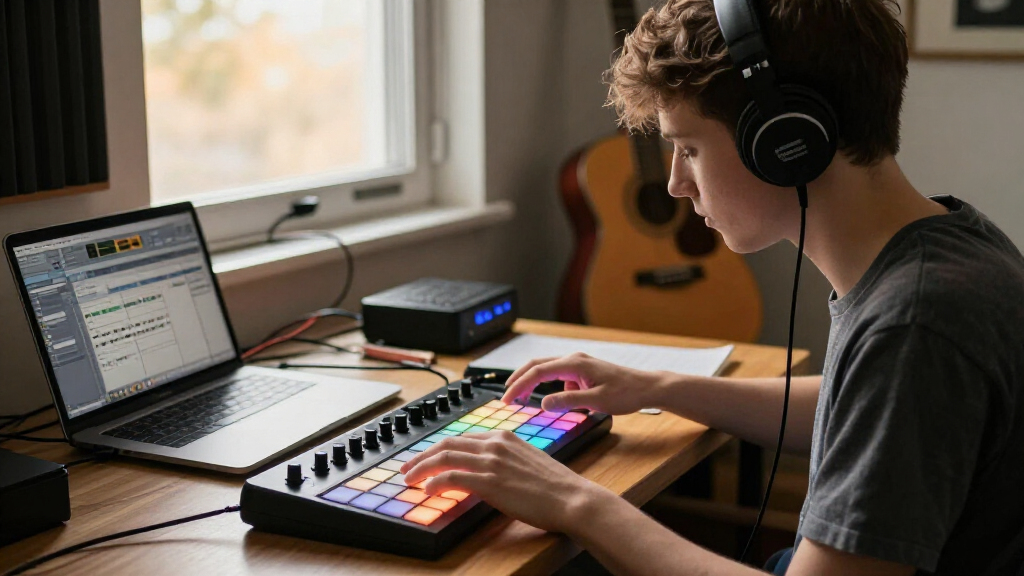

The best overall MIDI drum pad controller in this roundup is the Akai Professional MPD218, a straightforward choice for hands-on beat making with velocity-sensitive pads and familiar MPC-style controls. The Akai MPC Studio is a stronger fit for buyers who want a more software-centered production setup, while the compact Akai LPD8 suits simple, portable triggering. These options differ in pad count, extra controls, wireless features, and whether they are MIDI controllers or standalone sample players. I ranked them by how well their design serves real beat-making workflows, not by the longest feature list. Read on for the full comparison and advice on choosing the right pad layout, connectivity, and workflow.

Get audio and creator gear delivered free with Prime
- Fast, free delivery on millions of items
- Prime Video, Amazon Music and more included
- Member-only deals all year
Complete the kit


Key Takeaways
The MPD218 is the clearest all-around pick for conventional beat making; its focused layout favors pad performance over extra knobs or standalone playback.
The LPD8 trades pad count for portability, making it a better match for compact setups and basic triggering than for playing full drum patterns across many pads.
The MPC Studio is the software-focused choice; its appeal depends on whether its production workflow fits your setup, not simply on its pad controller label.
The SamplePad 4 and LEKATO PD705 are a different kind of tool from USB MIDI controllers: choose them when onboard sound playback or percussion-oriented use matters more than DAW control alone.
Wireless and RGB models such as the Umelody JP-MINI, Umelody JP-1, and BEEONE emphasize flexible placement and visual feedback, while wired picks make a simpler choice when predictable computer connection is the priority.
| Donner STARRYPAD USB MIDI Pad Controller |  | Best Overall for Control Variety | Pads: 16 backlit silicone pads | Assignable pads: 48 across 3 switchable banks | Controls: 2 faders, 2 knobs, 3 buttons, and Shift key | VIEW LATEST PRICE | See Our Full Breakdown |
| Akai Professional LPD8 USB MIDI Pad Controller |  | Best Compact Controller | Pads: 8 velocity-sensitive RGB-backlit drum pads | Assignable knobs: 8 | Programmable presets: 4 | VIEW LATEST PRICE | See Our Full Breakdown |
| Akai Professional MPD218 USB MIDI Pad Controller |  | Best for Expressive Pad Performance | Pads: 16 velocity- and pressure-sensitive MPC pads | Pad banks: 3 | Assignable pads: 48 | VIEW LATEST PRICE | See Our Full Breakdown |
| Donner STARRYPAD MIDI Pad Controller, White |  | Best for Visual Pad Organization | Pads: 16 velocity-sensitive silicone pads | Assignable pads: 48 across 3 switchable banks | Controls: 2 faders, 2 knobs, 3 buttons, and Shift key | VIEW LATEST PRICE | See Our Full Breakdown |
| LEKATO PD705 Electronic Percussion Sample Pad |  | Best Standalone Percussion Option | Model: PD705 | Pads: 9 dual-zone, velocity-sensitive pads | Preset sounds: Up to 592 | VIEW LATEST PRICE | See Our Full Breakdown |
| Alesis SamplePad 4 Electronic Drum Pad |  | Best for Built-In Sounds and External Triggers | Pads: 4 velocity-sensitive, LED-illuminated pads | Built-in sounds: 25 percussion and electronic drum sounds | Preset kits: 8 | VIEW LATEST PRICE | See Our Full Breakdown |
| Umelody JP-MINI Wireless MIDI Pad Controller with 16 RGB Pads |  | Best Compact Wireless Pick | Pads: 16 velocity-sensitive RGB pads | Velocity curves: 4 selectable curves | Aftertouch: Polyphonic aftertouch or channel pressure | VIEW LATEST PRICE | See Our Full Breakdown |
| M-VAVE SK12 SMC-PAD MIDI Controller with 16 Drum Pads and 8 Assignable Knobs |  | Best for Hands-On DAW Control | Drum pads: 16 backlit, velocity-sensitive pads | Assignable knobs: 8 | Performance controls: Note Repeat, Swing, Tap Tempo, and Pad Bank switching | VIEW LATEST PRICE | See Our Full Breakdown |
| BEEONE Bluetooth MIDI Pad Controller with 16 RGB Velocity-Sensitive Pads |  | Best for Extended Wireless Sessions | Pads: 16 velocity-sensitive RGB pads with polyphonic aftertouch | Connectivity: Bluetooth and USB-C | Compatible platforms: Android, macOS, Windows, iOS | VIEW LATEST PRICE | See Our Full Breakdown |
| Donner STARRYPAD PRO MIDI Pad Controller |  | Best Feature-Rich Wireless Pick | Pads: 16 RGB velocity-sensitive pads with polyphonic aftertouch | Velocity curves: 3 customizable curves | Assignable knobs: 8 rotary knobs | VIEW LATEST PRICE | See Our Full Breakdown |
| Akai Professional MPC Studio USB MIDI Pad Controller |  | Best for MPC-Based Beat Making | Connectivity: USB | Compatibility: Windows and Mac | Pads: 16 velocity- and pressure-sensitive RGB pads | VIEW LATEST PRICE | See Our Full Breakdown |
| Umelody JP-1 Wireless MIDI Pad Controller with 16 RGB Pads |  | Best for Wireless, Cross-Device Setups | Model: JP-1 | Pads: 16 RGB, velocity-sensitive pads | Connectivity: Bluetooth and USB-C | VIEW LATEST PRICE | See Our Full Breakdown |
| Akai Professional APC Mini MK2 USB MIDI Pad Controller |  | Best for Ableton Clip Launching | Connectivity: USB 2.0 Type B | Pad matrix: 8 × 8 RGB-backlit pads | Faders: 9 assignable | VIEW LATEST PRICE | See Our Full Breakdown |
| MIDI drum pad controller | Connectivity | Pads |
|---|---|---|
| Donner STARRYPAD USB MIDI Pad | USB-C; MIDI in/out | 16 backlit silicone pads |
| Akai Professional LPD8 USB MID | USB | 8 velocity-sensitive RGB-backlit drum pads |
| Akai Professional MPD218 USB M | USB | 16 velocity- and pressure-sensitive MPC pads |
| Donner STARRYPAD MIDI Pad Cont | USB-C; MIDI in/out | 16 velocity-sensitive silicone pads |
| LEKATO PD705 Electronic Percus | — | 9 dual-zone, velocity-sensitive pads |
| Alesis SamplePad 4 Electronic | MIDI output; USB sample transfer | 4 velocity-sensitive, LED-illuminated pads |
| Umelody JP-MINI Wireless MIDI | Wireless MIDI and USB-C | 16 velocity-sensitive RGB pads |
| M-VAVE SK12 SMC-PAD MIDI Contr | USB and MIDI Out | — |
| BEEONE Bluetooth MIDI Pad Cont | Bluetooth and USB-C | 16 velocity-sensitive RGB pads with polyphonic aftertouch |
| Donner STARRYPAD PRO MIDI Pad | Wireless MIDI and USB-C | 16 RGB velocity-sensitive pads with polyphonic aftertouch |
| Akai Professional MPC Studio U | USB | 16 velocity- and pressure-sensitive RGB pads |
| Umelody JP-1 Wireless MIDI Pad | Bluetooth and USB-C | 16 RGB, velocity-sensitive pads |
| Akai Professional APC Mini MK2 | USB 2.0 Type B | — |
More Details on Our Top Picks
Donner STARRYPAD USB MIDI Pad Controller
The Donner STARRYPAD is a strong fit for producers who want more than drum triggering from a MIDI pad controller. Its 16 velocity-sensitive pads expand to 48 assignments across three banks, while two faders and two knobs add hands-on control over software instruments or DAW parameters. Compared with the Akai LPD8, it offers twice as many pads and a broader control layout, making it better suited to layered kits and performance changes. The tradeoff is that it needs a DAW to make sound and cannot record or arrange music on its own. MIDI in/out also makes it more adaptable for external gear, though iPhone and iPad users need a separate Lightning-to-USB adapter. Its included Melodics courses and Cubase LE give newcomers a useful starting point.
Pros:- Three pad banks provide 48 assignable triggers.
- Velocity-sensitive pads support adjustable response curves.
- Faders, knobs, buttons, and a Shift key add control beyond pad triggering.
- MIDI input and output support connections to external equipment.
Cons:- Requires DAW software to produce sound and does not record or arrange music.
- iPhone and iPad connections require a separate Lightning-to-USB adapter.
Best for: Home producers who want 16 pads, extra hands-on controls, and room to map multiple kits or software functions.
Not ideal for: Performers seeking a standalone drum instrument or iPhone and iPad users who do not want to buy a separate adapter.
- Pads:16 backlit silicone pads
- Assignable pads:48 across 3 switchable banks
- Controls:2 faders, 2 knobs, 3 buttons, and Shift key
- Pad lighting:7 colors
- Connectivity:USB-C; MIDI in/out
- Compatibility:Android, iOS, Mac, and Windows
- Included software:Melodics courses and Cubase LE
- Standalone sound:Requires DAW software; does not produce sound on its own
Our verdict“Choose the STARRYPAD if you want a versatile 16-pad DAW controller with more physical controls than the compact Akai LPD8.”
Akai Professional LPD8 USB MIDI Pad Controller
The Akai LPD8 is the most focused, space-saving choice here: eight velocity-sensitive pads handle basic beat triggering, and eight assignable knobs give it a useful role in a compact production setup. At just 0.4 kg, it is easier to tuck into a laptop bag than the Donner STARRYPAD, but the smaller pad count leaves less room for a full kit or separate sample banks. Four programmable presets help make quick changes between control layouts without adding bulk. It runs from USB and works with Mac and Windows without a driver installation, though it still depends on a computer and compatible software for sound. I’d choose it for portable beat-making or parameter control, not for players who need 16 pads or a self-contained percussion instrument.
Pros:- Compact 0.4 kg body is easy to carry and place beside a laptop.
- Eight velocity-sensitive pads support responsive triggering.
- Eight assignable knobs and four presets allow customized control layouts.
- USB-powered operation works with Mac and Windows without driver installation.
Cons:- Eight pads can limit full-kit layouts and multi-part performances.
- Requires a computer and compatible software to produce sound.
Best for: Laptop-based producers and traveling musicians who need a lightweight pad-and-knob controller for compact sessions.
Not ideal for: Drummers who want a 16-pad performance layout, standalone sounds, or broad external MIDI connectivity.
- Pads:8 velocity-sensitive RGB-backlit drum pads
- Assignable knobs:8
- Programmable presets:4
- Connectivity:USB
- Power:USB-powered
- Compatible platforms:Mac and Windows
- Dimensions:3.24 × 12.12 × 1.32 in (D × W × H)
- Weight:0.4 kg
Our verdict“Pick the LPD8 for portable, minimal beat control; choose the Donner STARRYPAD instead if you need twice the pads and more onboard controls.”
Akai Professional MPD218 USB MIDI Pad Controller
The MPD218 earns its place for players who want a familiar MPC-style layout with expressive response. Its 16 velocity- and pressure-sensitive pads are a stronger match for nuanced hits and pressure-based performance than the simpler eight-pad layout of the Akai LPD8. Three banks expand the playing surface to 48 assignments, and 18 knobs across three banks provide substantial DAW control. That makes this a capable choice for drum programming, sample triggering, and effects control without needing a larger setup. It is USB-powered and includes MPC Beats, Ableton Live Lite, and Drum Synth 500, giving new owners software to start with. The main portability caveat is iOS: connecting an iPhone or iPad requires a separately sold Camera Connection Kit.
Pros:- Sixteen velocity- and pressure-sensitive pads support expressive playing.
- Three banks provide 48 assignable pad triggers.
- Eighteen assignable knobs offer extensive DAW and effects control.
- Includes MPC Beats, Ableton Live Lite, and Drum Synth 500.
Cons:- iOS connection requires a separately sold Camera Connection Kit.
- Requires a computer or compatible host and software to produce sound.
Best for: Beatmakers who value pressure-sensitive MPC-style pads and want included software for building a DAW-based workflow.
Not ideal for: iOS producers who need a ready-to-connect controller, or players seeking standalone sounds and a larger physical pad surface.
- Pads:16 velocity- and pressure-sensitive MPC pads
- Pad banks:3
- Assignable pads:48
- Assignable knobs:18 across 3 banks
- Connectivity:USB
- Power:USB-powered
- Compatible platforms:Windows, Mac, and iOS
- Included software:MPC Beats, Ableton Live Lite, and Drum Synth 500
Our verdict“Choose the MPD218 over the LPD8 if expressive 16-pad playing and MPC-style control matter more than a smaller footprint.”
Donner STARRYPAD MIDI Pad Controller, White
This white STARRYPAD keeps the same broad control approach as the other Donner model: 16 velocity-sensitive pads, three banks, two faders, two knobs, and MIDI in/out. Its seven-color lighting gives the pads a clear visual grouping option, which can help when switching between drum sounds, samples, or other mapped functions during a session. Compared with the Akai MPD218, the Donner adds faders and MIDI ports for external equipment, while the Akai offers pressure-sensitive pads and more assignable knobs. The STARRYPAD also includes Tap Tempo and Note Repeat, useful performance tools for shaping rhythms without relying entirely on mouse clicks. Like the other USB MIDI options here, it needs DAW software to generate sound; mobile Apple users also need a separate Lightning-to-USB adapter.
Pros:- Three banks provide 48 assignable pads.
- Seven-color backlighting helps distinguish pad groups.
- Tap Tempo and Note Repeat support hands-on rhythm performance.
- MIDI input and output allow connection to external synthesizers and MIDI equipment.
Cons:- Requires DAW software to produce sound.
- iPhone and iPad connections require a separate Lightning-to-USB adapter.
Best for: DAW producers who want a color-coded pad layout, simple performance functions, and MIDI connections for external equipment.
Not ideal for: Players who need standalone sounds, pressure-sensitive pads, or a plug-and-play iPhone or iPad connection.
- Pads:16 velocity-sensitive silicone pads
- Assignable pads:48 across 3 switchable banks
- Controls:2 faders, 2 knobs, 3 buttons, and Shift key
- Pad lighting:7 colors
- Performance features:Tap Tempo and Note Repeat
- Connectivity:USB-C; MIDI in/out
- Compatible platforms:Windows, Mac, iOS, and Android
- Included software and courses:Cubase LE and Melodics courses
Our verdict“Choose this STARRYPAD for visual pad organization and external MIDI connections; the MPD218 is a better fit if pressure sensitivity is your priority.”
LEKATO PD705 Electronic Percussion Sample Pad
Unlike the USB-only MIDI controllers in this group, the LEKATO PD705 is an electronic percussion sample pad with 592 preset sounds and 30 drum kits, so it can serve as a sound source rather than relying solely on a DAW. Its nine dual-zone, velocity-sensitive pads provide a different playing approach from the 16-pad Donner STARRYPAD: there are fewer physical triggers, but each dual-zone pad can support more than one playing area. The PD705 also accepts external triggers and sample imports, with up to 20 custom kits saved to an SD card or USB drive. That flexibility brings extra setup steps; importing samples requires WaveManager software, and expanding the pad setup may call for additional equipment. It suits percussionists wanting an instrument-centered rig more than producers seeking a compact DAW control surface.
Pros:- Nine dual-zone, velocity-sensitive pads support varied percussion parts.
- Includes up to 592 preset sounds and 30 drum kits.
- Supports MIDI, USB, external trigger inputs, and sample imports.
- Stores up to 20 custom kits on an SD card or USB drive.
Cons:- Adding external pads or acoustic drum triggers may require extra equipment.
- Sample importing requires WaveManager software.
Best for: Electronic drummers and percussionists who want onboard sounds, dual-zone pads, and options for custom kits or external triggers.
Not ideal for: Laptop producers who mainly want a compact MIDI surface with many assignable pads and DAW controls.
- Model:PD705
- Pads:9 dual-zone, velocity-sensitive pads
- Preset sounds:Up to 592
- Preset drum kits:30
- Custom kits:Up to 20
- Connections:5-pin MIDI I/O, USB-B, and trigger inputs
- Storage:32GB SD card or USB memory drive
- Sample software:WaveManager for Windows and macOS
Our verdict“Choose the PD705 if you want onboard percussion sounds and expandable drum-pad functionality rather than a DAW-only controller like the Donner STARRYPAD.”
Alesis SamplePad 4 Electronic Drum Pad
The Alesis SamplePad 4 is the pick here for players who want a pad controller that can make sound without a computer or DAW. Its 25 built-in sounds and eight preset kits make it more immediately playable than the Umelody JP-MINI, which depends on connected music software for sound. You can also load custom samples from an SD/SDHC card and shape them with tuning and reverb, while MIDI output lets it work with other gear. The tradeoff is its four-pad layout: it offers less room for drum kits and sample banks than the 16-pad controllers in this roundup. Choose it for a compact percussion setup or external-trigger expansion, not for broad finger-drumming layouts; custom sounds also require a separate SD/SDHC card.
Pros:- Built-in sounds and preset kits allow standalone playing.
- SD/SDHC sample loading supports custom sounds.
- Tuning and reverb provide basic sound shaping.
- Dual trigger input and MIDI output support expanded setups.
Cons:- Four built-in pads limit the number of sounds immediately accessible.
- Custom sample loading requires an SD/SDHC card.
- Less suited to software-focused finger drumming than the 16-pad controllers.
Best for: Percussionists who want ready-to-play sounds, custom sample loading, and external trigger support without relying on a DAW for every sound.
Not ideal for: Finger drummers who need 16 pads for a large kit or multiple sample banks, or buyers who want to load samples without an SD/SDHC card.
- Pads:4 velocity-sensitive, LED-illuminated pads
- Built-in sounds:25 percussion and electronic drum sounds
- Preset kits:8
- Sample storage:SD/SDHC card slot
- External trigger input:Dual trigger input
- Effects:Tuning and reverb
- Connectivity:MIDI output; USB sample transfer
- Warranty:1 year
Our verdict“Choose the SamplePad 4 if standalone sounds and external trigger support matter more than having a large pad grid.”
Umelody JP-MINI Wireless MIDI Pad Controller with 16 RGB Pads
At 150 g and just 106.5 × 115 × 16.5 mm, the Umelody JP-MINI is the easiest option in this group to slip into a small bag or use beside a phone or tablet. Its 16 velocity-sensitive RGB pads, four response curves, aftertouch, and Note Repeat give it more expressive control than a simple compact trigger pad. Compared with the M-VAVE SK12, it gives up the eight assignable knobs but is far smaller and supports wireless MIDI. The rechargeable battery and USB-C connection suit mobile setups; however, this is a MIDI-only controller, so sounds must come from software or another instrument. Wireless compatibility can also depend on the device and app, and Lightning devices need a separately sold adapter.
Pros:- Very small and lightweight for portable setups.
- Sixteen velocity-sensitive RGB pads with four selectable curves.
- Aftertouch and Note Repeat with adjustable divisions and swing.
- Wireless MIDI and USB-C connectivity.
Cons:- Has no built-in sounds and needs software or external sound hardware.
- Lightning devices require a separately sold adapter.
- Android wireless operation may depend on a compatible app.
Best for: Mobile producers and finger drummers who need a lightweight 16-pad controller for compatible phones, tablets, or computers.
Not ideal for: Players seeking onboard sounds, hardware sound shaping, or hands-on control knobs; iPhone or iPad users with Lightning ports who do not want an extra adapter.
- Pads:16 velocity-sensitive RGB pads
- Velocity curves:4 selectable curves
- Aftertouch:Polyphonic aftertouch or channel pressure
- Note Repeat:Divisions from 1/4 through 1/32T
- Swing:50%–70%
- Connectivity:Wireless MIDI and USB-C
- Battery:750mAh rechargeable
- Dimensions and weight:106.5 × 115 × 16.5 mm; 150 g
Our verdict“Pick the JP-MINI for a particularly portable wireless 16-pad setup, provided you already have a compatible sound source.”
M-VAVE SK12 SMC-PAD MIDI Controller with 16 Drum Pads and 8 Assignable Knobs
The M-VAVE SK12 makes the most sense for a producer who wants more than pads in a compact MIDI controller. Alongside its 16 velocity-sensitive pads, it has eight assignable knobs and dedicated Note Repeat, Swing, and Tap Tempo controls, giving you direct access to software parameters during a beat-making session. The Umelody JP-MINI is smaller and offers wireless MIDI, but it lacks the SK12’s knobs and MIDI Out. That makes the SK12 a stronger fit for a desk or hardware-connected setup, though its 13 × 7 × 2-inch body and 1.1-pound weight are less pocketable than the JP-MINI. Like other MIDI-only options here, it needs a DAW or compatible sound source, and its 16-pad layout is not a piano-style keybed.
Pros:- Eight assignable knobs add hands-on control beyond the pads.
- Note Repeat, Swing, Tap Tempo, and Pad Bank switching support performance workflows.
- USB and MIDI Out provide computer and external MIDI connections.
- Rechargeable battery supports portable use.
Cons:- Requires a DAW or MIDI-compatible sound source to produce music.
- Larger and heavier than the Umelody JP-MINI.
- Sixteen pads do not replace a piano-style keybed.
Best for: DAW-based producers who want a 16-pad drum controller with physical knobs and performance controls for shaping sounds and patterns.
Not ideal for: Travel-focused players who want the smallest possible controller, or anyone expecting built-in sounds or a piano-style keyboard.
- Drum pads:16 backlit, velocity-sensitive pads
- Assignable knobs:8
- Performance controls:Note Repeat, Swing, Tap Tempo, and Pad Bank switching
- Connectivity:USB and MIDI Out
- Battery:Rechargeable
- Dimensions:13 × 7 × 2 in
- Weight:1.1 lb
- Compatibility:Android, iOS, Mac, Windows; DAWs supporting standard MIDI
Our verdict“Choose the SK12 if physical knobs and MIDI Out matter more to your workflow than pocket-size portability.”
BEEONE Bluetooth MIDI Pad Controller with 16 RGB Velocity-Sensitive Pads
The BEEONE is a strong match for players who want to leave the USB cable behind for longer sessions: its rechargeable battery is rated for up to 15 hours, longer than the Donner STARRYPAD PRO’s listed 10 hours. The 16 RGB pads add polyphonic aftertouch, while bank switching, transport buttons, and MIDI Clock Sync make it more than a basic wireless trigger grid. USB-C remains available when a wired connection is preferable. Compared with the Umelody JP-MINI, the BEEONE includes transport controls and a longer stated battery life, though both depend on an external device or software for sound. Its main limitation is the need to switch banks for larger layouts; the listed 3.5 mm connection is not specified as an audio input or output.
Pros:- Battery life is rated for up to 15 hours.
- Bluetooth and USB-C offer wireless and wired MIDI connection options.
- Polyphonic aftertouch adds expressive pad control.
- Transport buttons, MIDI Clock Sync, and customizable backlighting support mobile workflows.
Cons:- Larger pad layouts require bank switching.
- No built-in sound generation; a compatible device or software is required.
- The listed 3.5 mm connection is not described as an audio input or output.
Best for: Phone, tablet, and laptop producers who want a lightweight wireless 16-pad controller with transport controls and long stated battery life.
Not ideal for: Players who need more than 16 sounds available at once, built-in sound generation, or a clearly specified audio connection.
- Pads:16 velocity-sensitive RGB pads with polyphonic aftertouch
- Connectivity:Bluetooth and USB-C
- Compatible platforms:Android, macOS, Windows, iOS
- Battery life:Up to 15 hours
- Additional controls:Bank switching and transport buttons
- MIDI timing:MIDI Clock Sync
- Dimensions:0.65 × 4.17 × 4.53 inches
- Weight:7.36 ounces
Our verdict“Choose the BEEONE for extended wireless MIDI sessions with aftertouch and transport controls, not for onboard sounds or a large single-bank layout.”
Donner STARRYPAD PRO MIDI Pad Controller
The Donner STARRYPAD PRO brings together the controls that many software-focused beat makers would otherwise need to add separately: 16 RGB pads with polyphonic aftertouch, three customizable velocity curves, and eight assignable knobs. Its included Cubase LE, WaveLab LE, and Melodics software gives new owners a starting point, while wireless MIDI and USB-C allow different setup styles. Compared with the BEEONE, the Donner adds eight knobs and bundled software, but its stated battery life is shorter at up to 10 hours versus the BEEONE’s up to 15. Neither generates sound on its own, so the included software helps but does not remove the need for a computer or compatible device. Choose it for broader control, not for a standalone drum instrument.
Pros:- Polyphonic aftertouch and customizable velocity curves support expressive playing.
- Eight assignable knobs and DAW transport controls extend hands-on control.
- Wireless MIDI and USB-C support flexible setups.
- Cubase LE, WaveLab LE, and Melodics software are included.
Cons:- Requires DAW software or another compatible sound source to produce sound.
- Battery life is rated for up to 10 hours, shorter than the BEEONE’s stated up-to-15-hour runtime.
- Bundled software does not make it a standalone instrument.
Best for: Producers who want a wireless 16-pad controller with aftertouch, assignable knobs, DAW transport controls, and included starter software.
Not ideal for: Players who need an instrument with built-in sounds or prioritize the longest stated battery life over extra controls.
- Pads:16 RGB velocity-sensitive pads with polyphonic aftertouch
- Velocity curves:3 customizable curves
- Assignable knobs:8 rotary knobs
- Connectivity:Wireless MIDI and USB-C
- Compatible platforms:Android, iOS, Windows, Mac
- Battery life:Up to 10 hours
- Included software:Cubase LE, WaveLab LE, and Melodics
- Warranty:1 year
Our verdict“Pick the STARRYPAD PRO if you want knobs, aftertouch, and included software in one MIDI controller and do not need onboard sounds.”
Akai Professional MPC Studio USB MIDI Pad Controller
The Akai Professional MPC Studio is the strongest fit here for beat makers who want expressive pads and a dedicated production environment, rather than a grid built mainly for launching clips. Its 16 velocity- and pressure-sensitive RGB pads support nuanced finger drumming, while the touch strip, transport controls, and color LCD put useful functions on the controller. The included MPC2 software license gives it a more complete production focus than the Akai APC Mini MK2, whose 64-pad grid and faders are better suited to Ableton Live clip and mixer control. The tradeoff is that MPC Studio depends on a computer and a compatible application; it is not a standalone sampler. Software also requires registration and download, so buyers seeking a simple plug-in-and-play controller may prefer a less software-centered option.
Pros:- Velocity- and pressure-sensitive RGB pads allow expressive finger drumming.
- Assignable touch strip, transport controls, and LCD add hands-on control.
- MPC2 software license and production tools are included.
- USB-powered design suits a compact computer-based setup.
Cons:- Requires a computer with a USB port and compatible music software.
- MPC2 must be registered and downloaded before use.
- Its 16-pad layout offers fewer clip-launch points than the APC Mini MK2’s 64-pad grid.
Best for: Computer-based beat makers who want pressure-sensitive pads, hands-on controls, and MPC2 production software in one setup.
Not ideal for: Performers seeking a standalone sample pad or Ableton Live users who prioritize a large clip-launch grid over MPC-style beat production.
- Connectivity:USB
- Compatibility:Windows and Mac
- Pads:16 velocity- and pressure-sensitive RGB pads
- Pad banks:8
- Controls:Assignable touch strip, transport controls, and color LCD
- Supported software:MPC2, Ableton Live, Cubase, and other compatible DAWs
- Included software:MPC2 software license
- Power:USB-powered
Our verdict“Choose the MPC Studio if you want expressive finger drumming centered on MPC2, but skip it if you need standalone operation or a broad Ableton clip grid.”
Umelody JP-1 Wireless MIDI Pad Controller with 16 RGB Pads
The Umelody JP-1 stands out for buyers who want a 16-pad controller that can connect to computers, phones, and tablets, including over Bluetooth or USB-C. That flexibility makes it more adaptable for mobile music-making than the USB-only Akai MPC Studio, though the MPC Studio offers pressure-sensitive pads and a more clearly defined MPC2 production package. The JP-1’s velocity-sensitive RGB pads cover the core needs of finger drumming, sample triggering, and loop creation, and its listed compatibility spans major desktop and mobile platforms. Its weak point is setup clarity: the product information does not describe individual DAW configuration, battery life, or charging, leaving practical questions for wireless use. I would favor it for portability, not for buyers who need a documented, tightly integrated software workflow.
Pros:- Bluetooth and USB-C connectivity support flexible wired or wireless setups.
- Works with Android, iOS, macOS, and Windows devices.
- Sixteen velocity-sensitive RGB pads support finger drumming and sample triggering.
- Listed compatibility covers a broad range of music software.
Cons:- Battery life and charging details are not specified.
- DAW-specific setup steps are not explained.
- The description does not specify pressure sensitivity, unlike the MPC Studio.
Best for: Mobile producers and multi-device musicians who want a 16-pad MIDI controller that can connect to a phone, tablet, Mac, or PC.
Not ideal for: Producers who need confirmed battery runtime, detailed DAW setup guidance, or pressure-sensitive pads for more nuanced performance.
- Model:JP-1
- Pads:16 RGB, velocity-sensitive pads
- Connectivity:Bluetooth and USB-C
- Compatible platforms:Android, macOS, Windows, and iOS
- Compatible devices:Laptop, PC, smartphone, and tablet
- Supported software:Ableton Live, FL Studio, Pro Tools, GarageBand, Reason, Logic, Cubase/Nuendo, and others
- Included components:MIDI pad controller, USB cable, and user manual
- Warranty:1 year
Our verdict“Pick the JP-1 if cross-device and wireless connection options matter more than documented setup details or pressure-sensitive performance.”
Akai Professional APC Mini MK2 USB MIDI Pad Controller
The Akai Professional APC Mini MK2 is the lineup’s clearest choice for an Ableton Live workflow built around launching clips, not simply playing drum hits. Its 8 × 8 RGB pad matrix provides far more launch points than the 16-pad MPC Studio or JP-1, while nine assignable faders give hands-on control over mixer or device parameters. Drum and Note modes add a useful route into pad-based playing, but the controller’s main strength remains its broader grid-based performance role. That focus is also its limitation: the listed software compatibility centers on Ableton Live, so buyers using other DAWs may find it less convenient than the JP-1’s stated multi-platform software support. It also requires a computer and USB connection, with no standalone operation described.
Pros:- The 64-pad RGB matrix gives a wide surface for launching and tracking clips.
- Nine assignable faders support hands-on mixer or device control.
- Drum and Note modes extend the grid beyond clip launching.
- USB-powered, plug-and-play design keeps the computer setup straightforward.
Cons:- Designed around Ableton Live, which may limit convenience with other DAWs.
- Requires a USB connection and computer, with no standalone use described.
- The 8 × 8 grid is less focused on conventional 16-pad finger drumming than the MPC Studio or JP-1.
Best for: Ableton Live performers and producers who want a compact controller for clip launching, mixer control, and occasional drum programming.
Not ideal for: Finger drummers who want a dedicated 16-pad layout, or producers using DAWs other than Ableton Live who need broadly specified compatibility.
- Connectivity:USB 2.0 Type B
- Pad matrix:8 × 8 RGB-backlit pads
- Faders:9 assignable
- Modes:Drum and Note
- Compatible software:Ableton Live
- Platform:Mac and Windows
- Power:USB-powered
- Design:Compact and lightweight
Our verdict“Choose the APC Mini MK2 for Ableton clip launching and fader control; choose a 16-pad controller instead if finger drumming is your main task.”

How We Picked
I compared these 13 options by how directly they support common drum-pad jobs: finger drumming, triggering samples, controlling production software, and performing away from a fixed desk. The ranking weighs pad layout and response, useful controls, connection options, portability, and whether a product relies on a computer or can play sounds on its own. I also looked at setup demands and the likelihood that a buyer would need to add software, cables, or other gear to make the controller useful.
The order favors models that serve a clear, repeatable workflow without asking buyers to trade away too much flexibility. That puts the MPD218 first as a focused general-purpose pad controller, while compact, wireless, software-centered, and standalone percussion options rank for more specific needs. Similar-looking products are not treated as interchangeable: pad count, control layout, and sound generation change what each can do. No single pick suits every setup, so the rankings reflect fit as well as capability.
Factors to Consider When Choosing MIDI Drum Pad Controllers
Before choosing among MIDI drum pad controllers, I would first pin down what the pads need to control and where the sound will come from. A compact controller for triggering clips has different demands from a pad setup for playing expressive drum parts or running samples without a computer. These broader checks can prevent a common mismatch: buying a feature-rich controller that does not fit the actual workflow.
Choose the Pad Layout for How You Play
Pad count affects more than how many sounds fit on the surface; it shapes how easily you can play a pattern without switching banks. A smaller layout can be comfortable for a few samples, one-shot hits, or transport-adjacent tasks, but may feel restrictive when you want separate pads for kicks, snares, hats, and percussion. More pads help organize larger kits, though a crowded surface can be less convenient on a small desk or in a travel bag. Think through the sounds you need to trigger at once, rather than choosing by pad count alone. If you play dynamic parts, check for velocity sensitivity and whether pad behavior can be adjusted in the software. For clip launching and drum performance on one surface, also ask whether the pads are arranged for playing or for grid-based control.
Separate MIDI Control From Standalone Sound
A MIDI controller sends performance information to another device or software; it does not automatically contain drum sounds. That distinction matters if you expect to plug in headphones and play without opening a computer or connecting a sound module. Standalone sample pads can provide a more self-contained percussion setup, but their workflow and triggering options may differ from a DAW-oriented controller. Before buying, map the full signal path: controller, computer or sound source, audio output, and any amplification or monitoring. A common mistake is assuming USB power means a device can also generate sound independently. If computer-free operation is a firm requirement, verify that the chosen unit can load and play sounds on its own.
Check Compatibility and Software Dependence
Compatibility includes more than whether a USB cable fits. Check operating-system support, the target DAW, MIDI mapping options, and whether the supplied software is required for setup or only adds convenience. A controller with flexible mappings can keep working across different music programs, while a tightly integrated workflow may be faster if you already use its intended software. Buyers should also confirm how presets are saved and whether custom mappings survive when moving between computers. Avoid choosing on the promise of bundled software without checking whether it matches your existing tools. A simpler controller can be the better long-term choice if it sends standard MIDI messages and is easy to remap.
Balance Portability Against Performance Controls
Compact dimensions and wireless connections can make it easier to place a controller beside a laptop, on a crowded desk, or in a mobile rig. That convenience may come with fewer pads, less room between controls, battery or pairing needs, and extra steps when reconnecting. Wired USB models usually keep setup more predictable, especially in a studio where the controller stays in one place. For live use, consider cable routing, power availability, and what happens if a wireless link drops—not just how convenient a cable-free setup sounds. Knobs and other assignable controls are useful when you want to shape parameters without reaching for a mouse, but they add little if your sessions rely mainly on triggering hits. Prioritize the controls you will use during performance, not the largest feature list.
Match Pad Response to Your Playing Style
Pad response affects whether soft taps, accents, and fast rolls feel controllable. If you play nuanced drum parts, look for velocity-sensitive pads and settings that let you tune sensitivity to your touch and playing surface. If you mainly trigger fixed-level samples or clips, consistency and reliable mapping may matter more than expressive response. Small pads can make quick finger work harder for some players, while larger pads take up more space and may reduce portability. When specifications do not explain feel clearly, treat the response as a point to verify through a return-friendly retailer or hands-on demo. Do not assume every pad controller handles dynamics in the same way just because it sends MIDI.
Pay for a Workflow, Not Just More Features
Extra knobs, RGB lighting, wireless capability, and expanded software features are useful only when they solve a real part of your process. A higher-control surface can reduce mouse work, but a beginner may get more from a clear layout and straightforward setup than from many assignments to manage. Conversely, producers who shape effects and mix parameters while performing may find those controls worth the added complexity. Consider the surrounding equipment too: a standalone pad can reduce computer dependence, while a MIDI controller may make better use of software already in your studio. Write down the tasks you want to perform without touching a keyboard or mouse, then buy for those tasks. That keeps a specialized feature from standing in for a workflow you do not actually need.
Frequently Asked Questions
Can I use a MIDI drum pad controller without a computer?
Usually, a MIDI controller needs another device or software to turn its MIDI messages into sound. Some percussion sample pads can play onboard or loaded sounds, but that is a different capability from controlling a DAW. Check the exact model’s sound-generation and audio-output features before buying if you want a computer-free setup. Also account for headphones, speakers, or an amplifier if the unit does not provide the monitoring you need. USB power alone does not mean a controller can make sound by itself.
Is a smaller pad controller enough for making full drum patterns?
It can be, especially if you are comfortable switching pad banks or using software to assign multiple sounds. A compact unit like the LPD8 is well suited to a limited set of hits or a small travel setup, but a larger layout can make a full kit easier to play without changing banks. Your playing style matters: finger drummers often benefit from more pads and room to move, while sample triggering may need only a few. Try to list the sounds you need under your hands at the same time. That gives a better answer than pad count alone.
Should I choose a MIDI controller or a standalone sample pad?
Choose a MIDI controller when your main goal is to control a computer, DAW, or external sound source. A standalone sample pad is a better fit when you want the unit itself to handle sound playback or need a percussion-focused setup without relying on a computer. The SamplePad 4 and LEKATO PD705 belong to a different workflow from conventional USB controllers, so compare their sound storage, outputs, and triggering options against your needs. Also consider whether you already own software and an audio interface. The right choice depends on where you want the sounds to live.
Are wireless MIDI drum pads reliable enough for live performance?
Wireless models can make stage or desk placement more flexible, but reliability depends on the connection, power, and the surrounding wireless environment. Before using one for a performance, check its pairing process, battery or power needs, and compatibility with the receiving device. A wired controller is often a simpler choice when reconnecting quickly or avoiding signal uncertainty matters most. If you choose wireless, test the full setup in the location and software you plan to use. Keep a wired or alternate triggering plan available for important performances.
Do I need assignable knobs as well as drum pads?
Assignable knobs help when you want to adjust software parameters, effects, or instrument controls without moving away from the pad surface. They matter less if you mainly play drum hits and make edits with a mouse or a separate control surface. More controls can also mean more mapping and setup work, so they are not an automatic upgrade for every buyer. Decide which adjustments you need to make while playing, such as changing a filter or effect amount. If you cannot name a few useful assignments, a simpler pad-focused layout may suit you better.
Conclusion
For most beat makers seeking one dependable starting point, I recommend the Akai Professional MPD218 as best overall: it focuses on hands-on pad performance without turning the choice into a software or standalone-sound decision. The Donner STARRYPAD USB is my best value-style pick for buyers who want a practical USB pad controller, while the Akai MPC Studio is the best premium direction for producers who want a more software-centered workflow and are comfortable with that setup. Beginners who want a compact, direct entry into triggering should look at the Akai LPD8; those who want a broader pad layout can favor the MPD218. For computer-free percussion, compare the Alesis SamplePad 4 and LEKATO PD705; for cable-free placement, examine the Umelody and BEEONE wireless options. Choose by the sound source, layout, and controls your sessions actually need, rather than by the longest feature list.
Black Friday Picks

KitchenAid Classic Series 4.5-Quart Tilt-Head Stand Mixer, Onyx Black
As an affiliate, we earn on qualifying purchases.