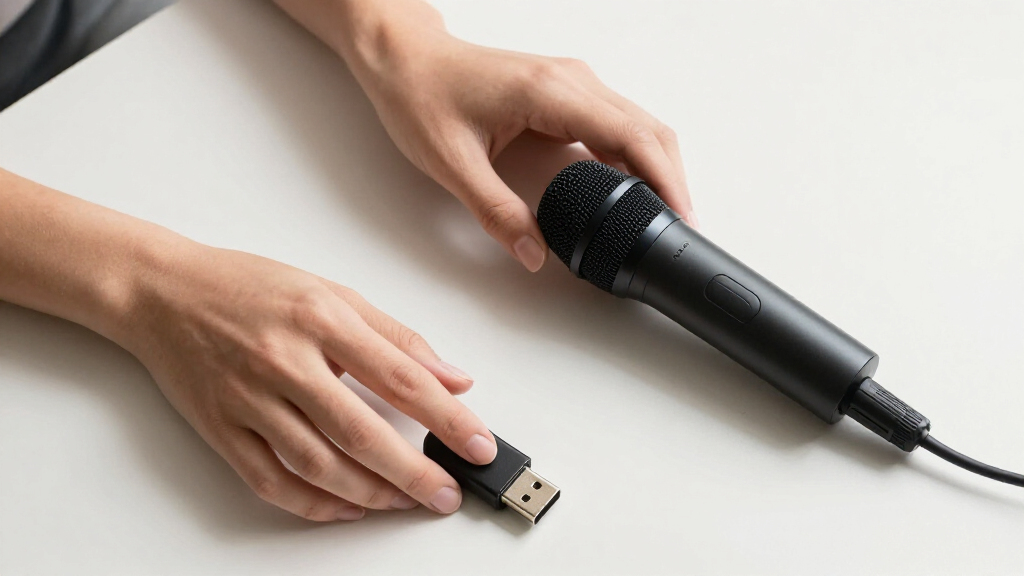

For podcasting, the right USB microphone balances plug-and-play simplicity with sound quality good enough to keep listeners subscribed. The Blue Yeti remains my top overall pick thanks to its four pickup patterns and Blue VO!CE processing, which make solo and multi-person episodes workable from a single mic. If untreated rooms are your reality, the MAONO PD200W and FIFINE AmpliTank K688CT stand out because their dynamic capsules reject background noise far better than typical condensers. The main tradeoff in this category is simple: condenser mics capture more detail but more room noise, while dynamic mics sound tighter but demand closer speaking technique. Keep reading for the full breakdown of all 15 models and which one fits your setup, budget, and recording space.

Get audio and creator gear delivered free — and shop member deals
- Fast, free delivery on millions of items
- Access to Prime Big Deal Days deals on October 6–7
- Prime Video, Amazon Music and more included
Complete the kit



Key Takeaways
- Dynamic USB/XLR hybrids (amazon.com/dp/B0FR957Y7K?tag=artzartz-20&ascsubtag=dc-1116757″ target=”_blank” rel=”nofollow sponsored noopener”>MAONO PD200W, FIFINE AmpliTank K688CT, FIFINE AM8) dominated the top tier because untreated home offices are the norm for podcasters, and their background rejection beats every condenser here.
- The Blue Yeti earns the overall pick over cheaper FIFINE and TONOR condensers because its multiple pickup patterns make it the only true multi-guest option without buying extra hardware.
- Under-$30 options like the CMTECK G009, CMOCIIY gooseneck, and Amazon Basics mic are fine for voice notes and meetings but fall short for published podcast episodes due to harsh highs and weak noise handling.
- The RØDE NT-USB Mini is the only genuinely compact premium option, but its fixed desk stand and single pattern mean it suits solo podcasters who value portability over flexibility.
- Included accessories changed the value math: kits with boom arms (FIFINE T669, AmpliTank K688CT, AM8T) deliver better mic positioning than tripod-based rivals, which directly improves voice presence.
| Logitech Creators Blue Yeti USB Microphone – Blackout |  | Best Overall | Type: USB condenser | Capsule: Custom three-capsule array | Polar Patterns: Cardioid, Omni, Bidirectional, Stereo | VIEW LATEST PRICE | See Our Full Breakdown |
| MAONO PD200W Hybrid Wireless Podcast Microphone |  | Best Premium Pick | Type: Dynamic microphone | Capsule: 30mm dynamic | Polar Pattern: Cardioid | VIEW LATEST PRICE | See Our Full Breakdown |
| CMTECK G009 USB Computer Microphone |  | Best Budget Option | Type: USB condenser | Polar Pattern: Unidirectional (omni claimed in listing) | Signal-to-Noise Ratio: 76 dB | VIEW LATEST PRICE | See Our Full Breakdown |
| Blue Yeti USB Microphone – Midnight Blue |  | Best for Style-Minded Creators | Type: USB condenser | Capsule: Custom three-capsule array | Polar Patterns: Cardioid, Omni, Bidirectional, Stereo | VIEW LATEST PRICE | See Our Full Breakdown |
| FIFINE AmpliGame AM8T XLR/USB Dynamic Microphone with Boom Arm |  | Best Value Kit | Type: Dynamic microphone | Polar Pattern: Cardioid | Sensitivity: -50dB | VIEW LATEST PRICE | See Our Full Breakdown |
| CMOCIIY Plug & Play USB Computer Microphone with Flexible Gooseneck |  | Best Ultra-Budget Desk Mic | Connectivity: USB Type-A | Polar Pattern: Omnidirectional | Form Factor: Gooseneck desktop | VIEW LATEST PRICE | See Our Full Breakdown |
| FIFINE T669 USB Studio Condenser Microphone Kit |  | Best Complete Starter Kit | Connection: USB (USB-B to USB-A/C) | Polar Pattern: Cardioid | Cable Length: 8.2 ft | VIEW LATEST PRICE | See Our Full Breakdown |
| FIFINE AmpliTank K688CT Podcast Microphone Kit with Boom Arm |  | Best Grow-With-You Pick | Connectivity: USB and XLR | Polar Pattern: Cardioid (unidirectional) | Frequency Response: 50Hz – 16kHz | VIEW LATEST PRICE | See Our Full Breakdown |
| FIFINE AmpliGame A6V USB Gaming Microphone with RGB Lighting |  | Best for Streaming Podcasts | Sampling Rate: 192kHz | Polar Pattern: Cardioid | Signal-to-Noise Ratio: 70 dB | VIEW LATEST PRICE | See Our Full Breakdown |
| FIFINE K669B USB Microphone, Condenser Recording Mic |  | Best Value Workhorse | Connectivity: USB (USB-B to USB-A/C) | Polar Pattern: Cardioid condenser | Cable Length: 5.9 ft | VIEW LATEST PRICE | See Our Full Breakdown |
| TONOR TC-777 USB Podcast Microphone with Tripod Stand, Pop Filter |  | Best Budget Starter Kit | Connectivity: USB 2.0 (Type-A) | Polar Pattern: Cardioid (Unidirectional) | Frequency Response: Up to 20 kHz | VIEW LATEST PRICE | See Our Full Breakdown |
| RØDE NT-USB Mini Studio-Quality USB Condenser Microphone |  | Best Compact Premium Build | Connectivity: USB (USB-C) | Polar Pattern: Cardioid (Unidirectional) | Frequency Response: 20 Hz – 20 kHz | VIEW LATEST PRICE | See Our Full Breakdown |
| Amazon Basics Condenser Microphone for PC with Cardioid Pickup |  | Best No-Frills Backup Mic | Connectivity: USB (corded) | Polar Pattern: Cardioid (Unidirectional) | Diaphragm: 14 mm large diaphragm | VIEW LATEST PRICE | See Our Full Breakdown |
| ZealSound K66 USB Podcast Microphone with Noise Cancellation |  | Best for Mobile and Multi-Device Recording | Connectivity: USB with USB-C and Lightning adapters | Polar Pattern: Cardioid | Frequency Response: 40 Hz – 18 kHz | VIEW LATEST PRICE | See Our Full Breakdown |
| FIFINE AmpliGame AM8 USB/XLR Dynamic Microphone |  | Best Upgrade Path Pick | Connectivity: USB and XLR (cable for XLR not included) | Microphone Type: Dynamic, cardioid (end-address) | Frequency Response: 50 Hz – 16 kHz | VIEW LATEST PRICE | See Our Full Breakdown |
| USB microphones for podcasting | Connectivity | Polar Pattern | Compatibility | Signal-to-Noise Ratio |
|---|---|---|---|---|
| Logitech Creators Blue Yeti US | USB, plug and play | — | PC, Mac | — |
| MAONO PD200W Hybrid Wireless P | Wireless, USB, XLR | Cardioid | — | 82 dB |
| CMTECK G009 USB Computer Micro | USB, plug and play | Unidirectional (omni claimed in listing) | Windows 7/8/10, Mac OS, PS4 | 76 dB |
| Blue Yeti USB Microphone | USB, plug and play | — | PC, Mac | — |
| FIFINE AmpliGame AM8T XLR/USB | USB (plug and play) and XLR | Cardioid | — | — |
| CMOCIIY Plug & Play USB Comput | USB Type-A | Omnidirectional | — | 93 dB |
| FIFINE T669 USB Studio Condens | — | Cardioid | PC, laptop (not Xbox) | — |
| FIFINE AmpliTank K688CT Podcas | USB and XLR | Cardioid (unidirectional) | — | 80 dB |
| FIFINE AmpliGame A6V USB Gamin | USB (6.6ft detachable cable) | Cardioid | PS4, PS5, Desktop, Laptop, Windows, Mac OS | 70 dB |
| FIFINE K669B USB Microphone | USB (USB-B to USB-A/C) | Cardioid condenser | Desktop, laptop, PS4/PS5, Windows, Mac | — |
| TONOR TC-777 USB Podcast Micro | USB 2.0 (Type-A) | Cardioid (Unidirectional) | PC, Mac, PS4, PS5 (not Xbox) | 80 dB |
| RØDE NT-USB Mini Studio-Qualit | USB (USB-C) | Cardioid (Unidirectional) | PC, Mac, iPad, Tablet | 82 dB |
| Amazon Basics Condenser Microp | USB (corded) | Cardioid (Unidirectional) | Windows 7/8/10+, Mac OS 10.10+ | 75 dB |
| ZealSound K66 USB Podcast Micr | USB with USB-C and Lightning adapters | Cardioid | Windows, Mac, PS4/PS5, iPhone, iPad, Android | — |
| FIFINE AmpliGame AM8 USB/XLR D | USB and XLR (cable for XLR not included) | — | PC, Mac, PS5, mixers, audio interfaces | 80 dB |
More Details on Our Top Picks
Logitech Creators Blue Yeti USB Microphone – Blackout
The Blue Yeti earns the top spot because no other mic in this lineup matches its recording flexibility. Its four pickup patterns mean one microphone can handle solo commentary, two-person interviews across a table, or a full-room roundtable — setups that would force a TONOR TC-777 or FIFINE K669B owner to buy extra gear or crowd around a single capsule. Onboard gain, mute, and zero-latency monitoring put real control at your fingertips, and Blue VO!CE effects via Logitech G HUB add broadcast polish without plugins. The tradeoff is honesty about physics: as a large condenser, it picks up room noise and echo, so untreated rooms will fight it. It’s also heavy and tall, hogging desk space compared with the RØDE NT-USB Mini. Buy it if your recording space is reasonably quiet.
Pros:- Four pickup patterns cover solo, interview, and room recording in one mic
- Onboard gain, mute, pattern selection, and headphone monitoring
- Blue VO!CE software adds broadcast-style vocal processing
- Plug-and-play on PC and Mac with included desktop stand
Cons:- Condenser design captures significant background noise and room echo
- Bulky and heavy footprint dominates a small desk setup
- Full feature set requires installing Logitech G HUB software
Best for: Podcasters who want one mic that adapts to solo shows, interviews, and multi-speaker formats without extra purchases
Not ideal for: Anyone recording in an echoey, untreated room — its sensitive condenser capsules will amplify every reflection and keyboard click
- Type:USB condenser
- Capsule:Custom three-capsule array
- Polar Patterns:Cardioid, Omni, Bidirectional, Stereo
- Frequency Response:20 Hz – 20 kHz
- Sample Rate:Up to 48 kHz / 16-bit
- Controls:Headphone volume, gain, mute, pattern selection
- Connectivity:USB, plug and play
- Compatibility:PC, Mac
Our verdict“The most versatile podcast mic here for creators with a quiet space who want room to grow formats.”
MAONO PD200W Hybrid Wireless Podcast Microphone
The MAONO PD200W plays a different game than everything else here. Its hybrid wireless/USB/XLR design means you can record untethered on camera today and graduate to a pro audio interface later — a path the FIFINE AmpliGame AM8T partially offers, but only with a cable attached. For podcasters, the standout trick is two-mic pairing to one receiver, recording each voice to its own track; duo shows get cleaner edits than any single-mic option like the Blue Yeti can manage. The 30mm dynamic capsule with noise cancellation also forgives untreated rooms better than condensers. The compromises: it costs more, camera-connecting accessories are sold separately, and RGB lighting on a ‘studio’ mic will strike serious broadcasters as gimmicky. App-based tuning via MaonoLink adds value but adds a learning curve too.
Pros:- Wireless, USB, and XLR connectivity in one microphone
- Two mics pair to a single receiver with separate recorded tracks
- Dynamic capsule with three-stage noise cancellation suits untreated rooms
- Up to 60 hours of battery life with 60m wireless range
Cons:- Premium price compared with wired USB alternatives
- Camera and Lightning connection accessories sold separately
- Requires MaonoLink app and tutorial time to unlock full tuning
Best for: Duo podcasters and video-first creators who want wireless freedom, isolated tracks per speaker, and a future XLR upgrade path
Not ideal for: Budget-conscious buyers or desk-only streamers who never move — a wired option like the FIFINE AM8T delivers similar core sound for less
- Type:Dynamic microphone
- Capsule:30mm dynamic
- Polar Pattern:Cardioid
- Connectivity:Wireless, USB, XLR
- Signal-to-Noise Ratio:82 dB
- Max SPL:128 dB
- Battery Life:Up to 60 hours (RGB off)
- Wireless Range:60m
Our verdict“The pick for growing podcast teams who need multi-speaker flexibility and on-camera mobility in one kit.”
CMTECK G009 USB Computer Microphone
The CMTECK G009 exists for the podcaster who wants to press record today without researching gain staging or pickup patterns. Its plug-and-play simplicity, quick mute button with LED indicator, and flexible gooseneck make it friendlier than a starter condenser kit like the TONOR TC-777, which demands more careful positioning. The built-in noise-cancelling chip helps mask fans and hum, and the integrated pop filter is one less accessory to lose. But the ceiling here is genuinely low: vocal detail and richness fall well short of the Blue Yeti, so a growing show will eventually outgrow it. Compatibility is narrow — no Linux, Android, or Raspberry Pi — and the gooseneck form factor wobbles if bumped. The listing also mixes omnidirectional and unidirectional claims, which matters: expect it to capture some surrounding sound either way.
Pros:- Genuine plug-and-play with no drivers required
- Quick mute button with clear LED status indicator
- Built-in noise-cancelling chip and integrated pop filter
- Flexible 360-degree gooseneck on a compact stable base
Cons:- Sound quality noticeably behind condenser mics like the Blue Yeti
- No Linux, Android, or Raspberry Pi support
- Conflicting polar pattern specs suggest inconsistent off-axis rejection
Best for: First-time podcasters and voice-note takers who want an ultra-cheap, zero-setup mic with mute control
Not ideal for: Anyone producing a polished, long-running show — audio fidelity and build quality won’t hold up to serious editing and publishing
- Type:USB condenser
- Polar Pattern:Unidirectional (omni claimed in listing)
- Signal-to-Noise Ratio:76 dB
- Connectivity:USB, plug and play
- Form Factor:Flexible gooseneck with base
- Special Features:Noise cancellation, mute button with LED, volume control
- Compatibility:Windows 7/8/10, Mac OS, PS4
- Dimensions:2.68 x 4.21 x 4.41 inches
Our verdict“A sensible toe-in-the-water mic for casual use, but plan to upgrade once your show gets serious.”
Blue Yeti USB Microphone – Midnight Blue
This Midnight Blue Yeti is functionally the same microphone as the Blackout edition above it — same three-capsule condenser array, four patterns, and onboard controls — so the choice between them is purely aesthetic. That makes this the pick when your recording setup is on camera and the color of your gear matters to your brand. Compared with the FIFINE AmpliGame A6V, which uses RGB lighting for visual flair, the Yeti’s fixed metallic finish looks more professional in a business or interview context. Feature-wise it still dominates single-pattern mics like the FIFINE K669B: bidirectional mode alone justifies it for two-person face-to-face episodes. The downsides are inherited too — it needs Logitech G HUB for Blue VO!CE effects, its large body crowds small desks, and that sensitive condenser capsule will happily record your air conditioner if you let it.
Pros:- Identical four-pattern recording flexibility as the standard Yeti
- Distinctive Midnight Blue finish looks polished on camera
- Full onboard control of gain, mute, volume, and pattern
- Plug-and-play on PC and Mac with adjustable desktop stand
Cons:- Requires Logitech G HUB download for full functionality
- Large, heavy body is awkward on cramped desks
- Condenser sensitivity captures room noise in untreated spaces
Best for: On-camera podcasters and streamers who want the Yeti’s multi-pattern flexibility in a distinctive finish that suits their setup
Not ideal for: Mobile creators or minimal-desk users — the size, weight, and G HUB software dependency make lighter options like the RØDE NT-USB Mini far more practical
- Type:USB condenser
- Capsule:Custom three-capsule array
- Polar Patterns:Cardioid, Omni, Bidirectional, Stereo
- Connectivity:USB, plug and play
- Compatibility:PC, Mac
- Controls:Headphone volume, pattern selection, mute, gain
- Software:Blue VO!CE via Logitech G HUB
- Included Accessories:Adjustable desktop stand
Our verdict“Choose it over the Blackout when looks on camera matter; choose something smaller when space doesn’t allow.”
FIFINE AmpliGame AM8T XLR/USB Dynamic Microphone with Boom Arm
The FIFINE AM8T is the smartest package-for-dollar in this roundup because it solves three problems at once. The dynamic cardioid capsule with -50dB sensitivity rejects room noise far better than condenser picks like the Blue Yeti, making it the better choice for echoey home offices. The included metal boom arm frees desk space and puts positioning control in your hands — accessories other budget mics make you buy separately. And the dual USB/XLR output gives you an upgrade path to an audio interface without replacing the mic, much like the pricier MAONO PD200W but without the wireless premium. Tradeoffs keep it honest: there’s no XLR cable in the box, the desk clamp tops out at 2-inch-thick desks, and RGB customization is limited to button taps rather than software. Still, for a first serious podcast rig, it’s hard to beat.
Pros:- Dynamic capsule rejects background noise better than condenser rivals
- Complete kit includes sturdy metal boom arm, clamp, and windscreen
- USB today, XLR later — a real upgrade path without rebuying
- Onboard mute, gain knob, and zero-latency headphone monitoring
Cons:- XLR cable not included despite XLR support
- Desk clamp only fits surfaces up to 2 inches thick
- RGB control limited to button taps, no software customization
Best for: New podcasters in noisy or untreated rooms who want a complete boom-arm kit with room to grow into XLR
Not ideal for: Owners of thick custom desks over 2 inches or buyers wanting software-driven lighting and tuning controls
- Type:Dynamic microphone
- Polar Pattern:Cardioid
- Sensitivity:-50dB
- Connectivity:USB (plug and play) and XLR
- Monitoring:3.5mm headphone jack, zero latency
- Controls:Mute button, gain knob, headphone volume
- Stand:Metal boom arm with desk clamp (max 2-inch desk)
- Included Accessories:Boom arm, C-clamp, 8.2ft USB-C cable, windscreen
Our verdict“The best all-in-one starter rig for noisy home studios — buy it before you buy sound foam.”
CMOCIIY Plug & Play USB Computer Microphone with Flexible Gooseneck
For podcasters who record in a pinch — quick episodes, voice memos, remote interviews — the CMOCIIY gooseneck gets you audible audio for very little money. The 360-degree flexible neck lets you bend the mic exactly where your mouth is, which most desk mics in this roundup can’t do without a boom arm. Compared with the TONOR TC-777, it trades away directional focus: the omnidirectional capsule picks up everything in the room, so an untreated space will sound roomy. The onboard noise reduction helps with keyboard clatter, but it won’t match a cardioid mic like the FIFINE T669 for isolating your voice. The weighted base with silicone pads is a nice touch — the mic stays planted even when you reposition the neck mid-recording.
Pros:- Bendable 360-degree metal gooseneck for precise positioning without extra hardware
- Plug-and-play with no drivers — works with Zoom, Teams, Twitch and more
- Weighted non-slip base keeps the mic stable during animated recordings
- One-tap LED mute button for quick privacy
Cons:- Omnidirectional pickup captures room noise and echoes that cardioid mics reject
- No boom arm, shock mount, or pop filter — plosives and desk thumps come through
Best for: Budget-conscious beginners or remote workers who need a zero-fuss desk mic for calls and casual voice recording
Not ideal for: Anyone recording podcasts in an untreated or shared room — the omni pattern captures far more ambient noise than cardioid alternatives
- Connectivity:USB Type-A
- Polar Pattern:Omnidirectional
- Form Factor:Gooseneck desktop
- Special Features:One-touch mute, noise reduction, LED breathing lights
- Signal-to-Noise Ratio:93 dB
- Weight:0.26 kg
Our verdict“A cheap, flexible gooseneck for casual recording, but serious podcasters should spend a little more on a cardioid option.”
FIFINE T669 USB Studio Condenser Microphone Kit
The FIFINE T669 earns its spot by solving the beginner’s biggest problem: buying everything at once. The bundle includes a steel scissor boom arm, shock mount, and double pop filter — accessories that cost real money separately and that cheaper options like the Amazon Basics condenser leave you to source on your own. The cardioid capsule rejects background noise far better than the CMOCIIY gooseneck, making it the better pick for voice-focused podcasting. Compared with the step-up FIFINE AmpliTank K688CT, you lose XLR expandability and tap-to-mute, but you also skip the complexity. The tradeoff is positioning: cardioid condensers demand close mic technique, so you’ll be speaking 6-8 inches from the grille, and the arm needs a desk edge to clamp to.
Pros:- Complete bundle with boom arm, shock mount, and double pop filter included
- Cardioid pattern keeps room noise out of your recordings
- Sturdy all-steel scissor arm with wide 30-inch reach for flexible positioning
- True plug-and-play with no drivers needed
Cons:- Requires close, consistent mic positioning for good input level
- No onboard mute or gain controls — adjustments must happen in software
Best for: First-time podcasters who want a full arm-and-accessory setup in one box without researching separate components
Not ideal for: Console gamers or streamers on Xbox — it’s incompatible — and anyone planning to upgrade to an XLR interface later
- Connection:USB (USB-B to USB-A/C)
- Polar Pattern:Cardioid
- Cable Length:8.2 ft
- Boom Arm Rotation:180° up/down, 135° forward/backward
- Boom Arm Reach:30 inches
- Compatibility:PC, laptop (not Xbox)
Our verdict“The smartest single purchase for a new podcaster building a desk setup from scratch.”
FIFINE AmpliTank K688CT Podcast Microphone Kit with Boom Arm
The AmpliTank K688CT is the bridge between USB simplicity and studio ambition. Its dual USB and XLR outputs mean you can start plug-and-play today and plug into an interface or mixer later without buying a new mic — something neither the T669 nor the Blue Yeti can offer. As a dynamic mic, it’s also more forgiving of untreated rooms than the condenser-based Yeti, thanks to a cardioid pattern that shrugs off background noise. Real-time controls are the other story here: tap-to-mute, a gain knob, and headphone monitoring (USB mode only) let you catch problems as they happen. The catches are real, though — on-mic buttons go dark in XLR mode, the C-clamp only grips desks under 2 inches thick, and dynamics demand 2-6 inch close positioning for proper levels.
Pros:- Dual USB/XLR connectivity protects your investment as your setup grows
- Dynamic capsule handles untreated rooms and loud sources (130dB SPL) with ease
- Tap-to-mute, gain knob, and headphone monitoring give live-control flexibility
- Heavy-duty metal boom arm with shock mount and windscreen included
Cons:- On-mic function keys and monitoring are disabled when using XLR
- C-clamp only fits desks under 2 inches thick
- Demands close 2-6 inch mic positioning for optimal volume
Best for: Podcasters who want to start on USB now and graduate to an XLR interface or mixer setup without replacing their microphone
Not ideal for: Owners of thick or irregular desks — the C-clamp won’t mount — and anyone who dislikes speaking inches from the mic
- Connectivity:USB and XLR
- Polar Pattern:Cardioid (unidirectional)
- Frequency Response:50Hz – 16kHz
- Max SPL:130 dB
- Signal-to-Noise Ratio:80 dB
- Special Features:Tap-to-mute, gain control, headphone monitoring, volume control
- Enclosure Material:Metal
Our verdict“The most future-proof pick here — buy it once and it scales from laptop recordings to a full XLR studio.”
FIFINE AmpliGame A6V USB Gaming Microphone with RGB Lighting
If your podcast doubles as a Twitch stream, the AmpliGame A6V is built for that exact overlap. The 192kHz sampling rate captures more detail than the FIFINE K669B, and the quick-mute button kills the RGB lighting when engaged — a visual failsafe that prevents broadcasting moments you meant to keep private, which the T669 lacks entirely. Console compatibility is another differentiator: it plugs straight into PS4 and PS5, where most mics in this roundup are PC-only. Compared with the Blue Yeti, the included shock mount, pop filter, and tripod make it ready to record out of the box, but the fixed tripod can’t reposition like the K688CT’s boom arm. The lighting cycles automatically through seven colors with limited preset modes, so don’t expect full customization.
Pros:- High 192kHz sampling rate for detailed voice capture
- Quick mute with RGB shutoff prevents accidental on-air moments
- Plug-and-play across PS4/PS5, Windows, Mac, and major streaming platforms
- Shock mount, pop filter, and tripod included in the box
Cons:- Tripod stand offers less positioning flexibility than a boom arm
- RGB lighting cycles automatically with limited fixed modes
Best for: Streamer-podcasters who record live on Twitch or YouTube and want console compatibility plus visual mute feedback
Not ideal for: Minimalists and audio-only podcasters — the always-cycling RGB adds nothing and can’t be fully customized
- Sampling Rate:192kHz
- Polar Pattern:Cardioid
- Signal-to-Noise Ratio:70 dB
- Connectivity:USB (6.6ft detachable cable)
- Compatibility:PS4, PS5, Desktop, Laptop, Windows, Mac OS
- Included Accessories:Shock mount, pop filter, tripod stand, USB cable
Our verdict“The pick for creators whose podcast lives alongside a stream, thanks to console support and smart visual mute cues.”
FIFINE K669B USB Microphone, Condenser Recording Mic
The FIFINE K669B is the proven budget workhorse of USB mics — a metal-bodied condenser with a tripod stand and a hardware volume knob that lets you dial in gain without digging through software menus. That physical control puts it a step above the TONOR TC-777 for people who adjust levels on the fly, and turning the knob to zero doubles as a quick mute. Its cardioid pattern keeps the focus on your voice, though the condenser capsule is more room-sensitive than the dynamic K688CT in echoey spaces. Compatibility spans PS4/PS5, Windows, and Mac, but Xbox and phones are off the table. It’s a bare-bones package — no pop filter, no boom arm — so plosive control and positioning are on you. For the price, the solid metal build outlasts most plastic rivals.
Pros:- On-mic volume knob for instant gain adjustment (turn to zero to mute)
- Solid metal construction with a stable tripod stand
- Cardioid pattern focuses on your voice and reduces background noise
- Broad compatibility with PS4/PS5, Windows, Mac, Discord, and OBS
Cons:- No pop filter or boom arm included — extras cost more later
- Condenser capsule picks up room echo in untreated spaces
- Incompatible with Xbox and phones
Best for: Budget podcasters and voice-over creators who want a durable, simple mic with physical volume control and no ongoing fuss
Not ideal for: Console gamers on Xbox and mobile phone users — it’s incompatible — plus anyone needing a pop filter or arm out of the box
- Connectivity:USB (USB-B to USB-A/C)
- Polar Pattern:Cardioid condenser
- Cable Length:5.9 ft
- Controls:On-mic volume/gain knob
- Compatibility:Desktop, laptop, PS4/PS5, Windows, Mac
- Build:Metal body with tripod stand
Our verdict“A dependable, no-frills value pick for podcasters who prioritize physical controls and durability over bundled accessories.”
TONOR TC-777 USB Podcast Microphone with Tripod Stand, Pop Filter
The TONOR TC-777 earns its place by bundling nearly everything a first-time podcaster needs in one box: a foldable tripod, mini shock mount, and pop filter come standard, so there is no shopping list of accessories to assemble before recording episode one. Compared with the bare-bones Amazon Basics condenser, the TC-777’s included shock mount and pop filter translate directly into fewer plosives and less desk-thump in your recordings. The cardioid pattern keeps focus on the voice, and plug-and-play USB means it works the moment it is plugged in. The tradeoff is material quality: the PVC construction feels lightweight, and there is no headphone monitoring jack, which the ZealSound K66 offers at a similar tier. It also skips Xbox entirely.
Pros:- Complete accessory kit included — tripod, shock mount, and pop filter out of the box
- True plug-and-play with no drivers or assembly required
- Cardioid pattern keeps voice isolated from room noise
- Works across Windows, Mac, PS4/PS5 plus Zoom, Skype, and Discord
Cons:- PVC enclosure feels cheap and less durable than metal-bodied rivals
- No headphone monitoring jack for zero-latency self-listening
- Not compatible with Xbox consoles
Best for: First-time podcasters on a tight budget who want a complete starter kit without buying accessories separately
Not ideal for: Podcasters who need real-time headphone monitoring or a mic that feels durable enough for daily professional use
- Connectivity:USB 2.0 (Type-A)
- Polar Pattern:Cardioid (Unidirectional)
- Frequency Response:Up to 20 kHz
- Signal-to-Noise Ratio:80 dB
- Cable Length:1.9 m
- Compatibility:PC, Mac, PS4, PS5 (not Xbox)
- Included:Tripod, mini shock mount, pop filter, cable
Our verdict“A sensible first mic for podcasters who want to start recording today with everything included, then upgrade later.”
RØDE NT-USB Mini Studio-Quality USB Condenser Microphone
The RØDE NT-USB Mini stands out for bringing genuine studio-brand engineering to a footprint smaller than a coffee cup. Its magnetic desk stand detaches in seconds, letting it move to any standard boom arm — a flexibility the fixed-tripod TONOR TC-777 simply cannot match. The built-in pop filter, tuned specifically for voice, means one less accessory cluttering the desk, and zero-latency headphone monitoring with hardware volume control puts it ahead of the Amazon Basics condenser for anyone doing serious vocal work. Compared with larger condensers like the Blue Yeti, the compact capsule gives up some low-end warmth, and there is no onboard gain dial — level setting happens in software. Still, the metal build quality justifies its premium positioning.
Pros:- Genuine studio-brand condenser quality in a very compact body
- Magnetic stand detaches for instant boom-arm mounting
- Built-in pop filter tuned for voice recording
- Zero-latency headphone monitoring with on-mic volume control
Cons:- Small capsule sacrifices some low-end depth versus full-sized condensers
- No onboard gain control — levels must be set in software
Best for: Podcasters and streamers with limited desk space who still want studio-brand sound and easy boom-arm mounting
Not ideal for: Buyers wanting onboard gain controls or the fuller low-end response of a full-sized condenser capsule
- Connectivity:USB (USB-C)
- Polar Pattern:Cardioid (Unidirectional)
- Frequency Response:20 Hz – 20 kHz
- Signal-to-Noise Ratio:82 dB
- Weight:585 g
- Compatibility:PC, Mac, iPad, Tablet
- Included:Magnetic desk stand, USB-C cable
Our verdict“The right pick if desk space is scarce but audio quality and mounting flexibility remain non-negotiable.”
Amazon Basics Condenser Microphone for PC with Cardioid Pickup
The Amazon Basics condenser makes this list as a utilitarian choice: it records, it isolates the voice, and it gets out of the way. Its 360° adjustable stand with built-in shock absorber and a standard 5/8-inch mounting thread give it more positioning flexibility than the TONOR TC-777’s fixed tripod, and the one-tap mute is handy for quick coughs during live recordings. Where it falls short is refinement — its 75 dB signal-to-noise ratio trails the RØDE NT-USB Mini’s 82 dB, which shows up as a slightly noisier floor in quiet passages. USB-only connectivity also means there is no upgrade path, unlike the FIFINE AM8’s hybrid USB/XLR design. This model makes the most sense for a secondary mic, a travel rig, or a spare.
Pros:- Standard 5/8-inch thread works with most tripods, boom arms, and mic stands
- One-tap mute with a 360° adjustable shock-absorbing stand
- Plug-and-play on Windows and Mac with no drivers
- Cardioid pattern isolates background noise effectively
Cons:- Entry-level sensitivity and signal-to-noise performance versus premium mics
- USB-only — no XLR path if you later upgrade to an audio interface
Best for: Podcasters needing an affordable backup or travel mic that mounts on existing boom arms and stands
Not ideal for: Anyone building a primary recording setup, since entry-level sensitivity and noisier specs limit polish
- Connectivity:USB (corded)
- Polar Pattern:Cardioid (Unidirectional)
- Diaphragm:14 mm large diaphragm
- Frequency Response:Up to 20 kHz
- Signal-to-Noise Ratio:75 dB
- Mounting Thread:5/8 inch
- Compatibility:Windows 7/8/10+, Mac OS 10.10+
Our verdict“A serviceable spare or starter mic, but not the one to build a polished show around.”
ZealSound K66 USB Podcast Microphone with Noise Cancellation
The ZealSound K66 differentiates itself through sheer connectivity breadth: with USB-C and Lightning adapters included, it plugs into an iPhone or Android phone as easily as a laptop — something no other mic in this lineup can claim, including the RØDE NT-USB Mini. Its dedicated Noise Reduction Mode actively tames keyboard clatter and fan hum, which helps podcasters recording in untreated rooms, and the physical knobs for gain, monitoring volume, and echo plus zero-latency headphone monitoring give hands-on control the TONOR TC-777 lacks entirely. The compromises are real, though: cardioid is the only pattern, so multi-voice roundtable recording is off the table, and analog knobs are less precise than software-based tuning for fine adjustments.
Pros:- Works with iPhone, iPad, and Android via included adapters, plus PC, Mac, and PS4/PS5
- Dedicated noise reduction mode cuts keyboard, fan, and room noise
- Zero-latency headphone monitoring with independent volume knob
- Physical controls for gain, monitoring, echo, and mute with LED indicator
Cons:- Cardioid-only — no stereo or multi-pattern options for group recording
- Analog knobs lack the fine precision of software-based audio control
Best for: Podcasters who record from phones and tablets as often as computers, or who want hardware knobs for live level control
Not ideal for: Multi-speaker recordings needing stereo or multi-pattern capture, or editors who prefer software-level gain precision
- Connectivity:USB with USB-C and Lightning adapters
- Polar Pattern:Cardioid
- Frequency Response:40 Hz – 18 kHz
- Sampling Rate:46 kHz
- Monitoring:3.5 mm zero-latency headphone jack
- Controls:Gain, monitoring volume, echo, mute button
- Compatibility:Windows, Mac, PS4/PS5, iPhone, iPad, Android
Our verdict“The most versatile connectivity pick here — ideal if your podcasting happens across phones, consoles, and computers.”
FIFINE AmpliGame AM8 USB/XLR Dynamic Microphone
The FIFINE AmpliGame AM8 is the only mic in this batch with a genuine growth path built in: start on USB with tap-to-mute, gain knob, and headphone monitoring, then later plug into an audio interface via XLR as your podcasting setup matures. Compared with the FIFINE T669 condenser kit, the AM8’s dynamic capsule is the smarter choice for untreated rooms — its 50Hz–16kHz response and off-axis rejection keep echo and ambient hum out of the recording rather than faithfully capturing every flaw. Dual 3/8″ and 5/8″ threads fit most stands without adapters. The tradeoffs: RGB lighting and function keys go dark when using XLR, the frequency ceiling of 16 kHz trims some airy detail compared with condensers like the RØDE NT-USB Mini, and the XLR cable is not included.
Pros:- Dual USB and XLR connectivity supports both beginner and pro workflows
- Dynamic capsule rejects room noise and echo in untreated spaces
- Tap-to-mute with LED reminder plus gain knob and headphone monitoring over USB
- Built-in 3/8″ and 5/8″ threads fit most stands without adapters
Cons:- RGB lights and function keys are inactive over XLR connection
- XLR cable not included, so the upgrade path requires extra purchases
- 16 kHz frequency ceiling limits high-frequency detail versus condensers
Best for: Podcasters planning to upgrade to an interface-and-mixer setup who want one mic to grow with
Not ideal for: Vocal purists chasing the airy top end of a full 20 kHz condenser, or anyone without a boom arm preference for RGB aesthetics
- Connectivity:USB and XLR (cable for XLR not included)
- Microphone Type:Dynamic, cardioid (end-address)
- Frequency Response:50 Hz – 16 kHz
- Signal-to-Noise Ratio:80 dB
- Controls:Tap-to-mute, gain knob, monitoring volume, RGB control (USB mode only)
- Mounting:Built-in 3/8″ and 5/8″ threads
- Compatibility:PC, Mac, PS5, mixers, audio interfaces
Our verdict“The best long-term buy here if you intend to graduate from USB simplicity to a full XLR podcasting rig.”

How We Picked
I judged every microphone through one specific lens: how well it serves someone publishing podcast episodes, not gaming streams or Zoom calls. That meant prioritizing voice clarity at conversational distances, background noise rejection, zero-latency monitoring for headphones while recording, and on-body gain and mute controls so hosts aren’t fumbling through software mid-episode. Mics offering both USB and XLR output ranked higher when the price gap stayed reasonable, because the XLR path protects your investment if you later upgrade to an audio interface.
The ranking also weighs what comes in the box. A microphone bundled with a boom arm and shock mount solves placement problems that tripod-based kits ignore, and poor placement ruins even a great capsule. Finally, I penalized models whose limitations create hidden costs — a cheap mic that forces you to buy a separate arm, pop filter, or acoustic treatment quickly stops being cheap. Condensers were judged against untreated-room reality, not ideal studio conditions, which is why dynamic capsules dominate the upper half of this comparison.
| USB microphones for podcasting | Polar Pattern |
|---|---|
| Logitech Creators Blue Yeti US | — |
| MAONO PD200W Hybrid Wireless P | Cardioid |
| CMTECK G009 USB Computer Micro | Unidirectional (omni claimed in listing) |
| Blue Yeti USB Microphone | — |
| FIFINE AmpliGame AM8T XLR/USB | Cardioid |
| CMOCIIY Plug & Play USB Comput | Omnidirectional |
| FIFINE T669 USB Studio Condens | Cardioid |
| FIFINE AmpliTank K688CT Podcas | Cardioid (unidirectional) |
| FIFINE AmpliGame A6V USB Gamin | Cardioid |
| FIFINE K669B USB Microphone | Cardioid condenser |
| TONOR TC-777 USB Podcast Micro | Cardioid (Unidirectional) |
| RØDE NT-USB Mini Studio-Qualit | Cardioid (Unidirectional) |
| Amazon Basics Condenser Microp | Cardioid (Unidirectional) |
| ZealSound K66 USB Podcast Micr | Cardioid |
| FIFINE AmpliGame AM8 USB/XLR D | — |
Factors to Consider When Choosing USB Microphones For Podcasting
Before committing to any single mic, it helps to understand the forces that actually shape podcast audio quality. Most buyers overinvest in the microphone and underinvest in everything around it, so here are the factors that genuinely move the needle.Condenser vs. Dynamic: Your Room Decides for You
The single biggest mistake podcasters make is buying a condenser mic because reviewers call it ‘studio quality.’ Condensers like the Blue Yeti and RØDE NT-USB Mini capture fine detail beautifully — including refrigerator hum, keyboard clicks, and echo from bare walls. Dynamic mics such as the MAONO PD200W and FIFINE AmpliTank series only hear what’s within a few inches, which forgivingly hides a mediocre recording space. If you record in a bedroom with curtains and carpet, a condenser works well; if you record in a kitchen-adjacent office with hard floors, a dynamic will save you hours of editing. Be honest about your room before choosing, because no plugin fully rescues room noise baked into a recording.
USB/XLR Hybrid Outputs Buy You a Future
Several mics in this lineup — the MAONO PD200W, FIFINE AM8, AM8T, and AmpliTank K688CT — offer both USB and XLR connections. The USB side gets you recording today with zero extra gear, while the XLR side becomes valuable the moment your podcast grows. Upgrading to an interface like an Focusrite Scarlett later unlocks better preamps, hardware monitoring, and multi-mic setups for co-hosted shows. Buying a hybrid mic typically costs only modestly more than a USB-only equivalent, and it means your microphone survives the upgrade instead of becoming a paperweight. If you see yourself adding a second host or moving to a proper mixer within a year or two, this flexibility outweighs almost any other spec difference.
On-Body Controls Are Not a Luxury
Recording a real podcast episode means coughing, pausing, and adjusting levels mid-take. A physical mute button and a headphone jack with zero-latency monitoring separate frustrating mics from smooth ones. Software muting through your recording app adds delay and risk — one misclick and you’ve lost audio. Direct monitoring through the mic itself lets you hear exactly what’s being recorded, catching plosives and level spikes before they ruin a take. Budget models like the Amazon Basics and CMOCIIY mics omit or minimize these controls, and that savings gets repaid in editing time. Treat a headphone output and hardware mute as baseline requirements for anything beyond casual recording.
Mounting Hardware Shapes Your Sound More Than You Expect
Mic placement determines proximity effect, plosive severity, and posture — all of which listeners hear. A boom arm positions the capsule at mouth height, lets you speak across the mic instead of into it, and isolates desk bumps and typing vibrations. Tripod stands that sit on the desk force you to hunch, pick up table rumble, and leave the mic too far from your mouth. Kits bundling boom arms, like the FIFINE T669 and AmpliTank K688CT, often deliver better real-world sound than a slightly better mic on a cheap tripod. If you buy a tripod-based mic, budget for a separate arm — otherwise you’re leaving audio quality on the table that your capsule is capable of.
Software Processing: Helpful, Until It Isn’t
Blue VO!CE effects on the Yeti line and similar DSP features can apply noise gates, EQ, and compression before audio hits your recording software. For beginners, this produces more polished sound with zero learning curve. The catch is that processing baked in at capture time can’t be undone — if the gate clips a quiet guest or the EQ over-brightens your voice, that damage is permanent. Clean recordings processed in post (via Audacity, Reaper, or a tool like Auphonic) give you far more control and better results as your skills grow. My advice: use built-in effects while learning, but plan to record clean once you understand basic post-production.
Multi-Guest Recording Changes Everything
If your show has two or three people in one room, most single-pattern USB mics force awkward compromise — either everyone crowds one capsule or you buy multiple mics and fight syncing issues. The Blue Yeti’s omnidirectional and bidirectional patterns are the pragmatic exception, capturing a table of speakers from one device. The cleaner long-term path is multiple dynamic mics into an interface, which the hybrid models in this lineup set up nicely. Remote-only podcasters can ignore this entirely and prioritize solo voice quality instead. Decide your guest format before buying, because it dictates both microphone type and how many you’ll need.
Frequently Asked Questions
Is a USB microphone good enough for a serious podcast, or do I need XLR?
For most podcasters, a quality USB mic is genuinely good enough — listeners on earbuds and car speakers cannot hear the difference between a well-recorded USB signal and a budget XLR chain. What actually separates professional-sounding shows from amateur ones is room treatment, mic technique, and consistent levels, not the cable type. XLR becomes worthwhile when you need multiple simultaneous microphones, hardware mixing, or ultra-low-noise preamps for quiet voices. That’s why hybrid USB/XLR models like the MAONO PD200W and FIFINE AmpliTank K688CT rank so highly here: they deliver USB simplicity today with an XLR escape hatch for later. Start USB, upgrade only when a concrete need appears.
Should I buy the Blue Yeti or a dynamic mic like the FIFINE AM8 for podcasting?
The decision hinges entirely on your recording environment and format. The Yeti’s condenser capsule and four pickup patterns make it better for multi-person tables and detail-rich solo voices in a treated room. The AM8’s dynamic capsule wins in noisy, untreated spaces because it ignores everything beyond your mouth, and its USB/XLR flexibility outlasts the Yeti’s USB-only design. If you record alone in a quiet room and might add co-hosts, the Yeti is the smarter buy. If you record in a shared or echoey space and mostly speak solo, the AM8 will sound cleaner with less editing. Neither is objectively better — they solve different problems.
Do I really need a shock mount and boom arm, or is the included stand fine?
For published episodes, the included desk tripod is usually the weakest link in any kit. Desk-mounted mics transmit every keyboard tap, desk bump, and mouse click straight into your recording, and they force you to lean in, which fatigues your voice over an hour-long episode. A boom arm decouples the mic from the desk, holds it at mouth height, and lets you maintain consistent distance — the single habit that most improves podcast audio. Kits like the FIFINE T669 and AmpliTank K688CT include arms precisely because placement matters this much. If your chosen mic comes with only a tripod, factor an inexpensive arm into the real total cost before comparing prices.
Can I use a gaming microphone with RGB lights for podcasting?
Yes, and in some cases it’s a smart value play — the FIFINE AmpliGame AM8 and AM8T use the same dynamic capsules as FIFINE’s dedicated podcast line, just styled for streamers. The AM8T even bundles a boom arm, making it functionally a podcast kit with lighting you can switch off. The real checks are whether the mic offers a zero-latency headphone output and on-body gain control, because some cheaper gaming models trim those to hit a price point. RGB itself has zero effect on audio, though it may look out of place in a video podcast setup. Judge gaming-branded mics on specs, not aesthetics.
How much should I spend on my first podcast microphone?
The practical sweet spot sits in the mid-range — roughly the FIFINE T669 to AmpliTank K688CT bracket — where you get a decent capsule, monitoring, and mounting hardware without paying for features you won’t use yet. Ultra-cheap USB mics under $30 work for testing whether you’ll actually stick with podcasting, but their harsh treble and weak noise handling become audible the moment you publish. At the same time, a first mic doesn’t need premium DSP or broadcast-grade components before you’ve developed consistent recording habits. My guidance: buy mid-range, spend the difference on a boom arm and some acoustic panels, and upgrade the mic only after your technique outgrows it. That order produces better audio than the reverse.
Conclusion
Mapping these 15 mics to real buyers: the Blue Yeti is my best overall pick for most podcasters, because its pickup patterns, monitoring, and software effects handle solo and multi-guest formats from day one. The FIFINE AmpliTank K688CT is the best value — a dynamic capsule, boom arm, and USB/XLR flexibility at a price that undercuts most incomplete kits. For untreated rooms and noisy households, the MAONO PD200W is the standout specific-needs choice, adding wireless flexibility on top of excellent rejection. Beginners get the gentlest on-ramp with the FIFINE T669, which bundles everything a first-time podcaster needs in one box. If you want a premium, compact option for a tidy desk, the RØDE NT-USB Mini justifies its cost with build and sound refinement — provided you record solo in a quiet space. Whatever you choose, remember that placement and room matter as much as the capsule: pair any of these with a boom arm and honest acoustic habits, and your podcast will sound better than most of what’s on the charts.
Fall Picks
fall essentials
As an affiliate, we earn on qualifying purchases.



![Amazing Graze [Stan Kelly]](https://artzartz.com/wp-content/uploads/2026/10/amazing-graze-stan-kelly-featured-260x140.jpg)