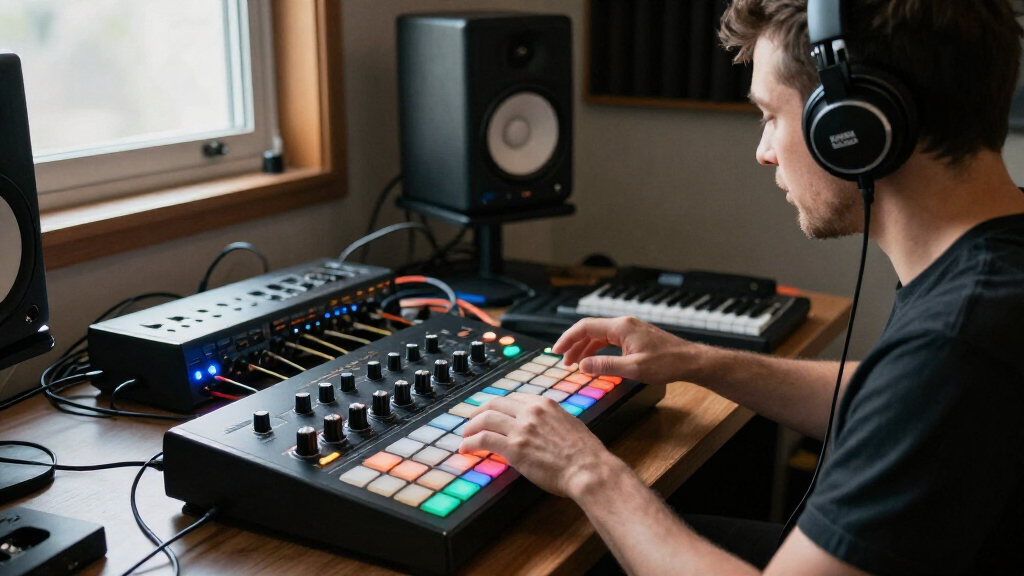
For music production, the Akai MPC One G2 is my best overall pick because it combines sample-based beatmaking with a broad standalone production workflow. The Ableton Move stands out for sketching ideas that can continue in Live, while the Alesis SR-18 suits producers who want a focused, self-contained rhythm workstation. The main tradeoff is between hands-on simplicity and deeper sampling, sequencing, and arrangement tools. Size, sound-editing needs, and whether you plan to work with a computer also shape the choice. Read on for the full breakdown and a guide to choosing the right fit.

Get audio and creator gear delivered free with Prime
- Fast, free delivery on millions of items
- Prime Video, Amazon Music and more included
- Member-only deals all year
Complete the kit


Key Takeaways
- The MPC One G2 leads for all-in-one production: Its standalone workflow gives beatmakers more room to build and shape tracks than the compact, idea-sketching tools in this group.
- Ableton Move is the clearest bridge to a computer-based setup: Its Live 12 Intro connection makes it a stronger fit for producers who want portable creation to feed into Ableton Live.
- The MPC Sample favors portability and sampling: It makes more sense for sample-led beatmaking on the move than for buyers seeking the broadest standalone studio.
- The Alesis SR-18 takes a different route: Its dedicated drum machine approach suits players who want ready-to-use rhythms without building every beat from samples.
- The Volca Sample 2 and Stylophone BEAT prioritize compactness: Both are easier to fit into small setups, though their focused workflows offer less room for full song production than the MPC One G2.
| Akai Professional MPC Sample Portable Sampler |  | Best for Portable MPC-Style Beatmaking | Pads: 16 MPC pads | Display: 2.4-inch full-color display | Storage: microSD card | VIEW LATEST PRICE | See Our Full Breakdown |
| Ableton Move Standalone Instrument with Live 12 Intro |  | Best for Ableton Live Workflows | Pads: 32 backlit silicone pads with velocity sensitivity and polyphonic aftertouch | Tracks: 4 flexible tracks | Sequencer: 16-step | VIEW LATEST PRICE | See Our Full Breakdown |
| Stylophone BEAT Compact Stylus Drum Machine |  | Best for Simple, Compact Rhythm Ideas | Drum kits: 4 | Bass sounds: 4 | Power: 3 AA batteries, not included | VIEW LATEST PRICE | See Our Full Breakdown |
| Alesis SR-18 Standalone Drum Machine |  | Best for Broad Drum and Percussion Libraries | Drum and percussion sounds: 500 | Bass sounds: 50 | Preset patterns: 100 | VIEW LATEST PRICE | See Our Full Breakdown |
| Korg Volca Sample 2 Digital Sample Sequencer and Drum Machine |  | Best Compact Sample Sequencer | Polyphony: 8 voices | Sequencer: 16-step with pattern chain and start delay | Connectivity: Micro USB | VIEW LATEST PRICE | See Our Full Breakdown |
| Akai Professional MPC One G2 Standalone Music Production Center |  | Best for Full Standalone Production | Display: 7-inch touchscreen | Pads: 16 velocity- and pressure-sensitive RGB-backlit pads | Processor: 8-core | VIEW LATEST PRICE | See Our Full Breakdown |
| drum machines for music production | Power | Pads | Effects | Connectivity |
|---|---|---|---|---|
| Akai Professional MPC Sample P | Rechargeable lithium-ion battery | 16 MPC pads | 4 processors with 60 effect types | — |
| Ableton Move Standalone Instru | Built-in rechargeable battery | 32 backlit silicone pads with velocity sensitivity and polyphonic aftertouch | 12 built-in effects, up to 2 per track | — |
| Stylophone BEAT Compact Stylus | 3 AA batteries, not included | — | — | — |
| Alesis SR-18 Standalone Drum M | AC adapter or six AA batteries | 12 velocity-sensitive pads | Reverb, EQ, and compression | MIDI support |
| Korg Volca Sample 2 Digital Sa | 6 AA batteries or AC adapter | — | — | Micro USB |
| Akai Professional MPC One G2 S | — | 16 velocity- and pressure-sensitive RGB-backlit pads | — | USB-C, MIDI, TRS, SD card |
More Details on Our Top Picks
Akai Professional MPC Sample Portable Sampler
The MPC Sample suits producers who want to build and reshape beats away from a computer, then bring the hardware into a studio setup. Its 16 MPC pads, sample chopping, and onboard effects support hands-on pattern work, while the built-in microphone and speaker make quick capture and playback possible without extra gear. Compared with the Ableton Move, it offers stereo quarter-inch line connections and MIDI ports through an adapter, which may fit a hardware-centered setup better. Move has more pads, onboard storage, and wireless integration; the MPC Sample instead leans into Akai’s pad-based sampling workflow. It requires a microSD card for storage, and the MIDI DIN adapter is not included, so budget for those accessories when planning a portable or connected rig.
Pros:- Standalone, rechargeable operation supports beatmaking away from a computer
- Sixteen MPC pads and sample-chopping tools support hands-on rhythm creation
- Built-in speaker and microphone allow quick playback and sampling
- USB-C audio/MIDI and stereo line connections support studio integration
Cons:- Requires a microSD card for storage
- MIDI DIN adapter is not included
Best for: Beatmakers who want a battery-powered sampler with MPC-style pads, sample chopping, and connections for studio gear
Not ideal for: Producers who want storage ready out of the box or need DIN MIDI connections without buying an adapter
- Pads:16 MPC pads
- Display:2.4-inch full-color display
- Storage:microSD card
- Power:Rechargeable lithium-ion battery
- Effects:4 processors with 60 effect types
- Audio and MIDI:USB-C audio/MIDI, stereo 1/4-inch TRS line in/out, 1/8-inch headphone out, MIDI in/out via adapter
- Included lessons:60 interactive Melodics lessons
Our verdict“Choose the MPC Sample for portable, pad-driven sampling with studio connections, provided you have a microSD card and any needed MIDI adapter.”
Ableton Move Standalone Instrument with Live 12 Intro
The Ableton Move is the strongest fit here for producers who want a portable sketchpad that can connect directly to an Ableton Live workflow. Its 32 velocity-sensitive pads with polyphonic aftertouch give performances more expressive control than the 16-pad MPC Sample, while sampling and resampling help turn quick ideas into material for tracks. Move also includes Live 12 Intro and supports wireless integration with Live and Push 3, making it more appealing to Ableton users than the more self-contained Korg Volca Sample 2. The tradeoff is its four-track limit, and the included Live Intro edition has limits on tracks, instruments, and effects. Its battery life is not specified, so producers planning long sessions away from power should check that detail before relying on it as a mobile studio.
Pros:- Thirty-two velocity-sensitive pads with polyphonic aftertouch support expressive input
- Sampling, resampling, and sample slicing support on-device beat creation
- Sixty-four gigabytes of storage and a library of more than 1,500 sounds provide room for portable work
- Wireless integration connects it with Ableton Live and Push 3
Cons:- Four tracks limit how much of a production can be arranged on the device
- Included Live 12 Intro has limits on tracks, instruments, and effects
- Battery life is not specified in the supplied product details
Best for: Ableton Live producers who want a portable four-track instrument for sampling, resampling, and developing ideas before moving to a computer
Not ideal for: Producers who need a large multitrack arrangement on the device or require confirmed battery runtime for extended sessions
- Pads:32 backlit silicone pads with velocity sensitivity and polyphonic aftertouch
- Tracks:4 flexible tracks
- Sequencer:16-step
- Controls:9 touch-sensitive endless encoders
- Storage:64 GB
- Sounds:More than 1,500 samples, presets, and drum hits
- Effects:12 built-in effects, up to 2 per track
- Connectivity and software:USB-C, 3.5 mm input, Wi-Fi, and Ableton Live 12 Intro
- Power:Built-in rechargeable battery
Our verdict“Pick Move if you want a portable Ableton-connected sketchpad with expressive pads, and can work within four tracks.”
Stylophone BEAT Compact Stylus Drum Machine
The Stylophone BEAT is the simplest rhythm tool in this group: four drum kits and four bass sounds give newcomers a small palette for layering patterns without the larger sound libraries or deeper sampling tools found in the Alesis SR-18 and Korg Volca Sample 2. A click track and tempo lock help keep patterns organized, while sound muting makes it easier to hear individual parts. Its built-in speaker and headphone connection make it easy to use for private practice or quick ideas. That simplicity is also its main limitation for music production: the supplied details describe a narrow selection of sounds and do not list the sequencing depth, pattern capacity, or studio connections available on more production-focused options. It also runs on three AA batteries, which are not included.
Pros:- Four drum kits and four bass sounds offer a simple starting palette
- Can record multiple layers and patterns
- Click track and tempo lock support steady rhythm practice
- Built-in speaker and wired headphone connection allow standalone listening
Cons:- Three AA batteries are required and are not included
- Sound selection is much narrower than the Alesis SR-18’s listed library
- Supplied details do not specify MIDI or other production-focused studio connections
Best for: Beginners and casual beatmakers who want a small, straightforward device for trying layered rhythm patterns
Not ideal for: Producers who need a broad sound library, detailed pattern control, or clearly specified studio connectivity
- Drum kits:4
- Bass sounds:4
- Power:3 AA batteries, not included
- Weight:10.1 ounces
- Dimensions:7.09 x 4.8 x 1.5 inches
- Connections:USB connector and wired headphone connection
- Features:Click track, tempo lock, sound muting, and built-in speaker with volume control
Our verdict“Choose the BEAT for uncomplicated rhythm practice and layered ideas, but look to a deeper sequencer if you need a production centerpiece.”
Alesis SR-18 Standalone Drum Machine
The Alesis SR-18 is the library-focused choice for producers who want a standalone rhythm box with a wide range of sounds and room to save patterns. Its 500 drum and percussion sounds, 50 bass sounds, and onboard reverb, EQ, and compression offer more built-in material and tone shaping than the eight-sound palette listed for the Stylophone BEAT. Up to 200 user patterns make it better suited to storing custom rhythm work than a compact sketch tool such as the Korg Volca Sample 2, whose emphasis is sample sequencing. The SR-18 also supports MIDI and can run on AC power or batteries. Its 12 velocity-sensitive pads provide direct input, though the supplied details do not describe modern computer integration or sample import. Six AA batteries are not included.
Pros:- Large library of 500 drum and percussion sounds plus 50 bass sounds
- Stores up to 200 user patterns alongside 100 preset patterns
- Reverb, EQ, and compression provide onboard sound shaping
- MIDI support and AC or battery power suit hardware-based setups
Cons:- Six AA batteries are not included
- Supplied details do not list USB connectivity or sample-import tools
- No built-in speaker is specified in the product details
Best for: Producers who want a standalone drum machine with many preset sounds, MIDI support, and substantial user-pattern storage
Not ideal for: Beatmakers who want portable sample manipulation, a built-in speaker, or specified USB computer connectivity
- Drum and percussion sounds:500
- Bass sounds:50
- Preset patterns:100
- User patterns:Up to 200
- Pads:12 velocity-sensitive pads
- Effects:Reverb, EQ, and compression
- Connectivity:MIDI support
- Power:AC adapter or six AA batteries
Our verdict“Pick the SR-18 if you value a broad onboard drum library and saved patterns over compact sample-based beatmaking.”
Korg Volca Sample 2 Digital Sample Sequencer and Drum Machine
The Korg Volca Sample 2 brings sample sequencing into a compact format, with 8-voice polyphony and a 16-step sequencer that supports pattern chaining and start delay. That makes it more flexible for arranging linked rhythms than the simpler Stylophone BEAT, while its built-in speaker and headphone output keep quick programming self-contained. The included Librarian software helps manage samples and patterns, a useful part of a sample-first workflow. Compared with the Akai MPC Sample, though, the Volca is smaller and lighter but offers fewer voices and a more limited set of listed connections: the supplied details name Micro USB and headphone output, rather than the MPC’s stereo line connections and MIDI ports via adapter. Battery operation requires six AA cells; an AC adapter is not listed among included components.
Pros:- Eight-voice polyphony supports layered sample sequences
- Pattern chaining and start delay expand its 16-step sequencing options
- Built-in speaker and headphone output support standalone use
- Librarian software helps manage samples and patterns
Cons:- Six AA batteries are needed for battery operation
- AC adapter is not listed among included components
- Listed connections are limited to Micro USB and headphone output
Best for: Producers seeking a small sample-based sequencer for chaining drum patterns and organizing samples with Librarian software
Not ideal for: Producers who need more than eight simultaneous voices or direct stereo line and MIDI connections as listed
- Polyphony:8 voices
- Sequencer:16-step with pattern chain and start delay
- Connectivity:Micro USB
- Output:Headphone output
- Speaker:Integrated
- Power:6 AA batteries or AC adapter
- Dimensions:7.6 x 4.49 x 1.69 inches
- Weight:372 g
Our verdict“Choose the Volca Sample 2 for compact, chainable sample sequencing if its eight-voice limit and modest listed connectivity fit your setup.”
Akai Professional MPC One G2 Standalone Music Production Center
The MPC One G2 is the strongest fit here for producers who want to build and arrange complete tracks on hardware. Its 16 pressure-sensitive pads make finger-drumming and sample triggering direct, while the 7-inch touchscreen, up to 16 stereo audio tracks, and up to 32 plugin instruments support a broader workflow than the more focused MPC Sample Portable Sampler. Because it runs without a computer, you can sketch and finish ideas in one self-contained setup; USB-C, MIDI, TRS, and SD card connections also give it room to work with a larger studio.
That scope brings more to learn and manage than the compact Ableton Move or a dedicated drum machine. Choose the MPC One G2 for sequencing, sampling, and arranging in one device; skip it if you mainly want quick drum patterns or a small, simple instrument. Its screen and standalone workflow are useful, but they make it a less immediate pick than the Stylophone BEAT.
Pros:- Standalone workflow supports production without a computer
- Sixteen velocity- and pressure-sensitive pads support expressive finger-drumming
- Supports up to 16 stereo audio tracks and 32 plugin instruments per project
- USB-C connectivity supports multichannel audio and expanded MIDI connections
Cons:- The broad production feature set has a steeper learning curve than simpler drum machines
- Its larger touchscreen-based workflow is less compact and immediate than portable options
Best for: Producers who want to sample, sequence, and arrange complete tracks on a standalone device without relying on a computer.
Not ideal for: Beginners seeking a simple drum-pattern machine or musicians who prioritize a pocket-sized instrument over a full production workflow.
- Display:7-inch touchscreen
- Pads:16 velocity- and pressure-sensitive RGB-backlit pads
- Processor:8-core
- Audio tracks:Up to 16 stereo tracks
- Plugin instruments:Up to 32 per project
- Connectivity:USB-C, MIDI, TRS, SD card
- Operating system:MPC3 OS
- Compatible platforms:Mac, Windows
Our verdict“Choose the MPC One G2 if you want a standalone hub for making and arranging full tracks; choose a simpler or smaller machine for quick beats and portability.”
How We Picked
I ranked these drum machines by how well they support real music production, weighing sequencing and sound-shaping options against ease of use, portability, and how naturally each can fit into a larger setup. A device that can build a track on its own earns a different place from one designed to capture a quick idea or supply drum patterns. I also considered whether a buyer needs sample-based sounds, preset rhythms, or a path into computer software.
The MPC One G2 ranks first for its broader standalone production role. Ableton Move follows for producers already drawn to Live, while the MPC Sample and Alesis SR-18 serve distinct portable sampling and dedicated rhythm needs. Volca Sample 2 and Stylophone BEAT round out the list for buyers who value compact size and direct, focused beatmaking over a larger production environment. Each has a tradeoff: the more focused or portable the tool, the more likely a producer will want other gear or software to finish a track.
| drum machines for music production | Connectivity |
|---|---|
| Akai Professional MPC Sample P | — |
| Ableton Move Standalone Instru | — |
| Stylophone BEAT Compact Stylus | — |
| Alesis SR-18 Standalone Drum M | MIDI support |
| Korg Volca Sample 2 Digital Sa | Micro USB |
| Akai Professional MPC One G2 S | USB-C, MIDI, TRS, SD card |
Factors to Consider When Choosing Drum Machines For Music Production
Choosing a drum machine starts with the job you expect it to do in your production process. These devices can act as a complete beatmaking center, a source of drum patterns, or a compact way to start ideas that later move into a computer setup. A few practical questions can help you avoid paying for a workflow you will not use—or choosing a device that leaves a gap in your setup.
Decide Where a Beat Becomes a Finished Track
Some producers want a drum machine to handle arrangement and sound decisions through most of a track; others only need it to start a loop. Before choosing, map the steps from first pattern to finished song and identify which ones you want the device to handle. A standalone workflow can reduce the need to keep a computer open, but it may take longer to move ideas into a detailed mix or arrangement. A device designed to connect with production software can make that handoff smoother, provided you already use compatible software. A common mistake is buying for the excitement of the first loop without checking what happens when the track needs more sections. Choose around the stage where your current process slows down.
Match the Sound Source to Your Writing Style
Sample-based machines let you build kits from recorded sounds, which helps when you want unusual textures or a specific palette. Preset-driven rhythm units can get a usable groove going quickly, especially when you want familiar drum parts without sourcing and organizing samples. Neither approach is automatically more creative; the better fit depends on whether sound selection or pattern writing is where you spend your time. Check how much control you need over importing, editing, and organizing sounds before committing. Producers who rely on a signature sample library should check the transfer process and supported formats. If you mostly want to write and play, a large sample-management workflow may become busywork.
Think Beyond Portability
A small footprint is useful for travel and crowded desks, but it often comes with fewer controls or a more focused workflow. Picture where the device will live, how you will connect it, and whether you need to use it while away from other equipment. Portability can also change how you compose: quick access encourages short sessions, while a larger interface can make longer editing tasks easier. Do not judge size by the unit alone; cables, power needs, and any companion gear affect how portable a setup feels. If the machine will stay in one studio, prioritize the controls and connections you will use every session. If it must travel, decide which production steps you are willing to do later.
Check How You Will Perform and Edit Patterns
Step sequencing, pads, keys, and stylus-based controls each invite a different way to enter and change rhythms. Step entry is suited to precise programming, while pads can make finger drumming and live input feel more direct. A compact control surface may be fast for a few edits but less comfortable when you need to revise many patterns. Consider whether you write by repeating steps, playing parts in real time, or combining both. Before buying, check that the controls expose the adjustments you make most often without requiring repeated menu searches. The best interface for production is the one that keeps your usual rhythm-writing method moving.
Plan for the Rest of Your Setup
A drum machine rarely replaces every part of a production rig, so account for how it will connect to instruments, speakers, headphones, and recording software. MIDI and audio connections affect whether it can synchronize with other gear and how easily you can record its sounds. Software bundles can be useful, though they matter most when they fit the tools you already use or intend to learn. Check the full signal path before choosing: a device may produce patterns on its own but still require other equipment for monitoring, recording, or arranging. A frequent mistake is focusing on included sounds while overlooking how the machine will actually reach a finished mix. If your setup is likely to grow, connection and workflow flexibility can matter more than an extra preset kit.
Frequently Asked Questions
Should I buy a standalone drum machine or use a software drum plugin?
A standalone machine can make pattern writing feel more direct and lets you work without keeping a computer at the center of every session. Software usually offers more screen space for detailed editing and can be easier to integrate with a project that already lives in a DAW. Think about whether you want a physical instrument for composing or mainly need a drum sound source inside existing sessions. If you expect to finish arrangements and mixes on a computer, check how easily the hardware transfers patterns and audio. The right choice depends on where you want the hands-on part of production to happen.
Do I need sample import if I already like the built-in drum sounds?
Not necessarily: a strong set of built-in sounds can be enough if it covers the styles and textures you write with. Sample import matters more when you want to use field recordings, custom percussion, or sounds from a personal library. Consider how often you actually replace drum sounds in your current workflow, rather than assuming more options will improve every beat. Also check how samples are transferred and organized, since a flexible feature can still add setup work. If you want to spend most of your time sequencing, a focused sound set may be the simpler fit.
Can one drum machine handle both live performance and studio production?
Some machines can serve both roles, but the controls that make a device easy to perform on may differ from those that make detailed editing comfortable. For live use, prioritize fast pattern changes, accessible mutes, and a setup that can synchronize with your other gear. For studio work, look at how you arrange parts, revise sounds, and record the result. If you need both, test the workflow on paper: identify how you would move from a live idea to a structured track. A machine with a strong performance feel may still need a DAW or other tools for final arrangement.
Is a compact drum machine a good first instrument for a beginner producer?
It can be, especially if a small, focused device makes it easier to start writing beats regularly. Compact controls may also limit how much sound design and arrangement you can do, so consider whether you want a first instrument or a tool that can grow into a production hub. Beginners often benefit from a clear path from making a pattern to saving, arranging, and recording it. Look for a workflow that feels understandable without requiring extra gear you do not own. A small device is a good start when its limits match the kind of music you want to make now.
When is it worth choosing a larger production center over a simpler rhythm machine?
A larger production center makes sense when you want to build and develop tracks on the device, work with samples, or reduce how often you depend on a computer. A simpler rhythm machine can be the better choice when you mainly need reliable patterns, quick setup, or a compact companion for other instruments. Think about the time you spend arranging and editing, not just the time spent creating the first beat. Paying for a broader workflow has little benefit if you prefer to record a simple pattern and finish everything elsewhere. Choose the larger option when its added production steps replace tools or workarounds you already use.
Conclusion
For the broadest standalone production workflow, I recommend the Akai MPC One G2 as best overall. The Ableton Move is my pick for producers building around Live, while the MPC Sample offers strong appeal for portable, sample-led beatmaking. Buyers seeking a dedicated rhythm workstation should look to the Alesis SR-18; those who want compact, focused tools can compare the Volca Sample 2 and Stylophone BEAT. For beginners, I would choose based on the workflow that feels easiest to return to: simple rhythm writing, sample-based exploration, or a fuller production environment. The best fit is the one that takes your beats from idea to the next stage of your music without adding steps you do not need.
Fall Picks
fall essentials
As an affiliate, we earn on qualifying purchases.