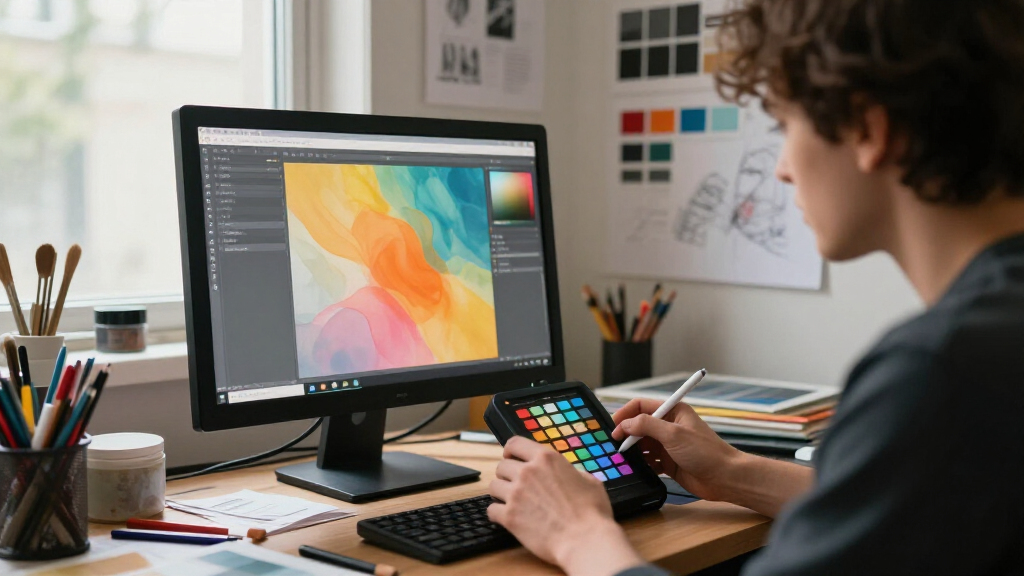
Choosing the best monitor calibration tools for artists is crucial for achieving accurate colors and consistent results across your digital workspace. The Calibrite Photo Kit stands out as the overall best for its comprehensive color accuracy and versatile calibration options. For those focused on detailed photo editing, the Calibrite ColorChecker Display Pro offers professional-grade calibration with intuitive controls. The main tradeoffs involve balancing ease of use, calibration accuracy, and cost—more advanced tools tend to offer better precision but come with higher prices and complexity. Keep reading to explore these options in detail and find the best fit for your creative needs.

Get audio and creator gear delivered free with Prime
- Fast, free delivery on millions of items
- Prime Video, Amazon Music and more included
- Member-only deals all year
Complete the kit


Key Takeaways
- The Calibrite Photo Kit offers the most comprehensive solution for artists needing accurate color across multiple devices.
- Calibration speed and ease of use vary significantly; professional-grade tools often require more setup time.
- Price is a major factor—more affordable options like the Spyder X Pro provide excellent calibration for hobbyists or casual artists.
- Compatibility with different display types (LCD, OLED, Mini LED) influences choice, with some tools optimized for specific panels.
- High-end tools deliver more precise calibration and better long-term consistency, but may be unnecessary for casual users.
| Calibrite Photo Kit with Display Pro HL Monitor Calibration Colorimeter and ColorChecker Passport Photo 2 |  | Best Overall for Professional Photo Workflows | Includes: Display Pro HL colorimeter, ColorChecker Passport Photo 2, Calibrite PROFILER software | Supports: Custom camera profiles, monitor calibration for mini LED OLED and Apple XDR | Workflow: Capture to edit color workflow, camera profiling, monitor calibration | VIEW LATEST PRICE | See Our Full Breakdown |
| Calibrite ColorChecker Display Pro (CCDIS3) |  | Best for Versatile Professional Calibration | Compatibility: ccProfiler or i1Profiler software | Features: Rotatable diffuser arm, integrated tripod mount, ambient light measurement | VIEW LATEST PRICE | See Our Full Breakdown | |
| Calibrite Display 123 Monitor Calibration Colorimeter for Photo Editing and Color Accurate Viewing |  | Best Compact for Quick, Accurate Calibration | Connection: USB C | Supports: 2 displays | Size: 34mm tall x 37mm diameter | VIEW LATEST PRICE | See Our Full Breakdown |
| Datacolor Spyder Celebration Kit – Monitor Calibrator & Color Checker |  | Best for All-in-One Color Calibration and White Balance | Includes: Monitor calibrator, Spyder Cube, Spyder Checkr 24 | Compatibility: OLED, mini-LED, XDR Retina Display | Purpose: Color calibration, white balance, color correction | VIEW LATEST PRICE | See Our Full Breakdown |
| Datacolor Spyder X Pro Monitor Calibrator |  | Best for Easy, Fast, Multi-Monitor Calibration | Color engine: Lens-based | Calibration targets: 12 predefined | Calibration time: 1-2 minutes | VIEW LATEST PRICE | See Our Full Breakdown |
| Datacolor SpyderPro Monitor Calibrator & Screen Color Calibration Tool |  | Best Overall for Professional Color Accuracy | Compatibility: Windows 10/11, macOS 10.14-14 | Connectivity: USB-C cable included | Supported Devices: Unlimited displays | VIEW LATEST PRICE | See Our Full Breakdown |
| Calibrite Display Pro HL Monitor Calibration Colorimeter for LCD, Mini LED, and OLED Displays |  | Best for High Luminance and Multi-Display Consistency | Measurement Range: up to 3000 nits | Display Compatibility: LCD, Mini LED, OLED, Apple XDR, projectors | Software: Calibrite PROFILER for Mac and Windows | VIEW LATEST PRICE | See Our Full Breakdown |
| Calibrite Creator Kit with Display 123 Colorimeter and ColorChecker Passport Video 2 |  | Best for Photography and Filmmaking Color Workflow | Includes: Display 123 colorimeter, ColorChecker Passport Video 2 | Purpose: Monitor calibration, video and photo capture control | Designed for: Photography, filmmaking, color management | VIEW LATEST PRICE | See Our Full Breakdown |
| monitor calibration tools for artist | Compatibility | Features |
|---|---|---|
| Calibrite Photo Kit with Displ | Modern displays including mini LED OLED and Apple XDR | — |
| Calibrite ColorChecker Display | ccProfiler or i1Profiler software | Rotatable diffuser arm, integrated tripod mount, ambient light measurement |
| Calibrite Display 123 Monitor | — | Before and after check, adjustable counterweight |
| Datacolor Spyder Celebration K | OLED, mini-LED, XDR Retina Display | — |
| Datacolor Spyder X Pro Monitor | — | Room-light monitoring, automatic profile changing, before-and-after evaluation |
| Datacolor SpyderPro Monitor Ca | Windows 10/11, macOS 10.14-14 | Gamma, whitepoint, brightness adjustments, projector calibration, display analysis, automatic room light switching |
| Calibrite Display Pro HL Monit | — | — |
| Calibrite Creator Kit with Dis | — | — |
More Details on Our Top Picks
Calibrite Photo Kit with Display Pro HL Monitor Calibration Colorimeter and ColorChecker Passport Photo 2
This kit stands out for its comprehensive approach to color management, combining a high-luminance Display Pro HL colorimeter with the versatile ColorChecker Passport Photo 2. It excels in professional photo editing, especially when precise camera profiles are essential, offering a workflow that captures, edits, and calibrates seamlessly. Compared with the Calibrite Display 123, this kit provides more advanced calibration capabilities and supports high-end displays like mini LED OLED and Apple XDR, making it ideal for high-fidelity color work. The tradeoff is that it requires a steeper learning curve and higher investment, which may not suit casual users. Overall, this makes the most sense for professional photographers needing accurate, consistent color across complex workflows.
Pros:- Supports custom camera profiles for RAW workflows, ensuring color accuracy from capture to edit
- Includes comprehensive software for detailed color management
- Accurate calibration for high-luminance displays like mini LED OLED and Apple XDR
Cons:- Requires some technical expertise to operate optimally
- Higher cost may be prohibitive for casual photographers
Best for: Professional photographers and high-end retouchers who need precise color and camera profiling.
Not ideal for: Casual hobbyists or those with limited technical knowledge who prefer simpler, plug-and-play tools.
- Includes:Display Pro HL colorimeter, ColorChecker Passport Photo 2, Calibrite PROFILER software
- Supports:Custom camera profiles, monitor calibration for mini LED OLED and Apple XDR
- Workflow:Capture to edit color workflow, camera profiling, monitor calibration
- Compatibility:Modern displays including mini LED OLED and Apple XDR
Our verdict“This kit is best suited for professionals demanding meticulous color fidelity in complex workflows.”
Calibrite ColorChecker Display Pro (CCDIS3)
The Calibrite ColorChecker Display Pro stands out for its high repeatability and broad compatibility, suited for professionals needing consistent color across various display types and projectors. Its rotatable diffuser arm and tripod mount add flexibility, making it adaptable for different environments. Compared with the Calibrite Display 123, it offers more features for ambient light measurement and is better suited for multi-device calibration, but it relies heavily on compatible software like ccProfiler or i1Profiler for full functionality. Its complexity might be a hurdle for beginners, and the price is not specified, which could be a concern for budget-conscious users. This tool best serves color professionals working across multiple display and projection systems.
Pros:- High repeatability ensures consistent color calibration over time
- Versatile with features like diffuser arm and tripod mount for flexible setup
- Compatible with popular calibration software for advanced control
Cons:- Requires software for full calibration capabilities
- May be complex for users new to color management
Best for: Color managers and professionals calibrating a variety of display and projection devices.
Not ideal for: Beginners or users with simple single-monitor setups, due to its complexity and higher learning curve.
- Compatibility:ccProfiler or i1Profiler software
- Features:Rotatable diffuser arm, integrated tripod mount, ambient light measurement
Our verdict“Ideal for professionals managing multiple display and projection environments needing reliable, repeatable calibration.”
Calibrite Display 123 Monitor Calibration Colorimeter for Photo Editing and Color Accurate Viewing
The Calibrite Display 123 offers a compact, straightforward calibration experience, making it ideal for photographers and creators who need fast, reliable color adjustments. Its simple 1-2-3 software workflow facilitates quick calibration, supporting up to two monitors—suitable for dual-screen setups without the complexity of larger tools. Compared with the Calibrite ColorChecker Display Pro, it sacrifices some advanced features for ease of use and portability, but the limited support for more than two monitors makes it less ideal for multi-monitor workflows. Its reliance on USB C may limit compatibility with older devices. This pick makes the most sense for creators who prioritize simplicity and speed over extensive calibration features.
Pros:- User-friendly with guided 1-2-3 calibration process
- Supports calibration of two displays with instant before-and-after comparison
- Compact size makes it easy to store and transport
Cons:- Limited to two monitors, not suitable for larger setups
- Requires USB C port, which may not be available on older systems
Best for: Photographers and creators with a dual-monitor setup seeking fast, accurate calibration.
Not ideal for: Multi-monitor professionals or those needing extensive ambient light measurement features, due to its limited support and size.
- Connection:USB C
- Supports:2 displays
- Size:34mm tall x 37mm diameter
- Features:Before and after check, adjustable counterweight
Our verdict“Best suited for creators needing a quick, portable, and accurate dual-monitor calibration tool.”
Datacolor Spyder Celebration Kit – Monitor Calibrator & Color Checker
The Datacolor Spyder Celebration Kit includes multiple tools—a monitor calibrator, Spyder Cube, and Spyder Checkr 24—delivering a comprehensive solution for photographers seeking accurate colors from capture through display. Its versatility shines when working with various monitor technologies like OLED, mini-LED, and XDR Retina, offering a broad scope of color correction. Compared to the Spyder X Pro, this kit provides additional tools for white balance and color checking, but it may require more technical skill to utilize all components effectively. The price is not listed, which could be a consideration for casual users. This kit is a strong choice for users needing an all-encompassing color management system for professional workflows.
Pros:- Includes multiple tools for comprehensive color and white balance management
- Compatible with advanced display technologies like OLED and mini-LED
- Ensures consistent, accurate color calibration across devices
Cons:- May require technical knowledge for effective use
- Price may be high for casual or hobbyist users
Best for: Photographers and colorists who want an all-in-one setup for calibration, white balance, and color checking.
Not ideal for: Beginners or casual users who prefer simple, single-tool solutions, as it involves multiple components and setup.
- Includes:Monitor calibrator, Spyder Cube, Spyder Checkr 24
- Compatibility:OLED, mini-LED, XDR Retina Display
- Purpose:Color calibration, white balance, color correction
Our verdict“A versatile, all-in-one kit best for professionals needing detailed color and white balance control.”
Datacolor Spyder X Pro Monitor Calibrator
The Datacolor Spyder X Pro is designed for users seeking quick, reliable calibration with minimal fuss. Its lens-based color engine and predefined targets enable fast calibration times—typically 1-2 minutes—making it suitable for busy workflows. It supports multiple displays and offers room-light monitoring, which helps maintain consistent color under different ambient conditions. Compared with the Calibrite Display 123, the Spyder X Pro offers more advanced room-light features and a more streamlined calibration process, though it may cost more. Setup for multiple monitors is straightforward but requires some initial configuration. This tool makes the most sense for photographers and designers who need fast, accurate results without complex workflows.
Pros:- Quick calibration process with automatic profile updates
- Supports multiple monitors for consistent color across screens
- Includes room-light monitoring for adaptable calibration
Cons:- May be more expensive than basic calibration tools
- Requires setup for multiple displays to maximize benefits
Best for: Photographers, designers, and creatives managing multiple monitors who value speed and simplicity.
Not ideal for: Users requiring extensive color management tools or detailed calibration beyond basic needs, due to its streamlined focus.
- Color engine:Lens-based
- Calibration targets:12 predefined
- Calibration time:1-2 minutes
- Supports multiple displays:Yes
- Features:Room-light monitoring, automatic profile changing, before-and-after evaluation
Our verdict“Ideal for users needing fast, reliable calibration across several displays with minimal setup effort.”
Datacolor SpyderPro Monitor Calibrator & Screen Color Calibration Tool
The Datacolor SpyderPro stands out as the most comprehensive option in this lineup, offering precise calibration for a wide array of display types and advanced features like projector calibration and room light adjustment. Compared with the Calibrite Display Pro HL, it supports more display types and includes more user-friendly options, making it suitable for professionals needing detailed control. Its multi-language interface and versatile capabilities are ideal for studios or serious hobbyists, but its complexity can be overwhelming for casual users. The software’s broad functionality comes with a learning curve and a higher price point, which might deter those with simple calibration needs. Supports Windows 10/11, macOS 10.14-14, USB-C connectivity, and unlimited displays. This pick is best suited for users who demand top-tier accuracy and flexibility in their calibration workflow, despite a steeper investment and a potentially steeper learning curve.
Pros:- Ensures highly accurate color calibration across diverse display types
- Supports projector calibration and automatic room light adjustments
- User-friendly interface with multi-language support
Cons:- May be complex for users unfamiliar with calibration procedures
- Price and availability are not specified, potentially limiting accessibility
Best for: Professional photographers, video editors, and designers needing advanced, multi-device calibration.
Not ideal for: Casual users or hobbyists seeking quick, straightforward calibration without extensive setup or cost.
- Compatibility:Windows 10/11, macOS 10.14-14
- Connectivity:USB-C cable included
- Supported Devices:Unlimited displays
- Features:Gamma, whitepoint, brightness adjustments, projector calibration, display analysis, automatic room light switching
Our verdict“This is the ideal choice for professionals who require versatile, precise calibration tools and are comfortable with a more involved process.”
Calibrite Display Pro HL Monitor Calibration Colorimeter for LCD, Mini LED, and OLED Displays
The Calibrite Display Pro HL is designed for users working with high brightness displays, supporting calibration up to 3000 nits, making it ideal for OLEDs, mini LED, and Apple XDR screens. Unlike the Datacolor SpyderPro, which offers broad compatibility, the Display Pro HL specializes in high-luminance environments and detailed profiling, making it perfect for professionals in high-end display workflows. While its advanced features and support for multiple display types are impressive, the setup process and need for software installation may pose a barrier for some, especially those new to calibration. Its price point reflects its professional-grade capabilities, which might be excessive for casual users. Measurement range up to 3000 nits, compatibility with LCD, OLED, mini LED, Apple XDR, and projectors, and robust profiling tools make it a powerful tool in demanding visual environments.
Pros:- Supports calibration up to 3000 nits for high-luminance displays
- Compatible with multiple display types including OLED and projectors
- Offers advanced profiling and validation tools for consistent color
Cons:- Requires installation and setup of calibration software
- Higher cost may be a barrier for casual users
Best for: Color-conscious professionals working with HDR and high-brightness displays needing precise, multi-screen calibration.
Not ideal for: Casual or entry-level users who only require basic calibration or have budget constraints, as it’s more expensive and complex.
- Measurement Range:up to 3000 nits
- Display Compatibility:LCD, Mini LED, OLED, Apple XDR, projectors
- Software:Calibrite PROFILER for Mac and Windows
- Connection:USB C with USB A adapter
- Mounting:1/4″ mount thread
- Included Accessories:Travel storage pouch
Our verdict“This is best suited for professionals working with HDR or high-brightness displays who need detailed, accurate calibration across multiple screens.”
Calibrite Creator Kit with Display 123 Colorimeter and ColorChecker Passport Video 2
The Calibrite Creator Kit combines a dedicated monitor calibration device with a professional color reference for video and photo work. Unlike the SpyderPro or Display Pro HL, which focus solely on display calibration, this kit integrates tools for camera and lighting consistency, making it particularly valuable for photographers and videographers. Its workflow simplifies managing multiple devices and lighting conditions, reducing trial-and-error adjustments. However, setting up both the monitor and camera calibration tools can be technically involved, and the price may be a concern for hobbyists. Despite that, it offers a comprehensive solution for those aiming for consistent, professional-grade color management across devices, cameras, and lighting conditions.
Pros:- Ensures consistent color across monitors and cameras
- Integrates monitor calibration with camera exposure and white balance control
- Simplifies workflow for professional photography and filmmaking
Cons:- May require technical knowledge to set up and use effectively
- Price is higher compared to standalone calibration tools
Best for: Professional photographers and videographers aiming for consistent color across monitors, cameras, and lighting setups.
Not ideal for: Users looking exclusively for simple monitor calibration or with limited budgets, as the full kit involves some setup complexity and cost.
- Includes:Display 123 colorimeter, ColorChecker Passport Video 2
- Purpose:Monitor calibration, video and photo capture control
- Designed for:Photography, filmmaking, color management
Our verdict“This kit is an excellent choice for professionals who need integrated color management for both display and camera workflows, despite its complexity and cost.”

How We Picked
To evaluate these monitor calibration tools, I focused on key factors that matter most to artists: calibration accuracy, ease of use, build quality, compatibility with various display types, and overall value. We considered how straightforward each tool is to operate, especially for those without technical backgrounds, and how well they maintain calibration over time. Cost was also a significant criterion, balancing affordability against precision. The ranking reflects a combination of these factors, prioritizing tools that deliver reliable, repeatable results for both professional and hobbyist artists.| monitor calibration tools for artist | Compatibility | Features |
|---|---|---|
| Calibrite Photo Kit with Displ | Modern displays including mini LED OLED and Apple XDR | — |
| Calibrite ColorChecker Display | ccProfiler or i1Profiler software | Rotatable diffuser arm, integrated tripod mount, ambient light measurement |
| Calibrite Display 123 Monitor | — | Before and after check, adjustable counterweight |
| Datacolor Spyder Celebration K | OLED, mini-LED, XDR Retina Display | — |
| Datacolor Spyder X Pro Monitor | — | Room-light monitoring, automatic profile changing, before-and-after evaluation |
| Datacolor SpyderPro Monitor Ca | Windows 10/11, macOS 10.14-14 | Gamma, whitepoint, brightness adjustments, projector calibration, display analysis, automatic room light switching |
| Calibrite Display Pro HL Monit | — | — |
| Calibrite Creator Kit with Dis | — | — |
Factors to Consider When Choosing Best Monitor Calibration Tools For Artists
When selecting a monitor calibration tool for artistic work, understanding a few critical factors can help you find the right fit. Calibration accuracy is paramount, but so is ease of use—especially if you prefer a quick setup without sacrificing quality. Compatibility with your display technology ensures the device will work effectively, while price can influence your decision based on your budget and needs. Additionally, consider how often you’ll calibrate and whether you want features like ambient light measurement or software flexibility. Being aware of these broader considerations helps avoid common pitfalls like overpaying for features you don’t need or choosing a tool incompatible with your monitor.Calibration Accuracy and Color Fidelity
The primary goal of any calibration tool is to ensure your display shows colors accurately. Higher-end devices typically offer more precise color measurements and better color management, which is essential for detailed work like photo editing or digital painting. Cheaper options might suffice for general use but could lead to discrepancies in color-critical projects. Look for tools that support wide color gamuts and offer detailed profile adjustments to get the most accurate results for your specific workflow.
Ease of Use and Software Interface
Ease of operation can dramatically influence your calibration experience. Some tools come with user-friendly interfaces and guided calibration processes, making them accessible even for beginners. Others may require more technical knowledge, detailed settings, and manual adjustments. Consider whether you prefer a straightforward, automatic process or are comfortable with more manual control for fine-tuning. A more intuitive setup reduces errors and saves time, especially if you calibrate frequently.
Display Compatibility and Device Support
Not all calibration tools work equally well across different display types. Some are optimized for LCDs, while others excel with OLED or Mini LED panels. Verify that the device supports your specific monitor technology to ensure accurate measurements. Also, check if the software is compatible with your operating system and whether it can calibrate multiple monitors if needed. Compatibility issues can lead to inaccurate profiles or limited functionality, undermining your color accuracy goals.
Cost and Long-term Value
Price varies widely among calibration tools, from budget-friendly options to expensive professional-grade devices. While investing in a premium tool can improve calibration precision and longevity, it’s important to assess whether your needs justify the expense. For hobbyists or casual artists, a mid-range device may provide sufficient accuracy at a better price point. Remember that some tools include bundled software or extra features that add value, so consider the overall package rather than just the initial cost.
Additional Features and Software Flexibility
Features like ambient light measurement, automatic calibration, and software updates can enhance your workflow. Some tools offer extensive customization options, allowing you to tailor calibration profiles to specific projects or viewing environments. Software that integrates well with your existing color management workflows or offers cloud storage for profiles can be advantageous. However, more features often mean a steeper learning curve, so weigh their importance against your technical comfort level and actual needs.
Frequently Asked Questions
How often should I calibrate my monitor as an artist?
For artists, calibrating your monitor at least once a month is recommended, especially if you work on color-critical projects. Displays can drift over time due to temperature changes, aging, or software updates. Regular calibration ensures your colors remain consistent, which is vital for accurate editing and printing. If you notice colors looking off or if you switch between different monitors, more frequent calibration might be necessary to maintain workflow consistency.
Can I calibrate my laptop monitor with these tools?
Yes, most of these calibration tools are compatible with laptop displays, provided the device supports your display type and your laptop allows calibration via external hardware. However, calibration on laptops can sometimes be less precise due to their integrated, non-upgradable screens. For critical color work, consider using a dedicated external monitor calibrated regularly, as this typically yields more reliable results than trying to calibrate a built-in laptop display alone.
Is it worth investing in a professional-grade calibration tool as an amateur artist?
Investing in a professional-grade calibration tool can be worthwhile if you need highly accurate color representation for prints or client work. These devices typically offer better precision, stability, and features, which benefit serious hobbyists or semi-professionals. However, if your work is primarily for personal projects or casual use, a mid-range or budget option may suffice. Consider your specific needs, budget, and how much you rely on color accuracy before making the investment.
How important is software compatibility for calibration tools?
Software compatibility is critical because it determines how well the calibration device integrates into your workflow. Some tools come with proprietary software that’s easy to use and offers detailed controls, while others support third-party color management systems like DisplayCAL or X-Rite software. Ensuring your calibration software works reliably with your operating system and editing programs minimizes issues and helps maintain consistent results across your projects.
Should I choose a calibration device based on my monitor type?
Absolutely. Different monitors—such as LCD, OLED, or Mini LED—may require specific calibration approaches or compatible devices for optimal results. Some calibration tools are designed with particular display technologies in mind, offering more accurate measurements. Confirm the device supports your monitor type before purchasing to avoid inaccuracies or the need for workarounds, ensuring your calibration process is both effective and efficient.
Conclusion
For most artists seeking a reliable, all-around solution, the Calibrite Photo Kit offers excellent overall performance with broad compatibility. Those prioritizing affordability and ease of use may find the Spyder X Pro to be a compelling choice. Professionals or those requiring maximum precision should consider the Calibrite Display Pro HL or similar high-end options, especially if working with OLED or Mini LED displays. Beginners or casual artists benefit from user-friendly tools, while seasoned professionals should invest in calibration accuracy and software flexibility. Ultimately, your choice hinges on your workflow, budget, and calibration needs.
Halloween Picks
halloween
As an affiliate, we earn on qualifying purchases.