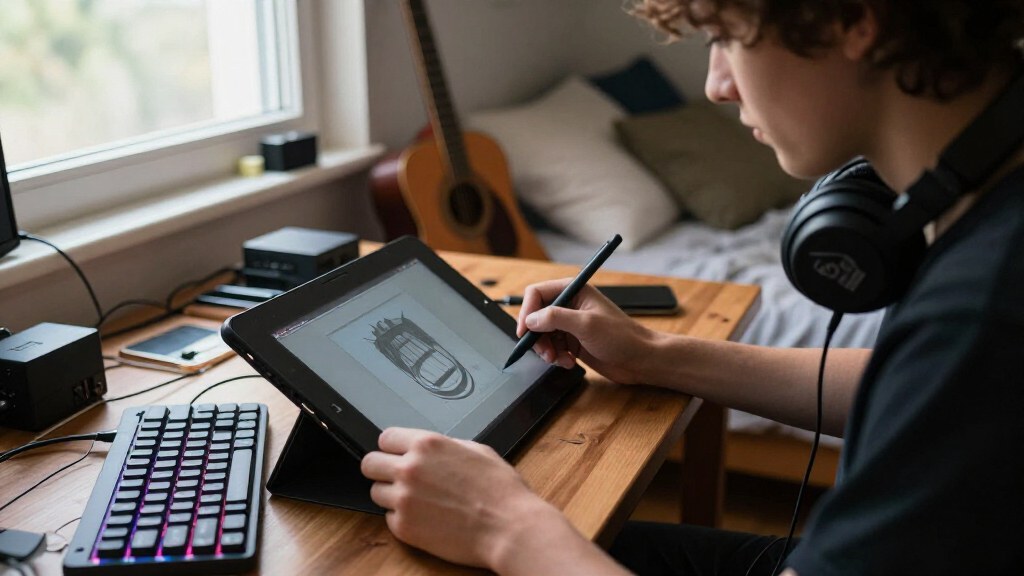

When searching for the best drawing tablets for osu players, the focus is on speed, precision, and responsiveness. The Huion Drawing Tablet 420 OSU stands out for its compact size and affordability, making it perfect for quick, accurate hits. The Wacom Intuos Small offers reliable performance with its pressure-sensitive pen, ideal for players wanting a smooth experience. Tradeoffs often involve balancing size, sensitivity, and price, which can be confusing. Keep reading for a detailed breakdown of the top options to help you find the perfect fit for your gameplay.
Listen free for 30 days with Audible
Thousands of audiobooks and originals — cancel anytime.
Start your free trialAs an affiliate, we earn on qualifying purchases.
Complete the kit



Key Takeaways
- Size and portability are key factors, with smaller tablets often favored for quick, precise movements in osu.
- High pressure sensitivity is less critical for osu, so affordable options with basic responsiveness perform well.
- Build quality and durability matter for long-term use, especially if you travel with your tablet.
- Shortcut keys and customization can enhance gameplay but are less important than responsiveness and size.
- Performance tradeoffs often involve sacrificing advanced features for lower prices or compact design.
| Huion Drawing Tablet 420 OSU Tablet Graphics Tablet with Digital Stylus |  | Best Compact and Budget-Friendly for OSU Beginners | Active Area: 4 x 2.23 inches | Thickness: 7mm | Weight: 165g | VIEW LATEST PRICE | See Our Full Breakdown |
| Wacom Intuos Small Wired Graphic Drawing Tablet with Pen and Software |  | Best for Precision and Paper-Like Feel in Digital Art | Technology: EMR | Connectivity: Wired | Size: Small | VIEW LATEST PRICE | See Our Full Breakdown |
| Huion H420X Drawing Tablet with 8192 Level Pen Pressure |  | Best for Portability and High Sensitivity on the Go | Active Area: 4.17 x 2.6 inches | Pen Pressure Levels: 8192 | Report Rate: 300 PPS | VIEW LATEST PRICE | See Our Full Breakdown |
| XPPen Deco 01 V3 10×6 Drawing Tablet with Battery-Free Stylus and 8 Shortcut Keys |  | Best for Large Canvas and Versatile Connectivity | Active Area: 10 x 6.25 inches | Pressure Sensitivity: 16,384 levels | Stylus: Battery-free, tilt support | VIEW LATEST PRICE | See Our Full Breakdown |
| XPPen G430S OSU Drawing Tablet with Battery-Free Stylus, 4×3 Inch Ultrathin Graphic Tablet for Windows and Mac |  | Best for Portable OSU Play and Compact Art | Active Area: 4 x 3 inches | Pressure Sensitivity: 8192 levels | Stylus: Battery-free PN01 | VIEW LATEST PRICE | See Our Full Breakdown |
| Huion HS64 OSU Drawing Tablet for Beginners |  | Best for Versatile Compatibility and Portability | Compatibility: Linux (Ubuntu), Mac, Windows, Android 6.0+ | Active Area: 6.3 x 4 inches | Pen Sensitivity: 8192 levels | VIEW LATEST PRICE | See Our Full Breakdown |
| Huion H420 OSU Drawing Tablet 4×2.2 inch |  | Best for Budget-Conscious Beginners and Kids | Active Area: 4 x 2.2 inches | Thickness: 7mm | Weight: 165g | VIEW LATEST PRICE | See Our Full Breakdown |
| Huion Inspiroy H430P Drawing Tablet with 4 Hot Keys |  | Best for Portable Efficiency and Multi-OS Support | Active Area: 4.8 x 3 inches | Pressure Sensitivity: 4096 levels | Report Rate: 233 PPS | VIEW LATEST PRICE | See Our Full Breakdown |
| GAOMON S620 Graphics Drawing Tablet, 6.5×4 inches |  | Best for High Sensitivity and Professional Use | Active Area: 6.5 x 4 inches | Pressure Levels: 8192 | Resolution: 5080 LPI | VIEW LATEST PRICE | See Our Full Breakdown |
| drawing tablets for osu player | Active Area | Compatibility |
|---|---|---|
| Huion Drawing Tablet 420 OSU T | 4 x 2.23 inches | Windows 7+, Mac OS 10.12+ |
| Wacom Intuos Small Wired Graph | — | — |
| Huion H420X Drawing Tablet wit | 4.17 x 2.6 inches | Windows, Mac, Android |
| XPPen Deco 01 V3 10×6 Drawing | 10 x 6.25 inches | — |
| XPPen G430S OSU Drawing Tablet | 4 x 3 inches | — |
| Huion HS64 OSU Drawing Tablet | 6.3 x 4 inches | Linux (Ubuntu), Mac, Windows, Android 6.0+ |
| Huion H420 OSU Drawing Tablet | 4 x 2.2 inches | Windows 7+, Mac OS 10.8+ |
| Huion Inspiroy H430P Drawing T | 4.8 x 3 inches | Linux, MacOS 10.11+, Windows 7+, Android 6.0+ |
| GAOMON S620 Graphics Drawing T | 6.5 x 4 inches | — |
More Details on Our Top Picks
Huion Drawing Tablet 420 OSU Tablet Graphics Tablet with Digital Stylus
This model stands out for its affordability and portability, making it an attractive choice for newcomers to OSU and casual players. Compared to larger tablets like the XPPen Deco 01 V3, the Huion 420 offers a smaller active area, which might limit precision during intense gameplay or detailed artwork. Its plug-and-play setup ensures quick start-up, but the limited features mean it lacks customizable buttons and advanced pressure sensitivity, making it less suitable for more serious digital artists. Its slim profile and compatibility with multiple devices make it ideal for those with limited desk space or who need a tablet on the go. However, the absence of support for iOS or Android devices restricts flexibility for mobile users.
Pros:- Affordable and easy to set up
- Compact and lightweight for portability
- Compatible with many software and devices
Cons:- Limited active drawing area restricts precision
- No support for iOS or Android devices
Best for: Beginners and casual OSU players who prioritize portability and affordability.
Not ideal for: Advanced artists or gamers seeking a larger active area or more customizable controls.
- Active Area:4 x 2.23 inches
- Thickness:7mm
- Weight:165g
- Compatibility:Windows 7+, Mac OS 10.12+
- System Requirements:USB port
- Features:Plug and play, customizable side button
Our verdict“This tablet is perfect for beginners looking for a small, budget-friendly option for OSU and casual art.”
Wacom Intuos Small Wired Graphic Drawing Tablet with Pen and Software
This pick makes the most sense for those who value precision, thanks to Wacom’s industry-leading EMR technology, which offers a natural pen-on-paper feel. Compared with the Huion 420, the Wacom Intuos Small provides higher accuracy and a more responsive experience, especially for detailed work or fast-paced OSU gameplay. Its wired connection might limit portability for on-the-go users, but ensures consistent responsiveness. The included software and online training make it a strong choice for beginners or those wanting to refine their skills. The small size may be a drawback for users who prefer larger drawing areas, but it’s perfect for tight spaces and travel.
Pros:- High precision with EMR technology
- Feels natural, similar to paper
- Includes software and training resources
Cons:- Wired connection limits portability
- Small active area may restrict detailed work
Best for: Serious OSU players and digital artists who need precise control and a natural drawing experience.
Not ideal for: Users seeking wireless freedom or larger drawing surfaces for detailed art projects.
- Technology:EMR
- Connectivity:Wired
- Size:Small
- Included Software:Yes
- Training Included:Yes
Our verdict“Ideal for users prioritizing accuracy and a natural feel, especially in competitive OSU gaming and detailed digital art.”
Huion H420X Drawing Tablet with 8192 Level Pen Pressure
This model excels in offering high-pressure sensitivity with 8192 levels, making it well-suited for both detailed artwork and precise OSU gameplay. Compared with the Huion 420, the H420X introduces a more refined pen experience and compatibility with Android devices, broadening its use cases. Its compact size makes it easy to carry, but the limited active drawing area might not satisfy artists working on larger or more complex projects. The plug-and-play feature ensures quick setup, but the absence of customizable buttons on the pen might be a downside for power users who prefer shortcut controls. It’s a good choice for mobile artists and casual gamers who need a lightweight, sensitive device.
Pros:- High pen pressure sensitivity
- Compact and lightweight design
- Plug and play with multiple devices
Cons:- Limited active drawing area
- No customizable pen buttons
Best for: On-the-move OSU players and casual digital artists seeking portability and high sensitivity.
Not ideal for: Those needing a large drawing surface or advanced shortcut customization.
- Active Area:4.17 x 2.6 inches
- Pen Pressure Levels:8192
- Report Rate:300 PPS
- Compatibility:Windows, Mac, Android
- Thickness:7mm
Our verdict“This tablet suits mobile users who want high sensitivity and easy portability for OSU and sketching.”
XPPen Deco 01 V3 10×6 Drawing Tablet with Battery-Free Stylus and 8 Shortcut Keys
This tablet offers a large 10×6.25-inch active area, making it ideal for detailed artwork and precise OSU gameplay. Compared with smaller options like the Huion H420X, it provides more space for complex gestures and extended play sessions. Its 16,384 pressure levels and tilt support make it suitable for serious digital artists, though the need for software updates on newer OS versions like Windows 11 could be a minor inconvenience. The 8 shortcut keys add convenient control, but some users may find the number limiting compared to higher-end models with more customizable buttons. Its versatility across platforms makes it a strong all-around choice for artists and gamers who value space and flexibility.
Pros:- Large active drawing area
- High pressure sensitivity with tilt support
- Multi-device connectivity
Cons:- Requires software updates for full compatibility
- Limited to 8 shortcut keys
Best for: Intermediate to advanced artists and dedicated OSU players who want a large drawing surface and multi-device compatibility.
Not ideal for: Beginners or users seeking a simple, plug-and-play experience with minimal setup.
- Active Area:10 x 6.25 inches
- Pressure Sensitivity:16,384 levels
- Stylus:Battery-free, tilt support
- Connectivity:USB-C, adapters
- Dimensions:8 mm thin
Our verdict“Best suited for users who need a spacious, versatile tablet for detailed art and intense OSU gameplay.”
XPPen G430S OSU Drawing Tablet with Battery-Free Stylus, 4×3 Inch Ultrathin Graphic Tablet for Windows and Mac
This ultra-thin 4×3-inch tablet is designed specifically for OSU gameplay, offering high 8192 pressure levels and a battery-free stylus for smooth, consistent control. Compared with the Huion H420X, it’s more portable and easier to carry around, making it perfect for quick sessions or travel. Its small active area, however, could be a drawback for users who prefer more space for detailed work or multi-finger gestures. Compatibility with both Windows and Mac systems makes it flexible, but the need for driver installation and permission adjustments on Mac might slow down setup. It’s a solid choice for mobile OSU players and those who want a simple, dedicated device for gameplay and light art projects.
Pros:- High pressure sensitivity
- Ultra-thin and portable
- Compatible with Windows and Mac
Cons:- Small active area limits detailed work
- Requires driver setup on Mac
Best for: Mobile OSU players and casual artists seeking a tiny, highly portable device.
Not ideal for: Users who need larger drawing areas or advanced shortcut options for detailed work.
- Active Area:4 x 3 inches
- Pressure Sensitivity:8192 levels
- Stylus:Battery-free PN01
- Thickness:2 mm
- Connection:Micro USB
Our verdict“This tablet is best for mobile OSU players and casual users who prioritize portability over workspace size.”
Huion HS64 OSU Drawing Tablet for Beginners
The Huion HS64 stands out for its ability to work across multiple operating systems, including Linux, Android, Mac, and Windows, making it a flexible choice for OSU players who switch devices or participate in various setups. Compared to the GAOMON S620, it offers a larger active area (6.3 x 4 inches versus 6.5 x 4 inches), though the smaller size of the S620 can be more portable for travel. The HS64’s battery-free pen with 8192 pressure levels provides more precision than basic models, but it lacks advanced customization found in higher-end tablets. Its compact design favors users who need a lightweight, portable option, but the limited active area may hinder detailed work or complex gestures. The HS64’s plug-and-play simplicity is ideal for beginners, especially students, who want a device that works out of the box without extensive setup.
Pros:- Compatible with Linux, Android, Mac, and Windows, offering flexible device use
- High pen pressure sensitivity (8192 levels) for precise control
- Compact, lightweight, and portable for on-the-go use
- No driver installation needed for basic operation
Cons:- Limited active drawing area may restrict detailed artwork
- Requires OTG adapter for Android devices, adding extra setup
- Basic features may lack advanced customization options
Best for: Beginners and students who need a versatile, portable tablet compatible with multiple operating systems
Not ideal for: Advanced artists or those requiring large, detailed workspaces, as the active area is somewhat limited
- Compatibility:Linux (Ubuntu), Mac, Windows, Android 6.0+
- Active Area:6.3 x 4 inches
- Pen Sensitivity:8192 levels
- Resolution:5080 LPI
- Interface:Micro USB
- Number of Express Keys:4
Our verdict“This tablet suits beginners and students who value cross-platform compatibility and portability over large drawing areas.”
Huion H420 OSU Drawing Tablet 4×2.2 inch
The Huion H420 excels as an affordable, compact tablet perfect for newcomers and younger users who want to try OSU or basic drawing without investing heavily. Its tiny 4 x 2.2-inch active area makes it much smaller than the GAOMON S620, which can limit detailed gameplay or artwork, but this size favors portability and ease of use. While it offers a responsive digital pen, it does not specify pressure sensitivity, unlike higher-end models, so it’s better suited for casual use rather than precise control. The plug-and-play setup simplifies use for beginners, and the three on-tablet plus two on-pen shortcut keys improve workflow. However, the minimal active area and lack of pressure sensitivity mean it’s less suitable for serious players or artists seeking nuanced control.
Pros:- Very affordable, making it accessible for new users
- Compact and lightweight, ideal for travel or small desks
- Plug-and-play setup for fast, easy use
- Includes multiple shortcut keys for efficiency
Cons:- Extremely limited active drawing area, unsuitable for detailed work
- Lack of specified pressure sensitivity reduces control for nuanced gameplay
- Basic features may not satisfy experienced users
Best for: Beginners, kids, and casual OSU players seeking an inexpensive, straightforward device for light play and practice
Not ideal for: Advanced players or artists who need larger canvases or pressure sensitivity for precision gameplay and drawing
- Active Area:4 x 2.2 inches
- Thickness:7mm
- Weight:165g
- Express Keys:3 on tablet, 2 on pen
- Compatibility:Windows 7+, Mac OS 10.8+
- Software Compatibility:Photoshop, Paint Tool SAI, Illustrator, CorelDRAW, Sketchbook, Manga Studio
Our verdict“This tablet is best for beginners and kids testing the waters of OSU or casual drawing without a high price tag.”
Huion Inspiroy H430P Drawing Tablet with 4 Hot Keys
The Huion Inspiroy H430P offers a practical balance of portability and functionality for OSU players who value quick setup and multi-platform support. Its 4.8 x 3-inch active area is compact but still suitable for quick gestures and basic gameplay. Compared to the Huion HS64, it features a slightly smaller active area but adds customizable hot keys, boosting workflow efficiency. The battery-free pen with 4096 pressure levels provides a natural drawing experience, yet it doesn’t match the high sensitivity of more advanced models like the GAOMON S620. Its support for Linux, Android, and multiple OS makes it a versatile tool for multi-device users, but the limited active area can hinder more detailed or expansive gameplay sessions.
Pros:- Supports multiple operating systems including Linux and Android
- Portable and lightweight, easy to carry
- Battery-free pen with 4096 pressure levels for natural control
- Customizable hot keys for faster workflow
Cons:- Limited active drawing area may restrict complex gestures
- Lower pressure sensitivity than higher-end models
- No built-in display or screen for direct drawing feedback
Best for: OSU players who need a portable, multi-OS compatible tablet with hot keys for quick commands
Not ideal for: Artists or players requiring large drawing surfaces or high-pressure sensitivity for detailed work
- Active Area:4.8 x 3 inches
- Pressure Sensitivity:4096 levels
- Report Rate:233 PPS
- Weight:135g
- Hot Keys:4 programmable
- Compatibility:Linux, MacOS 10.11+, Windows 7+, Android 6.0+
Our verdict“This tablet is suitable for OSU players on the go who want quick access, portability, and multi-platform support without large workspace requirements.”
GAOMON S620 Graphics Drawing Tablet, 6.5×4 inches
The GAOMON S620 makes a strong case as a portable device for serious OSU players seeking high control, thanks to its 8192 pressure levels and slightly larger 6.5 x 4-inch active area. It surpasses the Huion H420 in pressure sensitivity, making it more suitable for nuanced gameplay and detailed practice. The inclusion of 4 hot keys enhances workflow efficiency, especially compared to models with fewer shortcuts. Its 5080 LPI resolution and 266 PPS report rate contribute to precise, responsive control that benefits competitive players. While it lacks a built-in display, its size strikes a balance between portability and workspace for advanced users. The only tradeoff is that it isn’t compatible with iPads or iPhones, limiting device options for some users.
Pros:- High 8192 pressure levels for precise control
- Larger active area (6.5 x 4 inches) for detailed gameplay
- High resolution (5080 LPI) and fast report rate (266 PPS)
- Multiple hot keys for streamlined workflow
Cons:- No built-in screen or display for direct feedback
- Larger size slightly reduces portability compared to smaller models
- Not compatible with iPads or iPhones
Best for: Intermediate to advanced OSU players who want high sensitivity and a larger active area for detailed control
Not ideal for: Casual players or those seeking a very compact, ultra-light device for quick, simple sessions
- Active Area:6.5 x 4 inches
- Pressure Levels:8192
- Resolution:5080 LPI
- Report Rate:266 PPS
- Pen Reading Height:10mm
- Hot Keys:4
Our verdict“This tablet offers high sensitivity and a generous workspace for competitive OSU players who prioritize control and precision.”

How We Picked
Each tablet was evaluated based on responsiveness, size, build quality, and value for osu gameplay. We prioritized devices with high responsiveness and minimal latency, since quick reactions are vital. Size was a major factor, favoring compact models that fit comfortably in hand or on a desk. Durability and ease of use also influenced rankings, as reliable devices reduce frustration during intense play. Cost was considered, but higher-priced models were only favored if they offered significant performance advantages. This approach ensures the list balances affordability with performance tailored for osu players.| drawing tablets for osu player | Compatibility |
|---|---|
| Huion Drawing Tablet 420 OSU T | Windows 7+, Mac OS 10.12+ |
| Wacom Intuos Small Wired Graph | — |
| Huion H420X Drawing Tablet wit | Windows, Mac, Android |
| XPPen Deco 01 V3 10×6 Drawing | — |
| XPPen G430S OSU Drawing Tablet | — |
| Huion HS64 OSU Drawing Tablet | Linux (Ubuntu), Mac, Windows, Android 6.0+ |
| Huion H420 OSU Drawing Tablet | Windows 7+, Mac OS 10.8+ |
| Huion Inspiroy H430P Drawing T | Linux, MacOS 10.11+, Windows 7+, Android 6.0+ |
| GAOMON S620 Graphics Drawing T | — |
Factors to Consider When Choosing Best Drawing Tablets For Osu Players
Choosing the right drawing tablet for osu depends on several key factors beyond just price. Understanding these considerations helps ensure you get a device that enhances your gameplay without unnecessary compromises. Here are the most important factors to keep in mind:Size and Portability
For osu players, a smaller, lightweight tablet typically offers better control and quicker response times. Compact sizes like 4×2 inches are popular because they allow fast, precise movements. Larger tablets, while offering more workspace, can hinder speed and become cumbersome during rapid gameplay. Consider your setup and whether portability or desk space is more important for your style.
Responsiveness and Latency
High responsiveness minimizes lag, which is critical for hitting fast notes accurately. Look for tablets with high levels of pressure sensitivity (though not strictly necessary for osu) and low latency. Cheap or older models may introduce delays, so investing in a newer, responsive device can make a noticeable difference in your performance.
Size of Active Area
The active area impacts how much space you have to make quick movements. Smaller active areas promote faster reactions, but some players may prefer a slightly larger surface for more precise control. For osu, the sweet spot tends to be around 4×2 to 6×4 inches—compact enough for speed, but large enough for accuracy.
Build Quality and Durability
A well-made tablet reduces the risk of damage over time, especially if you travel or move it frequently. Devices with sturdy construction and reliable styluses tend to last longer and offer a better overall experience. Cheaper plastic models might save money upfront but could wear out faster or break more easily.
Features and Customization
While not as vital as responsiveness, shortcut keys and customizable buttons can streamline your gameplay, saving precious milliseconds. However, for many osu players, the core focus should be on speed and accuracy rather than advanced features. Overloading on options can also complicate setup, so prioritize simplicity if ease of use is a concern.
Frequently Asked Questions
Do I need a drawing tablet with a pressure-sensitive stylus for osu?
For osu, pressure sensitivity is not as essential as speed, accuracy, and responsiveness. Most players find that a basic stylus with high precision and low latency provides the best experience. While pressure sensitivity can offer extra control for drawing or more detailed work, it doesn’t significantly impact gameplay in osu, so prioritize responsiveness over pressure levels when choosing a tablet for this purpose.
Is a wired or wireless drawing tablet better for osu gameplay?
Wired tablets generally offer lower latency and more reliable connections, which are critical for fast-paced gameplay like osu. Wireless options can introduce slight delays or interference, which might affect your accuracy during critical moments. For competitive players or those seeking maximum responsiveness, a wired tablet is typically the better choice.
Can I use a regular drawing tablet for osu, or do I need a special one?
Most standard drawing tablets can be used for osu without issue, especially those designed with high responsiveness and compact sizes. The key is to choose a device that minimizes latency and allows quick, precise movements. You don’t need a specialized gaming tablet—just ensure the tablet’s performance specs align with the demands of rapid clicking and quick reactions required in osu.
How important are shortcut keys for osu gameplay?
Shortcut keys can be beneficial for customizing controls and improving reaction times, but they are not essential. Many players rely solely on the stylus or mouse for gameplay. If you value quick access to certain functions or tools, choose a tablet with programmable buttons. Otherwise, a simple, responsive device without extra features may be preferable for straightforward, fast gameplay.
Should I prioritize size or features when choosing a tablet for osu?
For osu, size and responsiveness generally matter more than additional features. A small, lightweight tablet allows faster movements and quicker reactions, which are vital. Features like hotkeys or drawing tools are less relevant unless you also plan to use the tablet for other creative tasks. Focus on a compact, highly responsive device to maximize your in-game performance.
Conclusion
For casual players or those just starting out, the Huion HS64 offers a compact, affordable option that provides enough responsiveness for osu. Competitive gamers seeking the best performance should consider the Wacom Intuos Small or the Huion H420X, which deliver minimal latency and durability. If budget isn’t a concern and you want a premium experience, the XPPen Deco 01 V3 combines size, features, and reliability. Overall, pick the device that matches your playing style: smaller and faster for quick reactions, or more feature-rich for customization and versatility.
As an affiliate, we earn on qualifying purchases.Back to school Picks
back to school