
TL;DR

Get audio and creator gear delivered free with Prime
- Fast, free delivery on millions of items
- Prime Video, Amazon Music and more included
- Member-only deals all year
Direct monitoring involves human observation and offers rich context but can be inconsistent. Software monitoring automates data collection, scales easily, but risks false positives and privacy concerns. The best setup combines both, tailored to your needs.
Ever wondered whether to rely on your ears or your screens when tracking? The choice between direct monitoring and software tools can make or break your workflow. Both methods have their perks and pitfalls — understanding them helps you craft a smarter, more efficient studio.
If you’re juggling multiple projects or managing a team, picking the right monitoring approach isn’t just about tech — it’s about trust, accuracy, and your goals as a creator. Let’s break down what each method really offers and how you can use them together for the best results.
Use direct monitoring for nuanced understanding, coaching, and troubleshooting during sessions.
Leverage software monitoring for scalability, pattern detection, and objective records across multiple projects.
Combine both methods to create a balanced system that respects privacy, enhances trust, and improves decision-making.
Always be transparent about what you’re monitoring, why, and how data is used to build trust and legal compliance.
Prioritize purpose and proportionality — collect only what you need, and review data regularly to prevent misuse.
Direct Monitoring vs Software Monitoring When Tracking
Human observation reveals the story behind a session. Software captures consistent signals across time, tools, and teams. The strongest monitoring system uses both—without confusing visible activity with creative value.
What each method really sees
Direct monitoring means a person observes, listens, asks questions, and reviews creative output. Software monitoring automatically logs measurable events such as session times, application use, device connections, plugin activity, crashes, noise, or environmental conditions.
Human observation
A producer or engineer can hear a wavering performance, notice tension, identify a poor microphone position, or distinguish distraction from an equipment fault in real time.
- Immediate, conversational feedback
- Understands mood, intent, and circumstances
- Adapts quickly during coaching or troubleshooting
- Limited by time, fatigue, bias, and availability
Automated collection
DAW logs, system dashboards, sensors, and plugins can record activity consistently across dozens of sessions without requiring a supervisor to be physically present.
- Scales across teams, rooms, devices, and projects
- Creates standardized, searchable records
- Reveals recurring crashes and workflow patterns
- Can mistake digital activity for useful output
Context versus coverage
Neither method is universally more accurate. Human observers can misjudge what they see; automated systems can precisely record the wrong proxy. Choose according to the decision you need to make.
| Aspect | Direct monitoring | Software monitoring | Practical verdict |
|---|---|---|---|
| Method | Human observation and communication | Automated collection and logging | ✓ Different inputs, not substitutes |
| Context | Strong interpretation of mood and circumstances | Limited unless records receive careful review | ✓ Direct monitoring leads |
| Scale | Difficult and expensive to expand | Continuous coverage across many assets | ✓ Software leads |
| Consistency | Varies by observer, workload, and fatigue | Usually standardized across sessions | ✓ Software leads |
| Intrusiveness | Visible presence may feel uncomfortable | Continuous or hidden tracking may feel invasive | ~ Transparency decides trust |
| Accuracy | Rich interpretation, vulnerable to bias | Detailed records, vulnerable to misclassification | ~ Verify with both lenses |
| Cost | Requires management and specialist time | Requires tools, security, administration, and compliance | ~ Compare total cost |
| Feedback | Immediate and conversational | Often delayed or dashboard-based | ✓ Direct monitoring leads |
| Main risk | Micromanagement and observer bias | Surveillance, false conclusions, and data misuse | ✗ Unchecked use is unsafe |
Rule of thumb: broad signals identify where to look; human review establishes why it happened.
Turn a signal into a fair decision
Automated alerts should begin an investigation—not end one. A four-stage review prevents a crash, idle period, unusual login, or low activity score from becoming an unsupported conclusion.
Define
State the legitimate purpose, desired outcome, and minimum information needed.
Detect
Use software to identify patterns, anomalies, crashes, or workflow bottlenecks.
Interpret
Add human context through conversation, observation, and technical review.
Act
Make a proportionate decision, document it, and review whether monitoring helped.
Where each approach performs best
These directional scores summarize relative strengths, not measured performance. They are a decision aid for selecting the right method for a studio task.
What raw data can get wrong
A precise log can still support an inaccurate story. Before intervening, test alternative explanations and confirm that the signal connects to a real studio outcome.
“The session was idle.”
The artist may have been listening critically, planning an arrangement, discussing a take, reading notes, or working through an offline device.
- Thinking time can appear inactive
- An open application does not prove active work
- Calls and paper notes may be invisible to the system
“The plugin caused the problem.”
A crash may come from hardware, an operating-system conflict, a corrupted file, user error, or a software bug. Logs identify correlation before they establish cause.
- Automated tasks can inflate activity
- Accessibility workflows may look unusual
- System and sensor records can contain errors
Five rules for trusted monitoring
Trust depends less on the existence of monitoring than on its purpose, scope, visibility, security, and effect on the people being monitored.
Start with a defined need
Connect tracking to safety, security, quality, compliance, equipment care, or process improvement.
Collect less
Gather only the information required for the stated purpose and avoid speculative collection.
Be transparent
Explain what is tracked, why, when, where, who can access it, and how long it is retained.
Add human judgment
Investigate alerts, use structured criteria, and give people a chance to explain the context.
Recheck the system
Review accuracy, access, retention, bias, false positives, and continued necessity regularly.
From studio need to defensible action
The short answers
Is direct monitoring more accurate?
Not automatically. It captures context and nuance but can be inconsistent or biased. Software is consistent but may misinterpret behavior. Combined evidence is usually stronger.
Are studio monitoring tools legal?
Requirements vary by location and data type. Use clear notice and consent where required, minimize collection, protect records, and check applicable local law before deployment.
Should the team be told?
Yes. Explain what is collected, why it is needed, when monitoring occurs, who sees the data, how it affects decisions, and when records are deleted.
Is keystroke logging necessary?
Usually not for ordinary studio oversight. It is highly intrusive and rarely measures creative value. Prefer outcome-based measures and less invasive system or project records.
What Exactly Is Direct Monitoring and Why It Matters
Direct monitoring is human observation — like having a mentor sit beside you during a session or a supervisor listening in. It’s about real-time feedback, reading body language, catching nuances that screens can’t show. For example, a seasoned engineer might notice when a vocalist’s pitch wavers slightly, even if the digital meters stay steady.
This method shines in its ability to interpret the full context — whether someone’s distracted, equipment is malfunctioning, or a singer just needs a quick coaching tip. It’s personal, immediate, and adaptable.
Consider a small studio where the owner personally watches over sessions. They can instantly adjust mic placement or give pointers based on what they see and hear. That’s direct monitoring in action — highly flexible but limited in scale.
As an affiliate, we earn on qualifying purchases.
How Software Monitoring Tracks Your Studio — The Digital Perspective
Software monitoring uses digital tools to automatically record what’s happening in your studio. Think of it as a camera that logs every keystroke, every device connection, or even the room’s temperature and noise levels. It’s about collecting consistent, quantifiable data without constant human presence.
For instance, a project might use a DAW’s activity logs or a plugin that tracks plugin usage. These systems can tell you how long a track was active, which plugins were used, or when a session started and ended — all without being physically present.
This method scales effortlessly. If you run a 24/7 remote mastering service, software monitoring can keep tabs on dozens of sessions simultaneously. It’s reliable for spotting patterns, like which producers tend to work late or which plugins cause crashes.
However, this approach can sometimes miss the full story behind the data. For example, it might flag a session as problematic because of a plugin crash, but it won’t understand whether the crash was due to user error, hardware issues, or a bug. Recognizing these limitations is crucial because over-reliance on raw data can lead to misinterpretations, potentially penalizing or overlooking the real causes behind irregularities.
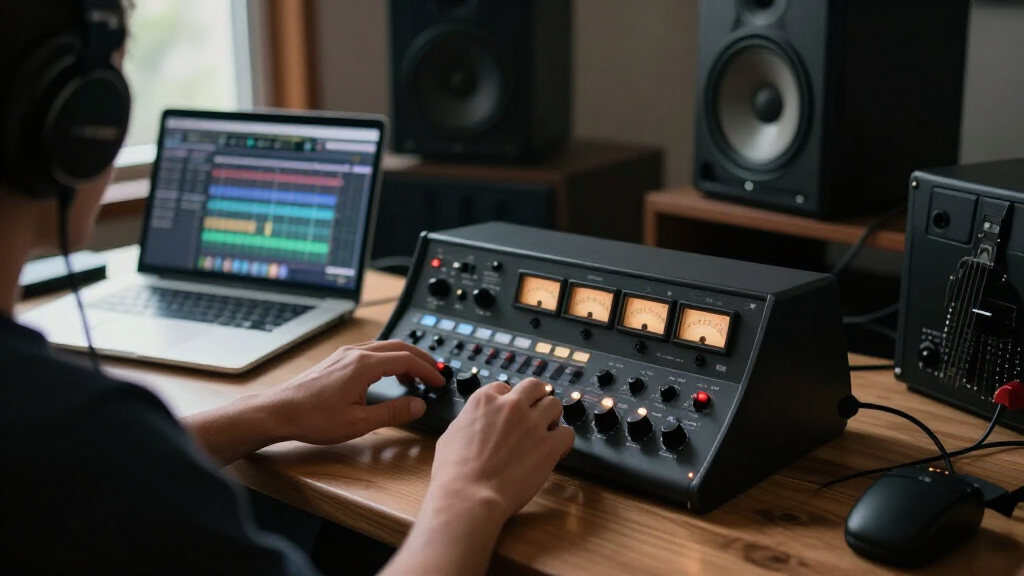
audio interface with direct monitoring
As an affiliate, we earn on qualifying purchases.
As an affiliate, we earn on qualifying purchases.
Key Differences: Human Insight vs Automated Data — The Showdown
| Aspect | Direct Monitoring | Software Monitoring |
|---|---|---|
| Method | Human observation and conversation | Automated data collection and logging |
| Context | Rich; interprets circumstances, mood, nuance | Limited; relies on raw data, susceptible to misreadings |
| Scale | Hard to scale; requires management time | Easy to scale; monitor many assets simultaneously |
| Consistency | Variable; depends on observer’s judgment | Highly standardized; uniform across sessions |
| Intrusiveness | Visible but less invasive; direct presence | Can be hidden or continuous, feeling more invasive |
| Accuracy | Subjective; prone to bias | Objective but can misinterpret activity patterns |
Choosing depends on your priority: rich context or broad coverage. Sometimes, combining both is the best way to get a full picture. For example, relying solely on human judgment may introduce inconsistencies due to fatigue, bias, or misinterpretation of data. Conversely, depending only on software might overlook critical subtleties, such as emotional expression or creative intent, that are hard to quantify. A hybrid approach allows you to leverage the strengths of both—using automated data to identify anomalies or patterns, then applying human insight to interpret and act on those findings. This balance ensures more accurate, fair, and meaningful monitoring, ultimately supporting a healthier, more productive studio environment.
software for music production monitoring
As an affiliate, we earn on qualifying purchases.
As an affiliate, we earn on qualifying purchases.
When to Use Direct Monitoring — The Power of Human Judgment
Start with direct monitoring when understanding the ‘why’ behind actions matters most. For example, if a vocalist’s timing is off, a human can immediately ask, ‘Were they distracted by something else?’ or ‘Did the mic pick up background noise?’ This context guides better decisions.
Direct observation is invaluable for coaching, resolving conflicts, or troubleshooting equipment. It’s about catching subtleties — a slight tension in a guitarist’s posture or a hesitation in a rapper’s delivery.
In practice, a producer might sit in during a session, provide instant feedback, and adjust the environment. This immediacy keeps the creative flow natural and responsive. However, it’s important to recognize that human judgment can be influenced by personal biases or fatigue, which might lead to inconsistent assessments over time. Therefore, while invaluable for nuanced understanding, it’s best complemented with objective data when possible.
As an affiliate, we earn on qualifying purchases.
When to Rely on Software Monitoring — The Power of Data and Scale
Use software monitoring when you need consistent, objective records across multiple sessions or locations. For example, if you manage a remote mixing team, activity logs can show who worked when and for how long, helping you spot bottlenecks.
It’s also perfect for detecting patterns — like frequent crashes when a certain plugin is used or unusual activity outside normal hours. These insights can guide system upgrades or staffing decisions.
However, it’s vital to understand that automated data can sometimes misrepresent the true situation. For example, a spike in activity might be due to background processes or automated tasks, not actual work. Recognizing these potential false positives helps prevent unnecessary interventions or misjudgments. When used thoughtfully, software monitoring enhances oversight at scale but should be complemented with human analysis to interpret the data’s meaning accurately.
Frequently Asked Questions
Is direct monitoring more accurate than software tracking?
Not necessarily. Human observation captures context and nuance but can be inconsistent. Software logs are precise and consistent but can misinterpret activity. Combining both offers the most reliable picture.
Are monitoring tools legal in a studio environment?
Legal requirements vary by location. Transparency and consent are key. Always check local laws before deploying monitoring, especially if recording audio, video, or tracking off-site activity.
Should I tell my team when I monitor them?
Yes. Transparency fosters trust. Clear policies about what’s monitored, why, and how data is used help avoid misunderstandings and legal issues.
Is keystroke logging necessary for good monitoring?
Usually not. Keystrokes are highly invasive and often unnecessary for assessing work quality. Focus on relevant outputs and patterns instead.
How long should I keep monitoring data?
Only as long as needed. Retaining data beyond its purpose increases privacy risk. Set clear deletion timelines aligned with your goals and legal standards.
Conclusion
The best studios don’t rely solely on human or digital eyes. They blend the warmth of human judgment with the precision of data. This balanced approach respects your creative process and your team’s trust.
Next time you set up monitoring, ask: Am I using this to support, not control? When you keep purpose clear and data minimal, you build a studio environment where trust and quality thrive.
Halloween Picks
halloween
As an affiliate, we earn on qualifying purchases.