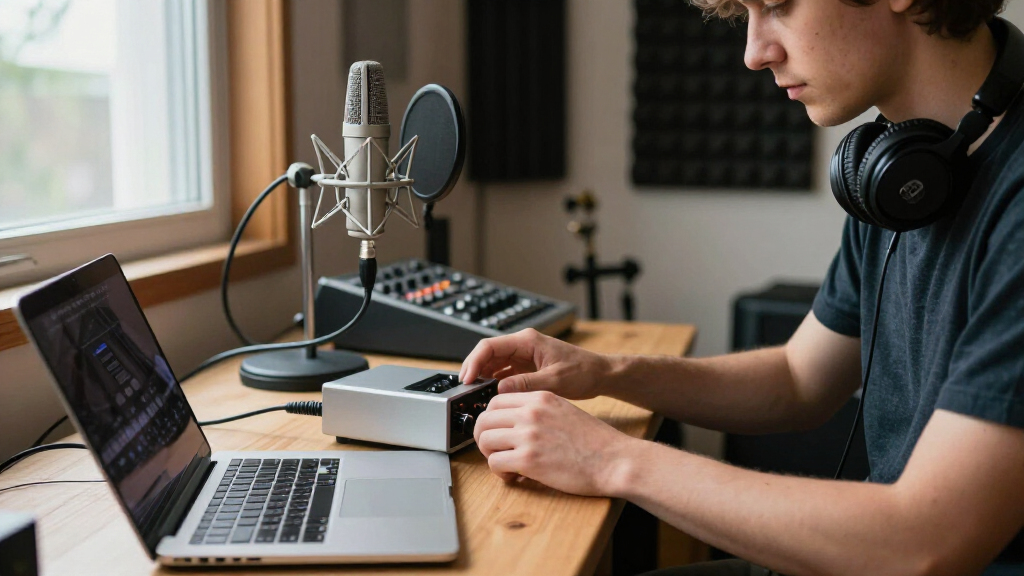
An audio interface for home studio recording is the single piece of gear that most shapes how your vocals, guitar, and podcasts actually sound, and the gap between a twenty-dollar recording card and a fourth-generation Focusrite is wider than the spec sheets suggest. After comparing fifteen options side by side, the Focusrite Scarlett 2i2 4th Gen stands out as the best overall pick thanks to its upgraded preamps, Auto Gain, and software bundle that grows with your skills. If you’re starting from zero, the Fender Quantum Complete Recording Bundle gets you an interface, mic, speakers, and headphones in one box, while the M-Audio M-Track Solo remains the value floor for anyone recording one input at a time. The main tradeoff you’ll face in this category is convenience bundles versus standalone quality, plus whether a 2-in/2-out unit is worth the extra cost over a single-channel model. Keep reading for the full breakdown of where each interface earns its place and which ones fall short.

Get audio and creator gear delivered free — and shop member deals
- Fast, free delivery on millions of items
- Access to Prime Big Deal Days deals on October 6–7
- Prime Video, Amazon Music and more included
Complete the kit


Key Takeaways
- Fourth-generation Scarlett units clearly outpaced third-gen and budget cards on preamp cleanliness, headroom, and driver stability — enough that paying slightly more for the newer generation is the smartest upgrade in this lineup.
- Bundles (Fender Quantum, Scarlett 2i2 Studio, Solo Studio) only make sense if you own no gear at all; if you already have a mic or headphones, the standalone interface delivers better value per dollar.
- The ultra-budget 24-bit/192kHz generic cards (Jolgoo and the unbranded USB-C models) quote impressive specs but cut corners on preamp noise and software support, making them risky for anything beyond casual streaming.
- Two XLR/combo inputs (Scarlett 2i2, M-Track Duo, AudioBox USB 96) proved the sweet spot for home studios, since dual inputs cover mic-plus-guitar or two-person podcasts without paying for I/O you’ll never touch.
- MAONO‘s PS22 Lite and P2 Hybrid carved out a real niche for mobile creators — phone and iPad connectivity plus loopback — something none of the Focusrite or M-Audio units offer at comparable pricing.
| Jolgoo 2×2 USB Audio Interface, 24-Bit/192kHz Phantom Power Recording Card |  | Best Budget Hi-Res Option | Audio Resolution: 24-Bit/192kHz | Inputs: XLR/Line Combo x2 | Phantom Power: +48V | VIEW LATEST PRICE | See Our Full Breakdown |
| Synido USB C Audio Interface for Recording Music, Streaming, Podcasting, Silver |  | Best for Streamers and Podcasters | Sampling Rate: 48kHz | Bit Depth: 24-bit | Inputs: XLR, 6.35mm | VIEW LATEST PRICE | See Our Full Breakdown |
| M-AUDIO M-Track Duo USB Audio Interface |  | Best Value for Beginners | Audio Resolution: 48kHz | Inputs: 2 combo XLR/Line/Instrument with phantom power | Outputs: 1/4″ headphone output, stereo 1/4″ outputs | VIEW LATEST PRICE | See Our Full Breakdown |
| Focusrite Scarlett Solo 4th Gen USB-C Audio Interface |  | Best Overall for Solo Songwriters | Dynamic Range: 120dB | Connectivity: USB-C | Preamps: 1 mic preamp + 1 instrument input | VIEW LATEST PRICE | See Our Full Breakdown |
| Fender Quantum Complete Recording Bundle with Quantum LT2 USB Interface, Microphone, Speakers, Headphones & Software |  | Best Complete Studio Kit | Audio Interface: Fender Quantum LT2 | Microphone: M7 MkII condenser mic | Headphones: HD7 | VIEW LATEST PRICE | See Our Full Breakdown |
| Focusrite Scarlett Solo 4th Gen USB-C Audio Interface Bundle |  | Best Complete Songwriter Starter Kit | Dynamic Range: 120dB | Connectivity: USB-C | Inputs: 1 combo XLR/instrument | VIEW LATEST PRICE | See Our Full Breakdown |
| 2×2 24-bit/192kHz USB-C Recording Interface with XLR/TRS Inputs and Loopback |  | Best for Podcasters and Streamers | Resolution: 24-bit/192kHz | Inputs: 2 combo XLR/TRS | Connectivity: USB-C | VIEW LATEST PRICE | See Our Full Breakdown |
| M-AUDIO M-Track Solo USB Audio Interface |  | Best Budget Entry Point | Audio Resolution: 48kHz | Inputs: 1 combo XLR/Line with phantom power, 1 Line/Instrument | Connectivity: USB | VIEW LATEST PRICE | See Our Full Breakdown |
| MAONO PS22 Lite USB Audio Interface for PC, Guitar & Vocals Streaming |  | Best for Content Creators Across Platforms | Resolution: 24-bit/192kHz | Channels: 2 | Connectivity: USB | VIEW LATEST PRICE | See Our Full Breakdown |
| Focusrite Scarlett 2i2 Studio 4th Gen USB-C Audio Interface Bundle |  | Best Overall Home Studio Package | Dynamic Range: 120dB | Connectivity: USB-C | Inputs: 2 combo XLR/instrument | VIEW LATEST PRICE | See Our Full Breakdown |
| PreSonus AudioBox USB 96 25th Anniversary Studio Recording Package |  | Best Complete Starter Studio | Interface: Audio/MIDI interface, USB | Microphone: M7 large-diaphragm condenser | Headphones: PreSonus HD7 | VIEW LATEST PRICE | See Our Full Breakdown |
| Focusrite Scarlett 2i2 4th Gen USB-C Audio Interface |  | Best Overall | Generation: 4th Gen | Connectivity: USB-C | Dynamic Range: 120dB | VIEW LATEST PRICE | See Our Full Breakdown |
| Focusrite Scarlett Solo (4th Generation) USB-C Audio Interface Bundle with Microphone, Headphones, and Accessories |  | Best All-in-One for Solo Creators | Model: Scarlett Solo 4th Generation | Connectivity: USB-C | Resolution: 24-bit / 192 kHz | VIEW LATEST PRICE | See Our Full Breakdown |
| MAONO P2 Hybrid USB Audio Interface Dual XLR for PC, Phone, iPad, Guitar |  | Best for Mobile and Multi-Device Creators | Channels: 2 | Connectivity: USB-C hybrid (PC, phone, iPad simultaneously) | Max Sample Rate: 192 kHz (24-bit) | VIEW LATEST PRICE | See Our Full Breakdown |
| Focusrite Scarlett Solo 3rd Gen USB-C Audio Interface |  | Best Budget Pick | Connectivity: USB-C | Resolution: 24-bit / up to 192 kHz | Inputs: 1 microphone, 1 instrument | VIEW LATEST PRICE | See Our Full Breakdown |
| audio interface for home studio | Connectivity | Inputs |
|---|---|---|
| Jolgoo 2×2 USB Audio Interface | USB-C, USB-A | XLR/Line Combo x2 |
| Synido USB C Audio Interface f | USB-C to USB-A | XLR, 6.35mm |
| M-AUDIO M-Track Duo USB Audio | USB | 2 combo XLR/Line/Instrument with phantom power |
| Focusrite Scarlett Solo 4th Ge | USB-C | — |
| Fender Quantum Complete Record | USB | — |
| Focusrite Scarlett Solo 4th Ge | USB-C | 1 combo XLR/instrument |
| 2×2 24-bit/192kHz USB-C Record | USB-C | 2 combo XLR/TRS |
| M-AUDIO M-Track Solo USB Audio | USB | 1 combo XLR/Line with phantom power, 1 Line/Instrument |
| MAONO PS22 Lite USB Audio Inte | USB | Microphone, guitar, bass, computer, smartphone |
| Focusrite Scarlett 2i2 Studio | USB-C | 2 combo XLR/instrument |
| PreSonus AudioBox USB 96 25th | — | — |
| Focusrite Scarlett 2i2 4th Gen | USB-C | — |
| Focusrite Scarlett Solo | USB-C | 1 XLR, 1 Hi-Z instrument |
| MAONO P2 Hybrid USB Audio Inte | USB-C hybrid (PC, phone, iPad simultaneously) | — |
| Focusrite Scarlett Solo 3rd Ge | USB-C | 1 microphone, 1 instrument |
More Details on Our Top Picks
Jolgoo 2×2 USB Audio Interface, 24-Bit/192kHz Phantom Power Recording Card
This option stands out for squeezing 24-bit/192kHz resolution into a budget-tier price, something the M-AUDIO M-Track Duo simply can’t match at 48kHz. For home studio owners recording vocals or podcast episodes, that extra headroom matters if you ever plan to mix seriously. The rugged metal housing also feels more durable than the plasticky builds common at this price, and zero-latency direct monitoring means you won’t hear distracting echo while tracking. Compared with the Synido 2×2, the Jolgoo offers a higher sample rate but a plainer control layout with fewer monitoring modes. The tradeoff is software: unlike the Focusrite Scarlett Solo 4th Gen, there’s no bundled DAW or plugins, so you’ll need to source your own recording software.
Pros:- 24-bit/192kHz resolution rivals interfaces costing far more
- Zero-latency direct monitoring for clean tracking
- Rugged metal housing survives desktop wear and mobile use
- Plug-and-play compatibility across Windows, macOS, iOS, and Android
Cons:- No included software or plugins, adding hidden cost for beginners
- Capped at 2 inputs, so multi-mic podcast setups are out
Best for: Budget-conscious home recorders who want hi-res 24-bit/192kHz capture without paying Focusrite prices and already own recording software
Not ideal for: Beginners who expect a complete starter package, since no software bundle means extra setup and cost before you can record a note
- Audio Resolution:24-Bit/192kHz
- Inputs:XLR/Line Combo x2
- Phantom Power:+48V
- Connectivity:USB-C, USB-A
- Compatibility:Windows, macOS, iOS, Android
- Build:Rugged metal housing
- Monitoring:Zero-latency direct monitoring
Our verdict“Buy this if you want hi-res recording specs on a budget and already have your DAW sorted; skip it if you need a true all-in-one starter kit.”
Synido USB C Audio Interface for Recording Music, Streaming, Podcasting, Silver
Where most interfaces in this lineup are built purely for music tracking, this one leans into broadcasting. The three monitoring modes are the differentiator: streamers can route audio differently than musicians, which the Jolgoo and Scarlett Solo don’t offer at any price. At just 300 grams, it’s also lighter than nearly everything else here, sliding into a laptop bag for mobile podcasting sessions. The honest tradeoff is resolution — 48kHz/24-bit is plenty for voice work but falls short of the Jolgoo’s 192kHz for detail-critical music mixing. And while setup is friendly out of the box, Windows users will likely need to install a third-party ASIO driver for smooth DAW performance, an extra step the Focusrite options handle automatically.
Pros:- Three monitoring modes suit streaming, recording, and broadcast routing
- Ultra-light 300g build travels easily
- Clear LED indicators and simple controls lower the learning curve
- 48V phantom power supports condenser mics
Cons:- 48kHz sample rate trails the 192kHz competition for music work
- Requires a third-party ASIO driver for reliable low-latency DAW use
Best for: Streamers, podcasters, and mobile content creators who need flexible monitoring modes and a lightweight unit for recording on the go
Not ideal for: Producers focused on hi-res music production, since 48kHz caps detail and DAW workflow needs a manual ASIO driver install
- Sampling Rate:48kHz
- Bit Depth:24-bit
- Inputs:XLR, 6.35mm
- Outputs:Headphone, Line Out
- Phantom Power:48V
- Connectivity:USB-C to USB-A
- Weight:300g
- Dimensions:14 x 11.5 x 4.5 cm
- Monitoring Modes:3 modes
Our verdict“This pick makes the most sense for voice-first creators who value monitoring flexibility and portability over audiophile resolution.”
M-AUDIO M-Track Duo USB Audio Interface
This model is better suited to first-time home studio builders than anything else in this batch, mostly because it includes MPC Beats software — you can record the day it arrives without buying or downloading anything else. The two combo inputs accept XLR mics, line sources, and instruments directly, so a singer-songwriter can plug a guitar and vocal mic in simultaneously, mirroring the flexibility of the pricier Scarlett 2i2. The USB/Direct zero-latency switch is simple to understand, which matters when you’re learning. The tradeoff is straightforward: 48kHz resolution matches the Synido but is half the spec story of the Jolgoo’s 192kHz, and there’s no MIDI or expansion capability for growing setups. Compared with the Scarlett Solo 4th Gen, you give up dynamic range and refined preamps but gain two inputs and software at a friendlier price.
Pros:- Bundled MPC Beats software removes the starter-software barrier
- Two combo inputs handle mic and instrument simultaneously
- Crystal preamps deliver clean sound for the price
- Simple USB/Direct switch for zero-latency monitoring
Cons:- 48kHz resolution limits future professional or hi-res work
- No MIDI ports or expandable routing for growing setups
Best for: Beginners and students who want a complete, affordable entry point with bundled software and dual instrument/mic inputs
Not ideal for: Producers planning to expand — the fixed 48kHz ceiling, lack of MIDI, and modest I/O mean you’ll outgrow it
- Audio Resolution:48kHz
- Inputs:2 combo XLR/Line/Instrument with phantom power
- Outputs:1/4″ headphone output, stereo 1/4″ outputs
- Phantom Power:Yes
- Monitoring:Zero latency with USB/Direct switch
- Included Software:MPC Beats
- Connectivity:USB
Our verdict“The smartest first interface for someone recording their first tracks on a budget, provided they accept they may upgrade later.”
Focusrite Scarlett Solo 4th Gen USB-C Audio Interface
Compared with similar options here, the Scarlett Solo 4th Gen wins on polish: a 120dB dynamic range means quiet recordings stay clean and loud sources don’t clip, a measurable step above the M-Track Duo and Synido. The redesigned Air mode adds presence to vocals and acoustic guitars without plugins — a genuine time-saver for solo artists. And the software bundle (Pro Tools Intro+, Ableton Live Lite, Cubase LE, Hitmaker Expansion) outclasses the bare-bones Jolgoo, giving you professional tools from day one. The catch is capacity: with a single mic preamp and one instrument input, it’s built for one person recording one take at a time. The Scarlett 2i2 4th Gen makes more sense if you record duets or mic an amp while singing. It also assumes you have a USB-C port, which older machines may lack.
Pros:- 120dB dynamic range delivers clean, professional-grade conversion
- Air mode enhances vocals and guitars without extra processing
- Industry-standard software bundle including Ableton Live Lite and Pro Tools Intro+
- Compact, bus-powered design suits desktop and travel rigs
Cons:- Single mic input limits simultaneous recording to one source
- USB-C requirement leaves older USB-A-only computers behind
Best for: Solo musicians, vocalists, and guitar-focused songwriters who want professional conversion quality and a serious software bundle
Not ideal for: Duos or anyone tracking two mics at once — the single preamp forces an upgrade to the 2i2
- Dynamic Range:120dB
- Connectivity:USB-C
- Preamps:1 mic preamp + 1 instrument input
- Features:Improved Air mode
- Included Software:Pro Tools Intro+, Ableton Live Lite, Cubase LE, Hitmaker Expansion
- Form Factor:Compact desktop
Our verdict“The best single-person home studio interface in this lineup — buy it if you record alone and want quality that outlasts beginner gear.”
Fender Quantum Complete Recording Bundle with Quantum LT2 USB Interface, Microphone, Speakers, Headphones & Software
This is the only pick here that solves the entire signal chain at once: interface, condenser mic, HD7 headphones, Eris 3.5 monitors, and Fender Studio Pro DAW all arrive in one box. That’s a genuine advantage over the Scarlett Solo 4th Gen, which assumes you already own monitoring and a microphone. Guitarists get a unique perk — authentic Fender amp models and effects through the software, something no Focusrite or M-Audio bundle replicates. The tradeoffs are real, though. The Quantum LT2 itself is a modest interface; anyone comparing conversion specs will find the Scarlett Solo’s 120dB dynamic range more impressive. The ecosystem also leans Fender-locked for amp modeling, and the sheer number of components means a steeper setup curve than a plug-and-play unit like the M-Track Duo.
Pros:- Complete signal chain included — mic, monitors, headphones, interface, and DAW
- Authentic Fender amp models and effects built for guitarists
- Eris 3.5 monitors and M7 MkII condenser enable accurate tracking and mixing
- Low-latency performance for real-time playing and recording
Cons:- The LT2 interface itself is modest compared with dedicated units like the Scarlett Solo
- Multi-component setup and a Fender-centric ecosystem can frustrate absolute beginners
Best for: Guitarists and first-time home studio builders starting from zero who want mic, monitors, headphones, and software in a single purchase
Not ideal for: Upgraders who already own monitors and mics — you’d pay twice for gear you have, and the interface alone trails the Scarlett Solo on specs
- Audio Interface:Fender Quantum LT2
- Microphone:M7 MkII condenser mic
- Headphones:HD7
- Studio Monitors:Eris 3.5 Gen 2
- Included Software:Fender Studio Pro DAW
- Connectivity:USB
- Additional Features:Fender amp & FX pack, low-latency performance
Our verdict“The right call if you’re building a home studio from nothing and play guitar; buy a standalone interface instead if you already own monitoring gear.”
Focusrite Scarlett Solo 4th Gen USB-C Audio Interface Bundle
This option stands out for solving the blank-slate problem most new home studio builders face: it arrives with an interface, microphone, headphones, and a deep software bundle in one box. Compared with the Scarlett 2i2 Studio 4th Gen, it trades a second input channel for a lower barrier to entry, which makes it the smarter pick for solo singer-songwriters rather than duos. The 120dB dynamic range means quiet passages and loud choruses both survive recording without noise or harshness, and Air mode adds presence to vocals and acoustic guitar without reaching for plugins. The tradeoff is structural — with a single XLR combo input, recording two sources at once isn’t possible, so anyone planning full-band sessions or drum overheads should look elsewhere.
Pros:- Complete bundled kit with microphone, headphones, and software removes guesswork for beginners
- 120dB dynamic range delivers clean, studio-grade recordings of quiet and loud sources alike
- Air mode adds professional vocal and guitar character without extra processing
- Software package including Pro Tools Intro+ and Ableton Live Lite covers recording and mixing from day one
Cons:- Single combo input limits you to one microphone or instrument at a time
- USB-C requirement means older computers may need adapters
Best for: Solo singer-songwriters building their first home studio who want everything included in one purchase
Not ideal for: Duos, podcasters with two hosts, or anyone recording stereo instruments — the single combo input caps simultaneous sources
- Dynamic Range:120dB
- Connectivity:USB-C
- Inputs:1 combo XLR/instrument
- Included Hardware:Microphone and headphones
- Included Software:Pro Tools Intro+, Ableton Live Lite, Cubase LE, Hitmaker Expansion
- Special Features:Air mode for vocal and guitar presence
Our verdict“The right choice if you’re a solo songwriter who wants a working studio out of the box rather than assembling pieces separately.”
2×2 24-bit/192kHz USB-C Recording Interface with XLR/TRS Inputs and Loopback
The standout feature here isn’t the spec sheet — plenty of interfaces in this roundup claim 24-bit/192kHz — it’s the loopback function, which pulls your computer’s audio back into the recording path. That’s the difference between this and the M-Audio M-Track Solo: you can capture your mic and a Zoom call, game audio, or music bed simultaneously, which podcasters and live streamers actually need. Dual combo inputs also mean two hosts or a mic-plus-guitar setup works out of the box, and plug-and-play USB-C operation skips driver installation entirely. The flip side is transparency: with no published details on preamps or build materials, it’s harder to judge long-term durability than with an established name like Focusrite, and the two-channel ceiling still applies.
Pros:- Loopback function lets you record mic and system audio together — rare at this tier
- Two combo XLR/TRS inputs support dual mics or mic-plus-instrument configurations
- Zero-latency monitoring keeps real-time tracking comfortable
- Driverless USB-C plug-and-play works across PC, Mac, and iOS
Cons:- No published specifications on preamps or build materials make quality hard to verify
- Two-channel limit rules out multi-mic productions
- Requires a USB-C port or adapter
Best for: Streamers and podcasters who need to blend microphone audio with computer audio in one recording
Not ideal for: Buyers who prioritize documented preamp quality and brand track records for long-term reliability
- Resolution:24-bit/192kHz
- Inputs:2 combo XLR/TRS
- Connectivity:USB-C
- Phantom Power:48V
- Loopback Function:Yes
- Latency:Zero-latency direct monitoring
- Compatibility:PC, Mac, iOS
Our verdict“Choose this if loopback recording for streaming or podcasting matters more to you than a big brand name.”
M-AUDIO M-Track Solo USB Audio Interface
This model makes the most sense for one buyer: the person who wants to start recording this week without spending much. The Crystal Preamp keeps condenser microphones clean and honest, and 48V phantom power means you’re not locked into cheap dynamic mics the way some entry-level cards force you to be. Where the Scarlett Solo 4th Gen bundle delivers a fuller package with far better dynamic range, the M-Track Solo counters with simplicity — one combo input, one instrument input, an 1/8″ headphone jack, and RCA outputs for whatever monitors or speakers you already own. The honest tradeoff is resolution: at 48kHz, it records at a quarter of the sample rate of the MAONO PS22 Lite, which is audible in fine detail on critical vocal work but rarely a problem for demos, voiceovers, or streaming.
Pros:- Crystal Preamp delivers clean, transparent sound from condenser microphones
- Flexible monitoring with headphone output, RCA outputs, and a USB/Direct zero-latency switch
- Combo XLR plus dedicated instrument input handles vocals and guitar simultaneously
- Includes MPC Beats software for immediate music production
Cons:- 48kHz resolution trails the 24-bit/192kHz standard set by most rivals here
- Single mic preamp limits multi-source recording
Best for: Budget-conscious beginners, voiceover artists, and streamers who need reliable basic recording without frills
Not ideal for: Producers chasing high-resolution mixes — 48kHz caps the ceiling on detail compared with 192kHz competitors
- Audio Resolution:48kHz
- Inputs:1 combo XLR/Line with phantom power, 1 Line/Instrument
- Connectivity:USB
- Outputs:1/8″ headphone, stereo RCA
- Monitoring:USB/Direct switch for zero-latency monitoring
- Preamp:Crystal Preamp
- Included Software:MPC Beats by Akai Professional
- Compatibility:Mac and PC
Our verdict“A sensible, low-risk first interface if clean basic recording matters more than maximum resolution or bundled accessories.”
MAONO PS22 Lite USB Audio Interface for PC, Guitar & Vocals Streaming
Where most interfaces in this lineup are built first for musicians, this one is built for people who publish. The bundled routing software is the differentiator — it lets you send audio to OBS, Twitch, Discord, and TikTok simultaneously, something the M-Audio M-Track Solo simply cannot do. Recording quality holds its own against pricier rivals at 24-bit/192kHz, and the device works across an unusually wide footprint: Windows, macOS, iOS, Android, even ChromeOS. The compact footprint and 0.43kg weight make it genuinely portable for creators recording away from a desk. The compromises are real, though — two channels max, no microphone or headphones in the box, and unlocking the routing features depends entirely on installing and learning the companion software, which casual users may never touch.
Pros:- Routing software sends audio to OBS, Twitch, Discord, and TikTok from a single device
- 24-bit/192kHz recording matches the resolution of interfaces costing considerably more
- Exceptional platform support spanning Windows, macOS, iOS, Android, and ChromeOS
- Lightweight 0.43kg build travels easily for off-desk recording
Cons:- Two-channel limit restricts complex multi-mic or full-band setups
- No microphone or headphones included — full functionality requires separately sourced gear and the companion software
Best for: Multi-platform content creators and musician-streamers who need one device for recording and live broadcasting
Not ideal for: Buyers wanting an all-in-one kit — no mic or headphones are included, so you’ll source those separately
- Resolution:24-bit/192kHz
- Channels:2
- Connectivity:USB
- Inputs:Microphone, guitar, bass, computer, smartphone
- Supported Platforms:Windows, macOS, iOS, Android, ChromeOS
- Compatible Software:Ableton Live, Logic Pro, FL Studio, GarageBand, OBS, Twitch, Discord
- Dimensions:6.29″D x 5.19″W x 2″H
- Weight:0.43 kg
Our verdict“The strongest pick here for creators whose output goes to live platforms as often as it goes to a DAW.”
Focusrite Scarlett 2i2 Studio 4th Gen USB-C Audio Interface Bundle
This pick makes the most sense for the buyer who wants to buy once and not upgrade for years. The headline advantage over the Scarlett Solo bundle is the second preamp — two simultaneous inputs open up duo recording, stereo guitar capture, and mic-plus-instrument sessions. Its Auto Gain and Clip Safe features are what separate it from generic alternatives like the Jolgoo 2×2: the interface sets levels for you and intervenes before distortion ruins a take, which quietly prevents the most common home recording mistake. The full studio package — mic, headphones, and a heavyweight software suite — means day-one productivity. The drawbacks are modest but worth stating: USB-C-only connectivity, a two-input ceiling that larger sessions will outgrow, and a software bundle deep enough to overwhelm beginners who just want to press record.
Pros:- Auto Gain and Clip Safe automatically prevent clipping and ruined takes
- Two inputs support duos, stereo capture, and mic-plus-instrument sessions
- 120dB dynamic range delivers genuinely studio-grade recordings
- Complete bundle includes microphone, headphones, and professional software suite
Cons:- USB-C requirement excludes older computers without an adapter
- Two-input limit will be outgrown by bands and multi-mic drum recording
- The extensive software bundle can overwhelm first-time users
Best for: Serious home musicians and duos who want a future-proofed, complete studio package with safeguards against recording mistakes
Not ideal for: Minimalists and absolute beginners who’d be paying for inputs and software they may never open
- Dynamic Range:120dB
- Connectivity:USB-C
- Inputs:2 combo XLR/instrument
- Included Hardware:Microphone and headphones
- Special Features:Auto Gain, Clip Safe
- Use Cases:Recording, mixing, and mastering
Our verdict“If you’re committing to home recording long-term and want a complete, mistake-resistant setup from day one, this is the package to beat.”
PreSonus AudioBox USB 96 25th Anniversary Studio Recording Package
This bundle earns its place by solving the blank-slate problem better than anything else in this lineup. Where the Focusrite Scarlett Solo bundles include a mic and headphones, this package goes further with a large-diaphragm M7 condenser, HD7 headphones, a desktop stand, and every cable you need — genuinely everything required for a first recording session arrives in one box. The Studio One Artist DAW is also a step up from the Lite versions bundled with Focusrite gear, giving beginners a fuller production environment without extra spending. The tradeoff is focus: unlike the MAONO P2, there’s no phone or tablet connectivity, and USB 2.0 feels dated next to the Scarlett 4th Gen’s USB-C. Casual users who only want to plug in a guitar may find this over-specified, and the software learning curve is real.
Pros:- Everything needed to record on day one: interface, condenser mic, headphones, stand, and cables
- Studio One Artist plus the Studio Magic Suite offer more depth than the Lite DAWs bundled with competitors
- MIDI ports allow connecting a keyboard controller, which most budget interfaces omit
- Solid, road-worthy metal chassis that survives desk shuffling and travel
Cons:- USB 2.0 connection lags behind the USB-C interfaces in this roundup
- The full software suite demands a learning investment before you get results
- Accessories are entry-level quality and will likely be upgraded later
Best for: First-time home studio builders who want a microphone, headphones, stand, cables, and a full DAW in a single purchase
Not ideal for: Players who already own a mic and monitors — the bundled accessories duplicate gear they have, and the interface alone is outclassed by newer options
- Interface:Audio/MIDI interface, USB
- Microphone:M7 large-diaphragm condenser
- Headphones:PreSonus HD7
- Included Software:Studio One Artist, Studio Magic Suite
- Cables:All required cables included
- Stand:Desktop mic stand
Our verdict“Buy this if you’re starting a home studio from zero and want one box to cover the entire signal chain; skip it if you already own a microphone or DAW.”
Focusrite Scarlett 2i2 4th Gen USB-C Audio Interface
Of all the bare interfaces here, this is the one that hits the sweet spot between sound quality and room to grow. The 4th Gen redesign brings 120dB of dynamic range — noticeably cleaner than the Scarlett Solo options — plus two mic preamps instead of one, which means you can record vocals and guitar simultaneously or capture a second voice for podcasts. Compared with the Scarlett Solo 4th Gen, the second input is the whole story: solo artists who will never need it can save money, but duos and multi-instrument producers shouldn’t buy anything else in this lineup. Features like Auto Gain and Clip Safe quietly rescue takes that would have been ruined by bad levels. The compromises: USB-C-only connectivity can frustrate older laptops, and two inputs still won’t handle a full band.
Pros:- Two ultra-low-noise preamps allow simultaneous vocal and instrument capture
- 120dB dynamic range converters rival interfaces costing far more
- Auto Gain and Clip Safe prevent ruined takes from poor level setting
- Amped headphone output with independent volume drives demanding headphones
Cons:- USB-C only, so older USB-A laptops need an adapter or hub
- No line-level or MIDI connections for expanding beyond mics and instruments
- Large software bundle can feel overwhelming to newcomers
Best for: Musicians and producers who need two simultaneous inputs for recording vocals plus guitar, duets, or stereo sources with studio-grade conversion
Not ideal for: Buyers recording only one mic at a time — the Scarlett Solo 4th Gen delivers most of the same sound quality for less
- Generation:4th Gen
- Connectivity:USB-C
- Dynamic Range:120dB
- Mic Preamps:2 ultra-low-noise
- Headphone Output:Amped, independent volume control
- Additional Features:Auto Gain, Clip Safe, Air mode
- Included Software:Pro Tools Intro+, Ableton Live Lite, Hitmaker Expansion
Our verdict“The safest all-around choice for a home studio that needs quality today and a second input tomorrow.”
Focusrite Scarlett Solo (4th Generation) USB-C Audio Interface Bundle with Microphone, Headphones, and Accessories
Think of this as the single-channel version of the 2i2 Studio bundle — the same fourth-generation converter quality and Air mode, minus one preamp. That makes it the smarter pick for solo podcasters and singer-songwriters who will only ever record one microphone, while the Scarlett 2i2 4th Gen remains the better call for duos. What elevates this specific bundle above the bare Scarlett Solo listed elsewhere in this roundup is the included CM25 MkIII condenser mic and SH-450 headphones, which turn it into a complete vocal chain out of the box. Virtual loopback also makes it unusually capable for streamers capturing computer audio. The honest tradeoffs: the accessories are serviceable rather than exceptional, the single XLR input caps future expansion, and standalone operation requires external power.
Pros:- 24-bit/192kHz conversion matches the more expensive 2i2 4th Gen
- Complete kit with CM25 MkIII condenser mic and SH-450 closed-back headphones
- Virtual loopback support makes streaming and podcast capture straightforward
- Zero-latency monitoring means no distracting echo while recording vocals
Cons:- Only one XLR input limits the setup to single-source recording
- Bundled mic and headphones are starter-grade and worth upgrading eventually
- External power is required for standalone use away from a computer
Best for: Solo singer-songwriters, podcasters, and streamers who want a matched mic-and-interface kit with modern 4th Gen sound quality
Not ideal for: Anyone planning to record two sources at once — the single preamp makes the 2i2 the necessary upgrade
- Model:Scarlett Solo 4th Generation
- Connectivity:USB-C
- Resolution:24-bit / 192 kHz
- Inputs:1 XLR, 1 Hi-Z instrument
- Included Microphone:CM25 MkIII condenser
- Included Headphones:SH-450 closed-back
- Additional Features:Air mode, zero-latency monitoring, virtual loopback
Our verdict“The most sensible complete package for one-person home studios that want Focusrite’s latest converters without paying for an unused second channel.”
MAONO P2 Hybrid USB Audio Interface Dual XLR for PC, Phone, iPad, Guitar
The hybrid connectivity is the reason this model exists in this roundup: unlike the Scarlett 2i2 4th Gen or the PreSonus AudioBox, it can connect to a computer, phone, and iPad simultaneously, which matters for creators who record into an iPhone one day and a laptop the next, or who stream from mobile platforms like TikTok Live. Two XLR channels plus instrument input put it in the same input class as the 2i2, and the aluminum housing feels sturdier than typical budget plastic. It also plays nicely with an unusually wide software list, from GarageBand to OBS. Where it falls behind Focusrite is refinement — no Auto Gain, no Air mode, and preamp noise performance that trails the Scarlett line. Setup also takes more fiddling than a plug-and-play Scarlett.
Pros:- Simultaneous connection to PC, phone, and iPad is unique in this lineup
- Two XLR channels plus guitar input match the flexibility of pricier interfaces
- Real-time low-latency monitoring built in for confident tracking
- Compact aluminum build travels well and dissipates heat better than plastic
Cons:- Preamp and converter performance trail the Focusrite 4th Gen options
- Initial setup and routing require more effort than plug-and-play rivals
- No gain-assist features like Auto Gain to rescue inexperienced users
Best for: Streamers and mobile-first creators who record or broadcast across phones, tablets, and computers and need two mic channels on the go
Not ideal for: Studio purists chasing the cleanest preamps — the Scarlett 2i2 4th Gen delivers measurably better conversion and smarter assist features
- Channels:2
- Connectivity:USB-C hybrid (PC, phone, iPad simultaneously)
- Max Sample Rate:192 kHz (24-bit)
- Frequency Response:20 kHz
- Audio Inputs:Microphone, guitar, PC, smartphone, iPad
- Compatible OS:Windows, macOS, iOS, Android, ChromeOS
- Dimensions:6.42″ D x 8.27″ W x 3.23″ H
Our verdict“Pick this if your recording life spans multiple devices and platforms; choose a Scarlett if you live on one computer and prize sound purity.”
Focusrite Scarlett Solo 3rd Gen USB-C Audio Interface
This is the entry point of the roundup’s Scarlett ladder, and its argument is simple: proven sound at the lowest cost of entry. The 24-bit/192kHz converters and switchable Air mode still outclass generic budget interfaces like the M-Audio M-Track Solo or the unbranded USB-C cards in this list, and the gain halo indicators make setting levels almost foolproof — a genuine kindness for first-timers. Compared directly with the Scarlett Solo 4th Gen, the differences are refinement rather than fundamentals: the newer model adds a re-amped headphone output and auto gain features this one lacks. Buyers choosing this are accepting slightly older preamps and humbler output specs in exchange for a lower price. With one mic and one instrument input, the ceiling is low — but for a single voice and a guitar, the ceiling barely matters.
Pros:- 24-bit/192kHz resolution and Air mode deliver Focusrite house sound at a budget price
- Gain halos make correct level setting obvious for beginners
- Four bundled DAWs and plugin packs cover a full start in music production
- Bus-powered, compact metal body travels easily with a laptop
Cons:- 3rd Gen preamps and headphone output trail the 4th Gen Solo in noise and drive
- One mic and one instrument input leave no room to expand the setup
- USB-C connection may require adapters on older computers
Best for: Budget-conscious singer-songwriters and beginners who want Focusrite sound quality and the gain-halo workflow without paying 4th Gen prices
Not ideal for: Producers who monitor on power-hungry headphones or want Clip Safe and Auto Gain — the 4th Gen Solo justifies its premium for them
- Connectivity:USB-C
- Resolution:24-bit / up to 192 kHz
- Inputs:1 microphone, 1 instrument
- Outputs:2 balanced line outputs
- Phantom Power:48V for condenser mics
- Software Included:Pro Tools Intro+, Ableton Live Lite, Cubase LE, Hitmaker Expansion
Our verdict“The value play for one-mic, one-guitar home recording — pay less, get slightly less polish than the 4th Gen, and lose nothing that matters for solo work.”
How We Picked
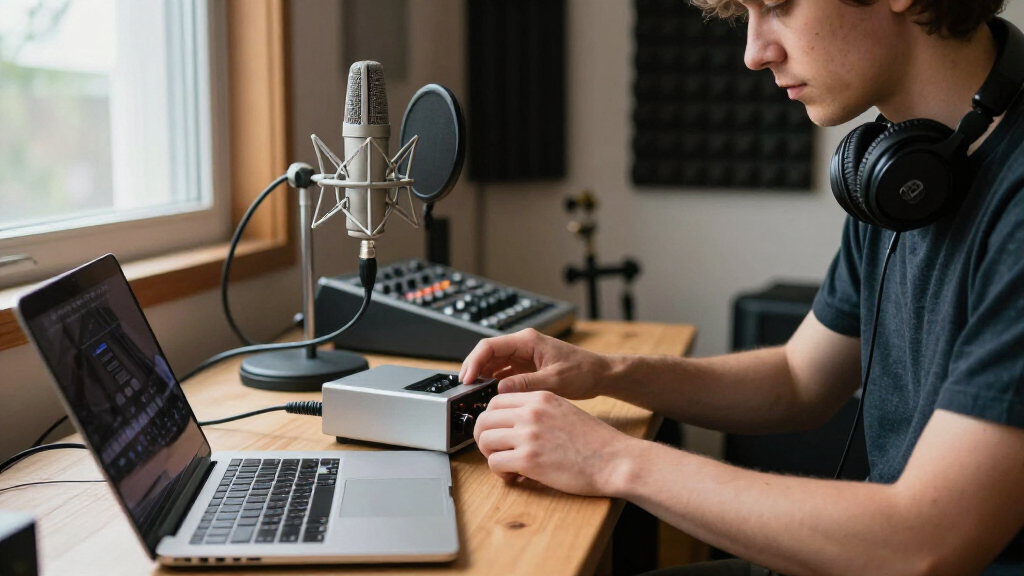
I judged every interface here against what actually matters in a home studio context: preamp quality and noise floor at typical gain settings, driver reliability over long recording sessions, ease of setup for someone working alone at a desk, and the usefulness of included software. Because most home recordists work with one microphone and one instrument at most, I weighted practical input flexibility over raw channel counts, and I penalized units whose bundled software or control panels feel like afterthoughts. Build quality mattered too — a metal enclosure and a real gain knob hold up better to daily desk life than plastic shells.
The ranking follows a simple logic: interfaces that deliver clean conversion, dependable drivers, and room to grow sit at the top, versatile dual-input units fill the middle, and budget cards earn lower positions by trading audio refinement for price. Bundles were ranked not just on the interface itself but on whether the included mic, speakers, and headphones genuinely match a beginner’s needs rather than padding the box. Where two products overlap closely — such as the multiple Scarlett Solo variants — I separated them by generation, included accessories, and which buyer each one serves best.
| audio interface for home studio | Connectivity |
|---|---|
| Jolgoo 2×2 USB Audio Interface | USB-C, USB-A |
| Synido USB C Audio Interface f | USB-C to USB-A |
| M-AUDIO M-Track Duo USB Audio | USB |
| Focusrite Scarlett Solo 4th Ge | USB-C |
| Fender Quantum Complete Record | USB |
| Focusrite Scarlett Solo 4th Ge | USB-C |
| 2×2 24-bit/192kHz USB-C Record | USB-C |
| M-AUDIO M-Track Solo USB Audio | USB |
| MAONO PS22 Lite USB Audio Inte | USB |
| Focusrite Scarlett 2i2 Studio | USB-C |
| PreSonus AudioBox USB 96 25th | — |
| Focusrite Scarlett 2i2 4th Gen | USB-C |
| Focusrite Scarlett Solo | USB-C |
| MAONO P2 Hybrid USB Audio Inte | USB-C hybrid (PC, phone, iPad simultaneously) |
| Focusrite Scarlett Solo 3rd Ge | USB-C |
Factors to Consider When Choosing Audio Interface For Home Studio
Choosing an audio interface comes down to matching the gear to how you actually work, not to the biggest spec number on the box. These are the factors that most often make or break a home studio purchase.Input Count: Buy for Two, Not for Ten
The most common mistake first-time buyers make is overbuying channels. A 2-in/2-out interface covers the overwhelming majority of home scenarios — one mic plus one instrument, or two mics for a podcast or duet. Units with eight or more inputs only pay off if you’re miking a drum kit or recording a full band, and they cost you money that would be better spent on a decent microphone. Conversely, a single-input unit like the Scarlett Solo locks you out of simultaneous mic-and-guitar tracking, which forces workflow compromises within months of buying. My advice: two combo inputs is the floor for a flexible home studio, and more than that is a luxury purchase, not a necessity.
Preamp Quality Beats Sample Rate on the Spec Sheet
Every interface in this roundup advertises 24-bit resolution, and most claim 192kHz sampling — but sample rate is almost never the limiting factor in a home studio. What you actually hear is the preamp: how clean it stays when you crank gain for a quiet vocalist, and how much noise it adds to soft acoustic recordings. This is the real reason fourth-generation Scarlett units outrank budget cards that quote identical bit depth. A noisy preamp can’t be fixed in post-production, while a 48kHz recording with a clean front end will outshine a 192kHz recording through a hissy gain stage every time. When comparing specs, look for mention of gain range, EIN noise figures, and headroom before you look at sample rates.
Bundles: Convenience Now, Compromise Later
Recording bundles tempt beginners because they solve the everything-at-once problem, but the math only works if you genuinely own nothing. A bundle like the Fender Quantum package or Scarlett Studio pairs a solid interface with a condenser mic and headphones chosen for affordability, not excellence — serviceable starting points that most recordists outgrow within a year. If you already own decent headphones or a microphone, buying the standalone interface and spending the difference on a better mic is almost always the stronger long-term play. Where bundles genuinely win is gift purchases and true zero-gear starts, where the friction of sourcing five separate items would derail the project before it begins. Decide honestly which buyer you are before clicking.
Connectivity and Driver Support
USB-C versus USB-B matters less than people assume — both carry audio flawlessly — but driver stability differs sharply between brands. Established makers like Focusrite, M-Audio, and PreSonus maintain current drivers for new operating systems, while generic unbranded interfaces often ship with outdated control panels and slow updates, which is a genuine risk when you upgrade your computer. Mobile creators should also check for phone and tablet compatibility: MAONO’s hybrid models connect directly to phones and iPads, while most desktop-first interfaces don’t. Loopback functionality, which lets you route computer audio into your recording software, is another feature streamers should verify before buying since it’s absent from several budget units.
Phantom Power and Gain for Condenser Mics
If you plan to record vocals, you’ll almost certainly use a condenser microphone, which requires 48V phantom power from the interface. Every unit here offers it, but the supporting detail that matters is whether the preamp has enough clean gain to drive quieter mics without audible hiss — a frequent weakness of the cheapest cards. Dynamic mics like the SM7B demand especially high gain, and on budget interfaces you may need an inline booster to reach usable levels. This is one area where paying for a better front end produces an immediately audible improvement in vocal recordings, rather than a spec-sheet nicety. Check the maximum gain figure if your microphone collection includes anything power-hungry.
Software Ecosystem and Room to Grow
An interface is also a gateway to a software ecosystem, and the differences are larger than they appear. Focusrite’s bundled plugin and DAW packages are curated and genuinely useful, PreSonus includes its Studio One Artist DAW with a workflow many beginners stick with permanently, and generic cards typically include little beyond a basic driver. Beyond launch day, consider firmware and driver update history — a company that supports old hardware for years protects your investment when operating systems change. For a home studio that you intend to keep building, the ecosystem around the box is often worth as much as the converters inside it. Choose a brand you’ll want to stay inside as your skills advance.
Frequently Asked Questions
Is the Focusrite Scarlett 4th Gen worth the extra cost over the 3rd Gen?
For most home studio builders, yes — the fourth generation brings a genuinely better preamp with more gain and lower noise, along with Auto Gain and Clip Safe features that automatically protect vocal takes from clipping, which is one of the most common beginner recording failures. The 4th Gen also moves to USB-C and ships with a more current software package. The third-gen Solo remains a perfectly capable unit if you find it at a strong discount and you’re comfortable setting levels manually, but the performance gap is audible on quiet sources like soft vocals and fingerpicked acoustic guitar. If your budget can stretch to the newer generation, it’s the more future-proof purchase.
Do I need two inputs, or is a single-channel interface enough?
A single input works if you’ll only ever record one source at a time — voiceover work, solo vocals over pre-recorded tracks, or direct guitar recording. The moment you want to sing while playing guitar simultaneously, record a two-person podcast, or mic two sources at once, you need two inputs, and there’s no workaround. Because the price gap between one- and two-channel units is modest, I lean toward two inputs for anyone building a home studio rather than a simple podcasting corner. Dual input also preserves resale flexibility if your needs change. Skip it only if your use case is genuinely fixed and single-source.
Are the cheap generic 192kHz interfaces a good way to save money?
They can be, but only for undemanding uses like basic streaming or voice memos. The 192kHz spec is essentially marketing at this price — the real weaknesses are preamp hiss at higher gain, less robust drivers, and minimal software support, none of which show up in the listing. If your recordings will be compressed for streaming, the noise floor may never bother you; for music production, the noise becomes obvious on quiet passages and reverb tails. The safer savings strategy is buying an entry-level unit from an established brand like M-Audio, where driver support and preamp quality are predictable. Treat the ultra-cheap cards as disposable conveniences, not studio foundations.
Should I buy a recording bundle or assemble my gear separately?
Buy a bundle only if you currently own no microphone, headphones, or monitors — the Fender Quantum package and the Scarlett Studio bundles exist precisely to eliminate the paralysis of sourcing five items at once. Once you own even one good component, the math flips, because bundled accessories are chosen for price, not performance, and you’ll be paying again for upgrades within months. Separately purchased gear also lets you prioritize: a great microphone through a modest interface beats a mediocre mic on a premium interface for most home recordings. The exception worth noting is speaker bundles — even modest monitors are a meaningful step up from headphones-only mixing. Be honest about how much you already own before deciding.
Can I use these interfaces with my phone or iPad for mobile recording?
Only some of them, and it’s worth checking before buying if mobile work matters to you. The MAONO P2 Hybrid is built for this exact use case, with direct phone and tablet connectivity alongside computer use, and the PS22 Lite targets streamers who move between devices. Most Focusrite, M-Audio, and PreSonus units are computer-first designs; some will work with iPads over USB-C but without official support for every configuration, and phone recording typically needs adapters and external power. If mobile recording is central to your workflow, choose a hybrid-capable unit rather than hoping a desktop interface cooperates. For desktop-only studios, this factor can safely be ignored.
Conclusion
The right pick depends on where you’re starting and what you’re recording. For the best overall home studio interface, the Focusrite Scarlett 2i2 4th Gen delivers the cleanest preamps, two flexible inputs, and a software ecosystem that keeps pace as your skills grow. The best value goes to the M-Audio M-Track Duo, which covers dual-input essentials without the premium pricing, while the best budget single-channel option is the M-Track Solo for solo voiceover or guitar recording. Beginners starting from zero get the smoothest entry through the Fender Quantum Complete Recording Bundle or the Scarlett Solo Studio bundle — everything works together out of the box. For mobile and streaming-focused creators, the MAONO P2 Hybrid’s phone and iPad support fills a niche nothing else here covers. And if you want the premium studio foundation, the Scarlett 2i2 Studio 4th Gen bundle pairs the best interface in this lineup with a mic and monitors worth keeping. Whatever your choice, remember that a clean front end and two inputs will serve you longer than any spec on the box.
Fall Picks
fall essentials
As an affiliate, we earn on qualifying purchases.