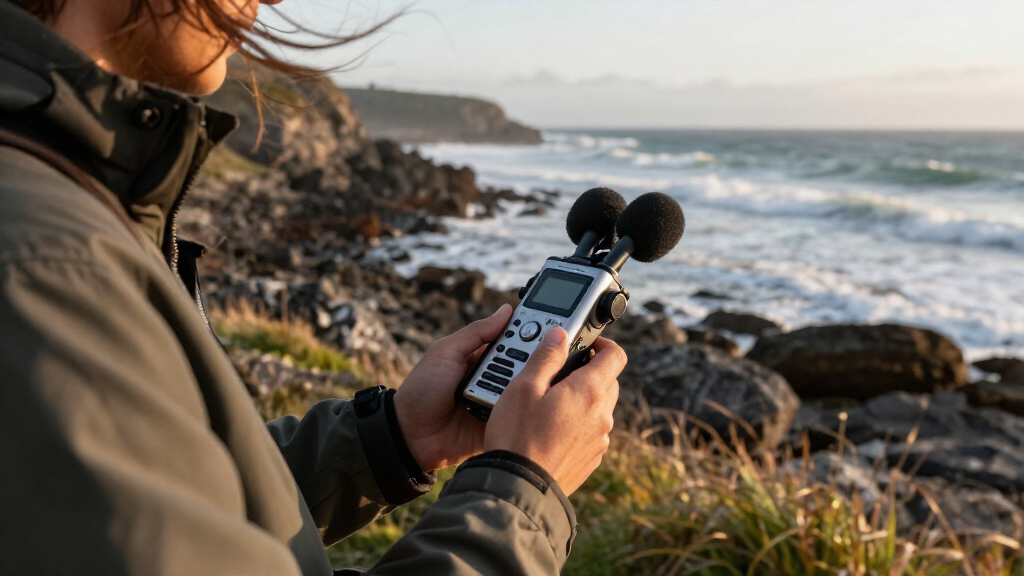
For most people seeking portable audio recorders, I’d start with the Zoom H1essential Stereo Audio Recorder for its straightforward handheld design and focus on capturing sound, while the Zoom H4essential offers more input flexibility and the Plaud Note Pro is aimed at people who prioritize AI-assisted note workflows. The main choice is between a dedicated audio recorder with physical controls and a compact voice recorder built around storage, playback, or voice activation. More storage does not automatically mean better recordings, and specialized features can add setup or workflow tradeoffs. My roundup compares all 15 options by their likely use, recording flexibility, and ease of operation. Continue reading for the full breakdown and a guide to choosing the right type.

Get audio and creator gear delivered free with Prime
- Fast, free delivery on millions of items
- Prime Video, Amazon Music and more included
- Member-only deals all year
Complete the kit


Key Takeaways
- The Zoom models serve different recording jobs: the H1essential is the simpler stereo handheld choice, while the H4essential and H1 XLR are aimed at users who need more connection options.
- Storage-heavy voice recorders prioritize convenience over recording flexibility: models advertising 128GB or more may suit long note-taking sessions, but capacity alone does not tell you how well a recorder captures sound.
- The bundle changes the H1essential’s readiness, not its core role: the lavalier microphone, windscreen, memory card, and batteries can help someone start with accessories in hand, while the standalone version keeps the package simpler.
- Voice activation and noise-reduction claims address specific situations: they may help with unattended or noisy recordings, but buyers should check how these modes affect capture and review before relying on them.
- AI transcription is a workflow feature, not a substitute for recording needs: the EVISTR L359 and Plaud Note Pro appeal to buyers who value transcription or organized notes, while music and mic-input needs point toward the Zoom lineup.
| 72GB Digital Voice Recorder with USB Type-C |  | Best for Long, Simple Recording Sessions | Storage: 72 GB | Recording format: WAV | Microphone: Built-in, mono, 360° omnidirectional | VIEW LATEST PRICE | See Our Full Breakdown |
| EVISTR L359 Digital Voice Recorder with 128GB Storage and AI Transcription |  | Best for AI-Assisted Notes | Storage: 128 GB | Recording formats: MP3, WAV | Maximum recording bitrate: 3072 Kbps | VIEW LATEST PRICE | See Our Full Breakdown |
| Cappsu Digital Voice Recorder with Playback, 32GB Built-In Memory |  | Best for Lightweight Everyday Use | Storage: 32 GB built-in | Maximum recording bitrate: 1536 Kbps | Continuous recording time: Up to 20 hours | VIEW LATEST PRICE | See Our Full Breakdown |
| Zoom H1essential Handy Recorder Bundle with Professional Lavalier Condenser Microphone, 32GB microSDHC Card, Furry Microphone Windscreen, 4 AAA Alkaline Batteries, and More! |  | Best Compact Recorder Bundle for Creators | Recording technology: 32-bit float | Microphones: Built-in X/Y stereo microphones | Maximum sound pressure level: 120 dB SPL | VIEW LATEST PRICE | See Our Full Breakdown |
| Zoom H4essential 4-Track Handheld Recorder |  | Best for Multitrack Field and Production Work | Recording tracks: 4 | Recording technology: 32-bit float | Maximum recording quality: 96 kHz | VIEW LATEST PRICE | See Our Full Breakdown |
| Zoom H1 XLR 2-Channel Portable Recorder |  | Best for External Microphones | Recording format: WAV | Recording resolution: 32-bit float, up to 96 kHz | Inputs: Two locking XLR/TRS combo inputs; 3.5 mm stereo input | VIEW LATEST PRICE | See Our Full Breakdown |
| Sunlan 16GB Digital Voice Recorder with Playback |  | Best for Simple Lecture Recording | Storage: 16 GB | Recording format and bitrate: WAV, 1536 kbps | Microphone: Built-in mono microphone with noise cancellation | VIEW LATEST PRICE | See Our Full Breakdown |
| Elasound Voice Activated Recorder with 128GB Storage and Triple Noise Reduction |  | Best for Long Speech Sessions | Model: NZ007 | Storage: 128 GB TF card; other product details list 136 GB | Maximum stated capacity: Up to 9,800 hours at 32 kbps | VIEW LATEST PRICE | See Our Full Breakdown |
| Tonfarb 136GB Digital Voice Recorder with Playback |  | Best for Large Speech Archives | Storage: 136 GB total: 8 GB built in and included 128 GB TF card | Recording formats: MP3, WAV | Maximum recording bitrate: 1536 kbps | VIEW LATEST PRICE | See Our Full Breakdown |
| 16GB Digital Voice Recorder with Voice Activation |  | Best Compact Stereo Voice Recorder | Storage: 16 GB | Recording formats: MP3, WAV | Microphone: Built-in stereo | VIEW LATEST PRICE | See Our Full Breakdown |
| Tonfarb 64GB Digital Voice Recorder with Playback |  | Best for Feature-Rich Everyday Notes | Storage: 64 GB | Recording formats: WAV, MP3 | Maximum PCM bitrate: 1536 kbps | VIEW LATEST PRICE | See Our Full Breakdown |
| EVISTR L357 64GB Digital Voice Recorder with Playback |  | Best for Adjustable Voice Capture | Storage: 64 GB | Recording formats: WAV, MP3 | Microphone: Built-in stereo | VIEW LATEST PRICE | See Our Full Breakdown |
| EVIDA 128GB Digital Voice Recorder with Voice Activation, Playback, and Password Protection |  | Best for High-Capacity Recording | Storage: 128 GB | Recording formats: WAV, MP3 | Maximum recording quality: 1536 kbps | VIEW LATEST PRICE | See Our Full Breakdown |
| Plaud Note Pro AI Voice Recorder, Black |  | Best for AI-Assisted Meeting Notes | Microphones: Four built-in microphones | Stated microphone range: Up to 5 m | Storage: 64 GB | VIEW LATEST PRICE | See Our Full Breakdown |
| Zoom H1essential Stereo Audio Recorder |  | Best for Music and Dynamic Sound | Microphones: Built-in X/Y stereo | Recording format: WAV, 32-bit float | Storage: SD card, up to 1 TB | VIEW LATEST PRICE | See Our Full Breakdown |
| portable audio recorder | Storage |
|---|---|
| 72GB Digital Voice Recorder wi | 72 GB |
| EVISTR L359 Digital Voice Reco | 128 GB |
| Cappsu Digital Voice Recorder | 32 GB built-in |
| Zoom H1essential Handy Recorde | — |
| Zoom H4essential 4-Track Handh | SD card; up to 1 TB |
| Zoom H1 XLR 2-Channel Portable | — |
| Sunlan 16GB Digital Voice Reco | 16 GB |
| Elasound Voice Activated Recor | 128 GB TF card; other product details list 136 GB |
| Tonfarb 136GB Digital Voice Re | 136 GB total: 8 GB built in and included 128 GB TF card |
| 16GB Digital Voice Recorder wi | 16 GB |
| Tonfarb 64GB Digital Voice Rec | 64 GB |
| EVISTR L357 64GB Digital Voice | 64 GB |
| EVIDA 128GB Digital Voice Reco | 128 GB |
| Plaud Note Pro AI Voice Record | 64 GB |
| Zoom H1essential Stereo Audio | SD card, up to 1 TB |
More Details on Our Top Picks
72GB Digital Voice Recorder with USB Type-C
For buyers who want a straightforward recorder with room for lengthy lectures or interviews, this model pairs 72GB of storage with up to 35 hours of recording. Its USB-C port makes file transfer to a computer or compatible phone more direct than relying on a separate card reader, while one-touch and voice-activated recording keep operation simple. Compared with the Cappsu V02, it offers more storage and longer continuous recording, but the Cappsu is lighter and includes an external microphone. This recorder’s mono built-in mic and DSP noise reduction suit spoken-word capture better than stereo ambience or music recording. The tradeoff is playback: there’s no built-in speaker, so I’d choose it only if headphones are acceptable for checking recordings.
Pros:- 72GB of built-in storage for long-running recording needs
- Up to 35 hours of recording per charge
- USB-C connection simplifies file transfer
- Voice activation can reduce recording of silent gaps
Cons:- Mono built-in microphone is less suited to stereo music or ambience
- No built-in speaker; playback requires headphones
- The listed 7,600-hour capacity claim is not consistent with the 35-hour battery recording limit
Best for: Students, interviewers, and meeting attendees who want long recording capacity and simple USB-C file transfers.
Not ideal for: Musicians and field recordists who need stereo capture, and anyone who wants to review audio without headphones.
- Storage:72 GB
- Recording format:WAV
- Microphone:Built-in, mono, 360° omnidirectional
- Maximum recording time:Up to 35 hours
- Connection:USB Type-C
- Headphone jack:3.5 mm
- Recording features:One-touch recording, voice activation, timestamped files
Our verdict“Choose this for long spoken-word sessions and easy USB-C transfers, but skip it if stereo capture or speaker playback matters.”
EVISTR L359 Digital Voice Recorder with 128GB Storage and AI Transcription
The L359 is the most workflow-focused voice recorder in this group: it combines 128GB of storage with transcription, summaries, speaker identification, and other AI tools through the AI DVR Link app. That makes it more useful for turning meetings or interviews into searchable notes than the simpler 72GB Digital Voice Recorder, which emphasizes long recording sessions and direct USB-C transfer instead. The L359 also offers WAV and MP3 recording, voice activation, a HOLD switch, and password encryption. Its mono microphone is appropriate for speech, not a substitute for a stereo field recorder such as the Zoom H1essential. The main tradeoffs are app dependence for AI features and wired OTG transfers; buyers should also factor in its included nonstandard battery when planning replacement power.
Pros:- AI transcription supports 113 languages, with summaries and speaker identification
- 128GB storage and up to 33 hours of continuous recording
- WAV and MP3 options accommodate different file needs
- Password encryption and a HOLD switch support more controlled everyday use
Cons:- AI features depend on the AI DVR Link app
- Mono microphone is not designed for stereo sound capture
- OTG file transfer requires a wired connection, and the battery is nonstandard
Best for: Researchers, journalists, and multilingual professionals who want recordings paired with app-based transcription and summaries.
Not ideal for: Buyers who want offline transcription, a stereo recorder for music, or a standard replaceable battery.
- Storage:128 GB
- Recording formats:MP3, WAV
- Maximum recording bitrate:3072 Kbps
- Microphone:Built-in, mono
- Continuous recording time:Up to 33 hours
- Connectivity:USB Type-C; wired OTG
- AI transcription:113 languages through AI DVR Link app
- Weight:65 g (2.24 oz)
Our verdict“Pick the L359 when transcription and organized meeting notes matter more than stereo recording or app-free operation.”
Cappsu Digital Voice Recorder with Playback, 32GB Built-In Memory
At 1.6 ounces, the Cappsu is an easy carry for classes, interviews, and quick voice notes. Its one-button recording and built-in 32GB memory make setup less involved than a recorder that needs a separate card, while voice activation can stretch its rated recording time to up to 50 hours by pausing during quiet moments. Against the 72GB Digital Voice Recorder, the Cappsu gives up storage and continuous runtime, but it is lighter and includes an external microphone for closer placement near a speaker. Its 1536 Kbps ceiling is adequate for speech-focused use, though buyers seeking more flexible recording and editing options may prefer the Zoom H1essential. Placement matters: the built-in mic should stay close to the source for more balanced results.
Pros:- Lightweight 1.6-ounce design is easy to carry
- 32GB built-in storage requires no separate memory card
- Voice activation can pause during silent periods
- Includes an external microphone and USB-C cable
Cons:- Built-in microphone placement needs to be close to the sound source
- Up to 20 hours of continuous recording is less than the 72GB recorder’s stated 35 hours
- 1536 Kbps maximum bitrate is lower than the EVISTR L359’s listed ceiling
Best for: Students and casual interviewers who want a pocketable recorder with simple controls and voice-activated capture.
Not ideal for: Users recording distant speakers, live music, or long sessions that need more storage and continuous runtime.
- Storage:32 GB built-in
- Maximum recording bitrate:1536 Kbps
- Continuous recording time:Up to 20 hours
- Voice-activated recording time:Up to 50 hours
- Charging interface:USB Type-C
- Headphone jack:3.5 mm
- Dimensions:4.16 × 1.46 × 0.47 inches
- Weight:1.6 oz
Our verdict“Choose the Cappsu for lightweight, simple voice capture, especially when its included external microphone helps keep the source close.”
Zoom H1essential Handy Recorder Bundle with Professional Lavalier Condenser Microphone, 32GB microSDHC Card, Furry Microphone Windscreen, 4 AAA Alkaline Batteries, and More!
This bundle gives creators a compact recorder plus a lavalier microphone, windscreen, and 32GB card, so it is ready for interviews and location audio without assembling those basics separately. Its headline advantage is 32-bit float recording, which reduces the need to set recording levels precisely before a take—a useful safeguard when voices or sound levels change unexpectedly. Compared with the Zoom H4essential, this H1essential bundle is the more focused portable choice, while the H4essential adds XLR/TRS inputs and four-track recording for more complex setups. The H1essential’s built-in X/Y microphones handle stereo capture, and its pre-record and auto-record features broaden its use beyond simple voice notes. The tradeoff is fewer connection options than the H4essential, and the supplied 32GB card is much smaller than the product data’s listed 1TB maximum capacity.
Pros:- 32-bit float recording reduces the need for manual level setting
- Built-in X/Y microphones support stereo capture
- Bundle includes a lavalier mic, furry windscreen, and 32GB microSDHC card
- Pre-record, auto-record, overdubbing, and playback-speed controls add flexibility
Cons:- Does not offer the H4essential’s two XLR/TRS inputs or four-track recording
- Included 32GB card is limited for extensive recording sessions
- Bundle listing does not specify recording duration or recorder dimensions
Best for: Video creators, podcasters, and interviewers who want a portable stereo recorder with a bundled lavalier and wind protection.
Not ideal for: Audio crews needing multiple XLR inputs, four-track projects, or a large included memory card.
- Recording technology:32-bit float
- Microphones:Built-in X/Y stereo microphones
- Maximum sound pressure level:120 dB SPL
- Included storage:32GB microSDHC card
- Included microphone:Lavalier condenser microphone
- Included wind protection:Furry microphone windscreen
- Headphone jack:3.5 mm
- Additional recording features:Overdubbing, pre-record, auto-record, playback-speed adjustment
Our verdict“Choose this bundle for portable creator work where stereo capture and a ready-to-use lavalier setup matter more than multiple XLR inputs.”
Zoom H4essential 4-Track Handheld Recorder
The H4essential is the most capable production recorder here for someone who needs more than a single built-in mic: it combines four-track, 32-bit float recording with two XLR/TRS inputs for microphones, instruments, mixers, or other sources. That flexibility separates it from the Zoom H1essential bundle, which is easier to keep focused on portable stereo capture but lacks the H4essential’s external input pair and four-track workflow. USB-C recording and streaming can run alongside an SD-card backup, while spoken menu guidance can help users navigate functions without relying only on the display. The cost of that expanded setup is a larger, more involved recorder with a stated runtime of up to 10 hours on two AA batteries. I’d choose it for production flexibility, not pocket-sized simplicity.
Pros:- Four-track 32-bit float recording supports flexible source capture
- Two XLR/TRS inputs accept external microphones and instruments
- USB-C recording or streaming can save a backup to SD card
- Spoken menu guidance supports navigation beyond the color display
Cons:- Up to 10 hours of recording is shorter than the voice recorders in this group
- Requires two AA batteries
- Larger and more feature-dense than a pocket voice recorder
Best for: Field producers, musicians, and podcasters who need two external mic or instrument inputs alongside built-in stereo recording.
Not ideal for: People seeking a light recorder for quick voice notes or long sessions without carrying spare AA batteries.
- Recording tracks:4
- Recording technology:32-bit float
- Maximum recording quality:96 kHz
- Inputs:2 XLR/TRS
- Microphones:Built-in stereo
- Storage:SD card; up to 1 TB
- USB interface:USB-C
- Power and recording time:2 AA batteries; up to 10 hours
- Weight:243 g
Our verdict“Choose the H4essential when four-track recording and external inputs justify carrying a larger recorder with shorter battery runtime.”
Zoom H1 XLR 2-Channel Portable Recorder
For recordings built around external microphones or instruments, I’d put the Zoom H1 XLR ahead of the voice-focused recorders here. Its two locking XLR/TRS inputs accept compatible mic and line-level sources, while 32-bit float WAV recording helps protect against clipping when levels are hard to predict. The OLED waveform display gives a more useful monitoring view than the basic screens on the Sunlan and Tonfarb voice recorders. At just 6.4 ounces, it remains portable, though its input connections make it a different kind of pocket recorder: you’ll need compatible microphones and cables to get the most from it. It also lacks the onboard stereo microphone setup offered by Zoom’s H1essential Handy Recorder. Two AA batteries and mono-or-stereo microphone operation are tradeoffs for buyers who want a simple, self-contained recorder.
Pros:- Two locking XLR/TRS combo inputs accommodate microphones, instruments, and other compatible sources.
- 32-bit float recording can help avoid clipped takes when input levels vary.
- OLED waveform display provides a useful visual check while recording.
- SDXC support up to 1 TB suits extended sessions.
Cons:- Requires two AA batteries rather than a built-in rechargeable battery.
- Its microphone operation modes are listed as mono and stereo, limiting configuration choices.
- External microphones and cables add setup and carrying needs compared with all-in-one voice recorders.
Best for: Field recordists, musicians, and interviewers who already own XLR or TRS microphones and want a compact recorder with headroom for changing sound levels.
Not ideal for: People who want to record immediately using built-in stereo microphones, or anyone seeking a small voice memo recorder with minimal setup.
- Recording format:WAV
- Recording resolution:32-bit float, up to 96 kHz
- Inputs:Two locking XLR/TRS combo inputs; 3.5 mm stereo input
- Headphone output:3.5 mm
- Display:0.96-inch OLED waveform display
- Storage support:SDXC cards up to 1 TB
- Battery:Two AA batteries; up to 10 hours
- Dimensions and weight:4.21 × 2.44 × 1.55 inches; 6.4 ounces
Our verdict“Choose the H1 XLR if your priority is recording external microphones or instruments; choose the H1essential Handy Recorder if onboard stereo capture matters more.”
Sunlan 16GB Digital Voice Recorder with Playback
The Sunlan is the straightforward, low-fuss choice in this group: one-button recording, a built-in microphone, and a speaker make it easy to capture and replay a lecture without carrying accessories. Its A-B repeat is handy for revisiting a passage, while voice activation can reduce long silent stretches. Compared with the Tonfarb 136GB recorder, the Sunlan has much less storage and fewer listed security features; its appeal is the simple workflow, not a large archive or advanced controls. Its mono microphone also makes it less suited to spatial ambience or music than the stereo-capable 16GB Digital Voice Recorder with Voice Activation. The built-in speaker is convenient for quick checks, but playback lasts only up to seven hours, so headphone listening over long periods may call for more frequent charging.
Pros:- One-button recording and playback keep operation simple.
- Voice activation can cut down on silent sections and conserve storage.
- A-B repeat makes it easier to review a specific passage.
- Built-in speaker and 3.5 mm headphone jack support quick listening.
Cons:- The built-in microphone records in mono.
- Playback time is listed as seven hours, shorter than its stated recording time.
- 16 GB storage is modest beside the 128 GB and 136 GB voice recorders in this group.
Best for: Students and meeting attendees who want a compact recorder for speech, quick playback, and straightforward file storage.
Not ideal for: Musicians, stereo ambience recordists, or users who need extensive storage and long playback sessions.
- Storage:16 GB
- Recording format and bitrate:WAV, 1536 kbps
- Microphone:Built-in mono microphone with noise cancellation
- Recording time:More than 30 hours continuous recording
- Playback:Built-in speaker; 3.5 mm headphone jack; up to 7 hours
- Battery:Lithium polymer, USB rechargeable
- Dimensions and weight:0.5 × 1.4 × 3.3 inches; 35 g
- Display:1-inch screen
Our verdict“Pick the Sunlan for uncomplicated speech recording and replay, but choose a stereo model or higher-capacity recorder for broader uses.”
Elasound Voice Activated Recorder with 128GB Storage and Triple Noise Reduction
For buyers who value long unattended speech capture, the Elasound combines voice activation and a claimed 100-hour recording run time with a clip-on microphone and transfer adapters. That makes it better suited to extended lectures or interviews than the Sunlan, whose stated continuous recording time is just over 30 hours. Its 128 GB TF card also offers far more stated capacity than the 16 GB models, though the product details conflict by listing 136 GB elsewhere. The advertised 9,800-hour capacity applies at 32 kbps, a low bitrate that prioritizes duration over detail; it should not be read as a high-quality audio estimate. MP3 recording and a built-in microphone keep it speech-oriented, so it is not a substitute for the Zoom H1 XLR when external mic inputs and WAV capture are the priority.
Pros:- Voice activation can begin capture when sound is detected.
- Advertised continuous recording time reaches up to 100 hours.
- Includes a clip-on microphone, headphones, USB-C cable, and OTG adapters.
- Triple digital noise reduction is designed for vocal recording.
Cons:- Storage is inconsistent across the product details: 128 GB in the description and 136 GB elsewhere.
- The 9,800-hour capacity is specified at only 32 kbps, limiting detail.
- MP3-focused capture and a built-in mic do not match the Zoom H1 XLR’s external-input and WAV flexibility.
Best for: Students, researchers, and interviewers who need long speech sessions, voice-triggered recording, and a supplied clip-on microphone.
Not ideal for: Musicians or field recordists seeking high-resolution WAV capture, reliable published capacity figures, or professional external-input connections.
- Model:NZ007
- Storage:128 GB TF card; other product details list 136 GB
- Maximum stated capacity:Up to 9,800 hours at 32 kbps
- Audio format:MP3
- Battery life:Up to 100 hours continuous recording
- Recording features:Voice activation, one-touch recording, triple noise reduction
- Connections:USB Type-C; 3.5 mm headphone jack
- Included accessories:Clip-on microphone, headphones, OTG-C adapter, OTG-Lighting adapter, USB-C cable
Our verdict“Choose the Elasound for long, voice-activated speech capture, but skip it if recording quality and dependable capacity specifications matter more than duration.”
Tonfarb 136GB Digital Voice Recorder with Playback
The Tonfarb’s main advantage is its stated 136 GB total storage, made up of 8 GB built in and an included 128 GB TF card. For someone keeping a large archive of meetings or interviews, that is a stronger fit than the Sunlan’s 16 GB capacity, and the Tonfarb adds voice activation, one-touch recording, and password protection. Its dual noise-reduction microphones are aimed at speech rather than the external-source flexibility of the Zoom H1 XLR. The up-to-68-hour battery life is useful for long stretches away from a charger, though actual duration depends on recording conditions. Capacity claims need a careful reading: the listed 9,775-hour figure does not specify bitrate or recording settings, so I would not treat it as a guaranteed usable runtime. Listed weight also varies between 97 g and 100 g.
Pros:- 136 GB stated total storage combines built-in memory and an included TF card.
- One-touch recording can start from powered-off status.
- Voice activation and dual noise-reduction microphones target speech capture.
- Includes A-B repeat and password protection.
Cons:- The listed weight is inconsistent at 97 g and 100 g.
- The 9,775-hour capacity claim does not state bitrate or recording conditions.
- Built-in microphones and voice-recording features are less flexible than the Zoom H1 XLR’s external inputs.
Best for: Interviewers and office users who want substantial onboard-plus-card storage, speech-focused recording tools, and password protection.
Not ideal for: Buyers who need transparent recording-time estimates, stereo-focused music capture, or professional microphone inputs.
- Storage:136 GB total: 8 GB built in and included 128 GB TF card
- Recording formats:MP3, WAV
- Maximum recording bitrate:1536 kbps
- Microphones:Built-in dual noise-reduction microphones
- Battery:1100 mAh; up to 68 hours recording
- Display:1.44 inches
- Connectivity:USB-C, USB 2.0
- Dimensions and weight:0.47 × 1.45 × 4 inches; listed as 97 g or 100 g
Our verdict“Choose the Tonfarb for a large speech archive and practical playback controls, but look elsewhere for clearly specified runtime or external-mic recording.”
16GB Digital Voice Recorder with Voice Activation
This model makes the most sense when compact stereo capture and useful playback controls matter more than huge storage. Its built-in stereo microphone separates it from the mono Sunlan, while voice activation, timestamps, password protection, and variable playback speed give it a more capable speech-review workflow. The 16 GB capacity is modest beside the Tonfarb’s 136 GB and the Elasound’s stated 128 GB, but the listed maximum of 1,120 hours is tied to 32 kbps, not a universal recording duration. A 20-hour recording battery life is respectable for a small rechargeable unit, although earphone playback is listed at up to eight hours. Micro-USB is also less current than the USB-C connection on the Tonfarb, and this recorder does not offer the Zoom H1 XLR’s external microphone inputs.
Pros:- Built-in stereo microphone is a step up from the Sunlan’s mono capture.
- Voice activation can reduce silence in recordings.
- A-B repeat and variable playback speed help with reviewing speech.
- Compact 1.6-ounce design with up to 20 hours of recording per charge.
Cons:- The 1,120-hour capacity applies at 32 kbps, so higher-quality settings reduce recording time.
- Playback with earphones is listed at up to eight hours.
- Uses Micro-USB rather than the USB-C connection found on the Tonfarb.
Best for: Students and mobile interviewers who want a small stereo voice recorder with voice activation and flexible playback controls.
Not ideal for: People archiving many hours of audio at higher bitrates, needing USB-C, or recording with external professional microphones.
- Storage:16 GB
- Recording formats:MP3, WAV
- Microphone:Built-in stereo
- Maximum stated recording time:Up to 1,120 hours at 32 kbps
- Battery:Rechargeable 3.6 V, 300 mAh lithium-ion
- Battery life:Up to 20 hours recording; up to 8 hours playback with earphones
- Connections:Micro-USB; 3.5 mm headphone jack
- Dimensions and weight:0.46 × 1.37 × 3.26 inches; 1.6 ounces
Our verdict“Pick this recorder for compact stereo speech capture and playback tools; choose the Tonfarb for much greater stated storage or the Zoom H1 XLR for external microphones.”
Tonfarb 64GB Digital Voice Recorder with Playback
The Tonfarb 64GB is a flexible pick for lectures, interviews, and personal notes when you want more than basic voice capture. Its one-click recording can start even when the unit is powered off, while voice activation can cut down on stretches of silence. Compared with the EVISTR L357, it adds password protection and scheduled recording, but the EVISTR offers USB-C and seven-level gain adjustment; this Tonfarb uses USB 2.0 instead. WAV recording up to 1536 kbps gives you a higher-quality option than its compact, space-saving MP3 setting, though the stated 48-hour runtime applies only to MP3 at 32 kbps. The 1.44-inch screen and 3.5 mm headphone jack aid basic playback, but file management on the small display may feel fiddly.
Pros:- One-click recording can begin even when the recorder is powered off
- 64GB of built-in storage supports many recordings without a separate card
- Voice activation, scheduled recording, and file segmentation offer useful capture controls
- WAV and MP3 playback, A-B looping, and a headphone jack support review on the device
Cons:- The stated 48-hour battery life is limited to MP3 recording at 32 kbps
- USB 2.0 is less convenient than the EVISTR L357’s USB-C connection
- The 1.44-inch screen can make file navigation cumbersome
Best for: Students and interviewers who want one-touch recording, voice activation, and onboard playback in a pocket-sized recorder.
Not ideal for: Buyers who need USB-C transfers, extensive on-device file browsing, or long runtime while recording at higher-quality settings.
- Storage:64 GB
- Recording formats:WAV, MP3
- Maximum PCM bitrate:1536 kbps
- Battery capacity:600 mAh
- Stated battery life:Up to 48 hours at MP3 32 kbps
- Microphone:Built-in stereo
- Screen:1.44 inches
- Connections:USB 2.0; 3.5 mm headphone jack
Our verdict“Choose the Tonfarb if you want a feature-packed voice recorder with built-in storage and playback, but skip it if USB-C or easy screen navigation matters most.”
EVISTR L357 64GB Digital Voice Recorder with Playback
The EVISTR L357 suits buyers who want more control over how a pocket recorder handles meetings and lectures. Its seven gain settings let you adapt input sensitivity to different distances and room levels, while seven voice-activation levels give more flexibility than a simple on/off trigger. Like the Tonfarb 64GB, it offers stereo recording, WAV and MP3 support, and A-B playback; the EVISTR’s advantages are its USB-C connection and variable-speed playback. The tradeoff is a smaller one-inch screen and a three-hour full charge, so it is not the easiest option for navigating files quickly or topping up in a hurry. At 2.24 ounces with a metal body, it remains portable, though its 32-hour recording limit is shorter than the EVIDA’s stated 54 hours.
Pros:- Seven recording-gain levels and seven voice-activation sensitivity levels allow tailored capture
- USB-C supports file transfer to Windows and Mac
- Stereo WAV and MP3 recording with variable-speed and A-B playback
- Compact metal body weighs 2.24 ounces
Cons:- The one-inch screen is small for browsing recordings
- A full charge takes about three hours
- Its stated 32-hour recording time is shorter than the EVIDA VR01’s 54 hours
Best for: Students, journalists, and meeting attendees who want adjustable recording sensitivity and USB-C file transfer in a compact recorder.
Not ideal for: People who need a larger, easy-to-read display, the longest stated recording runtime, or a fast recharge.
- Storage:64 GB
- Recording formats:WAV, MP3
- Microphone:Built-in stereo
- Recording gain:7 adjustable levels
- Voice activation:7 sensitivity levels
- Battery:500 mAh lithium polymer
- Stated continuous recording:Up to 32 hours
- Connections:USB Type-C; 3.5 mm headphone jack
Our verdict“Pick the EVISTR L357 for adjustable voice capture and USB-C convenience, but choose the EVIDA if longer stated recording time is your priority.”
EVIDA 128GB Digital Voice Recorder with Voice Activation, Playback, and Password Protection
When long sessions and fewer file-management interruptions matter most, the EVIDA VR01 offers twice the built-in capacity of the Tonfarb 64GB and EVISTR L357. Its 128GB storage and stated recording time of up to 54 hours make it a fit for frequent lectures, interviews, or extended note-taking. Six voice-activation sensitivity levels, four folders, bookmarks, and A-B repeat help organize and review material without relying on transcription software. Unlike the stereo EVISTR and Tonfarb, this EVIDA uses a mono microphone, which is better suited to straightforward speech capture than spatial sound. Its other notable compromise is power: it requires a C battery, and there is no headphone jack for direct listening. USB 2.0 transfer also feels less current than the EVISTR’s USB-C connection.
Pros:- 128GB of built-in storage accommodates extended use before file transfers
- Stated continuous recording time reaches up to 54 hours
- Six voice-activation sensitivity levels help tailor capture to the room
- Four folders, bookmarks, password protection, and A-B repeat aid organization and review
Cons:- Mono microphone is less suited to stereo music or ambient recording than the EVISTR L357
- Requires a C battery rather than a built-in rechargeable battery
- No headphone jack for direct playback monitoring
Best for: Researchers, students, and professionals recording long speech sessions who value ample onboard storage and simple folder organization.
Not ideal for: Musicians or field recordists seeking stereo ambience, and listeners who need a headphone jack or rechargeable battery.
- Storage:128 GB
- Recording formats:WAV, MP3
- Maximum recording quality:1536 kbps
- Microphone:Built-in mono with noise cancellation
- Voice activation:6 sensitivity levels
- Stated continuous recording:Up to 54 hours
- Power:1 C battery required
- Connections:USB 2.0; no headphone jack
Our verdict“Choose the EVIDA VR01 for high-capacity speech recording and organized playback, but look elsewhere for stereo capture or headphone monitoring.”
Plaud Note Pro AI Voice Recorder, Black
The Plaud Note Pro takes a different approach from the Tonfarb and EVISTR: its main draw is turning captured speech into transcripts, summaries, and work documents, not just storing audio for later playback. Four microphones and a stated range of up to five metres suit in-person conversations, while its slim 30-gram body is easier to carry than a conventional handheld recorder. The 64GB capacity matches the Tonfarb and EVISTR, but Plaud adds app-connected productivity tools and phone-call recording modes. That workflow depends on its software, however: online meetings require Plaud Desktop, and the included Starter Plan allows 300 transcription minutes per month. Its 0.95-inch display is for status rather than detailed navigation, and the listed recording formats are WAV, unlike the WAV-and-MP3 flexibility of the other two.
Pros:- Four microphones and a stated pickup range up to five metres suit group conversations
- AI tools create transcripts, summaries, and work documents
- Very thin, lightweight body is easy to carry
- Up to 50 hours in Endurance mode and 64GB of onboard storage
Cons:- The included Starter Plan is limited to 300 transcription minutes per month
- Online meeting recording requires Plaud Desktop
- The small display and WAV-only listed format offer less conventional recorder flexibility than the Tonfarb 64GB
Best for: Consultants, managers, and students who want portable conversation capture paired with AI-generated transcripts and meeting summaries.
Not ideal for: Buyers seeking a standalone recorder with traditional file controls, MP3 recording, or unlimited included transcription time.
- Microphones:Four built-in microphones
- Stated microphone range:Up to 5 m
- Storage:64 GB
- Battery life:Up to 50 hours in Endurance mode; 30 hours in Enhance mode
- Recording format:WAV
- Weight:30 g (1.06 oz)
- Connectivity:Bluetooth 5
- Included transcription:Starter Plan with 300 minutes per month
Our verdict“Choose the Plaud Note Pro if transcription and meeting summaries are central to your workflow, but choose a conventional recorder for simpler standalone recording.”
Zoom H1essential Stereo Audio Recorder
The Zoom H1essential is the strongest fit here for recording music, performances, and changing sound levels rather than managing long lists of voice memos. Its built-in X/Y stereo microphones capture a sense of space, and 32-bit float recording helps accommodate sudden changes in volume without requiring the same level of gain planning as the EVISTR L357 or Tonfarb 64GB. It also works as a USB-C microphone with computers and mobile devices, while spoken menu guidance supports accessible operation. The tradeoffs are practical: it records to an SD card, which is not included, and runs on two AAA batteries for up to 10 hours. Compared with the EVIDA’s 54-hour stated voice-recording time, this is a shorter-session tool, but its stereo capture and float format suit more varied audio sources.
Pros:- 32-bit float recording helps handle sudden changes in sound level
- Built-in X/Y microphones capture stereo without extra microphones
- USB-C connection supports use as a microphone with computers and mobile devices
- Spoken menu guidance supports accessible operation
Cons:- Two AAA batteries provide up to 10 hours of stated battery life
- An SD card is required and sold separately
- Less focused on voice-activated recording and file organization than the Tonfarb 64GB or EVIDA VR01
Best for: Musicians, podcasters, and field recordists who need stereo capture, 32-bit float recording, and a portable USB microphone option.
Not ideal for: People recording all-day lectures or meetings who want long battery life, built-in storage, and simple voice-file organization.
- Microphones:Built-in X/Y stereo
- Recording format:WAV, 32-bit float
- Storage:SD card, up to 1 TB
- USB interface:USB Type-C
- Headphone jack:3.5 mm
- Battery:2 AAA batteries
- Stated battery life:Up to 10 hours
- Weight:92 g
Our verdict“Choose the Zoom H1essential for stereo music and field recording with 32-bit float, but opt for a voice recorder with built-in storage for long meetings.”
How We Picked
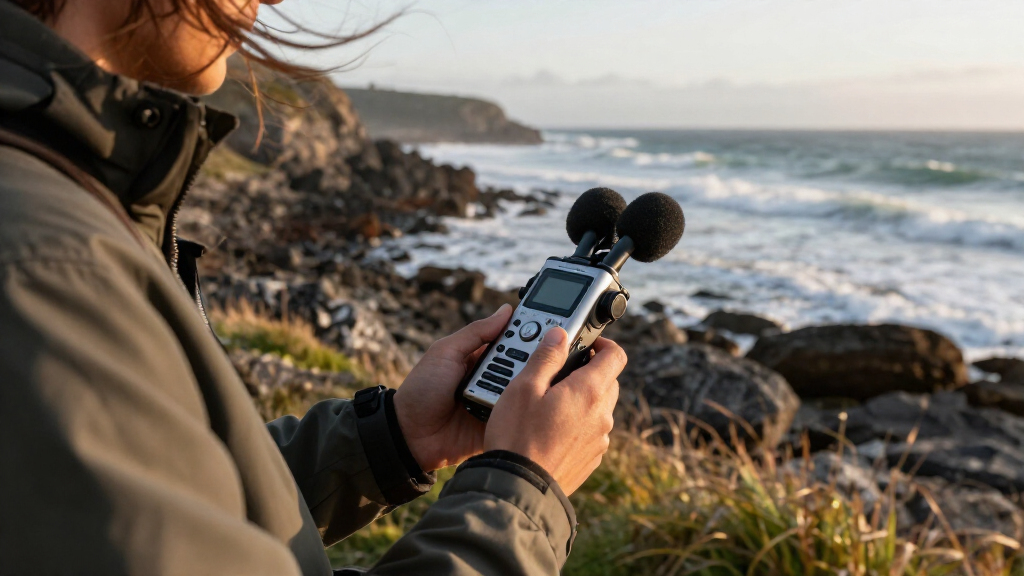
I compared these 15 portable recorders by the job each appears designed to do: capture music or ambient sound, record interviews, save spoken notes, or support transcription and playback. The ranking favors a clear match between the product’s form and its likely use, along with recording flexibility, ease of operation, practical connectivity, and whether included accessories make the device more ready to use. I treated advertised storage, voice activation, and noise reduction as useful clues, not proof of sound quality.
The Zoom H1essential Stereo Audio Recorder leads for its focused handheld-recording role, while other Zoom models rank highly when their added inputs or multitrack options match a more specific need. Voice-recording models are grouped by useful distinctions such as storage, playback, activation, and transcription features; they rank below dedicated audio-focused options for buyers seeking broader recording control. I also weighed tradeoffs: extra features can complicate a simple task, and a large memory figure is less useful if the controls or recording format do not suit the buyer.
Factors to Consider When Choosing Portable Audio Recorders
Before choosing among portable audio recorders, decide what you need the recording to do after you press stop. A device for spoken reminders has different priorities from one for music, interviews, or searchable meeting notes. These broader checks can help prevent paying for features that do not fit your workflow—or buying a simple recorder that cannot handle your sources.
Choose for the sound source, not the storage number
Start by listing what you will record most: one person speaking, several interview guests, live music, or sound around you. A basic voice recorder may be convenient for speech, but a music or multi-source setup can call for better microphone placement options or external inputs. Storage capacity affects recording duration, while microphone design and input choices shape what sources you can capture. A common mistake is treating the largest storage figure as the best overall signal of quality. Check supported recording formats and how files transfer to your usual editing or note-taking tools. Pay for larger capacity only if long sessions or infrequent file offloading make it useful.
Decide how much control you need in the moment
Physical controls can make it easier to start, pause, and check a recording without navigating menus. Voice activation can help when a recorder needs to capture speech without someone managing it, but it may not suit every environment or speaking pattern. For interviews and music, reliable start-and-stop control and a clear way to monitor recording status may matter more than automation. Think about whether you will operate the device yourself or leave it running unattended. Test the intended mode before an important session, since missed beginnings or gaps can be harder to fix than a full-length file. A simpler interface can be a better fit than a longer feature list.
Match inputs and channels to your recording setup
A built-in microphone is convenient for quick notes and ambient capture, but external microphones can offer more control over distance and placement. If you plan to connect a lavalier or other microphone, verify that the recorder has the right input and supports the connection your mic requires. More channels or tracks help when recording multiple sources separately, though they also add setup and file-management work. Buy extra input capability only for a real source you expect to record; it may add little for someone capturing solo voice memos. Also check whether included cables, adapters, and power options fit your kit. This avoids discovering that a recorder’s headline input feature still needs additional gear.
Treat transcription as a separate workflow decision
Transcription features can reduce the effort of turning speech into searchable notes, but they do not remove the need for clear source audio or careful review. Consider where recordings and transcripts are processed, how you can export them, and whether the workflow depends on an app or connected service. AI features are most useful when you will act on the transcript, such as organizing interviews or meeting notes. They add less value if you only need an audio file for playback or editing. Buyers should also account for privacy expectations before recording conversations and sending material through online tools. A conventional recorder may be the better fit when local files and direct control matter most.
Plan for power, accessories, and file handling
Portability depends on more than a small body: batteries, charging, memory cards, microphones, and windscreens all affect what you carry. Bundles can save setup effort when the included items match your use, but accessories are not automatically useful just because they come in the box. Check how the recorder is powered and whether you can supply or recharge it easily during longer sessions. Decide where files will go afterward and whether the recorder connects directly to your computer or phone in a way that fits your routine. A recorder that is easy to offload and recharge may serve better than one with more capacity but a clumsy workflow. Keep the full carry kit in mind when comparing compact options.
Spend extra only when it removes a real limitation
A more capable recorder can be worthwhile if you regularly connect external microphones, capture multiple sources, or need a specialized transcription workflow. It is harder to justify extra complexity for occasional voice notes, where a simple device may already cover the job. Prioritize the feature that fixes your current bottleneck, whether that is input choice, unattended capture, file access, or faster note organization. Avoid buying on feature count alone; each added mode can bring extra setup or a learning curve. If you are unsure, identify the one recording you cannot make well with your current setup and shop for that requirement. This keeps the purchase aligned with actual use rather than hypothetical future projects.
Frequently Asked Questions
Can a voice recorder handle music or field recording?
It can capture sound, but a recorder designed mainly for spoken notes may not offer the microphone options or control you want for music and field work. Think about the source, the distance, and whether you need stereo capture or external microphones. Dedicated handheld audio recorders are generally the more natural starting point for those uses. For occasional simple recordings, a voice recorder may be adequate if its capture format and microphone suit the job. Make a short test recording in a similar setting before relying on any device for a performance or important soundscape.
Is more built-in storage better than a memory card?
Neither approach is automatically better; the right choice depends on how you record and move files. Built-in memory keeps the setup simple, while removable cards can make it easier to swap storage or transfer recordings with a card reader. Capacity does not guarantee better audio, and the file format and recording settings affect how quickly space fills. If you record long sessions, check the recorder’s supported card types and file handling before buying. For short voice notes, convenient file access may matter more than maximum capacity.
Should I choose voice activation for lectures or meetings?
Voice activation can reduce empty recording time when speakers pause, but it is not a replacement for checking microphone placement or recording status. Quiet speech, distant speakers, and room noise can affect when a device starts or stops capturing. For an important meeting or lecture, a continuous recording may be safer if storage and battery allow it. Try the activation mode in a low-stakes setting that resembles the real room, then listen for missed beginnings and gaps. Also follow applicable consent and recording rules before capturing other people.
When is an AI transcription recorder worth choosing?
It is most useful when you regularly turn interviews, meetings, or spoken ideas into searchable written notes. Before choosing one, check whether transcripts can be exported in a format you use and whether the workflow requires an app, account, or online processing. Transcription convenience should match your privacy needs, especially for confidential conversations. AI-generated text can contain errors, so plan to review names, technical terms, and important quotations. If you mainly want a clean audio file, a conventional recorder may offer a simpler path.
Do I need a recorder with external microphone inputs?
You likely do if you plan to use a lavalier, connect a separate microphone, or record sources that need different placement from the recorder itself. Built-in microphones keep a setup compact and can work well for spontaneous notes or nearby sound. External inputs add flexibility but also add gear, including compatible cables and sometimes power requirements. List the microphones you already own and confirm the recorder accepts their connection before choosing. If you do not expect to connect a mic, paying for unused inputs may add complexity without improving your routine.
Conclusion
For a capable handheld starting point, I recommend the Zoom H1essential Stereo Audio Recorder as best overall; it keeps the focus on portable audio capture without pushing buyers toward a specialized note workflow. The best value depends on the task: the Cappsu or Sunlan voice recorders are worth comparing for straightforward speech capture, while the Zoom H1essential bundle may suit someone who needs its included accessories. For a best premium, more flexible setup, I’d look at the Zoom H4essential; the H1 XLR is a more specific pick for buyers whose setup calls for its connection options. Beginners who mainly want spoken notes can start with a simple playback-focused model such as the EVISTR L357, while buyers who want AI-assisted notes should compare the EVISTR L359 and Plaud Note Pro with their privacy and export needs in mind. Choose the recorder around your actual source and workflow: voice notes, multitrack audio, external microphones, and searchable transcripts are different jobs.