
TL;DR

Get audio and creator gear delivered free with Prime
- Fast, free delivery on millions of items
- Prime Video, Amazon Music and more included
- Member-only deals all year
Battery-free EMR styluses draw power wirelessly from a tablet’s electromagnetic field, eliminating batteries. They offer high precision, low maintenance, and are ideal for professional artists and designers.
Imagine a stylus that never needs charging, stays light as a feather, and delivers professional-grade precision. That’s the magic of electromagnetic resonance (EMR) technology. It’s the secret behind many of today’s top digital art tools that combine simplicity with performance.
If you’re tired of swapping batteries or dealing with laggy, active styluses, understanding how EMR works can change your perspective. It’s a clean, elegant solution that’s quietly powering the future of digital creativity.
EMR styluses power themselves through the tablet’s electromagnetic field, removing the need for batteries.
They are lighter, more reliable, and require zero maintenance, making them ideal for long-term use.
Advances in coil design and materials have significantly increased their responsiveness and sensitivity.
Compatibility depends on the device supporting EMR technology—check before buying.
They’re a smart choice for artists who want precision without the hassle of charging or replacing batteries.
Battery-Free Styluses: How EMR Pen Technology Works
TL;DR: An EMR pen borrows energy from a tablet’s electromagnetic field, then returns position and pressure data through that same invisible connection. The result is a light, precise stylus that never needs charging.
Power and data travel in a continuous loop
EMR means electromagnetic resonance. A sensor grid behind the display generates a field; a tuned coil inside the pen captures enough energy to operate its sensors and communicate each stroke.
Field generated
The tablet’s sensor grid produces an electromagnetic field across the drawing surface.
Coil resonates
The pen’s tuned coil responds at a specific frequency when it enters the active area.
Energy captured
Resonance converts field energy into the tiny electrical supply needed by the pen.
Stroke returned
The pen modulates the field so the tablet can decode location, pressure and movement.
Like a tuning fork responding to its matching pitch, the pen coil responds to the tablet’s field. That tuned exchange provides both persistent power and responsive communication without a battery in the stylus.
Less hardware overhead, more creative flow
A battery-free design removes weight, charging routines and battery degradation from the working experience. For long illustration, design and note-taking sessions, those small advantages compound.
Battery anxiety
The pen wakes whenever it reaches the compatible tablet’s active field. No cable, charging dock or replacement cell is needed.
Lower hand fatigue
Removing the battery reduces internal bulk, supporting more comfortable control during long drawing and writing sessions.
Useful service life
There is no aging battery to lose capacity, leak or become the single point of failure inside the pen.
Natural line control
Continuous sensing supports detailed marks, nuanced pressure changes and responsive professional workflows.
Power maintenance
Users may replace worn nibs, but there is no power source to charge, monitor or periodically replace.
Battery waste
Eliminating the pen battery reduces consumable waste and avoids disposal tied to degraded rechargeable cells.
| Feature | Battery-free EMR | Battery-powered active pen | Workflow impact |
|---|---|---|---|
| Power source | ✓Tablet field | Replaceable or rechargeable battery | EMR remains ready without charging |
| Typical weight | ✓Lighter | Added battery and charging hardware | Reduced fatigue over long sessions |
| Maintenance | ✓No power upkeep | Regular charging or cell replacement | Fewer creative interruptions |
| Compatibility | ~EMR devices only | Protocol-specific devices only | Always verify the exact device model |
| Long-term cost | ✓No battery expense | Possible cells, cables or accessories | EMR can reduce ongoing ownership costs |
Smarter coils make every stroke feel closer to analog
Improved coil design, low-loss circuits and more capable sensing grids increase energy-transfer efficiency while expanding pressure, tilt and gesture performance.
Discrete pressure levels allow fine transitions from delicate sketch lines to dense shading when supported by the tablet, pen and creative software.
Refined materials capture field energy more effectively, supporting steadier operation and responsive sensing.
EMR can work alongside capacitive touch, letting fingers navigate while the pen handles precision input.
Some systems add hover, tilt, side switches or gestures without putting a rechargeable battery in the pen.
Five things to know before choosing EMR
The technology is low-maintenance, but it is not universal. Match the stylus to the exact tablet or display model and confirm the features your workflow requires.
The compatible tablet supplies operating energy wirelessly.
Less internal hardware can mean a better-balanced creative tool.
Modern systems offer refined pressure, tilt and responsiveness.
A standard touchscreen alone cannot power or read an EMR pen.
Illustration, design, CAD and handwriting benefit most.
Confirm that the exact device model includes an EMR digitizer and supports the stylus generation you intend to buy. Brand familiarity alone does not guarantee cross-compatibility.
From invisible energy to visible expression
The complete EMR experience is a chain: field generation enables resonance, resonance powers sensing, sensing becomes data, and data becomes the mark on screen.
Energy spreads across the active surface.
The tuned pen circuit responds.
Sensors operate without a battery.
Position and pressure return to the grid.
The application renders the stroke.
The quiet advantage is readiness.
EMR removes a small but persistent source of friction. With no battery to manage, the pen stays light, dependable and prepared whenever inspiration arrives—provided the tablet contains the field-generating hardware it needs.
What Is EMR Pen Technology and Why Does It Matter?
EMR stands for Electromagnetic Resonance. It’s a way to power styluses without batteries—using the tablet itself as a wireless energy source. Think of it like your tablet giving a gentle, invisible push to the stylus, enough to make it work.
For artists and designers, this means a lightweight, reliable tool that’s always ready. No charging cables, no batteries to replace. Just a seamless flow of creation, with high accuracy and responsiveness.
Understanding this technology matters because it directly impacts your workflow. A stylus that’s always ready and lightweight reduces fatigue during long creative sessions. Plus, the lack of batteries means fewer worries about device failure or interruptions, allowing you to focus entirely on your art.
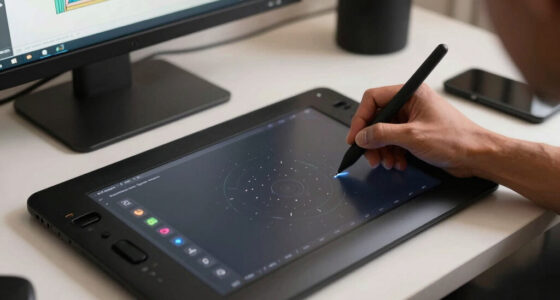
battery free EMR stylus for digital art
As an affiliate, we earn on qualifying purchases.
As an affiliate, we earn on qualifying purchases.
How EMR Styluses Draw Power Without Batteries
- The tablet creates an electromagnetic field across its surface—think of it like a gentle radio wave that envelops the stylus area.
- The stylus contains a tiny coil that resonates at a specific frequency when near this field, similar to how a tuning fork vibrates at a certain pitch.
- This resonance converts the electromagnetic energy into electrical power, enough to run the stylus’s internal electronics, including sensors and the tip for drawing.
- Simultaneously, the stylus transmits its position and pressure data back to the tablet by subtly modulating the electromagnetic field, much like how a radio transmits signals.
This process allows for a lightweight, battery-free stylus that’s highly responsive. For example, imagine drawing a detailed sketch where every line feels natural—this is made possible because the stylus maintains constant power and high responsiveness without the bulk of batteries. The tradeoff is that EMR styluses require compatible hardware, so they’re not universally compatible, but for those invested in EMR devices, the benefits outweigh the limitations.
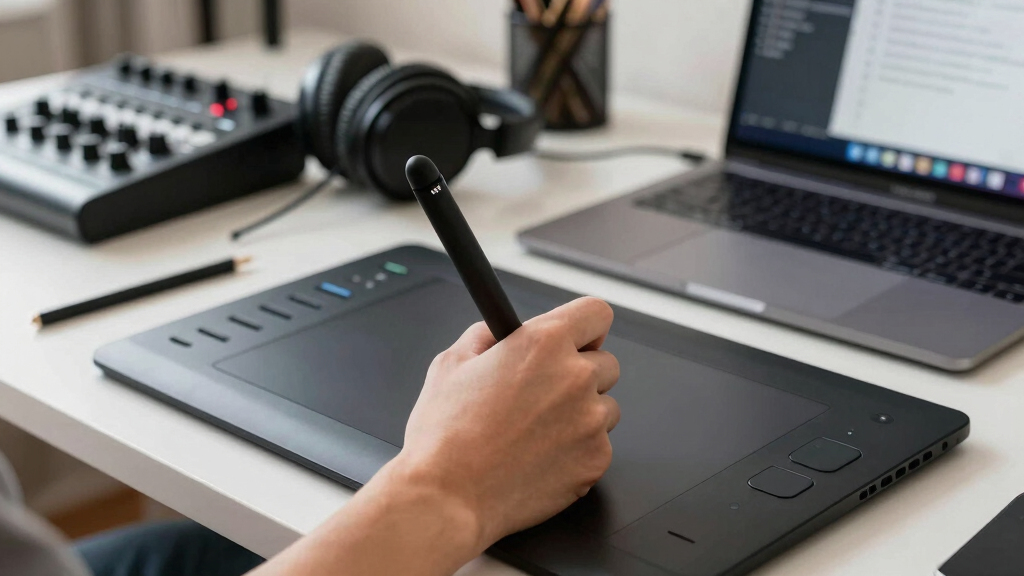
wireless electromagnetic resonance stylus
As an affiliate, we earn on qualifying purchases.
As an affiliate, we earn on qualifying purchases.
Why Artists Love EMR Styluses Over Active Ones
| Feature | EMR Styluses | Active Styluses |
|---|---|---|
| Power Source | Wireless energy from tablet | Batteries or rechargeable |
| Weight | Light as a feather, reducing fatigue during long sessions | Heavier due to batteries, which can cause hand fatigue over time |
| Maintenance | None needed, no battery replacements or charging | Requires regular charging or battery replacements, adding to upkeep |
| Cost | Long-term savings due to durability and no batteries | Potentially higher ongoing costs for batteries or charging accessories |
Many artists prefer EMR styluses because their lightweight design reduces hand fatigue during extended work, and the lack of batteries means fewer interruptions. For instance, a professional illustrator working on a long project can focus on their art without worrying about battery life or device weight. The simplicity of EMR styluses also means fewer technical issues, allowing artists to trust their tools in critical moments.
professional EMR stylus for tablets
As an affiliate, we earn on qualifying purchases.
As an affiliate, we earn on qualifying purchases.
Recent Advances Making EMR Styluses Better Than Ever
Technology keeps improving. Modern EMR styluses now boast pressure sensitivity levels of 8,192 steps—perfect for shading and detailed work. Tilt recognition allows artists to mimic real pencil or brush strokes, adding natural variation to their digital art.
Materials like advanced coil designs and low-loss circuits boost energy transfer efficiency—think of it as upgrading from a standard radio to a high-definition one. This results in better responsiveness, less lag, and a more natural drawing experience, even during intense, long sessions like comic book inking or detailed illustration.
Some devices integrate EMR with touch or gesture controls, enabling artists to zoom, undo, or switch tools with simple hand motions—streamlining workflows without cluttering the workspace. These enhancements make EMR styluses not just reliable but also versatile, helping artists achieve professional results with minimal fuss.
lightweight battery free stylus for drawing
As an affiliate, we earn on qualifying purchases.
As an affiliate, we earn on qualifying purchases.
Common Questions About EMR Styluses Answered
- How does an EMR stylus differ from active styluses that require batteries? EMR styluses draw power wirelessly from the tablet’s electromagnetic field, so they never need charging or batteries. Active styluses contain batteries and electronics that require regular charging or replacement, which can interrupt your workflow and add to maintenance.
- Are EMR styluses compatible with all touchscreen devices? No, they are designed for specific hardware that supports electromagnetic resonance technology, such as certain Wacom tablets or specialized touchscreens. Before purchasing, verify compatibility to avoid frustration.
- Can EMR styluses be used for writing and drawing? Absolutely. Their high precision, pressure sensitivity, and responsiveness make them ideal for detailed art, note-taking, and professional illustration. For example, architects use EMR styluses for precise CAD drawings, and illustrators rely on them for nuanced shading.
- What are the limitations of EMR styluses? They require compatible hardware that generates an electromagnetic field, so they’re not universally compatible. They may lack features like customizable buttons or gesture controls found in some active styluses, which could be a consideration for users needing those functions.
- Are EMR styluses more durable than battery-powered ones? Yes. Without batteries, they tend to last longer and are less prone to failure caused by battery degradation. For example, a stylus used daily for years can remain reliable without the risk of battery leaks or performance drops, making them a smart investment for professionals seeking durability.
Conclusion
If you crave a stylus that’s simple, reliable, and ready whenever inspiration strikes, EMR technology answers that call. It’s a quiet revolution that keeps your workflow smooth and your setup light.
Keep an eye on how this technology evolves—future models may offer even richer features, all without a single battery. For now, embracing EMR means embracing effortless, precise digital creation.
Halloween Picks
halloween
As an affiliate, we earn on qualifying purchases.