TL;DR

Get audio and creator gear delivered free with Prime
- Fast, free delivery on millions of items
- Prime Video, Amazon Music and more included
- Member-only deals all year
In small spaces, choosing the right lighting mount—floor stand, desk clamp, or wall mount—can dramatically improve your workflow. Each has unique pros and cons, so pick based on your room’s layout, safety needs, and how often you switch setups.
If you’re working in a cramped room, every inch counts. A bulky light stand can turn your small studio into a cluttered maze. But the right mounting choice transforms space into an asset—allowing quick setup, better angles, and a safer environment.
In this guide, you’ll learn the practical differences between light stands, desk mounts, and wall mounts. Plus, discover how to select the best option for your unique setup—whether you’re streaming, filming, or just saving space in your apartment.
Prioritize space-saving mounts—wall or desk-mounted—over bulky stands in small rooms.
Always check load ratings and wall compatibility before installation.
Use safety cables for overhead gear to prevent accidents.
Combine different mounts—like a fixed wall boom plus a portable stand—for maximum flexibility.
Stay updated on modular systems and quick-release hardware for fast, tidy setups.
Light Stands, Desk Mounts and Wall Mounts in Small Spaces
The right support can turn a cramped room into a fast, safe production space. Match the mount to your gear, room structure and need for movement—then keep floors clear, angles useful and setup changes simple.
A well-positioned wall mount can reclaim a substantial share of a tiny studio’s working area.
Wall-mounted gear should connect to suitable studs, masonry or another load-bearing substrate.
Combine permanent efficiency with one movable support for changing scenes and fill light.
Floor, desk and wall
With desk or wall mounts
Safety cable per fixture
Fixture, modifier and arm
Compare the tradeoffs
No mount wins every category. Select for the room’s dominant task, then use complementary hardware to cover occasional needs.
| Mount type | Best for | Floor clearance | Repositioning | Primary limitation |
|---|---|---|---|---|
| Light stand | Flexible, temporary setups | ✗Tripod footprint | ✓Fast and portable | Trip hazards and blocked furniture |
| Desk mount | Streaming and tabletop filming | ✓No floor footprint | ✓Easy arm adjustment | Vibration and clamp compatibility |
| Wall mount | Permanent studio corners | ✓Maximum clearance | ~Adjustable but fixed | Installation and reduced portability |
Calculate the real working load
The fixture is only part of the load. Modifiers, batteries, brackets, cables and extended arms add weight and leverage. Leave a sensible margin below the stated maximum.
Count every component
Include the light, softbox, grid, power supply, ball head, adapter, extension arm and cables.
Account for leverage
A light modifier at the end of a long boom can create more force than its weight suggests.
Inspect the supporting surface
Avoid unsupported extensions, thin hollow-core furniture, loose shelves and unverified drywall anchors.
Secure the failure path
Use counterweights where appropriate and attach safety cables to overhead or wall-mounted gear.
A wall boom may reclaim a large portion of a tiny studio, but only when its fasteners and substrate are suited to the complete working load. Manufacturer guidance and local building requirements take priority.
From gear list to safe setup
Use this chain before buying hardware or drilling a wall. Each decision narrows the field and prevents expensive mismatches.
List the full load
Weigh the fixture, modifier, battery, adapter and supporting hardware.
Map reach and movement
Mark doors, chairs, camera frames, desk edges and required light angles.
Verify the surface
Confirm desktop strength or identify suitable studs, masonry and fasteners.
Add the safety layer
Route cables, clear walkways, add counterweights and secure overhead gear.
Build upward, stay modular
Compact studios work best when every support earns its footprint and can adapt without creating clutter.
What’s the best way to save space with your lighting gear?
In tiny studios, your main goal is to keep the floor clear and your gear close at hand. Heavy, floor-standing tripods eat up precious space and can be a trip hazard. Instead, consider desk mounts or wall mounts—they keep your workspace open and make switching between setups a breeze.
Think about a typical setup: a small LED panel on a desk clamp, a key light on a wall boom, and a camera on a separate stand. Each piece of gear should serve the space, not dominate it. Compact, foldable, and easy-to-reposition mounts are your best friends here.
Popular right now

KitchenAid Classic Series 4.5 Quart Tilt-Head Stand Mixer K45SS, Onyx Black

Bose QuietComfort True Wireless Earbuds with Active Noise Cancellation, Black

Shark Rocket Pet Plus Corded Stick Vacuum, Bordeaux, HV322
As an affiliate, we earn on qualifying purchases.
Light stands: flexible but bulky — are they right for small spaces?
Light stands are the classic choice. They’re adjustable, portable, and can hold everything from softboxes to small LED panels. But in small rooms, they often become the very thing you want to avoid. Their wide tripod legs take up floor space and can block doors or trap feet.
For example, a 6-foot tripod in a tiny bedroom can block access to your desk or bed. If you prefer the flexibility of a stand, look for low-profile or compact models—some fold down to half their height or have sliding legs that tuck under furniture.
However, if your setup is temporary or you need maximum height, a stand still makes sense. Just be aware of the tradeoff: more space used and potential trip hazards.
The key consideration is how often you need to move or adjust your lighting. If you frequently reposition your lights, a stand’s portability can be a huge advantage. But if your space is tight and your setup is mostly static, the bulkiness of traditional stands can outweigh their flexibility, leading to clutter and safety concerns.
Desk mounts: how to turn your desk into a flexible lighting station
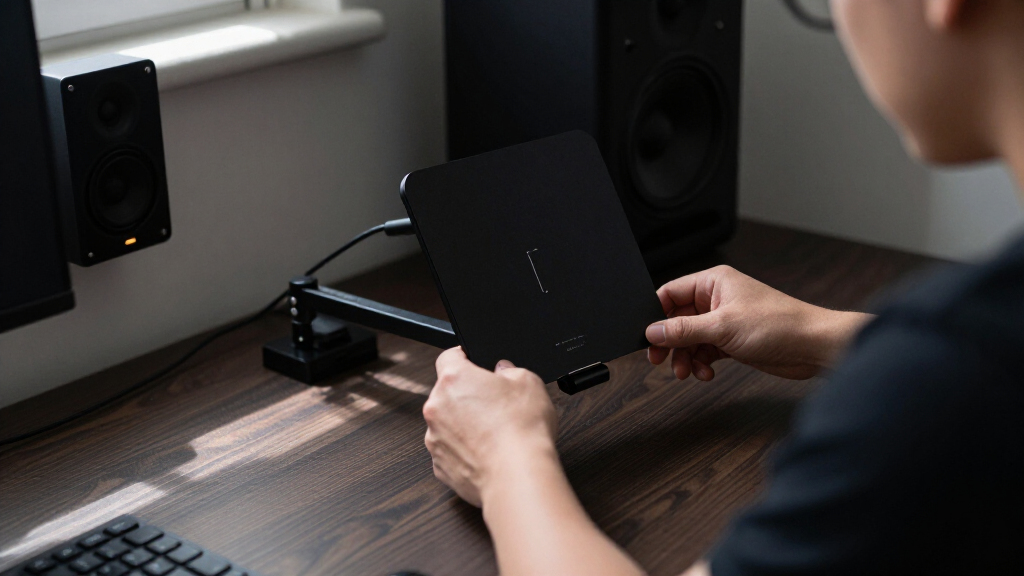
Desk mounts are a game-changer in tiny rooms. They clamp directly onto your desk or table, freeing up floor space entirely. They’re perfect for streaming, video calls, or tabletop filming where you want everything within arm’s reach.
Imagine a slim, adjustable arm clamped to your desk edge, holding a key light. When you’re done, you simply swing it aside or remove it—no mess, no fuss. The secret is choosing a clamp that fits your desktop thickness and a support arm that can handle the weight of your gear.
Be aware that desk mounts can transmit vibration from typing or knocking, so they’re best with lightweight fixtures. Also, check the clamp’s maximum desktop thickness and the strength of the surface—thin veneer or hollow-core desks may need reinforcement.
Choosing the right desk mount involves balancing ease of use with stability. A sturdy clamp and a support arm with good tension will prevent unwanted movement, which is especially important if you’re filming or streaming. Additionally, consider cable management features—integrated clips or channels help keep your workspace tidy and prevent accidental disconnections or tripping hazards.
Wall mounts: the space-savers you didn’t know you needed
Wall mounts are often overlooked but excel at freeing up space. They turn a vertical surface into a mounting platform, keeping your floor and desk clear. A wall boom arm can hold your key light or camera, swinging out when needed and folding flat when not.
For example, in a tiny bedroom, a wall-mounted C-stand or boom arm can position your key light overhead without cluttering your desk or floor. Proper installation into wall studs or masonry ensures safety and stability.
However, wall mounts are less flexible—they’re semi-permanent. Moving them requires drilling, and if not installed properly, they can become a safety hazard. Use anchors designed for your wall type, and always follow manufacturer instructions.
Despite these limitations, wall mounts can dramatically increase your usable space. They are especially beneficial if your setup remains mostly static, such as in a dedicated studio corner. The tradeoff is that they reduce flexibility—if you need to change your setup often or reconfigure your space, wall mounts might become inconvenient. Proper installation and choosing adjustable or multi-position mounts can alleviate some of these issues, making them a reliable, space-efficient choice for many creators.
Comparing mounting options: what suits your small studio best?
| Mount type | Best for | Main advantages | Main limitations |
|---|---|---|---|
| Light stand | Flexible, temporary setups | Portable, adjustable, easy to reposition | Uses floor space; can be a trip hazard |
| Desk mount | Streaming, tabletop filming | No floor footprint; easy to reach and adjust | Can transmit desk vibration; clamp compatibility matters |
| Wall mount | Permanent or semi-permanent studios | Maximum floor clearance; stable positioning | Requires installation; harder to reposition |
Key factors to consider when choosing your mounting solution
Space efficiency, load capacity, reach, stability, and safety all matter. For example, if you need to position a large softbox above your desk, a sturdy wall boom or ceiling mount is better. For quick adjustments, a friction arm on a desk clamp might suffice.
Always check the load ratings, wall compatibility, and whether the mount can handle your gear’s weight and leverage. Don’t forget about cable management—keeping cords tidy prevents accidents and clutter.
In small spaces, safety is paramount. Use safety cables for overhead gear, keep walkways clear, and ensure mounts are installed into solid structures.
Choosing the right mounting solution involves understanding the tradeoffs between flexibility, safety, and permanence. A wall mount offers stability and frees up space but sacrifices some flexibility, making it ideal for static setups. Conversely, desk clamps provide mobility but require careful installation to ensure stability. Balancing these factors according to your specific needs will help you create a safe, efficient workspace.
Latest trends in small-space creator mounting gear
Design trends focus on compact, modular, and quick-adjust systems. Manufacturers now produce clamp-on poles that slide underneath desks, quick-release adapters for fast gear swaps, and lightweight softboxes that pack flat.
Gas-spring arms and modular rails are becoming common, making repositioning easier. Wireless and app-controlled lighting also means less fuss with physical adjustments—less hardware, more convenience.
For example, a creator might use a low-profile ceiling rail system to position multiple lights overhead, then switch between configurations in seconds. These innovations turn tiny rooms into flexible, professional-grade studios.
Staying updated with these trends allows creators to optimize limited space while maintaining high-quality production standards. Modular systems reduce clutter, improve efficiency, and can adapt to evolving content styles—making your small studio feel more like a professional setup.
Practical tips for different room types and needs
In a tiny desk setup, a vertical pole with articulating arms attached to the desk edge can hold your key light and camera, leaving the floor clear. For a multipurpose bedroom, foldable stands and quick-release mounts make storage easy.
If you have a dedicated studio corner, wall-mounted boom arms into sturdy studs create permanent, space-efficient rigs. For sit-stand desks, consider mounts that clamp onto the edge, maintaining consistent height as you move up and down.
In rental spaces, avoid drilling into walls; tension poles or clamp-on solutions are safer bets. Always check the weight limits and compatibility before installing.
Understanding your space and usage needs helps you select the most effective mounting solutions. For example, a mobile creator who frequently changes setups benefits from lightweight, portable mounts, whereas a fixed studio benefits from more permanent, robust solutions that maximize safety and space.
How to choose the right mount for your setup
Start by listing your gear’s weight, size, and how often you’ll move it. Then measure your space—doorways, desk edges, wall materials. Match these details against the mount’s specs.
For example, if your main concern is a permanent overhead light for a small corner, a wall boom arm anchored into studs is best. For flexible, temporary setups, a desk clamp with an articulating arm works well.
Don’t forget safety: use anchors suitable for your wall type, add safety cables for overhead gear, and leave enough slack for movement. Balance your needs for stability, flexibility, and convenience.
Careful evaluation of your specific needs, space constraints, and safety considerations will lead you to the most suitable mounting solution, ensuring your setup is both functional and secure.
Frequently Asked Questions
Are desk-mounted lights stable enough?
For lightweight LED panels and small fixtures, desk mounts are generally stable—if you choose a strong clamp and a support arm that fits your desk. Long or heavy modifiers can cause leverage issues, so check the weight capacity and tighten everything properly.
Can I attach a light mount to any desk?
No. Desks made of glass, hollow-core materials, or thin particleboard may not support clamps securely. Always verify the clamp’s thickness range and consider reinforcement plates if needed.
Are wall mounts safer than light stands?
They can be, if installed into solid structures like studs or masonry. Properly mounted wall arms reduce tipping hazards and clutter. But poor installation or overextending can make them dangerous—always follow manufacturer instructions and use appropriate anchors.
How much load capacity do I need?
Add up the weight of your light, modifier, power supply, and cables. Then, add a safety margin—about 20-30%. Be mindful of leverage—extending a fixture far from the mount increases the force, so choose supports rated for your total load.
What’s the best mount for a large softbox?
A sturdy floor stand or a professionally installed wall boom is best. Large softboxes create torque and airflow, so lightweight arms or small stands often aren’t sufficient—and can be dangerous if overloaded.
Conclusion
In tiny studios, your choice of mount isn’t just about convenience. It shapes your entire workflow, safety, and how much space you have to breathe. The best solution balances stability, flexibility, and room to grow.
Remember, a smart mount can turn a cramped corner into a sleek, professional workspace. Keep your gear close, your space open, and your setup ready for anything—big or small.