TL;DR

Get audio and creator gear delivered free with Prime
- Fast, free delivery on millions of items
- Prime Video, Amazon Music and more included
- Member-only deals all year
USB microphones are plug-and-play, ideal for beginners and remote recordings, while XLR mics offer superior sound quality and expandability for professional setups. Your choice hinges on your needs and future plans.
Imagine sitting down with your favorite podcast mic, wondering if you should go the quick, simple route with a USB or invest in the professional-grade XLR. If you’ve ever felt overwhelmed by the options, you’re not alone. The truth is, your choice shapes the sound quality, ease of use, and future growth of your podcast.
In this guide, you’ll learn the key differences, real-world scenarios, and what to consider before investing. Whether you’re starting out or upgrading, understanding these options will help you pick the perfect mic for your voice and goals.
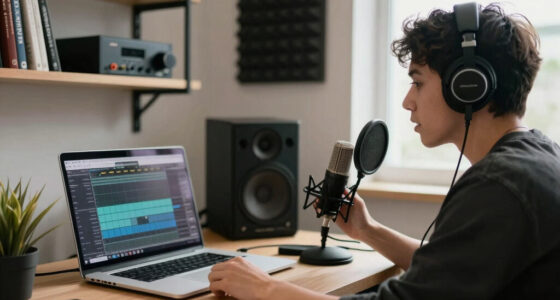
USB microphones are perfect for beginners due to their simplicity and portability.
XLR mics generally offer superior sound quality and room for expansion, justifying their higher cost.
Hybrid mics with both USB and XLR outputs provide versatile options for growing creators.
Environment and placement matter as much as gear; good positioning reduces noise and improves clarity.
Deciding now depends on your current needs, but investing in quality gear pays off long-term.
What’s the Difference? USB and XLR Microphones Broken Down
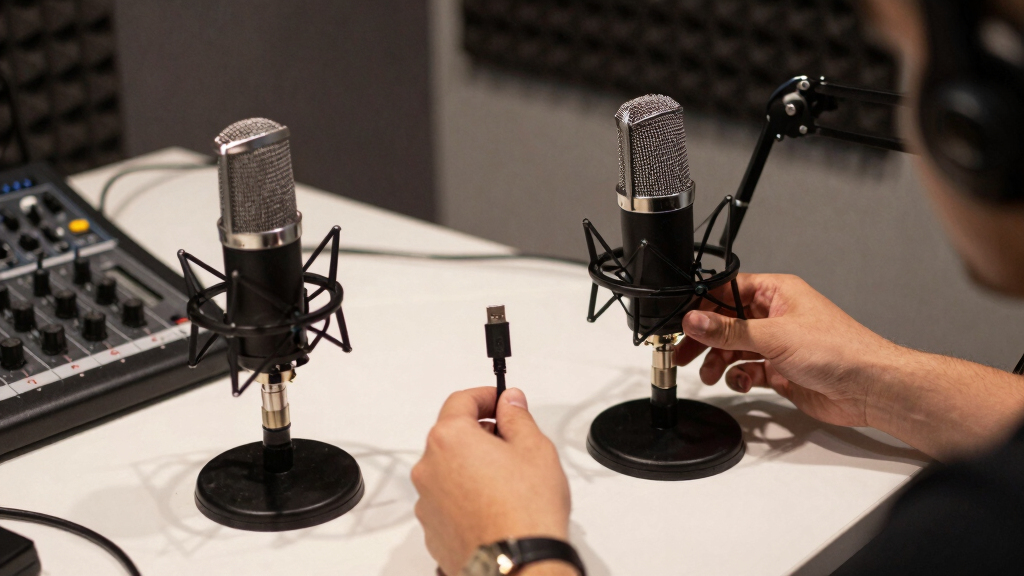
USB microphones connect directly to your computer via a USB port, offering a straightforward, plug-and-play experience. XLR microphones use a three-pin connector, requiring an audio interface or mixer to connect to your computer.
For example, a beginner podcaster might choose a USB mic like the Blue Yeti for its simplicity. Meanwhile, a professional studio might rely on an XLR Neumann U87 for crystal-clear sound and control.
Here’s a quick comparison:
| Feature | USB Microphone | XLR Microphone |
|---|---|---|
| Ease of Use | Plug-and-play, no extra gear needed | Requires audio interface or mixer |
| Sound Quality | Good for most uses, but limited control | Higher quality, more control over audio |
| Portability | Compact and travel-friendly | Bulkier, better suited for studio use |
| Cost | Typically cheaper | Higher initial investment |
Understanding these core differences helps you decide what fits your current needs and future plans.
As an affiliate, we earn on qualifying purchases.
Which Microphone Is Better for Beginners? Keep It Simple
For someone just starting out, the question is often: ‘Which is easier?’ The answer is clear: USB microphones are the best choice. They require no extra equipment, and you can start recording within minutes.
Picture this: You open a box, plug the mic into your laptop, and hit record. No fuss, no fuss. Brands like Blue Yeti or Audio-Technica ATR2100x are popular because they’re reliable, affordable, and deliver solid sound.
While USB mics are perfect for remote interviews, quick demos, or casual podcasts, they still pack enough punch for high-quality content—especially if you’re on a tight budget.
Choosing USB for beginners also means minimizing the technical hurdles. You don’t need to learn about audio interfaces, preamps, or complex connections, which can be intimidating and time-consuming for new creators. This simplicity allows you to focus on content creation rather than technical setup, making it easier to stay consistent and develop your skills.
XLR microphone for professional studio
As an affiliate, we earn on qualifying purchases.
As an affiliate, we earn on qualifying purchases.
Is XLR Worth the Extra Money? When Pros Say Yes
XLR microphones are often the choice of serious podcasters and studios. They deliver noticeably better sound clarity and allow for more control over your voice. This control is crucial if you aim for broadcast-quality audio or want to fine-tune your sound profile. Additionally, their expandability means you can upgrade your setup over time—adding better preamps, microphones, or mixing capabilities—without replacing everything. This flexibility can be a game-changer as your skills and production needs evolve.
Imagine upgrading from a basic setup to a full-fledged studio. You can swap in a condenser microphone like the Shure SM7B, connect it to a quality audio interface, and get studio-quality sound. This upgrade process is not just about better audio; it’s about building a scalable system that grows with your ambitions. The ability to add gear like compressors, equalizers, and mixers lets you craft a unique sound signature, which can set your content apart in a crowded market.
Yes, it costs more upfront—think $200+ for the mic, plus an interface—but it pays off with richer tone, less background noise, and room to grow. The investment is not just in equipment but in the potential to produce more professional and polished content that can stand out in a crowded market. Over time, this setup can save you money by reducing post-production editing and re-records, ultimately making your workflow more efficient and your content more engaging.
As an affiliate, we earn on qualifying purchases.
How to Pick the Right Mic in 3 Simple Steps
- Define your goals. Are you starting out or planning to go pro? Will you record mostly solo or with guests?
- Assess your environment. Do you record in a noisy room or a quiet studio? USB mics are more forgiving in less controlled spaces.
- Set your budget. Budget-friendly options are perfect for beginners, but if you’re serious about quality, investing in XLR gear pays off over time.
For example, if you’re recording a podcast in your closet, a USB mic like the Rode NT-USB might be enough. But if you want all the control and clarity for a professional studio, an XLR setup with a dynamic mic and interface is the way to go.
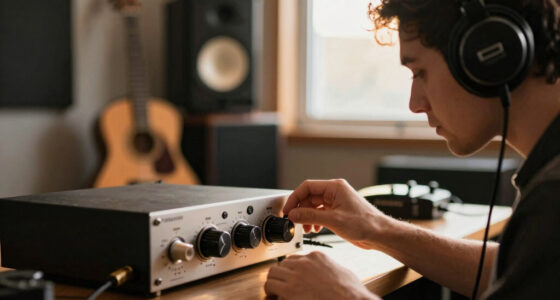
audio interface for XLR microphone
As an affiliate, we earn on qualifying purchases.
As an affiliate, we earn on qualifying purchases.
The Real Cost: Budget, Equipment, and Long-Term Value
Choosing between USB and XLR isn’t just about the sticker price. Think about the total cost of ownership. USB mics are usually cheaper upfront—often under $200—and require no extra gear.
XLR setups can start around $300 but might include a good audio interface, preamp, and cables. Over time, though, XLR gear can be upgraded piece by piece, saving money in the long run. This modularity allows you to tailor and improve your setup gradually, which can be more cost-effective than constantly replacing entire systems.
For instance, a podcaster who invests $500 in an XLR system may find it pays for itself with better sound and less need for re-records or post-processing, as higher-quality gear reduces editing time and improves listener engagement.
Furthermore, investing in quality gear often results in better durability and longevity. High-end XLR microphones and interfaces tend to withstand wear and tear better and maintain their performance over years, which can be a significant saving compared to frequently replacing budget gear. This long-term perspective ensures your investment continues to deliver value as your podcast grows in scale and professionalism.
Frequently Asked Questions
Can I upgrade from a USB mic to an XLR setup later?
Yes, you can start with a USB mic and upgrade later. Many podcasters gradually add an audio interface and XLR mic as they grow, making the transition smoother and more cost-effective.
Is a more expensive USB mic always better?
Not necessarily. While higher-end USB mics often have better build quality and features, many budget models like the Blue Snowball still deliver good sound for casual or beginner use. It’s about matching your needs.
Do I need special software for USB or XLR microphones?
Most USB mics are compatible with common recording software right out of the box. XLR setups require an interface, which usually comes with its own drivers or plug-and-play support for popular DAWs like Audacity, Reaper, or Adobe Audition.
Which microphone type is better for noisy environments?
XLR dynamic microphones, like the Shure SM58, tend to handle background noise better because they are less sensitive than condenser mics. Proper placement and environment control are still key.
Can I use a USB microphone for professional broadcasting?
Absolutely, many high-quality USB mics now produce broadcast-quality sound, especially with good post-processing. However, for the highest control and expandability, XLR remains the gold standard in professional studios.
Conclusion
Choosing between USB and XLR isn’t about one being better than the other—it’s about what fits your goals and setup right now. If you want quick, easy recordings, USB keeps things simple. But if you’re aiming for professional sound and future growth, XLR is worth the investment.
Think of your mic as the voice of your podcast. The right one amplifies your message and keeps your listeners engaged. So, pick wisely, and don’t be afraid to upgrade as your skills and ambitions grow.
Halloween Picks
halloween
As an affiliate, we earn on qualifying purchases.