
TL;DR

Get audio and creator gear delivered free — and shop member deals
- Fast, free delivery on millions of items
- Access to Prime Big Deal Days deals on October 6–7
- Prime Video, Amazon Music and more included
HDMI cameras paired with quality capture cards typically offer lower latency and better image quality than USB webcams. USB cameras are easier and cheaper but may lag slightly and have lower resolution options. Your choice depends on your budget, setup complexity, and quality demands.
Ever wonder why some streamers look crystal clear and respond instantly, while others lag behind or look fuzzy? The secret often comes down to the camera connection and how it feeds your computer.
Today, you’ll learn the real differences between HDMI and USB cameras—what impacts your stream’s quality, how much delay you can expect, and which setup aligns with your goals and budget. No fluff, just straightforward facts to help you make smarter choices.
HDMI cameras with a quality capture card can achieve latency as low as 20-30 ms, ideal for professional live interactions.
USB webcams are easier to set up and more affordable, but typically have higher latency and lower resolution options.
Recent tech advances mean high-quality USB cameras now support 4K and HDR, narrowing the gap with HDMI setups.
Your choice depends on your budget, setup complexity, and quality demands—there’s no one-size-fits-all.
Always test your gear in your actual streaming environment to ensure latency and image quality meet your needs.
What Makes HDMI Cameras Better for Quality and Latency?
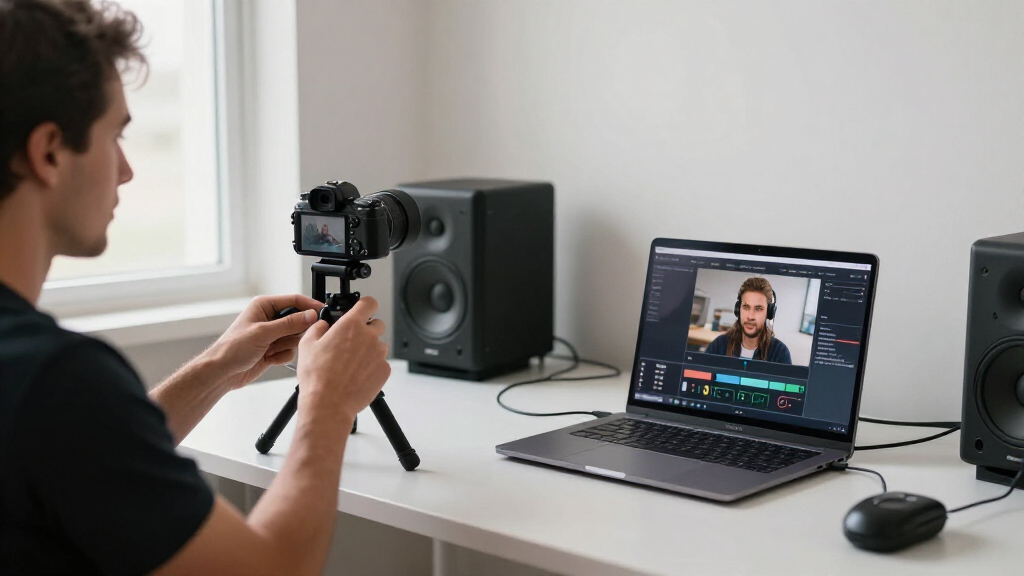
HDMI cameras connect through a dedicated HDMI output, often found on professional or mirrorless cameras. When paired with a quality capture card, they deliver stunning 4K resolution and minimal delay—just 20-30 milliseconds. This low latency is crucial for real-time interactions, such as gaming, live Q&As, or professional broadcasts, where every millisecond counts. The reason is that HDMI transmits high-bandwidth digital signals directly from the camera sensor to your PC, reducing the processing bottleneck and avoiding compression artifacts common with other methods.
Choosing HDMI for your stream means prioritizing image fidelity and responsiveness. For example, a DSLR or mirrorless camera connected via HDMI can produce crisp, high-resolution footage that looks professional and feels seamless. This low latency also allows for more precise lip-syncing with audio and smooth multi-camera switching, which are essential for high-quality productions. However, this setup involves additional hardware costs and setup complexity, which trade off the convenience of simpler alternatives. The key is that HDMI’s ability to transmit uncompressed or minimally compressed video makes it the gold standard for professional streaming, but at the expense of increased equipment investment and setup time.
As an affiliate, we earn on qualifying purchases.
How Do USB Cameras Stack Up in Quality and Speed?
USB cameras are designed for ease and flexibility. They are plug-and-play devices that fit seamlessly into most streaming setups, making them ideal for beginners or casual streamers. While they support resolutions up to 4K, their internal processing and compression algorithms are optimized for simplicity rather than quality. This internal compression reduces the amount of data sent to your computer, which introduces a delay—typically around 50-100 milliseconds. Although this might seem minor, in fast-paced interactions like gaming or live debates, such lag can cause noticeable desynchronization between your video and audio, or between your movements and what viewers see.
Recent improvements in USB webcams include better sensors, HDR support, and low-light capabilities. These enhancements narrow the quality gap, enabling USB webcams to produce clearer images with richer color and detail, especially in controlled lighting. However, the core tradeoff remains: convenience and affordability come at the expense of higher latency and sometimes lower maximum resolution or color fidelity compared to HDMI setups. For instance, a streamer using a $50 Logitech webcam might enjoy quick setup and decent image quality, but may experience slight delays when responding to live chat or switching scenes. This latency can impact the immediacy of interaction, which is critical for certain content types. The implication is that USB webcams are a practical choice for straightforward streaming needs, but they inherently limit how responsive and visually pristine your stream can be, especially in competitive or professional contexts.
As an affiliate, we earn on qualifying purchases.
HDMI and USB Compared in a Handy Table
| Feature | HDMI Camera | USB Camera |
|---|---|---|
| Setup complexity | Requires capture card & configuration | Plug-and-play, minimal setup |
| Video quality | Supports 1080p, 4K, better sensors, less compression artifacts | Varies from 720p to 4K, often with internal compression |
| Latency | 20-30 ms with good hardware, suitable for real-time interaction | Typically 50-100 ms, may cause noticeable lag in fast-paced content |
| Cost | Higher, professional gear and accessories needed | More affordable, suitable for beginners |
| Flexibility | Great for multi-camera setups and high-end productions | Ideal for quick, portable streaming setups |
As an affiliate, we earn on qualifying purchases.
Latest Tech Trends Boost Both HDMI and USB Cameras
Recent advances blur the lines. USB cameras now support 4K, HDR, and low-light modes—making them more appealing for high-quality streams without extra gear. These enhancements significantly improve image fidelity, making them more competitive with HDMI setups, especially for casual or semi-professional streamers. The ability to produce sharper images and adapt to different lighting conditions means USB webcams can now deliver a more polished look without the need for additional equipment. Meanwhile, lower-cost HDMI capture cards have made high-quality HDMI streaming more accessible, reducing the barrier for hobbyists and semi-professional content creators to upgrade their gear. This technological progress expands options, allowing streamers to weigh convenience against quality and choose setups that best match their goals and budgets.
For example, a streamer upgrading from a basic 720p webcam to a 4K USB camera might notice not just sharper images but also better color accuracy and improved low-light performance. These improvements mean that even with modest investment, streamers can achieve a more professional appearance, which can enhance viewer engagement and overall production value. The key takeaway is that technological innovations are narrowing previous gaps, giving creators more flexibility to select equipment that balances quality, cost, and ease of use based on their specific needs.
As an affiliate, we earn on qualifying purchases.
Choosing Based on Your Needs: Which Camera Setup Fits You?
Deciding between HDMI and USB boils down to your priorities. Want ultimate quality and ultra-low latency? HDMI with a capture card is the way. It ensures minimal delay and maximum image fidelity, which is crucial for professional broadcasters or multi-camera setups. This setup allows for precise control over each camera’s settings and synchronization, making it ideal for high-end productions. Need a simple, quick setup for casual streaming? USB is your friend—requiring less hardware and setup time, making it perfect for beginners or those who stream occasionally. The tradeoff is that USB’s higher latency and limited scalability might hinder more complex or professional workflows.
If you’re streaming professionally, with multiple angles and high-resolution footage, investing in HDMI gear provides the responsiveness and quality necessary for a polished presentation. Conversely, for casual gaming, vlogging, or chatting with friends, a decent USB webcam offers a reliable, cost-effective solution that can be set up quickly and with minimal fuss. It’s also easier to upgrade or expand later—adding an HDMI camera or a second USB webcam as your needs grow. Ultimately, your choice should align with your current goals, budget, and willingness to handle setup complexity, while also considering future expansion possibilities.
- Assess your budget
- Decide how much setup complexity you can handle
- Consider your quality expectations
- Think about future expansion (multiple cameras?)
Practical Tips for Getting the Best from Your Camera Setup
- Use a high-quality HDMI cable and dedicated capture card for best results.
- Keep your USB webcam drivers up-to-date for smoother performance.
- Test your latency by doing a 10-second full-screen test and measuring delay.
- Adjust camera placement and lighting to maximize image clarity.
- For ultra-low latency, connect your gear directly to a fast USB port and avoid hubs.
Frequently Asked Questions
Can I use my DSLR as a streaming camera?
Absolutely. Many DSLRs and mirrorless cameras support HDMI output, which you can connect to your PC with a capture card. Some newer models even support USB streaming directly, simplifying the process.
Is HDMI really worth the extra effort and cost?
If you prioritize low latency and top-notch image quality—especially for professional streaming or multi-camera setups—HDMI is worth it. For casual use, a good USB webcam often suffices.
How much latency difference can I expect?
With a quality HDMI setup and a good capture card, latency can be as low as 20-30 milliseconds. USB cameras generally hover around 50-100 milliseconds, which might be noticeable in fast-paced interactions.
Can I upgrade my USB webcam to HDMI later?
Yes. You can keep your USB webcam and add an HDMI camera with a capture card later. Many streamers mix both for different angles or better quality without starting over.
What’s the biggest mistake beginners make?
Overlooking testing latency and lighting. Even the best camera can underperform if placed poorly or if your internet is laggy. Always test your setup in your actual environment before going live.
Conclusion
Picking between HDMI and USB cameras boils down to how serious your streaming setup is. If you want buttery-smooth, professional-grade quality, HDMI with a good capture card is the way to go. But for quick, easy, and budget-friendly streaming, a solid USB webcam can do the job.
Remember—your gear is just part of the story. Lighting, placement, and your internet connection matter just as much to make your stream pop. What’s your next upgrade? Start with what fits your goals, and build from there.
Fall Picks
fall essentials
As an affiliate, we earn on qualifying purchases.