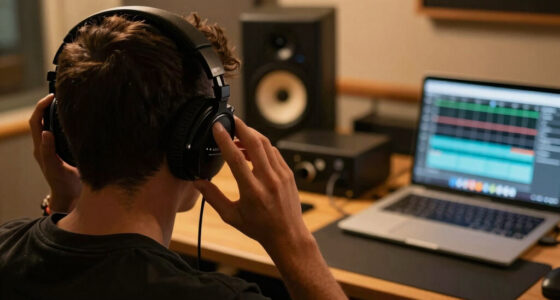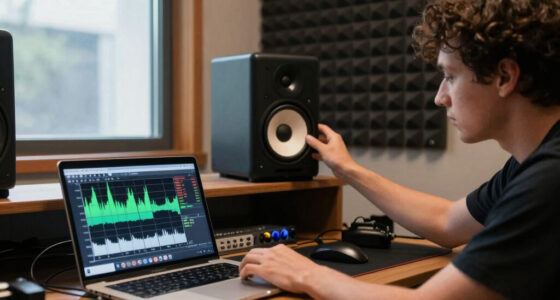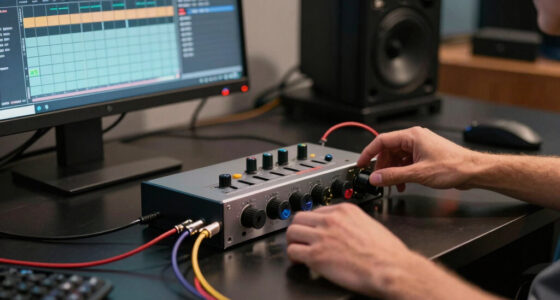
Choose studio headphones, set them up comfortably, and use them to make mix decisions you can check on other playback systems. This guide is for beginners who have a computer or audio interface and want to mix with headphones, either as their main listening tool or as a supplement to speakers. Allow 30–60 minutes to compare options, connect your headphones, and prepare a reference track.

Get audio and creator gear delivered free with Prime
- Fast, free delivery on millions of items
- Prime Video, Amazon Music and more included
- Member-only deals all year

Sennheiser HD 490 PRO Open-Back Professional Headphone
- ✔ Design: Open-back
- ✔ Model: HD 490 PRO
- ✔ Cable length: 1.8 m

Sony MDR7506 Professional Over-Ear Headphones
- ✔ Design: Closed-ear, over-ear
- ✔ Driver size: 40 mm
- ✔ Frequency response: 10 Hz–20 kHz

Audio-Technica ATH-M20x Professional Studio Monitor Headphones, Black
- ✔ Design: Circumaural studio monitor
- ✔ Driver size and type: 40 mm dynamic
- ✔ Frequency response: 15 Hz–20 kHz
Difficulty: Beginner | Time: 30–60 minutes for setup and initial checks
What You’ll Need
Tools & Materials:
- A computer or audio interface with a headphone output
- A digital audio workstation (DAW) or other audio player
- A familiar, well-produced reference track in a lossless or high-quality format
- A way to take notes about listening checks
Knowledge:
- Basic playback and volume-control skills
- A general idea of open-back and closed-back headphones
If you already own headphones, start with them before buying new gear. A familiar reference track and repeatable listening level are more useful than relying on a product description alone.
Sennheiser HD 490 PRO Open-Back Professional Headphone
For mix work in a quiet room, the HD 490 PRO has the clearest role in this group. Its open-back design is built around a wide, dimensional soundstage and precise localization, which makes it the natural choice when we want to assess where parts sit rather than keep sound contained. The product description also calls out low harmonic distortion and includes the DearVR MIX-SE virtual acoustic simulation plugin, adding a software option for working with simulated spaces.That openness is also the central compromise. Sound escapes, so these headphones are a poor match for a noisy room, a nearby microphone, or anyone who needs to monitor without disturbing someone else. The MDR7506 is more practical for isolation, and its folding design is easier to pack; the ATH-M20x also has a closed circumaural fit for tracking. We would choose the Sennheiser for focused mix decisions in a controlled environment, but skip it if containment or everyday portability matters more than spatial presentation.Interchangeable, washable ear pads support upkeep and long sessions, though the listed details do not specify what the two pad sets sound like or how they change fit. Its 1.8-meter cable is shorter than the nearly 10-foot cables listed for both closed-back alternatives, a setup detail to consider if the headphone output is across a desk or room.
Pros:
- Open-back presentation is designed for a wide, dimensional soundstage.
- Precise localization is suited to judging placement in a mix.
- Interchangeable, washable ear pads support maintenance and comfort.
- DearVR MIX-SE plugin is included for virtual acoustic simulation.
Cons:
- Open-back construction leaks sound and provides little containment.
- The 1.8 m cable is shorter than the cables listed for the Sony and Audio-Technica.
- The spacious design is less suitable for noisy tracking environments.
Best for: Mixers working in a quiet, controlled room who prioritize spacious presentation and localization.
Not ideal for: People tracking near open microphones, working in noisy spaces, or needing sound isolation from others.
Bottom line: We rank the HD 490 PRO first for quiet-room mixing because its open, spatial presentation is the most directly aligned with reference listening in this lineup.
“We rank the HD 490 PRO first for quiet-room mixing because its open, spatial presentation is the most directly aligned with reference listening in this lineup.”
Sony MDR7506 Professional Over-Ear Headphones
The Sony MDR7506 is the practical counterpoint to Sennheiser’s open-back reference design. Its closed-ear construction provides isolation for tracking and for monitoring when room noise or sound leakage makes the HD 490 PRO inconvenient. A fold-flat frame and soft case also make it easier to store or carry between workspaces than the open Sennheiser, whose listed strengths center on a fixed, quiet-room setup.For mixing, that portability and containment come with compromises. The supplied information describes detailed sound across a 10 Hz–20 kHz range, but it does not make the same specific claims about a dimensional soundstage and localization as the HD 490 PRO. We would therefore favor the Sony when practical monitoring and isolation lead the decision, rather than choosing it for the most open presentation in this trio. Compared with the ATH-M20x, it adds foldability, a case, and a clearly documented dual-size plug arrangement.The 9.8-foot cable is not detachable, so damage or a change in preferred cable length is harder to address than with a replaceable lead. Its listed warranty is 90 days, another point buyers should weigh against the Sennheiser’s two-year manufacturer warranty. The MDR7506 is a strong fit for a mobile or shared studio workflow, but buyers who want a replaceable cable or open-back spatial cues should look elsewhere in this group.
Pros:
- Closed-ear design provides isolation for monitoring and tracking.
- Folds flat and includes a soft case for storage and travel.
- 40 mm drivers and a stated 10 Hz–20 kHz response.
- Includes 1/4-inch and 1/8-inch connection options.
Cons:
- The 9.8-foot cable is fixed and cannot be replaced independently.
- Listed warranty is 90 days.
- Its closed design does not offer the open, dimensional presentation described for the HD 490 PRO.
Best for: Mixers and tracking engineers who need a foldable closed-back headphone with useful isolation and a long cable.
Not ideal for: Buyers who prioritize open-back spatial presentation, a detachable cable, or a longer stated warranty.
Bottom line: We place the MDR7506 second because it is the most versatile closed-back choice here, though its fixed cable and short listed warranty reduce long-term flexibility.
“We place the MDR7506 second because it is the most versatile closed-back choice here, though its fixed cable and short listed warranty reduce long-term flexibility.”
Audio-Technica ATH-M20x Professional Studio Monitor Headphones, Black
The ATH-M20x is the straightforward entry point for buyers who need a closed, circumaural headphone for tracking and basic mix work. Its design provides isolation, and the 9.8-foot cable gives room to move around a typical recording setup. Audio-Technica describes the 40 mm copper-clad aluminum drivers as delivering clear mids and highs. Those details make this a practical monitoring option, while the product positioning is more entry-level than the HD 490 PRO’s dedicated open-back reference angle.Compared with the MDR7506, the M20x shares a closed fit and similarly long cable but does not list the Sony’s folding design, soft case, or dual plug arrangement. Compared with the HD 490 PRO, it gives up the open soundstage and precise localization emphasized for that model. The M20x’s listed frequency response is 15 Hz–20 kHz, but that specification alone does not tell us how accurately it will translate a mix. We would treat it as a sensible starter for learning to monitor and record, then decide whether a more specialized reference headphone is warranted.Its main drawback in the supplied description is the limited low-end extension relative to higher-end models. That matters if we expect headphones alone to settle bass balance; we should cross-check low-frequency decisions on speakers or another familiar system. The M20x suits a beginner who values isolation and a conventional studio setup, but mixers seeking stronger documentation of spatial reference features should consider the Sennheiser, while those wanting portability features can move up to the Sony.
Pros:
- Circumaural design provides isolation for tracking.
- 40 mm dynamic drivers use copper-clad aluminum and neodymium materials.
- 9.8-foot cable suits a typical studio setup.
- Designed for entry-level studio monitoring and mixing.
Cons:
- The listed 15 Hz–20 kHz range offers less low-end extension than higher-end models, according to the product information.
- No foldable design or carrying case is listed, unlike the Sony.
- Does not provide the open-back spatial presentation described for the HD 490 PRO.
Best for: New home-studio users who need closed-back isolation for tracking and want one uncomplicated headphone for early mix work.
Not ideal for: Experienced mixers prioritizing open spatial cues, or buyers who need the foldable design and included case listed for the Sony.
Bottom line: We recommend the ATH-M20x as the accessible starting point for isolated tracking and basic mix monitoring, with clear limits for spatial and low-frequency reference work.
“We recommend the ATH-M20x as the accessible starting point for isolated tracking and basic mix monitoring, with clear limits for spatial and low-frequency reference work.”
As an Amazon Associate we earn from qualifying purchases.
Before You Start
Headphones can reveal edits, clicks, hiss, and stereo details, but their presentation differs from speakers: each ear hears only its corresponding channel, and bass or stereo width may seem different. Use them to make decisions, then check important balances on speakers or another playback system when possible. Keep playback at a comfortable level; loud monitoring can cause listening fatigue and hearing damage.
Step-by-Step Instructions
Step 1: Decide how you will use the headphones
Write down whether you need headphones mainly for a quiet room, recording while a microphone is open, portable work, or detailed mixing checks. Choose closed-back headphones when you need isolation or want to reduce sound leaking into a microphone. Choose open-back headphones for an open listening feel in a quiet room where leakage is not a problem. If you need one pair for both recording and mixing, prioritize isolation and plan to cross-check the mix elsewhere.
Tip:Open-back headphones are not automatically more accurate, and closed-back headphones are not automatically unsuitable for mixing. Fit, tonal balance, and familiarity matter.
Check: You can name your main use and the design trade-off that matters most for it.
Step 2: Set a realistic budget and compare fit
Set a spending limit before shopping. Compare a few models within it using the same reference track, if in-store listening or a return window is available. Check that the headband stays secure, the ear pads surround your ears without painful pressure, and the cable and connector work with your setup. Listen for a comfortable tonal balance rather than choosing the pair that sounds loudest, brightest, or most impressive at first.
Tip:Headphone frequency-response charts can help you compare products, but they do not tell you exactly how a pair will sound on your ears. Prefer a return policy when you cannot try the headphones first.
Check: The headphones fit comfortably, connect to your equipment, and remain comfortable during a longer listening session.
Step 3: Check the connection and headphone level
Connect the headphones to the audio interface or computer output you intend to use. If the plug is too large or too small, use the correct adapter; avoid forcing the connector. Play a familiar track, start with the output low, and raise it gradually until speech and instruments are clear at a comfortable level. Confirm that left and right channels play on the correct sides.
Tip:If the sound is very quiet even at a high setting, check the DAW’s output routing and the interface’s headphone control before concluding that the headphones need a separate amplifier.
Check: Both channels play cleanly at a comfortable level, and the output does not crackle or cut out when you move normally.
Step 4: Prepare a reference track
Choose one or two well-produced tracks in a style close to the music you are mixing. Use local files or a reliable playback source, and keep the same playback chain when switching between the reference and your mix. In the DAW, route the reference so it does not pass through mix processing unless that is part of your intended comparison. Match the perceived loudness before judging tonal balance; louder playback can seem fuller or clearer.
Tip:Keep a written note of what you hear in the reference, such as vocal level, bass weight, and how sharp the cymbals sound. Do not treat another artist’s master as a target to copy exactly.
Check: You can switch between the reference and your mix without changing the headphone connection or accidentally applying the mix bus effects to the reference.
Step 5: Make focused mix adjustments
Work on one mix decision at a time. Listen for vocal and instrument balance, unwanted noise, abrupt edits, reverb tails, panning, and distortion. Make a small adjustment, then compare it with the previous version at the same playback level. Take short breaks if your ears begin to feel tired or if you find yourself repeatedly making extreme changes.
Tip:Headphone stereo can make panning and effects seem wider or more separated than they will on speakers. Use headphones to notice details, but avoid making every stereo decision from headphone listening alone.
Check: Each adjustment addresses a specific issue you noted, and your notes record what changed and whether it helped.
Step 6: Cross-check the mix on other playback systems
Export a draft and listen on studio monitors if available, then try a second familiar playback system such as ordinary earbuds or a car stereo. Check whether the vocal remains clear, the bass is audible without overwhelming the song, and important parts still feel balanced. Return to the headphones to investigate problems you hear, then check the revised mix again on at least one other system.
Tip:Do not try to make every system sound identical. Look for problems that persist across systems, and use the reference track to understand what each system emphasizes.
Check: The main parts of the mix remain understandable and balanced across the headphones and at least one other playback system.
Common Mistakes to Avoid
- Choosing headphones based only on a dramatic first impression. — Compare familiar music at matched loudness, check comfort, and use a return option if you cannot try the pair beforehand.
- Mixing too loudly for too long. — Begin at a comfortable level, take listening breaks, and lower the volume if you notice fatigue or ringing.
- Making bass and stereo decisions only on headphones. — Cross-check exported drafts on speakers or another playback system before settling those decisions.
- Comparing the mix and reference at different loudness levels. — Match perceived level before judging tonal balance, clarity, or punch.
Troubleshooting
Problem: One side is silent or sounds much quieter.
Solution: Check the headphone plug, adapter, cable, DAW pan and output routing, and interface balance control. Test the headphones with another known-good source to isolate the cause.
Problem: The headphones sound thin or harsh compared with the reference.
Solution: Confirm that both tracks use the same playback path and are at similar loudness. Check for accidental equalization or effects, then cross-check on another playback system before changing the mix.
Problem: The headphone output is too quiet or distorts when raised.
Solution: Lower the level and inspect the interface output, DAW routing, and connection. Try another output or compatible headphones; if the output cannot reach a clean, comfortable level, check the interface specifications for headphone-drive limits.
Problem: Your mix sounds very different on speakers.
Solution: Use the speaker check to identify persistent balance issues, especially bass, vocal level, and panning. Make measured changes, then recheck on both systems rather than trying to fix every difference in one pass.
What Success Looks Like
Your headphones connect securely, play both channels cleanly at a comfortable level, and remain comfortable through a working session. You have compared a draft against a reference at similar loudness and checked the export on headphones plus at least one other playback system. Important parts remain clear and balanced, and any remaining differences are specific enough to guide another mix adjustment.
Next Steps
Keep your reference tracks and listening notes together for future sessions. Repeat the cross-check after substantial mix changes, and inspect cables and ear pads if the sound becomes intermittent or uncomfortable. If you plan to buy headphones, compare your current pair with candidates using the same tracks and take advantage of a return window to test them during real mixing work.
Frequently Asked Questions
Can I mix using headphones alone?
Yes, especially when speakers are unavailable, but cross-check important decisions on another playback system. Headphones present stereo and bass differently from speakers, so a second check can reveal balances that are easy to miss.
Should I choose open-back or closed-back headphones?
Choose closed-back headphones when you need isolation, such as recording near a microphone. Choose open-back headphones when you work in a quiet room and sound leakage is acceptable. Either design can be useful for mixing.
Do studio headphones need a headphone amplifier?
Not always. First check whether your current output reaches a clean, comfortable level. If it remains too quiet or distorts with your headphones, review the output and headphone specifications before buying an amplifier.
How loud should I listen while mixing?
Use a comfortable level at which you can hear the mix clearly without strain. Take breaks, and lower playback if you notice fatigue or ringing. Consistency matters more than a particular volume setting.
What should I listen for when checking my mix elsewhere?
Check whether the vocal and main parts stay clear, the bass remains controlled and audible, and the arrangement still feels balanced. Note problems that appear on more than one system before making another adjustment.