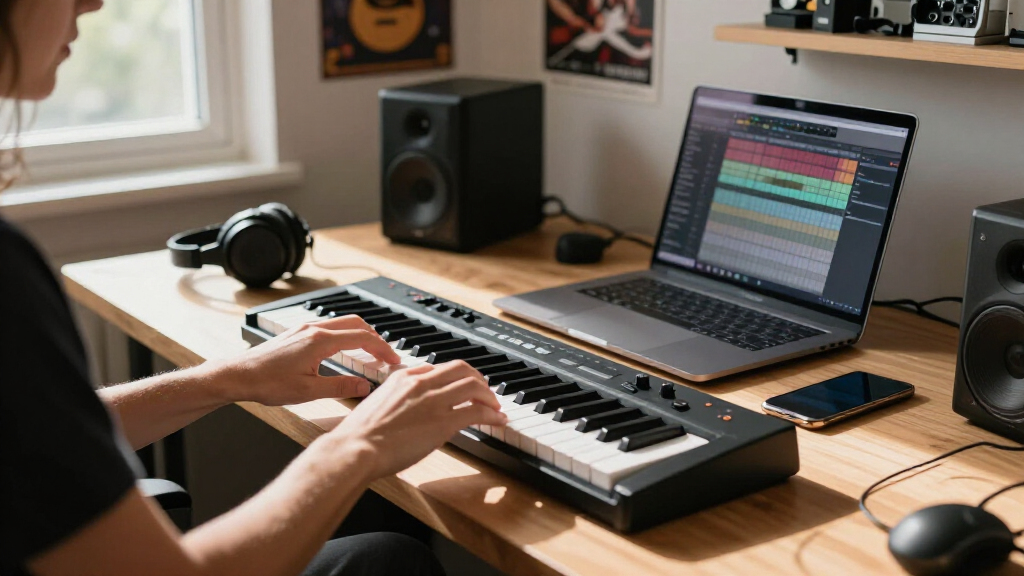
Choosing the best midi keyboard for beginners can be overwhelming, with many options offering different features and price points. The Akai Professional MPK Mini MK3 stands out as the overall best thanks to its compact design and versatile controls, perfect for new producers. For those on a tighter budget, the Akai Professional LPK25 provides a simple, affordable option, while the Arturia MiniLab 3 offers excellent build quality and software integration. The main tradeoffs involve balancing size, features, and price—more features often mean a steeper learning curve or higher cost. Keep reading to find the full breakdown and determine which midi keyboard fits your needs best.

Get audio and creator gear delivered free with Prime
- Fast, free delivery on millions of items
- Prime Video, Amazon Music and more included
- Member-only deals all year
Complete the kit



Key Takeaways
- The top picks balance affordability, size, and feature set, making them suitable for beginners with different needs.
- Build quality and key action vary significantly, influencing long-term satisfaction and playability.
- Many models include software bundles that can accelerate learning but may also add to initial complexity.
- Compact designs are popular but sometimes sacrifice dedicated controls or key size for portability.
- Price often correlates with features; more expensive models tend to offer better key feel and additional controls.


| midi keyboards for beginner | Number of Keys | Connectivity |
|---|---|---|
| Akai Professional MPK Mini MK3 | 25 | USB |
| Akai Professional LPK25 25-Key | 25 | — |
| Arturia MiniLab 3 Universal MI | — | — |
| Donner Mini MIDI Keyboard N-25 | 25 | USB-MIDI, OTG adapter |
| M-AUDIO Keystation Mini 32 MK3 | 32 | USB |
| Donner USB-C MIDI Keyboard Con | 25 | USB-C |
| M-VAVE 25-Key USB MIDI Keyboar | 25 | USB, Bluetooth |
| Akai Professional MPK Mini Pla | 25 | USB, Battery-powered |
More Details on Our Top Picks
Akai Professional MPK Mini MK3 25-Key USB MIDI Keyboard Controller
The Akai MPK Mini MK3 stands out for its combination of portability and feature set, making it the top choice for beginners who want a versatile device. Compared with the Arturia MiniLab 3, it offers more pads and a dedicated arpeggiator, which can significantly enhance beat-making and live performance. However, its 25 keys may not satisfy those seeking a full-range piano experience, and setup can be a bit complex for absolute newcomers. Its compatibility with NKS support and bundled sounds make it ideal for those looking to integrate seamlessly with popular DAWs and virtual instruments. The compact size ensures it fits easily into small studios or mobile setups, but the feature-rich controls might be overwhelming initially.
Pros:- Compact and portable design ideal for studio and mobile use
- Includes MPC-style pads for drum programming and sample triggering
- Supports NKS for seamless integration with Native Instruments plugins
- Bundled with comprehensive sound library and virtual instruments
Cons:- Limited keys may not suit those needing full piano range
- Requires software setup for full customization
Best for: Beginners who want a portable, feature-rich MIDI controller suitable for studio and live performance.
Not ideal for: Players needing full-size keys or a simple plug-and-play device without customization needs.
- Number of Keys:25
- Key Type:Mini velocity-sensitive keys
- Pads:8 backlit MPC-style pads
- Knobs:8 assignable knobs
- Arpeggiator:Yes, adjustable
- Connectivity:USB
Our verdict“This is best suited for beginners who want a versatile, portable controller with advanced features for studio and live use.”
Akai Professional LPK25 25-Key USB MIDI Keyboard Controller
The Akai LPK25 offers a straightforward, portable MIDI solution for beginners focused on songwriting or live improvisation. Unlike the Donner N-25, which includes teaching courses, the LPK25 emphasizes a minimalistic design with essential controls like octave shifts and sustain, making it easy to learn without overwhelming features. Its responsive keys suit expressive playing, but its lack of built-in sounds or standalone capability means it relies heavily on external software, which might frustrate absolute beginners. Its plug-and-play setup ensures quick connection to most DAWs on Mac and PC, but the limited 25 keys restrict more complex compositions. This model excels in portability and simplicity but sacrifices some advanced features found in larger controllers.
Pros:- Compact and portable design ideal for studio and on-the-go use
- Responsive keys suitable for expressive playing
- Versatile with programmable presets and compatibility with major DAWs
- Simple plug-and-play setup
Cons:- Limited keys for complex or layered performances
- No built-in sounds or standalone functionality
Best for: Beginners who want a simple, portable MIDI controller primarily for songwriting and basic performances.
Not ideal for: Users seeking a device with built-in sounds or extensive performance features for complex arrangements.
- Number of Keys:25
- Power Source:USB
- Compatibility:Mac and PC
- Features:Arpeggiator, programmable presets, sustain button, octave controls
Our verdict“This is perfect for beginners needing a straightforward, portable MIDI keyboard for songwriting and basic playing.”
Arturia MiniLab 3 Universal MIDI Controller, White
The Arturia MiniLab 3 makes a compelling case for users who value hands-on control with a sleek design. Compared to the Akai MPK Mini MK3, it emphasizes intuitive control with 8 drum pads, 4 faders, and premium velocity-sensitive keys, making it suitable for detailed sound shaping and track management. Its limited detailed specs might leave some wanting more customization options, and the absence of bundled sounds could be a drawback for absolute beginners without existing libraries. Its streamlined workflow is ideal for users wanting a versatile controller that adapts easily to various production styles. The minimalistic approach favors expressive control but may require external software for deeper editing.
Pros:- Premium velocity-sensitive keys for expressive playing
- Multiple control options including pads and faders
- Easy to use and adaptable to various workflows
Cons:- Limited detailed specifications in the description
- No price information or customer ratings available
Best for: Beginners who prioritize expressive control and workflow flexibility for music production and sound design.
Not ideal for: Those needing extensive built-in features or comprehensive bundled sounds for immediate use.
- Color:White
- Number of Pads:8
- Number of Faders:4
- Key Type:Velocity-sensitive keys
Our verdict“This controller is ideal for beginners seeking expressive control and a sleek workflow, especially if they already have sound libraries or prefer external software.”
Donner Mini MIDI Keyboard N-25, 25-Key MIDI Controller with Velocity-Sensitive Keys and Light-Up Buttons
The Donner N-25 combines basic functionality with educational tools, making it a strong choice for newcomers. Its 25 velocity-sensitive keys provide expressive playing, while the inclusion of 40 teaching courses offers guided learning, a feature not common in many other controllers like the M-AUDIO Keystation Mini 32 MK3. The light-up buttons can be engaging but potentially distracting for some users. Its compatibility across multiple DAWs and devices makes it versatile, yet the limited number of keys may restrict more complex compositions. This pick is great for beginners eager to learn with structured tutorials but may fall short for more advanced or performance-oriented users.
Pros:- Compact and portable design perfect for on-the-go music creation
- Includes 40 comprehensive teaching courses for beginners
- Velocity-sensitive keys for expressive playing
- Compatible with various DAWs and devices
Cons:- Limited number of keys may restrict complex compositions
- Light-up buttons might be distracting for some users
Best for: Beginners who want an educational experience combined with essential MIDI controls for learning and basic production.
Not ideal for: Advanced users or performers needing a larger key range or complex performance features.
- Number of Keys:25
- Key Type:Velocity-sensitive
- Connectivity:USB-MIDI, OTG adapter
- Included Courses:40
Our verdict“This controller suits beginners eager for guided learning and basic music production with a focus on education.”
M-AUDIO Keystation Mini 32 MK3 USB MIDI Controller
The M-AUDIO Keystation Mini 32 MK3 offers a step up in key range with 32 keys, making it more suitable for those who want a bit more flexibility than the 25-key options. Its plug-and-play simplicity makes it ideal for quick setup with both Windows and Mac, and bundled MPC Beats software provides a ready-to-go environment for beginners. Compared to the Akai LPK25, it adds a few more keys for more expressive playing but still lacks advanced features like faders or pads. The mini keys could be a drawback for players with larger hands or those wanting a more authentic piano feel. Overall, it’s a balanced choice for beginners looking for a portable yet slightly more expansive MIDI controller.
Pros:- Compact and portable design ideal for mobile music production
- Includes MPC Beats software for immediate use
- Plug-and-play setup with no external power required
- Slightly larger range with 32 keys for more musical flexibility
Cons:- Limited to 32 keys may still restrict complex arrangements
- Mini keys might not suit all players’ feel preferences
Best for: Beginners needing a portable controller with more keys for richer musical ideas and basic production capabilities.
Not ideal for: Players seeking full-sized keys or advanced controls like pads and faders for live performance or detailed editing.
- Number of Keys:32
- Connectivity:USB
- Compatibility:Windows and Mac
- Includes Software:MPC Beats
- Additional Features:Velocity-sensitive keys, pitch bend, modulation, octave controls
Our verdict“This is a solid choice for beginners wanting a bit more key range without sacrificing portability or ease of use.”
Donner USB-C MIDI Keyboard Controller, 25-Key Portable Mini MIDI Keyboard with 8 Drum Pads, OLED Display, 16 Smart Scales, Arpeggio, Replay, 4 DAW Software, and 40 Teaching Courses
The Donner DMK 25 Pro stands out for its impressive combination of portability and extensive features, making it ideal for beginners who want a flexible tool. Compared with the Akai MPK Mini Play MK3, it offers more comprehensive control options, including 16 smart scales and a dedicated OLED display, which simplifies learning and creativity. Its inclusion of four DAW software packages and 40 teaching courses adds educational value, perfect for those just starting out. However, it relies on connection to a computer or mobile device to produce sound, which could be limiting for users seeking standalone functionality. The lightweight design makes it easy to carry for live practice or studio setups. The tradeoff is that the 25 keys might feel restrictive for those wanting more range or advanced playing. This pick makes the most sense for beginners who want a portable, feature-rich controller that works across multiple platforms.
Pros:- Portable and lightweight design for on-the-go music production
- Supports multiple DAWs with included software and hardware controls
- Interactive light scale touch bar enhances creative control
Cons:- Requires connection to a computer or mobile device to produce sound
- Limited to 25 keys, which may be restrictive for advanced pianists
Best for: Beginners who want a portable, all-in-one MIDI controller with educational resources and multiple DAW compatibility
Not ideal for: Advanced players needing a full-sized keyboard or standalone instrument without reliance on external devices
- Number of Keys:25
- Drum Pads:8
- Display:OLED
- Smart Scales:16
- Included Software:4 DAW software
- Connectivity:USB-C
Our verdict“This controller is perfect for beginners seeking a versatile, portable option with educational support, but not for those needing full-range keys or standalone use.”
M-VAVE 25-Key USB MIDI Keyboard Controller with 8 Backlit Drum Pads, Bluetooth, Semi-Weighted Keys, and Software Included
The M-VAVE 25-Key MIDI Controller shines for its wireless capability and long battery life, making it an excellent choice for mobile musicians or producers who prioritize convenience. Unlike the Donner DMK 25 Pro, which relies solely on USB connections, this model offers Bluetooth connectivity, freeing users from cable clutter and allowing easy setup on the go. Its rechargeable 16-hour battery supports extended sessions without needing power outlets. The backlit drum pads and assignable knobs enhance control versatility, though the 25-key limit remains a restriction for more advanced playing or larger compositions. The semi-weighted keys provide a decent feel but fall short of full-weighted piano action, which some users might prefer. The tradeoff involves potential latency with Bluetooth pairing and a slightly less realistic key feel. This makes it ideal for beginners who need a portable, wireless device that can handle casual studio work and live setups.
Pros:- Wireless Bluetooth connectivity for clutter-free setup
- Long battery life of up to 16 hours for extended use
- Includes backlit drum pads and assignable knobs for creative control
Cons:- Limited to 25 keys, which may not suit all users
- Latency issues possible with Bluetooth wireless connection
Best for: Mobile musicians and producers who want wireless operation and long battery life in a compact, portable MIDI controller
Not ideal for: Advanced pianists or composers needing more than 25 keys or full-weighted keys for expressive playing
- Number of Keys:25
- Backlit Drum Pads:8
- Connectivity:USB, Bluetooth
- Battery Capacity:2000 mAh
- Battery Life:16 hours
- Compatibility:Windows, Mac OS, Android, iOS
Our verdict“This controller is perfect for on-the-move musicians who value wireless freedom and long battery life, though it may fall short for those needing more keys or realistic piano feel.”
Akai Professional MPK Mini Play MK3 25-Key USB MIDI Keyboard Controller
The Akai MPK Mini Play MK3 offers a compact, all-in-one solution with a built-in speaker, making it stand out for musicians who want immediate playability without extra gear. Compared with the Donner DMK 25 Pro, which needs to be connected to a device, this model’s standalone design enables instant music creation anywhere. Its battery-powered option makes it ideal for busking or spontaneous jam sessions. The velocity-sensitive MPC pads, arpeggiator, and multiple software bundles expand creative options, especially for beat makers and songwriters. However, the 25 keys may limit complex arrangements or advanced classical practice. The built-in speaker is convenient but not suitable for serious studio mixing, and some features require additional software or hardware. This controller is best for beginners seeking a portable, all-in-one device for immediate use, with less concern about full-range keys.
Pros:- Compact design with built-in speaker for instant play
- Versatile controls including arpeggiator and extensive software bundle
- Battery-powered option for portable use
Cons:- Limited to 25 keys, which may restrict complex playing
- Built-in speaker is not suitable for professional studio mixing
Best for: Beginners and hobbyists who want a portable, standalone MIDI device with built-in speakers for spontaneous music sessions
Not ideal for: Advanced players or those needing a full-sized keyboard for intricate compositions or studio work
- Number of Keys:25
- Built-in Speaker:Yes
- Connectivity:USB, Battery-powered
- Included Software:MPC Beats, Splice, AIR Keyboards, Electric, Melodics
- Pad Type:Velocity sensitive backlit MPC pads
- Display:OLED
Our verdict“This all-in-one MIDI controller is ideal for beginners who want portability and instant playability, but less suited for advanced or full-range playing needs.”

How We Picked
We evaluated each midi keyboard based on performance, ease of use, build quality, and value for beginners. Priority was given to models that balance affordability with enough features to grow with, such as velocity-sensitive keys, portability, and software compatibility. We also considered user interface simplicity and overall durability, ensuring these options are suitable for new producers. The rankings reflect a combination of these factors, focusing on what matters most for beginners seeking a reliable, versatile starter instrument.| midi keyboards for beginner | Connectivity |
|---|---|
| Akai Professional MPK Mini MK3 | USB |
| Akai Professional LPK25 25-Key | — |
| Arturia MiniLab 3 Universal MI | — |
| Donner Mini MIDI Keyboard N-25 | USB-MIDI, OTG adapter |
| M-AUDIO Keystation Mini 32 MK3 | USB |
| Donner USB-C MIDI Keyboard Con | USB-C |
| M-VAVE 25-Key USB MIDI Keyboar | USB, Bluetooth |
| Akai Professional MPK Mini Pla | USB, Battery-powered |
Factors to Consider When Choosing Best Midi Keyboards For Beginners
When choosing a midi keyboard for beginners, it’s important to focus on a few key factors that impact usability and long-term value. Size and portability matter if you plan to carry your device or set it up in different locations. The quality of the keys affects your playing experience, especially as you progress. Compatibility with your computer or DAW, as well as included software, can make learning more accessible. Considering future expansion options and control features helps ensure your midi keyboard remains useful as skills develop. Avoid models that are overly complicated or underbuilt, as these can hinder your learning process.Size and Portability
Beginners often underestimate how much space they need or how often they’ll carry their midi keyboard around. Compact models like the Akai MPK Mini MK3 are great for small setups or travel but may have fewer controls. Larger options might offer more keys and dedicated knobs but can be cumbersome in tight spaces. Think about your typical workspace and whether portability is a priority. A smaller device might sacrifice some features, so balance size with your future needs.
Key Action and Feel
The feel of the keys significantly impacts your playing experience, especially as you develop technique. Many beginner models feature synth-action keys, which are lighter and more suitable for quick playing or programming. Semi-weighted keys mimic real piano action better but are usually more expensive. For new players, a model with velocity-sensitive keys is essential to learn expression and dynamics. Avoid overly cheap keys that feel plastic or unresponsive, as they can discourage practice.
Compatibility and Software
Ensure the midi keyboard works seamlessly with your computer and preferred DAW software. Most beginner models connect via USB and are plug-and-play, but it’s worth double-checking compatibility with your system. Many come bundled with software or virtual instruments, which can accelerate your learning. Keep in mind that some software might require registration or activation, so choose a model that offers user-friendly setup and reliable support.
Control Features and Expandability
Additional controls like drum pads, knobs, and sliders can boost your creativity and workflow. While many beginner models include some of these, more features often mean a higher price. Consider whether you need extras now or might benefit from them later. Some models also support expansion, such as adding more controllers or software integration, which could be valuable as your skills grow. Avoid overly complex layouts that could be confusing for absolute beginners.
Price and Long-Term Value
Budget is a key factor, but it’s worth investing a little more if it means better build quality or features that will serve you longer. Extremely cheap models might feel flimsy or lack essential controls, leading to frustration. Conversely, paying for a well-designed, durable device can improve your learning experience and give you confidence. Look for a balance: an affordable price point with enough features to keep you motivated as you improve.
Frequently Asked Questions
Do I need weighted keys as a beginner?
For most beginners, fully weighted keys are unnecessary because they are designed for piano players and tend to be more expensive. Synth-action keys, which are lighter and more responsive, are generally better suited for learning and practicing MIDI functions. They allow for quick playing and are more comfortable for extended sessions, making them ideal for new users. As you progress and develop a more advanced touch, you might consider weighted keys, but for starting out, synth-action models are typically enough.
Can I use a midi keyboard without any software?
While a midi keyboard requires software to produce sound, it can often be used as a controller without additional software if your DAW or music app recognizes MIDI input. Most beginner models are plug-and-play, meaning they work as soon as connected to your computer. However, to make the most of your midi keyboard, especially when learning, bundled virtual instruments or DAWs can be incredibly helpful. Without software, it’s mainly a controller, so having some compatible music software is highly recommended.
Are compact midi keyboards suitable for serious music production?
Compact midi keyboards are perfect for beginners and those with limited space, but they may lack some controls found on larger models, such as additional knobs, faders, or a full set of keys. For serious music production or performance, a larger keyboard with more features can be more versatile. However, many compact options are designed to be easily portable and still provide the essential functions needed to learn and create music. It’s about balancing your space, budget, and future ambitions.
Is it better to buy a midi keyboard with software included?
Including software bundles can be a significant advantage for beginners, providing virtual instruments and learning tools right out of the box. This can accelerate your familiarity with digital music creation and reduce additional costs. However, it’s also important to verify the quality of the included software and whether it matches your musical style. If the software is limited or not to your taste, you might prefer a model without software and purchase your preferred programs separately. Overall, bundled software adds value but should align with your learning goals.
How important is the number of keys on a beginner midi keyboard?
The number of keys on a midi keyboard influences both portability and playing range. Most beginners find 25 to 32 keys sufficient for learning scales, melodies, and basic chords, especially if they’re primarily working with software instruments. Larger keyboards with 49 or 61 keys offer more flexibility for developing skills and playing more complex pieces, but they are less portable and generally more expensive. For most starting players, a 25- or 32-key model strikes a good balance between size and functionality.
Conclusion
For those just starting out and seeking a straightforward, reliable option, the Akai Professional MPK Mini MK3 stands out as the best overall choice thanks to its compact size, versatile controls, and excellent software bundle. Budget-conscious beginners will appreciate the Akai LPK25 for its simplicity and affordability. If you’re looking for a slightly more premium option with better key feel and build quality, the Arturia MiniLab 3 offers a compelling package. For users with specific needs like portability or extra controls, models like the Donner Mini N-25 or M-VAVE 25-Key can be ideal. Choose based on your space, budget, and how much you want to grow in your music-making journey.
Halloween Picks
halloween
As an affiliate, we earn on qualifying purchases.