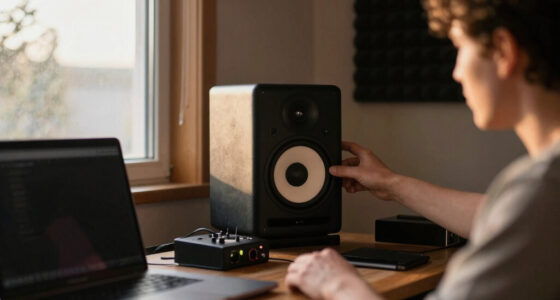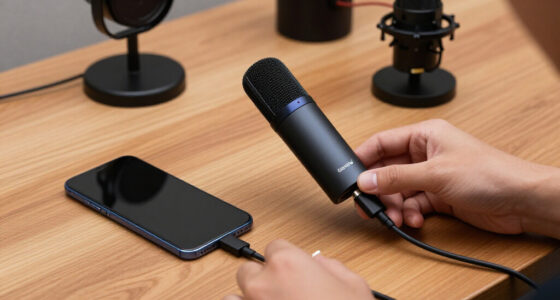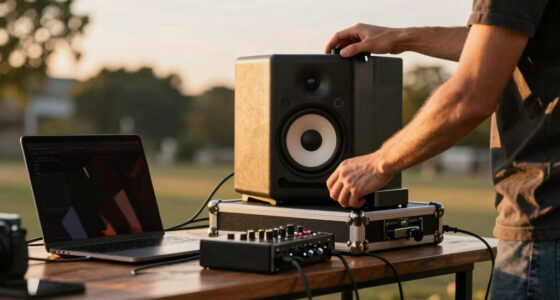
A compact audio mixer for creators needs to balance desk space, input flexibility, and sound quality — and no single model wins all three. My top pick is the Behringer XENYX 802S, which pairs eight inputs with a USB streaming interface at a price most creators can absorb. The MAONO G1 Neo stands out for streamers who want one-touch mute and finger-tip volume control, while the Yamaha MG06 is the pick when build quality and clean preamps matter more than effects and Bluetooth. The core tradeoff in this category: digital feature-laden mixers from smaller brands offer convenience but noisier preamps, while established analog designs sound cleaner but demand more manual work. Read on for the full breakdown of all 11 mixers and which one fits your setup.

Get audio and creator gear delivered free with Prime
- Fast, free delivery on millions of items
- Prime Video, Amazon Music and more included
- Member-only deals all year
Complete the kit



Key Takeaways
- Only three mixers in this lineup (the XENYX 802S, Roland GO:MIXER STUDIO, and Aveek 5 Channel) offer a true USB recording interface — meaning they can replace a separate audio interface entirely, while the rest require additional gear to get audio into your computer.
- Phantom power, needed for condenser microphones, appears on the MAONO G1 Neo, BOMGE, and Aveek models but is missing from the Yamaha MG06 and Mackie Mix5 — a dealbreaker for XLR condenser users.
- Bluetooth connectivity is common in the budget tier (4 Channel DSP, Rockville RockMix 2BT, BOMGE) but introduces latency, making it fine for background music and risky for live monitoring.
- The Roland GO:MIXER STUDIO is the only battery-capable, phone-first option here, which makes it the clear choice for mobile creators despite its higher price per channel.
- Bundled gear varies widely: the TENLAMP G10 ships with a microphone, making it attractive for starter setups, while bare mixers like the Yamaha MG06 assume you already own quality mics and cables.
| 4 Channel Podcast Audio Mixer with DSP Effects and Bluetooth |  | Best for Podcast Effects Playbooks | Channels: 4 | Connectivity: Bluetooth, USB | Phantom Power: 48V | VIEW LATEST PRICE | See Our Full Breakdown |
| Roland GO:MIXER STUDIO Portable Multi-Channel Mixer & Audio Interface |  | Best Premium Portable Pick | Input Channels: Up to 12 | Outputs: Six (three stereo pairs) | XLR Inputs: 2 | VIEW LATEST PRICE | See Our Full Breakdown |
| Mackie Mix5 5-Channel Compact Mixer, Black |  | Best Value for Simple Setups | Channels: 5 | Inputs: 1 mic/line, 2 stereo 1/4″ line, RCA inputs/outputs | Phantom Power: Yes | VIEW LATEST PRICE | See Our Full Breakdown |
| 4-Channel Bluetooth Audio Mixer with USB Interface and Effects |  | Best Sound-Shaping on a Budget | Channels: 4 | Connectivity: Auxiliary, Bluetooth, USB, XLR | Phantom Power: +48V | VIEW LATEST PRICE | See Our Full Breakdown |
| Behringer XENYX 802S Premium Analog 8-Input Mixer with USB Streaming Interface |  | Best for Expanding Setups | Channels: 8 | Connectivity: USB | Outputs: XLR, TRS, RCA | VIEW LATEST PRICE | See Our Full Breakdown |
| Yamaha MG06 6-Input Compact Stereo Mixer |  | Best Analog Sound Quality | Number of Inputs: 6 | Preamp Type: Discrete class A D PRE | EQ: 3-band | VIEW LATEST PRICE | See Our Full Breakdown |
| Rockville RockMix 2BT 2-Channel USB Interface Mixer with Bluetooth |  | Best Budget Streaming Starter | Channels: 2 | Mic Preamps: Low-noise with +48V phantom power | Connectivity: USB, Bluetooth, XLR/1/4″ combo inputs, RCA outputs, 3.5mm headphone jack | VIEW LATEST PRICE | See Our Full Breakdown |
| MAONO G1 Neo Gaming Audio Mixer Audio Interface with XLR Input & 48V |  | Best for Streamers and Gamers | Input: XLR with 48V phantom power | Bluetooth: Yes | Output: Headphone and line out | VIEW LATEST PRICE | See Our Full Breakdown |
| BOMGE 5 Channel Digital USB Bluetooth Mixer with Echo/Delay Effects |  | Best for Live Performance Effects | Channels: 5 | Inputs: 3 XLR, 1 stereo 6.35mm, 1 RCA stereo | Outputs: RCA, 6.35mm main | VIEW LATEST PRICE | See Our Full Breakdown |
| Aveek 5 Channel Audio Mixer with Built-in PC Recording Interface |  | Best All-Round Creator Hub | Channels: 5 | Audio Inputs: XLR, 1/4″, RCA, USB, Bluetooth | Outputs: 3.5mm, XLR, 1/4″, RCA | VIEW LATEST PRICE | See Our Full Breakdown |
| TENLAMP G10 Creator Audio Mixer Bundle with Microphone for Streaming |  | Best Complete Starter Kit | Included Items: Audio mixer, condenser microphone, accessories | Compatibility: PC, Phone, Tablet, Windows, Mac, iOS, Android | Features: Noise reduction, voice changer, sound effects, real-time control | VIEW LATEST PRICE | See Our Full Breakdown |
More Details on Our Top Picks
4 Channel Podcast Audio Mixer with DSP Effects and Bluetooth
For podcasters who want sound design built into the hardware, this option stands out because of its 99 DSP effects — reverb, delay, and voice-shaping tools that live on the console rather than in post-production software. Compared with the Mackie Mix5, which offers only a basic 2-band EQ and no digital effects at all, this mixer makes it possible to produce a polished, characterful podcast without opening an editor afterward. The Bluetooth streaming is genuinely useful for pulling intro music or call-in audio from a phone mid-recording, and USB recording means the file lands straight on your computer. The tradeoff is complexity: someone moving up from a plug-and-play box like the Rockville RockMix 2BT may find the effect menus and EQ routing take a weekend to learn.
Pros:- 99 onboard DSP effects let you shape sound live instead of fixing it in post
- 48V phantom power supports condenser microphones out of the box
- Bluetooth streaming makes it easy to pull music or phone audio into a session
- USB recording delivers files directly to your computer
Cons:- Four channels cap how many guests or instruments you can mix at once
- The effects system has a real learning curve that may frustrate first-time owners
Best for: Solo podcasters and streamers who want built-in effects and Bluetooth music playback without relying on editing software
Not ideal for: Beginners who want zero learning curve — the DSP menus and routing options demand some study before they pay off
- Channels:4
- Connectivity:Bluetooth, USB
- Phantom Power:48V
- Output:XLR
- Power Source:Corded electric
- Dimensions:7.49″D x 6.29″W x 2.28″H
Our verdict“This pick makes the most sense for podcasters who treat live sound design as part of their show, not an afterthought.”
Roland GO:MIXER STUDIO Portable Multi-Channel Mixer & Audio Interface
The Roland GO:MIXER STUDIO is the most ambitious option in this lineup, and it earns its premium spot through sheer flexibility: up to 12 inputs, 24-bit/192 kHz recording, onboard EQ, compressor, and reverb, plus 16 scene memories that recall full setups instantly. Where the Behringer XENYX 802S is a desk-bound analog workhorse, the Roland runs on bus power or a USB mobile battery, which changes what a creator can do — record a multi-track session in a park, on a train, or at a gig. Scene memories are the hidden gem for anyone who switches between podcast, music, and video configurations weekly. The cost is twofold: a higher price than every analog rival here, and a setup process that assumes you already understand gain staging and signal routing.
Pros:- Up to 12 input channels handle complex music or multi-guest recording sessions
- 24-bit/192 kHz capture exceeds the resolution of most competing compact mixers
- Multiple power options, including mobile batteries, enable true field recording
- 16 scene memories recall complete setups in seconds
Cons:- Some features require external power, limiting untethered use
- Setup complexity will overwhelm creators who have never routed audio before
Best for: Musicians and mobile creators who need studio-grade multi-input recording away from a desk
Not ideal for: Budget-focused buyers or total beginners — the price and feature depth outpace what a simple two-mic podcast requires
- Input Channels:Up to 12
- Outputs:Six (three stereo pairs)
- XLR Inputs:2
- Recording Rates:Up to 24-bit/192 kHz
- Power Options:Bus power, external adaptor, USB mobile battery
- Supported Devices:iPhone/iPad, macOS, Windows
- Onboard Features:EQ, compressor, reverb, 16 scene memories, Loop Back, MIDI I/O
Our verdict“If professional-quality recording on the move justifies the spend, nothing else in this roundup matches its capability.”
Mackie Mix5 5-Channel Compact Mixer, Black
Simplicity is the whole point here. The Mackie Mix5 does four things — mic input, stereo line inputs, 2-band EQ, and phantom power — and does them with the low-noise, high-headroom performance Mackie is known for at a price that undercuts nearly everything in this guide. Compared with the 4-Channel Podcast Audio Mixer with DSP Effects, it lacks Bluetooth, USB recording, and every digital effect, but that stripped-down design is exactly why it never gets in your way: plug in, set gain, go. For a creator pairing one microphone with a laptop interface they already own, paying extra for DSP effects would be wasted money. The 2-band EQ is genuinely limiting for anyone trying to tame a difficult room or shape a voice, so treat this as a clean signal router rather than a sound-shaping tool.
Pros:- Genuinely compact and lightweight for desk or mobile use
- Mackie’s high-headroom, low-noise preamps punch above the price class
- Phantom power supports condenser mics despite the budget positioning
Cons:- 2-band EQ is too coarse for serious tonal shaping
- Five channels disappear quickly if you add guests or hardware sources
Best for: Creators on a budget who need reliable, low-noise mixing for one mic plus a couple of line sources
Not ideal for: Podcasters who want effects, Bluetooth, or USB recording built in — this is strictly a no-frills analog mixer
- Channels:5
- Inputs:1 mic/line, 2 stereo 1/4″ line, RCA inputs/outputs
- Phantom Power:Yes
- EQ:2-band
- Color:Black
Our verdict“The smart buy when you want dependable analog mixing and nothing you won’t use.”
4-Channel Bluetooth Audio Mixer with USB Interface and Effects
Think of this as the effects-heavy alternative to the Mackie Mix5 for creators who want detailed tonal control without a big spend. Its 7-band EQ is the standout differentiator — it gives you the kind of frequency carving that neither the Mix5’s 2-band EQ nor the Behringer XENYX 802S‘s analog-only signal path can offer, which matters when you’re fighting room reflections or a boomy voice. The all-metal chassis also feels more road-ready than typical budget mixers, and the range of inputs (XLR, 1/4″, aux, USB, Bluetooth) means almost any source plugs in without adapters. Two honest caveats: Bluetooth is input-only, so you can’t send your mix wirelessly to speakers, and the 62 dB noise floor is audible enough that quiet, intimate vocal recordings may pick up hiss.
Pros:- 7-band EQ enables precise frequency shaping rare at this price
- All-metal chassis survives mobile and desktop use better than plastic rivals
- Phantom power plus XLR, 1/4″, aux, USB, and Bluetooth inputs cover nearly any source
Cons:- Bluetooth is input-only, so wireless playback to speakers isn’t possible
- 62 dB noise level is noticeable on quiet recordings
Best for: Home studio creators who want granular EQ control and effects at a budget price
Not ideal for: Audiobook narrators or anyone recording quiet, intimate vocals — the 62 dB noise level can show up in the final file
- Channels:4
- Connectivity:Auxiliary, Bluetooth, USB, XLR
- Phantom Power:+48V
- EQ:7-band
- DSP Effects:99 presets
- Noise Level:62 dB
- Outputs:USB, XLR/1/4″
- Weight:1.2 kg
Our verdict“The value choice for creators who care more about EQ precision than an ultra-clean noise floor.”
Behringer XENYX 802S Premium Analog 8-Input Mixer with USB Streaming Interface
When four channels start feeling cramped, this is the natural next step. The Behringer XENYX 802S offers 8 inputs — twice the capacity of either 4-channel mixer in this guide — which is the difference between a solo show and a roundtable with guests, instruments, and a game audio feed all mixed live. The USB streaming interface handles the PC and gaming console audio routing that streamers need, while the XLR, TRS, and RCA outputs give you monitoring flexibility the smaller mixers can’t match. The honest tradeoff against the Roland GO:MIXER STUDIO: no digital effects, no scenes, no batteries — this is pure analog signal path with a USB bridge. That purity appeals to creators who prefer to process sound in software, but anyone wanting onboard reverb or voice effects will need to look elsewhere or add a plugin chain.
Pros:- 8 inputs accommodate multi-guest podcasts and gaming-plus-mic setups
- USB streaming interface simplifies PC and game audio routing
- Low-noise analog signal path with flexible XLR, TRS, and RCA outputs
Cons:- No onboard digital effects or sound-shaping DSP
- Physically larger than the compact 4-channel options, taking up real desk space
Best for: Streamers and podcasters with multiple guests or sources who need the most channels per dollar
Not ideal for: Creators who want built-in effects — the analog-only signal path means all processing happens on your computer
- Channels:8
- Connectivity:USB
- Outputs:XLR, TRS, RCA
- Power Source:Corded electric
- Weight:1610 g
Our verdict“The right pick once your show outgrows four channels and you’d rather mix live than upgrade later.”
Yamaha MG06 6-Input Compact Stereo Mixer
Most mixers in this roundup trade audio purity for streaming gimmicks, but the Yamaha MG06 goes the opposite direction. Its discrete class A D PRE preamps and 3-band EQ deliver a cleaner, more natural signal than anything from Rockville or BOMGE at this size, and the one-knob compressor quietly solves the biggest beginner mistake in live audio: inconsistent levels. The powder-coated metal chassis feels built for years of desk abuse. The catch is stark, though — no USB, no Bluetooth, no recording. It’s purely an analog front end, so creators who need to record straight to a computer should skip straight to the Aveek 5 Channel or MAONO G1 Neo. This pick makes the most sense for someone who already owns an audio interface or records to a camera and just needs pristine gain staging in a palm-sized box.
Pros:- Studio-grade discrete class A D PRE preamps with noticeably lower noise than budget rivals
- 1-knob compressor tames vocal levels without any technical knowledge
- 3-band EQ plus high-pass filters for real tonal control
- Rugged metal chassis survives travel and daily desk use
Cons:- No USB or Bluetooth connectivity whatsoever
- Capped at 6 inputs with no expansion path
Best for: Creators who already own a separate audio interface or recorder and want the cleanest analog preamps in a tiny footprint
Not ideal for: Podcasters or streamers who want one box that records to a computer — the total absence of USB means you’ll need extra gear
- Number of Inputs:6
- Preamp Type:Discrete class A D PRE
- EQ:3-band
- High Pass Filters:Yes
- Compressor:1-knob compressor
- USB/Bluetooth:No
- Chassis Material:Impact-resistant powder-coated metal
Our verdict“Buy it for the best-sounding preamps in the compact class, but only if recording and Bluetooth aren’t part of your workflow.”
Rockville RockMix 2BT 2-Channel USB Interface Mixer with Bluetooth
If the Yamaha MG06 is a pure analog tool, the Rockville RockMix 2BT is its opposite: a budget all-in-one built around a streaming workflow. The combination of plug-and-play USB recording and Bluetooth input covers the two things a solo podcaster actually needs, and +48V phantom power means a condenser mic works out of the box — something cheaper bundles like the TENLAMP G10 can’t always claim cleanly. The 2-band EQ is rudimentary compared with the Yamaha’s 3-band, and two channels means no room for a second guest plus background music on separate faders. Compared with the BOMGE 5 Channel, you give up inputs and built-in effects but gain a simpler setup that won’t overwhelm a first-timer. Powering from a USB power bank is a genuine plus for mobile creators.
Pros:- USB interface records directly to a computer with no driver hassle
- Bluetooth input makes adding music or phone audio effortless
- +48V phantom power supports condenser microphones
- Bus-powered and compatible with power banks for truly mobile rigs
Cons:- Only 2 channels, so multi-mic setups are out
- Basic 2-band EQ limits sound shaping
Best for: First-time podcasters and mobile streamers who want mic, Bluetooth, and USB recording in one cheap, simple box
Not ideal for: Anyone planning multi-guest shows or who needs precise tonal shaping — two channels and 2-band EQ hit a ceiling fast
- Channels:2
- Mic Preamps:Low-noise with +48V phantom power
- Connectivity:USB, Bluetooth, XLR/1/4″ combo inputs, RCA outputs, 3.5mm headphone jack
- EQ:2-band per channel
- Power:USB bus-powered, includes 5V adapter, power bank compatible
- Construction:Metal housing
Our verdict“The cheapest sensible entry point into XLR podcasting — just know you’ll outgrow it if your show adds people.”
MAONO G1 Neo Gaming Audio Mixer Audio Interface with XLR Input & 48V
This is the only mixer in the lineup designed around the console and Twitch crowd rather than podcasters. The MAONO G1 Neo works with PS4/PS5, phones, and computers, adds Bluetooth input for background music, and includes real-time monitoring so you hear yourself without latency killing your gameplay. Against the Rockville RockMix 2BT, it’s clearly the more polished live-streaming tool — but its XLR-only design is a real gate. If you already own a USB microphone, this mixer simply won’t talk to it, and Xbox owners are left out entirely. The 12-color RGB lighting is aesthetic rather than functional, yet it signals who this is for: creators whose setup doubles as a backdrop. Compared with the Aveek 5 Channel, you trade channel count and PC recording depth for frictionless console integration.
Pros:- Broad device compatibility including PS4, PS5, phones, and computers
- 48V phantom power and built-in preamp for professional XLR microphones
- Bluetooth input plus real-time zero-latency headphone monitoring
- Simple dial-based controls designed for adjusting audio mid-stream
Cons:- No USB microphone support and no Xbox compatibility
- Needs a dedicated power adapter for stable long sessions
Best for: Console and PC gamers who stream with an XLR microphone and want one dial-based controller for voice, music, and monitoring
Not ideal for: Xbox streamers and anyone with a USB microphone — neither is supported, which makes it an expensive paperweight for them
- Input:XLR with 48V phantom power
- Bluetooth:Yes
- Output:Headphone and line out
- Compatibility:Phones, computers, tablets, PS4, PS5
- Gain Range:-45dB to -55dB
- RGB Lighting:12 color variations
- Included Accessories:USB A-C cable, 3.5mm TRRS cable, user manual
Our verdict“The obvious pick for PlayStation and PC streamers on XLR mics — everyone else should look at the Rockville or Aveek instead.”
BOMGE 5 Channel Digital USB Bluetooth Mixer with Echo/Delay Effects
Where the MAONO G1 Neo optimizes for streaming, the BOMGE 5 Channel leans into performance. Its built-in echo and delay effects are the standout — singers, karaoke hosts, and live performers get wet/dry character without outboard gear, which neither the Yamaha MG06 nor the Rockville RockMix 2BT offers. The input spread is generous for the price: three XLR jacks, a stereo 6.35mm pair, and RCA, plus 48V phantom power and dual USB ports that split duties cleanly — USB-B for recording, USB-A for playback. The frustrating limitation is that Bluetooth and USB recording can’t run at the same time, so you can’t stream backing music from a phone while capturing the mix. Build quality also reads more bedroom-studio than gig-tough compared with Yamaha’s metal tank.
Pros:- Built-in echo and delay effects without external processors
- Five channels with 3 XLR, stereo 6.35mm, and RCA inputs
- 48V phantom power supports condenser microphones
- Separate USB-B recording and USB-A playback ports
Cons:- Bluetooth and USB recording cannot be used simultaneously
- Build and output level suit small rooms, not large venues
Best for: Solo performers, karaoke hosts, and small-event streamers who want built-in echo and delay plus multiple mic inputs on a budget
Not ideal for: Creators who need Bluetooth background music while recording over USB, or anyone running sound for larger venues
- Channels:5
- Inputs:3 XLR, 1 stereo 6.35mm, 1 RCA stereo
- Outputs:RCA, 6.35mm main
- Bluetooth:Yes
- USB:USB-B recording, USB-A playback
- Phantom Power:48V
- Effects:Echo, delay
- EQ:2-band
- Power:USB Type-C
Our verdict“The effects-focused choice for live performers who value on-board echo and delay over pristine preamps.”
Aveek 5 Channel Audio Mixer with Built-in PC Recording Interface
The Aveek 5 Channel sits in the sweet spot between the stripped-down Rockville RockMix 2BT and the performance-oriented BOMGE: five channels, XLR and 6.35mm and RCA inputs, built-in PC recording, USB drive playback, and Bluetooth streaming for backing tracks. That spread makes it the most flexible single-box hub in this batch for a creator juggling a mic, an instrument, a guest device, and a computer. Phantom power covers condenser mics, and the headphone jack enables proper real-time checks before going live. The tradeoffs mirror the BOMGE’s: Bluetooth fights with other functions, and there’s no Bluetooth output, so your speakers need a wired connection. Setup also demands some manual reading — this is not a plug-in-and-go box like the MAONO, and total beginners may find the routing less intuitive than they hoped.
Pros:- Five channels with XLR, 1/4″, RCA, USB, and Bluetooth inputs
- Built-in PC recording plus USB drive playback
- Adjustable EQ, gain, and effects for shaping each source
- Headphone monitoring jack for real-time sound checks
Cons:- Bluetooth cannot run simultaneously with other functions
- Setup and routing have a steeper learning curve than streamer-focused rivals
- Outputs require active speakers — no Bluetooth output
Best for: Multi-input creators — podcasters with a guest, musician-streamers — who want recording, playback, and multiple mics in one affordable desk hub
Not ideal for: Complete beginners who want zero-setup simplicity, or anyone expecting wireless speaker output
- Channels:5
- Audio Inputs:XLR, 1/4″, RCA, USB, Bluetooth
- Outputs:3.5mm, XLR, 1/4″, RCA
- Phantom Power:48V
- Recording:Built-in PC recording interface
- Playback:USB drive playback
- Power Source:Corded electric
- Dimensions:8.27″D x 8.27″W x 2.56″H
Our verdict“The best-balanced all-in-one for creators who need more channels than a starter box without paying Yamaha money.”
TENLAMP G10 Creator Audio Mixer Bundle with Microphone for Streaming
Most mixers in this roundup ship alone, which means you still need to source a microphone, cables, and possibly an audio interface before going live. The TENLAMP G10 bundle flips that equation by including a condenser microphone alongside the mixer itself, making it one of the few genuinely turnkey options here. Compared with the MAONO G1 Neo, which offers a more polished hardware experience but assumes you already own a mic, this bundle gets a first-time streamer from unboxing to broadcast in a single afternoon thanks to plug-and-play setup.
The tradeoff is depth. Noise reduction, voice effects, and real-time controls are fun for streaming, but the vague microphone specifications mean serious podcasters may outgrow the included mic quickly — unlike the Behringer XENYX 802S, which pairs with any XLR mic you choose later. Still, as a low-risk entry point, the value proposition is hard to beat.
Pros:- All-in-one bundle removes the guesswork of matching a mic to a mixer
- Noise reduction and real-time voice effects tailored to live streaming
- Works across PC, Mac, iOS, and Android without extra adapters
- Plug-and-play setup gets beginners broadcasting the same day
Cons:- Microphone specifications are undisclosed, so audio quality is a gamble
- No bundled software or documentation on included accessories
- Feature-packed controls can overwhelm creators with zero audio experience
Best for: First-time streamers and gaming creators who want a microphone and mixer in one purchase without researching separate components
Not ideal for: Podcasters building a long-term studio — the unspecified condenser mic and closed bundle design will likely be replaced within a year
- Included Items:Audio mixer, condenser microphone, accessories
- Compatibility:PC, Phone, Tablet, Windows, Mac, iOS, Android
- Features:Noise reduction, voice changer, sound effects, real-time control
- Use Cases:Streaming, podcasting, gaming, voice recording
- Setup:Plug & Play
- Bundle Type:Mixer + microphone + accessories
Our verdict“Buy this if you’re starting a streaming channel from scratch and want everything in one box; skip it if you already own a microphone worth keeping.”
How We Picked
I ranked these mixers on five criteria that matter specifically to creators, not general live-sound buyers. Computer integration came first: a mixer that doubles as a USB audio interface eliminates a separate purchase and simplifies the signal chain, so models with true USB recording paths scored higher. Input flexibility was next — XLR inputs with preamps, phantom power for condenser mics, and line-level channels for instruments or phones all expanded what a creator could actually plug in. Sound cleanliness factored in heavily, favoring established brands like Yamaha and Mackie whose preamps run quieter than budget digital boards packed with effects.
From there I weighed creator-specific features — Bluetooth input, mute buttons, DSP effects, loopback for calls — against how much desk footprint each mixer demands, because ‘compact’ is the whole point of this category. Finally, value per dollar determined ordering within tiers: a $60 mixer that covers 80% of needs beats a $150 mixer with gimmicks. The ranking favors mixers that solve a defined creator problem over boxes that simply list the most features.
Factors to Consider When Choosing Compact Audio Mixer For Creators
Before committing to a mixer, it helps to understand where buyers most often go wrong. These six factors shaped my rankings, and they should shape your decision too.
Interface or Mixer — Do You Actually Need Both?
The most common mistake creators make is buying a mixer that cannot send multitrack or even stereo audio to a computer. Many budget boards with USB ports only route playback, not recording. If your workflow involves recording into software — OBS, Audacity, a DAW — you need a mixer with a genuine USB audio interface, like the XENYX 802S or Aveek 5 Channel. If you only stream your mixed output through an analog feed or use a separate interface, a pure analog mixer like the Yamaha MG06 works fine and often sounds better for the money. Deciding this one question eliminates half the field before you compare anything else.
Phantom Power and Preamp Quality
Condenser microphones — the default choice for podcast vocals — require 48V phantom power over XLR. Buying a mixer without it means either switching to a dynamic mic or adding an inline power supply, both of which undermine the convenience you paid for. Beyond phantom power, preamp quality varies more than spec sheets admit. Established manufacturers like Yamaha and Mackie run noticeably quieter preamps than unbranded digital boards, which matters enormously when you record quiet speech and boost levels in post. A noisy preamp that hisses at usable gain will haunt every episode you publish.
Channel Count Versus Actual Desk Space
Channel count is where marketing outpaces reality. Eight inputs sounds better than five, but if your setup is one mic, one phone for call-in guests, and background music, three channels suffice — and the smaller chassis frees up real desk space for monitors and lighting. Count your real inputs: microphone, instrument, phone, computer playback, maybe a second mic for a co-host. Then buy one channel more than that. Oversized mixers also tend to cram controls together, making accidental knob bumps during a live stream more likely, which is its own hidden cost.
Effects and Bluetooth: Features or Distractions?
Budget mixers load up on DSP effects — reverb, echo, delay, voice changers — because they demo well. In practice, most creators apply effects in post where they can be adjusted or undone, so onboard effects become dead weight. Bluetooth input sits in a similar gray zone: it is genuinely convenient for piping in music or a caller’s voice from a phone, but the latency makes it unsuitable for monitoring or timing-critical content. Treat both features as bonuses, not buying reasons, and never pay a premium for an effects library you will bypass in software.
Monitoring: Headphone Outs and Control Room Routing
Underrated but decisive in daily use: how you hear yourself. A dedicated headphone output with its own level control lets you monitor the mix without bleeding sound into your microphone — a recurring problem when creators monitor through speakers. Better still is a mixer that lets you hear yourself separately from the computer return, so your recorded track and playback stay distinct. Before buying, check whether the headphone jack carries the full mix or only certain channels, because cheap designs sometimes shortchange this routing, and you cannot fix it after purchase.
Build Quality and Longevity
creators replace mixers for one reason more than any other: failing potentiometers. Scratched, crackling volume knobs appear within months on the cheapest boards because their components cannot handle daily adjustment. Metal chassis and name-brand faders — again favoring Yamaha, Mackie, and Behringer — hold up to years of streaming schedules. If your mixer is the hub of a channel you publish through regularly, spending $30–50 more upfront typically buys several extra years of service. Reserve the ultra-budget tier for experimental setups or occasional use.
Frequently Asked Questions
Can a compact mixer replace a dedicated audio interface?
Yes, but only if the mixer has a genuine USB audio interface built in, not just a USB port for playback. Models like the Behringer XENYX 802S, Roland GO:MIXER STUDIO, and Aveek 5 Channel send audio into your computer as a recording device, so OBS or your DAW sees them like any interface. Most budget Bluetooth mixers do not do this — their USB ports are playback-only, meaning you still need a separate interface to record. Check the product description for language like ‘USB recording interface’ or ‘audio interface,’ and be suspicious if it only mentions playing music from a computer. This single distinction is the biggest source of buyer disappointment in the compact mixer category.
How many channels do I need for podcasting or streaming?
Most solo creators need only two to three real channels: one XLR microphone, one input for a phone or call-in audio, and one for music or game sound. A five-channel mixer covers solo and two-person shows comfortably. Eight channels makes sense if you host multiple in-person guests or mix instruments, but you pay in desk space and cost. The smarter move is to map your current setup, add one spare channel for growth, and stop there. Also note that some ‘channels’ on spec sheets count stereo pairs as two inputs, so an ‘8-input’ mixer may have only four physical faders — always check the physical layout, not just the number.
Is Bluetooth on a mixer actually useful for creators?
It is useful for exactly one job: piping background music or a phone caller into your mix without cables. Where Bluetooth fails is anything timing-sensitive — the latency of roughly 150–200 milliseconds means you cannot monitor through it comfortably, and it is unsuitable for playing along with or reacting to audio in real time. If you run a podcast with call-in segments, Bluetooth input is genuinely convenient, which is why I ranked the Rockville RockMix 2BT and BOMGE favorably for that use case. If your content is recorded rather than live, a simple 3.5mm cable from your phone delivers better fidelity and zero latency. Treat Bluetooth as a nice extra, never a primary buying reason.
Do I need phantom power if my microphone is USB or a dynamic XLR mic?
No — phantom power exists solely for condenser microphones, which need 48V to power their internal electronics. Dynamic mics like the SM58 or SM7B work without it and are unaffected if it is switched on. USB microphones bypass the question entirely because they never connect to the mixer’s XLR inputs. The problem arises when creators buy a mixer first, then upgrade to a popular condenser mic later and discover their mixer cannot power it. If you anticipate moving to a condenser — and most podcast-focused creators eventually do — choosing a mixer with phantom power now, like the MAONO G1 Neo or BOMGE, avoids a forced replacement down the road.
Are bundled mixers with microphones, like the TENLAMP G10, worth it?
Bundles make sense for one buyer profile: someone starting from zero who wants a working setup on day one without researching separate components. The TENLAMP G10’s included microphone gets you recording immediately, and the total cost undercuts buying pieces separately. The tradeoff is that the bundled mic is almost always the weakest link — an entry-level condenser that a growing channel will outgrow within months. My advice: if the bundle price is close to the mixer alone, the microphone is essentially free and worth taking. But if you already own a decent mic, skip bundles entirely and put the difference toward a better mixer chassis, like the Yamaha MG06, which will outlast several microphones.
Conclusion
The right choice here depends entirely on what you are plugging in and where it is going. For best overall, the Behringer XENYX 802S delivers the most complete package: enough channels for guests, a real USB streaming interface, and clean preamps at a mid-tier price. The Yamaha MG06 takes best value for sound quality — it has fewer features than the digital boards but records cleaner audio and will physically outlive most of them. Streamers wanting live production control get the most from the MAONO G1 Neo, whose one-touch mute and capacitive sliders solve real mid-broadcast problems.
Best for beginners goes to the TENLAMP G10 bundle, because a working mic-and-mixer kit on day one beats a piecemeal shopping list, while mobile and phone-first creators should look at the Roland GO:MIXER STUDIO as the specialist pick. On a strict budget, the Mackie Mix5 and Rockville RockMix 2BT cover the basics without waste. Whatever you pick, decide the interface question first — it eliminates more wrong choices than any other single decision in this category.