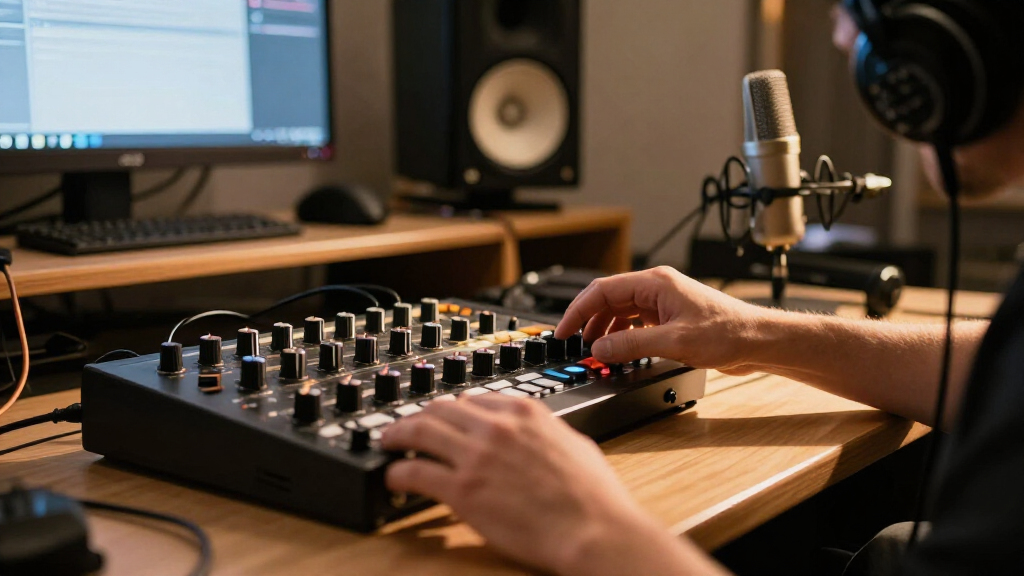

Choosing a compact studio interface often comes down to two priorities: reliable everyday recording features or a little analog-style character during tracking. The Focusrite Scarlett 2i2 (4th Gen) and Universal Audio Volt 2 both provide two microphone preamps, two inputs, and USB connectivity for home studios, podcasts and songwriting. Their core jobs overlap, but their workflows differ. The Scarlett adds detailed gain metering, flexible routing and a broad software bundle; the Volt 2 offers a Vintage preamp mode and a selectable 76 Compressor circuit on its inputs. Neither feature replaces a good microphone or careful recording, and the compressor mode is not a substitute for choosing clean recording levels. Choose the Scarlett if you value visibility, software flexibility and a straightforward all-round setup. Choose the Volt if you want optional tonal shaping while recording and prefer its more hands-on, character-oriented workflow.

Get audio and creator gear delivered free with Prime
- Fast, free delivery on millions of items
- Prime Video, Amazon Music and more included
- Member-only deals all year

Focusrite Scarlett 2i2 4th Gen USB-C Audio Interface
- ✔ Connectivity: USB-C
- ✔ Microphone preamps: 2
- ✔ Instrument inputs: 2 Hi-Z

Focusrite Scarlett Solo 4th Gen USB-C Audio Interface
- ✔ Connectivity: USB-C
- ✔ Microphone preamps: 1 XLR mic preamp
- ✔ Instrument input: 1 Hi-Z

Focusrite Scarlett Solo 3rd Gen USB-C Audio Interface
- ✔ Connectivity: USB-C
- ✔ Inputs: 1 XLR microphone, 1 Hi-Z instrument
- ✔ Outputs: 2 balanced line outputs, 1 headphone output
At a Glance
| Criteria | Focusrite Scarlett 2i2 (4th Gen) | Universal Audio Volt 2 | Winner |
|---|---|---|---|
| Input and recording capacity | Two combo inputs; supports two simultaneous recording channels | Two combo inputs; supports two simultaneous recording channels | Tie |
| Input sound and character | Clean, low-noise preamps with selectable Air voicing | Vintage mode adds preamp coloration; 76 Compressor mode adds input dynamics processing | B |
| Metering and level control | Detailed multicolor gain halos make level checking easy | Straightforward front-panel indicators, with less detailed level feedback than Scarlett’s halos | A |
| Routing and monitoring | Flexible software routing and loopback features, depending on operating system and configuration | Direct monitoring and loopback support; workflow is more focused on the core recording task | A |
| Software and setup value | Includes a substantial starter bundle; exact offers can vary by region and date | Includes UA software offers, which vary over time and may require account setup | Depends |
| Portability and everyday use | Compact USB interface for mobile or desktop recording | Compact USB interface suited to desktop or travel recording | Tie |
| Price and value | Often a strong feature-to-price choice for users who want an adaptable general-purpose unit | Worth the premium when its onboard character and compressor are useful in regular sessions | Depends |
Focusrite Scarlett 2i2 4th Gen USB-C Audio Interface
The Scarlett 2i2 4th Gen earns the top position because it makes the biggest difference to a small studio’s recording options: two low-noise mic preamps let us capture a pair of voices, or combine a microphone with another mic-level source, without adding a second interface. Its two Hi-Z inputs also accommodate instruments directly. Compared with either Solo, that extra mic channel is the most practical upgrade when recording arrangements grow beyond a single performer.Its Auto Gain and Clip Safe features give it an advantage for fast sessions, helping us set workable levels and avoid clipping. The Solo 4th Gen offers a similar generation of converters and Air processing, but lacks the 2i2’s second mic preamp; the Solo 3rd Gen is more basic still. That flexibility comes with a larger footprint and remains a two-input solution, so it is not suited to a full band or a large drum setup. It also relies on USB connectivity and a host device. For a home studio that records small combinations of sources, though, it is the most adaptable choice here.
Pros:
- Two low-noise mic preamps support two-voice sessions.
- Auto Gain and Clip Safe help manage input levels.
- Two Hi-Z instrument inputs simplify direct guitar or bass recording.
- Includes Pro Tools Intro+, Ableton Live Lite, Cubase LE, and Hitmaker Expansion.
Cons:
- Two channels limit larger ensembles and multi-mic drum recording.
- Requires USB connectivity and a compatible host device.
Best for: Home-studio musicians, interviewers, and small duos who need two mic preamps and simple help setting levels.
Not ideal for: Producers recording more than two sources at once, or anyone who needs an interface that can operate without a computer or iOS device.
Bottom line: For a compact studio that needs room for two microphones and level-setting assistance, the Scarlett 2i2 4th Gen is the strongest all-around fit in this comparison.
“For a compact studio that needs room for two microphones and level-setting assistance, the Scarlett 2i2 4th Gen is the strongest all-around fit in this comparison.”
Focusrite Scarlett Solo 4th Gen USB-C Audio Interface
For a one-person recording desk, the Scarlett Solo 4th Gen brings the newer generation’s 120 dB dynamic-range converters and improved Air mode without asking us to accommodate a second mic preamp. Its single XLR mic input and Hi-Z instrument input make a useful combination for recording vocals alongside a direct guitar or bass part. Compared with the 2i2, it saves the need to choose between two mic inputs and a smaller, simpler setup; compared with the Solo 3rd Gen, it offers the newer converter specification and an updated Air mode.The Solo’s high-power headphone output with independent volume control supports focused monitoring, while the software bundle helps new producers get started. But its compactness is also its boundary: we cannot record two microphones at the same time, and adding a second performer may mean changing interfaces. The listed outputs emphasize headphone monitoring, so buyers building a monitor-speaker setup should confirm the connections they need before choosing. This is the better Solo for a new, mostly single-source studio, while the 2i2 is the safer choice when sessions often involve two mic sources.
Pros:
- 120 dB dynamic range is specified for its studio-grade converters.
- Improved Air mode adds presence to vocals and guitars.
- High-power headphone output has independent volume control.
- Software bundle includes Pro Tools Intro+, Ableton Live Lite, Cubase LE, and Hitmaker Expansion.
Cons:
- One XLR mic preamp rules out simultaneous two-microphone recording.
- Requires a computer or iOS device and does not operate standalone.
Best for: Solo musicians and vocal producers who want a current-generation interface for one microphone and one direct instrument.
Not ideal for: Two-mic recording, larger ensembles, or buyers who need a second mic preamp for interviews or duet sessions.
Bottom line: Choose the Scarlett Solo 4th Gen when a modern, compact one-person workflow matters more than the second mic input available on the 2i2.
“Choose the Scarlett Solo 4th Gen when a modern, compact one-person workflow matters more than the second mic input available on the 2i2.”
Focusrite Scarlett Solo 3rd Gen USB-C Audio Interface
The Scarlett Solo 3rd Gen covers the essentials for a small recording setup: one XLR microphone input, one Hi-Z instrument input, balanced line outputs, and a headphone output. That input pairing lets us record a vocalist and a direct guitar or bass part, but it cannot accommodate two microphones simultaneously. In that respect, it resembles the Solo 4th Gen more than the 2i2; the 2i2’s second preamp is the more useful choice for interviews, duets, and two-mic recording.Its switchable Air mode can add clarity to a vocal signal, and Gain Halo metering offers a visual cue when setting levels. The included production software gives a beginner a path into recording, though it requires registration and downloads. This model is also bus-powered and offers no external power option, which suits a light desktop or travel rig but leaves it dependent on its USB host. Compared with the Solo 4th Gen, it is the older-generation pick and does not list the same 120 dB dynamic-range specification. Choose it when the one-mic workflow and straightforward connections fit the job; skip it if we expect the studio to expand soon.
Pros:
- Mic and Hi-Z inputs allow vocal and direct instrument recording together.
- Switchable Air mode can brighten vocal recordings.
- Gain Halo metering makes input level setting more visual.
- Balanced line outputs connect to studio monitors.
Cons:
- A single mic input prevents simultaneous two-microphone sessions.
- USB bus power is the only power option.
- Included software requires registration and download.
Best for: Beginners and solo singer-songwriters who need one mic input, a direct instrument connection, and balanced monitor outputs.
Not ideal for: People recording two vocalists, building a multi-mic setup, or seeking the newer-generation converter specifications of the Solo 4th Gen.
Bottom line: The Scarlett Solo 3rd Gen is a clear fit for a basic one-mic studio, but the Solo 4th Gen is the stronger Solo choice when newer-generation specifications matter.
“The Scarlett Solo 3rd Gen is a clear fit for a basic one-mic studio, but the Solo 4th Gen is the stronger Solo choice when newer-generation specifications matter.”
As an Amazon Associate we earn from qualifying purchases.
Key Differences
The central difference is what each interface adds around its two inputs. Scarlett 2i2 is the more information-rich everyday tool: its gain halos make it easier to see whether a signal is approaching overload, and its software routing and loopback features can help with streaming, remote interviews and recording computer audio. That matters when sessions involve more than a microphone and headphones, or when the interface is used for several kinds of work. Its Air option changes the input presentation, but the Scarlett’s main appeal is its practical flexibility.
Volt 2 makes its case with tonal options at the input. Vintage mode gives the preamp a warmer, more colored presentation, and the 76 Compressor mode can control peaks while tracking. Those options can make a vocal or instrument feel more finished before it reaches the recording software, but they are choices rather than automatic improvements. A clean recording is often easier to edit later, and the compressor’s effect is committed to the recorded signal. For users who want a simple, character-oriented recording path, this can be a worthwhile advantage; for users who want detailed visual feedback and broader routing, Scarlett is the safer fit.
Both units cover the common two-source setup: one singer and a guitar, two microphones for a conversation, or a stereo keyboard. Neither is the right purchase if the plan requires more than two simultaneous inputs or built-in mixing for a complex live setup. In that case, compare larger interfaces with the required input count. For a compact home studio, the choice is less about basic recording quality than about which workflow saves time and supports the way you like to capture sound.
Detailed Comparison
Input and recording capacity (minor difference)
Both provide two combo inputs and can record two sources at once. For a solo musician, small podcast or stereo instrument, capacity is effectively a tie. The gap is minor because neither offers a meaningful channel-count advantage; users who regularly record a full band or several guests on separate microphones should step up to an interface with more preamps.
Input sound and character (Universal Audio Volt 2 wins — moderate)
Volt 2 wins for built-in tonal options: Vintage mode colors the preamp, and its 76 Compressor mode can restrain peaks during recording. Scarlett 2i2 gives users clean preamps and an Air option for a different presence and openness. The difference is moderate: the Volt offers more explicit character shaping, but it only helps if that sound suits the source and the user wants to commit processing while tracking.
Metering and level control (Focusrite Scarlett 2i2 (4th Gen) wins — moderate)
Scarlett wins with its multicolor gain halos, which make incoming level easier to judge at a glance. Volt’s indicators are more basic, so users may need to watch software meters more often. The gap is moderate in busy recording conditions and minor for simple setups where levels are checked in the recording application. Better visibility can prevent clipped takes, especially for beginners.
Routing and monitoring (Focusrite Scarlett 2i2 (4th Gen) wins — moderate)
Scarlett 2i2 is the stronger fit for users who rely on flexible routing or loopback for streaming and capturing computer audio. Volt 2 covers direct monitoring and loopback for common recording tasks, but its workflow is more focused on the essential input-to-computer path. The difference is moderate for streamers and remote-content creators, and minor for users who only record microphones or instruments into a DAW.
Software and setup value (minor difference)
Both arrive with bundled software offers that can help a new studio get started, and the details may change over time. Scarlett has a broad starter bundle; Volt includes UA software offers tied to its ecosystem. There is no universal winner because value depends on which included tools the buyer will actually use. Check current regional offers before buying, and avoid valuing software at its full list price if it duplicates tools already owned.
Portability and everyday use (minor difference)
Both are compact USB interfaces that suit a desk or a mobile recording bag. Scarlett’s clearer level feedback can make quick setup easier, while Volt’s switches offer quick access to its character modes. The practical difference is minor: choose based on which controls you will use most, and check the specific model’s computer and device compatibility if a particular mobile setup is planned.
Price and value (moderate difference)
Scarlett tends to deliver stronger value for buyers who need dependable recording, visible levels and flexible software routing in one compact unit. Volt earns its extra cost when Vintage and 76 Compressor modes are useful enough to shape regular sessions or reduce reliance on plugins while tracking. The difference depends on current local pricing and offers; pay more for a workflow you will use, not for a feature that merely sounds appealing in a spec list.
Focusrite Scarlett 2i2 (4th Gen): Pros and Cons
Pros:
- Clear gain halos help monitor input levels quickly.
- Useful routing and loopback options for varied recording and streaming tasks.
- Flexible clean recording path with Air voicing available.
- Broad starter software offer and strong general-purpose value.
Cons:
- Lacks Volt’s built-in 76 Compressor mode.
- Air voicing is a tonal option, not the same as a dedicated input compressor.
- Extra software flexibility may be unnecessary for a simple DAW-only setup.
Universal Audio Volt 2: Pros and Cons
Pros:
- Vintage mode provides a selectable preamp character.
- 76 Compressor mode can control peaks during recording.
- Simple, focused controls suit a straightforward tracking workflow.
- Compact two-input format works well for common home studio tasks.
Cons:
- Less detailed front-panel level feedback than the Scarlett gain halos.
- Committed input compression can limit later processing choices.
- Its tonal features add less value to buyers who prefer clean capture and plugins.
Who Should Choose What
Choose Focusrite Scarlett 2i2 (4th Gen) if:
- You want clear visual input-level feedback while recording.
- You stream, make remote content or need flexible loopback and routing.
- You prefer to record clean and shape tone later with plugins.
- You want a capable two-input interface at a competitive price.
Choose Universal Audio Volt 2 if:
- You want Vintage preamp coloration available at the interface.
- You expect to use the 76 Compressor mode on vocals or instruments while tracking.
- You prefer hands-on tonal choices and a focused recording workflow.
- The extra cost is modest and the onboard modes would replace or complement tools you already use.
Skip both if: You need more than two simultaneous microphone inputs, independent multi-person headphone mixes, or a mixer-oriented live workflow; compare interfaces with more channels and the required monitoring features.
Value for Money
For most buyers who simply need a dependable two-input interface, the Scarlett 2i2 is the better value: its clear metering and flexible routing serve a wide range of sessions, while its clean recording path leaves tonal decisions open. Volt 2 is worth paying more for when its Vintage and 76 Compressor modes will be used regularly and the sound they create fits the work. If you rarely record through those modes, the price premium buys limited practical benefit. Bundle offers change, so compare the current local prices and count only software you would otherwise pay for.
Final Verdict
Choose the Focusrite Scarlett 2i2 (4th Gen) for the best all-round studio interface between these two. Its level halos, routing flexibility and clean recording workflow make it easier to recommend to musicians, podcasters and streamers with varied needs. Choose the Universal Audio Volt 2 if you specifically want its Vintage preamp mode and 76 Compressor while tracking, and you are comfortable committing that input processing. The deciding factor is whether onboard character is a regular part of your recording process: if it is, Volt earns its place; if not, Scarlett is the more useful purchase for most people.
Frequently Asked Questions
Which interface is better for a beginner?
The Scarlett 2i2 is the easier general recommendation because its gain halos make recording levels more visible and it serves a wider range of setups. Volt 2 is also approachable, especially if its tonal modes are appealing, but beginners should learn to set levels and capture clean takes before relying on input compression.
Does the Volt 2 sound better than the Scarlett 2i2?
Neither is automatically better sounding. Volt offers Vintage coloration and a 76 Compressor mode, while Scarlett offers clean preamps and Air voicing. The preferred result depends on the source, settings and taste; the Volt’s added character is a feature choice, not proof of superior recording quality.
Can either interface record a band live?
Each has two inputs, so it can capture two sources at once. That is enough for a stereo keyboard, a vocal and guitar, or a two-microphone conversation, but not a full band on separate channels. For that, choose an interface with enough simultaneous preamps.
Is the Volt 2 compressor a reason to pay more?
Pay extra if you expect to use its 76 Compressor mode regularly and want that processing during tracking. If you prefer to keep recordings unprocessed and make changes later in your DAW, the Scarlett’s metering and routing are likely to provide more everyday value.
Black Friday Picks

De'Longhi Rivelia Fully Automatic Espresso Machine with Milk Frother, Black
As an affiliate, we earn on qualifying purchases.