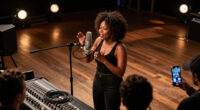
For most podcasters who want a capable, space-conscious setup, I’d start with the RØDE RØDECaster Duo: it combines production controls and recording features in a smaller format than a full studio console. The Zoom PodTrak P4next is a stronger fit for portable, multi-person recording, while the Mackie 402VLZ4 is a straightforward choice when reliable analog mixing matters more than built-in podcast tools. Compact podcast mixers differ most in input count, recording workflow, and ease of setup; more features can mean a steeper learning curve, while simpler units may need extra equipment. Read on for the full breakdown and to see which tradeoffs fit your show.

Get audio and creator gear delivered free with Prime
- Fast, free delivery on millions of items
- Prime Video, Amazon Music and more included
- Member-only deals all year
Complete the kit


Key Takeaways
- The RØDE RØDECaster Duo earns the best-overall position by pairing a compact footprint with integrated production features; buyers who need more physical inputs should look at larger or recorder-focused options.
- The Zoom PodTrak P4next and P4 stand apart for portable podcast recording, while the Mackie analog mixers are better suited to setups that already have a separate recording device.
- Feature count does not guarantee an easier setup. Adaptive or creator-focused digital mixers can offer more control, but a simple analog mixer may be less intimidating for basic mic-and-computer workflows.
- Bundles from TENLAMP, OZMI, and MAONO can reduce the number of separate purchases, but bundled accessories may not match the long-term needs of every voice, room, or recording workflow.
- Input planning matters more than effects totals. Count microphones and remote or playback sources you will use at the same time before choosing among the 4-channel, 6-channel, and larger-format options.
| Mackie Mix12FX 12-Channel Compact Mixer with Effects |  | Best for Multi-Mic Setups | Channels: 12 | Mic/Line Inputs: 4 | Stereo Line Inputs: 4 | VIEW LATEST PRICE | See Our Full Breakdown |
| TKLBLS 4-Channel Podcast Audio Mixer with 99 DSP Effects |  | Best Budget-Style Feature Set | Channels: 4 | Microphone Inputs: 2 XLR | Phantom Power: 48V | VIEW LATEST PRICE | See Our Full Breakdown |
| RØDE RØDECaster Duo Compact Audio Production Studio, Black |  | Best Premium Compact Studio | Channels: 4 | Microphone and Instrument Inputs: 2 Neutrik combo jacks | Preamps: Revolution; 76 dB gain; -131.5 dBV EIN | VIEW LATEST PRICE | See Our Full Breakdown |
| MAONO E2 Gen2 Podcast Audio Interface and Mixer |  | Best Battery-Powered Pick | Channels: 10 | XLR Inputs: 2 | Preamp Gain: Up to 60 dB | VIEW LATEST PRICE | See Our Full Breakdown |
| TENLAMP G10 Creator Audio Mixer Bundle with Microphone |  | Best Starter Bundle | Channels: 2 | Connectivity: Auxiliary, Bluetooth, and USB | Power Source: Battery powered | VIEW LATEST PRICE | See Our Full Breakdown |
| Mackie DLZ Creator XS Adaptive Digital Mixer for Podcasting |  | Best for Adaptive Digital Control | Channels: 6 | Display: 7-inch touchscreen | Microphone preamps: Onyx80 | VIEW LATEST PRICE | See Our Full Breakdown |
| Zoom PodTrak P4next Podcast Recorder |  | Best for Portable Multiguest Recording | Microphone inputs: 4 XLR | Headphone outputs: 4 with separate volume controls | Microphone gain: Up to +70 dB | VIEW LATEST PRICE | See Our Full Breakdown |
| OZMI Podcast Equipment Bundle with RGB Audio Mixer, Microphone, Headphones and Boom Arm |  | Best All-in-One Starter Bundle | Channels: 1 | Included items: RGB audio mixer, 3.5 mm condenser microphone, monitoring headphones, boom arm, pop filter | Connectivity: Bluetooth, USB, OTG/PC, 3.5 mm AUX | VIEW LATEST PRICE | See Our Full Breakdown |
| 6-Channel Bluetooth Audio Mixer with USB Playback, 3-Band EQ, 16 DSP Effects, and 48V Phantom Power |  | Best for Hands-On Analog Mixing | Channels: 6 | XLR inputs: 4 | Phantom power: 48V, switchable | VIEW LATEST PRICE | See Our Full Breakdown |
| MAONO Podcast Equipment Bundle with Audio Mixer and 3.5 mm Microphone |  | Best for Multi-Device Streaming | Channels: 9 | Connectivity: USB Type-C, 3.5 mm, auxiliary, Bluetooth | Power source: Battery powered | VIEW LATEST PRICE | See Our Full Breakdown |
| Zoom PodTrak P4 Portable Podcast Recorder with 4 XLR Inputs |  | Best for Portable, Multi-Guest Podcasts | Microphone inputs: 4 XLR inputs with phantom power | Headphone outputs: 4, each with individual volume control | Sound pads: 4 programmable pads | VIEW LATEST PRICE | See Our Full Breakdown |
| Mackie 402VLZ4 4-Channel Compact Mixer with Onyx Preamps |  | Best for a Simple, Mains-Powered Studio Setup | Channels: 4 | Microphone preamps: 2 Onyx preamps with phantom power | Line inputs: 4 | VIEW LATEST PRICE | See Our Full Breakdown |
| compact podcast mixer | Channels | Connectivity |
|---|---|---|
| Mackie Mix12FX 12-Channel Comp | 12 | — |
| TKLBLS 4-Channel Podcast Audio | 4 | Bluetooth 5.0 and USB |
| RØDE RØDECaster Duo Compact Au | 4 | USB-C, Bluetooth, Wi-Fi, Ethernet, TRRS, and TRS |
| MAONO E2 Gen2 Podcast Audio In | 10 | USB-C, AUX, Bluetooth, and 3.5 mm |
| TENLAMP G10 Creator Audio Mixe | 2 | Auxiliary, Bluetooth, and USB |
| Mackie DLZ Creator XS Adaptive | 6 | Bluetooth, USB-C, XLR |
| Zoom PodTrak P4next Podcast Re | — | — |
| OZMI Podcast Equipment Bundle | 1 | Bluetooth, USB, OTG/PC, 3.5 mm AUX |
| 6-Channel Bluetooth Audio Mixe | 6 | Bluetooth, USB |
| MAONO Podcast Equipment Bundle | 9 | USB Type-C, 3.5 mm, auxiliary, Bluetooth |
| Zoom PodTrak P4 Portable Podca | — | — |
| Mackie 402VLZ4 4-Channel Compa | 4 | XLR and 1/4-inch (6.35 mm) |
More Details on Our Top Picks
Mackie Mix12FX 12-Channel Compact Mixer with Effects
The Mackie Mix12FX is the lineup’s strongest fit when a compact footprint still needs more physical inputs. Its four mic/line inputs can accommodate a small panel or group recording, while four stereo line inputs make it easier to add playback sources than on the two-input RØDE RØDECaster Duo. The 12 built-in effects, three-band EQ, and 75 Hz low-cut filter provide useful tone shaping without requiring a separate processor. RCA connections also suit setups that regularly bring in or send out consumer audio.
The tradeoff is that this is a conventional wired mixer, not an all-in-one podcast recorder: the supplied specs list no USB recording, and it requires corded power. Its channel count also comes with fewer podcast-specific conveniences than the RØDECaster Duo’s touchscreen, pads, and multitrack recording. Choose the Mackie for input flexibility and hands-on mixing; skip it if direct computer recording is central to your workflow.
Pros:- Four mic/line inputs with phantom power support multiple microphones.
- Four stereo line inputs and RCA connections accommodate playback sources.
- Twelve built-in effects, three-band EQ, and a 75 Hz low-cut filter provide practical tone shaping.
- Compact 3.7 lb design offers 12 channels without a large console footprint.
Cons:- Requires corded electric power, limiting location flexibility.
- No USB recording connection is listed, so computer capture may need separate gear.
- Four mic/line inputs may still be limiting for larger panels or several XLR microphones.
Best for: Podcast hosts recording a small panel who need four mic/line inputs, stereo playback connections, and straightforward physical mixing controls.
Not ideal for: Solo creators who want USB recording, onboard multitrack capture, or a battery-powered setup; this model is corded and its listed connections do not include USB.
- Channels:12
- Mic/Line Inputs:4
- Stereo Line Inputs:4
- Built-in Effects:12
- EQ:3-band
- Low-Cut Filter:75 Hz
- Phantom Power:Supported
- Dimensions and Weight:9.6 × 11.7 × 2.1 in; 3.7 lb
Our verdict“Choose the Mix12FX if you need more physical inputs than the RØDECaster Duo offers and can record without built-in USB capture.”
TKLBLS 4-Channel Podcast Audio Mixer with 99 DSP Effects
The TKLBLS 4-Channel Mixer packs a podcast-oriented mix of connections into a small chassis: two XLR microphone inputs, stereo line inputs, USB recording and playback, and Bluetooth streaming. That makes it more directly suited to computer-based shows than the Mackie Mix12FX, whose supplied specs do not list USB. Its 48V phantom power supports condenser microphones, while the PAD and 80 Hz high-pass filter give hosts basic tools for handling strong signals and reducing low-frequency noise. The 99 DSP effects add variety for creators who want effects on hand without extra processing gear.
That feature count should not be mistaken for a larger studio mixer. It has only two microphone inputs, and its Bluetooth range is limited to 15 feet, so wireless source placement needs to stay nearby. Compared with the RØDECaster Duo, it gives up touchscreen controls, programmable pads, and multitrack recording destinations. I’d pick it for a compact two-mic setup that benefits from USB and Bluetooth, not for expanding panels or advanced production.
Pros:- Two XLR inputs with 48V phantom power support condenser microphones.
- USB recording and playback connect the mixer to a computer workflow.
- Bluetooth 5.0 adds wireless streaming from a nearby source.
- PAD, 80 Hz high-pass filter, and three-band EQ help manage input levels and tone.
Cons:- Two microphone inputs limit recording groups and multi-mic expansion.
- Bluetooth range is specified at up to 15 feet.
- Compared with the RØDECaster Duo, it lacks the listed touchscreen, programmable pads, and stereo or multitrack recording destinations.
Best for: Two-person podcast hosts who want USB recording and playback, Bluetooth source streaming, and phantom power in a compact mixer.
Not ideal for: Panel producers needing more than two microphone inputs or creators who want multitrack recording, programmable pads, or longer-range Bluetooth.
- Channels:4
- Microphone Inputs:2 XLR
- Phantom Power:48V
- DSP Effects:99
- Equalizer:3-band per channel
- Connectivity:Bluetooth 5.0 and USB
- High-Pass Filter:80 Hz
- Dimensions:7.49 × 6.29 × 2.28 in
Our verdict“Choose the TKLBLS for a compact two-mic podcast rig that needs USB and Bluetooth, but not for larger groups or advanced recording control.”
RØDE RØDECaster Duo Compact Audio Production Studio, Black
The RØDE RØDECaster Duo is the most production-focused choice here: its two combo inputs, Revolution preamps, touchscreen, four faders, and six programmable SMART pads bring recording and hands-on control into one compact unit. Unlike the Mackie Mix12FX, it records in stereo or multitrack to microSD, USB storage, or a computer, which can simplify a setup that would otherwise need separate recording hardware. APHEX processing and wireless microphone connectivity add further flexibility for streamers and creators building a polished desk rig.
Its central compromise is the same one found in many compact podcast systems: only two physical combo inputs. The Mackie offers more mic/line and stereo line inputs, while the TKLBLS also gives a two-mic configuration USB and Bluetooth at a simpler feature level. The RØDECaster Duo earns its premium-studio role through recording options and control, not raw input count or portability; it needs corded power and weighs 2 kg.
Pros:- Records stereo or multitrack to microSD, USB storage, or a computer.
- Two combo inputs use Revolution preamps specified at 76 dB gain.
- Touchscreen, four faders, and six programmable SMART pads provide direct workflow control.
- USB-C, Bluetooth, Wi-Fi, Ethernet, and wireless microphone connectivity support varied production setups.
Cons:- Only two physical combo inputs are available for microphones and instruments.
- Requires corded electric power.
- At 2 kg, it is heavier than the 3.7 lb Mackie Mix12FX, despite its compact format.
Best for: Creators who want a compact control surface with built-in stereo or multitrack recording, programmable pads, and several connection options.
Not ideal for: Hosts recording more than two wired microphones at once or anyone who needs a battery-powered mixer for location work.
- Channels:4
- Microphone and Instrument Inputs:2 Neutrik combo jacks
- Preamps:Revolution; 76 dB gain; -131.5 dBV EIN
- Faders:4
- SMART Pads:6 programmable pads with bank switching
- Recording:Stereo and multitrack to microSD, USB storage, or computer
- Connectivity:USB-C, Bluetooth, Wi-Fi, Ethernet, TRRS, and TRS
- Dimensions and Weight:9.25 × 8.86 × 2.99 in; 2 kg
Our verdict“Choose the RØDECaster Duo if recording features and customizable controls matter more than having more than two physical microphone inputs.”
MAONO E2 Gen2 Podcast Audio Interface and Mixer
The MAONO E2 Gen2 stands apart from the other mixers in this group by pairing two XLR combo inputs with a built-in battery rated for up to eight hours. That makes it a more flexible choice for mobile interviews or temporary recording spaces than the corded Mackie Mix12FX and RØDE RØDECaster Duo. Two preamps provide up to 60 dB of gain, while USB-C, AUX, Bluetooth, and 3.5 mm connections help it work with computers, phones, and tablets. Eight customizable sound-effect buttons add quick access to short audio cues without the RØDECaster Duo’s broader recording and control suite.
The tradeoff is that its listed feature set leans toward portable streaming and voice effects rather than advanced recording: the supplied specs do not list multitrack capture or a microSD recording destination. Each sound-effect button is limited to recordings of up to 20 seconds, and the mixer does not support phone charging or power delivery. I’d choose it over the corded options for mobility, not for a permanent studio seeking deeper recording tools.
Pros:- Built-in battery is rated for up to eight hours of use.
- Two XLR combo inputs and preamps with up to 60 dB of gain support microphone recording.
- USB-C, AUX, Bluetooth, and 3.5 mm connections suit varied device setups.
- Eight customizable sound-effect buttons provide quick access to short cues.
Cons:- Sound-effect recordings are limited to 20 seconds per button.
- Does not support phone charging or power delivery.
- The supplied specs do not list multitrack or onboard memory-card recording, unlike the RØDECaster Duo.
Best for: Mobile podcasters and streamers who need two XLR inputs, battery operation, and connections for phones or computers.
Not ideal for: Studio producers seeking listed onboard multitrack or memory-card recording, or users who need their mixer to charge a connected phone.
- Channels:10
- XLR Inputs:2
- Preamp Gain:Up to 60 dB
- Maximum Sample Rate:48 kHz
- Sound Effect Buttons:8 customizable; up to 20 seconds each
- Battery:1500 mA; rated for up to 8 hours
- Connectivity:USB-C, AUX, Bluetooth, and 3.5 mm
- Dimensions and Weight:9.64 × 6.18 × 2.16 in; 0.89 kg
Our verdict“Choose the MAONO E2 Gen2 for battery-powered two-mic recording and flexible device connections, but not as a substitute for a multitrack recorder.”
TENLAMP G10 Creator Audio Mixer Bundle with Microphone
The TENLAMP G10 is the simplest route into a compact creator setup because the bundle includes a two-channel mixer, condenser microphone, and accessories. That all-in-one approach contrasts with the Mackie Mix12FX, which offers far more channels but is a standalone mixer rather than a microphone bundle. The G10 adds noise reduction, voice styles, sound effects, and real-time bass, treble, reverb, and pitch controls, giving a new streamer ways to shape a voice without assembling a separate set of gear. Its USB, auxiliary, and Bluetooth connections are listed for use with computers, phones, and tablets.
Those conveniences come with clear limits. Two channels make it a poor fit for interviews with several microphones or a growing panel, and the provided specs do not describe the detailed recording destinations available on the RØDECaster Duo. Its battery-powered design also means power management becomes part of the setup. I’d treat this as a beginner-oriented bundle for a single creator, rather than a flexible mixer for a more demanding podcast studio.
Pros:- Includes a two-channel mixer, condenser microphone, and accessories in one package.
- Noise reduction and real-time bass, treble, reverb, and pitch controls support basic voice shaping.
- USB, auxiliary, and Bluetooth connectivity support computers, phones, and tablets.
- Battery-powered design avoids dependence on a corded mixer power connection.
Cons:- Two-channel configuration limits interviews and multi-microphone setups.
- The supplied specs do not list multitrack recording or dedicated onboard recording destinations like the RØDECaster Duo.
- Battery-powered operation requires attention to available charge.
Best for: New solo creators who want a mixer, condenser microphone, and basic voice effects in one bundle for streaming or simple voice recording.
Not ideal for: Podcast teams adding multiple microphones or producers who need detailed multitrack recording options and room to expand beyond two channels.
- Channels:2
- Connectivity:Auxiliary, Bluetooth, and USB
- Power Source:Battery powered
- Audio Input:TRS / XLR
- Output Connectors:3.5 mm TRS, 6.35 mm TRS, and OTG/Type-C
- Included Components:Audio mixer, condenser microphone, and accessories
- Compatible Operating Systems:Windows, Mac, iOS, and Android
- Dimensions and Weight:10.9 × 2.28 × 7.67 in; 4.2 lb
Our verdict“Choose the TENLAMP G10 if you want a bundled starter setup for solo streaming, but skip it if your podcast needs multiple microphones or room to grow.”
Mackie DLZ Creator XS Adaptive Digital Mixer for Podcasting
The Mackie DLZ Creator XS is the most software-like option here: its 7-inch touchscreen offers Easy, Enhanced, and Pro modes, letting a beginner start simply and expose more controls as their setup grows. AutoMix can balance up to two microphones, while SD recording, USB-C, NDI, and individual headphone mixes suit creators who need more than a basic live mixer. Compared with the battery-powered Zoom PodTrak P4next, the Mackie gives you a larger visual control surface and more routing options, but it is heavier and depends on corded power. Its compact footprint still comes with a real limit: AutoMix handles only two mics, so larger roundtables may need hands-on level management. Condenser mic users also have to enable phantom power in the setup menu.
Pros:- Three interface modes let users choose between simpler controls and deeper adjustments.
- AutoMix helps balance levels for up to two microphones.
- USB-C, NDI, and SD card recording support several recording and streaming workflows.
- Six customizable trigger pads can fire samples or control functions such as ducking and fades.
Cons:- AutoMix is limited to two microphones, which restricts its usefulness for panel discussions.
- Corded power makes it less suited to field recording than the battery-powered Zoom PodTrak P4next.
- Condenser microphones require 48V phantom power to be enabled through the setup menu.
Best for: Solo podcasters and two-person shows who want touchscreen guidance, multitrack recording options, and room to grow into advanced controls.
Not ideal for: Mobile interviewers who need battery operation, or larger panels that want AutoMix to manage more than two microphones.
- Channels:6
- Display:7-inch touchscreen
- Microphone preamps:Onyx80
- Phantom power:48V
- Connectivity:Bluetooth, USB-C, XLR
- Recording and network options:USB-C, NDI, SD card
- Dimensions:8.01 × 3.28 × 10.23 inches
- Weight:4.2 pounds
Our verdict“Choose the DLZ Creator XS for a compact, touchscreen-led studio that can serve both beginner and advanced two-mic workflows.”
Zoom PodTrak P4next Podcast Recorder
The Zoom PodTrak P4next puts four-person recording and monitoring into a 10.56-ounce recorder, making it the easiest pick here to carry between rooms or take on location. Four XLR inputs and four headphone outputs with separate volume controls mean each participant can use a mic and set a comfortable listening level without sharing a mix. Its AI noise reduction, tone enhancement, and compression offer practical help when recording conditions are less controlled. Compared with the corded Mackie DLZ Creator XS, the Zoom trades a large touchscreen and advanced routing for lighter weight and battery operation. The compromises are a small 1.57-inch screen and dependence on two AA batteries; it also records to SD, so it is less of a desk-based control hub than the Mackie.
Pros:- Four XLR inputs support multitrack recording for up to four microphone users.
- Four headphone outputs each have their own volume control.
- AI noise reduction, tone enhancement, and compression help manage common recording problems.
- Phone connectivity and USB audio interface mode support recording and computer workflows.
Cons:- Runs on two AA batteries, adding a power requirement for longer recording sessions.
- The 1.57-inch screen offers less visual control than the Mackie DLZ Creator XS touchscreen.
- A compatible SD card is needed for standalone recording, and the stated capacity depends on card compatibility.
Best for: Mobile interviewers and small podcast teams who need four XLR microphones, separate headphone levels, and SD recording in a portable unit.
Not ideal for: Creators who want a large touchscreen, mains-powered studio controls, or a mixer designed around extensive routing and visual editing.
- Microphone inputs:4 XLR
- Headphone outputs:4 with separate volume controls
- Microphone gain:Up to +70 dB
- Recording format:WAV
- Storage:SD card; up to 2 TB with a compatible card
- Power:2 AA batteries
- Weight:10.56 ounces
- Screen size:1.57 inches
Our verdict“Pick the P4next if portability and four-person headphone monitoring matter more than a large screen or desk-oriented control surface.”
OZMI Podcast Equipment Bundle with RGB Audio Mixer, Microphone, Headphones and Boom Arm
The OZMI bundle is aimed at creators who want a compact desk setup in one package rather than choosing a mixer, microphone, and accessories separately. It includes a 3.5 mm condenser mic, headphones, boom arm, and pop filter, while the mixer adds pitch and voice effects, sound pads, ducking, and Bluetooth, USB, OTG/PC, and AUX connections. That makes it more ready to start streaming than the mixer-only 6-Channel Bluetooth Audio Mixer, which offers more XLR inputs but no listed microphone bundle. OZMI’s rechargeable battery also supports compatible portable setups. The main constraint is its single-channel configuration: it suits a solo creator better than a two-person interview show. Its 3.5 mm mic connection and limited compatibility for the Purge Original feature also narrow its options.
Pros:- Bundle includes a microphone, monitoring headphones, boom arm, and pop filter.
- Effects, sound pads, adjustable controls, and ducking support a more produced live stream.
- Bluetooth, USB, OTG/PC, and AUX provide several connection options for compatible devices.
- Rechargeable 3600 mAh battery supports use away from a fixed power connection.
Cons:- Single-channel configuration limits the mixer to simpler recording setups.
- The included 3.5 mm microphone connection is less flexible than the four-XLR setup on the Zoom PodTrak P4next.
- Purge Original is described for supported stereo music sources, limiting when that feature applies.
Best for: First-time solo streamers and podcasters who want a bundled microphone, monitoring headphones, boom arm, and voice effects for a compatible setup.
Not ideal for: Two-person shows or creators planning to use multiple XLR microphones, since the mixer is single-channel and the included mic uses a 3.5 mm connection.
- Channels:1
- Included items:RGB audio mixer, 3.5 mm condenser microphone, monitoring headphones, boom arm, pop filter
- Connectivity:Bluetooth, USB, OTG/PC, 3.5 mm AUX
- Audio input:XLR
- Battery capacity:3600 mAh
- Pitch effect settings:12
- Voice changer modes:4
- Custom sound pads:4
Our verdict“Choose the OZMI bundle for a solo creator who values included accessories and effects over multiple microphone inputs.”
6-Channel Bluetooth Audio Mixer with USB Playback, 3-Band EQ, 16 DSP Effects, and 48V Phantom Power
This 6-channel analog mixer is a better fit for buyers who want physical channel controls and straightforward sound shaping than for podcasters seeking an all-in-one recording workstation. Four XLR inputs with switchable 48V phantom power give it more microphone capacity than the single-channel OZMI bundle, while per-channel three-band EQ and 16 DSP effects let you shape voices and add delay or reverb. Bluetooth and USB playback are useful for bringing in music or other audio sources. The tradeoff is that the supplied information describes USB for playback, not clearly for recording, so I would not choose it as a standalone multitrack recorder. At 11.61 × 13.77 × 11.61 inches, it is also less compact than the handheld Zoom PodTrak P4next, and its analog controls call for more manual setup.
Pros:- Four XLR inputs and switchable 48V phantom power accommodate multiple microphones, including condenser models.
- Per-channel three-band EQ offers direct tonal adjustment.
- Sixteen DSP effects provide options such as delay and reverb.
- Bluetooth and USB playback can bring external audio into a session.
Cons:- USB recording capabilities are not clearly specified, unlike the recording-focused Zoom PodTrak P4next.
- Its listed dimensions make it less portable than compact handheld podcast recorders.
- Analog routing and controls may require more setup knowledge than the touchscreen Mackie DLZ Creator XS.
Best for: Podcasters who prefer a physical analog control surface, need several XLR microphone inputs, and plan to record through a separate device.
Not ideal for: Traveling creators or anyone who needs clearly specified onboard multitrack recording, because this mixer is relatively bulky and USB recording is not confirmed.
- Channels:6
- XLR inputs:4
- Phantom power:48V, switchable
- Equalizer:3-band
- DSP effects:16
- Connectivity:Bluetooth, USB
- Dimensions:11.61 × 13.77 × 11.61 inches
- Weight:2.3 kg
Our verdict“Choose this mixer for physical analog controls and multiple XLR sources, but pair it with a separate recorder or interface.”
MAONO Podcast Equipment Bundle with Audio Mixer and 3.5 mm Microphone
The MAONO podcast bundle stands out for connecting a small show across several devices: it supports up to two people and four devices or platforms at once, with USB-C, 3.5 mm, AUX, and Bluetooth connections. The included microphone and accessories make it more ready to use than the 6-Channel Bluetooth Audio Mixer, which is better suited to buyers bringing their own microphones and recording chain. Its sound effects, voice effects, reverb, and tone controls give streamers ways to shape a live mix, while the battery-powered design and broad device compatibility suit PC and mobile setups. The tradeoff is that the included mic uses 3.5 mm input and does not support phantom power, so users planning an XLR condenser upgrade may prefer the Mackie DLZ Creator XS. At 1.3 kg, it is also not the lightest portable choice.
Pros:- Includes a microphone and accessories for a ready-to-use recording or streaming setup.
- Supports up to two people and four devices or platforms simultaneously.
- Built-in and recordable sound effects, voice effects, reverb, and tone controls support live production.
- Works with Windows, macOS, iOS, Android, PCs, smartphones, and tablets.
Cons:- No phantom power support, limiting compatibility with condenser microphones that require it.
- The included microphone is limited to a 3.5 mm input rather than XLR.
- Some setups may require separate instrument or phone adapters that are not included.
Best for: Two-person creators who stream to several devices or platforms and want an included microphone with PC and mobile compatibility.
Not ideal for: Podcasters building an XLR microphone setup or needing phantom power, since the included mic uses 3.5 mm input and the mixer does not support phantom power.
- Channels:9
- Connectivity:USB Type-C, 3.5 mm, auxiliary, Bluetooth
- Power source:Battery powered
- Audio inputs:Microphone, auxiliary, Bluetooth
- Outputs:1/4-inch, XLR, 3.5 mm audio, USB Type-C
- Dimensions:9.44 × 5.11 × 1.65 inches
- Weight:1.3 kg
- Included accessories:Microphone, microphone cable, tripod, windscreen, mixer, charging cable, two 3.5 mm TRRS audio cables
Our verdict“Pick the MAONO bundle for a two-person, multi-device streaming workflow, but skip it if XLR microphones and phantom power are part of your plan.”
Zoom PodTrak P4 Portable Podcast Recorder with 4 XLR Inputs
The Zoom PodTrak P4 is the strongest fit here for recording a host and several in-person guests without building a desktop setup. Four XLR inputs with phantom power pair with four individually controlled headphone outputs, so each person can monitor at a comfortable level. Its battery operation, compact 6.1-inch width, and multitrack WAV recording make it easier to take to a remote session than the cord-powered Mackie 402VLZ4. For call-in interviews, the TRRS connection and automatic mix-minus help prevent callers from hearing their own voice back; USB also provides a connection to a computer. The tradeoff is limited battery runtime—up to 3.5 hours on two AA batteries—and a simple 2-in/2-out USB interface. Choose it for portable, multitrack capture, not as a feature-rich desktop production console.
Pros:- Four XLR microphone inputs with phantom power accommodate a multi-person setup.
- Four headphone outputs have individual volume controls for guest monitoring.
- Battery-powered design and compact dimensions suit recording away from a desk.
- Multitrack WAV recording, programmable sound pads, and automatic mix-minus support varied podcast formats.
Cons:- Two AA batteries provide up to 3.5 hours of operation, limiting longer untethered sessions.
- USB interface mode is limited to 2-in/2-out, despite the four microphone inputs.
- Its recorder-focused controls offer less scope for detailed live mixing than a larger production mixer.
Best for: Podcast hosts recording up to four XLR microphones on location who need separate headphone controls and a straightforward way to include phone or USB callers.
Not ideal for: Creators who need long battery-powered sessions, extensive hands-on mixing controls, or a USB interface with more than two input and two output channels.
- Microphone inputs:4 XLR inputs with phantom power
- Headphone outputs:4, each with individual volume control
- Sound pads:4 programmable pads
- Recording format:WAV
- USB interface:USB 2.0, 2-in/2-out
- Remote interview connections:TRRS phone jack and USB
- Power and runtime:2 AA batteries; up to 3.5 hours
- Dimensions and weight:6.1 × 4.41 × 1.85 in; 130 g
Our verdict“Choose the PodTrak P4 for portable four-mic podcast recording and call-ins; skip it if long battery life or a more capable computer interface matters more.”
Mackie 402VLZ4 4-Channel Compact Mixer with Onyx Preamps
The Mackie 402VLZ4 suits a small fixed recording space where a conventional mixer matters more than portability. Its two Onyx microphone preamps provide phantom power, while four line inputs let a host combine microphones with other audio sources. Main outputs in both 1/4-inch and RCA formats offer practical connection options for studio gear. Compared with the battery-powered Zoom PodTrak P4, the Mackie is less prepared for location recording: it needs its included external power adapter and does not list dedicated headphone outputs, sound pads, or multitrack recording. It is also light at 2.5 pounds, but the stated 12.5-inch width and height make its footprint less compact than that weight suggests. I’d pick it for basic, desk-based routing, not for a mobile, guest-focused podcast workflow.
Pros:- Two Onyx microphone preamps with phantom power support condenser microphones.
- Four line inputs allow additional audio sources in a small setup.
- Main outputs include both 1/4-inch and RCA connections.
- At 2.5 pounds, it is relatively light to move between a desk and nearby work areas.
Cons:- Requires the external power adapter, so it is not a battery-powered choice for field recording.
- Its stated 12.5-inch width and height take up more desk space than the lightweight build may imply.
- The listed features do not include dedicated headphone outputs, onboard recording, or USB interface mode.
Best for: Home podcasters or small studios that need two phantom-powered XLR mic inputs, line-level connections, and conventional 1/4-inch or RCA outputs in a cord-powered setup.
Not ideal for: Mobile hosts, multi-guest shows needing several headphone outputs, or creators who want onboard recording, programmable sound pads, or USB audio-interface features.
- Channels:4
- Microphone preamps:2 Onyx preamps with phantom power
- Line inputs:4
- Connectivity:XLR and 1/4-inch (6.35 mm)
- Main outputs:1/4-inch and RCA
- Power source:Corded electric; external power adapter included
- Dimensions:5 × 12.5 × 12.5 in (D × W × H)
- Weight:2.5 lb
Our verdict“Choose the 402VLZ4 for straightforward, mains-powered mixing in a small studio, but pick the PodTrak P4 for portable recording and multi-guest headphone monitoring.”
How We Picked
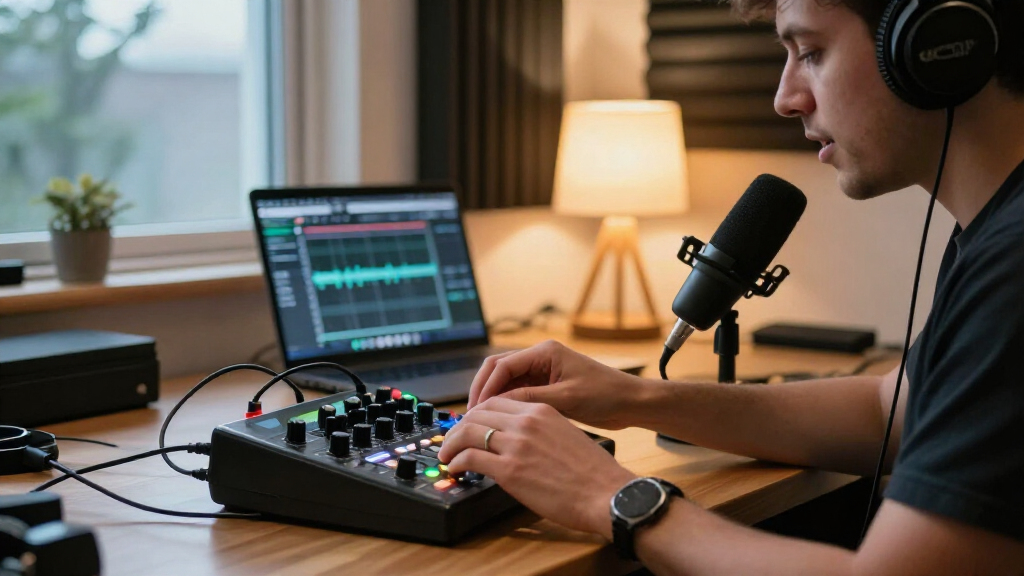
I ranked these compact podcast mixers by how well they balance footprint, recording workflow, usable inputs, and day-to-day control. I gave more weight to features that solve common podcast tasks—connecting microphones, monitoring guests, recording reliably, and handling playback—than to headline effects counts or bundled accessories. I also considered whether a product is a mixer, a recorder, or an all-in-one production unit, since those designs suit different workflows.
The order reflects how many recording needs each option can cover without adding unnecessary gear, not a claim that one format works for every show. Integrated production tools rank well for creators who want a self-contained setup; portable recorders rise for location recording; basic analog units remain useful but rank lower for podcast-specific convenience. Bundles are judged on setup value, while their included accessories do not automatically make them a better long-term choice.
Factors to Consider When Choosing Compact Podcast Mixers
Before choosing a mixer, map out the show you actually record: number of live microphones, where the recording happens, and whether a computer or standalone recorder will capture the audio. Those choices often matter more than effects or lighting features. I’d use the following factors to avoid buying a compact unit that feels cramped or complicated once the show grows.
Count Simultaneous Microphones, Not Just Channels
Channel totals can include stereo playback, instrument inputs, or other sources, so they do not always tell you how many microphone guests you can connect. Write down the maximum number of people who need individual mic control during a session, including a host who may join remotely in person. Then check whether those mic inputs provide the connection and gain support your microphones require. A two-person show with occasional remote callers may need a different setup from a four-person roundtable, even if both are described as podcasts. Leaving one spare input can help avoid replacing the mixer after a small format change.
Decide Where the Recording File Will Come From
A mixer shapes and routes audio, but not every mixer records a finished show on its own. Some connect to a computer or phone, while recorder-oriented products can capture audio without a laptop in the room. Standalone recording is useful for interviews on location and can reduce dependence on software, but it does not remove the need to manage storage and backups. If you record through a computer, check how the device connects to your preferred software and whether its routing supports your intended workflow. Avoid paying for a recorder you will rarely use—or assuming a basic mixer can create a recording by itself.
Match Portability to Your Actual Setup
“Compact” can describe a small desktop unit or a battery-friendly recorder meant to travel, and those are not the same kind of portability. Think about whether the mixer will live beside a computer, move between rooms, or travel to interviews. For mobile recording, account for the power source, cables, headphones, microphones, and stands; a small device can still require a bulky kit around it. For a fixed desk, accessible controls and a stable layout may matter more than the lightest possible body. Choose for the whole recording setup, not the mixer’s dimensions alone.
Choose Controls You Can Operate While Speaking
Physical faders and knobs make quick level changes easy to see, while screen-led digital controls can pack more routing and processing into a smaller surface. The right choice depends on whether you want a simple repeatable setup or frequent control over effects, mixes, and recording functions. Extra presets can speed up familiar tasks, but they may add menus and setup steps when all you need is a clean voice recording. Before buying, consider who will run the session and whether they can adjust levels without losing track of the conversation. A less feature-rich layout can be the better tool when it keeps the host focused on the show.
Treat Effects and Bundled Gear as Optional Value
Built-in effects can help with sound shaping or live production, but they cannot fix a noisy room, poor microphone placement, or inconsistent speaking distance. Effects counts are less useful than knowing whether the controls give you the specific processing and playback options your show needs. Bundles may provide a quick start with a microphone or headphones, yet included gear can become redundant if you already own equipment or plan to upgrade. Check compatibility, connection types, and the practical quality of the accessories before treating a bundle as a complete studio. Put clean recording and a workable monitoring setup ahead of decorative extras.
Frequently Asked Questions
Should I buy a podcast mixer or a portable podcast recorder?
I’d choose a portable recorder when you need to capture interviews away from a desk or want recording to continue without a computer. A mixer makes more sense when your main job is controlling live audio sources, especially in a fixed setup with a computer or separate recorder. Some products combine these roles, but the labels alone do not tell you whether the recording workflow fits your show. Check how files are captured, where they are stored, and how easily they can be moved into your editing process. If you only record at a desk, paying for field portability may not add much value.
How many microphone inputs should I plan for if my show has guests?
Count everyone who may speak on separate microphones at the same time, including the host and any co-hosts. Add a spare input if you expect occasional in-person guests or a format change, but do not count a remote caller as a physical mic unless they connect through an audio input. Also check whether a listed channel is a microphone input or a stereo playback channel; total channel numbers can be misleading. More inputs can increase flexibility, though they may also add size and control complexity. Choose around your largest realistic session rather than a one-off event.
Can I use a compact podcast mixer without a computer?
Some podcast-focused recorders and production units can record independently, while many traditional mixers need a computer, phone, or separate recorder to capture the show. Confirm that the specific model supports standalone recording rather than assuming that a USB connection means it records internally. If you want a laptop-free setup, check how the device handles storage, power, and file transfer. A computer-free workflow can simplify location sessions, but it also makes backups and file management your responsibility. For a desk-based show already using recording software, standalone recording may be less important.
Is a mixer bundle a better choice for a first podcast setup?
A bundle can be convenient when you need several pieces at once, since it may include a microphone and monitoring accessories alongside the mixer. Its value depends on whether those parts suit your voice, room, and connection needs—not just on how many items are in the box. If you already own headphones or plan to choose a different microphone, bundled gear may go unused. I’d compare the mixer’s recording workflow and input capacity first, then treat accessories as a bonus. For a beginner, a straightforward setup is more useful than a large bundle with features that are hard to operate.
When is it worth choosing a more advanced digital mixer?
A more advanced digital unit can make sense when you need integrated recording, flexible routing, or production controls in a single compact surface. It is less compelling if you only need to set microphone levels and send audio to software, since a simpler mixer may cover that job with less setup. Think about whether you will use its added functions every week, not just whether they appear useful on a feature list. Also account for the time needed to learn menus and save a dependable configuration. Paying for advanced controls is most sensible when they replace other equipment or simplify a recurring production task.
Conclusion
For the widest mix of compact production features, I’d choose the RØDE RØDECaster Duo as best overall. The Mackie Mix12FX is my best value-style pick for buyers who want a larger analog source mix with effects, while the Mackie 402VLZ4 suits a simpler, no-frills desk setup. Beginners who want a bundled starting point can compare the TENLAMP G10 and MAONO packages, checking the included gear against what they already own. For mobile recording, I’d pick the Zoom PodTrak P4next; for a more advanced integrated production setup, the Mackie DLZ Creator XS is the premium-oriented choice. Match the final pick to your microphone count and recording workflow, not the longest feature list.
Black Friday Picks

KitchenAid Classic Series 4.5-Quart Tilt-Head Stand Mixer, Onyx Black
As an affiliate, we earn on qualifying purchases.