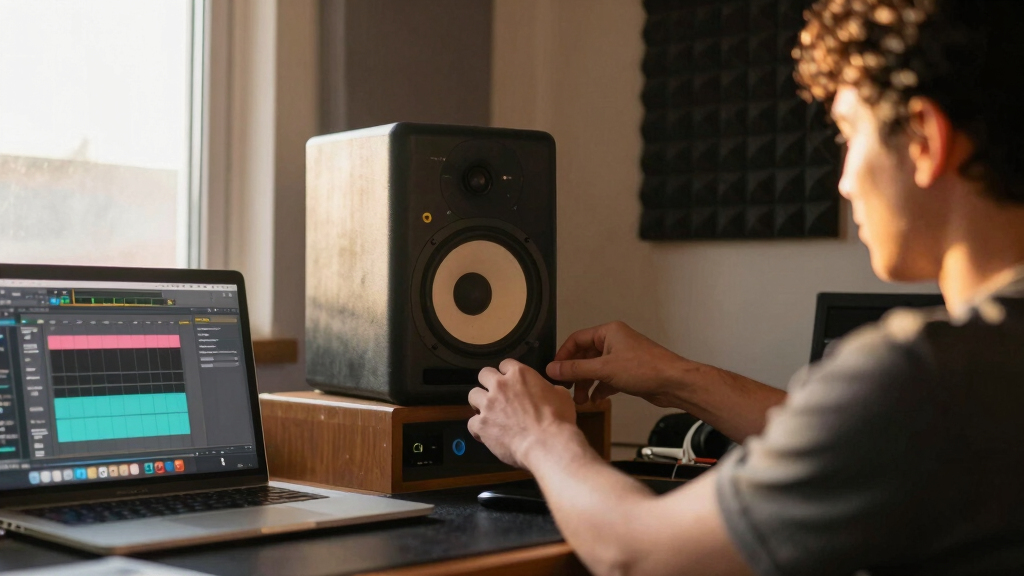
Starting out in music production requires reliable studio monitors that deliver clear, accurate sound without overwhelming your budget. The Yamaha HS5 stands out as the overall best choice thanks to its balanced sound profile and user-friendly design. The JBL 305P MkII offers excellent value with impressive bass response, ideal for small spaces. As a beginner, you face tradeoffs like balancing affordability with sound accuracy and ease of use. Continue reading for a detailed breakdown of each option to help you find the perfect fit for your setup.

Get audio and creator gear delivered free with Prime
- Fast, free delivery on millions of items
- Prime Video, Amazon Music and more included
- Member-only deals all year
Complete the kit



Key Takeaways
- The best monitors for beginners prioritize clarity and flat response to accurately represent mixes.
- Budget options like the PreSonus Eris 3.5 provide good performance at a lower price point, but may lack some features of more advanced models.
- Size matters: smaller monitors are better for tight spaces, but larger speakers typically offer more bass and detail.
- Connectivity options like Bluetooth or multiple inputs can add versatility, especially for versatile workflows.
- Tradeoffs often involve balancing sound accuracy, size, budget, and ease of setup—no single monitor is perfect for everyone.
| Yamaha HS5 Powered Studio Monitor, Pair |  | Best Overall for Accurate Near-Field Monitoring | Number of Monitors: 2 | Woofer Size: 5 inches | Tweeter Size: 1 inch | VIEW LATEST PRICE | See Our Full Breakdown |
| JBL 305P MkII 5″ 2-Way Active Studio Monitors (Pair) |  | Best for Wide Imaging and Versatile Sound | Number of Speakers: 2 | Speaker Size: 5 inches | Power: 2 x 41 Watts | VIEW LATEST PRICE | See Our Full Breakdown |
| Yamaha HS4 Powered Studio Monitor (Pair) |  | Best for Compact, High-Quality Sound in Space-Constrained Setups | Type: 2-way bass-reflex powered speaker | Woofer Size: 4.5 inches | Tweeter Size: 1 inch | VIEW LATEST PRICE | See Our Full Breakdown |
| PreSonus Eris 3.5 Studio Monitors, Pair |  | Best Compact Desktop Monitors for Versatility and Precision | Power: 50 Watts | Woofer Size: 3.5 inches | Inputs: ¼-inch TRS, RCA, ⅛-inch TRS aux | VIEW LATEST PRICE | See Our Full Breakdown |
| Mackie CR3.5 3.5-inch Creative Reference Powered Studio Monitors |  | Best for Versatile, Budget-Friendly Desktop Monitoring | Speaker Size: 3.5 inches | Tweeter Type: Silk dome | Woofer Type: Woven | VIEW LATEST PRICE | See Our Full Breakdown |
| IK Multimedia iLoud Micro Monitor 50W Portable Wireless Bluetooth Studio Monitors |  | Best for Portable, On-the-Go Production | Power: 50W RMS | Frequency Response: 55Hz – (upper limit not specified) | Tweeter: 3/4” silk dome | VIEW LATEST PRICE | See Our Full Breakdown |
| studio monitors for music production beginner | Frequency Response | Power | Inputs | Woofer Size |
|---|---|---|---|---|
| Yamaha HS5 Powered Studio Moni | 54 Hz – 30 kHz | 45W LF + 25W HF, 70W total | XLR and TRS | 5 inches |
| JBL 305P MkII 5" 2-Way Active | — | 2 x 41 Watts | XLR/TRS | — |
| Yamaha HS4 Powered Studio Moni | 60 Hz – 22 kHz | — | XLR/TRS, RCA, Stereo Mini | 4.5 inches |
| PreSonus Eris 3.5 Studio Monit | Not specified | 50 Watts | ¼-inch TRS, RCA, ⅛-inch TRS aux | 3.5 inches |
| Mackie CR3.5 3.5-inch Creative | — | — | — | — |
| IK Multimedia iLoud Micro Moni | 55Hz – (upper limit not specified) | 50W RMS | — | — |
More Details on Our Top Picks
Yamaha HS5 Powered Studio Monitor, Pair
The Yamaha HS5 stands out for its crisp, transparent sound, making it a top choice for beginners who want a true representation of their mixes. Compared with the JBL 305P MkII, the HS5 offers a slightly cleaner sound but less maximum volume and lower bass extension, which may matter in larger or bass-heavy setups. Its bi-amplified design ensures dedicated power to high and low frequencies, resulting in minimal distortion at moderate volumes. However, its reliance on an external audio interface and limited bass response means it requires additional equipment and may not fully satisfy those needing deep lows. Still, for small, near-field spaces, the Yamaha HS5 delivers reliable, professional-grade clarity.
Pros:- Accurate sound reproduction with minimal coloration
- Bi-amplified design for clear, distortion-free audio
- Includes both balanced and unbalanced inputs
Cons:- Limited to near-field use, not suited for large rooms
- Requires external audio interface for optimal performance
Best for: Beginners seeking precise, transparent sound for detailed mixing in small studio spaces
Not ideal for: Users who need deep bass or larger-volume monitoring without additional gear
- Number of Monitors:2
- Woofer Size:5 inches
- Tweeter Size:1 inch
- Frequency Response:54 Hz – 30 kHz
- Power:45W LF + 25W HF, 70W total
- Inputs:XLR and TRS
Our verdict“Ideal for beginners focused on detailed, accurate monitoring in small spaces who don’t mind adding a dedicated audio interface.”
JBL 305P MkII 5″ 2-Way Active Studio Monitors (Pair)
The JBL 305P MkII excels in delivering a broad, immersive soundstage, making it a great pick for those who want an expansive listening experience. Unlike the Yamaha HS5, which focuses on neutrality, the JBL offers adjustable EQ settings and boundary compensation, allowing for tailored sound in different studio environments. Its dual 41-watt amps produce lively, dynamic audio suitable for mixing or multimedia applications. The tradeoff is that its larger footprint and need for ample space make it less ideal for cramped desks. Additionally, the wider dispersion can require careful placement for optimal imaging, especially in small rooms. Overall, the JBL 305P MkII provides a vibrant, adaptable monitoring option for beginners who want flexibility.
Pros:- Wide soundstage with excellent imaging
- Adjustable EQ and boundary controls for flexible setup
- Robust MDF enclosure with professional input options
Cons:- Requires space for proper dispersion
- May be overkill for casual listening or small desks
Best for: Beginners who prioritize immersive sound and flexible room tuning in medium-sized spaces
Not ideal for: Users with very limited space or those preferring a more neutral, flat response for critical mixing
- Number of Speakers:2
- Speaker Size:5 inches
- Power:2 x 41 Watts
- Inputs:XLR/TRS
- Enclosure Material:MDF
- Features:Boundary EQ, HF Trim
Our verdict“Best suited for beginners wanting a lively, adaptable monitor with wide sound imaging and room tuning options.”
Yamaha HS4 Powered Studio Monitor (Pair)
The Yamaha HS4 offers a smaller footprint with surprisingly detailed sound, making it a strong choice for those with limited space. Compared to the larger HS5, the HS4’s 4.5-inch woofer provides slightly less bass, which could be a limitation for bass-heavy genres or full mixes. Its room control and high trim features allow some room tuning, but its frequency response of 60 Hz to 22 kHz is narrower than the HS5, affecting low-end accuracy. Its multiple input options add flexibility, though at a higher price point that might seem steep for casual users. This monitor is best for small studios or desktop setups where space efficiency is key, but it may not satisfy those wanting deep bass or higher volume.
Pros:- Compact size ideal for small spaces
- High-quality sound with clear mids and highs
- Multiple connectivity options
Cons:- Limited bass response due to smaller woofer
- Higher price for its size and features
Best for: Beginners with limited space seeking high-quality, detailed sound in a compact form factor
Not ideal for: Musicians needing deep bass response or loud volume levels for larger rooms
- Type:2-way bass-reflex powered speaker
- Woofer Size:4.5 inches
- Tweeter Size:1 inch
- Frequency Response:60 Hz – 22 kHz
- Output Power:26 W
- Inputs:XLR/TRS, RCA, Stereo Mini
Our verdict“Perfect for space-constrained environments where detailed sound and versatility are valued, though bass may be lacking.”
PreSonus Eris 3.5 Studio Monitors, Pair
The PreSonus Eris 3.5 offers a compact yet surprisingly capable option for beginners wanting accurate sound on a desktop. While its 3.5-inch driver limits low-end response compared to larger monitors like the Yamaha HS5, it compensates with adjustable high- and low-frequency tuning and multiple input options, making it highly adaptable. Its 50W Class AB amplification ensures clear, detailed audio suitable for mixing, multimedia, and even hi-fi listening. The inclusion of a headphone output adds to its versatility, but the limited bass performance means it’s less suited for bass-heavy music or full-range mixes without a subwoofer. This makes it a good choice for tight spaces and multi-purpose use.
Pros:- Compact size fits on any desk
- Accurate, studio-quality sound
- Adjustable tuning controls and headphone output
Cons:- Limited bass response without a subwoofer
- No Bluetooth or wireless connectivity
Best for: Beginners needing accurate, space-efficient monitors for desktop use and multimedia editing
Not ideal for: Users aiming for deep bass or high-volume, full-range sound without additional equipment
- Power:50 Watts
- Woofer Size:3.5 inches
- Inputs:¼-inch TRS, RCA, ⅛-inch TRS aux
- Frequency Response:Not specified
- Additional Features:High/low tuning, headphone output
Our verdict“Ideal for small desktop setups where space is limited and accurate sound reproduction is a priority, though bass is limited.”
Mackie CR3.5 3.5-inch Creative Reference Powered Studio Monitors
The Mackie CR3.5 provides a flexible, budget-conscious option for beginners who want decent studio results without investing heavily. Its 3.5-inch drivers are comparable to the PreSonus Eris 3.5, but Mackie adds a switchable placement mode and a tone control, giving users more customization for different desk setups. While it doesn’t deliver deep bass due to the small driver, its multiple connectivity options, including TRS, RCA, and 3.5mm, make it compatible with many devices. The built-in switch for desktop or bookshelf placement helps optimize sound performance in various environments. However, the absence of a subwoofer limits bass depth, and it may not satisfy those seeking a full-range, high-volume experience.
Pros:- Multiple connectivity options for flexible device pairing
- Adjustable tone control for personalized sound
- Switchable placement modes optimize performance
Cons:- Limited bass depth due to small drivers
- No subwoofer option for enhanced lows
Best for: Beginners on a budget who need versatile, adjustable monitors for small desks or multi-device setups
Not ideal for: Producers requiring deep bass or high-volume loudness for larger spaces
- Speaker Size:3.5 inches
- Tweeter Type:Silk dome
- Woofer Type:Woven
- Connectivity:TRS, RCA, 3.5mm
- Features:Tone knob, location switch, headphone output
Our verdict“Suitable for budget-conscious beginners wanting flexible, space-efficient monitors with adjustable sound, though bass performance is limited.”
IK Multimedia iLoud Micro Monitor 50W Portable Wireless Bluetooth Studio Monitors
The IK Multimedia iLoud Micro Monitor stands out for its compact, lightweight design, making it ideal for producers who need a reliable reference in various environments. Compared with larger monitors like the Yamaha HS5, it sacrifices some low-end depth—its response starts at 55Hz—so users working with bass-heavy genres might find it inadequate without a subwoofer. However, its internal DSP allows for customizable EQ, ensuring accurate sound tailored to different spaces. The Bluetooth connectivity adds convenience, especially for casual listening or quick previews, but it’s not designed for high-volume, deep-bass production. Its portability and multiple inputs make it perfect for mobile producers, home studios with limited space, or musicians who perform live and record on the go.
Pros:- Compact, lightweight, and travel-friendly design
- Accurate, linear frequency response for reliable mixing
- Wireless Bluetooth streaming for quick playback and casual listening
- Multiple input options, including Bluetooth, RCA, and aux
Cons:- Limited low-frequency response, starting at 55Hz, necessitating additional subwoofers for bass-heavy genres
- Small size restricts maximum volume and deep bass output
- Requires external power, reducing true portability
Best for: Music producers and musicians who need a portable, versatile monitor for both studio use and mobile recording sessions.
Not ideal for: Audio professionals focusing on bass-heavy genres or those requiring very high volume levels, as this monitor’s small size limits deep bass and loudness capabilities.
- Power:50W RMS
- Frequency Response:55Hz – (upper limit not specified)
- Tweeter:3/4” silk dome
- Woofer:3” high-rigidity custom composite material
- Connectivity:Bluetooth, Stereo RCA, 1/8″ aux input
- Portability:Lightweight, travel-ready with optional travel bag
Our verdict“This monitor suits mobile producers or small-space users who prioritize portability and accurate sound over deep bass and high volume capabilities.”
How We Picked
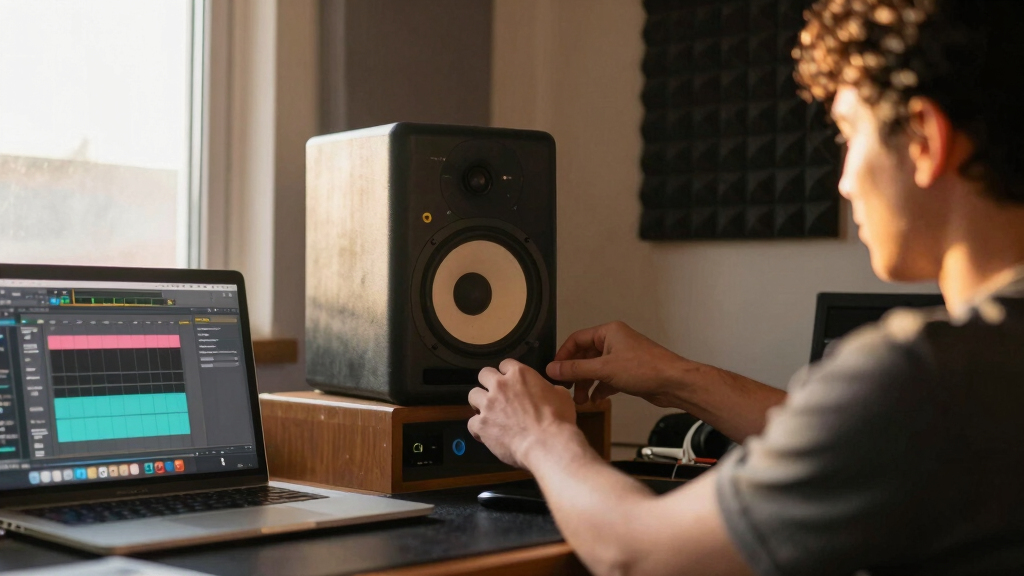
We evaluated these studio monitors based on sound clarity, accuracy, build quality, ease of setup, and value for beginners. Performance was prioritized over features like high SPL or advanced connectivity, as these are often less relevant at the early stage of music production. The ranking reflects a balance between affordability and professional sound, ensuring beginners get the most reliable, straightforward options. Additionally, we considered user feedback and industry reputation to select monitors that are both beginner-friendly and capable of growing with the user’s skills.| studio monitors for music production beginner | Inputs |
|---|---|
| Yamaha HS5 Powered Studio Moni | XLR and TRS |
| JBL 305P MkII 5" 2-Way Active | XLR/TRS |
| Yamaha HS4 Powered Studio Moni | XLR/TRS, RCA, Stereo Mini |
| PreSonus Eris 3.5 Studio Monit | ¼-inch TRS, RCA, ⅛-inch TRS aux |
| Mackie CR3.5 3.5-inch Creative | — |
| IK Multimedia iLoud Micro Moni | — |
Factors to Consider When Choosing Best Studio Monitors For Music Production Beginners
Choosing the right studio monitor as a beginner involves understanding several key factors. While affordability is important, it’s equally vital to consider sound accuracy, size, and connectivity options. Avoid the mistake of prioritizing features like loudness or flashy design over true sound reproduction. Instead, focus on monitors that deliver a flat response for more accurate mixing. Understanding your space and workflow will help narrow down choices, ensuring you get monitors that enhance your learning curve without overwhelming your budget.Sound Accuracy and Frequency Response
For beginners, monitors that provide a flat and honest frequency response are essential. This helps you learn how your mixes translate across different systems. Avoid overly colored speakers that boost bass or treble, as they can mislead your perception. Look for monitors with a frequency response that covers the full audible spectrum, ideally from around 50Hz to 20kHz, to ensure you hear the full detail of your tracks.
Size and Space Considerations
The physical size of your monitors impacts both sound and placement. Smaller monitors like 4-5 inches are suitable for compact desktop setups and minimize space issues, but they may lack deep bass. Larger monitors provide a fuller sound, especially in the bass range, but require more room and proper positioning. Measure your workspace carefully to select monitors that fit without sacrificing sound quality.
Connectivity and Compatibility
Most beginner monitors offer basic options like 1/4-inch TRS or RCA inputs, which work well for standard setups. Some models include USB or Bluetooth, adding convenience for connecting to different devices. Be sure your audio interface or computer outputs are compatible with the monitor’s inputs. Investing in monitors with versatile connectivity can save you from needing additional adapters or upgrades down the line.
Budget and Long-Term Value
While it’s tempting to choose the cheapest option, investing a bit more often results in better sound and durability—crucial for learning and future projects. Cheap monitors tend to color the sound or lack detail, making it harder to develop critical listening skills. Conversely, premium models may be unnecessary for complete beginners, so look for a balance of quality and affordability that can serve you as you grow.
Ease of Use and Setup
Beginners benefit from monitors that are straightforward to set up and position. Look for features like adjustable tilt, sturdy stands, and clear connection options. Monitors with built-in room correction or auto-calibration can help mitigate acoustic issues in your space. Avoid overly complex models that require extensive calibration unless you have experience or are willing to learn advanced setup techniques.
Frequently Asked Questions
Can I use bookshelf speakers as studio monitors?
While bookshelf speakers can sometimes serve as makeshift studio monitors, they typically lack the flat frequency response and detailed sound reproduction necessary for accurate mixing. Studio monitors are designed to reveal flaws in your audio, which is critical for learning and producing professional-sounding tracks. If you choose to use bookshelf speakers, be aware they may color your mix, leading to less accurate results when played on other systems.
Is it better to buy active or passive monitors for beginners?
Active monitors are generally better suited for beginners because they include built-in amplifiers, simplifying setup and reducing the need for additional equipment. Passive monitors require an external amp, adding complexity and cost. For those just starting out, active monitors like the Yamaha HS5 or JBL 305P MkII offer straightforward plug-and-play operation, making them more accessible and easier to integrate into a beginner’s workflow.
How much should I spend on my first set of studio monitors?
Beginners should aim to spend between $200 and $400 for a pair of quality monitors. This range typically offers a good balance of sound clarity, build quality, and affordability. Spending less may result in compromised sound accuracy, while going significantly higher might not provide enough benefit for someone still learning. Focus on models that are well-reviewed and known for flat response and durability within your budget.
Do I need studio monitors if I already have headphones?
Headphones are useful for detailed listening, but monitors are essential for mixing and translating your sound accurately to speakers and other playback systems. Monitors provide a more natural and less isolating listening environment, which helps you understand how your music sounds in real-world scenarios. Using both together will give you a comprehensive understanding of your mix, making monitors a worthwhile investment even if you already own quality headphones.
What is the most important feature to consider for a beginner studio monitor?
The most critical feature for a beginner is sound accuracy, specifically a flat frequency response. This ensures you learn to recognize true sound qualities without coloration. Accurate monitors will help you develop critical listening skills and produce mixes that translate well across different listening environments. While size, connectivity, and price matter, they should be secondary to the monitor’s ability to provide an honest representation of your audio.
Conclusion
The Yamaha HS5 makes the most sense for serious beginners who want reliable, accurate sound without complicated setup. The PreSonus Eris 3.5 offers excellent value for those on a tighter budget or with limited space. For those seeking portability or multi-use options, the IK Multimedia iLoud Micro Monitor provides a versatile, wireless solution. Ultimately, your choice depends on your space, budget, and future goals—consider these factors carefully to select the best monitors for your music production journey.Fall Picks
fall essentials
As an affiliate, we earn on qualifying purchases.