
TL;DR

Get audio and creator gear delivered free with Prime
- Fast, free delivery on millions of items
- Prime Video, Amazon Music and more included
- Member-only deals all year
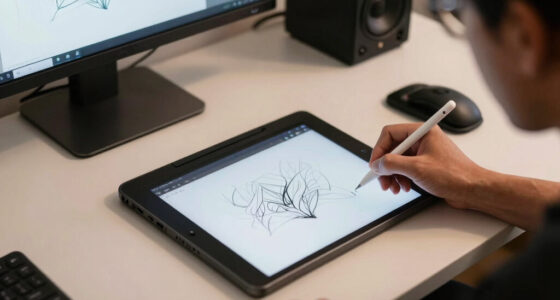
Maintaining a neutral wrist position and adjusting your tablet to a 30-45 degree tilt can significantly reduce wrist strain. Regular breaks and ergonomic accessories are key for long, pain-free digital art sessions.
If you’ve ever felt a sharp pinch or numbness after hours of drawing on your tablet, you’re not alone. Wrist pain is a common complaint among digital artists and creators, especially those who spend long stretches trying to perfect their work.
But what if a simple change in how you position your tablet could make a big difference? This guide is all about adjusting your tablet angle and wrist posture to keep you comfortable and injury-free during those marathon sessions.
Maintain a wrist angle of 0-15 degrees of extension for prolonged comfort.
Use adjustable stands to tilt your tablet between 30-45 degrees, aligning with natural arm movement.
Take breaks every 20-30 minutes to stretch wrists and fingers, preventing stiffness.
Invest in ergonomic accessories like styluses with textured grips and wrist supports.
Set up your workspace so that your desk, chair, and lighting support good posture overall.
Why Your Wrist Position Matters More Than You Think
Wrist pain often comes from holding your wrist at awkward angles for too long. When you tilt your tablet or bend your wrist excessively, you put strain on the tendons and nerves that control your hand movements. Over time, this can lead to inflammation, discomfort, and serious injuries like tendinitis or carpal tunnel syndrome. These conditions not only cause pain but can also impair your ability to draw comfortably, potentially ending your creative flow. Understanding why wrist position matters is crucial because it directly influences your long-term health and productivity. A misaligned wrist forces your tendons to stretch or compress unnaturally, leading to fatigue and increasing the risk of repetitive strain injuries. By maintaining a neutral wrist—imagine a handshake—you allow your tendons and nerves to glide smoothly, reducing unnecessary stress. This simple shift can mean the difference between a comfortable, sustainable drawing routine and one that leaves you in pain after hours.
As an affiliate, we earn on qualifying purchases.
How to Set Your Tablet at the Perfect Angle (Step-by-Step)
- Choose the right stand or holder. A tilt-adjustable stand that elevates your tablet to eye level is essential. It not only prevents neck strain but also encourages a more natural wrist position. When the tablet is at the right height, your arm and wrist can operate in a more neutral alignment, reducing fatigue. The tradeoff is that some stands may be bulky or expensive, but investing in quality can pay off in comfort and health over time.
- Adjust the angle for your comfort. Position your tablet so that your wrist remains within a 0-15 degree extension. This means your hand should be in a relaxed, straight position without bending upward or downward. If you find yourself reaching or overstretching, tweak the tilt or height of your stand. Remember, the goal is to minimize wrist deviation because even slight misalignments can cause cumulative strain, especially during prolonged sessions.
- Position your stylus correctly. Hold your stylus as naturally as possible, avoiding a tight grip that can cause muscle fatigue. Use a stylus with a textured grip to reduce the need for excessive force. Proper grip and hand position distribute effort evenly, preventing localized fatigue and allowing for more precise control.
- Test and fine-tune. Spend time drawing at different angles and positions. Pay attention to how your wrist feels—if you experience discomfort, adjust accordingly. Small changes in height or tilt can make a big difference in comfort. The key is to find a setup that allows your hand to move fluidly without strain, which helps maintain your stamina during marathon work sessions.
For example, elevating your tablet slightly above your lap and tilting it toward your body can keep your wrist in a neutral position. This setup reduces the need for repetitive bending and helps prevent fatigue, especially during hours-long projects.
As an affiliate, we earn on qualifying purchases.
Compare Popular Tablet Angles and Their Impact on Your Wrist
| Angle | Wrist Extension | Comfort Level | Best For |
|---|---|---|---|
| Flat (0°) | High (20-30°) | Low | Casual drawing, quick sketches |
| 15-30° tilt | Moderate (10-15°) | Good | Longer sessions, detailed work |
| 30-45° tilt | Minimal (0-10°) | High | Extended drawing sessions, ergonomics focus |
This table illustrates how different angles influence wrist comfort. A flat tablet, while convenient, often forces your wrist into a more extended and awkward position, increasing fatigue over time. Conversely, a 30-45 degree tilt aligns your wrist with your forearm, promoting a more natural, relaxed posture. Choosing the right angle isn’t just about comfort; it can significantly reduce the risk of developing repetitive strain injuries, which are common among artists who work long hours without ergonomic consideration. The tradeoff involves balancing convenience with health—sometimes a slightly more involved setup can save you from pain and medical issues later.
As an affiliate, we earn on qualifying purchases.
Tools and Accessories That Keep Your Wrists Happy
- Adjustable tablet stands – Elevate and tilt your device to reduce wrist extension and neck strain. Choosing a stand that allows precise tilt adjustments helps you find that sweet spot where your wrist remains neutral, minimizing fatigue. The tradeoff is that some stands may be bulky or less portable, so consider your workspace needs.
- Ergonomic styluses – Styluses designed with textured grips or ergonomic shapes reduce the effort needed to hold them, preventing hand fatigue. This is especially important during long sessions where gripping too tightly can cause muscle strain, leading to pain or reduced control.
- Wrist supports – Cushioned pads or braces help keep your wrist in a neutral position by providing gentle support. They act as a reminder to maintain proper posture and can prevent inadvertent wrist bending, especially during extended periods of drawing.
- External keyboards and shortcuts – Using external keyboards and customizable shortcut keys reduces repetitive hand movements and awkward postures, which can contribute to wrist strain. This setup encourages a more natural hand position, decreasing the likelihood of developing overuse injuries.
For example, combining an adjustable stand with a stylus that has a textured grip and wrist support can drastically improve comfort. These small ergonomic investments help prevent fatigue, allowing you to work longer without discomfort or injury.
As an affiliate, we earn on qualifying purchases.
Why Breaks and Movement Are Your Best Friends
Holding the same position for extended periods causes muscle fatigue, joint stiffness, and nerve compression, all of which contribute to pain and long-term injury. Even with the best setup, your muscles need periodic relief to recover and maintain flexibility. Regular breaks—ideally every 20-30 minutes—are crucial because they interrupt repetitive movements and allow blood flow to replenish oxygen and nutrients in your tissues. Incorporating simple wrist stretches or finger flexion exercises during these breaks can significantly reduce stiffness, prevent tendinitis, and improve overall comfort. For instance, gently flexing and extending your wrists, rotating your hands, or doing finger stretches helps keep tendons and muscles flexible. Think of your body as a machine that needs lubrication—these small routines keep everything running smoothly and prevent wear and tear. Over time, consistent breaks and movement routines can make a substantial difference in your ability to work longer hours comfortably and avoid chronic issues.
Create a Workspace That Supports Your Ergonomics
Your physical environment directly impacts your posture and comfort. An ergonomic workspace is designed to minimize strain by aligning your body in a way that reduces awkward positions. A proper chair with lumbar support encourages good spinal alignment, while a desk at the correct height ensures your elbows are at a 90-degree angle, preventing shoulder and wrist fatigue. Good lighting reduces glare, which can cause you to tilt or squint, leading to neck and wrist strain. When your workspace is set up correctly, your body naturally adopts a healthier posture, making long sessions less taxing. For example, if your desk is too high, you may find yourself elevating your shoulders or extending your wrists unnaturally to reach your tools. Adjust your chair height so your feet are flat on the ground, your knees are at a 90-degree angle, and your elbows rest comfortably at your sides. Proper lighting not only prevents eye strain but also reduces the tendency to tilt your head or squint, which can indirectly affect your wrist position. Investing time in setting up an ergonomic workspace pays off by reducing fatigue, preventing injuries, and enabling you to focus on your art with less distraction and discomfort.
Frequently Asked Questions
How should I position my tablet to avoid wrist pain?
Keep your tablet tilted between 30-45 degrees and at eye level. Avoid bending your wrist more than 15 degrees upward or downward—this keeps your wrist in a neutral, comfortable position.
What accessories can help reduce wrist strain?
Use adjustable stands, ergonomic styluses, wrist supports, and external keyboards. These tools help maintain proper posture and reduce fatigue during long drawing sessions.
How often should I take breaks during long tablet sessions?
Every 20-30 minutes, pause to stretch your wrists, flex and extend your fingers, or shake out your hands. Short breaks keep your muscles and tendons healthy and prevent stiffness.
Are there specific exercises to prevent wrist pain?
Yes. Wrist flexion and extension stretches, nerve gliding exercises, and gentle rotations help keep your tendons and nerves flexible. Incorporate these into your routine every few hours.
Can poor ergonomics cause long-term damage?
Absolutely. Sustained poor wrist positioning can lead to chronic conditions like carpal tunnel syndrome and tendinitis. Proper ergonomics is key to avoiding these injuries over years of digital work.
Conclusion
Small adjustments in your tablet setup can prevent hours of wrist pain and long-term injury. Focus on keeping your wrist in a neutral position, use the right accessories, and give your body regular breaks. Your future self will thank you.
Remember, comfort isn’t just a luxury — it’s a necessity for consistent, healthy creativity. Keep your wrists happy, and your art will flow more freely than ever.
Fall Picks
fall essentials
As an affiliate, we earn on qualifying purchases.