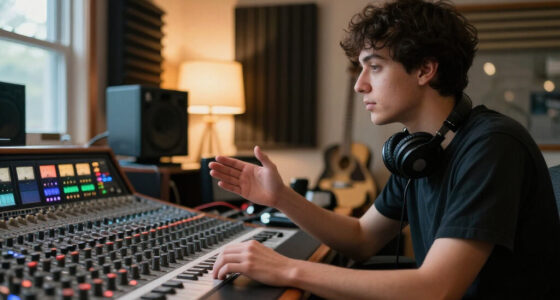
Choosing a home-studio audio interface often comes down to two-channel models that appear to do the same job: connect a microphone or instrument to a computer, then send audio to headphones or speakers. The Focusrite Scarlett 2i2 (4th Gen) and MOTU M2 both fit that role, but they emphasize different parts of the workflow. The Scarlett offers approachable controls and a useful software package; the M2 stands out for its detailed front-panel meters and monitoring options.

Get audio and creator gear delivered free — and shop member deals
- Fast, free delivery on millions of items
- Access to Prime Big Deal Days deals on October 6–7
- Prime Video, Amazon Music and more included

YONDRIX 2×2 USB Audio Interface, 24-bit/192 kHz
- ✔ Inputs: 2 XLR/line combo inputs
- ✔ Outputs: Balanced TRS speaker outputs and dedicated headphone output
- ✔ Resolution: 24-bit/192kHz

CIXUN 2-Channel USB-C Audio Interface, 24-bit/192 kHz
- ✔ Inputs and outputs: 2 inputs and 2 outputs
- ✔ Inputs: 2 XLR/TS combo jacks
- ✔ Resolution: 24-bit/192kHz

PIYONE Q28 2-Input USB-C Audio Interface, 24-bit/192kHz
- ✔ Inputs: 2 XLR/TRS combo jacks
- ✔ Resolution: 24-bit/192kHz
- ✔ Connection: USB-C
For a beginner recording vocals, guitar, or a podcast, the Scarlett is the easier recommendation if setup support and included tools matter. The M2 is a stronger fit for someone who wants to see input levels clearly at a glance and switch among monitoring sources. Neither is a universal winner: both provide two inputs, so the deciding question is whether you value guided simplicity or monitoring feedback more.
At a Glance
| Criteria | Focusrite Scarlett 2i2 (4th Gen) | MOTU M2 | Winner |
|---|---|---|---|
| Inputs and expansion | Two combo inputs for microphones, line-level sources, or instruments; no built-in expansion for more inputs. | Two combo inputs for microphones, line-level sources, or instruments; no built-in expansion for more inputs. | Tie |
| Setup and controls | Clear, approachable controls and automatic gain features that can help new users set levels. | Compact layout with practical controls, though its monitoring and meter options may take a little learning. | A |
| Input metering | Gain halos give a quick indication of level, but do not show as much detail as a screen-style meter. | Color LCD meters make input levels and clipping easier to read at a glance. | B |
| Direct monitoring | Direct monitoring support for hearing input while recording, with controls aimed at straightforward use. | Offers direct monitoring and loopback options that suit recording and computer-audio capture. | B |
| Sound and recording | Records standard high-quality digital audio suitable for vocals, instruments, and spoken word. | Records standard high-quality digital audio suitable for vocals, instruments, and spoken word. | Tie |
| Software and learning support | Strong starter bundle and guided tools, subject to current offer and software availability. | Includes useful software, but the package is less central to its appeal than the hardware features. | A |
| Value | Good value for a first interface when the bundled tools and beginner-friendly workflow are useful. | Better value for users who will use its detailed metering and monitoring flexibility. | Depends |
YONDRIX 2×2 USB Audio Interface, 24-bit/192 kHz
We rank the YONDRIX 2×2 first because its listed connections map neatly to a typical desktop studio: two combo inputs for microphones or line-level sources, balanced TRS speaker outputs for monitors, and a dedicated headphone output. Separate headphone level control is a useful practical distinction: it lets us adjust listening volume without relying on the speaker-output control. PIYONE lists a 3.5mm headphone jack, while YONDRIX documents a more complete monitor-and-headphone arrangement.Its two inputs include preamps, 48V phantom power for condenser microphones, and HI-Z switching for instruments such as electric guitar. That combination makes it adaptable for a vocalist who also records guitar, or for a compact setup that alternates between a mic and an instrument. The listed Windows, macOS, and iOS compatibility is broader than PIYONE’s stated Mac and PC support, though we should still confirm the connection method and requirements for a particular iOS device.The tradeoff is that the supplied information does not specify a USB-C connection on the interface itself; included cables are described as USB A-to-C and USB B 2.0-to-A. Buyers should check which cable and adapter suit their computer before ordering. Also, two inputs are a hard limit for simultaneous recording. Compared with CIXUN, YONDRIX offers clearer monitor-output detail; compared with PIYONE, it provides a more explicitly described desktop output setup, but it is not documented as the simplest USB-C-only option.
Pros:
- Balanced TRS speaker outputs suit powered studio monitors.
- Dedicated headphone output with separate level control.
- Two combo inputs, HI-Z switching, and 48V phantom power cover common mic and instrument sources.
- Lists Windows, macOS, and iOS compatibility.
Cons:
- The interface’s own USB connection type is not clearly specified in the supplied details.
- Two inputs are insufficient for recording larger ensembles simultaneously.
- Specific iOS device and adapter requirements are not detailed.
Best for: Home-studio owners who record one or two sources and want documented balanced monitor outputs plus a separate headphone level control.
Not ideal for: People who need more than two simultaneous inputs, want a clearly specified USB-C interface port, or need confirmed compatibility with a particular mobile device.
Bottom line: We choose YONDRIX as the most complete home-studio fit because its documented speaker and headphone connections are more versatile than the other two listings.
“We choose YONDRIX as the most complete home-studio fit because its documented speaker and headphone connections are more versatile than the other two listings.”
CIXUN 2-Channel USB-C Audio Interface, 24-bit/192 kHz
The CIXUN 2-Channel stands out for its stated compatibility with Mac, PC, and compatible mobile devices. That makes it worth considering if our recording routine moves between a computer desk and a mobile setup. The listing also names several popular recording applications, including Logic Pro, GarageBand, Ableton Live, Reaper, and FL Studio. Software support does not guarantee that every device or configuration will work without extra adapters, but it gives buyers more to check against an existing workflow than PIYONE’s Mac-and-PC-only compatibility statement.Like the other two picks, CIXUN provides two combo inputs, 48V phantom power, Hi-Z switching, direct monitoring, and 24-bit/192kHz support. Those shared capabilities make it suitable on paper for recording a microphone and an instrument or two microphones at once. Its listed stereo outputs give us a way to connect speakers, while the headphone jack supports private monitoring. Compared with YONDRIX, however, the listing does not specify balanced TRS speaker outputs or a separate headphone-level control, so YONDRIX is the safer choice if those desktop details matter.We would also treat one specification cautiously: the frequency response is written only as “20,” without a complete range or unit. That omission makes the spec less useful for comparing expected response, and we should not fill in the missing information by assumption. CIXUN is therefore a flexible middle choice rather than the most fully documented studio connection setup. Its stated input-gain figure is not, by itself, a reason to expect superior sound; buyers should prioritize compatible connections and workflow fit.
Pros:
- Lists Mac, PC, and compatible mobile-device use.
- Two combo inputs support microphone and instrument recording.
- Includes direct monitoring, Hi-Z switching, and a headphone output.
- Names support for a range of common recording applications.
Cons:
- The supplied frequency-response specification is incomplete.
- Mobile compatibility is qualified and does not identify specific devices or adapter requirements.
- The listing does not clearly specify balanced speaker-output connections.
Best for: People who want a two-input interface for a computer-based studio and may also record with a compatible mobile device.
Not ideal for: Buyers who need fully documented frequency-response details, clearly specified balanced monitor outputs, or confirmed compatibility with a particular phone or tablet.
Bottom line: We recommend CIXUN when its stated mobile flexibility matters more than YONDRIX’s more clearly described monitor outputs.
“We recommend CIXUN when its stated mobile flexibility matters more than YONDRIX’s more clearly described monitor outputs.”
PIYONE Q28 2-Input USB-C Audio Interface, 24-bit/192kHz
The PIYONE Q28 is the straightforward choice for a home studio centered on a Mac or PC. Its product details explicitly describe USB-C connectivity and driver-free setup, so buyers who want to connect an interface without a separate driver-install step have a clear reason to shortlist it. Two XLR/TRS combo inputs accommodate microphones or line-level sources, and the Hi-Z support adds an instrument-friendly option for guitar or bass. For a compact singer-songwriter setup, that is a useful range without moving into a larger multi-input interface.PIYONE also provides 48V phantom power, zero-latency direct monitoring, and a standard 3.5mm headphone jack. Direct monitoring can help us hear an input while recording without relying on software playback, which is especially useful when monitoring a live vocal. Its illuminated gain controls add visibility at the interface. Compared with YONDRIX, however, PIYONE does not document balanced monitor outputs or a dedicated headphone level control, so we have less information about how well it fits a desk with separate studio monitors and headphones.The main compatibility caution is that the listing specifies Mac and PC but does not confirm iOS support. That makes CIXUN or YONDRIX more relevant starting points for a mobile-device workflow, although their mobile claims still need checking against the exact device. PIYONE’s listed 24-bit/192kHz maximum matches the other options, but that shared number does not make it a better recording choice by itself. We would choose it for its clearly stated USB-C computer connection and simple monitoring, not for an assumed sound-quality advantage.
Pros:
- USB-C connection and driver-free Mac and PC setup are explicitly stated.
- Two combo inputs support microphones and line-level sources.
- Hi-Z support and 48V phantom power accommodate common instruments and condenser microphones.
- Zero-latency direct monitoring and a 3.5mm headphone jack are included.
Cons:
- iOS compatibility is not confirmed in the supplied product details.
- Balanced speaker outputs are not listed.
- No independent review feedback is provided in the supplied information.
Best for: Mac and PC users seeking a compact, driver-free two-input interface with USB-C connectivity and direct monitoring.
Not ideal for: People recording from iOS devices, building a monitor-centered setup that requires specified balanced outputs, or needing more than two simultaneous inputs.
Bottom line: We favor PIYONE for a simple USB-C Mac or PC setup, but choose YONDRIX for a more fully documented monitor-and-headphone arrangement.
“We favor PIYONE for a simple USB-C Mac or PC setup, but choose YONDRIX for a more fully documented monitor-and-headphone arrangement.”
As an Amazon Associate we earn from qualifying purchases.
Key Differences
The biggest practical difference is not whether one can produce professional recordings and the other cannot. Both are capable two-input interfaces for common home-studio tasks, and the sound of a finished recording will depend far more on the microphone, room, performance, placement, and recording technique than on choosing between these models. Both also share the same basic limitation: two input channels are not enough to record a larger band or several microphones at once.
The Scarlett 2i2 makes a stronger case for someone who wants a friendly starting point. Its controls and automatic gain-assistance features can reduce the uncertainty of setting input levels, while the included software helps new owners get a recording setup running. The M2 makes a stronger case when the interface itself needs to communicate more information. Its display gives a clearer view of input levels, and its monitoring features are useful for people who record while listening to computer playback or other audio sources.
That makes value personal rather than a simple price comparison. Paying more for the M2 is sensible only if its metering and loopback or monitoring flexibility solve problems in your actual workflow. If the priority is to plug in one mic or instrument, learn the basics, and start recording, the Scarlett’s accessible design and software package are likely to be the better use of money. Check current prices and included software, since bundles and promotions can change.
Detailed Comparison
Inputs and expansion (major difference)
Both interfaces provide two combo inputs, so each can handle a typical one- or two-person recording setup with microphones, instruments, or line-level sources. Neither is a sensible substitute for a multichannel interface if you plan to mic a full drum kit or record a band live. This is a tie, and the limitation matters more than the brand: choose another class of interface if your channel count will grow soon.
Setup and controls (Focusrite Scarlett 2i2 (4th Gen) wins — moderate)
The Scarlett 2i2 has the edge for first-time owners. Its clear layout and automatic gain-assistance features can make level setting less intimidating, especially when a new user is unsure how hard to drive a microphone input. The M2 remains straightforward, but its strengths are more apparent once the owner pays attention to metering and monitoring options. This is a moderate win for the Scarlett: it saves friction at the start, not recording time for every experienced user.
Input metering (MOTU M2 wins — moderate)
The MOTU M2 wins because its color display presents input levels with more detail than the Scarlett’s gain halos. That difference is practical when recording quiet sources, managing peaks, or checking whether a signal is clipping without relying on software meters. The Scarlett’s indicators still help users set levels, so this is not a major gap for casual recording. It is a moderate advantage for anyone who frequently adjusts levels while performing.
Direct monitoring and computer audio (MOTU M2 wins — moderate)
The M2 has the advantage for users who need more flexible monitoring or want loopback for capturing audio from a computer alongside a microphone. That can help with streaming, online lessons, demonstrations, and some podcast workflows. The Scarlett supports direct monitoring for common recording needs, but the M2’s feature set is more compelling for mixed computer-audio setups. The win is moderate: many musicians recording one input at a time will not need the extra flexibility.
Sound and recording quality (minor difference)
There is no clear everyday winner for typical home-studio recording. Both can capture clean, high-quality audio for vocals, guitar, keyboards, and spoken word. A different interface is unlikely to fix a noisy room, poor microphone placement, or an unsuitable mic. Treat this as a tie, and put money toward acoustic treatment, a microphone, or headphones if those parts of your setup need work.
Software and learning support (Focusrite Scarlett 2i2 (4th Gen) wins — moderate)
The Scarlett is the better starter package because its software and guided workflow make it easier to get from purchase to a first recording. The MOTU M2 includes useful software too, but its main appeal is the hardware experience rather than the breadth of a beginner-oriented bundle. This is a moderate Scarlett win for new producers; existing users with a DAW and plugins may get little extra benefit from either bundle.
Value for money (moderate difference)
Value depends on whether the M2’s display and monitoring features will be used. If they solve recurring problems, paying more can be justified; if not, the Scarlett offers the more practical entry point, especially when its software bundle is useful. Compare current street prices and verify what each package includes. The winner is conditional rather than universal, and a higher price alone does not make the M2 the better buy.
Focusrite Scarlett 2i2 (4th Gen): Pros and Cons
Pros:
- Accessible controls suit first-time interface owners.
- Automatic gain-assistance features can simplify setting levels.
- Useful software bundle supports a new home-studio setup.
- Two combo inputs cover common solo and two-person recording.
Cons:
- Input indicators are less detailed than the MOTU M2 display.
- Monitoring and loopback flexibility are less of a selling point.
- Two inputs limit recording of bands and multitrack drum sessions.
MOTU M2: Pros and Cons
Pros:
- Clear LCD meters make input levels easier to inspect.
- Monitoring and loopback features suit streaming and computer-audio capture.
- Two combo inputs cover common microphone and instrument recording.
- Hardware features appeal to users who actively manage levels.
Cons:
- Its extra features may not matter to a simple recording setup.
- The Scarlett is a more approachable choice for many first-time users.
- Two inputs still restrict larger recording sessions.
Who Should Choose What
Choose Focusrite Scarlett 2i2 (4th Gen) if:
- You are buying your first interface and want controls that make level setting less intimidating.
- You mainly record one or two microphones or instruments and will benefit from the starter software.
- You would rather keep the setup simple than pay for additional metering or loopback features.
Choose MOTU M2 if:
- You want a more legible view of input levels while recording or adjusting gain.
- You stream, teach, podcast, or demonstrate software and can use loopback or more flexible monitoring.
- You already have recording software and will make regular use of the M2’s hardware monitoring strengths.
Skip both if: You need more than two simultaneous inputs for a band, multiple microphones, or a multichannel instrument; choose an interface with enough inputs and suitable expansion instead.
Value for Money
Paying more for the MOTU M2 is worth it when its display and monitoring features improve a workflow you use regularly. For a streamer who needs to combine a microphone with computer audio, or a musician who watches input levels closely, those features can save hassle and reduce guesswork. If that describes you, the M2 can be the better long-term value even at a higher purchase price.
For a new home-studio owner recording vocals, guitar, or a simple podcast, the Scarlett 2i2 is usually the stronger value. Its accessible setup and software bundle address the needs most likely to matter at the beginning, while the M2’s extra monitoring advantages may sit unused. Compare current prices and bundle details before buying; pay more only when you can name a feature you will use, not simply because one model looks more advanced.
Final Verdict
For most first-time home-studio users, choose the Focusrite Scarlett 2i2 (4th Gen). It makes the basic job—connecting a mic or instrument and starting a recording—more approachable, and its included tools add value for someone building a setup from scratch. Choose the MOTU M2 if detailed input metering and flexible monitoring or loopback are real requirements, especially for streaming or computer-audio capture.
The biggest deciding factor is how much feedback and routing you need from the interface itself, not a dramatic difference in recording sound. If neither two-input model can handle your planned sessions, skip both and buy a multichannel interface. Otherwise, the Scarlett is the safer recommendation for a typical beginner studio; the M2 is the targeted upgrade for users who will put its monitoring features to work.
Frequently Asked Questions
Which is better for a beginner: the Scarlett 2i2 or MOTU M2?
The Scarlett 2i2 is the easier default for a beginner because its controls and gain-assistance features make basic setup less intimidating, and its software bundle can help someone start recording. Choose the M2 instead if clear screen-style metering is more important than guided simplicity.
Does the MOTU M2 sound better than the Scarlett 2i2?
Neither has a decisive sound-quality advantage for typical home recording. Both are capable interfaces for vocals, instruments, and spoken word. Room acoustics, microphone choice, placement, and performance usually make a larger difference to the result.
Is the MOTU M2 worth paying extra for?
Yes, if you will use its more detailed meters or monitoring and loopback features for recording, streaming, or capturing computer audio. If you only need a simple two-input recording setup, the Scarlett is generally better value.
Can either interface record a full band?
Not directly in the usual multitrack sense: both have two inputs, so they cannot capture many separate microphones at once. For a live band, a drum kit, or any session requiring more simultaneous sources, choose an interface with a higher input count.
Halloween Picks
halloween
As an affiliate, we earn on qualifying purchases.