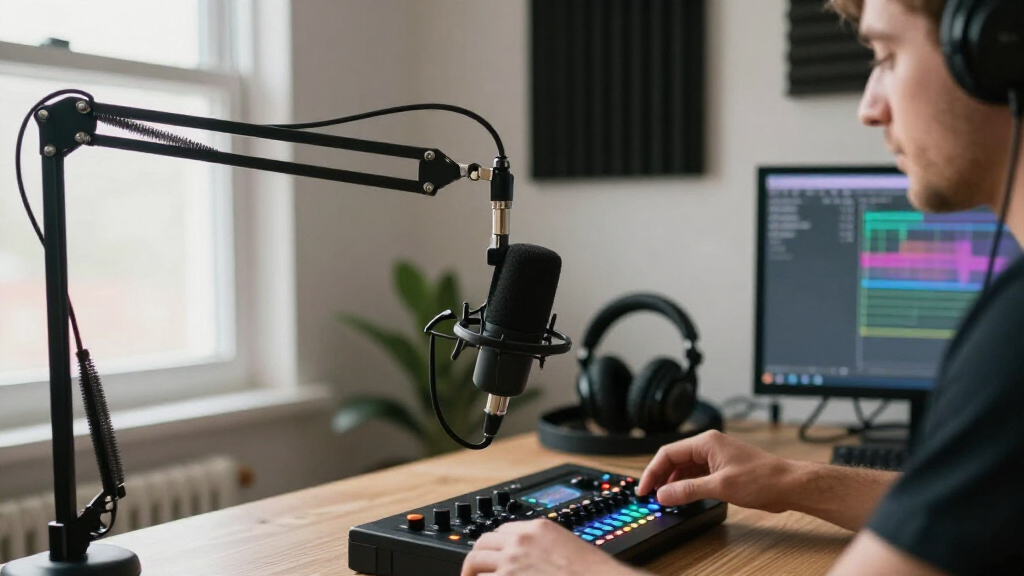
The Shure MV7+ and Rode PodMic USB are dynamic microphones aimed at streamers who want a close, broadcast-style voice without buying a separate interface from day one. Both provide USB and XLR connections, so either can start as a direct-to-computer mic and later join a more advanced audio setup. The real decision is whether the MV7+’s extra onboard processing, app controls, and production flexibility justify its higher cost, or whether the PodMic USB gives you the sound and connection options you need for less.

Get audio and creator gear delivered free — and shop member deals
- Fast, free delivery on millions of items
- Access to Prime Big Deal Days deals on October 6–7
- Prime Video, Amazon Music and more included

Logitech Blue Yeti USB Microphone with Blue VO!CE, Four Pickup Patterns, and Adjustable Stand
- ✔ Microphone type: USB condenser
- ✔ Pickup patterns: Cardioid, omni, bidirectional, stereo
- ✔ Compatibility: Mac and PC

FIFINE AmpliGame AM8 USB/XLR Dynamic Microphone
- ✔ Microphone type: Dynamic
- ✔ Connectivity: USB and XLR
- ✔ Polar pattern: Cardioid, unidirectional

Shure SM7B Dynamic Vocal Microphone
- ✔ Microphone type: Dynamic
- ✔ Pickup pattern: Cardioid
- ✔ Connector: XLR
Choose the MV7+ if you want more control over voice processing and expect to refine your setup over time. Choose the PodMic USB if you want a solid, straightforward microphone for streaming and would rather spend the difference on a boom arm, headphones, or lighting. Neither removes the need for good mic technique: close placement and room noise management matter with both.
At a Glance
| Criteria | Shure MV7+ | Rode PodMic USB | Winner |
|---|---|---|---|
| Connections and upgrade path | USB-C and XLR; supports a simple start and more involved audio setups | USB-C and XLR; similarly useful as a direct USB mic or an XLR upgrade | Tie |
| Onboard sound processing | More built-in DSP and voice-control options through Shure software | Limited onboard processing compared with MV7+; relies more on software or external gear | A |
| Voice character and placement | Broadcast-oriented sound with adjustable processing; benefits from close, consistent positioning | Full, broadcast-style presentation that rewards close mic placement | Depends |
| Noise and room handling | Dynamic design helps reduce pickup of distant room sound when used close | Dynamic design helps prioritize nearby speech over more distant sound | Tie |
| Controls and monitoring | Touch controls and onboard monitoring features provide more adjustment | Provides USB monitoring and basic operation, with fewer onboard adjustment options | A |
| Setup and software | USB operation is direct, with additional control available through Shure software | Straightforward USB setup; XLR use requires an interface or mixer | B |
| Value | Costs more, with the premium paying for controls, processing, and workflow flexibility | Lower-cost route to a USB/XLR dynamic mic, leaving more budget for accessories | B |
Logitech Blue Yeti USB Microphone with Blue VO!CE, Four Pickup Patterns, and Adjustable Stand
The Blue Yeti earns the top spot because it combines a straightforward USB connection with more ways to adapt the microphone than the other two picks. Its four pickup patterns cover solo streams as well as broader recording situations: cardioid suits a speaker positioned in front of the mic, while omni, bidirectional, and stereo provide alternatives when the recording arrangement changes. The included adjustable stand and onboard mute, gain, pattern, and headphone-volume controls also make it easier to manage a stream without adding an interface.Compared with the FIFINE AM8, the Yeti is less focused on a future XLR upgrade, but it offers more pickup-pattern flexibility out of the box. Against the Shure SM7B, it is the more accessible choice for someone who wants to connect directly to a Mac or PC rather than assemble an interface-based chain. Its no-latency headphone monitoring supports real-time listening, and Blue VO!CE adds vocal effects and modulation for streamers who want software-based shaping.That flexibility comes with caveats. For a single voice in a room with distractions, the Yeti’s extra patterns may be unnecessary; the AM8 and SM7B keep the choice simpler with cardioid pickup. Full Blue VO!CE functionality requires Logitech G HUB, adding software to the setup. The product details also provide no specific technical measurements or performance ratings, so we should choose it for its stated controls and versatility—not assume a particular measured result. We see it as the strongest all-rounder when ease and adaptable recording patterns matter more than XLR expansion.
Pros:
- Four pickup patterns adapt to solo voice, multiple speakers, and broader recording arrangements.
- Onboard mute, gain, pattern, and headphone-volume controls support hands-on stream management.
- USB connection and included adjustable stand make the initial setup comparatively direct.
- No-latency monitoring and Blue VO!CE effects add useful control for live voice work.
Cons:
- Full Blue VO!CE functionality requires Logitech G HUB.
- The supplied information does not specify technical measurements or performance ratings.
- Its multiple pickup patterns may be more flexibility than a single-speaker streamer needs.
Best for: Streamers who want USB setup, physical controls, headphone monitoring, and more than one useful recording pattern.
Not ideal for: Buyers who want a cardioid-only mic with an XLR upgrade path, or who prefer not to install companion software for full feature access.
Bottom line: We recommend the Blue Yeti as the most adaptable ready-to-stream choice, especially when USB convenience and pattern options matter more than an XLR path.
“We recommend the Blue Yeti as the most adaptable ready-to-stream choice, especially when USB convenience and pattern options matter more than an XLR path.”
FIFINE AmpliGame AM8 USB/XLR Dynamic Microphone
The AM8 is our pick for streamers who want practical live controls now without closing off a more involved setup later. It connects by USB or XLR, and in USB mode it provides tap-to-mute, headphone monitoring, gain and volume controls, plus RGB lighting. That combination makes it more immediately streaming-focused than the Shure SM7B, which needs an interface or mixer, and more upgrade-oriented than the USB-only Blue Yeti.Its cardioid dynamic design gives the AM8 a clear role: a single streamer speaking toward the mic. A focused pickup pattern can help limit sound arriving from the sides and rear compared with choosing the Yeti’s omni or stereo modes, though microphone placement and room conditions still matter. The mic has a headphone jack for monitoring and mount threads in common 3/8-inch and 5/8-inch sizes, which can simplify fitting it to compatible stands or arms.The flexibility is not seamless across both connections. USB mode is where the RGB and convenient function controls are available; switching to XLR removes those USB-specific controls. An XLR cable is not included, and XLR use means planning for compatible equipment rather than expecting a one-cable computer setup. Compared with the Yeti, the AM8 gives up multiple pickup patterns for a more focused, upgradeable arrangement. Compared with the SM7B, it asks for less commitment at the start. We’d choose it when that middle ground matters more than having all controls available in every mode.
Pros:
- USB and XLR connectivity provide a route from a simple setup to compatible audio equipment.
- USB mode includes tap-to-mute, gain and volume controls, and headphone monitoring.
- Cardioid pickup is suited to a front-facing single-speaker streaming arrangement.
- Built-in 3/8-inch and 5/8-inch threads fit common microphone stands.
Cons:
- XLR cable is not included.
- RGB lighting and USB function controls are unavailable in XLR mode.
- Unlike the Blue Yeti, it does not offer multiple pickup patterns.
Best for: Streamers who want convenient USB controls today and the option to move to XLR equipment later.
Not ideal for: Buyers who want USB features such as tap-to-mute and RGB to remain available in XLR mode, or who need a complete XLR cable setup in the box.
Bottom line: We’d choose the AM8 for an adaptable streaming setup that can begin over USB and move to XLR, provided we accept that its most convenient controls are USB-only.
“We’d choose the AM8 for an adaptable streaming setup that can begin over USB and move to XLR, provided we accept that its most convenient controls are USB-only.”
Shure SM7B Dynamic Vocal Microphone
The SM7B is the most purpose-built studio-style option in this group, aimed at streamers who want a dedicated vocal microphone and are prepared to build the rest of the signal chain around it. Its cardioid dynamic design is suited to a front-facing voice, while built-in pop filtering, a detachable windscreen, and air-suspension shock isolation address common close-mic concerns such as plosives and handling noise. Electromagnetic shielding and all-metal construction further support a durable, focused studio configuration.Against the Blue Yeti, the SM7B is less about quick USB convenience and multi-pattern flexibility; it commits to an XLR workflow and a single cardioid pickup pattern. Compared with the AM8, it is the more dedicated choice for a studio or broadcast-oriented chain, but the AM8 is easier to connect directly over USB and includes live controls in that mode. The SM7B’s pop filtering and shock isolation are useful design features, yet they do not remove the need to position the microphone well or manage the surrounding room.The central drawback is the required audio interface or mixer. Buyers also need to plan the compatible XLR connection and supporting setup, rather than treating this as a direct-to-computer USB mic. That makes the SM7B a poor match for someone assembling a first streaming rig who wants the fewest components. We rank it third overall not because its studio-oriented design lacks purpose, but because the title’s streaming use case also rewards immediate usability. For a streamer who already has suitable XLR equipment and values a dedicated vocal setup, its tradeoffs make more sense.
Pros:
- Cardioid pickup, pop filtering, and a detachable windscreen suit close vocal use.
- Air-suspension shock isolation helps reduce handling and mechanical noise.
- All-metal construction and electromagnetic shielding support a robust studio setup.
- Designed for streaming as well as podcasting, voiceover, broadcasting, and studio recording.
Cons:
- XLR connection requires an audio interface or mixer.
- It lacks the direct USB connection and onboard streaming controls offered by the Yeti and AM8 in USB mode.
- Its focused single-pattern design is less adaptable to alternate recording arrangements than the Blue Yeti.
Best for: Streamers with an audio interface or mixer who want a dedicated cardioid XLR vocal microphone for streaming and other studio work.
Not ideal for: First-time streamers seeking direct USB connection, built-in computer controls, or a microphone that works without additional audio equipment.
Bottom line: The SM7B is our dedicated studio-style pick for an established XLR setup, but the Yeti and AM8 are more convenient choices for streamers who need direct USB operation.
“The SM7B is our dedicated studio-style pick for an established XLR setup, but the Yeti and AM8 are more convenient choices for streamers who need direct USB operation.”
As an Amazon Associate we earn from qualifying purchases.
Key Differences
The most meaningful difference is not whether either mic can connect to a computer or an interface: both can. It is how much audio control comes with the microphone itself. The MV7+ offers a more feature-rich processing and adjustment experience, which can help a streamer get a consistent voice without building a separate chain of plugins or hardware. That matters most for people who regularly change rooms, speakers, or streaming formats, or who simply want to shape their sound from the mic’s companion software.
The PodMic USB keeps the proposition simpler and less expensive. It can deliver the close, broadcast-style presentation many streamers want, and its USB/XLR flexibility leaves room to grow into an interface-based setup. But a buyer choosing it should expect to do more sound shaping in streaming software or later audio gear. Both are dynamic microphones, not room-treatment devices: they can help keep distant household noise less prominent when used close, but keyboard sounds, fans, and untreated-room reflections still call for sensible placement and gain settings.
For value, the PodMic USB is the stronger default for a first streaming setup: its lower price can fund a boom arm, pop filter, or headphones, all of which can improve the overall result. The MV7+ earns its premium for users who will make real use of its processing and hands-on controls. If those features will sit unused, paying extra is difficult to justify.
Detailed Comparison
Connections and upgrade path (moderate difference)
Both microphones offer USB-C for direct computer use and XLR for connection to an audio interface or mixer. That makes the long-term path broadly similar: start with USB, then move to XLR equipment without replacing the microphone. Neither has a decisive advantage here. Remember that XLR use requires an interface or mixer, so it is not a no-cost upgrade.
Onboard sound processing (Shure MV7+ wins — major)
The MV7+ wins because it provides more built-in processing and adjustment through Shure’s software. That can make it easier to tune a voice and maintain a controlled sound without relying on several separate plugins. The PodMic USB can still sound polished, but it asks the user to do more processing elsewhere. This is a major gap for streamers who value a ready-to-shape workflow and a minor one for users who already have a preferred software chain.
Voice character and placement (moderate difference)
Both aim for a close, broadcast-style voice, and neither is a guaranteed sound-quality winner for every speaker. The final character depends on voice, distance, angle, and processing. The PodMic USB is a strong match for users who want a straightforward full-sounding presentation; the MV7+ offers more ways to adjust its output. The practical winner depends on whether you prefer a simpler starting sound or more control after recording.
Noise and room handling (moderate difference)
This is effectively a tie. Both are dynamic microphones that favor nearby speech when positioned close, which can help in a normal home streaming room. Neither cancels keyboard clacks, computer fans, or room reflections. A close mic position, sensible gain, and a quieter location matter more than choosing between these two models. Do not buy either expecting it to compensate for poor placement.
Controls and monitoring (Shure MV7+ wins — moderate)
The MV7+ wins on direct adjustment, with more onboard control and monitoring features. That is useful if you want to make changes without hunting through streaming software during a session. The PodMic USB covers the essential USB workflow but offers fewer controls on the microphone itself. The difference is moderate: it improves convenience, not the basic ability to record or stream.
Setup and software (Rode PodMic USB wins — minor)
The PodMic USB has the advantage for buyers who want a basic plug-in-and-configure experience and do not need a feature-rich mic-control app. The MV7+ remains usable over USB without an elaborate setup, but its additional controls are most useful when the owner is willing to explore its software. This is a minor-to-moderate difference: both can work as USB mics, but the PodMic USB has a simpler proposition.
Value (Rode PodMic USB wins — major)
The PodMic USB wins for most budget-conscious streamers because it provides the same broad USB/XLR upgrade path at a lower cost. The savings can go toward equipment that solves practical problems, such as a stable boom arm or headphones for monitoring. The MV7+ is worth paying more for only if its processing and controls fit your routine. Otherwise, its extra features add cost without a matching benefit.
Shure MV7+: Pros and Cons
Pros:
- More onboard processing and sound-shaping options
- More convenient controls and monitoring features
- USB-C and XLR connections support different setup stages
- Good fit for streamers who want a more adjustable microphone workflow
Cons:
- Costs more than the PodMic USB
- Its added value depends on using the extra controls and software
- Still needs close placement and sensible room-noise management
Rode PodMic USB: Pros and Cons
Pros:
- Lower-cost USB/XLR option for a streaming desk
- Can start as a USB mic and later connect through XLR gear
- Straightforward choice for users who prefer to process sound in their existing software
- Lower purchase cost leaves room in the budget for essential accessories
Cons:
- Fewer onboard processing and adjustment options
- More reliance on streaming software or external gear for sound shaping
- Does not solve room noise or placement problems by itself
Who Should Choose What
Choose Shure MV7+ if:
- You want more onboard voice processing and control without assembling a separate processing chain.
- You expect to adjust your sound often or want a more feature-rich USB workflow.
- You are willing to pay extra for convenience and flexibility rather than buying only the lowest-cost mic.
Choose Rode PodMic USB if:
- You want a capable USB/XLR dynamic microphone while keeping the initial spend lower.
- You already use streaming software or an audio interface for equalization and other processing.
- You would rather put the price difference toward a boom arm, headphones, or room improvements.
Skip both if: Skip both if you need a very small travel mic, want a desktop condenser for more distant placement in a treated room, or expect a microphone alone to eliminate a noisy room.
Value for Money
The PodMic USB is the better value for a typical first-time streamer. It covers the core needs—USB connection now, XLR option later, and a close dynamic-mic approach—without charging for as many onboard adjustments. The savings are most useful when they fund the rest of the setup: a stable arm can keep the mic close, while headphones help catch problems before they reach the stream.
Pay more for the MV7+ if its processing and controls will replace software work you would otherwise do, or if hands-on adjustment is worth more to you than minimizing the initial bill. It is not automatically a better purchase simply because it offers more features. If you already know how to process audio in your software and only need a dependable USB/XLR mic, the PodMic USB is the more sensible buy.
Final Verdict
For most streamers choosing between these two, the Rode PodMic USB is the better starting purchase: it offers USB and XLR flexibility at a lower cost, and its savings can improve the rest of the recording setup. Choose the Shure MV7+ instead if onboard processing and convenient adjustment are central to how you work. The biggest deciding factor is whether you will use those extra controls. If yes, the MV7+ can justify its premium; if not, choose the PodMic USB.
Frequently Asked Questions
Which mic is better for a first-time streamer?
The Rode PodMic USB is the stronger value for many beginners because it has USB and XLR connections without the MV7+’s higher price. The Shure MV7+ is a better fit if its onboard processing and controls will make setup easier for you.
Can either microphone connect directly to a computer?
Yes. Both support USB-C connection for direct computer use. XLR connection is available for either mic when you add an audio interface or mixer.
Will either mic block keyboard or room noise?
No microphone can remove all unwanted noise. Both are dynamic models that can emphasize nearby speech when placed close, but keyboard sounds, fans, and room reflections can still be audible. Placement, gain, and room conditions remain important.
Is the Shure MV7+ worth paying more for?
It is worth the extra cost if you expect to use its additional processing and controls or want more adjustment built into the mic workflow. If you plan to handle sound shaping in your existing software, the PodMic USB is usually the better value.
Evergreen bestsellers Picks
bestsellers
As an affiliate, we earn on qualifying purchases.