
TL;DR

Get audio and creator gear delivered free with Prime
- Fast, free delivery on millions of items
- Prime Video, Amazon Music and more included
- Member-only deals all year
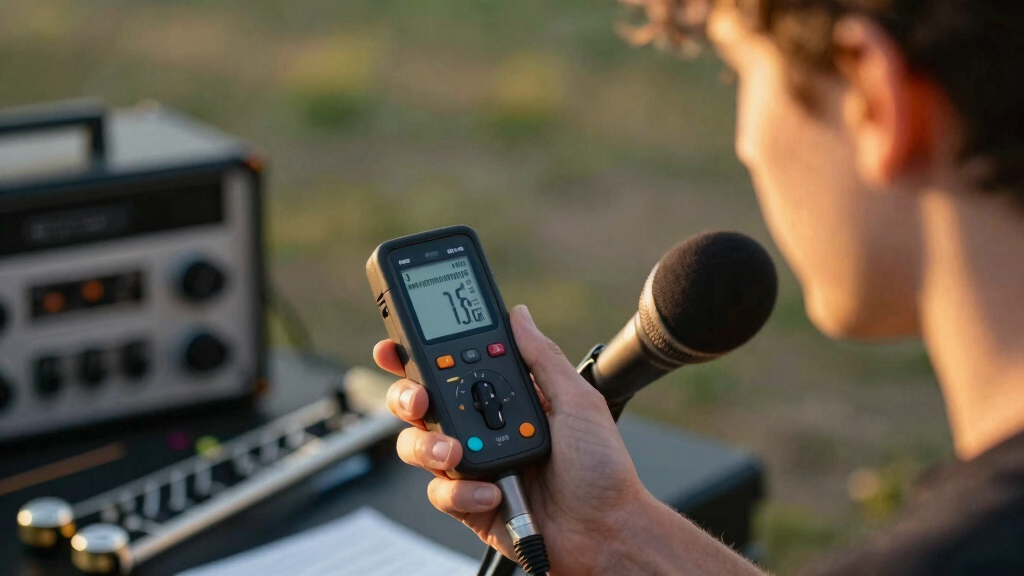
Mic self-noise is measured in dBA and indicates how much background hiss a microphone produces. Lower numbers mean quieter mics, crucial for capturing clean audio, especially in quiet settings. Comparing specs helps you avoid noisy gear and get clearer recordings.
Ever wondered why some microphones sound crystal clear in a quiet room, while others add a hiss that ruins your recording? The secret often lies in the self-noise specs, measured in dBA. Knowing how to read these numbers can save you from buying gear that sounds worse than your old mic.
In this guide, you’ll learn what self-noise really means, how to interpret dBA specs, and what numbers matter most for your setup. Whether you’re a podcaster, musician, or streamer, understanding this detail helps you pick a mic that keeps the unwanted noise out of your recordings.
Always compare dBA specs when choosing a mic for quiet environments; lower is better.
A self-noise below 15 dBA typically indicates a microphone suitable for studio and delicate recordings.
Check measurement standards—IEC 60268-4 ensures specs are comparable across brands.
Listen to audio samples and read reviews to confirm real-world performance matches specs.
Beware of trade-offs: ultra-low self-noise mics may sacrifice other qualities like frequency response.
Mic self-noise specs • Buyer decoding guide
Reading dBA Numbers Before You Buy
Mic self-noise is the background hiss a microphone produces on its own. The spec is measured in dBA, and lower numbers usually mean cleaner captures in quiet rooms, intimate vocals, podcasts, ASMR, and delicate instruments.
What the dBA Number Is Telling You
Self-noise, also called equivalent noise level, is the mic’s own electrical and capsule noise. In a loud source, it may disappear. In a silent room, it can become the thing your audience hears first.
Quiet microphone
Excellent for studio vocals, ASMR, voiceover, soft instruments, and detailed ambience where every faint sound matters.
Average microphone
Often fine for podcasts, streaming, and acoustic guitar when the room is not extremely quiet or the source is close.
Noisy microphone
Can add audible hiss during pauses, fades, soft speech, distant miking, and quiet instrument passages.
Quiet vs. Noisy Mics in Real Terms
The right number depends on the source. A 20 dBA mic may be acceptable on a loud guitar amp, but the same mic can expose hiss when recording a whisper, a quiet room, or a delicate vocal take.
| Self-noise | Sound quality | Best for | Buyer read |
|---|---|---|---|
| 10–12 dBA | ✓Almost silent and very clean | Studio vocals, ASMR, delicate instruments, detailed ambience | Prioritize when the room is quiet and subtle detail matters. |
| 15–17 dBA | ✓Quiet enough for most professional work | Podcasts, voiceovers, acoustic guitar, close vocals | A strong practical target for many creators and home studios. |
| 18–20 dBA | ~Usable, but room and gain matter | Streaming, louder speech, less exposed music parts | Listen to samples before buying if you record quiet material. |
| 20+ dBA | ✗Hiss may be audible in silence | Live sound, loud sources, drums, guitar amps | Avoid for whispery vocals, ASMR, distant miking, and silent pauses. |
The Purchase Flow
Use dBA as a filter, not a final verdict. The best buying path combines a comparable spec, your actual environment, and proof from real recordings.
Check dBA
Start with the published self-noise rating and favor lower numbers for quiet work.
Verify IEC
Look for IEC 60268-4 or clear measurement conditions before comparing brands.
Match source
Whispers need quieter mics. Loud drums, amps, and stage sources are more forgiving.
Listen first
Reviews and raw samples expose hiss, tone, and gain behavior in a way specs cannot.
Balance traits
Confirm frequency response, polar pattern, sensitivity, build, and connectivity fit too.
Ultra-low is not automatic perfection
Some very quiet mics may trade against sensitivity, voicing, or high-frequency openness. Listen before you commit.
Price does not guarantee silence
Affordable condensers can now post solid low-noise specs, while some premium mics prioritize character over quietness.
Noise reduction has limits
Plugins can help, but starting with a quiet mic preserves detail and reduces cleanup time.
Pick by Recording Scenario
A good mic choice starts with the quietest thing you plan to record. If the source is soft and the room is still, self-noise becomes a front-row spec.
Low-noise checklist
- Compare dBA specs across mics in the same budget range.
- Treat below 15 dBA as a strong studio starting point.
- Check for IEC 60268-4 or clearly stated measurement conditions.
- Listen to raw samples during pauses, fades, and soft phrases.
- Balance self-noise with tone, polar pattern, response, and workflow.
Fast Answers Before Checkout
Use these quick reads when a spec sheet looks impressive but you need to know whether it actually fits your setup.
What is good for studio recording?
Anything below 15 dBA is usually ideal for quiet vocals, acoustic instruments, voiceover, and near-silent rooms.
How does self-noise affect audio?
High self-noise adds hiss or static, especially in pauses and soft sections where clarity matters most.
Are expensive mics always quieter?
No. Many high-end mics are quiet, but some affordable models now deliver excellent low-noise performance too.
Can editing remove the problem?
Noise reduction can reduce hiss, but choosing a quiet mic first protects tone and saves post-production time.
What is mic self-noise and why does it matter?
Mic self-noise is the tiny hiss or hum your microphone produces even when no sound is coming in. It’s like the background murmur of a crowded room—small, but noticeable if everything else is quiet. For podcasters recording in a silent closet or musicians capturing delicate vocals, this noise can drown out subtle details.
Measured in dBA, self-noise numbers tell you how much hiss the mic adds. A lower dBA means a quieter mic—ideal for clean, crisp recordings. Imagine trying to record a whisper; a mic with high self-noise is like trying to hear that whisper over a constant static.
low self-noise condenser microphone
As an affiliate, we earn on qualifying purchases.
As an affiliate, we earn on qualifying purchases.
How to read dBA specs and what those numbers actually mean
When you see a mic listed with a self-noise of 12 dBA, it’s telling you that the inherent hiss level is quite low—almost whisper-quiet. A typical condenser mic might hover around 15–20 dBA, while some high-end models drop below 10 dBA.
Here’s what to keep in mind:
- Below 15 dBA: Excellent for studio work and quiet recordings.
- 15–20 dBA: Still decent, suitable for many applications.
- Above 20 dBA: Might introduce noticeable hiss in silent passages.
Always compare specs from the same measurement standard, as not all manufacturers test under identical conditions. Look for the IEC 60268-4 standard, which ensures consistency.
As an affiliate, we earn on qualifying purchases.
Comparison table: Quiet vs. Noisy mics in real-world terms
| Self-Noise (dBA) | Sound Quality | Best For |
|---|---|---|
| 10–12 dBA | Almost silent, very clean | Studio vocals, ASMR, delicate instruments |
| 15–17 dBA | Quiet enough for most professional work | Podcasts, voiceovers, acoustic guitar |
| 20+ dBA | Hiss may be audible in silence | Live sound, loud sources, less critical environments |
Imagine recording in a quiet room. A mic with 10 dBA self-noise will be practically silent, capturing even the faintest whispers without hiss. A 20+dBA mic might sound fine for loud sources but will add background noise when recording soft vocals or ambient sounds.
podcast microphone with quiet self-noise
As an affiliate, we earn on qualifying purchases.
As an affiliate, we earn on qualifying purchases.
Real-world tips for choosing a mic with low self-noise
If quiet, detailed recordings are your goal, prioritize mics with lower dBA ratings. But also consider your environment, budget, and use case. Here are some practical tips:
- Read reviews—audio samples reveal hiss levels better than specs alone.
- Test in your space—if possible, listen for hiss in quiet moments.
- Match specs with your environment—quiet home studios need low self-noise mics.
- Don’t forget other features—frequency response, polar pattern, and connectivity matter too.
- Remember: a mic with 14 dBA isn’t always better than one with 16, but both are good starting points.
For example, a budget condenser mic rated at 15 dBA can outperform pricier models with higher self-noise if it fits your needs.
As an affiliate, we earn on qualifying purchases.
What compromises might come with ultra-low self-noise mics?
Achieving very low self-noise often involves trade-offs. Some ultra-quiet mics might have a narrower frequency response or lower sensitivity, which could impact how they capture certain sounds. For instance, a mic with 10 dBA might slightly roll off high frequencies to reduce hiss.
It’s a balancing act: a super quiet mic is great for whispers, but may not be ideal for loud sources or capturing full-spectrum sounds. Always test or listen to samples before buying.
Remember, sometimes a mic with slightly higher self-noise offers better overall sound quality and versatility.
Frequently Asked Questions
What is a good self-noise level for studio recording?
Usually, anything below 15 dBA is ideal. It ensures your recordings stay free from hiss, especially when capturing soft vocals or acoustic instruments in a quiet space.
How does self-noise affect my recordings?
High self-noise introduces hiss or static into your audio, making quiet parts sound muddy or distracting. Choosing a mic with low dBA helps maintain clarity and detail, especially in silence or near-silent recordings.
Are expensive microphones always better in terms of self-noise?
Not necessarily. While many high-end mics do have lower self-noise, some affordable models now match or even beat pricier options. Always check the specs and listen to samples before deciding.
Can I reduce self-noise in editing?
To some extent, yes. Noise reduction plugins can help clean up hiss, but the best approach is to start with a microphone that inherently produces minimal self-noise. That preserves audio quality and reduces editing time.
How should I interpret dBA specs when comparing mics?
Look for the lowest dBA number within your budget, and consider your recording environment. Remember, specs are a guideline—listening to samples and reading reviews helps confirm real-world performance.
Conclusion
Understanding how to read mic self-noise specs in dBA arms you with the knowledge to avoid noisy gear and pick microphones that keep your recordings crisp and clear. In quiet settings, low self-noise can make the difference between a professional-sounding track and one filled with hiss.
Next time you shop, focus on those dBA numbers—think of them as your secret weapon for better sound. After all, a quiet mic isn’t just a luxury; it’s the foundation of truly clean recordings. Pick wisely and let your audio shine.
Evergreen bestsellers Picks
bestsellers
As an affiliate, we earn on qualifying purchases.