TL;DR

Get audio and creator gear delivered free with Prime
- Fast, free delivery on millions of items
- Prime Video, Amazon Music and more included
- Member-only deals all year
You don’t need a mixer to start a two-person podcast, but it offers better control and sound quality. Many successful shows rely on simple setups, upgrading later as their needs grow.
Starting a podcast with just two people often feels straightforward—plug in mics, press record, and go. But when it comes to sound, things get trickier fast. Do you need a mixer, or can you get by with simpler gear? The answer depends on your goals, budget, and how much you care about professional sound.
In this guide, you’ll learn whether a mixer is worth the investment for a two-person podcast, what alternatives exist, and how to get the best sound without breaking the bank. Because in the end, good audio isn’t about fancy gear—it’s about making smart choices, even on a tight budget.
A mixer isn’t essential for a two-person podcast but offers real-time control and better sound management.
Many successful podcasts start with simple gear like USB mics or audio interfaces, upgrading to mixers as they grow.
Choosing the right gear depends on your budget, technical comfort, and future plans.
Budget-friendly mixers like the Behringer Xenyx Q802USB provide excellent control without a hefty price tag.
Proper microphone placement and environment matter more than fancy gear—focus on your space and technique.
What a mixer actually does — and why it matters for two hosts
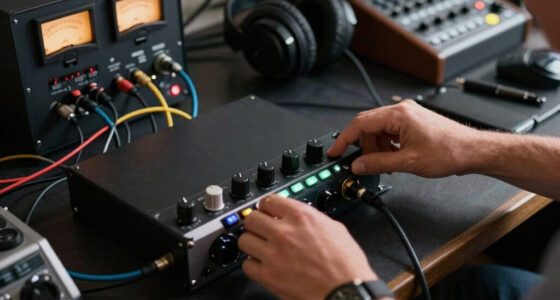
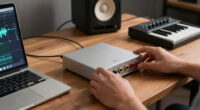
A mixer is a device that combines multiple audio signals, giving you control over each mic’s volume, tone, and effects in real time. For two hosts, this means you can tweak levels instantly, avoiding that annoying dip or spike in sound. It also helps manage background noise and ensures your voices stay balanced.
Imagine you’re recording, and one host leans back or gets excited—without a mixer, you have to fix that in editing. With one, you can adjust on the fly. That quick control keeps your conversation natural and professional-looking, even if you’re new to audio gear.
Beyond immediate level control, a mixer can also help you shape your sound profile by adding equalization or effects, which can make your voices clearer or warmer. This flexibility is especially important if your recording environment isn’t perfect or if you want to produce a polished final product. However, it’s worth noting that this added complexity can introduce a learning curve and extra cost, so consider whether you need these features based on your goals.
Having a mixer allows you to respond quickly to unforeseen issues during recording—such as a sudden background noise or a host speaking too loudly—without interrupting the flow of your conversation. This real-time adaptability can save editing time and improve the overall professionalism of your podcast. On the other hand, relying solely on post-production adjustments means you need to be more precise beforehand, which might be a challenge for beginners. The tradeoff is that while mixers offer immediate control, they also require you to learn their operation and potentially invest more upfront.
As an affiliate, we earn on qualifying purchases.
Do you really need a mixer for just two microphones?
The short answer: No, you don’t have to. Many two-person podcasts succeed without a mixer. Instead, they rely on simple gear like USB microphones or digital audio interfaces. These options are cheaper, easier to set up, and perfect for hobbyists or beginners.
However, the choice between a mixer and simpler gear influences your workflow and sound control. Using a USB mic or audio interface means you have less immediate control during recording—you’ll need to manage levels beforehand and do adjustments in post-production. This can sometimes lead to more time-consuming editing or compromises in sound quality if levels are not set correctly initially. But it also simplifies your setup, reducing the chance of technical issues during recording.
Opting for a mixer introduces a different set of tradeoffs. While it offers real-time adjustments, it also demands a steeper learning curve and additional investment. If your podcast is a hobby or you’re just starting out, this extra complexity might not justify the benefits. But if you plan to grow your show, want to handle multiple sources, or need quick level tweaks during recording, a mixer becomes a valuable tool. Essentially, the decision hinges on whether you prioritize immediate control and future flexibility or simplicity and ease of use now.
Research indicates that many successful small podcasts begin with basic gear like USB mics and upgrade to mixers later, once their needs evolve. This suggests that for most beginners, starting simple can be a wise choice, with the option to add more control as your skills and ambitions grow.
audio interface for two-person podcast
As an affiliate, we earn on qualifying purchases.
As an affiliate, we earn on qualifying purchases.
When a mixer makes your podcast sound better — and when it doesn’t
| Scenario | Benefit of a Mixer |
|---|---|
| You want quick control over audio levels during recording | Yes, a mixer allows real-time adjustments, keeping levels consistent. This is crucial if you’re prone to fluctuating volume levels or want to avoid post-production surprises that can require extensive editing to fix. It helps ensure both hosts sound balanced throughout, maintaining listener engagement and a professional tone. |
| You’re just starting out and don’t want complexity | No, a simple USB mic or audio interface works fine. These options reduce setup time and learning curve, allowing you to focus on content rather than technical details. They also minimize the risk of technical issues during recording, which can be frustrating for newcomers. |
| You need to manage multiple audio sources or effects | Yes, mixers excel at handling multiple inputs, adding effects, and monitoring. If you plan to incorporate sound effects, music, or multiple microphones with individual controls, a mixer can streamline your workflow and ensure consistent sound quality across sources. This flexibility can enhance the production value of your podcast, making it more engaging. |
| Budget is tight and you prefer simplicity | No, budget audio interfaces or USB mics cost less and are easier to operate, making them ideal for beginners or casual podcasters who prioritize ease over extensive customization. While they may lack advanced features, they often produce sufficient audio quality for most audiences and are less intimidating for new users. |
As an affiliate, we earn on qualifying purchases.
Frequently Asked Questions
Do I need a mixer if I only have two microphones?
Not necessarily. You can use a good audio interface or USB microphones for a clean sound. A mixer adds more control, especially if you want to tweak levels during recording.Can I start a podcast with just a computer and microphones?
Absolutely. Many podcasters begin with USB mics and free editing software. Upgrading gear comes later as your needs grow.Is a mixer worth the investment for beginners?
If controlling your sound in real time and achieving professional quality matter to you, then yes. For casual podcasts, simple gear will do just fine.What are some budget-friendly mixers for two-person podcasts?
Options like the Behringer Xenyx Q802USB, Yamaha MG10XU, and Focusrite Scarlett 2i2 are affordable, reliable, and easy to use.How do I connect microphones to a mixer?
Most professional mics use XLR cables, which connect directly into the mixer’s inputs. Some mixers also support USB connections, making setup even simpler.podcast recording equipment starter kit
As an affiliate, we earn on qualifying purchases.
As an affiliate, we earn on qualifying purchases.
Conclusion
For a two-person podcast, a mixer is a powerful tool but not a must-have. If you’re serious about sound quality and quick adjustments, investing in one makes sense. But if you’re just starting or on a tight budget, simple USB mics and interfaces can do the trick—at least for now.
The key is to match your gear to your goals. Good sound isn’t about the gear alone. It’s about making smart, practical choices that help your voice shine through.
Halloween Picks
halloween
As an affiliate, we earn on qualifying purchases.