
TL;DR

Get audio and creator gear delivered free with Prime
- Fast, free delivery on millions of items
- Prime Video, Amazon Music and more included
- Member-only deals all year
Plug-in power supplies low-voltage power (around 1.5V-5V) mainly for consumer electret mics, while phantom power provides 48V for professional condenser mics via XLR. Using the wrong type risks damage or poor sound. Always check your mic specs before connecting.
If you’ve ever plugged a mic into a camera or portable recorder and wondered why it suddenly sounded off—or why some mics work on one device but not another—you’re not alone. The difference between plug-in power and phantom power often trips up even seasoned creators.
Understanding how these power types work, what microphones they support, and how to avoid costly mistakes can be the difference between crystal-clear audio and a day of frustration. In this guide, you’ll learn exactly what makes each power type unique, the latest tech developments, and practical tips for your field setups.
Always check your microphone’s specifications—using the wrong power can cause damage or poor sound.
Plug-in power (1.5V–5V) is suitable for consumer electret mics; phantom power (48V) is for professional condensers.
Most dynamic and passive ribbon mics are safe with phantom power, but active ribbons are not.
Recent tech developments allow some mics to support both power types, offering more flexibility.
Before connecting any mic, verify power compatibility—this simple step prevents costly mistakes and preserves gear.
Plug-In Power vs Phantom Power
Two microphone power systems can look deceptively similar in the field, but their voltage, wiring, connectors, and intended microphones are fundamentally different. Match the microphone to the power source before connecting it.
Same purpose, different electrical worlds
Both systems energize microphone electronics, but they are not interchangeable. Plug-in power serves compact electret designs; phantom power travels symmetrically through professional balanced audio connections.
Plug-In Power
A small DC supply commonly built into cameras, smartphones, wireless accessories, and portable recorders. Without the expected bias voltage, a compatible electret microphone may be silent, weak, noisy, or muffled.
Phantom Power
DC power delivered through the same balanced XLR conductors that carry audio. It powers professional condenser electronics without requiring a separate power cable.
Compatibility at a glance
The correct answer depends on the complete signal path: microphone design, cable wiring, adapter circuitry, input type, and selected power mode.
| Feature | Plug-In Power | Phantom Power | Field implication |
|---|---|---|---|
| Nominal voltage | 1.5V–5V | 12V–48V; usually 48V | Voltage alone prevents direct substitution |
| Typical connector | 3.5 mm TRS | 3-pin XLR | An ordinary shape adapter does not convert power |
| Primary microphone | Compact electret condenser | Professional condenser | Read the required-power line in the manual |
| Audio connection | Often unbalanced or device-specific | Balanced | Balanced wiring improves long-cable noise rejection |
| Common equipment | Cameras and small recorders | Mixers, interfaces, and field recorders | Confirm power in the input menu before plugging in |
| Direct conversion | ✗Not direct | ✗Not direct | Use a purpose-built powered converter when approved |
| Hybrid designs | ~Some models | ~Some models | Compatibility must be explicitly documented |
Phantom power is safe only in the right circuit
Properly wired balanced microphones often tolerate phantom power, but damaged cables, unbalanced adapters, vintage equipment, and incompatible active electronics can place voltage where it does not belong.
Phantom-powered condensers
Use the specified voltage. Many professional condenser microphones are designed for P48, while some accept a broader range.
Balanced dynamics and passive ribbons
Modern, correctly wired balanced models are generally unaffected. Use extra caution with vintage ribbons, faulty cables, and unbalanced wiring.
Active ribbons and electrets
Requirements vary by design. Some active ribbons require phantom power; other specialized microphones can be damaged by an unsuitable supply.
New designs reduce setup friction
Flexibility is improving, but protective circuitry does not eliminate the need to verify the microphone and recorder specifications.
Hybrid microphones
Selected models accept more than one approved power method, allowing the same microphone to move between compact and professional rigs.
Internal battery options
Some electret microphones use an internal battery, reducing dependence on the recorder’s plug-in power supply.
Switchable recorder inputs
Modern field recorders may provide separate power controls or selectable modes. Manual confirmation remains essential.
Follow the signal before pressing record
Identify the microphone
Find the exact model and required power specification.
Inspect the connector
Confirm XLR, TRS, wiring, and any required adapter.
Check the input
Verify whether the device supplies PIP, P12, P24, or P48.
Set power deliberately
Keep power off until the complete path is confirmed.
Monitor and test
Start at a safe gain and listen for weak, noisy, or distorted audio.
Right power. Clean signal. Protected gear.
Never treat PIP and phantom as interchangeable.
Plug-in power typically supplies 1.5V–5V to consumer electret microphones through small TRS connections. Phantom power commonly supplies 48V to professional condenser microphones through balanced XLR. A purpose-built adapter or converter may bridge certain systems, but a passive connector adapter cannot make them electrically equivalent.
Before you connect
- Read the microphone’s required-power specification.
- Confirm the recorder input and selected voltage.
- Inspect cables for balanced, intact wiring.
- Use only manufacturer-approved conversion hardware.
- Power down before changing the signal chain.
What is Plug-In Power and When Do You Need It?
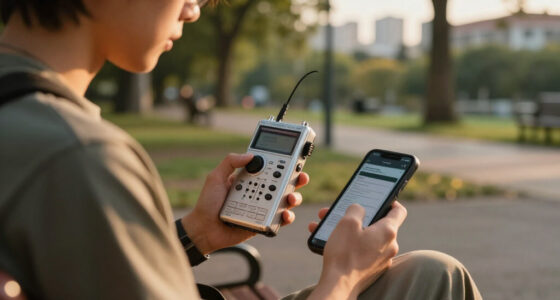
Plug-in power is a low-voltage supply, typically between 1.5V and 5V, delivered through 3.5mm or 1/4″ TRS connectors. It’s common in consumer gear—think your camcorder, smartphone, or portable recorder—because it’s simple and cheap to implement.
Imagine you’re recording a quick interview with a small electret condenser mic attached to your camera. The mic needs that tiny boost of power to turn its capacitor into a functioning sensor. Without it, the mic either won’t work or will produce weak, muffled sound.
For example, a popular shotgun mic designed for DSLR cameras—like the Rode VideoMic GO—relies on plug-in power. It’s straightforward: plug it in, turn on your device, and you’re good to go. Just remember—if the mic isn’t designed for it, you might get noise, or worse, damage the mic.
Popular right now

Bose QuietComfort Wireless Bluetooth Headphones with Active Noise Cancellation, Mic, USB‑C Charging, Deep Bass, 24‑Hour Battery – White Smok

Roborock F25 BX Cordless Wet Dry Vacuum Mop

De'Longhi 15-Bar Pump Espresso Machine with Milk Frother & Temperature Control
As an affiliate, we earn on qualifying purchases.
Phantom Power: The Professional Standard You Need to Know
Phantom power is a beefier, more robust power supply—usually 48 volts, but sometimes 12V or 24V—sent through XLR cables. It’s the workhorse of professional studios and field setups, powering high-quality condenser mics that catch every nuance of your voice or instrument.
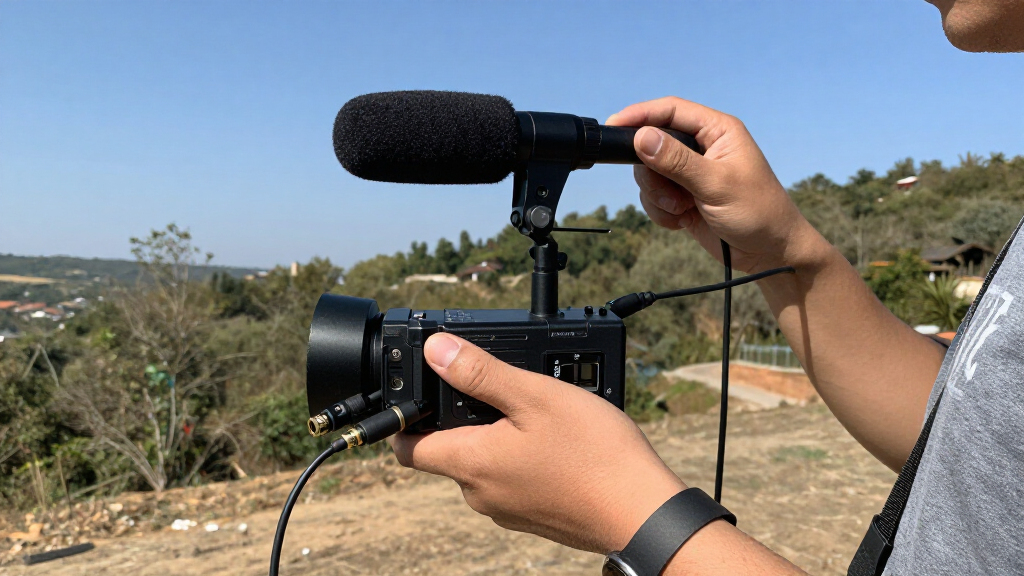
Picture yourself in the field, recording a documentary. You connect a shotgun mic to your portable mixer that supplies phantom power. The mic’s internal electronics rely on that steady, clean voltage to deliver professional-grade sound.
But beware—while most dynamic mics and passive ribbon microphones shrug off phantom power, active ribbon mics or certain electret condensers can fry if you connect them without checking. Always verify specs before applying phantom power to your mic.
Compare and Contrast: Plug-In Power vs Phantom Power in a Table
| Feature | Plug-In Power | Phantom Power |
|---|---|---|
| Voltage | 1.5V – 5V | 12V – 48V (standard 48V) |
| Connectors | 3.5mm TRS, 1/4″ TRS | XLR (balanced) |
| Intended for | Consumer electret condenser mics, portable setups | Professional condenser mics, studio and field use |
| Risk of damage | Low, but check mic compatibility | High if used on incompatible mics (like passive ribbons) |
| Power source | Device’s internal circuitry | External power supply via mixer or recorder |
| Common use cases | Vlogging, casual recording | Studio recordings, high-end field setups |
Latest Tech & How They Make Your Life Easier
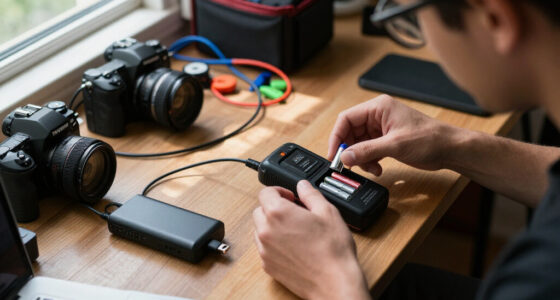
Modern mics and recorders are evolving fast. Many now support both power types—what’s called hybrid compatibility—giving you more flexibility in the field. For example, some electret mics include built-in batteries, making them immune to power mismatches.
Portable recorders like the Zoom H5 or H6 can detect whether you’re using phantom or plug-in power, switching automatically or allowing manual selection. This means fewer burned-up mics and more reliable recordings.
Additionally, new circuitry in mics enhances safety—reducing the chance of damage when switching between power modes. For instance, some mics feature internal resistors or filters that protect delicate components, extending their lifespan.
Key Facts Every Field Recordist Should Know
- Voltage levels: Plug-in power supplies around 1.5V-5V, while phantom power is usually 48V.
- Compatibility: Not all mics work with both; check specs before connecting.
- Damage risks: Phantom power can damage passive ribbons and some electret mics if used incorrectly.
- Best practice: Always verify your mic’s power requirements to avoid costly mistakes.
- Battery options: Some electret mics include internal batteries, bypassing external power needs altogether.
Your Most Common Questions, Answered
- Can I use a plug-in power microphone on a device that supplies phantom power? Usually yes, but double-check your mic’s specs. Some mics are strictly designed for plug-in power and could be damaged by phantom voltage.
- Will phantom power ruin my dynamic or ribbon mic? No, most dynamic mics and passive ribbons are safe. However, active ribbon mics or certain electrets might be sensitive—verify first.
- How do I know which power type my microphone supports? Check the user manual or the manufacturer’s specs—most will clearly state whether it’s plug-in, phantom, or both.
- Can I convert between power types with an adapter? Not directly. You’ll need a mic designed for both, or a powered adapter, but beware—most conversions aren’t straightforward and can be risky.
- What if my mic isn’t working properly? Confirm the power source, check your connections, and verify compatibility before blaming the gear.
Conclusion
Getting familiar with the difference between plug-in and phantom power isn’t just technical trivia. It’s about protecting your gear and capturing the best sound possible. When in doubt, always check the specs—your microphones will thank you.
Next time you’re setting up in the field, imagine your mic as a tiny, sensitive creature. Feed it the right power, and it’ll deliver the clear, crisp audio you need—no surprises, no damage. Keep your setup simple, safe, and sound—your recordings will sound better for it.