
TL;DR

Get audio and creator gear delivered free with Prime
- Fast, free delivery on millions of items
- Prime Video, Amazon Music and more included
- Member-only deals all year
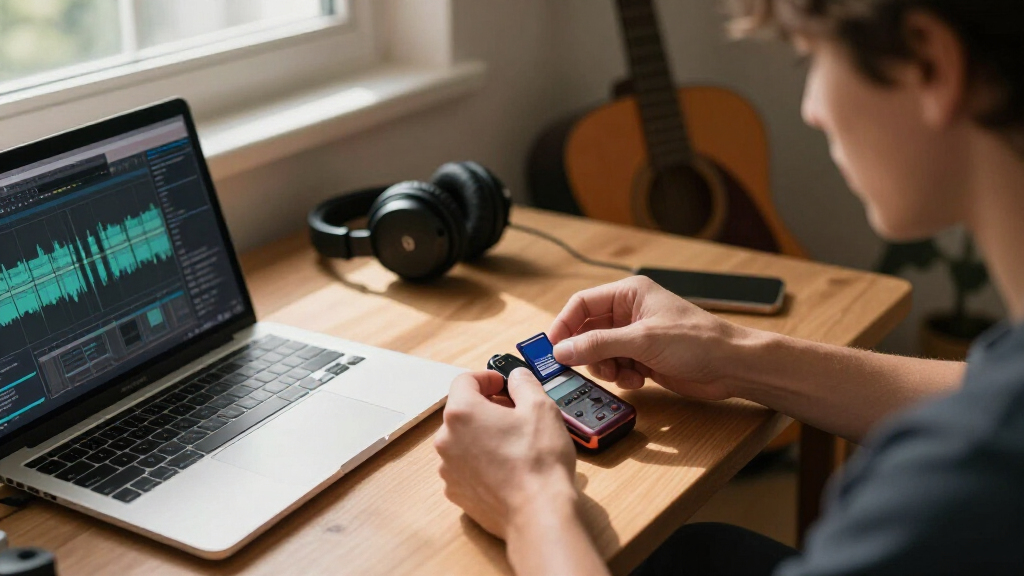
SD card speed classes indicate minimum write speeds essential for reliable audio recording. For high-quality, multi-channel, or long sessions, choose Class 10, UHS U3, or higher cards to prevent dropouts and data loss.
Imagine capturing a live concert or a critical interview, only to hear glitches or dropouts in your recording. Frustrating, right? The secret often lies in the SD card you choose. Many overlook the importance of speed ratings, but in portable and field recording, they can make or break your session.
In this guide, you’ll learn exactly what SD card classes mean, how they impact your recording quality, and how to pick the right card for your needs. No fluff, just straightforward advice from someone who’s built studios on a budget and learned the hard way.
Always match your SD card’s speed class to your recorder’s specifications—using UHS U3 or V30 for high-bitrate or multi-channel recordings is a safe bet.
Speed class ratings are minimum guarantees; actual speeds often outperform these, so choose a reputable brand for better reliability.
Compatibility matters—check if your device supports UHS or V-class cards before buying.
Proper formatting and backups are essential for preventing data loss and maintaining recording quality.
Higher capacity SD cards extend your recording time, but speed is what keeps your data flowing smoothly.
SD Card Speed for Audio Recorders: What the Classes Mean
Speed class ratings are minimum sustained write-speed guarantees — the difference between a flawless take and a ruined session. For high-bitrate, multi-channel, or long recordings, Class 10, UHS U3, or V30 and above keep dropouts and data loss out of the picture.
Minimum Sustained Write Speeds by Class
Every class label is a floor, not a ceiling. Class 10 guarantees 10 MB/s — enough for standard stereo work — but 24-bit/96 kHz multi-track sessions demand at least 30 MB/s.
Which Class Fits Your Recording?
Under-specifying risks dropouts, clicks, and lost files. Over-specifying on an incompatible device is money wasted — the recorder’s hardware caps transfer speed.
| Recording Scenario | Min. Class Needed | Reliable Choice | Risk if Under-Specified |
|---|---|---|---|
| Spoken word, 16-bit/44.1 kHz stereo | CLASS 4–6 | CLASS 10 | ~ Occasional clicks possible |
| Music, 24-bit/48 kHz stereo | CLASS 10 / U1 | UHS U3 | ✗ Dropouts on peaks |
| Multi-track sessions, 24-bit/96 kHz | UHS U3 / V30 | V30+ | ✗ Corrupted files, lost takes |
| Multi-channel 24-bit/192 kHz field work | V60 | V60–V90 | ✗ Session-killing data bottlenecks |
| Long marathon sessions (any format) | UHS U3 minimum | V60 | ~ Unpredictable data bursts |
| Future-proofing (SD Express ready) | Emerging | Wait for device support | ✓ No current audio-recorder adoption |
From Handheld to High-End Field Recorder
A basic handheld may cap out at SDHC Class 10; a flagship field recorder may support UHS-II or V90. Match the card to the device — anything faster is wasted spend.
UHS, V-Class, and Beyond
Storage keeps evolving. V60 cards guarantee 60 MB/s sustained writes — extra headroom that minimizes dropouts during marathon sessions. SD Express, leveraging PCIe and NVMe interfaces, is on the horizon.
UHS Is the New Baseline
Manufacturers increasingly recommend or require UHS U3 or V30 cards as recorders handle higher data rates. UHS-II offers faster bus speeds where the device supports it.
V30 → V60 → V90
Built for high-bitrate video, V-class cards are equally valuable for demanding audio — multi-channel 24-bit/192 kHz field work benefits directly from V60 headroom.
PCIe & NVMe Interfaces
SD Express promises dramatically faster storage, but most audio recorders haven’t adopted it yet. Watch this space before future-proofing your kit.
Choosing the Right SD Card
Five steps from manual to master take — a simple checklist that keeps your sessions glitch-free.
Check the Manual
Confirm supported SD card classes and maximum capacity for your recorder.
Match or Exceed
If the device says UHS U3 or V30, buy at least that rating — never less.
Pick a Reputable Brand
SanDisk, Lexar, Samsung, or Kingston for proven reliability and durability.
Format In-Device
Format in the recorder or with recommended software (exFAT) before use.
Test Before the Session
Run a short test recording to confirm stability — and always back up.
The Long Story, Short
Match the class to the recorder’s spec — UHS U3 or V30 is a safe bet for high-bitrate or multi-channel work.
Ratings are minimums. Actual speeds often outperform them; reputable brands deliver the most consistent results.
Compatibility matters. Verify UHS or V-class support before buying — unsupported cards cause errors or won’t record at all.
Format and back up. Proper in-device formatting prevents data loss; capacity extends recording time, speed keeps it flowing.
What Do SD Card Speed Classes Really Mean?
SD card speed classes are labels that tell you the minimum sustained write speed of the card. For audio recording, that’s crucial—your recorder needs a steady flow of data, especially when capturing high-bitrate, multi-channel audio.
For example, a Class 10 card guarantees at least 10 MB/s write speed, enough for most standard recordings. But if you’re recording in 24-bit, 96 kHz, or multi-track sessions, you might need faster options like UHS U3 or even V30 cards, which promise 30 MB/s or more.
Choosing a card with the right speed class ensures your recordings are continuous and free of glitches. If the card’s minimum write speed isn’t sufficient for your recording settings, you risk dropouts, which can ruin hours of work. This is especially critical for professional audio work, where even brief interruptions can compromise the entire session. The tradeoff here is cost versus reliability: faster cards tend to be more expensive but provide a buffer that can handle unexpected data bursts or complex recording setups. Understanding these classes helps you make an informed choice—balancing your budget with the need for dependable performance.
Popular right now

Dyson Big Ball Multi Floor Canister Vacuum, Yellow

Dyson V8 Cyclone Cordless Vacuum

eufy C28 Robot Vacuum Cleaner and Mop for Pet Hair, 15,000 Pa
As an affiliate, we earn on qualifying purchases.
Why Your Recorder’s Compatibility with SD Card Classes Matters
Not every recorder can handle the fastest SD cards. Using a UHS U3 card in a device that only supports Class 10 won’t help—it might not improve performance and could cause issues. Always check your device’s manual or specs to see which classes it supports.
For example, a simple handheld recorder may only support up to SDHC cards with Class 10 speeds. Meanwhile, a high-end field recorder might support UHS-II or V90 cards. Matching your SD card to your device’s capabilities prevents surprises in the field.
Choosing an unsupported card can lead to errors, slowdowns, or even the inability to record altogether. Conversely, selecting a card that exceeds your device’s capabilities doesn’t necessarily improve performance; it might just be a waste of money. For instance, a recorder that supports only SDHC cards won’t benefit from a UHS U3 or V90 card because the device’s hardware limits the maximum transfer speed. Over-investing in a high-speed card for an incompatible device is essentially throwing money away. Therefore, understanding your recorder’s supported standards ensures you invest wisely and avoid compatibility issues that could compromise your recording sessions. This knowledge helps you avoid the costly mistake of purchasing a card that won’t work or won’t provide any benefit, ensuring your gear works harmoniously and your recordings stay reliable.
How Speed Ratings Impact Your Recording Quality
Using an SD card with too low a speed rating can lead to frustrating glitches—dropouts, clicks, or even lost files. Imagine trying to record a live band with a slow card—those sudden, jarring interruptions are a sign your data isn’t flowing fast enough. This not only disrupts the listening experience but can also corrupt your files, forcing you to re-record or recover data, which wastes time and resources.
Conversely, a card with a higher speed rating than needed offers a safety buffer. It can handle sudden bursts of data, like recording multiple tracks simultaneously or capturing high-res audio without hiccups. This headroom is especially important during long sessions where data volume peaks unpredictably, reducing the risk of dropouts or data loss. The implication here is that under-specifying your SD card can lead to serious disruptions, while over-specifying (buying very high-speed cards) might be unnecessary expense unless your recording demands high data throughput. The tradeoff is balancing performance and cost—selecting a card with an adequate speed rating ensures stability and reduces the risk of technical failures, which is vital for maintaining professional quality and avoiding costly re-recordings.
For instance, recording in 24-bit/96 kHz multi-channel mode demands at least 30 MB/s write speed, making UHS U3 or V30 cards a wise choice. Choosing the right speed rating isn’t just about avoiding glitches; it directly influences your session’s success, especially during complex or lengthy recordings. The right card provides peace of mind, knowing that your data is flowing seamlessly, and your recordings are safe from interruptions that could compromise your work.
Recent Trends: UHS, V-Class, and Beyond
SD cards keep evolving. UHS I and II cards are now common, offering faster speeds and better durability. The latest are V-class cards—like V30, V60, V90—designed for high-bitrate video, but equally useful for demanding audio tasks.
For example, a field recorder capturing multi-channel 24-bit/192 kHz audio benefits from a V60 card, which guarantees 60 MB/s sustained write speeds. This extra headroom minimizes dropouts during marathon sessions and ensures consistent performance over extended periods. The increased speed and reliability reduce the risk of data bottlenecks that can occur with older or lower-rated cards.
And with SD Express emerging, leveraging PCIe and NVMe interfaces, the potential for even faster, more reliable storage grows—though most audio recorders haven’t adopted this yet. Staying informed about these advancements allows you to future-proof your setup, ensuring compatibility and performance as technology progresses. As these new standards become more widespread, they will offer even greater reliability and speed, enabling professional-grade recording in portable devices. Understanding these trends helps you plan for future upgrades and ensures your gear remains compatible with cutting-edge storage solutions.
Choosing the Right SD Card: A Step-by-Step Guide
- Check your recorder’s manual for supported SD card classes and maximum capacity.
- Match or exceed the recommended speed class—if your device says UHS U3 or V30, pick a card with that rating.
- Opt for reputable brands like SanDisk, Lexar, Samsung, or Kingston to ensure reliability.
- Format the card in your device or using recommended software before recording.
- Test the setup with a short recording to confirm stability before a big session.
For example, if your recorder recommends UHS U3 for high-bitrate recording, pick a card like SanDisk Extreme UHS U3 that offers 170 MB/s read and 90 MB/s write speeds. This ensures consistent performance and reduces the risk of hiccups during critical recordings. Remember, investing in a quality card can save you time and frustration in the field, especially during long or complex sessions.
Comparison Table: SD Card Classes and Their Use Cases
| Speed Class | Minimum Write Speed | Best For |
|---|---|---|
| Class 2 | 2 MB/s | Low-res voice memos, basic recordings |
| Class 4 | 4 MB/s | Standard stereo recordings, podcasts |
| Class 6 | 6 MB/s | Higher quality, multi-track sessions |
| Class 10 | 10 MB/s | Most consumer audio, high-bitrate recordings |
| UHS U1 | 10 MB/s | Enhanced performance for HD audio |
| UHS U3 | 30 MB/s | Professional multi-channel, studio-quality recording |
| V30 | 30 MB/s | High-bitrate, multi-channel audio |
| V60 | 60 MB/s | Very high-resolution multi-track recording |
| V90 | 90 MB/s | Extreme high-res, long session recordings |
What Happens If You Choose the Wrong SD Card?
Using an SD card that’s too slow can result in dropouts, missing chunks of audio, or even corrupt files. These issues can be especially problematic during live or long-duration recordings, where data volume is high and consistent write speed is crucial. If your card can’t keep up, the recording might pause unexpectedly, or you might end up with incomplete or unusable files, forcing re-recordings and wasting valuable time. Such failures compromise the integrity of your session and can be costly in professional contexts.
On the flip side, using a faster card than your device supports generally doesn’t harm your recordings—though it may be more expensive and less practical. The key is to match your card’s performance to your recorder’s specifications. Over-specifying can be a waste of money, but under-specifying risks data loss and interruptions. Properly calibrated choices ensure you get reliable, high-quality recordings every time, avoiding the pitfalls of mismatched hardware. The main implication here is that choosing the wrong card can lead to significant setbacks, including lost data, interrupted sessions, and increased post-production troubleshooting, which can all be mitigated by selecting the correct speed and capacity for your device’s capabilities.
For example, a basic handheld recorder supporting up to Class 10 might choke on a UHS U3 card, leading to errors or failed recordings. Always stick to what your device can handle to prevent these issues and ensure your recordings are safe and intact.
Final Tips for Rock-Solid Audio Storage
- Choose a card with a speed class that meets or exceeds your recorder’s specs.
- Buy from trusted brands to avoid counterfeit or unreliable cards.
- Format your SD card properly—preferably in the device or with recommended tools.
- Keep backups of your recordings—never rely on a single card.
- Regularly check and update your gear’s firmware for compatibility improvements.
Imagine a long field session, miles from power or Wi-Fi. Your SD card isn’t just a storage device—it’s the backbone of your entire recording. Choose wisely, and your recordings will stay safe, clear, and professional. Investing in a high-quality, fast SD card reduces the risk of data loss, ensures smooth operation, and ultimately preserves the integrity of your work, especially during demanding or extended sessions.
Frequently Asked Questions
What SD card speed class do I need for high-quality audio recording?
For most high-bitrate or multi-channel recordings, a Class 10 or UHS U3 card is recommended. These ensure steady write speeds that prevent dropouts and glitches.
Can I use a slower SD card for recording?
While you can, it’s risky. A slower card may cause interruptions, dropouts, or corrupted files—especially during demanding sessions. Always match or go higher than your device’s recommended speed class.
Are UHS or V-class ratings necessary for audio recording?
Not always, but for professional, high-resolution, or multi-track recordings, they provide crucial headroom and reliability. V30 or UHS U3 cards are common choices for these scenarios.
How do I know if my recorder supports UHS or V-class SD cards?
Check your device’s manual or specifications. Many modern recorders support UHS-I or II cards, and some specify support for V-class cards. If unsure, consult the manufacturer’s website.
Does capacity matter as much as speed?
Capacity determines how long you can record, but speed ensures smooth data writing. Both are critical—choose a capacity that fits your session and a speed that keeps up with your recording quality.
Conclusion
Picking the right SD card isn’t just about capacity; it’s about matching performance to your recording needs. A reliable, fast card keeps your sessions glitch-free and your mind at ease. Think of it as the foundation of a house—skimp on it, and everything’s at risk.
Next time you’re in the field, remember: your recordings are only as good as the data trail behind them. Invest in the right SD card, and your audio will be smooth, clean, and professional—no matter where you are.