
TL;DR

Get audio and creator gear delivered free with Prime
- Fast, free delivery on millions of items
- Prime Video, Amazon Music and more included
- Member-only deals all year
Prolonged exposure to high sound levels causes ear fatigue, which can harm hearing. Keeping your volume below 70 dB and taking regular breaks can prevent damage. Using monitoring tools helps maintain safe listening habits over long periods.
Your ears handle a lot more than you think—especially during long music mixes, studio sessions, or extended podcast binging. Ear fatigue sneaks up slowly, leaving you with muffled sound, ringing, and that annoying fullness. It’s a warning sign that your ears need a break, but many ignore it until it’s too late.
In this guide, you’ll learn how to spot ear fatigue early, what sound levels are safe for long listening periods, and how modern tech can help you keep your ears happy and healthy. Whether you’re a producer or a casual listener, these simple habits can save your hearing in the long run.
Keep listening levels below 70 dB for long sessions to prevent ear fatigue.
Use apps or headphones with built-in sound level monitoring to stay aware of your exposure.
Take regular breaks—at least 5 minutes every hour—to give your ears a rest.
Avoid listening at above 85 dB for more than 8 hours; higher volumes cut safe exposure time sharply.
Be proactive: recognize early signs of ear fatigue like muffled sound or ringing, and act quickly.
What Exactly Is Ear Fatigue—And How Do You Recognize It?
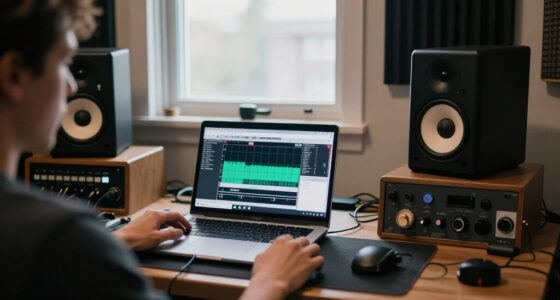
Ear fatigue is that dull, heavy feeling after hours of listening at high volumes. You might notice muffled audio, ringing (tinnitus), or a sense that your ears are ‘full.’ For example, after a long studio session at loud levels, you might find yourself struggling to distinguish sounds clearly or feeling like your ears are plugged.
Recognizing these signs early helps you take action, preventing long-term harm. Symptoms often appear gradually, so tuning into how your ears feel during and after sessions is key.
sound level meter app for smartphones
As an affiliate, we earn on qualifying purchases.
As an affiliate, we earn on qualifying purchases.
How to Detect Ear Fatigue Before It Gets Worse
- Pay attention to discomfort or muffled hearing during sessions.
- Notice ringing or fullness after listening — these are early signs.
- Use a sound level meter app to track decibel levels in real time.
- Compare your listening levels to recommended safe thresholds: below 70 dB for long sessions.
- Take frequent breaks—at least 5 minutes every hour.
Early detection means you can adjust volume or take breaks, saving your hearing from unnecessary strain.
noise-canceling headphones with volume monitoring
As an affiliate, we earn on qualifying purchases.
As an affiliate, we earn on qualifying purchases.
What Are Safe Listening Levels? Real Numbers You Can Trust
Keeping sound levels below 70 dB is a good rule of thumb for long listening periods. At this volume, you can comfortably listen for hours without risking ear fatigue or damage.
For comparison, normal conversation sits around 60 dB, while busy city traffic can reach 85 dB. Listening at 85 dB or above for more than 8 hours increases risk of hearing loss, according to health guidelines.
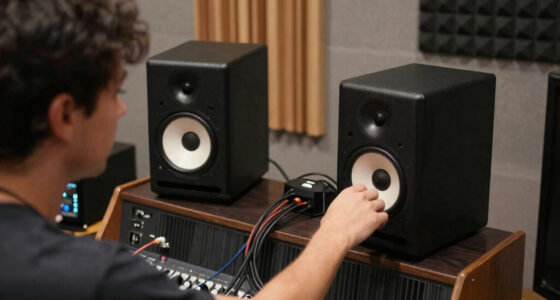
In a studio, this means turning down monitors or headphones—especially during long mixing sessions. Use a decibel meter app to verify your levels, and remember: volume isn’t just loudness, but how long you sustain it.
ear protection headphones for long listening sessions
As an affiliate, we earn on qualifying purchases.
As an affiliate, we earn on qualifying purchases.
Modern Tech That Keeps Your Ears in Check
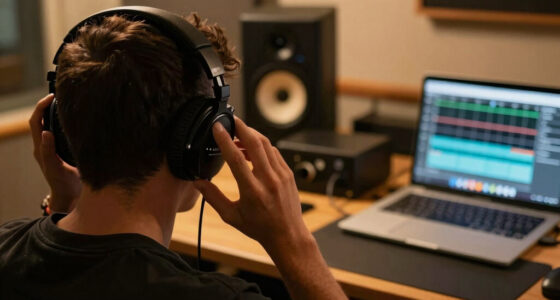
Today’s headphones and apps help you monitor your sound levels in real time. Many include built-in volume limiters and alerts when you reach unsafe levels. For example, some professional headphones cap at 85 dB or lower, preventing accidental overexposure.
Apps like SoundLevel or dB Meter give instant feedback, letting you see if your current volume is safe for the duration. Some devices even log your listening patterns, so you can review and adjust habits over time.
In practice, using these tools means you can focus on your work or playlist without constantly second-guessing your volume. They act as a safety net, especially during long sessions.
hearing protection earplugs for musicians
As an affiliate, we earn on qualifying purchases.
As an affiliate, we earn on qualifying purchases.
Best Habits to Prevent Ear Fatigue During Long Sessions
- Set a maximum volume limit—ideally below 70 dB.
- Take a 5-minute break every hour to let your ears recover.
- Use noise-canceling headphones to avoid turning up volume in noisy environments.
- Keep your listening environment quiet to reduce the need for higher volumes.
- Regularly check your sound levels with a monitoring app or built-in device feature.
Over time, these simple steps preserve your hearing and improve your overall listening experience.
How Long Is Too Long at High Volumes? The Numbers You Need
At 85 dB, experts say you should limit exposure to 8 hours. Double the volume—say, 100 dB—reduces safe listening time to just 15 minutes. For example, listening to loud music at a concert or in a noisy club can cause damage in minutes if you don’t protect your ears.
Repeatedly exceeding these limits causes temporary threshold shifts, which can become permanent over time. So, if you notice your ears ringing after a long session, it’s a sign you’ve pushed too hard.
Always remember: shorter, safer sessions with breaks beat long, damaging ones.
Frequently Asked Questions
How can I tell if I am experiencing ear fatigue?
Look out for muffled hearing, ringing, or a feeling of fullness in your ears. If these symptoms appear during or after long listening, it’s time to lower the volume or take a break.What are safe listening levels for long sessions?
Aim to keep your sound below 70 dB during extended listening. Using a decibel meter app can help you stay within safe limits and avoid ear fatigue.How long can I listen at high volumes without risking damage?
At 85 dB, limit your listening to about 8 hours. At higher levels like 100 dB, damage can occur in as little as 15 minutes. Always prioritize shorter sessions and regular breaks.Are there devices that help monitor my ear health?
Yes, many modern headphones include built-in volume limiters and real-time sound level monitors. Apps can also log your exposure, helping you stay safe over long periods.What steps should I take to prevent ear fatigue during long sessions?
Set a volume cap, take frequent breaks, use noise-canceling headphones, and regularly check your sound levels with monitoring tools. These habits protect your hearing and improve your experience.Conclusion
Protecting your ears during long sessions isn’t complicated, but it does require awareness and discipline. Using simple tools and habits can make all the difference in avoiding long-term damage. Remember, your ears aren’t just for hearing—think of them as delicate instruments that need regular care.
Next time you hit play, keep the volume in check, take those breaks, and listen smarter. Your future self will thank you with crisp, clear sound for years to come.
Halloween Picks
halloween
As an affiliate, we earn on qualifying purchases.