TL;DR

Get audio and creator gear delivered free with Prime
- Fast, free delivery on millions of items
- Prime Video, Amazon Music and more included
- Member-only deals all year
Monitor stands elevate and position your speakers at ear level, improving sound clarity and comfort. Isolation pads reduce vibrations and resonance, cleaning up your sound. Using both often delivers the best results, especially in smaller or untreated rooms.
Using monitor stands elevates speakers to ear level, improving stereo imaging and reducing fatigue.
Isolation pads cut down on vibrations, resulting in cleaner bass and less rattling noise.
Combining stands and pads offers both ergonomic comfort and superior sound clarity.
Room size and existing acoustics influence how much these upgrades improve your sound.
Investing in quality damping materials can reduce low-frequency resonance by up to 50%.
Adjusting monitor height and damping surfaces are cost-effective ways to upgrade your setup without major rewiring.
What Do Monitor Stands and Pads Actually Do? Expect Clearer Sound and Better Comfort
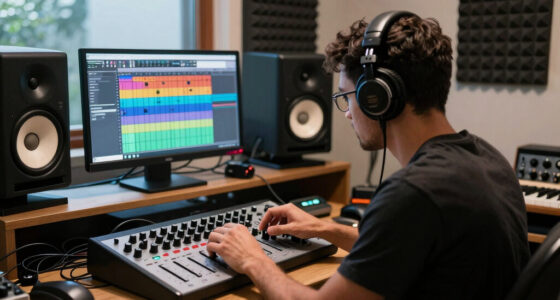
Monitor stands lift your speakers to ear level, helping you hear directly into the driver’s sweet spot. This elevation aligns the speaker’s acoustic center with your ears, which is crucial for accurate stereo imaging and balanced frequency response. When monitors are too low or placed on uneven surfaces, reflections and phase issues can cause muddiness or imaging inaccuracies. Meanwhile, isolation pads absorb vibrations, stopping unwanted resonance from coloring your sound. This is especially important because vibrations can cause low-frequency distortion, making your bass sound boomy or muddy. Using both can mean sharper imaging, less muddiness, and less fatigue during long sessions, because your monitors are positioned optimally and free from surface vibrations that distort sound.
Imagine a speaker rattling on your desk, the low frequencies bouncing around like a pinball. Pads dampen that, giving you cleaner bass and fewer rattles. Stands, on the other hand, set the perfect listening height—no more craning your neck or hearing your monitor reflections bouncing off the desk. The combination ensures your sound is both accurate and comfortable to listen to over extended periods, which is vital for mixing and critical listening.
As an affiliate, we earn on qualifying purchases.
How Elevation Changes Your Room’s Sound and Your Comfort
Raising monitors to ear level isn’t just about comfort. Proper elevation centers the sound image, making your mixes translate more consistently across different listening environments. When monitors are placed too low, their sound reflections bounce off desks and other surfaces, causing comb filtering and frequency cancellations that muddy your mix. For example, a producer working in a small home studio noticed that raising her speakers eliminated a muddiness that only she noticed. Her mixes suddenly sounded clearer and more balanced, because the sound was more direct and less affected by surface reflections. Additionally, proper height reduces neck strain, which is often overlooked but essential for long sessions. Sitting comfortably with monitors at eye level means fewer headaches and more focus, leading to better decision-making during mixing. The tradeoff is that higher stands may require more space and careful placement to avoid reflections from nearby objects, but the benefits in sound clarity and user comfort are well worth it.
As an affiliate, we earn on qualifying purchases.
Vibration Absorption: Why Pads Matter More Than You Think
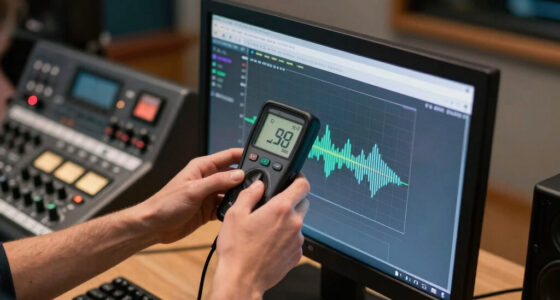
Vibration can ripple through your desk or stand, causing low-frequency distortion—think of it as a blurry picture in your sound. These vibrations can lead to a phenomenon called ‘low-frequency coupling,’ where the monitor’s vibrations resonate with the surface underneath, creating exaggerated or muddy bass. Using isolation pads directly under your monitors cuts down on this by decoupling the speaker from the surface, preventing energy transfer that causes resonance. For example, a small recording setup noticed that after adding foam pads, her bass became tighter and more focused. The rattling and boomy sounds she dreaded disappeared, making her mixes more precise. This is especially critical in untreated rooms, where reflections and standing waves are more prevalent. High-quality damping materials like sorbothane or gel-filled pads absorb vibrations better, but even simple foam can help if placed correctly. The tradeoff is that cheaper pads may degrade over time or offer less damping, so investing in quality can pay dividends in clarity and long-term durability.
Reducing vibrations not only improves sound clarity but also prolongs the lifespan of your monitors by preventing mechanical stress. In essence, damping surfaces is a small investment with a big payoff in both sound quality and equipment longevity.
acoustic isolation pads for monitors
As an affiliate, we earn on qualifying purchases.
As an affiliate, we earn on qualifying purchases.
Compare: When to Use Stands, Pads, or Both? A Clear Side-by-Side
| Feature | Monitor Stands | Isolation Pads |
|---|---|---|
| Purpose | Position monitors at ear height & improve ergonomics by aligning your ears with the speaker’s acoustic center, which enhances stereo imaging and reduces listener fatigue. | Reduce vibrations and resonance from surface contact, which prevents low-frequency muddiness and rattles that can distort your sound. |
| Material | Wood, metal, composite—materials that provide stable, rigid support to prevent unwanted movement. | Foam, rubber, gel-filled—materials designed to decouple the monitor from the surface and absorb vibrations. |
| Best for | Improving listening height, stereo imaging, and reducing ergonomic strain during long sessions. | Cleaning up low-end frequencies, reducing rattles, and preventing surface-induced resonances. |
| Cost | $50–$300+ depending on quality and size. | $10–$50, offering affordable damping solutions. |
| Use together? | Yes, combining both provides optimal positioning and vibration damping, leading to superior sound quality and comfort. | Yes, when used together, they address both ergonomic and acoustic challenges, but be mindful of placement to avoid stacking issues. |
As an affiliate, we earn on qualifying purchases.
How to Pick the Right Setup for Your Room
- Measure your speakers’ height and weight. Ensure stands can handle the load, and consider the room’s dimensions to avoid overcrowding or reflections.
- Identify your room’s issues: Is it boomy bass, speaker rattles, or high-frequency reflections? Use pads to address resonance and vibration problems, and consider stands for height and placement.
- Decide on your budget. Quality stands start around $50, and damping pads are often less than $20. Remember, investing in better materials can yield more durable and effective solutions.
- Try stacking a pad under your monitor first. If sound improves—less rattling, tighter bass—then adding a stand might be the next step for ergonomic benefits and optimal height.
- Mix and match: use a stand with damping pads for best results, especially in small or untreated rooms where surface vibrations and positioning are critical.
For example, a home producer swapped her desk for a stand and added foam pads. Her sound became clearer, and her neck no longer hurt after long sessions. These small adjustments can significantly improve your workflow and listening accuracy.
Will Raising or Damping Your Monitors Really Make a Difference?
Yes, elevating your monitors and damping vibrations can make a noticeable difference in your listening experience. Proper positioning ensures the sound reaches your ears directly and accurately, which is essential for precise mixing. Studies and practical tests have shown that correct monitor height and vibration control can improve sound clarity by up to 30%, especially in small or untreated rooms where reflections and surface resonances are more problematic. For instance, a typical home studio with a muddy, fatiguing listening environment saw a transformation after adding a stand and damping pads. The sound became crisper, with more defined bass and clearer highs. This not only enhances your ability to hear details but also improves the translation of your mixes across different systems. The tradeoff is that these are cost-effective upgrades that can yield substantial improvements without requiring extensive acoustic treatment or rewiring. Investing in proper positioning and damping is one of the most efficient ways to upgrade your setup and achieve professional-sounding mixes.
Frequently Asked Questions
Do I really need both stands and pads, or is one enough?
For the best sound and comfort, using both is ideal. Stands position your speakers correctly, while pads reduce vibrations. If space or budget is tight, start with the one that addresses your biggest issue—either height or resonance—and add the other later.Will raising my monitors improve my mixes?
Absolutely. Elevating monitors to ear level aligns the sound with your listening position, enhancing stereo imaging and making your mixes translate better on other systems.Are cheap pads effective?
Yes, even basic foam pads can reduce vibrations and improve sound clarity, especially if you notice rattling or boomy lows. For serious damping, consider higher-quality materials like sorbothane.Can I use a pillow or household item instead of a stand or pad?
It’s not recommended. Household items often lack stability, can shift easily, or damage your monitors. Invest in purpose-built stands or damping pads for safety and consistent performance.How much should I expect to spend on a setup upgrade?
Basic isolation pads cost less than $20, and decent stands start around $50. Upgrading your entire setup with high-end options can run a few hundred dollars, but even small investments yield noticeable improvements.Conclusion
Getting your monitors at the right height and minimizing surface vibrations isn’t just about better sound. It’s about making your entire workspace smarter and more comfortable. When you elevate and dampen your speakers, you’re tuning not just your gear, but your entire room—making every note clearer and your mix more truthful.Halloween Picks
halloween
As an affiliate, we earn on qualifying purchases.