TL;DR

Get audio and creator gear delivered free with Prime
- Fast, free delivery on millions of items
- Prime Video, Amazon Music and more included
- Member-only deals all year
Mixing on headphones is increasingly viable for professional results, thanks to calibration tools and modern tech. Regular referencing and smart setup help your mixes sound great everywhere.
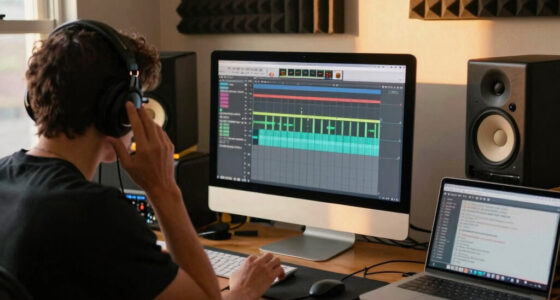
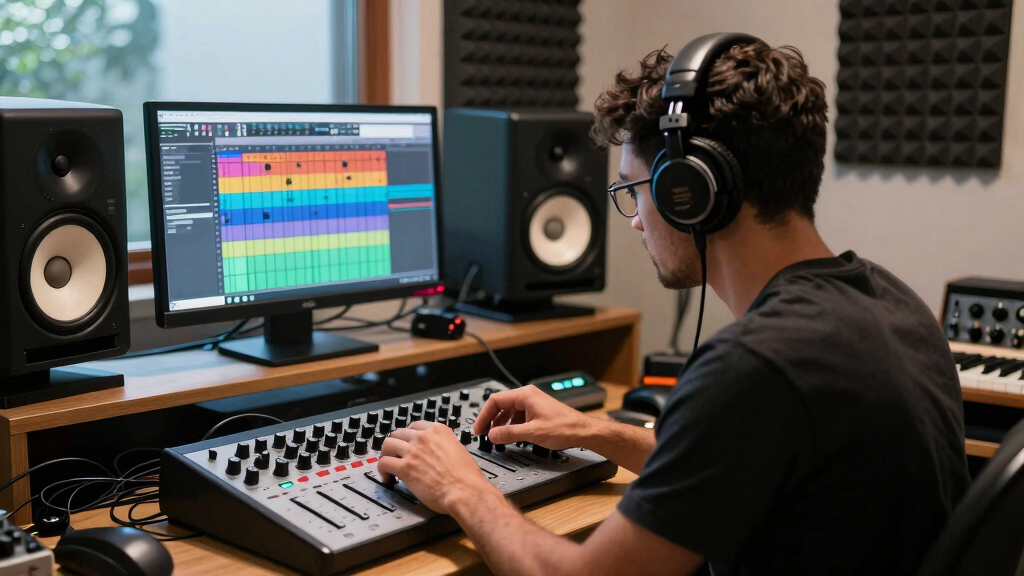
Mixing music on headphones has shifted from a last-resort workaround to a legitimate, professional workflow. Modern tech advances—and a little know-how—make it possible to craft mixes that truly translate. Whether you’re working in a tiny home studio or sneaking in sessions on a commute, headphone-only mixing is more powerful than ever.
But it’s not just about slapping on some cans. It’s about understanding their limits, using the right tools, and developing habits that keep your mix accurate and balanced. Ready to see how you can turn your headphones into a full-fledged mixing environment? Let’s go.
Use calibration tools like Sonarworks or Waves Nx to neutralize headphone colorations.
Regularly reference your mix on various playback systems to catch translation issues early.
Choose high-quality, flat-response headphones—open-back for natural imaging, closed-back for isolation.
Incorporate spatial audio plugins and head-tracking tech to improve stereo imaging.
Take frequent breaks to prevent ear fatigue and maintain accurate perception.
Why Headphone Mixing Can Be Just as Good as Studio Monitors
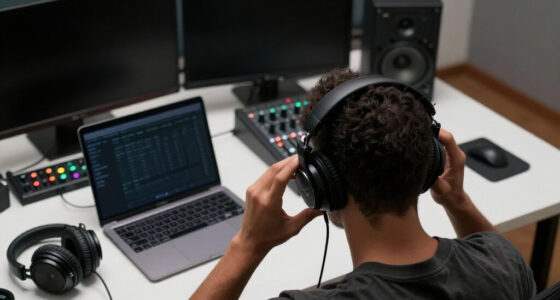
Headphone mixing offers big benefits—portability, noise isolation, and consistent sound. High-quality headphones with flat frequency responses let you hear the details without room reflections or acoustic quirks. Many professional producers swear by headphones for early-stage mixing or detailed editing, especially when space or budget is tight.
Take a scenario: You’re on a tight deadline, in a small apartment, and can’t crank up monitors without bothering neighbors. Good headphones and a calibrated setup let you focus, tweak, and finish that mix confidently. And with recent tech, your headphones can mimic a studio environment more than you’d think.
Understanding why headphones are effective in these situations is crucial. They eliminate room acoustics, which are often unpredictable and can mislead your mix decisions. However, this advantage is a double-edged sword; headphones can exaggerate certain frequencies or spatial cues, potentially leading to inaccurate mixes if not properly calibrated or checked on other systems. Recognizing these tradeoffs helps you develop strategies to compensate, making your headphone mixes more reliable and translatable.
headphone calibration tools for mixing
As an affiliate, we earn on qualifying purchases.
As an affiliate, we earn on qualifying purchases.
Choosing the Right Headphones for Mixing — What Actually Matters
Not all headphones are equal for mixing. You want models with flat frequency response and minimal coloration. Open-back headphones like the Sennheiser HD 650 or Focal Clear give you a broader, more natural soundstage. Closed-backs are good when you need isolation but can color the sound, sometimes boosting bass or highs.
Imagine you’re working late at night, and your closed-back cans block out the world. They might boost the bass slightly, but if you know they’re colored, you can compensate. High-fidelity, flat-response models keep your mix honest, making translation easier.
Choosing the right headphones is about more than brand—it’s about understanding how their characteristics influence your perception. Open-back headphones tend to provide a more natural spatial image, which is vital for balancing stereo width and depth. Closed-backs, while offering better isolation, often introduce coloration that can mislead your EQ decisions. The tradeoff is that open-backs are less suited for noisy environments but offer a more accurate listening experience. Recognizing these differences helps you select headphones that suit your workflow and environment, ensuring consistent results.
| Feature | Open-Back Headphones | Closed-Back Headphones |
|---|---|---|
| Soundstage | Wider, more natural | More focused, isolated |
| Sound Leakage | Yes, some leakage | No, noise-isolating |
| Ideal for Mixing? | Yes, for natural imaging | Yes, for tracking and late-night work |
Pick based on your environment and goals, but remember—calibration is key regardless of the type. Knowing the strengths and limitations of each helps you manage the inherent tradeoffs, such as spatial accuracy versus noise isolation, ensuring your choice supports a reliable workflow.
high-quality flat response studio headphones
As an affiliate, we earn on qualifying purchases.
As an affiliate, we earn on qualifying purchases.
How to Calibrate Your Headphones for Accurate Mixing
Calibration is the secret sauce. It compensates for the quirks in your headphones’ frequency response, making your mix decisions more reliable. Tools like Sonarworks Reference or Waves Nx analyze your headphones and create a custom EQ profile.
Here’s a quick step-by-step:
- Connect your headphones and open the calibration software.
- Follow the prompts—usually, you’ll play test tones and let the software analyze your response.
- Apply the calibration profile, and check how your mix sounds with the correction active.
- Compare before and after, and make notes on how your perception shifts.
Deep calibration significantly reduces the frequency response discrepancies inherent in different headphone models. This process allows your mix decisions to be based on a more neutral listening experience, which is essential for translation. Without calibration, you risk making EQ and balance choices that sound good on your cans but translate poorly. The tradeoff is that calibration adds a step to your workflow, but it’s well worth it for the consistency it provides across different listening environments.
spatial audio plugins for headphones
As an affiliate, we earn on qualifying purchases.
As an affiliate, we earn on qualifying purchases.
The Best Practices for Headphone Mixing — Keep Your Edge
Mixing on headphones isn’t just about setup; it’s about habits. Regularly check your mix on other systems—like car stereos, earbuds, or even a cheap Bluetooth speaker. This broad perspective catches translation issues early, revealing how your mix sounds outside your calibrated environment. Each system has its quirks, and understanding these helps you adjust your mix for maximum compatibility.
Another tip: take frequent breaks to avoid ear fatigue, which skews your perception. When your ears tire, bass may seem muffled, and you might boost frequencies unnecessarily. Recognizing signs of fatigue—such as dullness or perceived imbalance—helps you make more objective decisions.
Try switching between mono and stereo modes. Mono helps you identify phase issues and balance, while stereo checks your spatial image. A common mistake is assuming what sounds good in stereo will translate in mono. For example, a vocal panned hard left may sound fine stereo but collapse when summed to mono, causing phase cancellation. Developing this habit ensures your mixes are robust across different playback scenarios.
head-tracking technology for mixing
As an affiliate, we earn on qualifying purchases.
As an affiliate, we earn on qualifying purchases.
Recent Tech That Makes Headphone Mixing Smarter
New tools are transforming headphone mixing. Spatial audio plugins and head-tracking tech simulate the room and stereo image more realistically. With these, your mixes gain depth and clarity that was hard to achieve before.
According to an anonymous researcher, recent AI algorithms analyze your mix and suggest adjustments—sometimes in real time. This helps overcome the ‘in-head’ listening bias, giving your mix a more natural feel. These advancements mean you can identify issues like phase problems or frequency imbalances more intuitively, reducing the guesswork and speeding up your workflow.
High-end headphones like the Focal Clear or Sennheiser HD 800S offer exceptionally flat responses, making calibration more effective. Paired with these tools, your workflow becomes almost as trustworthy as traditional speaker monitoring, but always remember that no technology replaces critical listening and cross-system referencing.
Can My Mix Really Translate Well to Other Systems?
Yes, if you follow good practices, your headphone mixes can sound great everywhere. The key is reference regularly on different systems. Play your mix on car stereo, earbuds, and even cheap speakers. If it holds up, you’re on the right track.
Take a real-world example: A producer spends a few minutes on their phone’s earbuds after finishing a mix on high-end cans. If it still sounds balanced and clear, that’s a sign your workflow is working. This cross-referencing helps you catch issues like overly bass-heavy mixes or overly bright treble that only become apparent on certain systems.
It’s also smart to keep a few reference tracks handy—songs you know well—so you can compare your mix’s tonal balance and spatial imaging. This practice anchors your perception and helps you judge whether your mix maintains its integrity across different playback environments.
Frequently Asked Questions
Can I produce professional-quality mixes on headphones alone?
Absolutely. With proper calibration, reference tracks, and good habits, many engineers produce mixes that translate well to all systems using just headphones.What headphones should I buy for mixing?
Look for models with flat frequency response—like open-back Sennheiser HD 650 or Focal Clear. Prioritize comfort and durability, but calibration is key regardless of the brand.How do I calibrate my headphones?
Use calibration software like Sonarworks Reference or Waves Nx. Play test tones, let the software analyze, and apply the correction profile to neutralize your headphones’ response.How do I make sure my mix works on other systems?
Regularly check your mix on different devices—car stereo, earbuds, even small speakers. Keep reference tracks handy, and adjust based on what you hear.What are the main limitations of headphone mixing?
Headphones often struggle with accurate low-frequency reproduction and spatial cues. Occasional monitor checks help ensure your mix will translate well on speakers.Conclusion
Mixing on headphones isn’t just a workaround; it’s a legitimate workflow. The right tools, habits, and awareness can make your headphone mixes sound just as good—if not better—than traditional monitor setups.
Now, the next time you’re in a pinch or chasing a deadline, remember: your cans are more than just portable—they’re a powerful studio tool. Keep calibrating, referencing, and experimenting, and watch your mixes translate everywhere.
Fall Picks
fall essentials
As an affiliate, we earn on qualifying purchases.