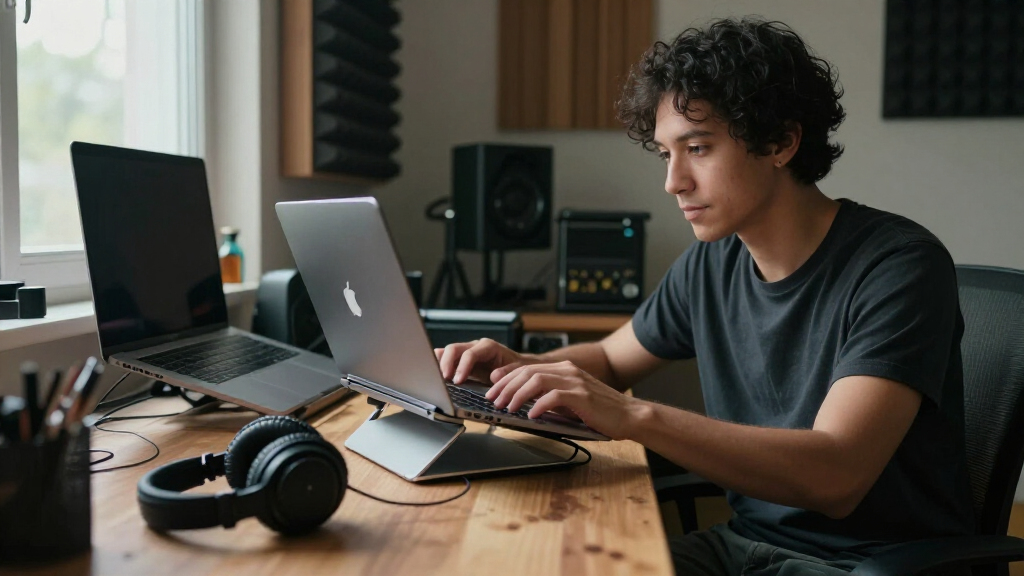

Creators put their laptops through long editing sessions, drawing marathons, and streaming setups, so a stand is less an accessory and more workstation infrastructure. After comparing 11 popular models, the Nulaxy 18″ Height Telescopic 360° Rotating stand earns the top spot for its rare combination of serious height range, smooth rotation for client demos, and sturdy aluminum build. The Lamicall Aluminum stand remains the best simple, buy-it-once riser for creators with fixed desks, while the Aoviho 360° Rotating stand wins for creators who move between studio, café, and coworking spaces. The core tradeoff in this category is portability versus rigidity — the most travel-friendly stands wobble under heavy typing, and the most stable ones won’t fit in a backpack. Read on for the full breakdown, including which stands actually help with thermal throttling during renders and which ones are overpriced for what they offer.

Get audio and creator gear delivered free with Prime
- Fast, free delivery on millions of items
- Prime Video, Amazon Music and more included
- Member-only deals all year
Complete the kit


Key Takeaways
- Height adjustability was the biggest differentiator: only the Nulaxy 18″ telescopic stand and the MOALLIA N86 could raise a laptop to true eye level, while flat single-angle stands like the amazon.com/dp/B0BT9MG6VT?tag=artzartz-20&ascsubtag=dc-601989″ target=”_blank” rel=”nofollow sponsored noopener”>Besign LS03 fell short for tall creators.
- 360° rotating bases (Aoviho, LOXP rotating model, Nulaxy telescopic, MOALLIA) proved genuinely useful for creators — not a gimmick — because screen-sharing with clients and swinging between a monitor and a drawing tablet happens constantly.
- A recurring weakness across the lineup: stands that wobble under 16-inch workstation laptops. The Lamicall and Besign LSX6N were the most rigid; the ultraportable Aoviho sacrificed stability for foldability.
- The Amazon Basics stand matched pricier options on core ergonomics, making the LOXP and Tonmom models hard to justify unless you specifically need their rotating or height features.
- Ventilation cutouts mattered more for creators than general users — models with open designs (Nulaxy, Besign LSX6N) helped sustained render performance, while solid-platform designs trapped heat.
| Aoviho 360° Rotating Laptop Stand for Desk, Adjustable, Foldable, Portable Aluminum Riser, Mint Green |  | Best Overall for Creative Workflows | Material: Aerospace-grade aluminum alloy | Dimensions: 10.16 x 9.82 x 1.65 inches | Weight: 2.2 pounds | VIEW LATEST PRICE | See Our Full Breakdown |
| LOXP Adjustable Laptop Stand for Desk, Portable Airflow Laptop Riser Holder |  | Best Value for Traveling Creators | Material: Sturdy metal | Max Load Capacity: 15.4 pounds (7 kg) | Supported Laptop Size: Up to 15.6 inches | VIEW LATEST PRICE | See Our Full Breakdown |
| Besign LSX6N Laptop Stand, Ergonomic Adjustable Notebook Riser, Compatible with 10-15.6″ Laptops, Black |  | Best Ergonomic Precision | Compatibility: 10-15.6 inch laptops | Material: Aluminum alloy | Height Adjustment Range: 5.6 to 8.6 inches | VIEW LATEST PRICE | See Our Full Breakdown |
| Lamicall Aluminum Laptop Stand for 10-17.3 inch Laptops |  | Best for Large-Screen Creators | Compatibility: Laptops 10-17.3 inches | Material: Aluminum alloy | Adjustability: Tilt only, no height adjustment | VIEW LATEST PRICE | See Our Full Breakdown |
| Amazon Basics Sturdy and Portable Ergonomic Laptop Stand for Desk, Height Adjustable Riser with Ventilated Cooling, Foldable, Fits all Laptops up to 15.6 Inch, Silver |  | Best Budget Starter Pick | Height Adjustment: Up to 7 inches | Supported Devices: Laptops and tablets from 10 to 15.6 inches | Material: Lightweight, rust-resistant aluminum | VIEW LATEST PRICE | See Our Full Breakdown |
| Nulaxy Adjustable Laptop Stand for Desk, Foldable Computer Riser with Heat-Vent |  | Best Budget Pick | Max Load: 22 lbs (10 kg) | Compatibility: 10-16 inch laptops | Material: Metal with silicone pads | VIEW LATEST PRICE | See Our Full Breakdown |
| LOXP Adjustable Laptop Stand with 360° Rotating Base |  | Best for Rotation on a Budget | Material: Fiber metal | Rotation: 360° | Supported Laptop Size: Up to 16 inches | VIEW LATEST PRICE | See Our Full Breakdown |
| Nulaxy 18″ Height Telescopic 360° Rotating Aluminum Laptop Stand, Gray |  | Best Premium Pick | Height: Up to 18 inches | Rotation: 360° | Support Weight: 22 pounds | VIEW LATEST PRICE | See Our Full Breakdown |
| Besign LS03 Aluminum Laptop Stand, Ergonomic Detachable Computer Stand, Silver |  | Best Fixed-Height Workhorse | Compatibility: 10-15.6 inch laptops | Material: Aluminum alloy | Maximum Support Weight: 8.8 lbs (4 kg) | VIEW LATEST PRICE | See Our Full Breakdown |
| Tonmom Adjustable Laptop Stand for Desk, Black |  | Best for Travel | Height Adjustment: 2.78″ to 6.5″ | Weight: 0.53 pounds | Folded Dimensions: 10.5″ x 1.96″ x 0.68″ | VIEW LATEST PRICE | See Our Full Breakdown |
| MOALLIA N86 360° Rotating Laptop Stand for Desk with Locking Knobs, Black |  | Best for Collaborative Workspaces | Rotation: 360° with locking knobs | Material: Aluminum alloy | Weight: 790 grams | VIEW LATEST PRICE | See Our Full Breakdown |
| laptop stands for creator | Material | Compatibility |
|---|---|---|
| Aoviho 360° Rotating Laptop St | Aerospace-grade aluminum alloy | Laptops and tablets up to 16 inches |
| LOXP Adjustable Laptop Stand f | Sturdy metal | — |
| Besign LSX6N Laptop Stand | Aluminum alloy | 10-15.6 inch laptops |
| Lamicall Aluminum Laptop Stand | Aluminum alloy | Laptops 10-17.3 inches |
| Amazon Basics Sturdy and Porta | Lightweight, rust-resistant aluminum | — |
| Nulaxy Adjustable Laptop Stand | Metal with silicone pads | 10-16 inch laptops |
| LOXP Adjustable Laptop Stand w | Fiber metal | MacBook Air/Pro, Dell XPS, HP, ASUS, Lenovo, Acer, Chromebook, Surface |
| Nulaxy 18" Height Telescopic 3 | Aluminum | Laptops up to 17 inches |
| Besign LS03 Aluminum Laptop St | Aluminum alloy | 10-15.6 inch laptops |
| Tonmom Adjustable Laptop Stand | — | Laptops 10-15.6 inches |
| MOALLIA N86 360° Rotating Lapt | Aluminum alloy | 11-16 inch laptops |
More Details on Our Top Picks
Aoviho 360° Rotating Laptop Stand for Desk, Adjustable, Foldable, Portable Aluminum Riser, Mint Green
Creators rarely work facing a single direction — you’re turning to show a client a timeline, swiveling toward a reference monitor, or sharing a screen mid-collab. That’s where the Aoviho’s 360° rotating base earns its keep, something neither the Besign LSX6N nor the Lamicall offers. Height adjustment plus rotation means this pick adapts to desk setups that change throughout the day, and the open-back aluminum frame keeps a heavily edited 16-inch machine breathing. Compared with the Amazon Basics riser, the Aoviho trades a little simplicity for genuine versatility. The tradeoff: screw-based adjustments slow down repositioning, and the mint green finish won’t suit every studio aesthetic.
Pros:- 360° rotation makes screen sharing and multi-angle reference work effortless
- Height adjustability supports proper ergonomic positioning for long editing sessions
- Aerospace-grade aluminum construction with anti-slip pads keeps expensive gear stable
- Foldable 2.2-pound design travels well between studio and remote shoots
- Open-back design improves airflow for thermal-heavy creative workloads
Cons:- No support for laptops larger than 16 inches
- Available in only one color option
- Rotation mechanism adds a moving part that requires occasional tightening
Best for: Video editors, designers, and photographers who share their screen with clients or collaborators and need flexible positioning at a standing or sitting desk
Not ideal for: Owners of 17-inch desktop-replacement laptops — the 16-inch capacity limit rules out larger creative machines
- Material:Aerospace-grade aluminum alloy
- Dimensions:10.16 x 9.82 x 1.65 inches
- Weight:2.2 pounds
- Compatibility:Laptops and tablets up to 16 inches
- Rotation:360 degrees
- Adjustable Height:Yes
- Foldable:Yes
- Warranty:2 years
Our verdict“This pick makes the most sense for creators who present or collaborate often and want one stand that moves as fluidly as their workflow does.”
LOXP Adjustable Laptop Stand for Desk, Portable Airflow Laptop Riser Holder
Not every creator needs rotation or a broad height range — some just need a dependable riser that survives a camera bag. The LOXP delivers the essentials at a lower price point than the Aoviho, and its 15.4-pound load capacity is the highest in this batch, meaning heavier workhorse laptops sit securely. Where the Amazon Basics stand caps out at 11 pounds, this model handles dense machines with dual-drive bays and beefy cooling. The metal build and ventilation slots keep sustained rendering sessions from thermal throttling. The compromise is straightforward: no 360° rotation, a smaller 15.6-inch size ceiling, and fewer ergonomic fine-tuning options than pricier picks.
Pros:- 15.4-pound load capacity easily handles heavier professional laptops
- Enhanced ventilation keeps machines cool during long exports and renders
- Adjustable height and angle for basic ergonomic correction
- Folds flat for easy packing in a backpack or camera bag
Cons:- Limited to laptops up to 15.6 inches
- No rotating base for screen sharing or collaborative viewing
- Adjustment range is narrower than premium competitors
Best for: Freelance creators on a budget who travel between co-working spaces, coffee shops, and client sites with a standard 13-15.6 inch laptop
Not ideal for: Anyone with a 16-inch or larger laptop, or creators who need rotating presentation angles like the Aoviho provides
- Material:Sturdy metal
- Max Load Capacity:15.4 pounds (7 kg)
- Supported Laptop Size:Up to 15.6 inches
- Foldable:Yes
- Heat Dissipation:Enhanced ventilation
- Adjustability:Height and angle
Our verdict“This option stands out for mobile creators who prioritize durability and cooling over advanced ergonomics, at a wallet-friendly price.”
Besign LSX6N Laptop Stand, Ergonomic Adjustable Notebook Riser, Compatible with 10-15.6″ Laptops, Black
For creators who treat ergonomics seriously — animators on 10-hour timelines, writers on deadline — the Besign LSX6N offers a 5.6 to 8.6 inch height range that lets you dial in an exact eye-line, unlike the Lamicall, which only tilts. That precision is why this model ranks higher for posture-focused buyers despite a lower weight rating than the LOXP. The open aluminum frame handles passive cooling well for sustained creative loads. The catch is usability: manual screw adjustments mean you’ll set it once and leave it, rather than repositioning throughout the day like the rotating Aoviho. It’s a fixed-position tool for a fixed-position workflow, and the rubber grips may wear with years of daily dock-and-undock use.
Pros:- Wide 5.6 to 8.6 inch height range enables precise ergonomic positioning
- Solid aluminum build supports laptops up to 8.8 pounds
- Open frame design promotes strong ventilation for sustained workloads
- Fits everything from compact 10-inch devices to 15.6-inch laptops
Cons:- Manual screw adjustments make frequent repositioning slow
- 8.8-pound weight limit is lower than the LOXP’s capacity
- Rubber grips may wear down over long-term use
Best for: Creators with a dedicated desk setup who want to lock in a precise ergonomic height and leave the stand in place permanently
Not ideal for: Anyone who frequently repositions their setup or travels — the screw-based adjustment makes frequent changes tedious
- Compatibility:10-15.6 inch laptops
- Material:Aluminum alloy
- Height Adjustment Range:5.6 to 8.6 inches
- Support Weight:8.8 pounds
- Color:Black
- Ventilation:Open frame design
Our verdict“This model is better suited to creators with a permanent desk who value exact height tuning over flexibility or portability.”
Lamicall Aluminum Laptop Stand for 10-17.3 inch Laptops
Most stands in this roundup quietly exclude big machines — the LOXP stops at 15.6 inches and the Aoviho at 16. The Lamicall is the only pick here that accommodates 10 to 17.3 inch laptops, which matters if you edit on a 16 or 17-inch MacBook Pro or a desktop-replacement Windows machine. The large, heavy base gives wide-footprint laptops a stable platform that lighter risers can’t match. But there’s a real tradeoff: tilt-only adjustability with no height range, so you give up the ergonomic precision of the Besign LSX6N. The footprint also eats desk real estate, which frustrates creators juggling tablets, monitors, and control surfaces on a small workspace.
Pros:- Only stand in this batch supporting laptops up to 17.3 inches
- Large weighted base keeps big laptops rock-stable during typing and stylus work
- Multiple ventilation holes support cooling for thermally demanding machines
- Works across MacBook, Dell XPS, Chromebook, and other brands
Cons:- No height adjustment beyond tilt, limiting ergonomic customization
- Large footprint demands considerable desk space
- Not ideal for very compact workspaces or travel
Best for: Creators working on 16 or 17-inch laptops who need a stable, wide platform the other stands can’t physically accommodate
Not ideal for: Anyone with a compact desk or a smaller laptop — the large base wastes space and the fixed height limits ergonomic tuning
- Compatibility:Laptops 10-17.3 inches
- Material:Aluminum alloy
- Adjustability:Tilt only, no height adjustment
- Base:Large and heavy for stability
- Ventilation:Multiple ventilation holes
- Portability:Foldable and lightweight
Our verdict“Compared with similar options, this pick makes the most sense for creators whose 16-plus-inch laptops simply don’t fit anything else in the lineup.”
Amazon Basics Sturdy and Portable Ergonomic Laptop Stand for Desk, Height Adjustable Riser with Ventilated Cooling, Foldable, Fits all Laptops up to 15.6 Inch, Silver
For a creator just building their first desk setup, the Amazon Basics riser covers the fundamentals without the investment of the Aoviho or Besign LSX6N. You get adjustable height up to 7 inches, a ventilated platform, and a foldable 1.7-pound body that slips into a laptop sleeve. At 11 pounds of load capacity, it sits between the Besign’s 8.8 and the LOXP’s 15.4 — enough for most mainstream machines. The compromises are stability-related: heavier 15.6-inch laptops can feel wobbly at full extension, and the stand requires a flat, solid surface to feel secure. It’s a solid entry point, not a long-term upgrade for a professional studio.
Pros:- Height adjustment up to 7 inches at a beginner-friendly price
- Lightweight 1.7-pound foldable design packs down to 10 x 8.7 x 1.8 inches
- Ventilated platform helps manage heat during long sessions
- Fits a wide range of laptops and tablets from 10 to 15.6 inches
Cons:- Larger or heavier devices may wobble, especially at maximum height
- Requires a flat, solid surface for dependable stability
- Build quality feels less premium than aluminum competitors like the Besign
Best for: Students and first-time creators setting up an ergonomic desk on a tight budget with a standard 13-15.6 inch laptop
Not ideal for: Owners of heavier 15.6-inch machines who work at full height extension — stability suffers compared with the LOXP or Lamicall
- Height Adjustment:Up to 7 inches
- Supported Devices:Laptops and tablets from 10 to 15.6 inches
- Material:Lightweight, rust-resistant aluminum
- Load Capacity:11 pounds (5 kg)
- Folded Size:10 x 8.7 x 1.8 inches
- Weight:1.7 pounds (0.77 kg)
- Color:Silver
Our verdict“This option stands out as a low-risk entry into ergonomic desk setups for creators testing whether a stand fits their workflow before spending more.”
Nulaxy Adjustable Laptop Stand for Desk, Foldable Computer Riser with Heat-Vent
For creators who want a legitimate ergonomic upgrade without spending much, this Nulaxy stand delivers more than its price suggests. The dual-rod support keeps a 16-inch MacBook Pro steadier than most single-arm budget risers, and the geometric heat-vent panels genuinely matter for video editors and 3D artists whose machines throttle under sustained render loads. Compared with the fixed-height Besign LS03, this stand’s adjustability gives you more freedom to dial in your screen height for a second-monitor eye line. The tradeoff is refinement: the fold mechanism feels less polished than premium aluminum options like the Lamicall, and the 22 lb load cap excludes oversized workstation laptops. Assembly instructions are vague, so expect a few minutes of trial and error.
Pros:- Dual-rod support prevents wobble during typing
- Heat-vent design helps sustained rendering workloads
- Folds flat for transport between studio and location shoots
- Wide 10-16 inch compatibility covers most creator laptops
Cons:- Load limit of 22 lbs excludes heavy workstation machines
- Assembly instructions are unclear
- Build polish lags behind aluminum competitors
Best for: Budget-conscious editors and students who need cooling and adjustability under $30
Not ideal for: Owners of 17-inch+ workstation laptops like the Lenovo P-series — it exceeds the size and weight envelope
- Max Load:22 lbs (10 kg)
- Compatibility:10-16 inch laptops
- Material:Metal with silicone pads
- Foldable:Yes
- Heat Vent Design:Geometric airflow panels
- Stability System:Dual-rod support
Our verdict“A sensible entry point for creators who need cooling and stability on a tight budget, as long as their laptop is 16 inches or smaller.”
LOXP Adjustable Laptop Stand with 360° Rotating Base
This LOXP model earns its slot by making 360° rotation affordable — a feature usually reserved for pricier risers like the Nulaxy 18″ Telescopic. For creators who frequently spin a timeline or storyboard toward a client or collaborator, the rotating base removes the shuffle-and-lean ritual entirely. The fiber metal construction keeps weight down for travel, and height plus angle customization puts it ahead of fixed stands like the Besign LS03 for ergonomics. The compromises are real, though: stability drops on uneven surfaces, which matters if you work from cafés or outdoor sets, and the 16-inch ceiling matches the cheaper options without offering more capacity. Compared with the MOALLIA N86, it lacks locking knobs, so the rotation can feel loose over time.
Pros:- 360° rotating base makes client walkthroughs effortless
- Adjustable height and angle for long editing sessions
- Foldable and light enough for location work
- Fiber metal build balances durability and portability
Cons:- Less stable on uneven or soft surfaces
- No locking mechanism for the rotation
- Caps at 16 inches, same as cheaper stands
Best for: Freelancers and small studio teams who need to share their screen with clients during collaborative sessions
Not ideal for: Creators who mostly work solo — the rotating base adds cost without benefit if nobody else views your screen
- Material:Fiber metal
- Rotation:360°
- Supported Laptop Size:Up to 16 inches
- Compatibility:MacBook Air/Pro, Dell XPS, HP, ASUS, Lenovo, Acer, Chromebook, Surface
- Foldable:Yes
- Adjustment:Height and angle
Our verdict“Worth it for collaborative creators who want swivel functionality without paying telescopic-stand prices.”
Nulaxy 18″ Height Telescopic 360° Rotating Aluminum Laptop Stand, Gray
This is the most capable stand in this batch, and its 18-inch telescopic range is the reason. Creators working at standing desks or pairing a laptop with a mounted reference monitor can finally get the screen to true eye level — something the shorter Tonmom (max 6.5 inches) simply cannot do. The 360° rotation is smoother and more purposeful than the budget LOXP, and the 17-inch, 22 lb capacity opens the door to mobile workstation laptops that most stands here reject. Two caveats shape the experience: you’ll need an external keyboard and mouse at this height, and the laptop must be removed before adjusting height or tilt — an interruption mid-edit that fixed stands avoid. Aluminum construction puts it in Lamicall territory for rigidity.
Pros:- 18-inch height range suits standing desks and eye-level viewing
- Supports 17-inch laptops up to 22 lbs
- 360° rotation built for real collaboration
- Aluminum build is rigid and premium-feeling
Cons:- Requires external keyboard and mouse at full height
- Laptop must be removed before adjusting height or angle
- Less portable than fold-flat budget options
Best for: Creators with standing desks or dual-screen setups who need serious height range and workstation-laptop support
Not ideal for: Minimalist travelers — it’s heavier and taller than needed if you just want a modest riser for cafés
- Height:Up to 18 inches
- Rotation:360°
- Support Weight:22 pounds
- Compatibility:Laptops up to 17 inches
- Material:Aluminum
- Adjustment:Height and tilt
Our verdict“The pick for creators building a serious ergonomic workstation with a larger laptop — provided you already use external peripherals.”
Besign LS03 Aluminum Laptop Stand, Ergonomic Detachable Computer Stand, Silver
Not every creator needs adjustment — some need a stand that never moves, never wobbles, and never surprises them. The Besign LS03 is that workhorse. Its one-piece-feeling aluminum frame is rock solid under a 15-inch MacBook Pro, and the open aluminum design passively pulls heat away during long export sessions. Compared with the adjustable Nulaxy heat-vent stand, you give up height flexibility entirely — 5.7 inches of elevation is all you get — but you gain a rigidity that adjustable joints can’t match, plus tool-free detachment for flat storage or moving between studio spaces. The 8.8 lb weight limit is the standout limitation: heavier gaming or workstation laptops sit right at or over the edge, so check your machine before buying.
Pros:- Exceptionally rigid aluminum construction with zero wobble
- Open design ventilates effectively during long renders
- Detaches quickly for flat storage or relocation
- Clean silver aesthetic fits a tidy studio desk
Cons:- Fixed height with no adjustment whatsoever
- 8.8 lb weight limit excludes heavier laptops
- Capped at 15.6-inch screens
Best for: Creators with a permanent desk setup who value rock-solid stability over adjustability
Not ideal for: Anyone with a heavy gaming or workstation laptop over 8.8 lbs, or those who want to change screen height
- Compatibility:10-15.6 inch laptops
- Material:Aluminum alloy
- Maximum Support Weight:8.8 lbs (4 kg)
- Elevation Height:Up to 14.5 cm (5.7 inches)
- Assembly:Detachable, easy assembly
- Ventilation:Open aluminum design
Our verdict“A dependable set-and-forget riser for lighter laptops in a fixed workspace — just verify your machine’s weight first.”
Tonmom Adjustable Laptop Stand for Desk, Black
At 0.53 pounds and under an inch thick when folded, the Tonmom is the stand that actually goes in the bag. For creators editing in cafés, on trains, or at client offices, that matters more than raw capability — the Nulaxy Telescopic is more capable but stays home, while this one disappears into a camera backpack’s side pocket. The triangle support design and anti-slip silicone pads keep a 14-inch laptop planted on questionable surfaces where the LOXP rotating stand struggles. Adjustability runs from 2.78 to 6.5 inches, enough to relieve neck strain at a table but far short of standing-desk heights. The open frame’s tradeoff is dust exposure for the laptop’s underside, and heavy machines aren’t its friend — this is a mobility tool first.
Pros:- Featherlight at 0.53 lbs with a 0.68-inch folded profile
- Triangle support stays stable on uncertain surfaces
- Silicone pads grip without scratching the laptop
- Six-level height adjustment covers typical seated desk use
Cons:- Max height of 6.5 inches limits ergonomic range
- Open design exposes the laptop underside to dust
- Not suited to heavy laptops
Best for: Traveling creators and digital nomads who edit from cafés, trains, and client sites
Not ideal for: Standing-desk users or heavy workstation laptop owners — the height range and support are too limited
- Height Adjustment:2.78″ to 6.5″
- Weight:0.53 pounds
- Folded Dimensions:10.5″ x 1.96″ x 0.68″
- Compatibility:Laptops 10-15.6 inches
- Support Design:Triangle structure with anti-slip silicone pads
- Ventilation:Open frame for airflow
Our verdict“The one to buy if your desk changes daily — portability trumps everything else here.”
MOALLIA N86 360° Rotating Laptop Stand for Desk with Locking Knobs, Black
What sets the MOALLIA N86 apart in a crowded field of rotating stands is its locking knob system, which keeps the 360° swivel stable once you’ve dialed in your angle. Compared with the LOXP Adjustable Laptop Stand with 360° Rotating Base, this model trades a bit of refinement for locking security — the LOXP spins smoothly, but the MOALLIA holds its position more firmly when you’re typing or sketching on a tablet screen. The aluminum build pulls heat away from a working laptop, a real benefit for creators running render jobs or long editing sessions. The catch: adjustments require removing your laptop first, which breaks your flow if you reposition often. The 0.8-inch thickness limit also rules out chunky gaming rigs or laptops in thick cases. Still, for a desk where the screen needs to swing between a client, a collaborator, and you, this option makes sense.
Pros:- 360° rotation with locking knobs keeps the screen steady once positioned
- Folds down to 11.4 x 1.7 inches for easy transport between studio and home
- Aluminum alloy construction helps dissipate heat during long editing sessions
- Height and angle adjust without any tools
Cons:- You must remove the laptop to make height or angle adjustments
- Locking screws can loosen over time and need periodic re-tightening
- Won’t fit devices thicker than 0.8 inches, ruling out many gaming laptops
Best for: Creators who share their screen with clients or teammates throughout the day and need a stable, lockable rotating base
Not ideal for: Anyone with a thick gaming laptop or a laptop in a bulky case — the 0.8-inch device limit will exclude it
- Rotation:360° with locking knobs
- Material:Aluminum alloy
- Weight:790 grams
- Folded Dimensions:11.4 x 1.7 inches
- Compatibility:11-16 inch laptops
- Device Thickness Limit:0.8 inches
Our verdict“Pick the MOALLIA N86 if your workflow revolves around turning your screen toward other people and you want that rotation locked in place, not freewheeling.”

How We Picked
I evaluated each stand through a creator-specific lens rather than generic office use. The criteria weighted most heavily were height and angle range (can it actually bring the screen to eye level for long editing sessions?), load stability (does it stay rigid under a 16-inch workstation laptop during heavy typing?), and thermal benefit (does the open design help prevent heat soak during renders and exports?). I also scored portability, since many creators work across multiple locations, and value — whether the price premium over the Amazon Basics baseline buys real capability.
Ranking followed a simple logic: stands that solved the ergonomic problem for full-size creator laptops ranked highest, versatile mid-tier options filled the middle, and stands whose price or stability didn’t justify their feature set landed at the bottom. Rotating bases boosted a stand’s score only when the rotation felt smooth and locked — a wobbly swivel is worse than none at all.
Factors to Consider When Choosing Laptop Stands For Creators
Before settling on a stand, it helps to understand what actually separates a good creator stand from a generic riser — and where most buyers get it wrong.Height Range: The Spec Most Buyers Undervalue
The single most common mistake is buying a stand that lifts the laptop only three or four inches, which leaves you hunching anyway. For a seated creator, the top of the screen should sit at or just below eye level, which typically means raising the laptop 7 to 10 inches above the desk — beyond what most entry-level risers offer. Telescopic models solve this, but only if they stay stable when fully extended, which is where cheap telescopic stands fail. If you work with an external monitor as your primary display and the laptop is a secondary screen, height matters less and a low-profile riser is fine. Measure your ideal screen height at your actual desk before ordering, not after. Creators who pair a stand with a laptop as their only display should prioritize height range over every other feature.
Load Capacity and Stability for Workstation Laptops
Creator laptops break the assumptions most stands are built around. A 16-inch MacBook Pro or a chunky Windows workstation can weigh 4 to 5 pounds, and ultrabook-rated stands flex, rock, or tip when loaded that heavily. Worse, instability gets amplified when you’re using an external keyboard aggressively or drawing on a tablet positioned next to a wobbling laptop. Pay attention to whether the stand grips the laptop at multiple contact points and whether the base sits flat without flexing at full extension. Aluminum construction is generally a good signal, but joint design matters more than material — a well-engineered hinge on a budget stand outperforms a poorly machined one on a premium stand. If your laptop is heavy, read reviews specifically mentioning 16-inch models rather than trusting the listed weight limit.
Cooling: Why Creators Should Care More Than Office Users
Sustained workloads like video exports, 3D rendering, and livestream encoding push laptops into thermal throttling, and a stand that blocks bottom vents makes it worse. An open-frame or ventilated design lifts the machine off the desk and lets air move underneath, which can shave a few degrees and reduce fan noise during long sessions. This won’t replace a cooling pad, but for creators the difference between a solid platform and an open design compounds over hours of load. If you render overnight or stream for hours, prioritize stands with open trays and avoid anything with a solid, flat contact surface. Also check where your laptop’s intake vents sit — a stand whose arms cover the rear third of the chassis can choke airflow on gaming-oriented machines that pull air from the bottom.
Portability Versus Rigidity: Pick Your Compromise
This is the fundamental tradeoff in the category and no stand escapes it. Foldable, lightweight stands travel well but introduce hinge points that flex; fixed or detachable stands feel like furniture but live on one desk. The honest question is how often you actually move — many creators buy a portable stand and then leave it in the same spot for a year, paying a stability penalty for flexibility they never use. A reasonable pattern is a cheap fixed riser at the studio plus a lightweight folder in the bag, which often costs less than one premium do-everything stand. If you do travel, check the folded dimensions against your bag, not just the weight: some folding stands collapse flat but are too wide for slim backpacks. Rotating bases add convenience at a desk but are dead weight on the road.
When to Pay More — and When the Cheap Stand Is Enough
Price in this category roughly tracks with adjustability range and build refinement, but the curve flattens fast. Between roughly $20 and $40 you get the vast majority of the ergonomic benefit; beyond that, you’re paying for telescopic height, smooth rotation, or premium materials rather than fundamentally better posture support. The buyers who genuinely benefit from premium models are those with heavy laptops, unusually tall or short seating positions, or demo-heavy workflows where swiveling the screen matters. Everyone else — especially beginners setting up their first workspace — gets nearly identical results from a well-reviewed budget riser. A common trap is paying extra for a rotating base you’ll use once a month, while skipping the height adjustment you’d use every day. Match spending to your actual desk habits, not the feature list.
Desk Real Estate and Peripheral Layout
Creators rarely have just a laptop on the desk — there’s usually a drawing tablet, an audio interface, a mic arm, or a second monitor competing for space. A stand with a wide footprint can force awkward peripheral placement, which matters as much as the stand’s own ergonomics. Measure your desk and sketch the layout before buying: a telescopic stand at full extension needs clearance behind the laptop for the base, and rotating stands need room to swivel without knocking over a microphone. If your desk is shallow, a vertical-raising design beats an angled one. Cable management is the underrated factor — raising a laptop shortens the effective reach of any tethered cables, so check that your USB-C hub or charging cable reaches the elevated ports comfortably before committing.
Frequently Asked Questions
Do I need a 360° rotating base, or is it just a gimmick?
For most office users it’s a gimmick, but for creators it depends on your workflow. If you regularly swivel your screen to show clients revisions, spin between a reference monitor and your laptop, or film overhead-style tutorials where camera position changes, rotation earns its keep daily. If your laptop sits in one orientation and you never demo anything to anyone in person, save the money and put it toward height adjustment instead. One quality check matters more than the feature itself: a rotating base that rocks or drifts under typing pressure is worse than no rotation at all. In this lineup, the MOALLIA and Nulaxy telescopic models handled rotation most cleanly, while cheaper swivels introduced noticeable wobble.
Will a laptop stand actually help with thermal throttling during renders?
A stand helps, but modestly — think of it as removing a handicap rather than adding cooling. Lifting the chassis off the desk lets convection pull air across the bottom panel, which typically drops temperatures a few degrees and can delay throttling during long exports. The effect is strongest with open-frame designs and weakest with solid platforms that insulate the base. If you’re seeing severe throttling on a gaming or workstation laptop, a stand alone won’t fix it — an active cooling pad or a laptop with better thermal headroom is the real answer. But for creators doing multi-hour renders, a ventilated stand is a cheap, silent, zero-maintenance improvement that compounds over every session.
Can I use one of these stands with a 16-inch workstation laptop?
Most of these stands list 17-inch compatibility, but the listed size support and real-world stability are different things. What matters is load capacity combined with joint rigidity: a 16-inch MacBook Pro or a thick Windows workstation weighs 4 to 5 pounds, and that weight lands unevenly when you tilt the screen back or type on an external keyboard. Fixed single-piece designs like the Lamicall handle heavy laptops best because there’s nothing to flex. Adjustable and telescopic stands are more hit-or-miss — read reviews mentioning your specific laptop model before buying. If your machine is on the heavy end, prioritize stands with wide bases and metal hinges over plastic-adjustment models at full extension.
Is a portable stand worth it if I mostly work from one desk?
Probably not, and this is where a lot of buyers overspend. If 90% of your work happens at the same desk, you’re paying a stability penalty for foldability you’ll rarely use — a fixed or detachable stand will feel more solid and often costs less. The two-stand approach makes sense when you genuinely split time between locations: a sturdy riser lives at the studio and a lightweight folder rides in the bag, and together they usually cost less than one premium adjustable model. A useful self-check: track how many times you actually moved your workstation last month. If the answer is once or twice, buy for the desk and grab a $15 travel riser later if the need arises.
Do I still need a stand if I use an external monitor and keyboard?
If the laptop screen is fully secondary and you never look at it, a stand adds little ergonomically — but creators rarely fit that description. Most dual-screen workflows keep the laptop open as a timeline, reference, or chat panel, which still pulls your gaze downward if the machine sits flat. In that case a modest riser that aligns the laptop screen’s top edge roughly with the bottom third of your monitor works well, and full telescopic height is overkill. The other reason stands still matter in clamshell-adjacent setups: a raised, ventilated laptop throttles less when your monitor work keeps the GPU busy. So yes, but a cheap low-profile model is usually the right call rather than the tallest option in this lineup.
Conclusion
Mapping these picks to buyer types closes the decision cleanly. For best overall, the Nulaxy 18″ telescopic rotating stand is the pick — it’s the only model here that solves full eye-level ergonomics for heavy creator laptops while adding a rotation feature that earns its keep. For best value, the Amazon Basics ventilated stand delivers roughly 80% of the ergonomic benefit at the lowest price in the lineup, and most creators on a budget should start there. The MOALLIA N86 takes best premium for creators who want smooth, locking rotation and rock-solid build for client-facing work. Beginners setting up a first workspace should grab the Lamicall — no moving parts, nothing to adjust wrong, and it will outlast several laptops. For specific needs: the Aoviho for creators who travel constantly, the Besign LSX6N for heavy 16-inch machines on a fixed desk, and the Besign LS03 for a detachable, storage-friendly studio riser. Whatever you choose, prioritize height range and stability over feature count — those two factors drive every other benefit a stand delivers.
Fall Picks
fall essentials
As an affiliate, we earn on qualifying purchases.