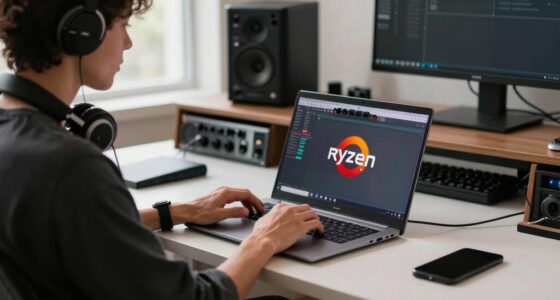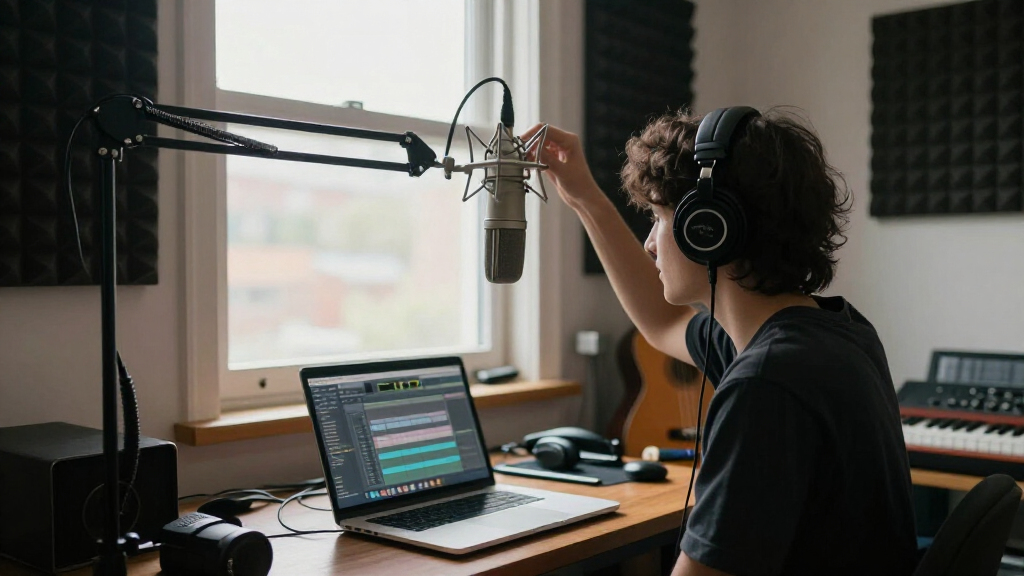
Welcome to our comprehensive Music & Creator Tech Shopping Checklist 2026. Whether you’re a budding musician, a seasoned producer, or a content creator expanding your setup, this guide is tailored to help you make informed decisions. We’ve carefully curated essential gear spanning microphones, audio interfaces, studio monitors, headphones, software, and MIDI controllers, ensuring you cover all foundational aspects of a professional or semi-professional studio.

Get audio and creator gear delivered free with Prime
- Fast, free delivery on millions of items
- Prime Video, Amazon Music and more included
- Member-only deals all year
This article is organized into clear sections, each dedicated to a specific category of equipment. Within each, you’ll find a detailed overview explaining why the product matters, common pitfalls to avoid, and tips on choosing the right size or compatibility options. Use this checklist as a handy reference during your shopping trips or online browsing to streamline your decision-making process.
Remember, selecting the right equipment depends on your specific needs and workflow. Focus on the features that align with your projects, and don’t hesitate to prioritize quality and compatibility. Happy hunting!
Microphones
The Logitech Blue Yeti USB Microphone remains a popular choice for many content creators and streamers because of its versatility and ease of use. It offers multiple pattern selections, making it suitable for podcasting, streaming, and recording vocals or instruments. When shopping for a microphone, consider your primary use—do you need a condenser for studio vocals or a dynamic mic for live settings? The Blue Yeti strikes a good balance for many users but ensure you choose a setup that matches your environment and recording needs.
Common mistakes include overlooking the importance of proper placement and not considering your recording space’s acoustics. Additionally, check compatibility with your computer or streaming setup, and ensure your workspace allows for stable positioning. For best results, invest in a good microphone stand or boom arm to optimize your recording quality. Remember to also consider your preferred connection type—USB is straightforward, but XLR offers more professional-grade options if you’re expanding later.
What to look for:
- Multiple pattern options (cardioid, omni, bidirectional)
- Plug-and-play USB connectivity
- Good build quality and durability
- Compatibility with your computer and software
- Included accessories like a stand or pop filter
Logitech Blue Yeti USB Microphone for PC, Mac, Gaming, Streaming, Podcasting, St

The Blue Yeti USB microphone offers broadcast-quality sound with four pickup patterns, customizable controls, and Blue VO!CE effects, making it ideal for streaming, podcasting, recording, and gaming. Its plug-and-play design allows quick setup on Mac or PC with adjustable positioning for optimal sound quality.
Pros:
- High-quality broadcast sound with multiple pickup patterns
- Customizable audio controls and effects for professional recordings
- Easy plug-and-play setup with adjustable positioning
Cons:
- Bulkier design may take up desk space
- Requires USB connection, limiting portability
Best for: Content creators and streamers
Not ideal for: High-end professional studio recording
Bottom line: A versatile, user-friendly microphone for most creators
Audio Interfaces
The Solid State Logic SSL 2+ MKII USB-C Audio Interface is an excellent choice for those seeking professional-grade sound quality in a compact form. It provides two high-quality mic preamps, which are essential for capturing vocals, instruments, or podcast hosts with clarity. When choosing an audio interface, consider the number of inputs and outputs you need—more options provide greater flexibility for expanding your setup.
Many beginners overlook the importance of compatibility and driver support. Ensure the interface integrates smoothly with your DAW (Digital Audio Workstation) and operating system. Also, pay attention to the build quality and ease of use—features like direct monitoring help avoid latency issues during recording sessions. If you plan to record multiple sources simultaneously, prioritize interfaces with sufficient inputs and high-quality preamps. Lastly, consider portability if you need to record on the go.
What to look for:
- Multiple high-quality mic preamps
- USB-C connectivity
- Direct monitoring feature
- Compatibility with your DAW and OS
- Robust build quality
Solid State Logic SSL 2+ MKII USB-C Audio Interface with 2 Mic Preamps and 4 Out

The SSL 2+ MKII is a bus-powered audio interface designed for producers, podcasters, and musicians. It features two XLR mic preamps, two 1/4" line/Hi-Z inputs, four balanced TRS outputs, and high-quality 32-bit/192kHz AD/DA converters, along with various analog enhancements and MIDI I/O.
Pros:
- High-quality 32-bit/192kHz audio conversion
- Dual headphone outputs for monitoring
- Includes SSL production software bundle
Cons:
- Limited to 2 inputs and 4 outputs, may not suit larger setups
- Requires USB-C connection, may need adapters for some devices
- No built-in DSP effects
Best for: Home studios and mobile recording
Not ideal for: High-volume live performance setups
Bottom line: A reliable interface for clear, professional recordings
Studio Monitors
The Yamaha HS8 Studio Monitor Pair offers accurate sound reproduction, making them a favorite among producers and mixing engineers. When selecting studio monitors, consider the room size and acoustic treatment—larger speakers like the HS8 excel in medium to large spaces. They provide a flat frequency response, which is crucial for mixing because it reveals the true sound of your recordings without coloration.
Common mistakes include choosing monitors solely based on size or wattage without considering room acoustics. Proper placement—at ear level and with adequate spacing—is essential to get the best performance. Additionally, ensure your audio interface outputs are compatible and can handle the monitors’ power requirements. Investing in sturdy monitor stands and acoustic treatment can significantly improve your listening environment. Remember, the goal is to create a balanced, neutral listening space for accurate mixing and mastering.
What to look for:
- Flat frequency response
- Adequate power handling
- Appropriate size for your space
- Good build quality
- Compatibility with your audio interface
Yamaha HS8 Studio Monitor Pair – Slate Grey

The Yamaha HS8 studio monitor pair delivers premium sound with a wide frequency response, deep bass, and crisp highs, ideal for professional audio production and recording studios. Featuring customizable sound controls, versatile connectivity options, and a sleek slate gray finish, these monitors enhance any studio environment.
Pros:
- High-quality sound with wide frequency response and deep bass
- Customizable sound adjustments for room tuning
- Versatile connectivity options including XLR and TRS inputs
- Sleek and professional slate gray design
Cons:
- Plastic enclosure may be less durable than metal
- Requires proper room calibration for optimal sound
- Price not specified in the data
Best for: Music producers and mix engineers
Not ideal for: Casual listening or portable setups
Bottom line: Ideal for accurate, professional sound reproduction
Headphones
The HD 490 PRO Open-Back Professional Headphones are designed for critical listening and mixing, offering a natural, open soundstage that helps you hear every detail. When selecting headphones for production, comfort and sound clarity are paramount. Open-back headphones like these allow air flow, providing a more natural listening experience but are less suitable for noisy environments. They’re perfect for studio use where sound isolation isn’t a priority.
Many users overlook the importance of proper fit and comfort—long sessions demand well-padded, adjustable headbands. Additionally, consider the impedance and whether your audio interface can drive them adequately. Avoid cheap or poorly built headphones that may distort sound or cause discomfort. For critical listening, prioritize headphones with flat frequency response and minimal distortion to ensure your mixes translate well across different playback systems. Proper storage and maintenance also extend their lifespan and performance.
What to look for:
- Open-back design for natural sound
- Comfortable, adjustable fit
- Low distortion and flat response
- Good build quality and durability
- Compatibility with your audio interface
HD 490 PRO Open-Back Professional Headphones

The HD 490 PRO headphones feature an open-back design that delivers a wide, natural sound stage with accurate frequency response from 5 to 36,000 Hz. Crafted for studio use, they offer comfort, durability, and include switchable ear pads for mixing and producing, along with integrated software for enhanced mixing accuracy.
Pros:
- Wide, natural sound stage with accurate frequency response
- Comfortable ergonomic design suitable for long studio sessions
- Switchable ear pads for different sound signatures and reduced ear fatigue
- Includes innovative software for improved mixing accuracy
Cons:
- Open-back design may allow sound leakage, unsuitable for noisy environments
- Premium headphones may be costly for casual users
Best for: Sound engineers and producers
Not ideal for: On-the-go casual listening
Bottom line: Ideal for critical listening and mixing sessions
Music Production Software
Music Production: A Manual for Producers, Composers, Arrangers, and St is a comprehensive guide that covers essential techniques and workflows for creating music digitally. When choosing software, look for options that match your skill level and project scope. Many producers prefer software that integrates seamlessly with their hardware and offers a wide range of plugins and features. Compatibility with your operating system and ease of use are also key considerations.
Common mistakes include overloading with features you won’t use or choosing software that doesn’t support your preferred workflow. Take advantage of trial versions to test interface and functionality before committing. Also, consider the community and support resources available—large user communities can be invaluable for troubleshooting and learning. Your choice of DAW should complement your creative process, whether you’re composing, arranging, or mixing.
What to look for:
- Compatibility with your OS and hardware
- Intuitive interface and workflow
- Wide plugin and instrument support
- Strong community and support resources
- Regular updates and stability
Music Production: A Manual for Producers, Composers, Arrangers, and Students, Th

This book provides comprehensive guidance on music production techniques for producers, composers, and students. It covers essential concepts and practical tips for creating professional-quality music.
Pros:
- Comprehensive coverage of music production techniques
- Suitable for students and professionals
- Includes practical tips and examples
Cons:
- No specific features or editions highlighted
- No customer reviews or ratings available
Best for: Music creators seeking versatility
Not ideal for: Very basic or specialized production needs
Bottom line: A versatile software foundation for music creation
Midi Controllers
The Novation Launchkey 61 MK4 offers 61 keys with deep integration for popular DAWs, making it a great choice for musicians and producers. When selecting a MIDI controller, consider the number of keys, the type of keys (weighted or synth action), and compatibility with your DAW. The Launchkey MK4 is well-regarded for its intuitive controls, making it easy to incorporate into your workflow. It also features various pads, knobs, and buttons for hands-on control of your software instruments and effects.
Common mistakes include neglecting to check compatibility with your DAW or choosing a controller with too few keys for your needs. If you plan to perform live or record complex arrangements, a larger key range might be beneficial. Also, ensure your setup supports the controller’s connection type—USB is standard but verify your ports. Properly mapping controls within your DAW can enhance your productivity and creative flow. The Launchkey MK4 is designed to be plug-and-play, but some setup may be required for optimal use.
What to look for:
- DAW compatibility
- Number of keys (preferably 61 or more)
- Assignable controls (pads, knobs, buttons)
- Build quality and portability
- Ease of setup and use
Novation Launchkey 61 MK4 – 61-Key MIDI Keyboard Controller with DAW Integration

The Novation Launchkey 61 MK4 is a versatile MIDI keyboard controller featuring 61 semi-weighted keys, 16 velocity-sensitive pads with aftertouch, and comprehensive DAW integration. It includes software bundles for music production and offers advanced features like scale modes, arpeggiators, and chord triggers for creative music making.
Pros:
- Seamless integration with major DAWs
- Versatile pads for drumming, sequencing, and triggering
- Includes comprehensive software bundle for music production
- Advanced features like scale modes and arpeggiators
Cons:
- May be complex for beginners
- Requires compatible DAW software for full functionality
Best for: Music producers and live performers
Not ideal for: Simple MIDI functions without DAW control
Bottom line: A versatile MIDI controller for creative workflows
When building your music and creator tech arsenal, start with the essentials that match your current needs and expand as your skills grow. Prioritize quality and compatibility to ensure seamless integration into your workflow. Remember, the best gear is the one that inspires your creativity and helps you achieve your artistic goals.
Don’t rush your purchases—take your time to research and test where possible. With the right setup, you’ll be well on your way to producing professional-quality music and content. Happy shopping and happy creating!
Halloween Picks
halloween
As an affiliate, we earn on qualifying purchases.