
TL;DR

Get audio and creator gear delivered free with Prime
- Fast, free delivery on millions of items
- Prime Video, Amazon Music and more included
- Member-only deals all year
MIDI 2.0 boosts control resolution, adds detailed per-note expression, and enables smarter device communication. But for most home producers, it’s an evolution, not a revolution—much still depends on existing gear and software support.
Imagine controlling your synth with the finesse of a real violinist. That’s what MIDI 2.0 promises—more expressive, nuanced performances with less fuss. But for many home producers, it’s not about replacing gear overnight. Instead, it’s an evolution that gradually changes how your studio communicates and performs.
This guide will break down what actually changes in MIDI 2.0—beyond the hype. You’ll learn what improvements matter on the ground, what stays the same, and how to make sense of the new tech without tossing your old gear. Let’s cut through the marketing noise and get to what really impacts your studio workflow.
MIDI 2.0’s main upgrade is the 16-bit velocity and 32-bit parameter resolution, enabling much smoother control and expression.
Per-note expression becomes more powerful and standardized, allowing detailed shaping of individual notes without workarounds.
Device communication improves through MIDI-CI, reducing setup time and making hardware and software more plug-and-play.
Universal MIDI Packets organize data into a flexible, future-proof format supporting both old and new MIDI features.
Compatibility remains key—MIDI 2.0 is an evolution, not a wholesale replacement; most gear will still work in existing setups.
How MIDI 2.0’s Higher Control Resolution Sounds in Practice
MIDI 2.0’s big claim? Much higher control resolution—up to 16 bits for velocity and 32 bits for parameters. That means instead of 128 steps, you get over 65,000. Imagine a violin bow gliding smoothly across strings, not a series of choppy clicks.
For you, this could mean more natural fades, nuanced filter sweeps, or orchestral dynamics that breathe. When a controller can send such detailed data, and your sound engine can interpret it properly, the result is a more expressive performance. Think of it like switching from a low-res sketch to a high-definition photo.
For example, a MIDI 2.0-compatible keyboard with high-res velocity can capture your gentle touch in a way MIDI 1.0 simply can’t. When you record a soft, delicate phrase, it sounds more natural—less robotic, more human.
As an affiliate, we earn on qualifying purchases.
Why Per-Note Expression Gets a Major Upgrade
MIDI 2.0 makes per-note control more powerful and standardized—no more cobbling together multiple CC messages. You can attach expressive data directly to individual notes, letting you shape pitch bends, vibrato, pressure, and timbre per note.
Why does this matter? Because in practice, music is inherently expressive at the note level. Without native per-note data, producers often had to create complex workarounds—layering CC messages or using MPE-capable controllers—to achieve natural dynamics. MIDI 2.0’s standardized approach simplifies this process, reducing setup time and potential errors. It also opens up the possibility for more nuanced performances, where each note can have its own unique expressive qualities, making virtual instruments sound more alive and human.
This upgrade means less manual work, fewer compatibility headaches, and a more intuitive way to craft expressive performances. The tradeoff? It relies on your gear supporting these standards and your software being able to interpret high-res per-note data effectively.
As an affiliate, we earn on qualifying purchases.
MIDI-CI and Device Communication: How Your Gear Will Talk Better
MIDI 2.0 introduces MIDI Capability Inquiry (MIDI-CI)—a protocol that allows devices to automatically communicate their features and capabilities. Why is this important? Because it shifts the setup process from manual configuration to a more intelligent, dynamic negotiation. Devices can ‘introduce’ themselves, share their supported features, and agree on common protocols, which reduces guesswork and setup time.
In practice, this means your MIDI controller and sound modules can exchange information about high-resolution control support, available profiles (like organ, piano, or synth), and specific parameter mappings. For example, your controller could automatically load the correct control maps or profiles for a connected sound module, ensuring consistent and optimized control without manual programming.
This intelligent communication not only makes initial setup easier but also enhances ongoing compatibility. As new devices are introduced, they can seamlessly integrate into your existing workflow, provided they support MIDI-CI. The implication is a future where studio setups are more plug-and-play, reducing frustration and technical barriers, especially when expanding or upgrading gear.
As an affiliate, we earn on qualifying purchases.
Universal MIDI Packets: The Modern Data Format You’ll See
Imagine MIDI messages organized into neat 32-bit chunks—this is MIDI 2.0’s Universal MIDI Packet (UMP). It’s a flexible container that can hold both old MIDI 1.0 data and the new high-res messages, acting as a bridge between legacy and modern systems. Why does this matter? Because it enables a smoother transition and more organized data management across devices and software.
This structure means your DAW or hardware can identify and prioritize MIDI 2.0 features when supported. But it’s important to understand that simply seeing UMP doesn’t guarantee full control—compatibility depends on the implementation in your gear and software. Some devices may only support basic UMP features, while others leverage the full spectrum of MIDI 2.0’s capabilities.
In essence, UMP is like a universal language that can carry both classic and modern instructions, making future upgrades more straightforward. It also facilitates better data integrity and reduces the chances of miscommunication between devices, especially in complex setups.
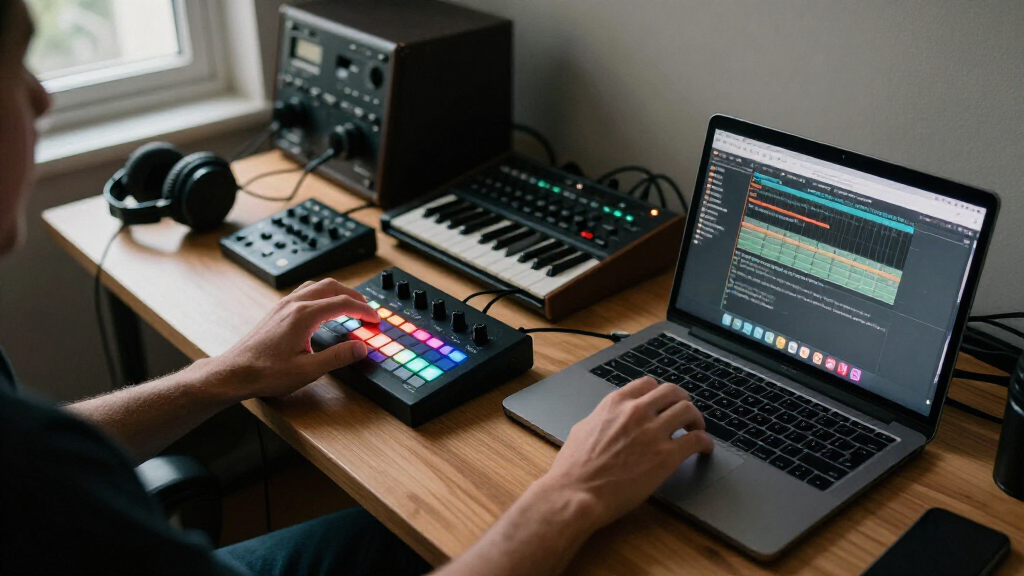
MIDI 2.0 interface for home studio
As an affiliate, we earn on qualifying purchases.
As an affiliate, we earn on qualifying purchases.
More Channels and Smarter Organization for Complex Setups
MIDI 2.0 can organize up to 16 groups with 16 channels each—up to 256 channels in total. For most home studios, you probably won’t reach this limit, but the real benefit is in enhanced organization and scalability. With more channels and groups, you can separate different instruments or sections more logically, reducing clutter and confusion.
Imagine controlling a virtual orchestra where each instrument has its own dedicated channel, or managing multi-timbral synths with clear, distinct pathways. This level of organization simplifies complex performances and makes troubleshooting easier. It also allows for more intricate arrangements, where multiple layers or parts need to be controlled simultaneously without losing clarity or control.
The tradeoff? Increased complexity in setup and understanding of channel management. But for those pushing the boundaries of their studio setups, this flexibility can lead to more precise, expressive, and manageable configurations.
Timing Improvements—Will MIDI 2.0 Fix Your Latency?
MIDI 2.0 introduces jitter-reduction timestamps, which help systems track event timing more accurately. Why does this matter? Because timing precision is critical in performance and recording. Better timestamps can lead to more synchronized performances, especially when multiple devices are involved.
However, it’s vital to understand that MIDI timing is also heavily dependent on your hardware and software environment. Poor drivers, slow interfaces, or high buffer settings can still introduce latency and jitter. MIDI 2.0 provides tools to improve timing consistency, but it doesn’t replace the need for good hardware and system optimization.
In practical terms, you might notice more stable timing during complex performances or when using multiple controllers, but it won’t eliminate latency caused by system limitations. It’s an upgrade that offers more control over timing accuracy, which can be a significant advantage in professional or live settings, provided your entire setup supports these features effectively.
Will My Old Gear Still Work After the Upgrade?
Yes. Compatibility remains a core part of MIDI 2.0. Devices can negotiate capabilities and fall back to MIDI 1.0 if needed. Your old synths, controllers, and interfaces won’t suddenly stop functioning.
For example, a MIDI 2.0 keyboard can still send MIDI 1.0 messages to your existing DAW or hardware. The upgrade mainly adds new features where supported, but does not break current setups. This means you can adopt MIDI 2.0 features gradually, without rendering your current gear obsolete, and still benefit from the improved communication protocols when possible.
Think of MIDI 2.0 as a new language that can speak the old one. You get the benefits if your gear supports it, but nothing gets left behind. This backward compatibility ensures a smooth transition and protects your existing investments.
What You Should Know Before Buying MIDI 2.0 Gear
Before splurging on a MIDI 2.0 controller, check these points:
- Does it transmit MIDI 2.0 Protocol or just supports MIDI 1.0 over UMP?
- Does your OS have the latest MIDI drivers or support for MIDI-CI?
- Will your DAW record and edit high-res MIDI 2.0 data?
- Are your software instruments compatible with MIDI 2.0 features?
- Does the device support fallback to MIDI 1.0?
- Are firmware updates available if needed?
For most home producers, focus on core feel, build quality, and compatibility over hype. MIDI 2.0 is a future upgrade, not a must-have tomorrow. Consider how soon you’ll benefit from these features and whether your current setup can support future upgrades without hassle.
Common Questions: What You’re Really Wondering About MIDI 2.0
Does MIDI 2.0 sound better? Not directly. It transmits control info, not audio. But smoother velocity curves and detailed expression can make performances sound more natural if your gear uses that data well. The real impact is on how expressive and realistic your virtual instruments can sound, especially when combined with high-resolution data and expressive controllers.
Will my existing cables work? Yes, mostly. MIDI 2.0 over USB or Ethernet doesn’t need special cables. The physical connector (like MIDI DIN) remains unchanged, but ensure your cables support the data transfer speeds required for high-res messages if using newer transports. Compatibility with existing cables is generally straightforward, but check your hardware specifications for optimal performance.
Will my old gear become obsolete? No. MIDI 2.0 is designed to coexist with MIDI 1.0. Your older gear still works and remains useful. The key is whether your gear supports MIDI-CI or high-res data transfer; if not, it will continue functioning in its current mode, and you can adopt MIDI 2.0 features gradually as your hardware and software support them.
Can I upgrade my MIDI keyboard now? Yes, if it supports MIDI 2.0 features. Otherwise, it will behave like a MIDI 1.0 device—no harm done. Upgrading your keyboard can be a strategic move if you want to access higher resolution control and native per-note expression, but it’s not an immediate necessity for all users.
Is MIDI 2.0 a replacement for MPE? No. MPE (MIDI Polyphonic Expression) is a technique within MIDI 1.0 that allows per-note control. MIDI 2.0 introduces native support for per-note expression and higher resolution, but it doesn’t eliminate MPE. Instead, it enhances and standardizes the way per-note data is handled, allowing MPE controllers and MIDI 2.0 features to coexist and work together for even more expressive potential.
Frequently Asked Questions
Does MIDI 2.0 automatically make my recordings sound better?
Not directly. MIDI 2.0 transmits performance instructions, not audio. But if your instruments and software use the higher-resolution data properly, your performances can sound more natural and expressive.Will I need new cables or hardware for MIDI 2.0?
Not necessarily. MIDI 2.0 can run over existing transports like USB. The physical connectors, like MIDI DIN, stay the same. Compatibility depends more on support than on cables.Can I keep using my older MIDI gear?
Absolutely. MIDI 2.0 is designed to be backward compatible. Your existing gear continues to work, and the new features are optional upgrades—no obsolescence here.Should I upgrade my controller now?
Only if you see a real benefit—such as more expressive control or easier setup. Otherwise, your current gear remains perfectly valid, and MIDI 2.0 support will roll out gradually.Will MIDI 2.0 fix latency issues?
It provides better timing tools, but latency depends on your interface and system setup. MIDI 2.0 can help with more consistent timing, but hardware and driver optimization are still key.Conclusion
MIDI 2.0 is a language upgrade—more expressive, more capable, but still compatible with what you already own. It promises smoother performances and smarter device communication, shaping the future of studio setups one step at a time.
For home producers, the smart move is to wait until the benefits align with your needs. When that moment comes, your studio will speak a richer, more nuanced digital language—one that makes your performances more alive and your gear more connected.
Fall Picks
fall essentials
As an affiliate, we earn on qualifying purchases.