
TL;DR

Get audio and creator gear delivered free with Prime
- Fast, free delivery on millions of items
- Prime Video, Amazon Music and more included
- Member-only deals all year
Pen display parallax is the offset between your stylus tip and cursor, caused by screen layers and design. Newer models reduce it, but calibration and technique are key to accuracy.
Ever notice your lines don’t land where you expect on your drawing tablet? That frustrating offset is called parallax. It’s a sneaky problem that trips up even seasoned artists, making your digital lines feel less natural and more like guesswork. Today, we’ll unpack what causes parallax, how it impacts your work, and what you can do about it.
If you’ve struggled with precision—whether in tight line art or detailed illustrations—you’re not alone. This issue often stems from the way display layers are built. But don’t worry: understanding the root and knowing your options can turn your tablet into a more reliable partner.
Parallax is a physical offset caused by the layers inside your pen display, affecting line accuracy.
High-end tablets with ultra-thin screens and electromagnetic stylus tech reduce parallax to nearly zero.
Regular calibration and proper viewing angles can significantly improve accuracy on any device.
While you can’t fully eliminate parallax on cheaper models, understanding its causes helps you work around it.
Investing in a device designed for minimal parallax pays off if precision is your priority.
What Exactly Is Parallax and Why Does It Matter?
Parallax is the visual gap between where your stylus touches the screen and where the cursor or line appears. Imagine drawing on a sheet of glass above a light source—your eye perceives the contact point differently from the actual drawing point. On pen displays, this gap can be a quarter inch or more, depending on the device.
This offset isn’t just a minor inconvenience; it directly impacts your ability to create precise lines, especially in detailed work. When the cursor doesn’t align with your stylus tip, your muscle memory and hand-eye coordination can become confused, leading to inaccuracies and frustration. Over time, this misalignment can cause artists to develop compensatory habits—like drawing slightly offset lines—that may hinder their workflow or affect the quality of their final piece. Recognizing the significance of this gap helps you understand why your work might feel off and what adjustments are necessary to improve accuracy.
In practical terms, even a small parallax can cause your fine details—such as tiny eyelashes or intricate technical diagrams—to appear misaligned, requiring extra corrections and slowing down your process. Knowing about parallax allows you to adapt your technique or choose better equipment, ultimately saving time and improving your results.
As an affiliate, we earn on qualifying purchases.
Why Your Pen Display Has Parallax — And Why Some Are Worse Than Others
Most pen displays are built with multiple layers—glass, digitizer, LCD/LED panels. The thickness and quality of these layers determine how far your stylus tip is from the actual display surface. Thicker layers mean a larger physical gap, which results in more noticeable parallax. This is a fundamental design tradeoff: cheaper tablets often have thicker, less refined layers to cut costs, sacrificing precision.
High-end models like Wacom Cintiq Pro or Huion Kamvas Pro utilize ultra-thin screens and electromagnetic stylus technology, which allows the stylus to sit closer to the display surface. This reduces the physical distance and, consequently, the visual offset. For artists, this means more accurate strokes, especially in detailed work where even minor misalignments can ruin the flow or accuracy of a drawing. The choice of materials and engineering directly affects how much parallax you experience, and investing in better construction can significantly improve your workflow.
According to an anonymous researcher at ArtzArtz, “The physical construction of the display layer is the biggest factor in parallax. Thinner, more precise layers mean less offset.” This highlights a key tradeoff: higher-quality devices are often more expensive but offer a tangible benefit in accuracy, which is crucial for professional work or meticulous detail. Conversely, budget tablets may save money upfront but could cost you more time correcting misaligned lines, impacting productivity and quality.
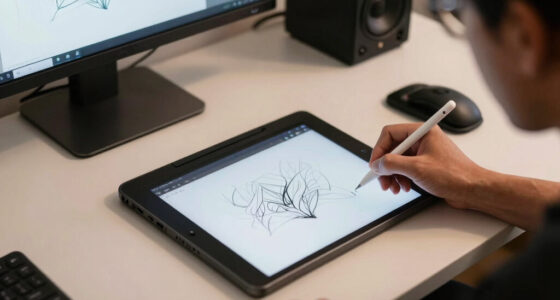
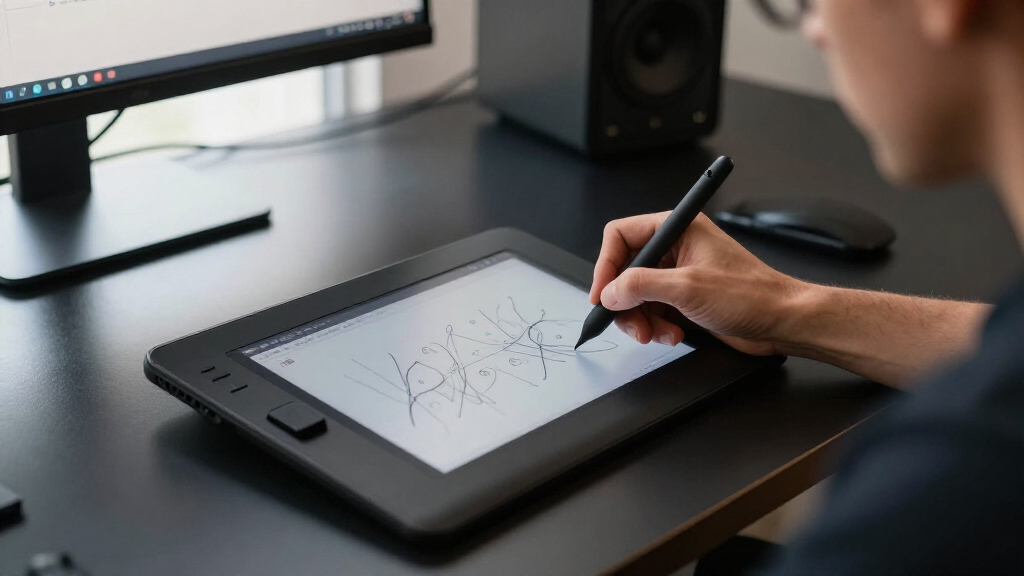
digital art pen display with minimal parallax
As an affiliate, we earn on qualifying purchases.
As an affiliate, we earn on qualifying purchases.
How Parallax Affects Your Art — And When It Becomes a Real Problem
Parallax can cause your lines to land off target during any task that demands precision. Whether you’re sketching a detailed character, refining a logo, or doing technical drawing, offset lines slow you down because they require constant correction. This misalignment can break your concentration and reduce your confidence in your strokes.
Imagine trying to ink tiny eyelashes or fine hair strands. If your stylus is offset by even a tenth of an inch, your lines won’t match your intention, leading to extra corrections, frustration, and sometimes even a loss of artistic flow. Over time, these small inaccuracies can accumulate, forcing you to spend more time fixing mistakes rather than creating freely.
In real-world scenarios, many artists report that their parallax makes them second-guess their strokes, especially when zoomed in at 200%. The offset creates a disconnect between what they see and what they intend to draw, which can hinder the natural feel of digital drawing. This discrepancy can diminish confidence, slow down the creative process, and impact the overall quality of work—particularly in detailed or delicate areas where precision is paramount.
Understanding how parallax affects your accuracy helps you develop strategies—like calibration, technique adjustments, or hardware upgrades—to mitigate its impact. Recognizing the problem is the first step toward regaining control over your digital art workflow.
As an affiliate, we earn on qualifying purchases.
What’s New? Tech That Kills Parallax (Almost!)
Manufacturers have made significant progress in shrinking parallax through technological innovations. Newer models often employ electromagnetic resonance (EMR) stylus technology, which positions the stylus much closer to the display surface without batteries. This proximity drastically reduces the physical gap, minimizing the offset and making strokes more natural and precise.
For example, the Wacom Cintiq Pro 13 and Huion Kamvas Pro 16 feature ultra-thin screens—just a few millimeters thick—that enable near-zero parallax. This design approach addresses one of the core physical causes of offset, providing a more authentic drawing experience.
Additionally, many devices now include software calibration tools that allow artists to fine-tune the alignment between stylus input and cursor position. These calibration options compensate for minor manufacturing variations or user preferences, helping to make the offset less noticeable. Think of it as tuning your instrument; small adjustments can dramatically improve accuracy and workflow.
According to ArtzArtz, “The best tablets now combine thin screens with smart calibration, giving you accuracy that feels almost like drawing on paper.” This combination of hardware and software advances signals a shift toward devices that better mimic traditional drawing surfaces, reducing the frustration caused by parallax and enabling more natural artistry.
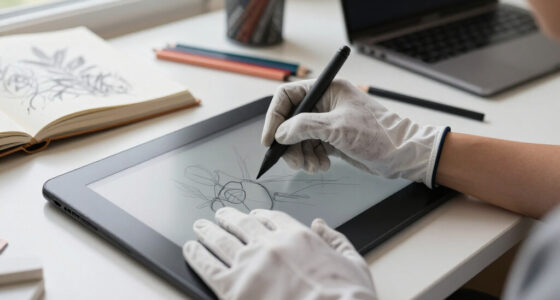
high precision pen display for artists
As an affiliate, we earn on qualifying purchases.
As an affiliate, we earn on qualifying purchases.
Can You Fix Parallax on Your Current Tablet? Yes, Usually!
While you can’t physically change the layers or the construction of your tablet, there are effective ways to reduce the impact of parallax through calibration and setup. Calibration aligns your stylus input with the visual display, helping to compensate for the physical offset. Regularly calibrating your device ensures that the stylus tip closely matches the cursor position, improving accuracy and confidence in your lines.
Most devices provide calibration options—accessible via driver or software menus. Performing this calibration periodically accounts for any shifts or changes over time, maintaining optimal accuracy. Proper calibration can make a noticeable difference in how your lines land, especially in detailed work.
Adjusting your viewing angle is another practical step. Sitting directly in front of your screen reduces the perceived parallax, since the offset is less noticeable when viewed head-on. Avoiding angles or slouching at odd positions ensures your perception of the stylus position remains consistent.
Some artists experiment with different stylus tips or pressure sensitivity settings to see if these tweaks improve the accuracy of their strokes. While not a cure-all, these small adjustments can help optimize your experience.
Remember, calibration and setup won’t eliminate parallax entirely, especially on budget or older devices, but they are powerful tools to improve your workflow and reduce frustration.
Comparison: Parallax-Free vs. Standard Pen Displays—What You Get
| Feature | Parallax-Free Devices | Standard Devices |
|---|---|---|
| Display Layer Thickness | Thin, often under 2mm | Thicker layers, 3mm or more |
| Stylus Tech | Electromagnetic resonance (EMR), battery-free | Capacitive or resistive, often with batteries |
| Accuracy | Near-zero offset, high precision | Noticeable offset, variable precision |
| Price Range | High-end, $1,000+ | More affordable, under $500 |
| Calibration Tools | Often included, easy to use | Less common or less effective |
Choosing a device with minimal parallax often involves a higher investment, but this pays off by providing a smoother, more accurate drawing experience. This can reduce the need for corrections, save time, and allow artists to focus more on creativity rather than compensating for hardware limitations. The tradeoff is clear: better hardware increases initial costs but can significantly enhance productivity and final quality, especially for professionals or serious hobbyists who demand precision.
Frequently Asked Questions
Can I completely eliminate parallax on my tablet?
Most devices can’t be completely free of parallax due to physical layer limitations. However, high-end models with thinner screens and advanced stylus tech come very close, making the offset negligible for practical purposes.Does calibration fix all parallax issues?
Calibration significantly reduces parallax effects but may not remove them entirely, especially on budget or older devices. Regular calibration and proper setup help maintain the best accuracy.Are styluses with batteries better at reducing parallax?
Batteries aren’t the primary factor. It’s the electromagnetic resonance (EMR) technology used in battery-free styluses that helps keep the stylus closer to the screen, reducing parallax.Is parallax more noticeable in detailed artwork?
Yes. Fine, precise work like tiny lines or technical drawings makes even small offsets feel bigger, so parallax becomes more obvious during detailed tasks.How can I tell if my device has too much parallax?
Try drawing a simple line, then compare it to your stylus tip. If the line appears offset from where your stylus touches the screen, especially at different angles, your device likely has noticeable parallax.Conclusion
Parallax might seem like a minor annoyance, but it’s a game-changer for detailed, precise work. Knowing what causes it and how to reduce it puts you back in control of your art. When choosing your tablet or calibrating your device, think of it as fine-tuning your tool for sharper, cleaner lines.
Remember: technology is always improving, but your best weapon remains awareness. With the right setup and habits, you can turn parallax from a foe into a minor obstacle.
Halloween Picks
halloween
As an affiliate, we earn on qualifying purchases.