
TL;DR

Get audio and creator gear delivered free with Prime
- Fast, free delivery on millions of items
- Prime Video, Amazon Music and more included
- Member-only deals all year
Most podcasts are best recorded at 44.1kHz or 48kHz. Higher sample rates like 96kHz don’t significantly improve voice quality but do increase file size and processing load. Focus on good microphones and editing instead.
Ever wonder if cranking your audio interface up to 96kHz makes your podcast sound better? The quick answer: probably not. Most spoken-word recordings hit a point of diminishing returns long before reaching those ultra-high sample rates. But knowing what’s behind the numbers can help you avoid wasting time and storage on unnecessary upgrades.
In this guide, you’ll see why 44.1kHz and 48kHz are enough for most podcasters. We’ll break down what sample rates do, how they impact quality, and what to consider when choosing your gear. Spoiler: your voice is more about clarity and editing than hitting those high-res numbers.
Most podcasts sound just as clear at 44.1kHz or 48kHz as they do at 96kHz.
Higher sample rates increase file size and CPU load without improving voice quality.
Focus on good microphones and editing instead of ultra-high sample rates.
Support for 96kHz is common in modern interfaces, but often unnecessary for speech.
Use higher sample rates only if doing music, sound design, or multi-purpose recording.
What Exactly Is a Sample Rate, and Why Should You Care?
A sample rate is how many times per second your audio interface captures the sound wave. Think of it like taking snapshots of a moving object. The higher the number, the more snapshots you get, and the more detailed the picture. Common rates are 44.1kHz, 48kHz, and 96kHz.
For podcasts, 44.1kHz or 48kHz is the standard because they’re enough to accurately capture human speech. These rates record frequencies well beyond what your ears can hear—up to about 20kHz—thanks to the Nyquist theorem. So, cranking it higher doesn’t add much for voice clarity.
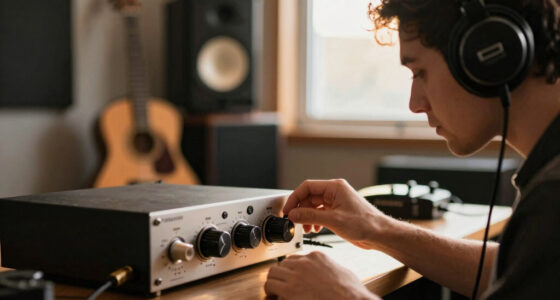
USB audio interface for podcasting
As an affiliate, we earn on qualifying purchases.
As an affiliate, we earn on qualifying purchases.
Does Recording at 96kHz Actually Make My Voice Sound Better?
Recording at 96kHz doesn’t turn your voice into a studio-quality broadcast. It might sound marginally clearer in theory, but in practice, listeners won’t notice a difference. The extra detail is often lost once you compress, edit, or upload your podcast.
For example, a podcast recorded at 48kHz and processed with good editing sounds just as crisp as one at 96kHz. The main gains come from microphone quality, room acoustics, and post-production work, not the sample rate.
According to an anonymous researcher from ArtzArtz, “Most speech content doesn’t benefit from higher than 48kHz because the human voice’s frequency range is well within what standard rates capture.”
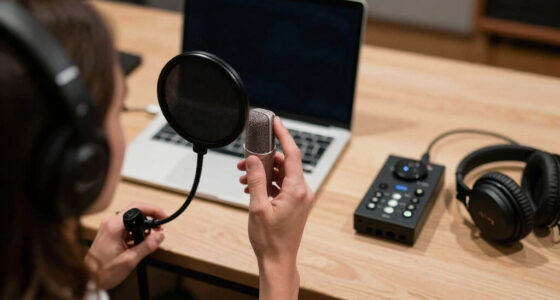
best microphone for voice recording
As an affiliate, we earn on qualifying purchases.
As an affiliate, we earn on qualifying purchases.
Comparison Table: 44.1kHz vs 48kHz vs 96kHz — Which Is Right for You?
| Feature | 44.1kHz | 48kHz | 96kHz |
|---|---|---|---|
| Best for | Music, spoken word, streaming | Video, broadcasting, podcasts | Music production, sound design |
| File Size | Lower | Moderate | Much larger |
| CPU Load | Lower | Moderate | Higher |
| Support in Gear | Widespread | Common | More niche |
For podcasting, sticking to 44.1kHz or 48kHz keeps things simple and manageable. 96kHz adds complexity without real gains in voice clarity.
As an affiliate, we earn on qualifying purchases.
How Higher Sample Rates Impact Your Workflow and Storage
Recording at 96kHz increases your file sizes—often three times larger than 48kHz files. This means more storage space, longer upload times, and heavier processing loads during editing.
Imagine recording a 30-minute interview. At 48kHz, the file might be around 200MB; at 96kHz, it jumps to nearly 600MB. If you’re editing multiple episodes a week, that adds up fast.
Plus, your computer has to work harder. If your setup isn’t top-tier, those higher rates can slow down your workflow and cause glitches.
Pro tip: Stick with 44.1kHz or 48kHz unless you’re doing sound design or music work where high fidelity makes a difference.
As an affiliate, we earn on qualifying purchases.
What Gear Supports High Sample Rates and Is It Worth It?
Most modern audio interfaces support multiple sample rates, including 96kHz. If you’re only doing voice, a mid-range interface at 48kHz will do just fine. Higher rates are more about versatility if you also record music or sound effects.
For example, a popular interface like the Focusrite Scarlett 2i2 supports 24-bit/96kHz, but for podcasting, 24-bit/48kHz is enough. Investing in a high-end interface might be overkill unless you have specific needs.
In the end, your choice should depend on your primary use case. For podcasts, prioritize microphones, acoustics, and editing skills over ultra-high sample rates.
The Bottom Line: What Should You Do?
If your main goal is podcasting, don’t stress over 96kHz. Focus on getting a decent mic, a quiet space, and learning good editing techniques. These will make a bigger difference in your sound than the sample rate ever could.
Choose a reliable audio interface supporting 44.1kHz or 48kHz, and keep your files organized. Save the high-res stuff for music or sound design projects where detail really counts.
Remember: clarity comes from content, not resolution. Your voice is what your listeners care about most.
Conclusion
The truth is, for podcasting, more isn’t always better. Your voice, your content, and your editing matter far more than the number of snapshots your audio interface takes every second. Keep it simple, keep it smart.
Next time you’re shopping for gear or setting up your studio, remember: your best sound comes from clarity, good gear, and skill, not from hitting 96kHz.
Fall Picks
fall essentials
As an affiliate, we earn on qualifying purchases.