
TL;DR

Get audio and creator gear delivered free with Prime
- Fast, free delivery on millions of items
- Prime Video, Amazon Music and more included
- Member-only deals all year
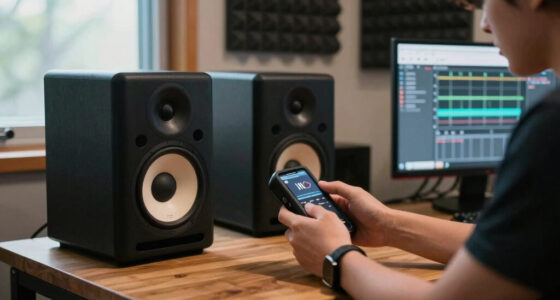
For small rooms, 5-inch monitors are typically more suitable due to their size and manageable bass, but 8-inch monitors offer richer low-end if your space is well-treated. Recent tech advances make small monitors more powerful than ever, though room acoustics still matter.
When it comes to setting up a studio in a small room, size isn’t everything—sound quality and how your monitors interact with your space matter more. You might think bigger is better, but in tight spaces, that can backfire. The right monitor size can make or break your mixes, especially when space is limited.
In this guide, we’ll compare 5-inch and 8-inch studio monitors—what they do well, where they fall short, and how to pick the best fit for your small room. Whether you’re a hobbyist or a budding professional, understanding these differences helps you avoid costly mistakes and get better sound from the gear you already own.
In small rooms, 5-inch monitors are typically easier to place and manage, reducing bass overload issues.
8-inch monitors offer better low-end reproduction but require careful placement and acoustic treatment to avoid muddiness.
Recent tech improvements mean small monitors can now deliver high-fidelity sound comparable to larger models.
Adding a subwoofer with 5-inch monitors can fill in bass gaps without cluttering your space.
Your room’s acoustics matter just as much as the monitor size—treat it properly for the best results.
What’s the deal with 5-inch and 8-inch monitors? Size really does matter.
5-inch monitors feature a 5-inch woofer, making them compact and easy to place in tight corners or desks. They produce enough bass for most small-room setups but might need a subwoofer if you want full-range sound for mixing low-end tracks. Meanwhile, 8-inch monitors have larger woofers, offering deeper bass and broader frequency response, sometimes down to 40 Hz.
Imagine trying to fit a big speaker in a closet—it’s a tight squeeze. That’s the challenge with 8-inch monitors in small rooms. They can overwhelm the space with bass, especially if placed poorly. But they’re also capable of delivering a richer, more detailed sound if you manage placement and acoustics carefully.
Understanding these fundamental differences helps you weigh the tradeoffs: smaller monitors are easier to manage but might lack depth, while larger ones can provide fuller sound but require more careful setup and room treatment to prevent sound issues.
As an affiliate, we earn on qualifying purchases.
How size impacts bass, clarity, and placement in small rooms
Size influences how each monitor handles bass and how easy they are to position. 5-inch monitors tend to produce less bass—sometimes just enough for casual listening or rough mixes. They’re less likely to cause bass buildup, a common issue in small rooms where low frequencies bounce around, creating muddiness or uneven sound. This makes them more forgiving for beginners and those with limited space.
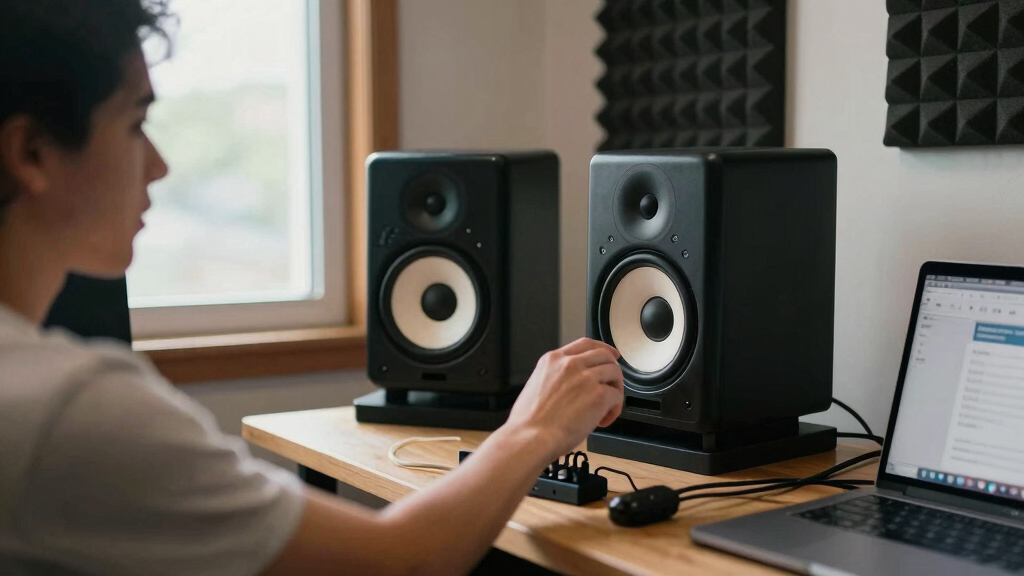
Take a bedroom setup with a 5-inch monitor on a desk. The bass sounds tight and controlled, not boomy. You can easily slide these monitors into tight corners or shelves without worrying they’ll dominate the space or cause reflections that muddy your mix. Their smaller size also means they can be positioned closer to walls without exaggerating bass issues.
In contrast, 8-inch monitors deliver deeper bass, which can sound impressive and more accurate for certain genres or mixing needs. However, in a small room, this extra low-frequency energy often results in bass buildup, causing muddiness or resonance issues. Proper placement—like distancing from walls—and acoustic treatment become critical to avoid overwhelming your space with bass. This tradeoff means that while larger monitors can offer richer sound, they demand more careful room management to prevent negatively affecting your mix clarity.
As an affiliate, we earn on qualifying purchases.
Comparison table: 5-inch vs 8-inch studio monitors for small rooms
| Feature | 5-Inch Monitors | 8-Inch Monitors |
|---|---|---|
| Size & Fit | Compact, easy to position on desks or shelves | Larger, requires more space, harder to place close to walls |
| Bass Response | Limited, often needs subwoofer for full-range | Rich, deep bass, down to 40 Hz or lower, ideal for fuller sound |
| Ideal Room Size | Small to medium, tight spaces | Small to medium, but room treatment necessary to prevent bass issues |
| Placement Ease | High, fits into tight spots and close to walls | Moderate to difficult, requires careful positioning to avoid bass overload |
| Cost | More affordable, good value for small spaces | Typically more expensive, but can provide richer sound if setup properly |
As an affiliate, we earn on qualifying purchases.
Recent tech trends making small monitors more powerful
Modern monitors pack impressive tech. Digital signal processing (DSP) helps correct room anomalies, which is a game-changer for small spaces. Many models now include room correction features that make even compact monitors sound fuller and clearer, reducing the need for extensive acoustic treatment.
Advances in driver materials—like carbon fiber or Kevlar—boost clarity and durability. Bi-amplification separates high and low frequencies, giving cleaner sound across the spectrum. These innovations mean that small monitors are no longer limited by size; instead, they can deliver high-fidelity sound comparable to larger speakers when paired with proper room setup.
By integrating these technologies, manufacturers are overcoming traditional limitations of small monitors, making them more versatile and suitable for a range of professional and hobbyist applications. This trend empowers users to achieve high-quality sound without sacrificing space or budget.
small room acoustic treatment panels
As an affiliate, we earn on qualifying purchases.
As an affiliate, we earn on qualifying purchases.
Do you need a subwoofer with tiny monitors? Yes—but it depends.
In small-room setups, adding a subwoofer is often a smart move if you want full-range sound. 5-inch monitors usually lack the low frequencies needed for accurate bass in mixes, so a subwoofer fills that gap without sacrificing clarity. This combination allows for better low-end response and a more balanced mix, especially for genres with heavy basslines or kick drums.
For example, a bedroom producer might pair 5-inch monitors with a compact sub to get punchy bass without overwhelming the limited space. However, if your primary use is casual listening or rough mixing, you might get satisfactory results without a sub, saving space and cost.
With 8-inch monitors, the bass is usually built-in and more capable of handling low frequencies on their own. Still, adding a sub can improve clarity, reduce strain on the monitors, and help manage room modes. The key is balancing your gear with your room’s acoustic characteristics, as a subwoofer can either enhance or muddy your sound depending on setup.
Will 8-inch monitors overpower a tiny room? Not necessarily—if you set them right.
8-inch monitors have the potential to produce boomy, overwhelming bass in small rooms. But with careful placement and acoustic treatment, they can work well. Think of them as a powerful tool—if you tame their output, they can give you detailed low-end without chaos. The key is understanding that larger monitors require more deliberate setup to prevent sound issues.
For example, placing them away from walls, using bass traps, and adjusting volume levels can prevent bass overload. Proper positioning—like angling monitors inward and elevating them to ear level—helps control reflections and bass buildup. Additionally, room treatment such as bass traps and diffusers can tame resonances, allowing you to harness the full potential of 8-inch monitors without overwhelming your space.
While larger monitors can be intimidating in small rooms, they are not inherently unsuitable. The main consideration is your willingness to invest time in proper setup and acoustic treatment, which makes their use viable and even advantageous for detailed mixing and mastering.
Should you pick 5-inch or 8-inch monitors? The quick answer.
If your room is tiny or has limited space for placement, 5-inch monitors usually win. They’re easier to position, less likely to cause bass issues, and often more budget-friendly. They also minimize the risk of overwhelming the space with bass, leading to clearer mixes and less acoustic chaos. However, if your room is slightly larger, or if you prioritize richer bass and more detailed low-end, then 8-inch monitors can be a worthwhile investment—provided you’re prepared to implement proper acoustic treatment and placement strategies.
Think about your primary goals—whether casual listening, mixing, or mastering—and your room’s characteristics. For most small-room setups, a quality pair of 5-inch monitors combined with basic acoustic treatment offers a practical, cost-effective solution that balances sound quality with manageability. Larger monitors might tempt you with their depth, but they come with increased setup complexity and expense, which may not be justified in very small spaces.
Frequently Asked Questions
Can I use 8-inch monitors in a small room without issues?
Yes, but it’s not straightforward. Proper placement, acoustic treatment, and possibly a subwoofer are key. Without these, you risk bass overload and muddiness. Small rooms demand extra care when using larger monitors to avoid sound chaos.
Are 5-inch monitors enough for professional mixing?
For most small studios, yes. They provide accurate sound and manageable bass, especially when paired with good room treatment. If you need deep low-end for bass-heavy genres, consider adding a subwoofer or opting for larger monitors.
How much does room treatment affect monitor performance?
It makes a huge difference. Proper acoustic treatment reduces reflections, bass buildup, and muddiness. Even the best monitors sound flat and clear when your room is treated well, making your mixes more accurate.
Is it worth upgrading from 5-inch to 8-inch monitors later?
Definitely, if your space allows. Larger monitors can reveal more detail and deeper bass, but they’re also more demanding to set up. Many creators start with 5-inch models and upgrade once their space and needs evolve.
Conclusion
Size isn’t the only thing that matters—your room’s acoustics and your goals count just as much. For tight spaces, 5-inch monitors are usually the smarter choice, offering clarity and ease of placement. But don’t dismiss 8-inch models—they can produce impressive bass if set up right.
Focus on your room treatment, placement, and budget. The right combo makes your small room feel like a bigger, better-sounding space. When in doubt, start small—upgrade later if needed. Good sound doesn’t have to come with a giant footprint.
Halloween Picks
halloween
As an affiliate, we earn on qualifying purchases.