
TL;DR

Get audio and creator gear delivered free with Prime
- Fast, free delivery on millions of items
- Prime Video, Amazon Music and more included
- Member-only deals all year
Mixes often sound different in the car because of unique acoustic challenges like reflections and frequency boosts. To fix this, reference your mixes on car speakers and use tools to simulate car acoustics during mixing.
Ever notice how your favorite tracks sound totally different in the car? That’s because a vehicle isn’t just a mobile space — it’s a tiny, reflective acoustic chamber that warps sound in ways your studio or headphones never do.
Understanding why mixes change when you hit the road isn’t just about curiosity; it’s about making your music sound better everywhere. Whether you’re a producer, musician, or avid listener, this guide breaks down what’s happening and shows you how to fix it so your tracks hit the same in the car as they do in your studio.
Cars amplify bass by up to 15 dB, skewing your mix’s balance.
Always test your mixes in the car environment during production.
Use EQ and simulation tools to mimic car acoustics for better translation.
Speaker placement and quality are crucial — good speakers help, but don’t rely solely on them.
Listening on multiple cars and environments ensures your mix holds up everywhere.
Why Mixes Sound Different in the Car, and How to Fix It
TL;DR: A car is a tiny reflective acoustic chamber. Glass, plastic, upholstery, speaker placement, and built-in processing can exaggerate bass, smear mids, and dull highs. The fix is not guesswork: reference in the car, measure the problem, simulate the cabin, and rebalance with restraint.
The car does not reveal a different song. It reveals a different room.
What the Car Does to Your Mix
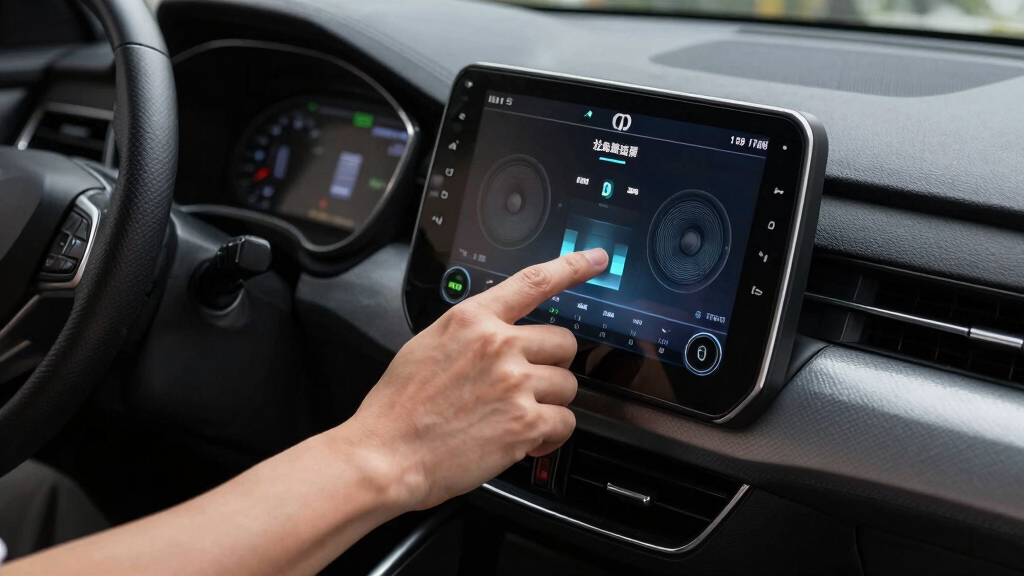
Cars combine hard reflective materials with uneven listening positions. The result is not a flat playback system; it is a moving room with boosted lows, dulled highs, and a stereo field that favors the driver’s seat.
Standing waves inflate the low end
Bass frequencies build up in the enclosed cabin, making kicks and bass lines sound larger than they did on monitors or headphones.
Glass and plastic create harsh reflections
Fast reflections blur detail, while upholstery absorbs some top end. The mix can feel both muddy and less open.
Car tuning changes the truth
Factory EQ, bass enhancement, DSP profiles, and speaker quality can color the mix before you even touch the volume knob.
The 5-Step Car Translation Fix
Use the car as a reality check, not as the only judge. Each step narrows the gap between studio balance and real-world playback.
Play it in the car
Listen for boom, buried vocals, brittle highs, and weak impact.
Find the peaks
Use an analyzer to spot low-end build-up before cutting blindly.
EQ with restraint
Tame bass and restore presence without making the mix thin elsewhere.
Model the cabin
Use room or car simulation tools during the mix, not only at the end.
Test multiple cars
Different cabins expose different issues. Translation is the goal.
Studio vs. Car Listening
The same mix can feel balanced in one environment and wrong in another because each playback space emphasizes a different part of the sound.
| Feature | Studio / Headphones | Car Environment | Mixing Response |
|---|---|---|---|
| Room size | Large or controlled | Small, enclosed cabin | ✓ Check low-end buildup |
| Reflections | Minimal or predictable | High and uneven | ~ Preserve vocal clarity |
| Frequency response | Flatter reference target | Boosted bass, dull highs | ✓ Use subtle EQ moves |
| Speaker placement | Symmetrical listening triangle | Door, dash, and rear locations | ~ Confirm center image |
| Built-in processing | Usually bypassed | DSP, loudness, bass boost | ✗ Do not mix around one profile |
Tools That Reduce Guesswork
A better car translation workflow combines real listening with measured feedback. The point is not to make a car-only mix; it is to make a mix that survives the car.
Use these before final bounce
- Room simulation plugins to approximate car reflections and bass emphasis.
- Frequency analyzers to identify the exact range that is building up.
- Reference tracks that are already known to translate well in vehicles.
- SPL meters or calibrated playback checks for repeatable listening levels.
Frequency pressure map
Car cabins often exaggerate lows while masking upper detail. Aim for controlled bass, stable mids, and enough presence for vocals to remain intelligible.
Trace the Problem Before You Fix It
Most car mix problems follow a chain. When you name the link that failed, the correction becomes smaller, faster, and more reliable.
Should I test my music in a car while mixing?
Yes. Regular car checks catch problems early and show how your decisions translate outside the studio.
Will better speakers solve the issue?
Better speakers help clarity, but they do not remove the cabin’s acoustic distortions. Mix translation still matters.
Why do vocals disappear in the car?
Boosted lows and reflective surfaces can mask the midrange, making vocal presence feel smaller than intended.
What is the safest correction?
Make small EQ moves, compare to trusted references, then confirm in more than one playback environment.
Why Your Car Turns Your Mix Into a Bass-Heavy Mess
Cars are small, enclosed spaces with a lot of reflective surfaces — plastic, glass, upholstery — that bounce sound around unpredictably. This creates standing waves, especially in the bass frequencies, boosting them by as much as 15 dB.
Imagine turning up your subwoofer at home, only to find your bass drowning out everything else in the car. That’s the environment. This boost makes your mix sound overly boomy or muddy, with less clarity in the midrange and treble.
Why does this matter? Because when your bass is exaggerated and the high frequencies are dull, your mix loses its balance, making vocals and instruments less intelligible. This can lead you to overcompensate in your mix — boosting bass further or cutting highs — which only worsens the problem. Recognizing these acoustic distortions allows you to make smarter adjustments, ensuring your mix remains clear and balanced in the car and elsewhere.
As an affiliate, we earn on qualifying purchases.
The Key Differences Between Studio and Car Listening Environments
| Feature | Studio/Headphones | Car Environment |
|---|---|---|
| Size | Large, controlled space | Small, confined space |
| Reflections | Minimal, controlled | High, unpredictable |
| Frequency Response | ||
| Flat, accurate | Boosted bass, dull highs |
As an affiliate, we earn on qualifying purchases.
How to Make Your Mix Sound Better in the Car — 5 Practical Steps
- Reference your mix on car speakers during the process. Play it in the car, then listen critically to identify what sounds off. This real-world check helps you understand how your mix translates and reveals specific frequency imbalances or muddiness.
- Use a frequency analyzer to identify and tame excessive bass boosts. Recognizing the actual frequency peaks helps you make precise EQ adjustments, avoiding overcompensation that could make your mix sound unnatural in other environments.
- Apply a subtle high-frequency boost or cut to balance the dull treble often found in cars. This isn’t just about making the mix brighter; it’s about restoring clarity and ensuring that vocals and instruments cut through the acoustic reflections.
- Use EQ plugins designed for acoustic simulation or car environment modeling. These tools provide a more accurate representation of how your mix will sound in a vehicle, enabling you to make adjustments proactively rather than reactively.
- Test your mix in different cars, if possible, to ensure it translates well across various setups. Different vehicle models have distinct acoustics; testing across multiple environments helps create a more universally balanced mix.
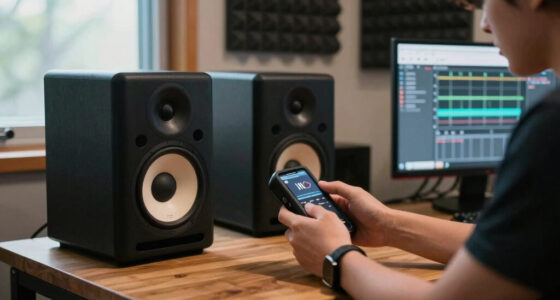
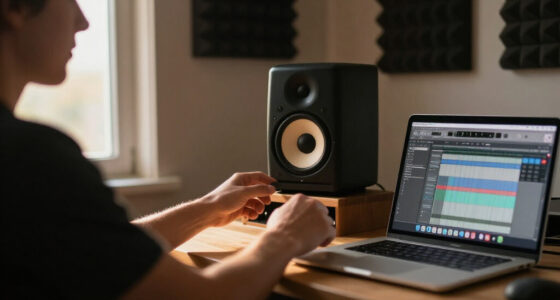
studio monitor speakers for mixing
As an affiliate, we earn on qualifying purchases.
As an affiliate, we earn on qualifying purchases.
Tools That Can Help You Tackle Car Sound Problems
- Room simulation plugins — mimic car acoustics on your studio monitors or headphones. These plugins analyze the typical reflections and frequency boosts found in cars, allowing you to adjust your mix accordingly before you even listen in the vehicle.
- Calibration systems — use tools like SPL meters or calibrated car audio setups to test your mixes. These help you measure how your mix responds in real-world environments, giving you concrete data to inform your adjustments.
- Reference tracks — compare your mix to professionally mixed songs known to translate well in cars. This benchmarking helps you identify what elements need balancing and provides a target for your adjustments.
As an affiliate, we earn on qualifying purchases.
Common Mistakes That Make Your Mix Worse in the Car
Over-relying on studio monitors or headphones without checking in a car is a big mistake because it ignores the unique acoustic distortions that happen on the road. Your mix might sound perfect in the studio but become muddy or shrill in the car, leading to poor translation and listener fatigue.
Another pitfall: boosting bass or highs without considering how the car’s acoustics alter those frequencies. This approach often results in a mix that sounds unbalanced in the vehicle but fine elsewhere. It’s a classic case of treating the symptoms instead of the cause, which can lead to a cycle of constant adjustments that never truly solve the problem.
Finally, ignoring the effects of speaker placement and quality can lead to mixes that only sound good in ideal conditions — but in a noisy, reflective car cabin, those mixes fall apart. Good speaker placement and quality help, but they’re not a substitute for understanding and adjusting for the environment’s acoustic quirks.
Recognizing these mistakes and actively compensating for them is crucial for creating mixes that maintain their clarity and balance on the road, ensuring your music sounds great no matter where it’s played.Frequently Asked Questions
Why does my music sound so different in the car?
Because cars have a small, reflective space that boosts bass and muffles highs. This environment warps your mix, making it sound different from studio or headphone listening.How can I make my mixes sound better in the car?
Reference your mix in the car, use EQ to tame bass and boost highs, and consider tools that simulate car acoustics during mixing. These steps help you understand how your mix translates and guide you in making adjustments that work on the road.Should I test my music in a car while mixing?
Absolutely. Regularly checking your work in the car helps you catch issues early, understand real-world acoustic influences, and make more effective adjustments for consistent sound quality.Are there specific tools to help with car mix translation?
Yes, room simulation plugins and calibration tools can model car acoustics, giving you a clearer picture of how your mix will sound on the road. Using these tools during mixing can prevent costly guesswork and ensure better translation.Can upgrading my car speakers fix my sound issues?
Better speakers improve clarity and fidelity, but they won’t address the fundamental acoustic distortions caused by the environment. The key is to adjust your mix to suit the environment first, then enhance with quality speakers if needed.Conclusion
Getting your mix to sound consistent across environments isn’t magic — it’s about understanding what’s happening in your car and adjusting for it. reference your mixes on car speakers, use tools to simulate the environment, and don’t be afraid to tweak accordingly.
Next time you hit the road, remember: your car is a different beast. Master that environment, and your music will sound just as good there as in your studio.
Halloween Picks
halloween
As an affiliate, we earn on qualifying purchases.