
TL;DR

Get audio and creator gear delivered free with Prime
- Fast, free delivery on millions of items
- Prime Video, Amazon Music and more included
- Member-only deals all year
Redundant field recording involves using multiple storage methods—such as backup files, dual cards, and mirror modes—to prevent data loss. Combining on-device redundancy with post-recording backups ensures your recordings stay safe in unpredictable environments.
Imagine capturing a perfect environmental soundscape—crisp, vivid, alive. Then, just as you hit stop, your SD card corrupts. All that effort, gone. That’s the nightmare redundancy seeks to prevent. Today, you’ll learn how multiple backup methods—files, cards, mirror modes—can turn that nightmare into a distant memory.
Redundancy isn’t just tech jargon. It’s the difference between a successful project and total loss. Whether you’re documenting wildlife, capturing interviews on a budget, or recording soundscapes in the rain, knowing how to keep your data safe matters. Let’s explore what works, what doesn’t, and how to build your safety net step by step.
Redundancy isn’t optional—your recordings are too valuable to risk with single storage.
Using dual-card recorders or mirror modes provides immediate, real-time backup during critical sessions.
Post-recording backups to external drives or cloud storage add an extra safety layer, especially when on-site hardware fails.
Choose high-quality, rugged media suited for your environment to minimize hardware-related failures.
Regular testing and organized workflows prevent confusion and ensure backups are reliable when needed.
Why Redundancy Is Your Best Friend in Field Recording
Field recording is unpredictable. Equipment fails, cards get corrupted, power cuts happen. The data you gather—your art, your research, your livelihood—needs protection. Redundancy acts like a safety net, catching your recordings before they hit the ground.
Think of it like carrying a spare tire. Sure, your main tire may be fine—until it isn’t. Using multiple methods ensures that if one fails, another catches your work. This is especially true when recording in remote spots, where fixing a lost file means a frustrating trek back or worse.
For example, a wildlife sound recordist in the woods once used a dual-card recorder. When one card failed mid-session, the backup kicked in seamlessly. No re-visit, no re-recording. That’s real-world value.
Understanding why redundancy matters helps you make smarter choices. It’s not just about having extra storage; it’s about minimizing risk, especially when physical access to your gear is limited or impossible. The tradeoff often involves extra cost and complexity—more media, more setup—but the peace of mind is invaluable when your work is irreplaceable.
Popular right now

Ninja Flip Toaster Oven & Air Fryer, Large Capacity, Stainless, SP151
Dreame G10 Pro Wet and Dry Vacuum Mop

Breville BES870XL Barista Express Espresso Machine, Brushed Stainless Steel
As an affiliate, we earn on qualifying purchases.
How to Use Multiple Storage Cards Without Losing Your Mind
- Pick high-quality cards: Invest in reputable SD cards rated for high endurance—look for those with at least UHS Speed Class 3 and a reputation for reliability like SanDisk Extreme Pro or Lexar Professional. This reduces the risk of corruption or failure during critical moments, which can be devastating if you’re far from help.
- Enable dual recording: Use recorders that support simultaneous recording on two cards—most professional gear like the Sound Devices MixPre series or Zoom F8n handle this effortlessly. This feature creates an immediate backup, ensuring that even if one card fails mid-session, the other contains an identical copy, significantly reducing the risk of data loss.
- Label and organize: Keep track of which file is on which card. Use clear naming conventions or physical labels to avoid confusion during post-production. Proper organization prevents errors like overwriting or missing files, which can be costly and time-consuming to rectify later.
- Test before every session: Run a quick test recording, then check the files, ensuring both cards write correctly and play back without issues. This step can reveal potential problems—bad sectors, formatting issues—that could jeopardize your session’s integrity.
- Swap or backup immediately: After recording, transfer files to a secondary drive or cloud. Don’t rely solely on the internal redundancy; treat it as a safety layer, not the only one. Prompt backups prevent data loss if a card gets damaged later, and storing copies off-site guards against physical damage or theft.
For instance, a field recordist in Alaska used two SD cards during an Arctic expedition. When a storm damaged one card, the other kept recording, avoiding disaster. The key? Reliable media and real-time monitoring.
Deep understanding of these steps ensures you’re not just relying on luck but actively managing risk. Each layer of redundancy, from media choice to immediate backups, compounds your security, making data loss much less likely.
Mirror Mode and Real-Time Duplication: What It Is and Why It Matters
Mirror mode in field recording means data is written simultaneously to two storage locations—like a mirror reflecting the same image. This setup is akin to RAID 1 in computers—if one drive fails, the other keeps your data safe.
Some high-end recorders, such as the Zoom F8n or Sound Devices MixPre, support mirror modes directly. They automatically duplicate your recordings onto a secondary SD card or SSD, providing near-instant backup without extra steps. This real-time duplication is critical when recording in environments where hardware failure could mean losing hours of valuable sound data.
Imagine recording in a storm-prone area. With mirror mode enabled, even if one card gets a sudden power surge or corrupts, your data lives on the other. It’s a real-time safety net that minimizes risk and saves time in post-production. The main advantage is immediate redundancy—your data is protected as you record, not after the fact—which is vital for high-stakes projects where re-recording isn’t feasible.
However, mirror mode can slow down your workflow slightly—writing twice means more strain on your device. But for critical recordings, that small tradeoff is worth it. It ensures maximum data security at the cost of slightly reduced recording speed, which is often acceptable given the peace of mind it provides.
Comparing Backup Strategies: Which One Fits Your Workflow?
| Method | Speed | Reliability | Best For |
|---|---|---|---|
| Multiple Files (Post-Recording) | Fast to set up, slower to execute | Depends on transfer process | Everyday recording, minimal risk |
| Dual Card Recording | Real-time, no delay | High, if device supports it | Critical sessions, remote locations |
| Mirror Mode | Slower, due to duplication | Very high | High-stakes, professional projects |
Choosing the right method depends on your needs. If you’re in a remote area, dual-card or mirror modes give you immediate safety. For day-to-day work, post-recording backups combined with good media are enough. Consider the implications of each: real-time methods like dual cards and mirror modes provide instant security but require compatible gear and may impact recording speed. Post-recording backups are more flexible but rely on timely data transfer and organization. Balancing these approaches based on your environment, equipment, and project importance ensures your data is protected without unnecessary complexity.
Best Practices for Building a Redundancy System That Actually Works
- Use rugged, high-end media: Opt for SD cards and SSDs rated for harsh environments—look for specs like high write endurance and temperature tolerance. These qualities help prevent failures caused by environmental factors like moisture, dust, or temperature swings, which are common in field conditions.
- Implement multiple layers: Combine on-device redundancy (dual cards, mirror mode) with post-session backups to external drives or cloud services. This layered approach ensures that if one layer fails—say, a card gets corrupted—you still have other copies stored safely elsewhere. It’s about creating a safety net thick enough to catch all potential mishaps.
- Test regularly: Run quick tests before each session. Confirm that all backup paths are functioning and files are readable. Regular testing helps identify hardware issues early, avoiding surprises during critical recordings. It also familiarizes you with your backup procedures, making them second nature when time is tight.
- Stay organized: Keep backups in clearly labeled folders, ideally with date and session info. Version control can save headaches later. An organized system reduces human error, ensures quick retrieval, and facilitates efficient post-production workflows.
- Automate when possible: Use software or hardware that automates backups—reduces human error and saves time. Automation ensures backups happen consistently, without relying on memory or manual steps, which can be forgotten or skipped under pressure.
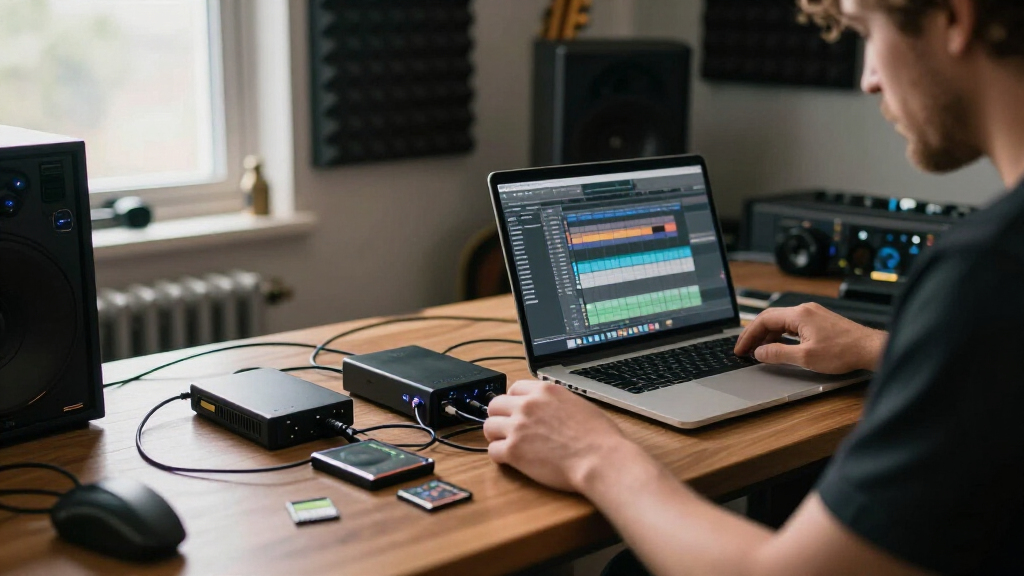
For example, a documentary sound recordist routinely copies recordings to a portable SSD during breaks, then uploads to cloud storage nightly. This layered approach means even if a card fails, multiple copies exist across different media. Such strategies, when integrated into your workflow, significantly enhance your data security and peace of mind.
Building a reliable redundancy system involves understanding your gear’s capabilities, environmental challenges, and workflow needs. Combining these elements thoughtfully can turn a simple backup into a comprehensive safety net that protects your work in all scenarios.
Frequently Asked Questions
What’s the simplest way to add redundancy on a tight budget?
Use high-quality SD cards and transfer files to a portable drive or cloud as soon as possible. Dual-card recorders are more expensive but worth the investment for critical projects.
How often should I back up my recordings?
Immediately after each session, ideally during breaks or while transferring files. The more layers, the safer your data.
Can I rely solely on mirror mode for safety?
While mirror mode provides excellent real-time backup, it’s smart to combine it with external copies—like cloud uploads or external drives—for maximum security.
What are common pitfalls in redundant recording?
Using cheap, unreliable media, neglecting to test backup systems, and assuming hardware won’t fail. Always verify your backups before critical sessions.
Conclusion
In the unpredictable world of field recording, redundancy is your best insurance policy. Combining multiple backup methods—files, cards, mirror modes—keeps your work safe from hardware mishaps and environmental hazards.
Think of it as building a fortress around your recordings. It might take a little extra effort, but that effort pays off when you’re still capturing that perfect soundscape after others have lost everything.