TL;DR

Get audio and creator gear delivered free with Prime
- Fast, free delivery on millions of items
- Prime Video, Amazon Music and more included
- Member-only deals all year
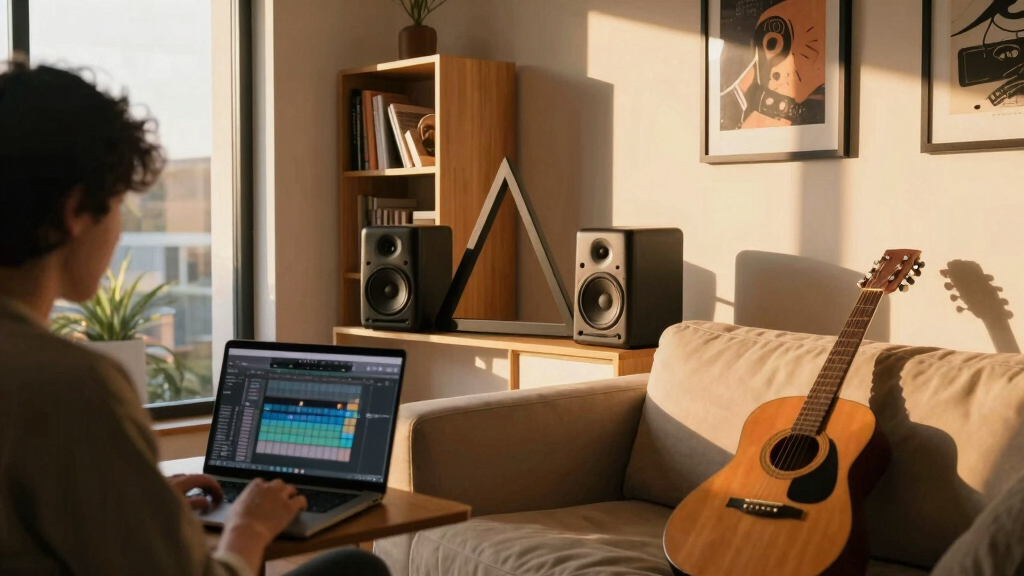
Position your studio monitors and yourself to form an equilateral triangle, with all points equally spaced. This setup minimizes room reflections and delivers balanced, accurate sound, essential for high-quality nearfield listening.
When you sit down to listen critically—whether you’re mixing a track or fine-tuning your home audio—the last thing you want is skewed stereo images or muddled sound. Yet, many overlook the simple geometry that makes all the difference: the equilateral triangle.
Getting your speakers and your ears in the right position is like tuning an instrument—it’s about precision and understanding how space shapes sound. In this guide, you’ll learn how to set up your nearfield monitors using this classic triangle principle. It’s straightforward, effective, and the key to clearer, more honest audio.
Position your monitors and yourself to form an exact equilateral triangle—equal distances and angles at 60°—for the best stereo imaging.
Use a tape measure and an angle finder to set your monitors’ distance and toe-in accurately.
Align tweeters at ear level and keep monitor height consistent to ensure clear high frequencies.
Acoustic treatment and measurement tools help correct room issues, making your nearfield setup more precise.
Small adjustments—like slight speaker angling or repositioning—can significantly improve your soundstage.
Why the Equilateral Triangle Matters for Nearfield Listening
The core idea is simple: your speakers and your ears should form an equilateral triangle—each side equal, each angle at 60°. But why does this shape matter so much? Because sound waves behave differently depending on your positioning. When the triangle is perfect, the sound waves from each speaker reach your ears at the same time and intensity, creating a cohesive stereo image. This synchronization reduces phase issues, which can cause a muddled or unfocused soundstage. It also minimizes timing differences that can lead to comb filtering, where certain frequencies cancel each other out, muddying your mix or playback. The geometry ensures that your brain perceives a balanced, centered sound — akin to standing in the middle of a concert hall rather than off to the side. If the triangle isn’t equilateral, some sounds may appear more prominent or distant, leading to inaccurate mixing decisions or listening fatigue. Therefore, understanding and implementing this shape directly impacts your ability to accurately interpret and manipulate sound, especially in critical listening environments.
As an affiliate, we earn on qualifying purchases.
How to Find Your Perfect Listening Distance and Speaker Placement
- Measure your room’s size and decide on a comfortable distance within 0.5 to 2 meters. The goal is to find a space where you can sit comfortably without straining or feeling too close to the monitors. This range ensures enough acoustic space for accurate sound without overwhelming room reflections.
- Place your monitors so that the distance between them equals the distance from each monitor to your ears. For example, if your ears are 1 meter from each speaker, keep the speakers 1 meter apart. This balance ensures the stereo image is neither too narrow nor too wide, maintaining phase coherence and accurate localization of sounds.
- Angle the speakers inward (toe-in) so that they point directly at your ears. This focused directionality concentrates the sound energy toward you, sharpening stereo imaging and reducing sound spill into the room. It also minimizes early reflections that can blur your perception of spatial cues.
- Adjust height so that the tweeters are at ear level. When the high frequencies hit your ears directly, the tonal balance remains intact, preventing muffling or exaggerated treble. Proper height alignment ensures clarity and detail in your listening experience.
- Fine-tune your position by listening to familiar tracks and adjusting slightly until the stereo image feels centered and natural. Small shifts can dramatically improve imaging, so trust your ears after initial measurements and setup.
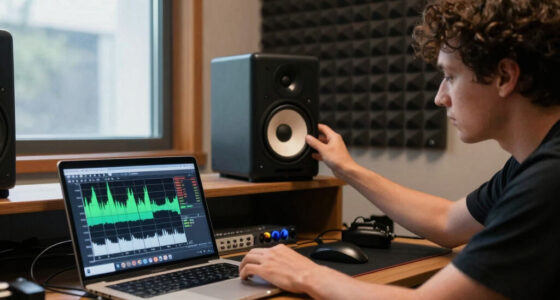
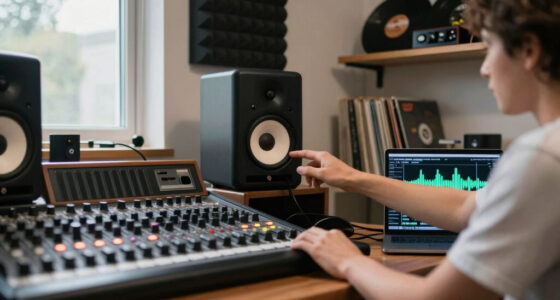
Picture yourself in a small, cozy room. You’re sitting comfortably with your monitors angled inward, forming a perfect triangle. That’s the sweet spot where your sound feels balanced and precise, enabling you to make accurate mixing decisions or enjoy music with clarity. This setup reduces the risk of false localization and helps you detect subtle details that might otherwise be lost.
As an affiliate, we earn on qualifying purchases.
Using Room Acoustics and Measurement Tools to Improve Your Setup
Even with perfect placement, your room can distort your sound through reflections, bass buildup, and standing waves. These phenomena can create peaks and dips in your frequency response, misleading your perception of the mix. Acoustic treatment and measurement tools are essential for diagnosing and correcting these issues.
Start by installing broadband absorbers on walls and bass traps in corners—these treatments help tame early reflections and bass resonances that color your sound. Using a measurement microphone and software like Room EQ Wizard or ARC allows you to analyze your room’s frequency response in real-time. This data reveals problem areas, such as bass frequencies that are overly boosted or null points where sound cancels out. Based on this information, you can adjust your speaker placement, angle, or add targeted treatments to flatten the response. For example, an artist discovered that adding a bass trap behind her monitors significantly reduced low-end muddiness, resulting in more consistent mixes across different listening environments. This process enhances the accuracy of your nearfield setup by ensuring the room’s influence is minimized or controlled, letting your monitors do their best work.
As an affiliate, we earn on qualifying purchases.
Recent Tech That Makes Setting Up Your Nearfield Monitors Easier
New technology simplifies your setup and improves accuracy. Digital room correction systems like Dirac Live or ARC can automatically analyze your room and apply equalization to compensate for anomalies, effectively ‘flattening’ your room’s frequency response. This means you don’t have to manually tweak every parameter; the software does much of the work, saving time and reducing guesswork. Many monitors now feature waveguides and dispersion improvements, which help spread sound evenly even if your triangle isn’t perfectly formed. This reduces the need for exact positioning and allows for more flexible setups without sacrificing sound quality. Wireless monitors and compact speakers also offer greater placement freedom, enabling you to maintain the ideal triangle while avoiding cumbersome cables or limited space. These tools and innovations empower creators to establish professional-grade nearfield environments with less effort and more confidence, even in less-than-ideal rooms.
acoustic treatment panels for studio
As an affiliate, we earn on qualifying purchases.
As an affiliate, we earn on qualifying purchases.
Quick Comparison: Perfect Triangle Setup vs. Common Mistakes
| Aspect | Ideal Setup | Common Mistakes |
|---|---|---|
| Monitor Distance | Equal distances from each speaker to your ears, about 1 meter | Speakers too close or far apart, creating uneven stereo image |
| Speaker Angle | Toe-in so that speakers point directly at ears | Speakers facing straight ahead or outward, causing phase issues |
| Height | Tweeters at ear level | Speakers too high or low, muffling high frequencies |
| Room Treatment | Absorbers and traps to reduce reflections | Untreated rooms with echo and standing waves |
Following this comparison helps avoid the pitfalls that distort your sound and waste your time tuning in the wrong way. Remember, small mistakes in placement can have outsized impacts on your sound quality, leading to inaccurate mixes or listening fatigue. Prioritizing proper setup prevents these issues and ensures your listening environment supports your creative process effectively.
What to Do When Your Setup Still Feels Off
If your stereo image feels off or muddy, start by rechecking your triangle. Are your monitors equally spaced and angled correctly? Small adjustments—like angling a speaker slightly more inward or repositioning it a few centimeters—can make a significant difference in clarity and imaging. Next, analyze your room acoustics. Even minor issues such as a reflective wall or a bass resonance can skew your perception. Use a measurement microphone and software to identify problematic frequencies or reflections. Based on this data, make targeted adjustments—adding acoustic panels, repositioning monitors, or tweaking angles—to improve clarity. Remember, your ears are the final judge, but data-driven decisions help confirm what your intuition senses. Think of it like tuning a musical instrument: small, precise adjustments can restore harmony and balance to your soundstage, ensuring your mixes translate well across systems and environments.
Frequently Asked Questions
How do I measure the perfect monitor distance for my room?
Use a tape measure to set your monitors so that the distance between them equals the distance from each to your ears. Start with about 1 meter and adjust based on room size and sound quality.What is the best angle for toeing in my monitors?
Aim for around 10–20° inward, so the monitors point directly at your ears. This focused angle enhances stereo imaging and reduces sound dispersion into the room.Can I set up a nearfield triangle in a large room?
It’s more effective in small to medium rooms. Larger spaces may require additional acoustic treatment or different speaker placement to maintain accuracy.What tools help me optimize my setup?
A measurement microphone paired with software like Room EQ Wizard or ARC helps analyze your room and adjust speaker placement or equalization for the best results.How do I fix a stereo image that feels off even after setup?
Recheck your triangle—make sure distances and angles are correct. Then, analyze your room acoustics and tweak speaker angles or add treatments until the sound feels centered and clear.Conclusion
Getting your nearfield monitors into the perfect triangle isn’t just about geometry; it’s about unlocking your room’s true potential. When your speakers and ears are aligned, every detail in your mix or playlist comes into sharp focus—like a lens coming into perfect focus.
Take the time to set it right. It’s a simple step that pays off in clearer, more honest sound—and a deeper connection to your music.
Fall Picks
fall essentials
As an affiliate, we earn on qualifying purchases.